brake Lexus ES350 2009 Owner's Guide
[x] Cancel search | Manufacturer: LEXUS, Model Year: 2009, Model line: ES350, Model: Lexus ES350 2009Pages: 475, PDF Size: 6.2 MB
Page 151 of 475
149
2-4. Using other driving systems
2
When driving
ES350_U_(L/O_0808)
Driving in vehicle-to-vehicle distance control mode
This mode employs a radar sensor to detect the presence of vehicles
within 328 ft. (100 m) ahead and to judge the distance between your
vehicle and those vehicles.
Note that vehicle-to-vehicle distance will close when traveling on long down-
hill slopes.
Example of constant speed cruising (when there are no vehicles
ahead): When set to 62 mph (100 km/h)
The vehicle travels at the speed set by the driver. The desired vehicle-to-vehi-
cle distance can also be set by operating the vehicle-to-vehicle distance
switch.
Example of deceleration cruising (when the vehicle ahead is driving
slower than the set speed): When fixed speed cruising is set at 62 mph
(100 km/h) and the vehicle ahead is driving at 50 mph (80 km/h)
When a vehicle is detected running ahead of you, in the same lane, the sys-
tem automatically decelerates your vehicle. When a greater reduction in
vehicle speed is necessary, the system applies the brakes. A warning tone
warns you when the system cannot decelerate sufficiently to prevent your
vehicle from closing on the vehicle ahead.
Page 155 of 475
153
2-4. Using other driving systems
2
When driving
ES350_U_(L/O_0808)
For vehicles sold in Canada
Operation is subject to the following two conditions;
(1) This device may not cause interference, and
(2) This device must accept any interference received, including interference that
may cause undesired operation of the device.
CAUTION
■Before using dynamic radar cruise control
Do not overly rely on vehicle-to-vehicle distance control.
Be aware of the set vehicle speed. If automatic deceleration/acceleration is not
appropriate, adjust the vehicle speed, as well as the distance between your vehicle
and vehicles ahead by applying the brakes, etc.
■To avoid inadvertent cruise control activation
Keep the ON-OFF button off when not in use.
■Situations unsuitable for dynamic radar cruise control
Do not use dynamic radar cruise control in any of the following situations.
Doing so may result in control of the vehicle being lost and could cause an accident
resulting in death or serious injury.
●In heavy traffic
●On roads with sharp bends
●On winding roads
●On slippery roads, such as those covered with rain, ice or snow.
●Where there are sudden changes between sharp up and down gradients
●At entrances to expressways
●When weather conditions are bad enough that they may prevent the sensors
from functioning correctly (fog, snow, sandstorm, etc.)
●Where buzzer can be heard often
●When towing a trailer
Page 156 of 475
154
2-4. Using other driving systems
ES350_U_(L/O_0808)
CAUTION
■When the radar sensor may not be correctly detecting the vehicle ahead
Apply the brakes as necessary when any of the following types of vehicles are in
front of you.
As the sensor may not be able to correctly detect these types of vehicles, the prox-
imity alarm (→P. 386) will not be activated, and an accident may result.
●Vehicles that cut in suddenly
●Vehicles traveling at low speeds
●Vehicles that are not moving
●Vehicles with small rear ends (trailers with no load on board etc.)
●Motorcycles traveling in the same lane
■Conditions under which the vehicle-to-vehicle distance control may not function
correctly
Apply the brakes as necessary in the following conditions as the radar sensor may
not be able to correctly detect vehicles ahead, and an accident may result.
●When water or snow thrown up by the surrounding vehicles hinders the function-
ing of the sensor
●When your vehicle is pointing upwards (caused by a heavy load in the trunk, etc.)
●When the road curves or when the lanes are narrow
●When steering wheel operation or your position in the lane is unstable
■To ensure the radar sensor functions correctly
Do not do the following to the sensor or grille cover as doing so may cause the sen-
sor not to function correctly and could result in an accident.
●Stick or attach anything to them
●Leave them dirty
●Disassemble, subject them to strong shocks
●Modify or paint them
●Replace them with non-genuine parts
Page 161 of 475
159
2-4. Using other driving systems
2
When driving
ES350_U_(L/O_0808)
■Sensor detection information
●Certain vehicle conditions and the surrounding environment may affect the
ability of the sensor to correctly detect obstacles. Particular instances where this
may occur are listed below.
• There is dirt, snow or ice on the sensor.
• The sensor is frozen.
• The sensor is covered in any way.
• The vehicle is leaning considerably to one side.
• On an extremely bumpy road, on an incline, on gravel, or on grass
• The vicinity of the vehicle is noisy due to vehicle horns, motorcycle engines,air brakes of large vehicles, or other loud noises producing ultrasonic waves.
• There is another vehicle equipped with parking assist sensors in the vicinity.
• The sensor is coated with a sheet of spray or heavy rain
• The vehicle is equipped with a fender pole or wireless antenna.
• Towing eyelets are installed.
• The bumper or sensor receives a strong impact.
• The vehicle is approaching a tall or curved curb.
• In harsh sunlight or intense cold weather
In addition to the examples above, there are instances in which, because of their
shapes, signs and other objects may be judged by the sensor to be closer than they
are.
●The shape of the obstacle may prevent the sensor from detecting it. Pay particu-
lar attention to the following obstacles.
• Wires, fences, ropes etc.
• Cotton, snow and other materials that absorb radio waves
• Sharply-angled objects
• Low obstacles
• Tall obstacles with upper sections projecting outwards in the direction of your
vehicle
Page 163 of 475
161
2-4. Using other driving systems
2
When driving
ES350_U_(L/O_0808)
Driving assist systems
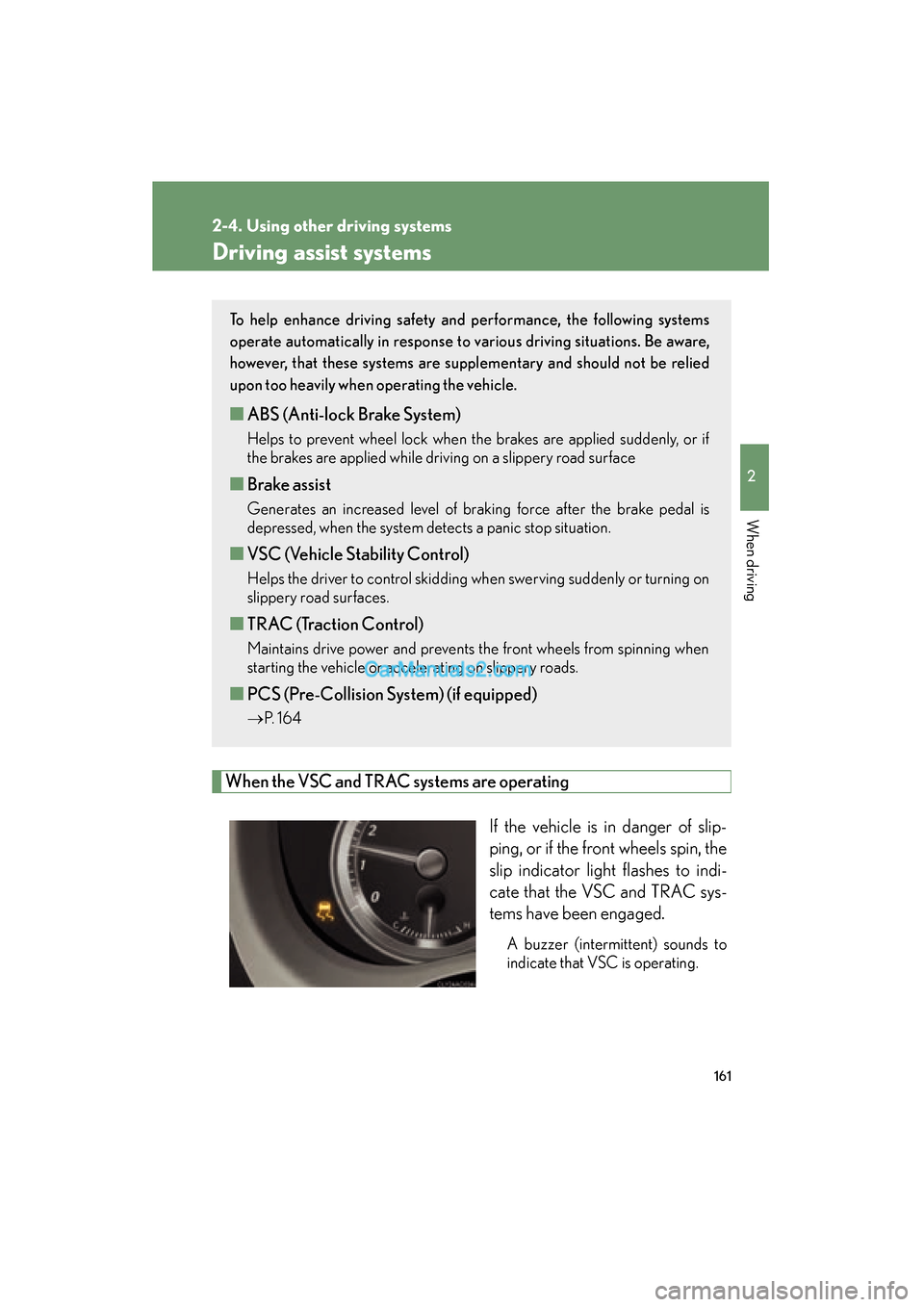
When the VSC and TRAC systems are operatingIf the vehicle is in danger of slip-
ping, or if the front wheels spin, the
slip indicator light flashes to indi-
cate that the VSC and TRAC sys-
tems have been engaged.
A buzzer (intermittent) sounds to
indicate that VSC is operating.
To help enhance driving safety and performance, the following systems
operate automatically in response to various driving situations. Be aware,
however, that these systems are suppl ementary and should not be relied
upon too heavily when operating the vehicle.
■ ABS (Anti-lock Brake System)
Helps to prevent wheel lock when the brakes are applied suddenly, or if
the brakes are applied while driving on a slippery road surface
■Brake assist
Generates an increased level of braking force after the brake pedal is
depressed, when the system detects a panic stop situation.
■VSC (Vehicle Stability Control)
Helps the driver to control skidding when swerving suddenly or turning on
slippery road surfaces.
■TRAC (Traction Control)
Maintains drive power and prevents the front wheels from spinning when
starting the vehicle or accelerating on slippery roads.
■PCS (Pre-Collision System) (if equipped)
→ P. 1 6 4
Page 164 of 475
162
2-4. Using other driving systems
ES350_U_(L/O_0808)
■Sounds and vibrations caused by the ABS, brake assist, VSC and TRAC systems
●A sound may be heard from the engine compartment when the engine is
started or just after the vehicle begins to move. This sound does not indicate that
a malfunction has occurred in any of these systems.
●Any of the following conditions may occur when the above systems are operat-
ing. None of these indicates that a malfunction has occurred.
• Vibrations may be felt through the vehicle body and steering.
• A motor sound may be heard after the vehicle comes to a stop.
• The brake pedal may pulsate slightly after the ABS is activated.
• The brake pedal may move down slightly after the ABS is activated.
CAUTION
Any of the following conditions may result in an accident which could cause death or
serious injury:
■The ABS does not operate effectively when
●The limits of tire gripping performance have been exceeded.
●The vehicle hydroplanes while driving at high speed on the wet or slick road.
■Stopping distance when the ABS is operating will exceed that of normal condi-
tions
The ABS is not designed to shorten the vehicle’s stopping distance. Always main-
tain a safe distance from the vehicle in front of you in the following situations.
●When driving on dirt, gravel or snow-covered roads
●When driving with tire chains
●When driving over bumps in the road
●When driving over roads with potholes or roads with uneven roads
■TRAC may not operate effectively when
Directional control and power may not be achievable while driving on slippery road
surfaces, even if the TRAC system is operating.
Do not drive the vehicle in conditions where stability and power may be lost.
Page 166 of 475
164
2-4. Using other driving systems
ES350_U_(L/O_0808)
PCS (Pre-Collision System)∗
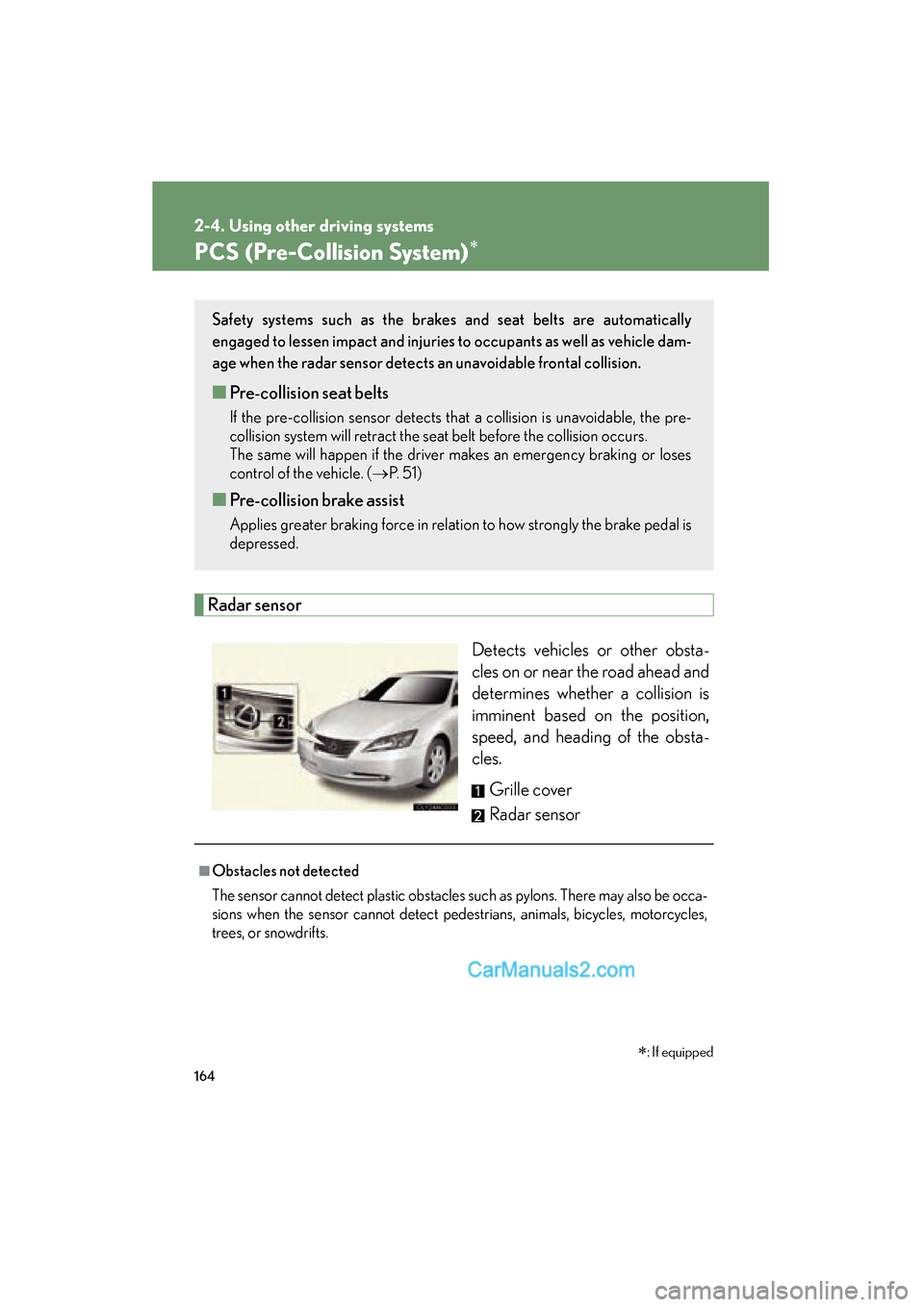
Radar sensorDetects vehicles or other obsta-
cles on or near the road ahead and
determines whether a collision is
imminent based on the position,
speed, and heading of the obsta-
cles. Grille cover
Radar sensor
Safety systems such as the brakes and seat belts are automatically
engaged to lessen impact and injuries to occupants as well as vehicle dam-
age when the radar sensor detects an unavoidable frontal collision.
■Pre-collision seat belts
If the pre-collision sensor detects that a collision is unavoidable, the pre-
collision system will retract the seat belt before the collision occurs.
The same will happen if the driver makes an emergency braking or loses
control of the vehicle. ( →P. 5 1 )
■Pre-collision brake assist
Applies greater braking force in relation to how strongly the brake pedal is
depressed.
■Obstacles not detected
The sensor cannot detect plastic obstacles such as pylons. There may also be occa-
sions when the sensor cannot detect pedestrians, animals, bicycles, motorcycles,
trees, or snowdrifts.
∗: If equipped
Page 167 of 475
165
2-4. Using other driving systems
2
When driving
ES350_U_(L/O_0808)
■The pre-collision system is operational when
●Seat belt (linked to the radar sensor)
• Vehicle speed is above 3 mph (5 km/h).
• The speed at which your vehicle is approaching the obstacle or oncomingvehicle exceeds 18 to 24 mph (30 to 40 km/h).
• The front occupants are wearing a seat belt.
●Seat belts (linked to brake operation)
• Vehicle speed is above 18 mph (30 km/h).
• The system detects sudden braking or skidding.
• The front occupants are wearing a seat belt.
●Brake assist
• Vehicle speed is above 18 mph (30 km/h).
• The speed at which your vehicle is approaching the obstacle or the vehicle is greater than 18 to 24 mph (30 to 40 km/h).
• The brake pedal is depressed.
■Conditions that may trigger the system even if there is no danger of collision
●When there is an object by the roadside at the entrance to a curve
●When passing an oncoming vehicle on a curve
●When driving over a narrow iron bridge
●When there is a metal object on the road surface
●When driving on an uneven road surface
●When passing an oncoming vehicle on a left-turn
●When your vehicle rapidly closes on the vehicle in front
When the system is activated in the situations described above there is also a possi-
bility that the seat belts will retract quickly and the brakes will be applied with a force
greater than normal. When the seat belt is locked in the retracted position, stop the
vehicle in a safe place, release the seat belt and refasten.
■When there is a malfunction in the system
Warning lights and/or warning messages will turn on or flash. ( →P. 375, 386)
Page 172 of 475
170
2-5. Driving information
ES350_U_(L/O_0808)
CAUTION
■Storage precautions
Observe the following precautions.
Failing to do so may result in death or serious injury.
●Do not place cargo or luggage in or on the following locations as the item may
get under the brake or accelerator pedal and prevent the pedals from being
depressed properly, block the driver’s vision, or hit the driver or passengers,
causing an accident.
• Driver’s feet
• Front passenger or rear seats (when stacking items)
• Package tray
• Instrument panel
• Dashboard
●Secure all items in the occupant compartment, as they may shift and injure some-
one during sudden braking, sudden swerving or an accident.
■Capacity and distribution
●Do not exceed the maximum axle weight rating or the total vehicle weight rating.
●Even if the total load of occupant's weight and the cargo load is less than the total
load capacity, do not apply the load unevenly.
Improper loading may cause deterioration of steering or braking control which
may cause death or serious injury.
Page 175 of 475
173
2-5. Driving information
2
When driving
ES350_U_(L/O_0808)
■Before driving the vehicle
Perform the following according to the driving conditions.
●Do not try to forcibly open a window or move a wiper that is fro-
zen. Pour warm water over the frozen area to melt the ice. Wipe
away the water immediately to prevent it from freezing.
● To ensure proper operation of the climate control system fan,
remove any snow that has accumulated on the air inlet vents in
front of the windshield.
● Remove any ice that has accumulated on the vehicle chassis.
● Periodically check for and remove any excess ice or snow that
may have accumulated in the wheel well or on the brakes.
■ When driving the vehicle
Accelerate the vehicle slowly and drive at a reduced speed suitable
to road conditions.
■ When parking the vehicle
Park the vehicle and move the shift lever to P without setting the
parking brake. The parking brake may freeze up, preventing it from
being released.