wheel Lexus ES350 2009 Service Manual
[x] Cancel search | Manufacturer: LEXUS, Model Year: 2009, Model line: ES350, Model: Lexus ES350 2009Pages: 475, PDF Size: 6.2 MB
Page 189 of 475
Interior features3
187
ES350_U_(L/O_0808)
3-1. Using the air conditioning system and defogger
Automatic air conditioning system ..................................... 188
Rear window and outside rear view mirror
defoggers ............................... 195
3-2. Using the audio system Audio system type................... 196
Using the radio......................... 198
Using the CD player ............ 205
Playing back MP3 and
WMA discs.............................. 211
Optimal use of the audio system ...................................... 219
Using the AUX adapter ....... 222
Using the steering wheel audio switches ..................... 223
3-3. Using the hands-free phone system
(for cellular phone)
Hands-free phone system features
(for cellular phone) ............. 225
Using the hands-free phone system
(for cellular phone) ............ 228
Making a phone call .............. 236
Setting a cellular phone ....... 240
Security and system setup ... 244
Using the phone book........... 247 3-4. Using the interior lights
Interior lights list .................... 253
• Interior lights ........................ 255
• Personal lights ..................... 255
3-5. Using the storage features List of storage features......... 256
• Glove box .............................. 256
• Console box ......................... 257
• Overhead console.............. 259
• Cup holders .......................... 260
• Auxiliary box ........................ 262
3-6. Other interior features Sun visors ................................. 263
Vanity mirror ........................... 264
Clock ......................................... 265
Ashtray ..................................... 266
Cigarette lighter ..................... 267
Power outlet ............................ 268
Seat heaters ............................ 269
Seat heaters and ventilators ............................... 271
Armrest .................................... 273
Rear sunshade ......................... 274
Extended trunk........................ 276
Floor mat ................................... 277
Trunk features ......................... 278
Garage door opener ............ 280
Compass .................................. 286
Page 198 of 475
196
ES350_U_(L/O_0808)
3-2. Using the audio system
Audio system type
■Using cellular phones
Interference may be heard through the audio system’s speakers if a cellular phone is
being used inside or close to the vehicle while the audio system is operating.
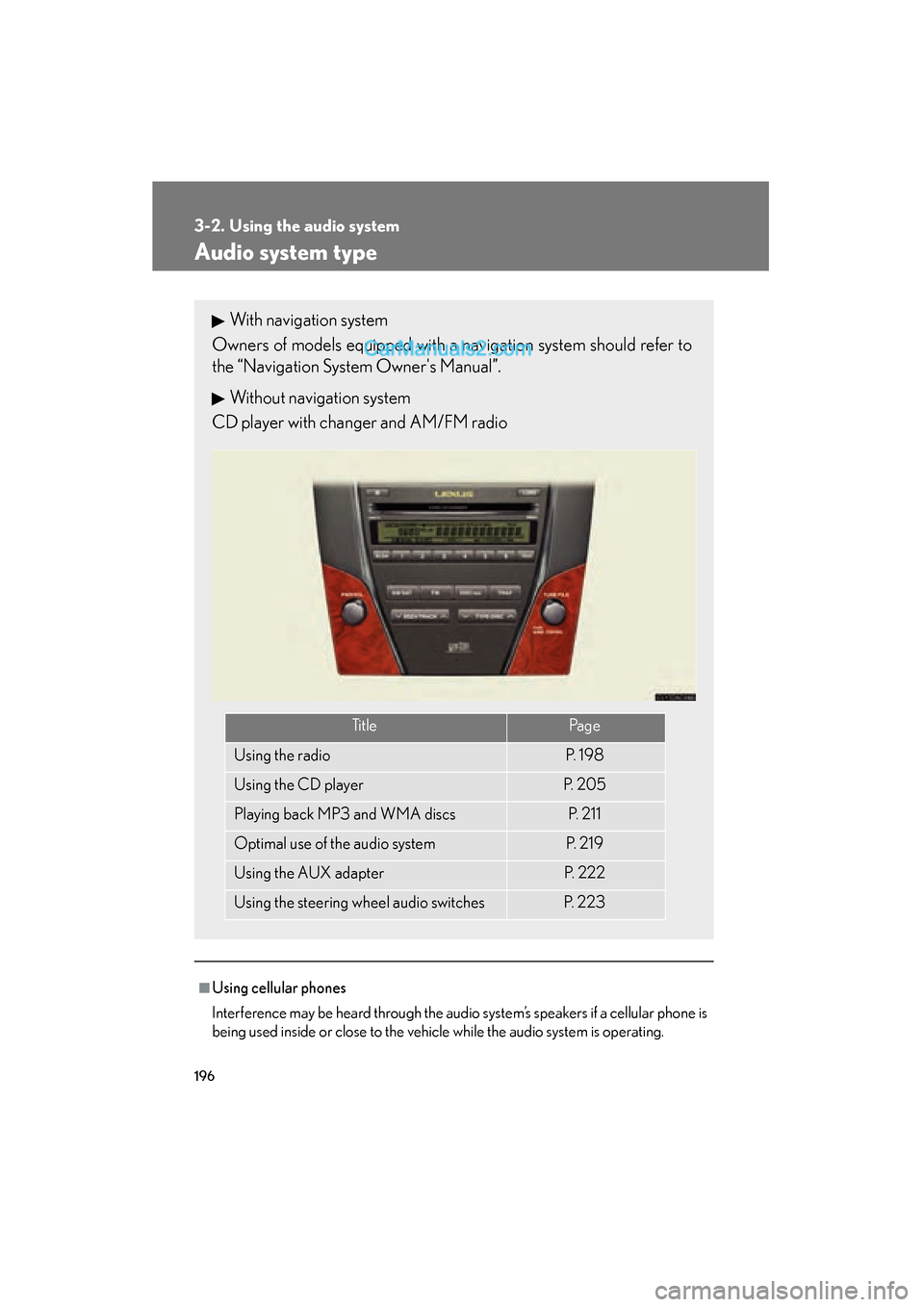
With navigation system
Owners of models equipped with a navigation system should refer to
the “Navigation System Owner's Manual”.
Without navigation system
CD player with changer and AM/FM radio
Ti t l ePa g e
Using the radioP. 1 9 8
Using the CD playerP. 2 0 5
Playing back MP3 and WMA discsP. 2 1 1
Optimal use of the audio systemP. 2 1 9
Using the AUX adapterP. 2 2 2
Using the steering wheel audio switchesP. 223
Page 225 of 475
223
3-2. Using the audio system
3
Interior features
ES350_U_(L/O_0808)
Using the steering wheel audio switches
Turning on the powerPress when the audio system is turned OFF.
The audio system can be turned off by holding the switch down for a few sec-
ond.
Changing the audio source
Press when the audio system is turned ON. The audio source
changes as follows each time the switch is pressed.
FM1 →FM2 →CD changer →AUX →AM →S AT 1 →S AT 2 →S AT 3
Adjusting the volume
Press + on to increase the volume and - to decrease the volume.
Hold down the switch to continue increasing or decreasing the volume.
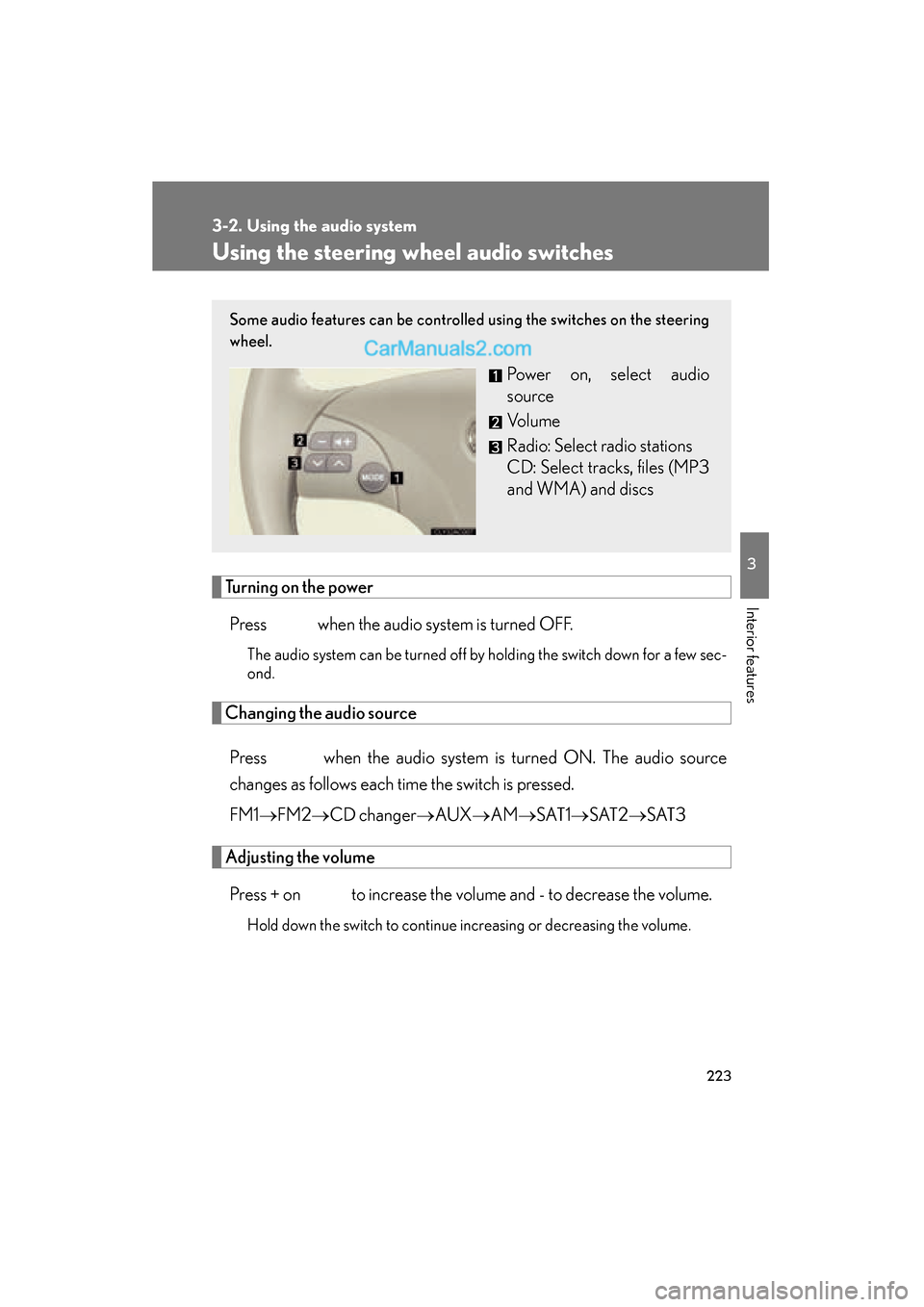
Some audio features can be controlled using the switches on the steering
wheel.
Power on, select audio
source
Vo l u m e
Radio: Select radio stations
CD: Select tracks, files (MP3
and WMA) and discs
Page 226 of 475
224
3-2. Using the audio system
ES350_U_(L/O_0808)
Selecting a radio stationPress to select the radio mode.
Press ∧ or ∨ on the switch to select a radio station.
To seek for receivable stations, press and hold the switch until you hear
a beep.
Selecting a track/file
Press to select the CD mode.
Press ∧ or ∨ on the switch to select the desired track/file.
Selecting a disc in the CD player
Press to select the CD mode.
Press and hold ∧ or ∨ on switch until a beep is heard.
CAUTION
■To reduce the risk of an accident
Exercise care when operating the audio switches on the steering wheel.
STEP1
STEP2
STEP1
STEP2
STEP1
STEP2
Page 231 of 475
229
3-3. Using the hands-free phone system (for cellular phone)
3
Interior features
ES350_U_(L/O_0808)
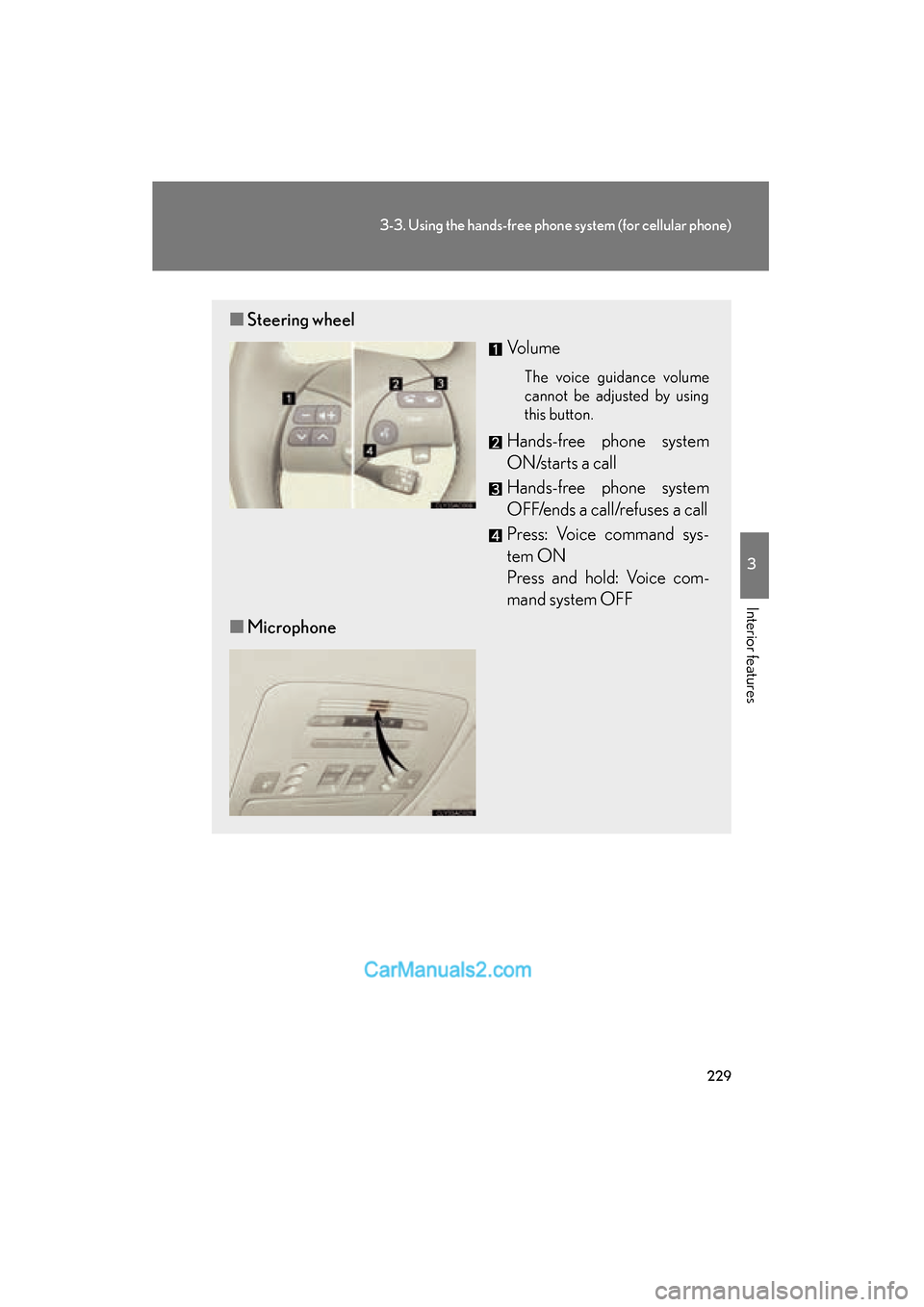
■Steering wheel
Vo l u m e
The voice guidance volume
cannot be adjusted by using
this button.
Hands-free phone system
ON/starts a call
Hands-free phone system
OFF/ends a call/refuses a call
Press: Voice command sys-
tem ON
Press and hold: Voice com-
mand system OFF
■ Microphone
Page 293 of 475
Maintenance and care4
291
ES350_U_(L/O_0808)
4-1. Maintenance and careCleaning and protecting the vehicle exterior............. 292
Cleaning and protecting the vehicle interior .............. 295
4-2. Maintenance Maintenance requirements ....................... 298
General maintenance ......... 300
Emission inspection and maintenance (I/M)
programs............................... 303 4-3. Do-it-yourself maintenance
Do-it-yourself service precautions ........................... 304
Hood .......................................... 308
Positioning a floor jack ......... 309
Engine compartment ............. 311
Tires............................................ 326
Tire inflation pressure........... 334
Wheels ...................................... 338
Air conditioning filter ........... 340
Electronic key battery.......... 342
Checking and replacing fuses ........................................ 344
Headlight aim ......................... 352
Light bulbs................................ 354
Page 294 of 475
292
ES350_U_(L/O_0808)
4-1. Maintenance and care
Cleaning and protecting the vehicle exterior
■Automatic car washes
●Fold the mirrors back before washing the vehicle.
●Brushes used in automatic car washes may scratch the vehicle surface and
harm your vehicle’s paint.
■High pressure car washes
●Do not allow the nozzles of the car wash to come within close proximity of the
windows.
●Before car wash, check that the fuel filler door on your vehicle is closed prop-
e r l y.
■Touch-up paint (if equipped)
Touch-up paint may be used to cover small chips or scratches.
Apply the paint soon after the damage occurs or corrosion may set in. To apply the
touch-up paint so it is hardly noticeable the trick is to apply it only to the bare spots.
Apply only the smallest amount possible and do not paint the surface around the
scratch or chip.
Perform the following to protect the vehicle and maintain it in prime condi-
tion.
● Working from top to bottom, liberally apply water to the vehicle
body, wheel wells and underside of the vehicle to remove any dirt
and dust.
Wash the vehicle body using a sponge or soft cloth, such as a
chamois.
● For hard-to-remove marks, use car wash soap and rinse thor-
oughly with water.
● Wipe away any water.
● Wax the vehicle when the waterproof coating deteriorates.
If water does not bead on a clean surface, apply wax when the vehicle
body is cool.
Page 295 of 475
293
4-1. Maintenance and care
4
Maintenance and care
ES350_U_(L/O_0808)
■Aluminum wheels
Remove any dirt immediately by using a neutral detergent. Do not use hard brushes
or abrasive cleaners. Do not use strong or harsh chemical cleaners. Use the same
mild detergent and wax as used on the paint.
■Bumpers and side moldings
Do not scrub with abrasive cleaners.
■To prevent deterioration and do by corrosion
●Wash the vehicle immediately in the following cases:
• After driving near the sea coast
• After driving on salted roads
• If you see coal tar or tree sap on the paint surface
• If you see dead insects or insect droppings on the paint
• After driving in an area contaminated with soot, oily smoke, mine dust, ironpowder or chemical substances
• If the vehicle becomes heavily soiled in dust or mud
• If liquids such as benzene and gasoline are spilled on the paint surface
●If the paint is chipped or scratched, have it repaired immediately.
CAUTION
■Caution about the exhaust pipe
Exhaust gasses cause the exhaust pipe to become quite hot.
When washing the vehicle, be careful not to touch the pipe until it has cooled suffi-
ciently, as touching a hot exhaust pipe can cause burns.
Page 304 of 475
302
4-2. Maintenance
ES350_U_(L/O_0808)
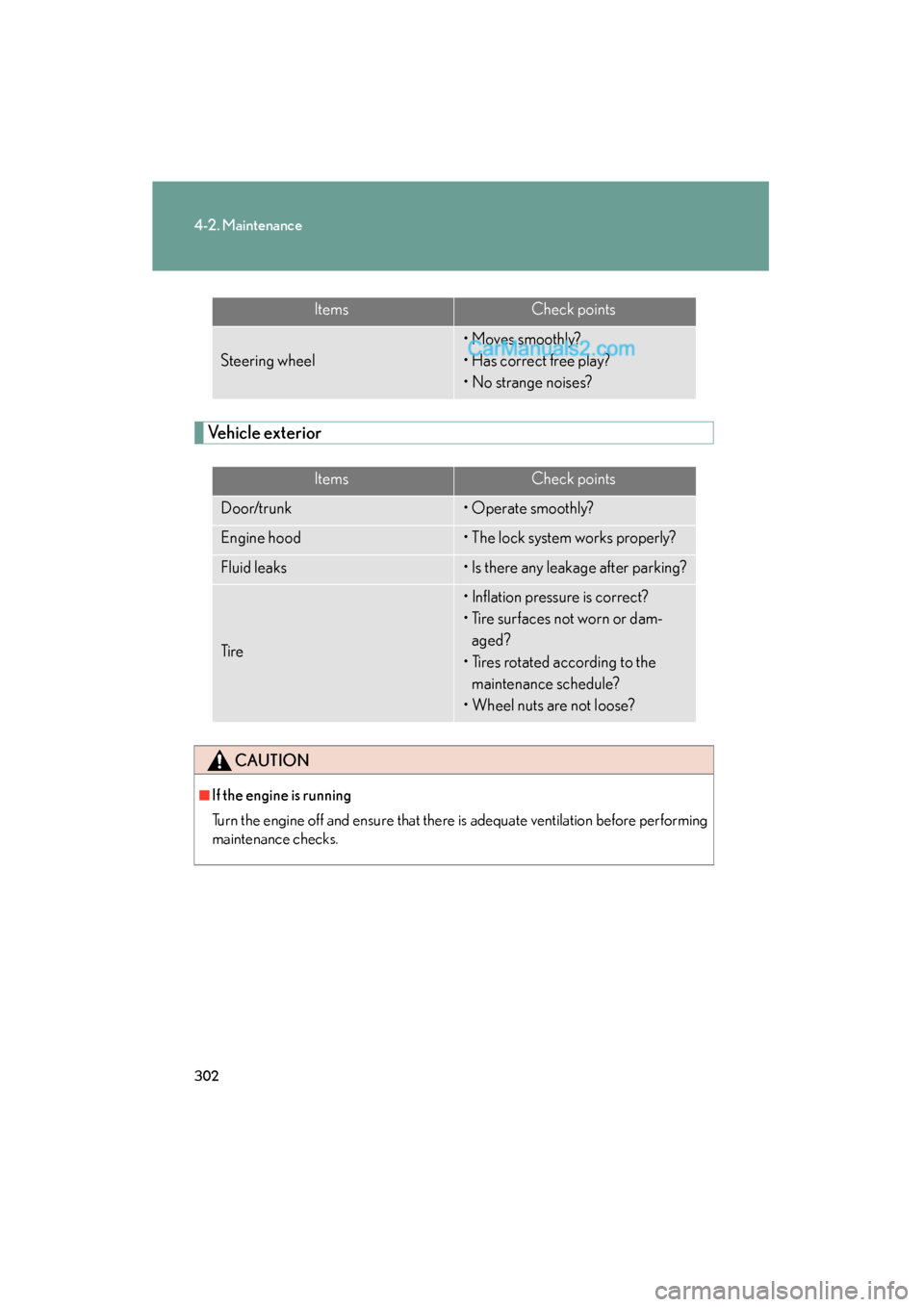
Vehicle exterior
ItemsCheck points
Steering wheel
• Moves smoothly?
• Has correct free play?
• No strange noises?
ItemsCheck points
Door/trunk• Operate smoothly?
Engine hood• The lock system works properly?
Fluid leaks• Is there any leakage after parking?
Ti r e
• Inflation pressure is correct?
• Tire surfaces not worn or dam-aged?
• Tires rotated according to the maintenance schedule?
• Wheel nuts are not loose?
CAUTION
■If the engine is running
Turn the engine off and ensure that there is adequate ventilation before performing
maintenance checks.
Page 329 of 475
327
4-3. Do-it-yourself maintenance
4
Maintenance and care
ES350_U_(L/O_0808)
Installing tire pressure warning valves and transmitters
When replacing tires or wheels, tire pressure warning valves and trans-
mitters must also be installed.
When new tire pressure warning valves and transmitters are installed,
new tire pressure warning valve and transmitter ID codes must be regis-
tered in the tire pressure warning computer and tire pressure warning
system must be initialized. Have tire pressure warning valve and transmit-
ter ID codes registered by your Lexus dealer. ( →P. 329)
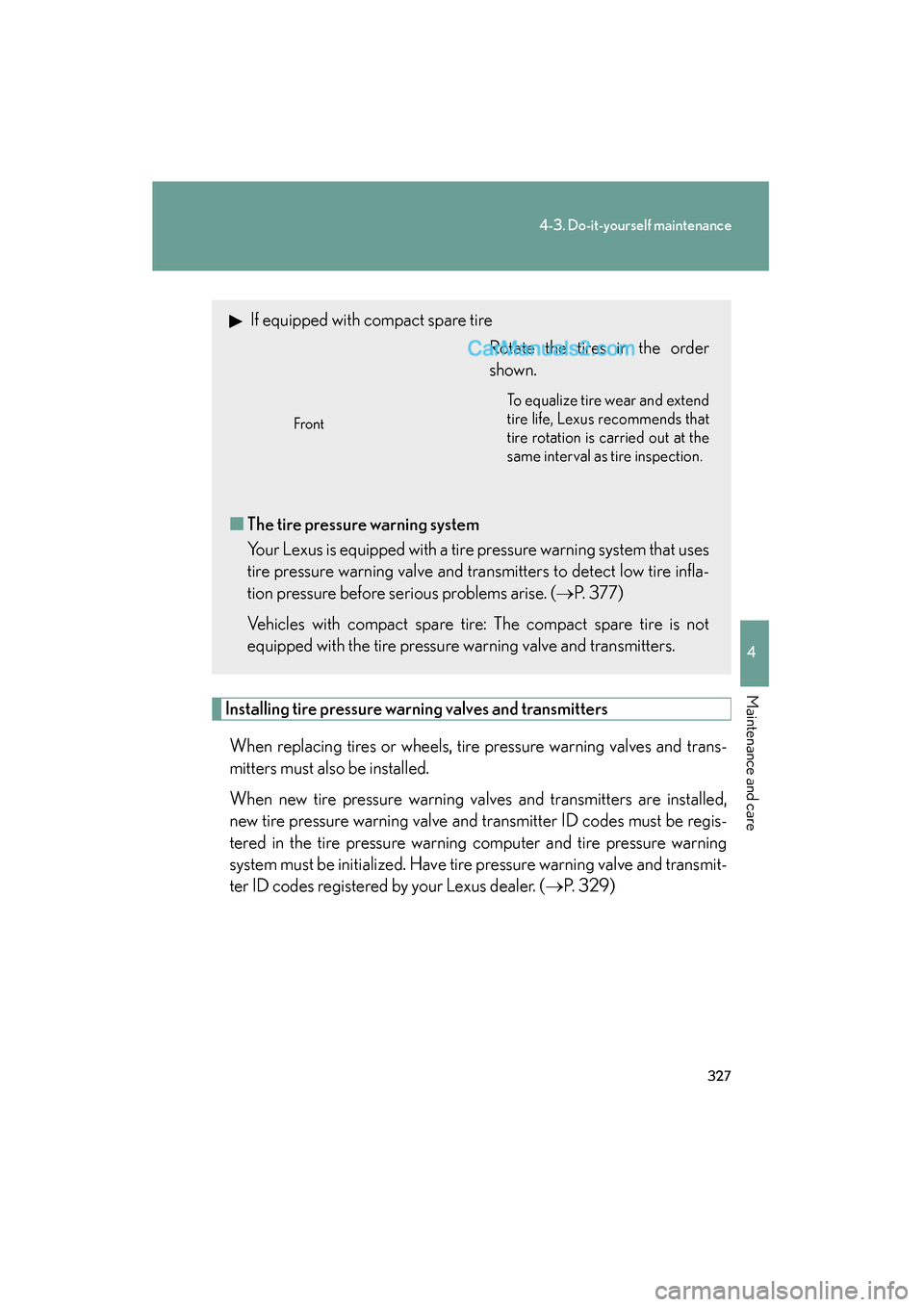
If equipped with compact spare tire
Rotate the tires in the order
shown.
To equalize tire wear and extend
tire life, Lexus recommends that
tire rotation is carried out at the
same interval as tire inspection.
■The tire pressure warning system
Your Lexus is equipped with a tire pressure warning system that uses
tire pressure warning valve and transmitters to detect low tire infla-
tion pressure before serious problems arise. ( →P. 3 7 7 )
Vehicles with compact spare tire: The compact spare tire is not
equipped with the tire pressure warning valve and transmitters.
Front