CD player Lexus ES350 2010 s Owner's Guide
[x] Cancel search | Manufacturer: LEXUS, Model Year: 2010, Model line: ES350, Model: Lexus ES350 2010Pages: 543, PDF Size: 6.54 MB
Page 259 of 543
257
3-3. Using the Bluetooth® audio system
3
Interior features
ES350_U
■When transferring ownership of the vehicle
Be sure to initialize the system to prevent personal data from being improperly
accessed. (oP. 300)
■About Bluetooth®
■Compatible models
●Bluetooth® specifications:
Ver. 1.1, or higher (Recommended: Ver. 1.2 or higher)
●Following Profiles:
• A2DP (Advanced Audio Distribution Profile) Ver. 1.0, or higher (Conformed:
Ver. 1.2)
• AVRCP (Audio/Video Remote Control Profile) Ver. 1.0 or higher (Con- formed: Ver. 1.3)
Portable players must correspond to the above specifications in order to be con-
nected to the Bluetooth
® audio system. However, please note that some functions
may be limited depending on the type of portable player.
■Certification for the Bluetooth® audio system
FCC ID: AJDK018
IC ID: 775E-K018
MADE IN JAPAN
This device complies with Part 15 of the FCC Rules and RSS-Gen and RSS-210 of
IC Rules. Operation is subject to the follo wing two conditions: (1) This device may
not cause harmful interference, and (2) This device must accept any interference
received, including interference that may cause undesired operation. Bluetooth is a registered trademark of
Bluetooth SIG. Inc.
Page 260 of 543
258
3-3. Using the Bluetooth® audio system
ES350_U
CAUTION
■FCC WARNING
Changes or modifications not expressly approved by the party responsible for
compliance could void the user's authority to operate the equipment.
Radio Frequency Radiation Exposure. This equipment complies with FCC radiation
exposure limits set forth for uncontrolled equipment and meets the FCC radio fre-
quency (RF) Exposure Guidelines in Supplement C to OET65. This equipment has
very low levels of RF energy that it deemed to comply without maximum permissive
exposure evaluation (MPE). But it is desirable that it should be installed and oper-
ated with at least 7.9 in. (20 cm) and more between the radiator and person’s body
(excluding extremities: hands, wrists, feet and ankles).
This transmitter must not be co-located or operated in conjunction with any other
antenna or transmitter.
■Caution while driving
Do not connect portable players or operate the controls.
NOTICE
■To prevent damage to portable players
Do not leave portable players in the vehicle. The temperature inside the vehicle
may become high, resulting in damage to the player.
Page 263 of 543
261
3-3. Using the Bluetooth® audio system
3
Interior features
ES350_U
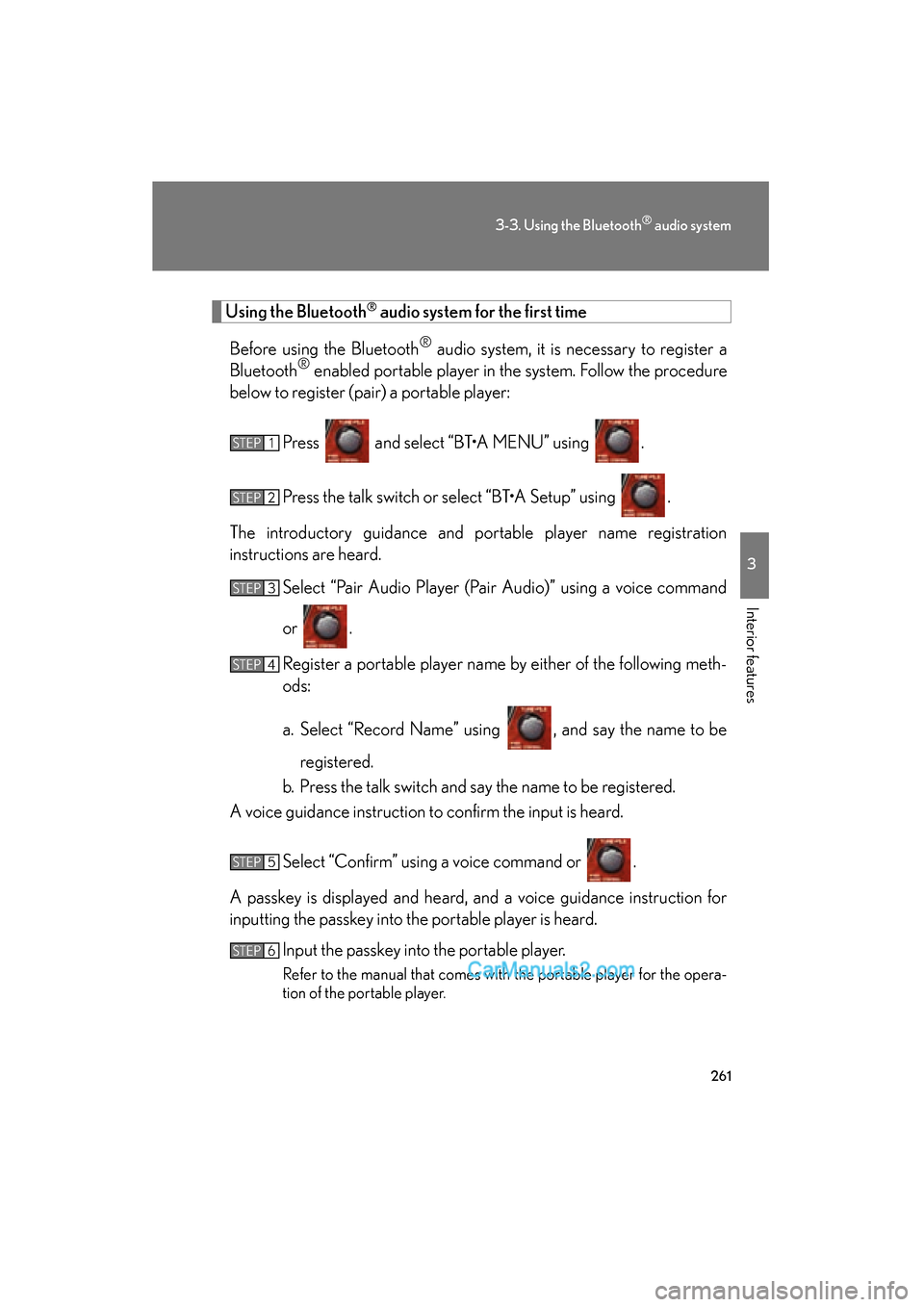
Using the Bluetooth® audio system for the first time
Before using the Bluetooth
® audio system, it is necessary to register a
Bluetooth® enabled portable player in the system. Follow the procedure
below to register (pair) a portable player:
Press and select “BT•A MENU” using .
Press the talk switch or select “BT•A Setup” using .
The introductory guidance and portable player name registration
instructions are heard. Select “Pair Audio Player (Pair Audio)” using a voice command
or .
Register a portable player name by either of the following meth-
ods:
a. Select “Record Name” using , and say the name to beregistered.
b. Press the talk switch and say the name to be registered.
A voice guidance instruction to confirm the input is heard.
Select “Confirm” using a voice command or .
A passkey is displayed and heard, and a voice guidance instruction for
inputting the passkey into the portable player is heard. Input the passkey into the portable player.
Refer to the manual that comes with the portable player for the opera-
tion of the portable player.
STEP1
STEP2
STEP3
STEP4
STEP5
STEP6
Page 264 of 543
262
3-3. Using the Bluetooth® audio system
ES350_UGuidance for registration completion is heard.
If the portable player has a Bluetooth
® phone, the phone can be regis-
tered at the same time. A voice guidance instruction to register a Blue-
tooth
® phone is heard.
Select “Yes” or “No” using a voice command or .
(Bluetooth
® phone o P. 2 7 7 )
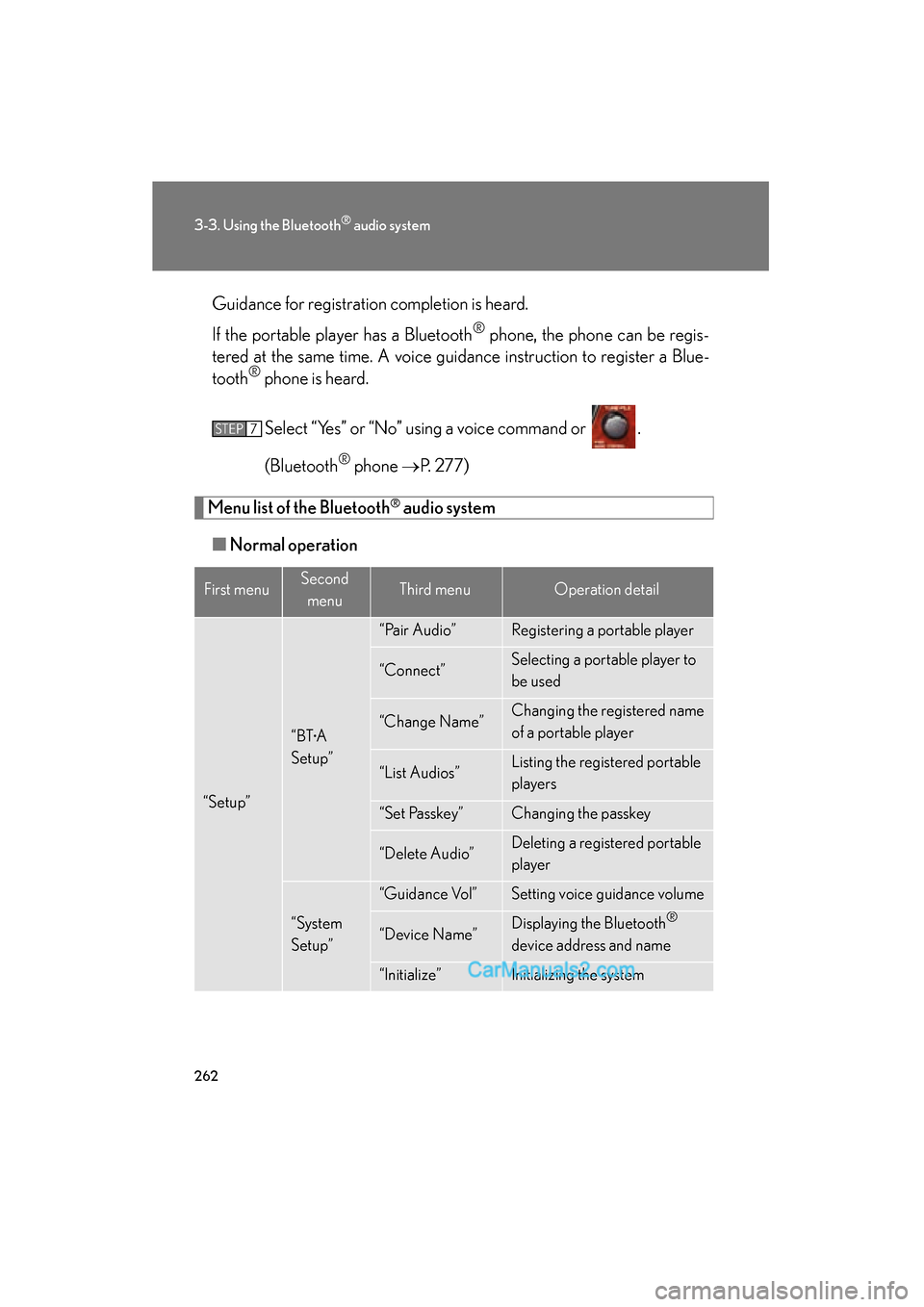
Menu list of the Bluetooth® audio system
■ Normal operation
First menuSecond
menuThird menuOperation detail
“Setup”
“BT•A
Setup”
“Pair Audio”Registering a portable player
“Connect”Selecting a portable player to
be used
“Change Name”Changing the registered name
of a portable player
“List Audios”Listing the registered portable
players
“Set Passkey”Changing the passkey
“Delete Audio”Deleting a registered portable
player
“System
Setup”
“Guidance Vol”Setting voice guidance volume
“Device Name”Displaying the Bluetooth®
device address and name
“Initialize”Initializing the system
STEP7
Page 265 of 543
263
3-3. Using the Bluetooth® audio system
3
Interior features
ES350_U
■When using a voice command
For numbers, say a combination of single digits from zero to nine.
Say the command correctly and clearly.
■Situations that the system may not recognize your voice
●When driving on rough roads
●When driving at high speeds
●When air is blowing out of the vents onto the microphone
●When the air conditioning fan emits a loud noise
■Operations that cannot be performed while driving
●Operating the system with
●Registering a portable player to the system
■Changing the passkey
oP. 2 7 2
Page 266 of 543
264
3-3. Using the Bluetooth® audio system
ES350_U
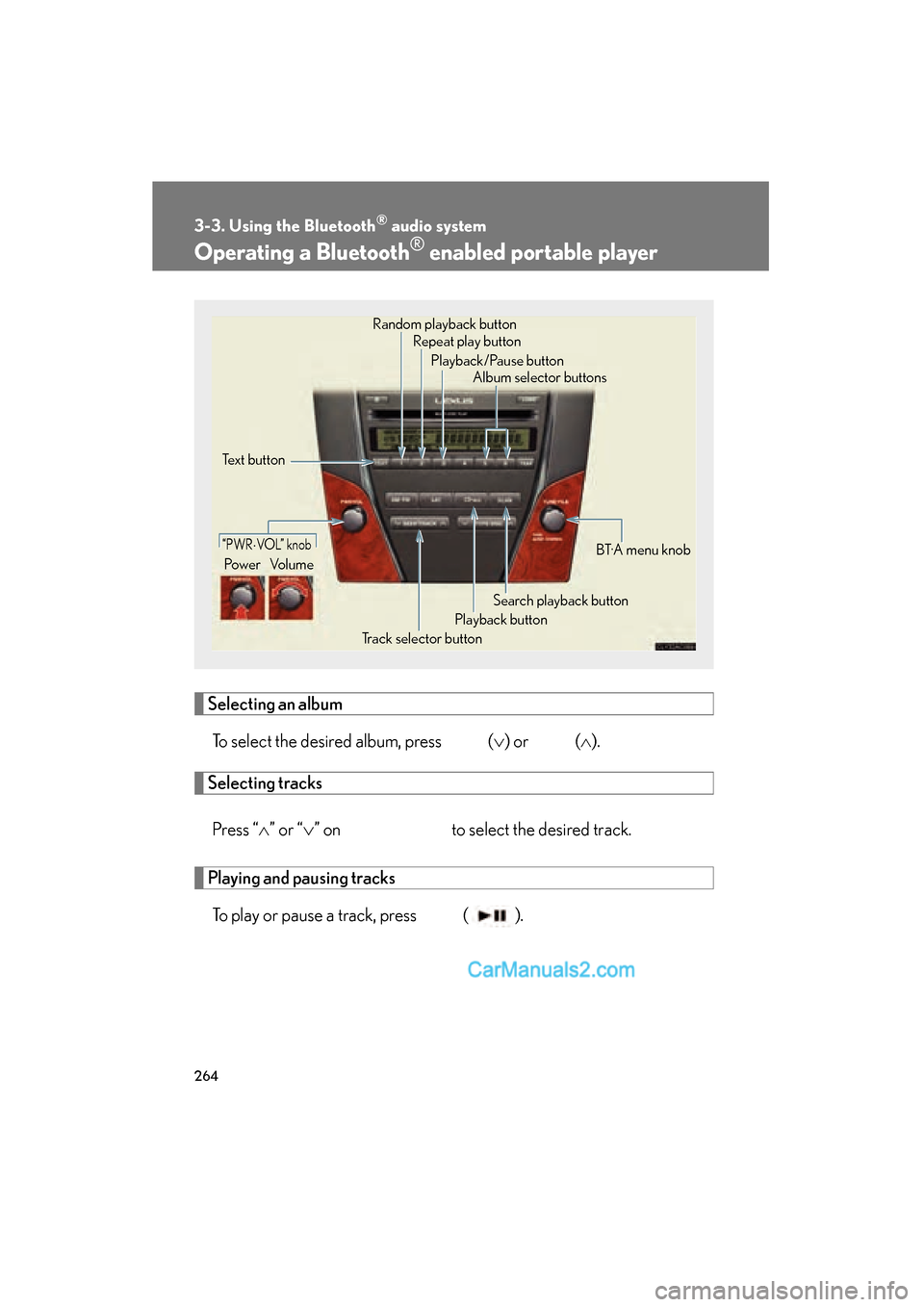
Operating a Bluetooth® enabled portable player
Selecting an albumTo select the desired album, press (
Page 268 of 543
266
3-3. Using the Bluetooth® audio system
ES350_U
■Bluetooth® audio system functions
Depending on the portable player that is connected to the system, certain functions
may not be available.
■Display
o P. 222
■Error message
“Memory Error”: This indicates a problem in the system.
Page 269 of 543
267
3-3. Using the Bluetooth® audio system
3
Interior features
ES350_U
Setting up a Bluetooth® enabled portable player
Registering a portable player in the Bluetooth® audio system allows the
system to function. The following functions can be used for registered por-
table players:
■ Functions and operation procedures
Pattern A
To enter the menu for each function, follow the steps below using a
voice command or :
●Registering a portable player
1. “Setup” o 2. “Bluetooth Audio Setup (BT•A Setup)” o
3. “Pair Audio Player (Pair Audio)”
● Selecting a portable player to be used
1. “Setup” o 2.“Bluetooth Audio Setup (BT•A Setup)” o
3. “Connect Audio Player (Connect)”
● Changing the registered name of a portable player
1. “Setup” o 2. “Bluetooth Audio Setup (BT•A Setup)” o
3. “Change Name”
● Listing the registered portable players
1. “Setup” o 2. “Bluetooth Audio Setup (BT•A Setup)” o
3. “List Audio Players (List Audios)”
● Changing the passkey
1. “Setup” o 2. “Bluetooth Audio Setup (BT•A Setup)” o
3. “Set Passkey”
● Deleting a registered portable player
1. “Setup” o 2. “Bluetooth Audio Setup (BT•A Setup)” o
3. “Delete Audio Player (Delete Audio)”
Page 270 of 543
268
3-3. Using the Bluetooth® audio system
ES350_U
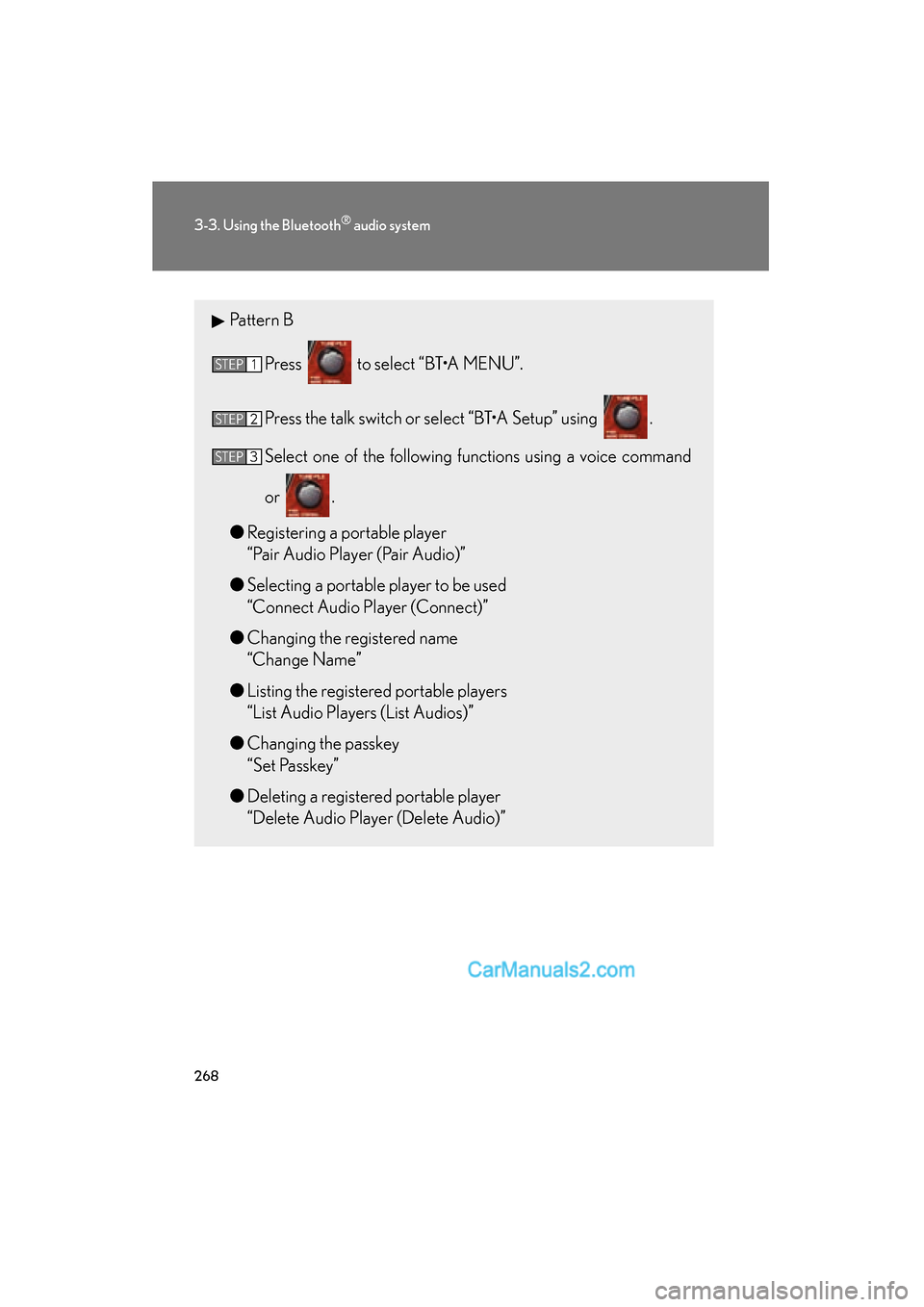
Pattern BPress to select “BT•A MENU”.
Press the talk switch or select “BT•A Setup” using .
Select one of the following functions using a voice command
or .
● Registering a portable player
“Pair Audio Player (Pair Audio)”
● Selecting a portable player to be used
“Connect Audio Player (Connect)”
● Changing the registered name
“Change Name”
● Listing the registered portable players
“List Audio Players (List Audios)”
● Changing the passkey
“Set Passkey”
● Deleting a registered portable player
“Delete Audio Player (Delete Audio)”
STEP1
STEP2
STEP3
Page 271 of 543
269
3-3. Using the Bluetooth® audio system
3
Interior features
ES350_U
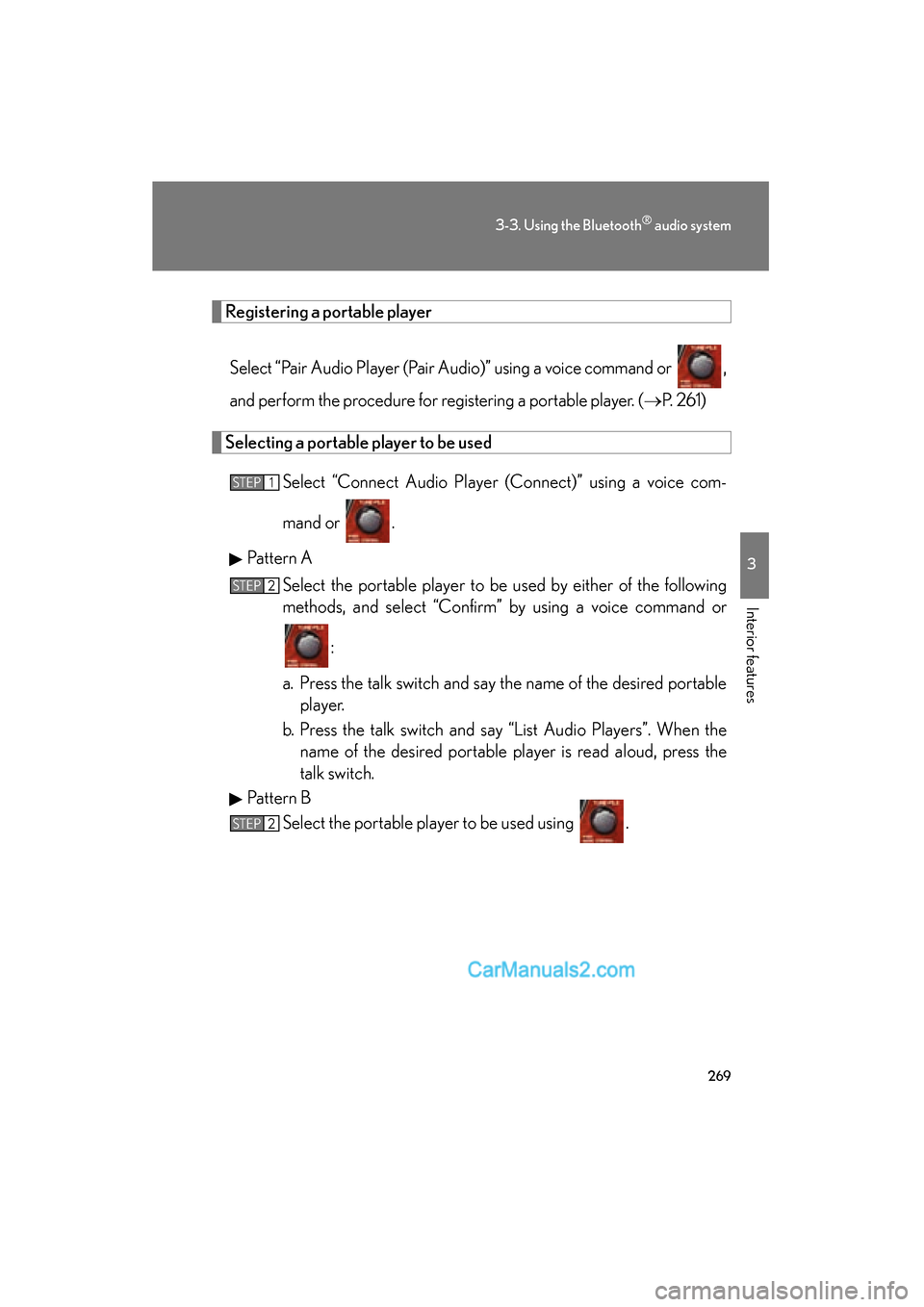
Registering a portable playerSelect “Pair Audio Player (Pair Audio)” using a voice command or ,
and perform the procedure for registering a portable player. ( oP. 2 6 1 )
Selecting a portable player to be used
Select “Connect Audio Player (Connect)” using a voice com-
mand or .
Pattern A Select the portable player to be used by either of the following
methods, and select “Confirm” by using a voice command or
:
a. Press the talk switch and say the name of the desired portable player.
b. Press the talk switch and say “List Audio Players”. When the name of the desired portable player is read aloud, press the
talk switch.
Pattern B Select the portable player to be used using .
STEP1
STEP2
STEP2