CD player Lexus ES350 2010 s Owner's Guide
[x] Cancel search | Manufacturer: LEXUS, Model Year: 2010, Model line: ES350, Model: Lexus ES350 2010Pages: 543, PDF Size: 6.54 MB
Page 272 of 543
270
3-3. Using the Bluetooth® audio system
ES350_UPattern A
Press the talk switch and say “From Car” or “From Audio player”,
and select “Confirm” by using a voice command or .
Pattern B
Select “From Car” or “From Audio”, using .
If “From Car” is selected, the portable player will be automatically con-
nected whenever the “ENGINE START STOP” switch is in either
ACCESSORY or IGNITION ON mode.
Changing the registered name of a portable player
Select “Change Name” using a voice command or .
Pattern A Select the name of the portable player to be changed by either of
the following methods, and select “Confirm” using a voice com-
mand or :
a. Press the talk switch and say the name of desired portableplayer.
b. Press the talk switch and say “List Audio Players”. When the name of the desired portable player is read aloud, press the
talk switch.
STEP3
STEP3
STEP1
STEP2
Page 273 of 543
271
3-3. Using the Bluetooth® audio system
3
Interior features
ES350_UPattern B
Select the desired portable player name to be changed using
.
Press the talk switch or select “Record Name” using , and
say the new name.
Select “Confirm” using a voice command or .
Listing the registered portable players Select “List Audio Players (List Audios)” using a voice command or
. The list of registered portable players will be read aloud.
When listing is complete, the system returns to “BT•A Setup”.
Pressing the talk switch while the name of a portable player is being read
aloud selects the portable player, and the following functions will become
available:
● Selecting a portable player: “Connect Audio Player (Connect)”
● Changing a registered name: “Change Name”
● Deleting a portable player: “Delete Audio Player (Delete Audio)”
STEP2
STEP3
STEP4
Page 275 of 543
273
3-3. Using the Bluetooth® audio system
3
Interior features
ES350_U
Deleting a registered portable playerSelect “Delete Audio Player (Delete Audio)” using a voice com-
mand or .
Pattern A Select the portable player to be deleted by either of the following
methods and select “Confirm” using a voice command or :
a. Press the talk switch and say the name of the desired portableplayer.
b. Press the talk switch and say “List Audio Players”. When the name of the desired portable player is read aloud, press the
talk switch.
Pattern B
Select the desired portable player to be deleted using .
If the portable player to be deleted is paired as a Bluetooth
® phone, the
registration of the mobile phone can be deleted at the same time. A voice
guidance instruction to delete a mobile phone is heard.
Select “Yes” or “No” using a voice command or .
(Bluetooth
® phone oP. 277)
■The number of portable players that can be registered
Up to 2 portable players can be registered in the system.
STEP1
STEP2
STEP2
STEP3
Page 284 of 543
282
3-4. Using the hands-free system (for mobile phone)
ES350_U
Using the hands-free system for the first time
Before using the hands-free system, it is necessary to register a mobile
phone in the system. The system will enter phone registration mode auto-
matically when starting the system with no mobile phone registered. Fol-
low the procedure below to register (pair) a mobile phone: Press the off-hook switch or the talk switch.
The introductory guidance and phone name registration instructions are
heard.
Select “Pair Phone” using a voice command or .
Register a phone name by either of the following methods.
a. Select “Record Name” by using , and say a name to beregistered.
b. Press the talk switch and say a name to be registered.
A voice guidance instruction to confirm the input is heard.
Select “Confirm” by using a voice command or .
A passkey is displayed and heard, and voice guidance instruction for
inputting the passkey into the mobile phone is heard. Input the passkey into the mobile phone.
Refer to the manual that comes with the mobile phone for the operation
of the phone.
Guidance for registration completion is heard.
If the mobile phone has a Bluetooth
® audio player, the audio player can
be registered at the same time. A voice guidance instruction to register a
Bluetooth
® audio player is heard.
STEP1
STEP2
STEP3
STEP4
STEP5
Page 285 of 543
283
3-4. Using the hands-free system (for mobile phone)
3
Interior features
ES350_USelect “Yes” or “No” using a voice command or .
(Bluetooth
® audio player
oP. 2 5 7 )
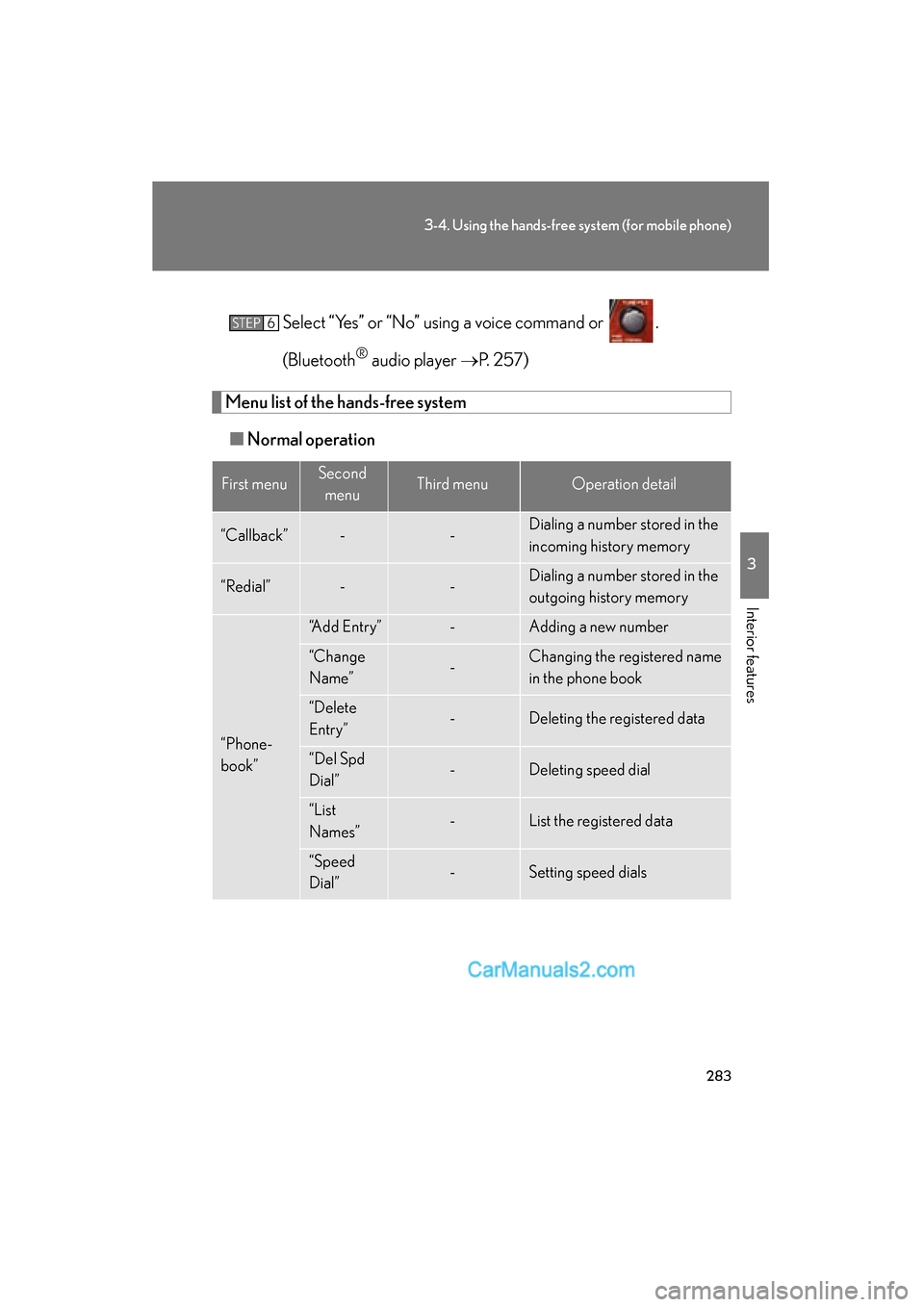
Menu list of the hands-free system
■ Normal operation
First menuSecond
menuThird menuOperation detail
“Callback”--Dialing a number stored in the
incoming history memory
“Redial”--Dialing a number stored in the
outgoing history memory
“Phone-
book”
“Add Entry”-Adding a new number
“Change
Name”-Changing the registered name
in the phone book
“Delete
Entry”-Deleting the registered data
“Del Spd
Dial”-Deleting speed dial
“List
Names”-List the registered data
“Speed
Dial”-Setting speed dials
STEP6
Page 298 of 543
296
3-4. Using the hands-free system (for mobile phone)
ES350_U
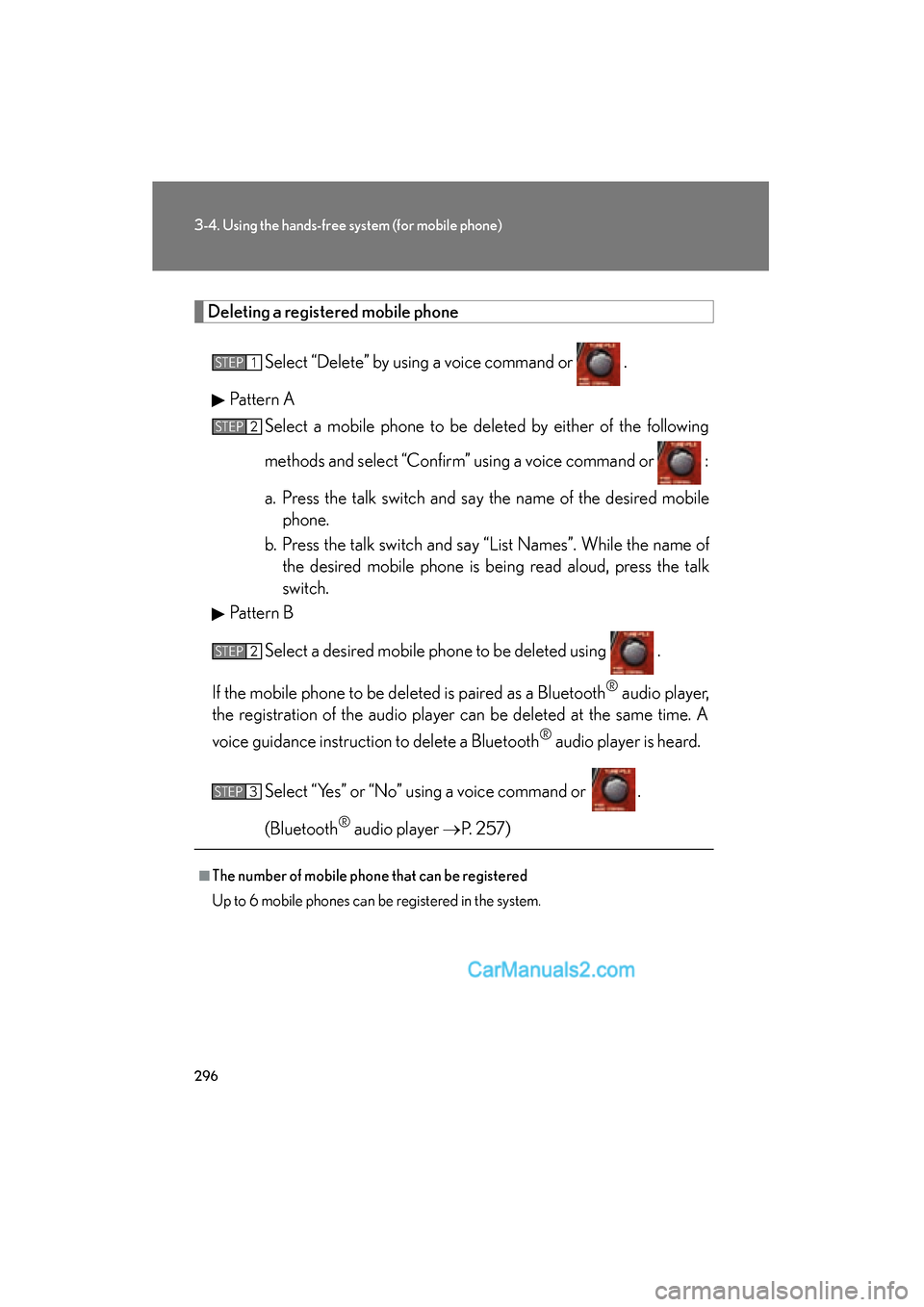
Deleting a registered mobile phone
Select “Delete” by using a voice command or .
Pattern A Select a mobile phone to be deleted by either of the following
methods and select “Confirm” using a voice command or :
a. Press the talk switch and say the name of the desired mobilephone.
b. Press the talk switch and say “List Names”. While the name of the desired mobile phone is being read aloud, press the talk
switch.
Pattern B
Select a desired mobile phone to be deleted using .
If the mobile phone to be de leted is paired as a Bluetooth
® audio player,
the registration of the audio player can be deleted at the same time. A
voice guidance instruction to delete a Bluetooth
® audio player is heard.
Select “Yes” or “No” using a voice command or .
(Bluetooth
® audio player oP. 257)
■The number of mobile phone that can be registered
Up to 6 mobile phones can be registered in the system.
STEP1
STEP2
STEP2
STEP3
Page 302 of 543
300
3-4. Using the hands-free system (for mobile phone)
ES350_U
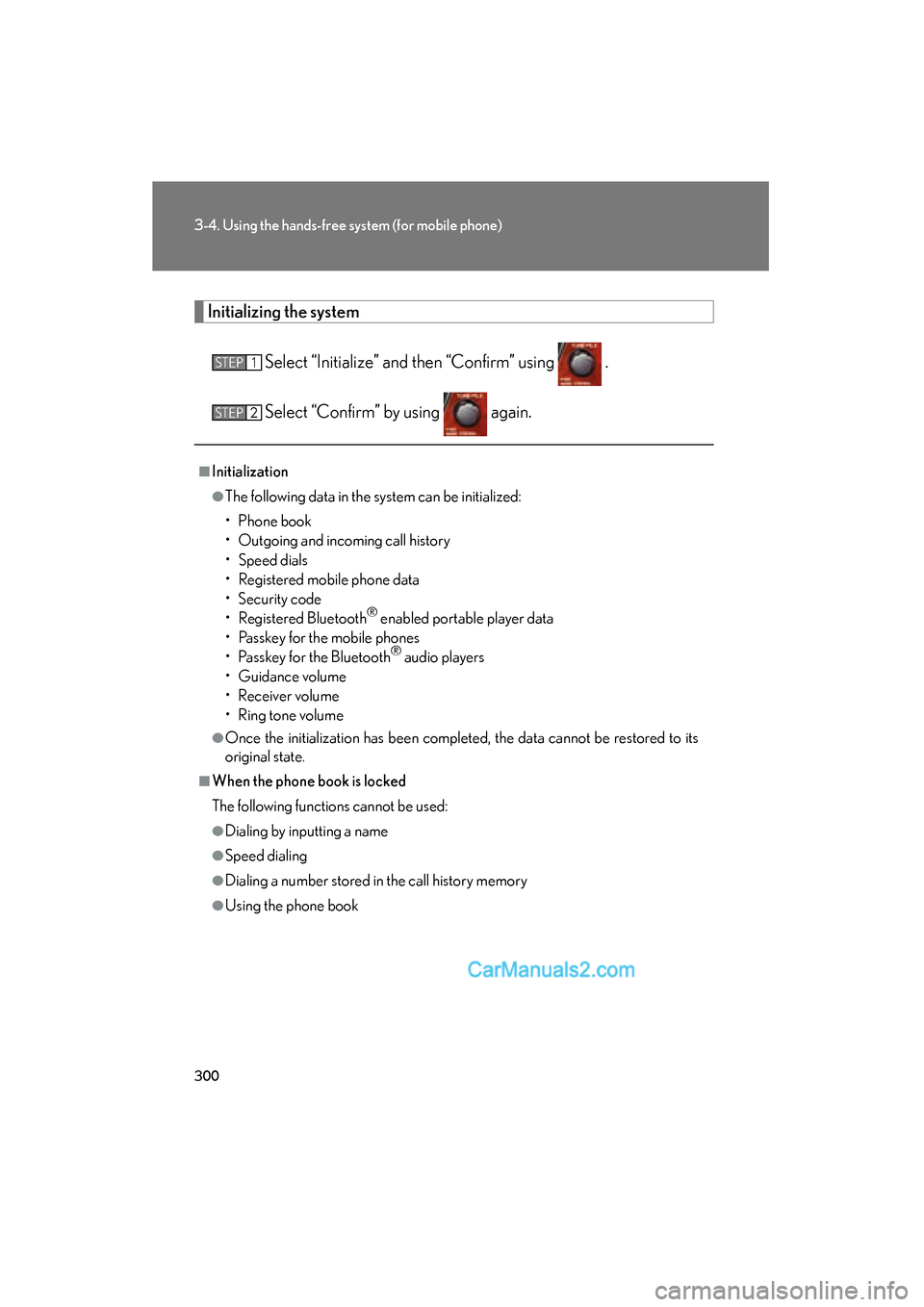
Initializing the system
Select “Initialize” and then “Confirm” using .
Select “Confirm” by using again.
■Initialization
●The following data in the system can be initialized:
• Phone book
• Outgoing and incoming call history
• Speed dials
• Registered mobile phone data
• Security code
• Registered Bluetooth
® enabled portable player data
• Passkey for the mobile phones
• Passkey for the Bluetooth
® audio players
• Guidance volume
• Receiver volume
• Ring tone volume
●Once the initialization has been completed, the data cannot be restored to its
original state.
■When the phone book is locked
The following functions cannot be used:
●Dialing by inputting a name
●Speed dialing
●Dialing a number stored in the call history memory
●Using the phone book
STEP1
STEP2
Page 530 of 543
528
ES350_U
Alphabetical index
Alphabetical index
A/C ........................................................... 200
ABS................................................................ 171
Adaptive front lighting system ......... 146
AFS .............................................................. 146
Air conditioning filter ..........................402
Air conditioning systemAir conditioning filter ....................... 402
Automatic air conditioning system ..................................................200
Airbags
Airbag operating conditions........... 87
Airbag precautions for your child............................................................ 91
Airbag warning light ........................440
Curtain shield airbag operating conditions..............................................88
Curtain shield airbag precautions ............................................ 91
Front passenger occupant classification system......................... 96
General airbag precautions ............. 91
Locations of airbags............................ 85
Modification and disposal of airbags .................................................... 95
Proper driving posture ...............83, 91
Side airbag operating conditions..............................................88
Side airbag precautions ...................... 91
SRS airbags ............................................. 85 Alarm ............................................................ 80
Antenna ......................................................215
Anti-lock brake system ......................... 171
Armrest .................................................... 328
Ashtray........................................................321
Audio input.............................................. 252
Audio system
Antenna.................................................... 215
Audio input............................................252
AUX adapter .......................................252
CD player/changer ........................... 218
MP3/WMA disc................................226
Optimal use ......................................... 250
Portable music player ......................252
Radio ........................................................... 211
Steering wheel audio switch........ 253
Automatic air conditioning system ....................................................200
Automatic headlight leveling system ...................................................... 147
Automatic light control system.........145
Automatic transmission Automatic transmission ................... 128
If the shift lever cannot be shifted from P....................................473
S mode ..................................................... 129
AUX adapter ......................................... 252
Auxiliary box ............................................ 317A
Page 531 of 543
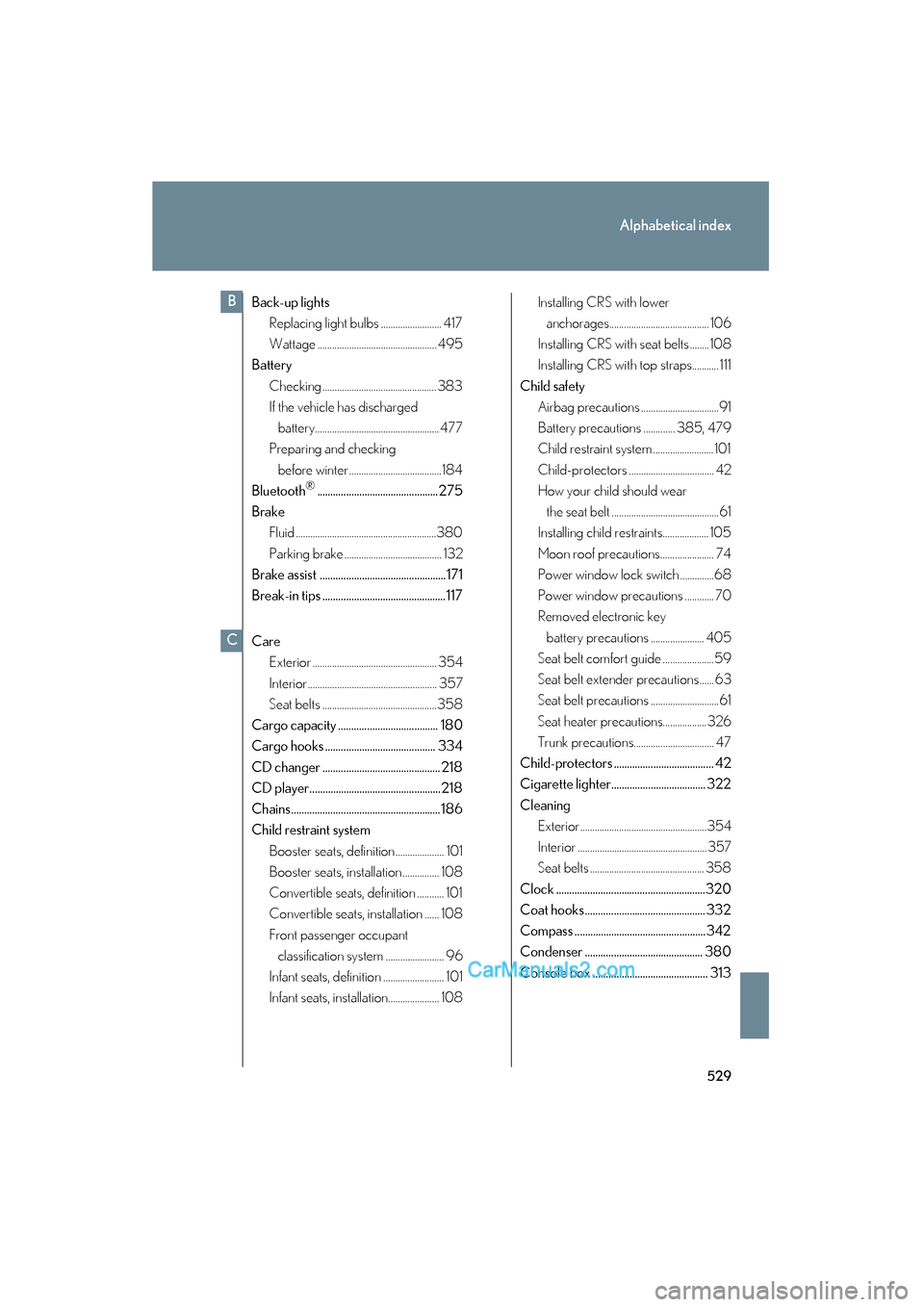
529
Alphabetical index
ES350_U
Back-up lightsReplacing light bulbs ......................... 417
Wattage ................................................. 495
Battery
Checking ............................................... 383
If the vehicle has discharged battery...................................................477
Preparing and checking
before winter ......................................184
Bluetooth
®.............................................. 275
Brake Fluid ..........................................................380
Parking brake ........................................ 132
Brake assist ................................................171
Break-in tips ............................................... 117
Care Exterior ................................................... 354
Interior..................................................... 357
Seat belts ...............................................358
Cargo capacity ...................................... 180
Cargo hooks .......................................... 334
CD changer ............................................. 218
CD player.................................................. 218
Chains......................................................... 186
Child restraint system Booster seats, definition.................... 101
Booster seats, installation ............... 108
Convertible seats, definition ........... 101
Convertible seats, installation ...... 108
Front passenger occupant classification system ........................ 96
Infant seats, definition ......................... 101
Infant seats, installation..................... 108 Installing CRS with lower
anchorages......................................... 106
Installing CRS with seat belts ........ 108
Installing CRS with top straps........... 111
Child safety Airbag precautions ................................91
Battery precautions ............. 385, 479
Child restraint system ......................... 101
Child-protectors ................................... 42
How your child should wear
the seat belt ............................................61
Installing child restraints................... 105
Moon roof precautions...................... 74
Power window lock switch ..............68
Power window precautions ............ 70
Removed electronic key
battery precautions ...................... 405
Seat belt comfort guide .....................59
Seat belt extender precautions...... 63
Seat belt precautions ............................61
Seat heater precautions.................. 326
Trunk precautions................................. 47
Child-protectors ...................................... 42
Cigarette lighter.................................... 322
Cleaning Exterior....................................................354
Interior .....................................................357
Seat belts ............................................... 358
Clock .........................................................320
Coat hooks .............................................. 332
Compass .................................................. 342
Condenser ............................................. 380
Console box ............................................ 313
B
C