key Lexus ES350 2010 s Owner's Guide
[x] Cancel search | Manufacturer: LEXUS, Model Year: 2010, Model line: ES350, Model: Lexus ES350 2010Pages: 543, PDF Size: 6.54 MB
Page 75 of 543
73
1-4. Opening and closing the windows and moon roof
1
Before driving
ES350_U
■The moon roof can be operated when
The “ENGINE START STOP” switch is in IGNITION ON mode.
■Linked door lock moon roof operation (standard type)
●The moon roof can be opened and closed using the mechanical key. (oP. 4 7 5 )
●The moon roof can be closed using the entry function. ( oP. 2 7 )
■Operating the moon roof after turnin g the “ENGINE START STOP” switch OFF
The moon roof can be operated for approximately 45 seconds even after the
“ENGINE START STOP” switch is switched to ACCESSORY mode or turned
OFF. It cannot, however, be operated once either front door is opened.
■Jam protection function
If an object is detected between the moon roof and the frame while closing or tilting
down, travel is stopped and the moon roof opens slightly.
■To reduce moon roof wind noise (standard type)
Drive with the moon roof opened to slightly before the fully open position as driving
with the moon roof opened fully will cause wind noise.
■Sunshade
The sunshade can be opened and closed manually. However, the sunshade will
open automatically when th e moon roof is opened.
■Customization that can be configured at Lexus dealer
Settings (e.g. linked door lock operation) can be changed.
(Customizable features oP. 5 1 1 )
Page 80 of 543
78
ES350_U
1-6. Theft deterrent system
Engine immobilizer system
The vehicle's keys have built-in transponder chips that prevent the engine
from starting if the key has not been previously registered in the vehicle's
on-board computer.
Never leave the keys inside the vehicle when you leave the vehicle.
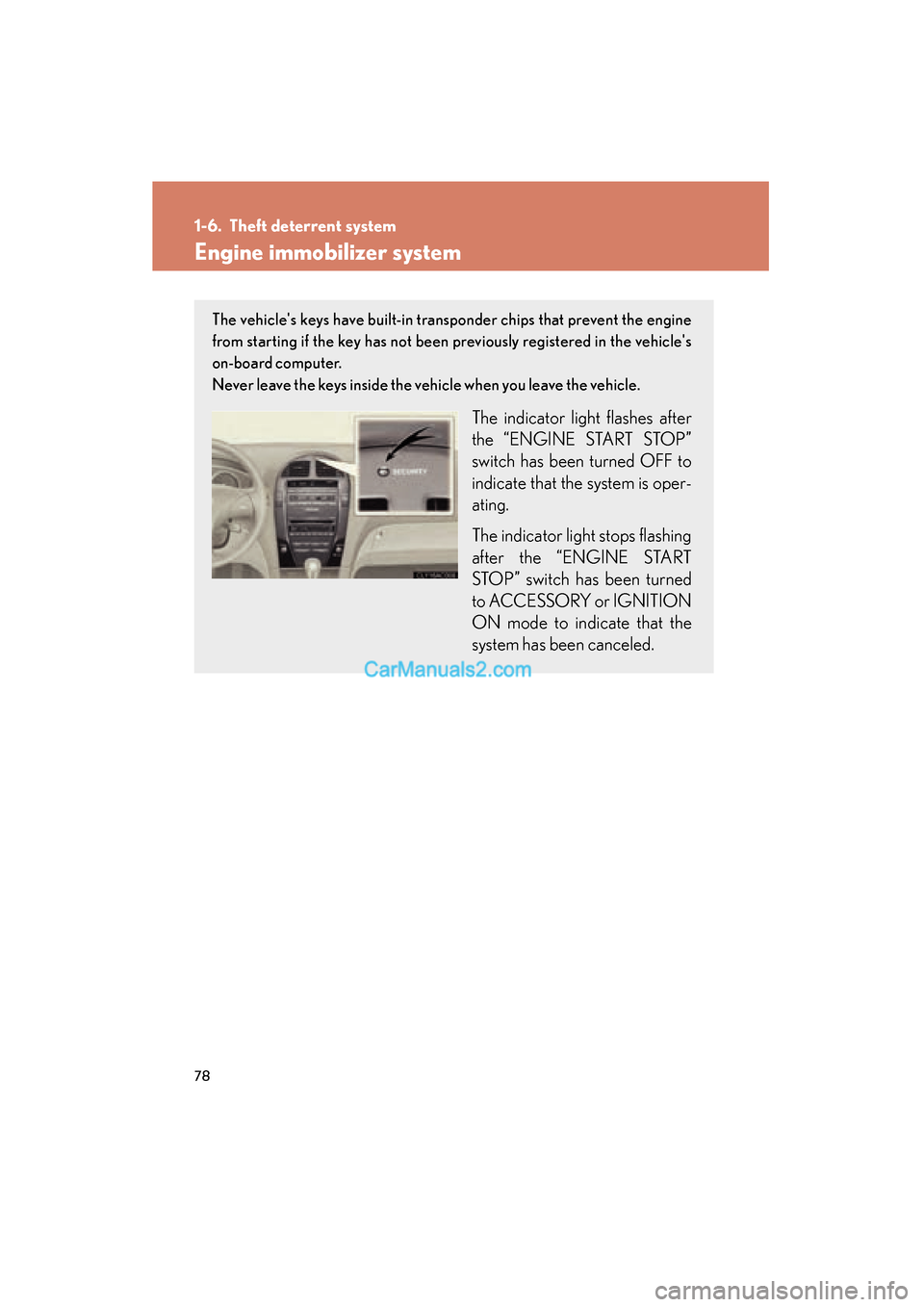
The indicator light flashes after
the “ENGINE START STOP”
switch has been turned OFF to
indicate that the system is oper-
ating.
The indicator light stops flashing
after the “ENGINE START
STOP” switch has been turned
to ACCESSORY or IGNITION
ON mode to indicate that the
system has been canceled.
Page 81 of 543
79
1-6. Theft deterrent system
1
Before driving
ES350_U
■System maintenance
The vehicle has a maintenance-free type of engine immobilizer system.
■Conditions that may cause the system to malfunction
●If the grip portion of the key is in contact with a metallic object
●If the key is in close proximity to or touching a key to the security system (key
with a built-in transponder chip) of another vehicle
■Certifications for the engine immobilizer system For vehicles sold in the USA
FCC ID: NI4TMIMB-1
This device complies with Part 15 of the FCC Rules. Operation is subject to the fol-
lowing two conditions: (1) this device may not cause harmful interference, and (2)
this device must accept any interference received, including interference that may
cause undesired operation. For vehicles sold in Canada
Operation is subject to the following two conditions: (1) this device may not cause
interference, and (2) this device must accept any interference, including interfer-
ence that may cause undesired operation of the device.
CAUTION
Changes or modifications not expressly approved by the party responsible for com-
pliance could void the user’s authority to operate the equipment.
NOTICE
■To ensure the system correctly
Do not modify and remove the system. If modified or removed, the proper opera-
tion of the system cannot be guaranteed.
Page 83 of 543
81
1-6. Theft deterrent system
1
Before driving
ES350_U
■Triggering of the alarm
The alarm may be triggered in the following situations.
Stopping the alarm deactivates the system.
●A person inside the vehicle opens a door, the trunk or hood.
●The battery is recharged or replaced when the vehicle is locked.
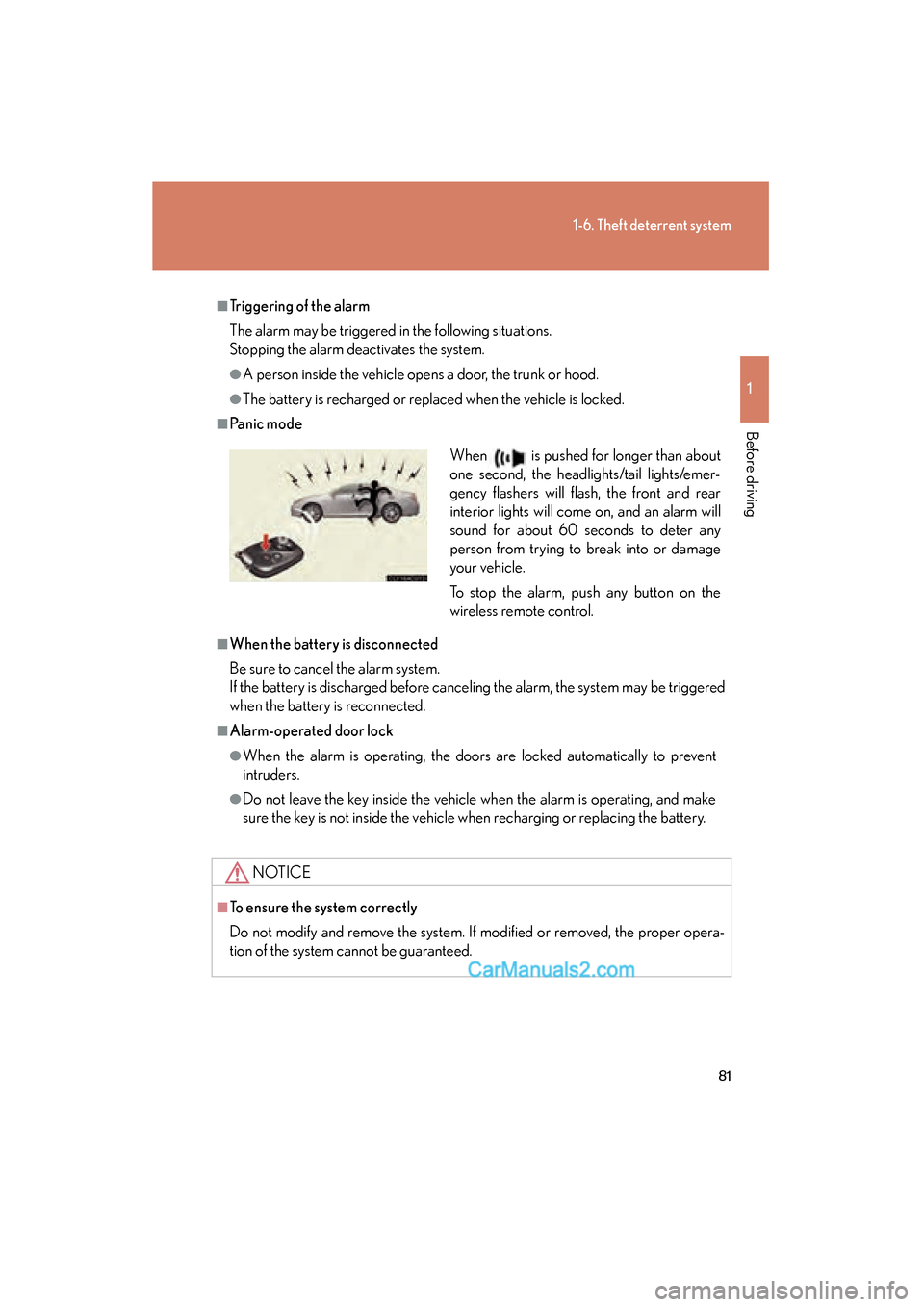
■Panic mode
■When the battery is disconnected
Be sure to cancel the alarm system.
If the battery is discharged before canceling the alarm, the system may be triggered
when the battery is reconnected.
■Alarm-operated door lock
●When the alarm is operating, the doors are locked automatically to prevent
intruders.
●Do not leave the key inside the vehicle when the alarm is operating, and make
sure the key is not inside the vehicle when recharging or replacing the battery.
NOTICE
■To ensure the system correctly
Do not modify and remove the system. If modified or removed, the proper opera-
tion of the system cannot be guaranteed.
When is pushed for longer than about
one second, the headlights/tail lights/emer-
gency flashers will flash, the front and rear
interior lights will come on, and an alarm will
sound for about 60 seconds to deter any
person from trying to break into or damage
your vehicle.
To stop the alarm, push any button on the
wireless remote control.
Page 118 of 543
116
ES350_U
2-1. Driving procedures
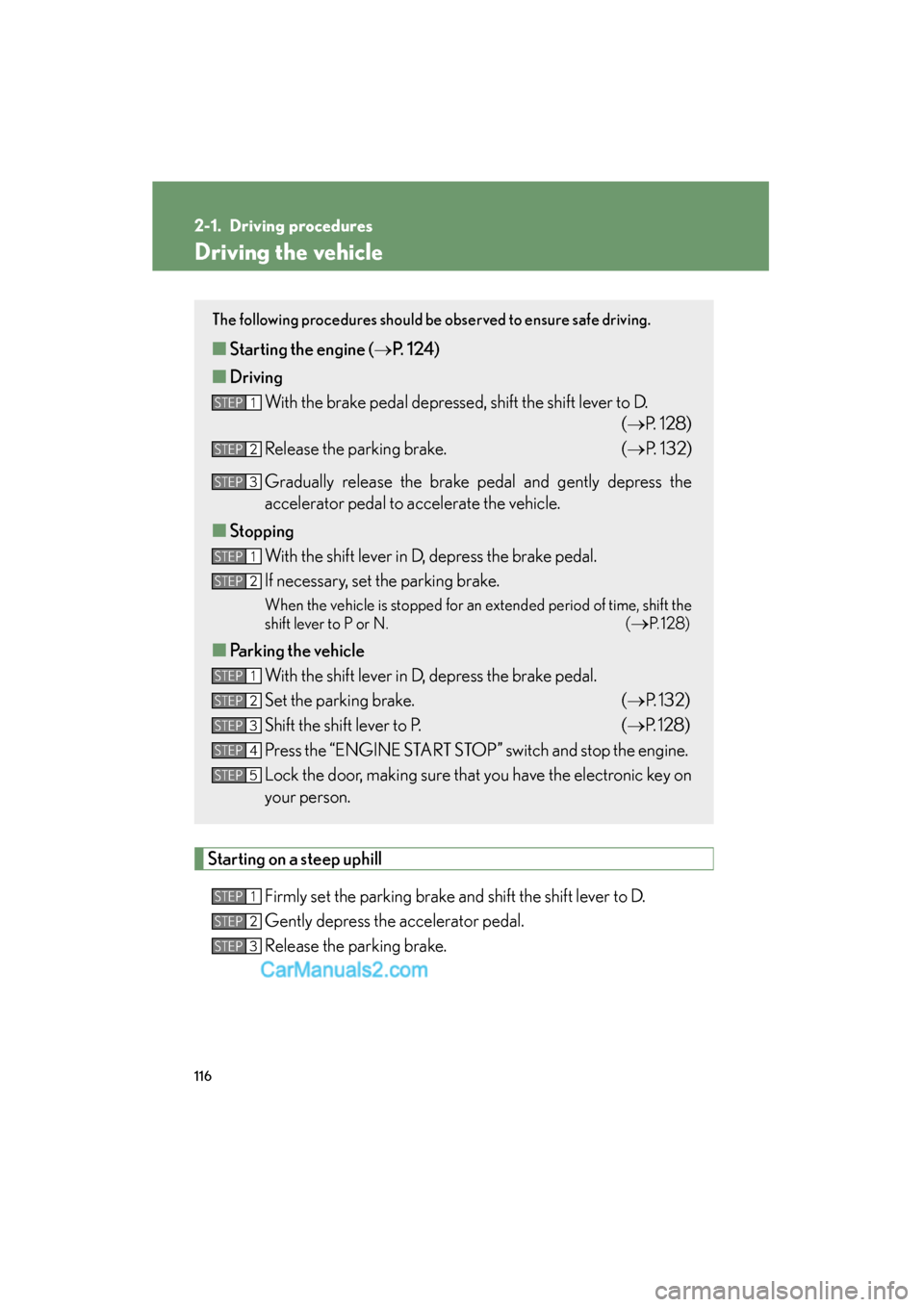
Driving the vehicle
Starting on a steep uphillFirmly set the parking brake and shift the shift lever to D.
Gently depress the accelerator pedal.
Release the parking brake.
The following procedures should be observed to ensure safe driving.
■Starting the engine ( oP. 124)
■ Driving
With the brake pedal depressed, shift the shift lever to D. (oP. 128)
Release the parking brake. (o P. 1 3 2 )
Gradually release the brake pedal and gently depress the
accelerator pedal to accelerate the vehicle.
■ Stopping
With the shift lever in D, depress the brake pedal.
If necessary, set the parking brake.
When the vehicle is stopped for an extended period of time, shift the
shift lever to P or N. (
oP. 1 2 8 )
■Parking the vehicle
With the shift lever in D, depress the brake pedal.
Set the parking brake. (oP. 132)
Shift the shift lever to P. (o P. 128)
Press the “ENGINE START STOP” switch and stop the engine.
Lock the door, making sure that you have the electronic key on
your person.
STEP1
STEP2
STEP3
STEP1
STEP2
STEP1
STEP2
STEP3
STEP4
STEP5
STEP1
STEP2
STEP3
Page 126 of 543
124
2-1. Driving procedures
ES350_U
Engine (ignition) switch
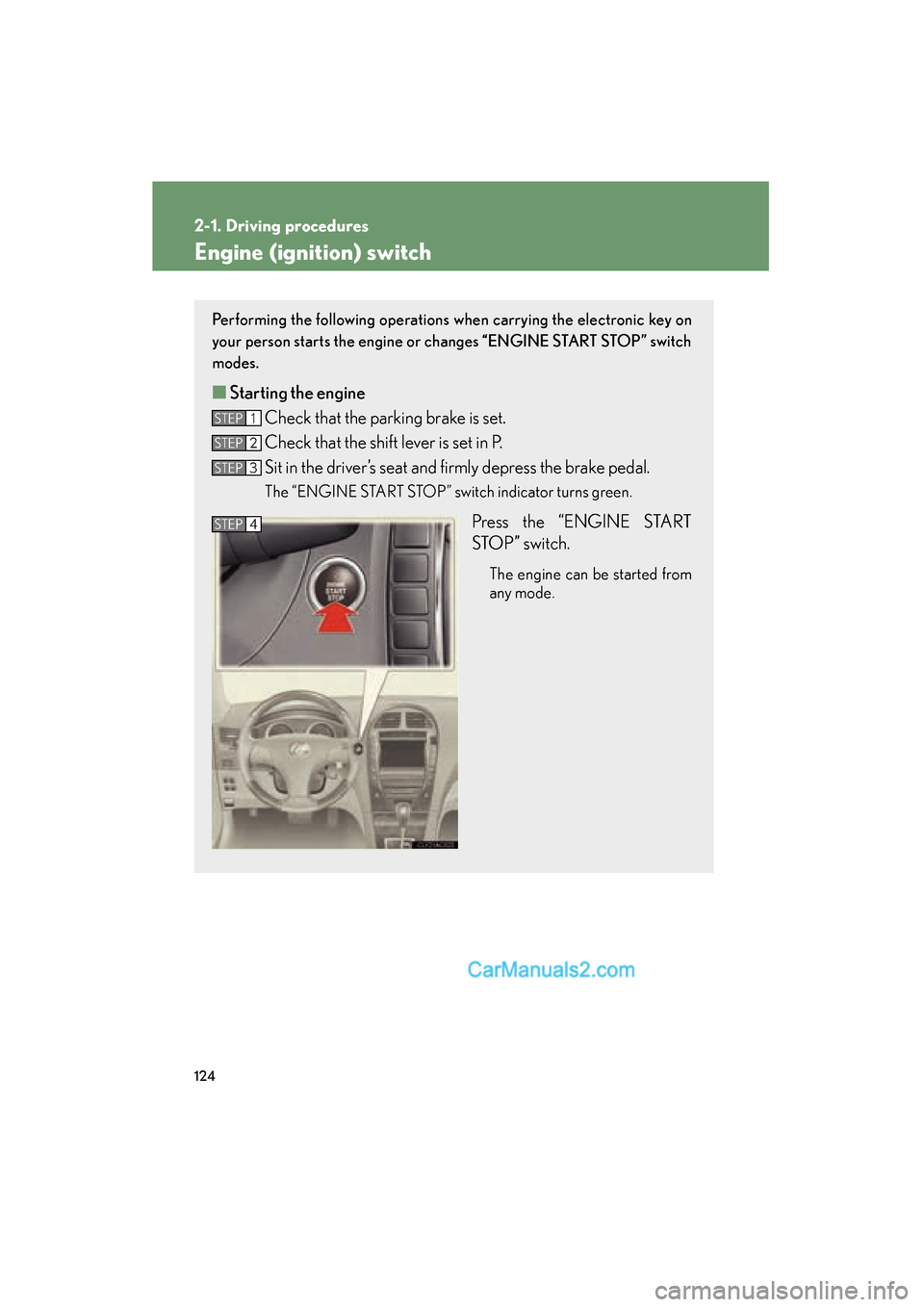
Performing the following operations when carrying the electronic key on
your person starts the engine or changes “ENGINE START STOP” switch
modes.
■ Starting the engine
Check that the parking brake is set.
Check that the shift lever is set in P.
Sit in the driver’s seat and firmly depress the brake pedal.
The “ENGINE START STOP” switch indicator turns green.
Press the “ENGINE START
STOP” switch.
The engine can be started from
any mode.
STEP1
STEP2
STEP3
STEP4
Page 128 of 543
126
2-1. Driving procedures
ES350_U
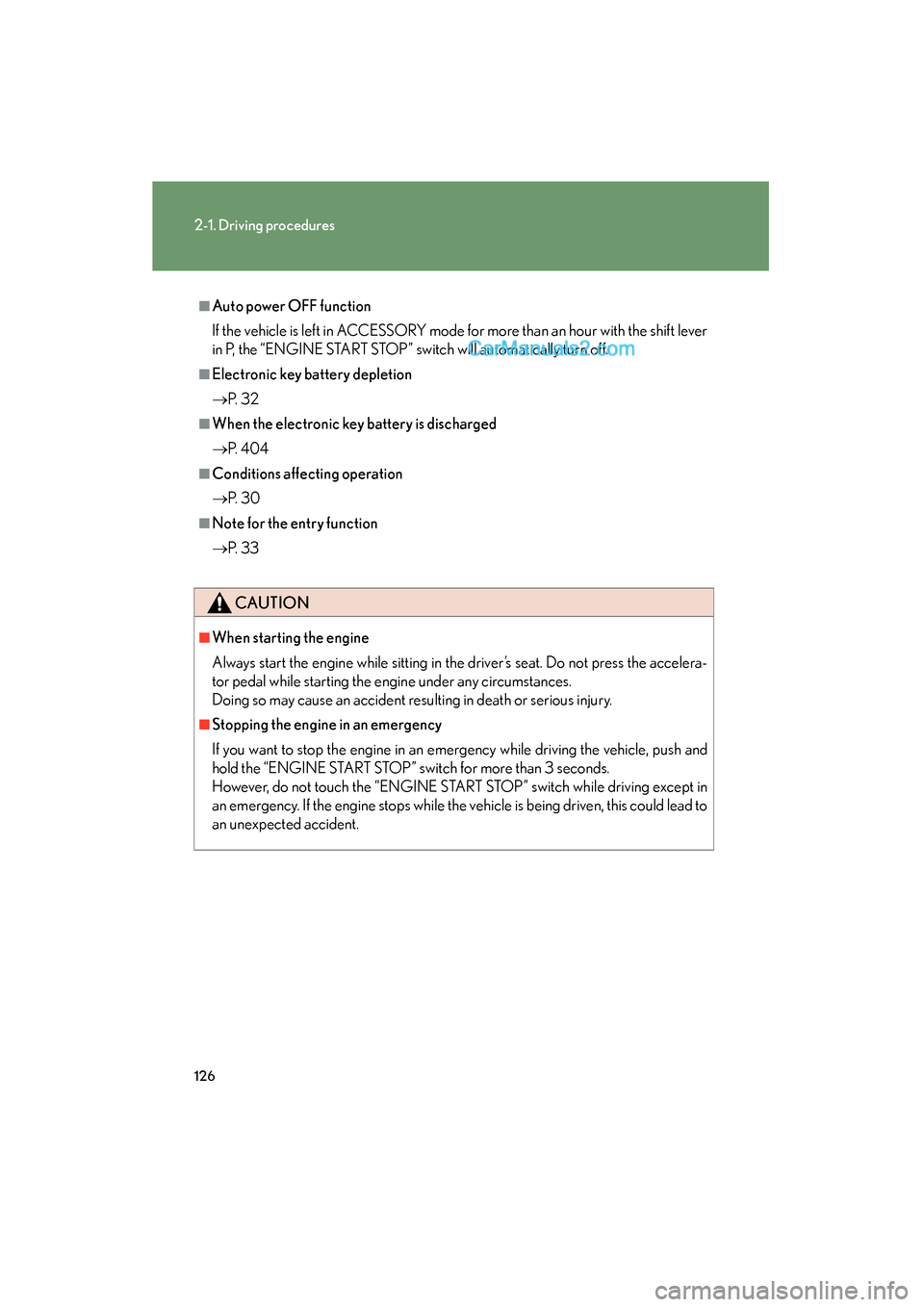
■Auto power OFF function
If the vehicle is left in ACCESSORY mode for more than an hour with the shift lever
in P, the “ENGINE START STOP” switch will automatically turn off.
■Electronic key battery depletion
oP. 3 2
■When the electronic key battery is discharged
oP. 4 0 4
■Conditions affecting operation
oP. 3 0
■Note for the entry function
oP. 3 3
CAUTION
■When starting the engine
Always start the engine while sitting in the driver’s seat. Do not press the accelera-
tor pedal while starting the engine under any circumstances.
Doing so may cause an accident resulting in death or serious injury.
■Stopping the engine in an emergency
If you want to stop the engine in an emergency while driving the vehicle, push and
hold the “ENGINE START STOP” switch for more than 3 seconds.
However, do not touch the “ENGINE START STOP” switch while driving except in
an emergency. If the engine stops while the vehicle is being driven, this could lead to
an unexpected accident.
Page 149 of 543
147
2-3. Operating the lights and windshield wipers
2
When driving
ES350_U
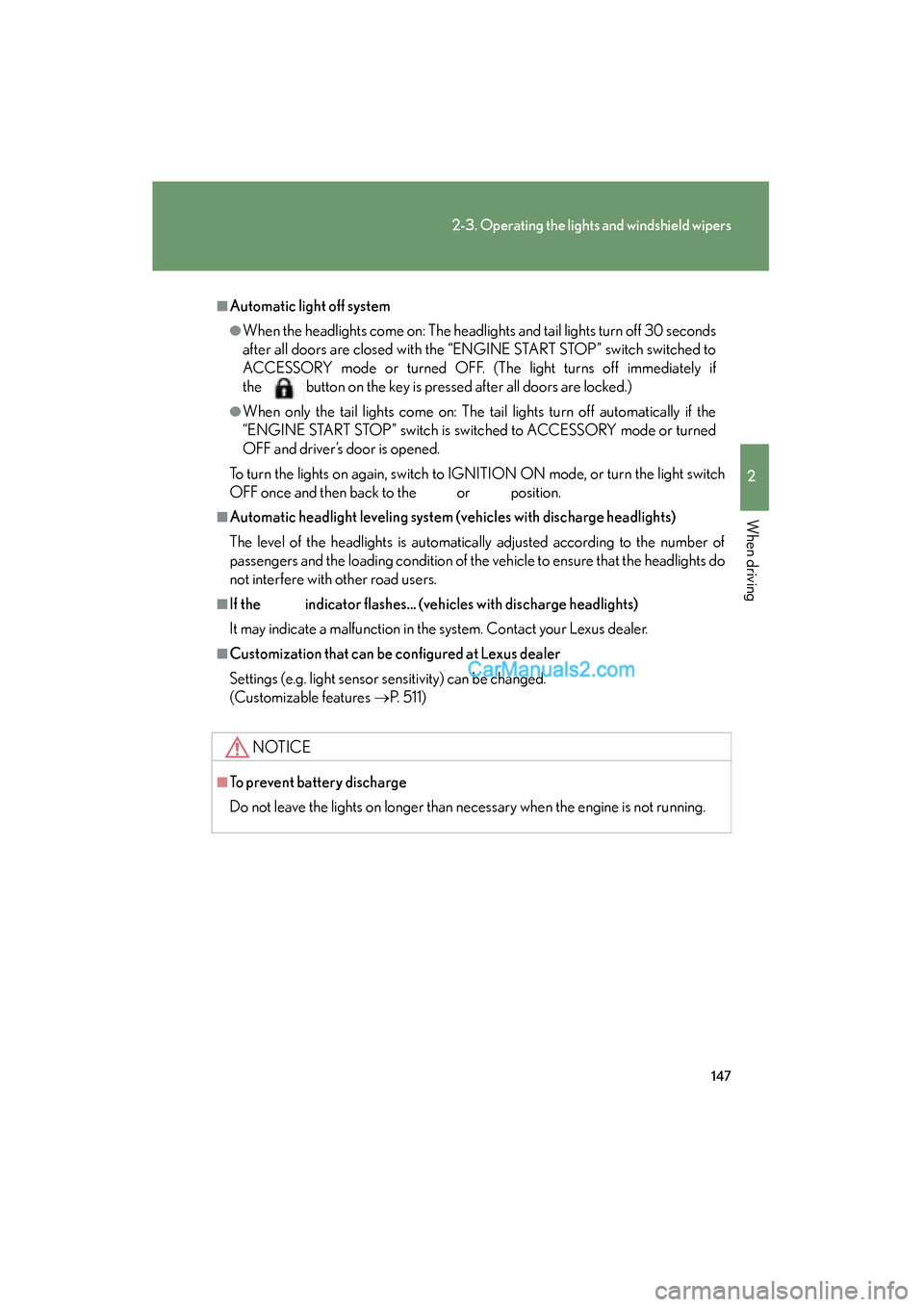
■Automatic light off system
●When the headlights come on: The headlights and tail lights turn off 30 seconds
after all doors are closed with the “ENGINE START STOP” switch switched to
ACCESSORY mode or turned OFF. (The light turns off immediately if
the button on the key is pressed after all doors are locked.)
●When only the tail lights come on: The tail lights turn off automatically if the
“ENGINE START STOP” switch is switched to ACCESSORY mode or turned
OFF and driver’s door is opened.
To turn the lights on again, switch to IGNITION ON mode, or turn the light switch
OFF once and then back to the
or position.
■Automatic headlight leveling system (vehicles with discharge headlights)
The level of the headlights is automatically adjusted according to the number of
passengers and the loading condition of the vehicle to ensure that the headlights do
not interfere with other road users.
■If the indicator flashes... (vehicles with discharge headlights)
It may indicate a malfunction in the system. Contact your Lexus dealer.
■Customization that can be configured at Lexus dealer
Settings (e.g. light sensor sensitivity) can be changed.
(Customizable features oP. 5 1 1 )
NOTICE
■To prevent battery discharge
Do not leave the lights on longer than necessary when the engine is not running.
Page 263 of 543
261
3-3. Using the Bluetooth® audio system
3
Interior features
ES350_U
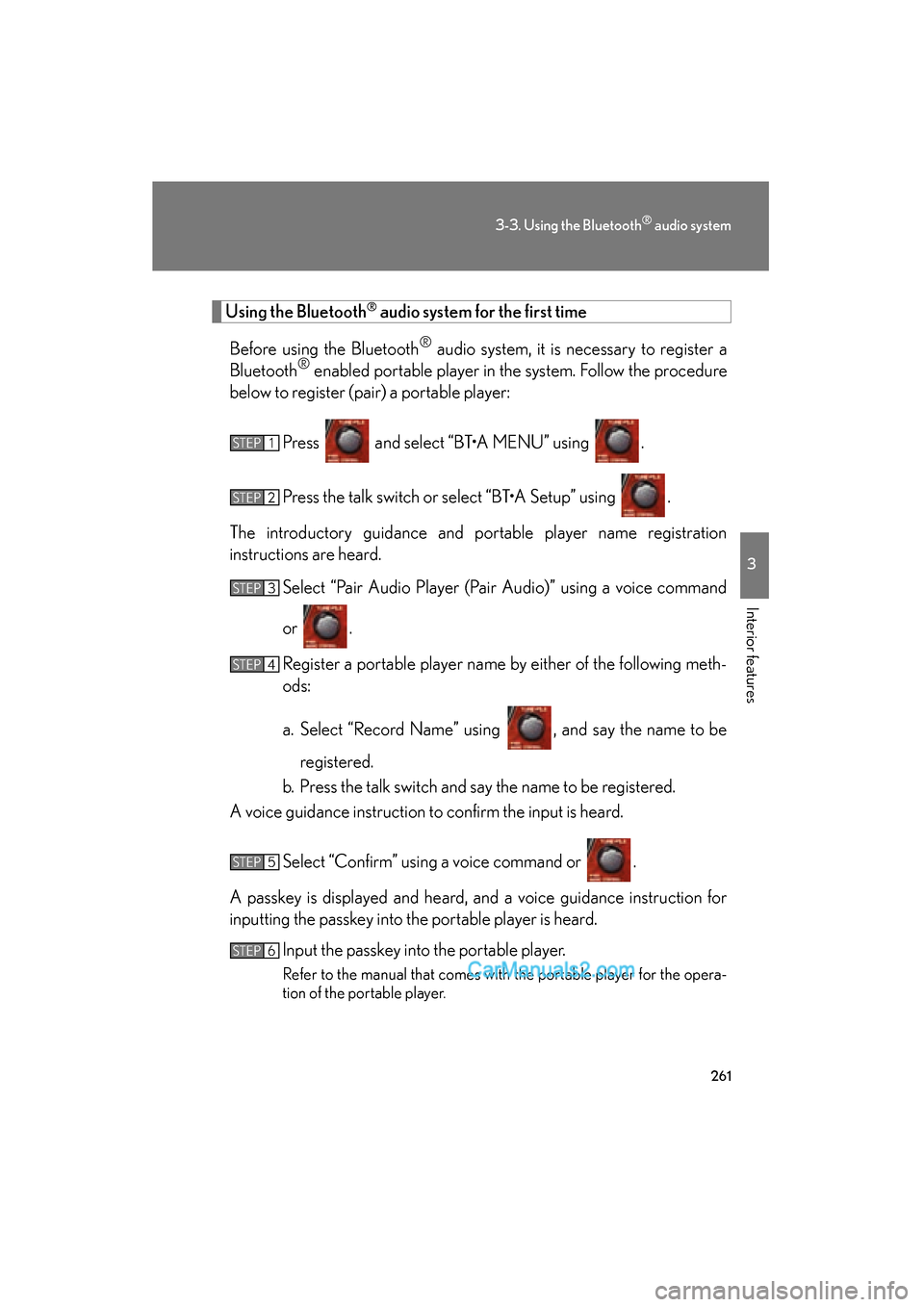
Using the Bluetooth® audio system for the first time
Before using the Bluetooth
® audio system, it is necessary to register a
Bluetooth® enabled portable player in the system. Follow the procedure
below to register (pair) a portable player:
Press and select “BT•A MENU” using .
Press the talk switch or select “BT•A Setup” using .
The introductory guidance and portable player name registration
instructions are heard. Select “Pair Audio Player (Pair Audio)” using a voice command
or .
Register a portable player name by either of the following meth-
ods:
a. Select “Record Name” using , and say the name to beregistered.
b. Press the talk switch and say the name to be registered.
A voice guidance instruction to confirm the input is heard.
Select “Confirm” using a voice command or .
A passkey is displayed and heard, and a voice guidance instruction for
inputting the passkey into the portable player is heard. Input the passkey into the portable player.
Refer to the manual that comes with the portable player for the opera-
tion of the portable player.
STEP1
STEP2
STEP3
STEP4
STEP5
STEP6
Page 264 of 543
262
3-3. Using the Bluetooth® audio system
ES350_UGuidance for registration completion is heard.
If the portable player has a Bluetooth
® phone, the phone can be regis-
tered at the same time. A voice guidance instruction to register a Blue-
tooth
® phone is heard.
Select “Yes” or “No” using a voice command or .
(Bluetooth
® phone o P. 2 7 7 )
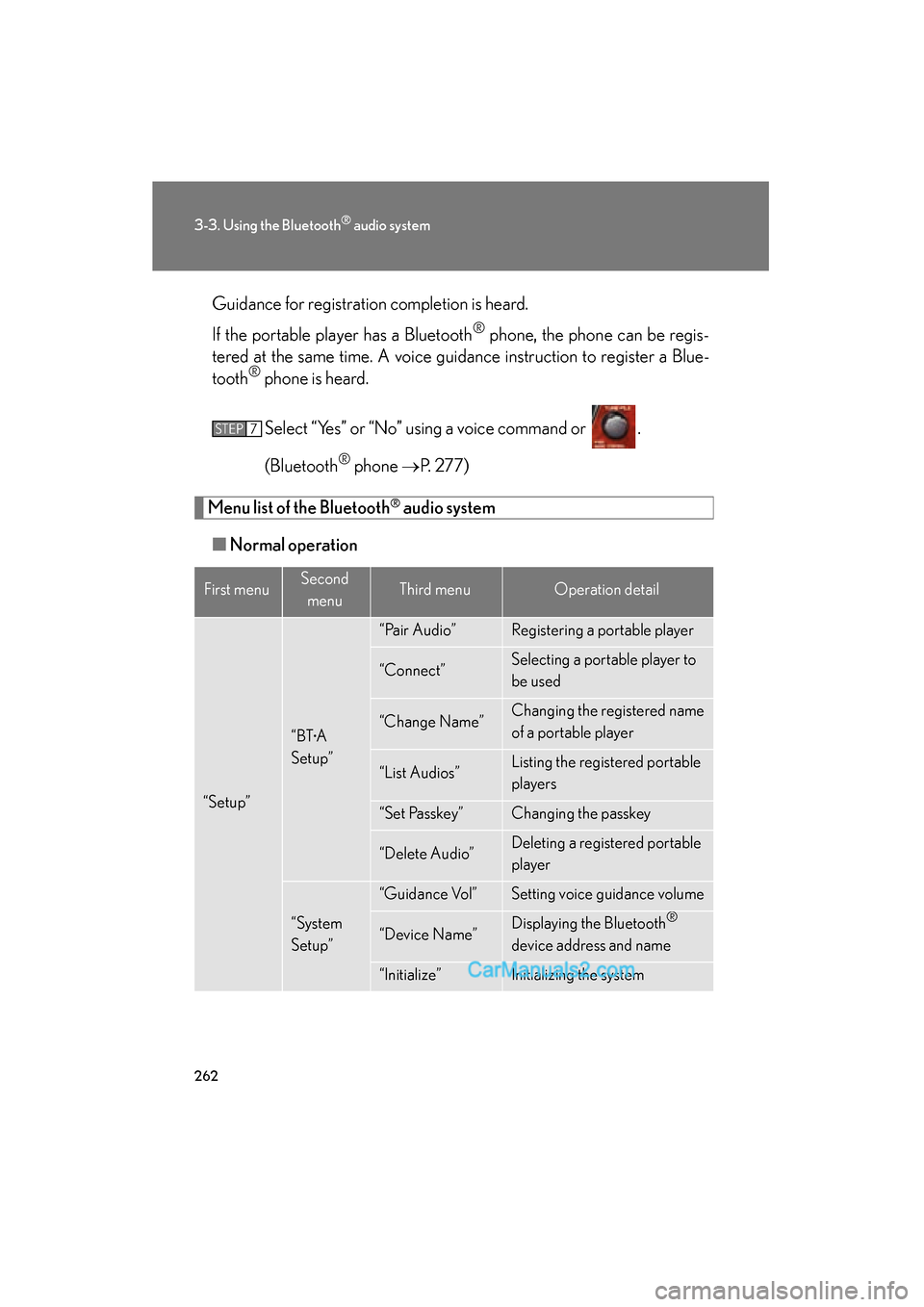
Menu list of the Bluetooth® audio system
■ Normal operation
First menuSecond
menuThird menuOperation detail
“Setup”
“BT•A
Setup”
“Pair Audio”Registering a portable player
“Connect”Selecting a portable player to
be used
“Change Name”Changing the registered name
of a portable player
“List Audios”Listing the registered portable
players
“Set Passkey”Changing the passkey
“Delete Audio”Deleting a registered portable
player
“System
Setup”
“Guidance Vol”Setting voice guidance volume
“Device Name”Displaying the Bluetooth®
device address and name
“Initialize”Initializing the system
STEP7