lock Lexus ES350 2010 s Manual PDF
[x] Cancel search | Manufacturer: LEXUS, Model Year: 2010, Model line: ES350, Model: Lexus ES350 2010Pages: 543, PDF Size: 6.54 MB
Page 286 of 543
284
3-4. Using the hands-free system (for mobile phone)
ES350_U
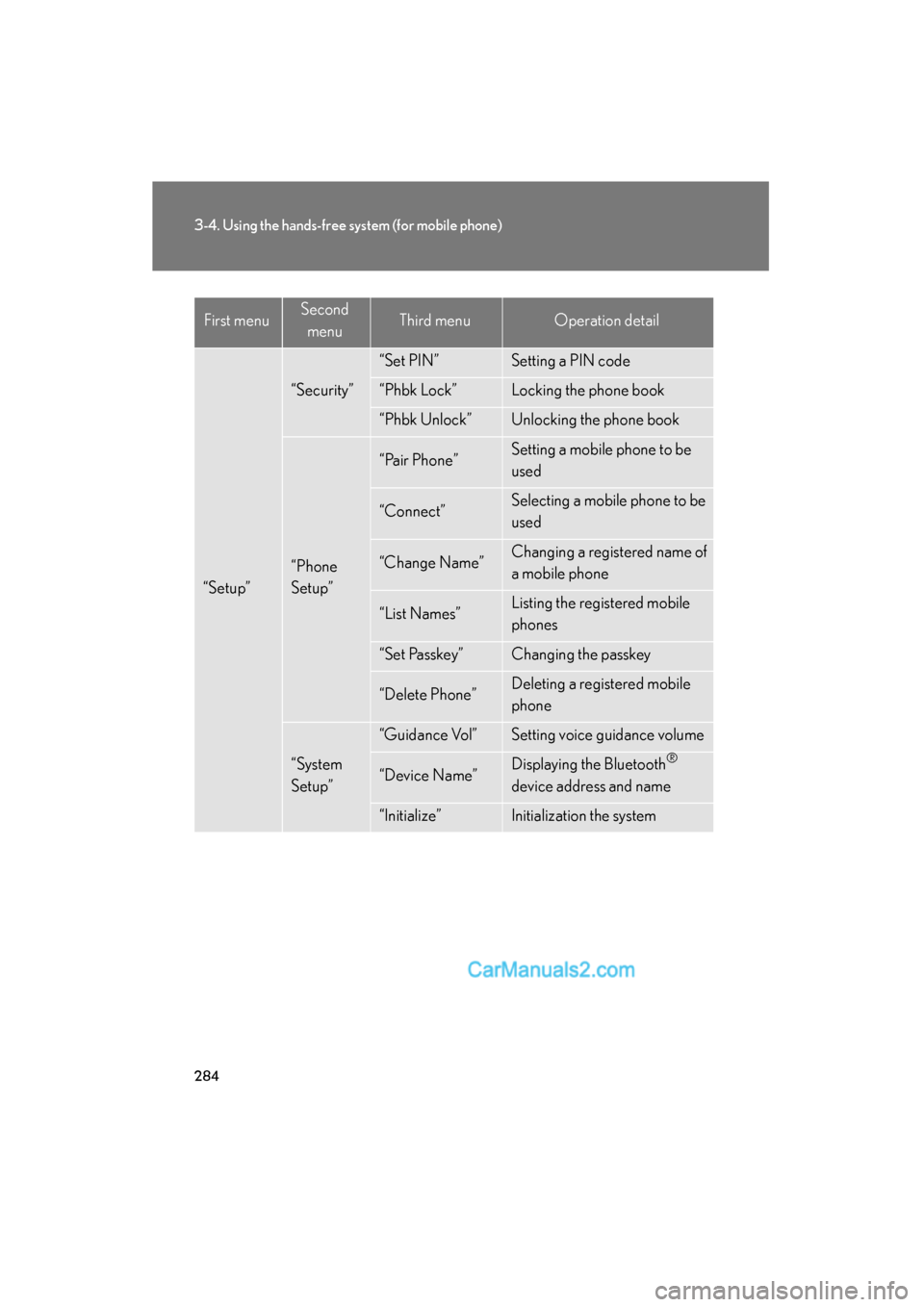
“Setup”
“Security”
“Set PIN”Setting a PIN code
“Phbk Lock”Locking the phone book
“Phbk Unlock”Unlocking the phone book
“Phone
Setup”
“Pair Phone”Setting a mobile phone to be
used
“Connect”Selecting a mobile phone to be
used
“Change Name”Changing a registered name of
a mobile phone
“List Names”Listing the registered mobile
phones
“Set Passkey”Changing the passkey
“Delete Phone”Deleting a registered mobile
phone
“System
Setup”
“Guidance Vol”Setting voice guidance volume
“Device Name”Displaying the Bluetooth®
device address and name
“Initialize”Initialization the system
First menuSecond menuThird menuOperation detail
Page 287 of 543
285
3-4. Using the hands-free system (for mobile phone)
3
Interior features
ES350_U■
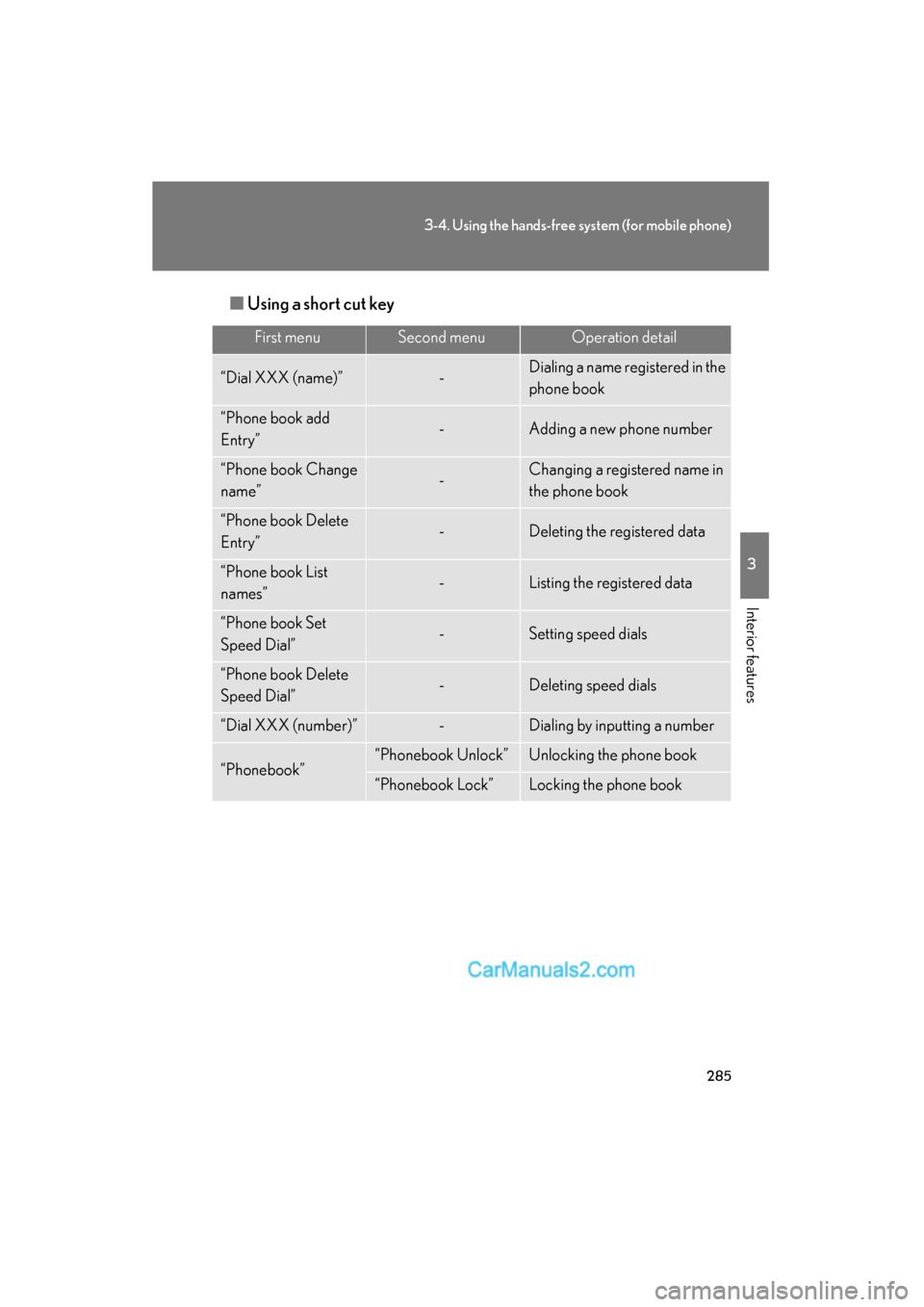
Using a short cut key
First menuSecond menuOperation detail
“Dial XXX (name)”-Dialing a name registered in the
phone book
“Phone book add
Entry”-Adding a new phone number
“Phone book Change
name”-Changing a registered name in
the phone book
“Phone book Delete
Entry”-Deleting the registered data
“Phone book List
names”-Listing the registered data
“Phone book Set
Speed Dial”-Setting speed dials
“Phone book Delete
Speed Dial”-Deleting speed dials
“Dial XXX (number)”-Dialing by inputting a number
“Phonebook”“Phonebook Unlock”Unlocking the phone book
“Phonebook Lock”Locking the phone book
Page 299 of 543
297
3-4. Using the hands-free system (for mobile phone)
3
Interior features
ES350_U
Security and system setup
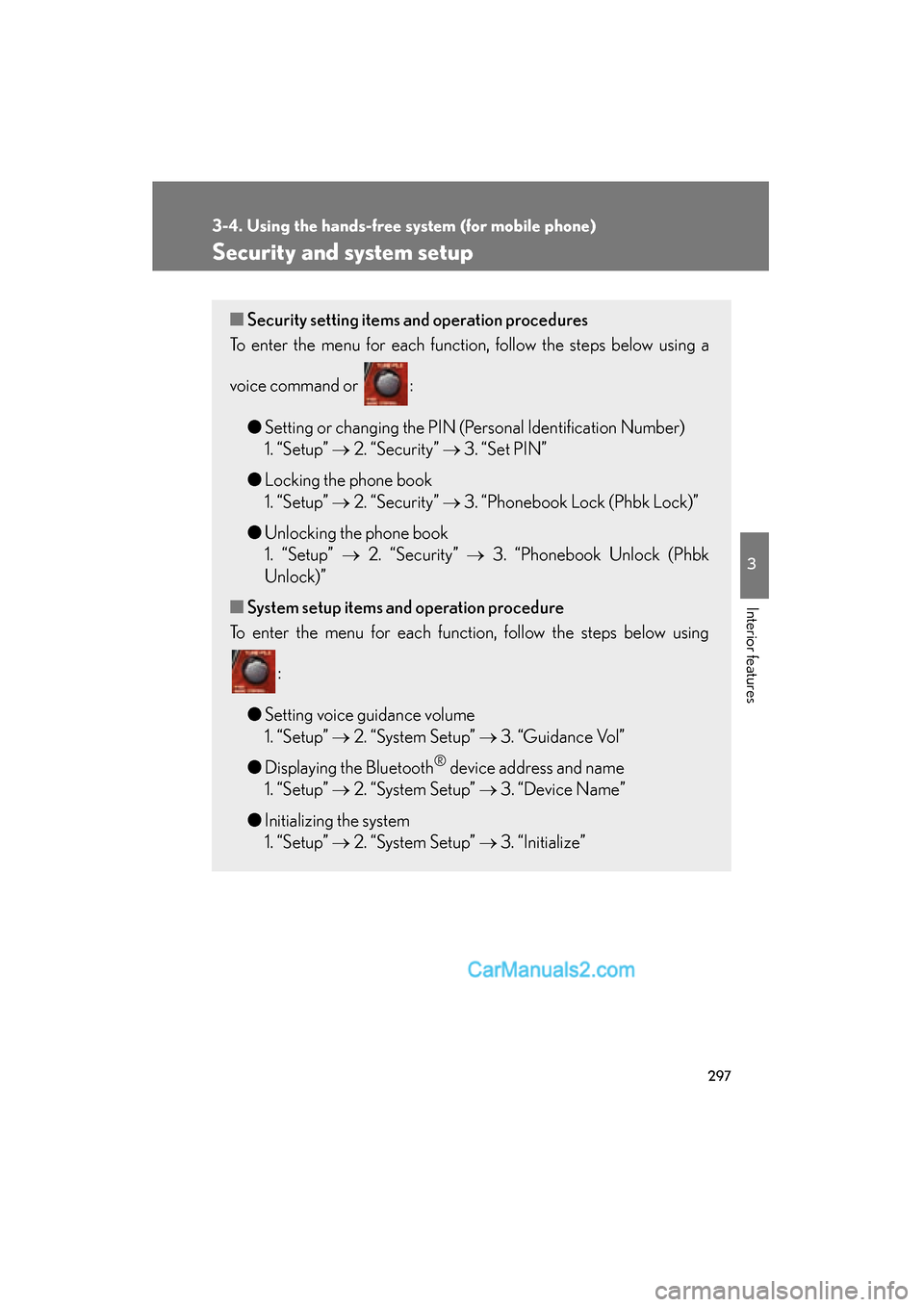
■Security setting items an d operation procedures
To enter the menu for each function, follow the steps below using a
voice command or :
●Setting or changing the PIN (Personal Identification Number)
1. “Setup” o 2. “Security” o 3. “Set PIN”
● Locking the phone book
1. “Setup” o 2. “Security” o 3. “Phonebook Lock (Phbk Lock)”
● Unlocking the phone book
1. “Setup” o 2. “Security” o 3. “Phonebook Unlock (Phbk
Unlock)”
■ System setup items and operation procedure
To enter the menu for each function, follow the steps below using
:
● Setting voice guidance volume
1. “Setup” o 2. “System Setup” o 3. “Guidance Vol”
● Displaying the Bluetooth
® device address and name
1. “Setup” o 2. “System Setup” o 3. “Device Name”
● Initializing the system
1. “Setup” o 2. “System Setup” o 3. “Initialize”
Page 300 of 543
298
3-4. Using the hands-free system (for mobile phone)
ES350_U
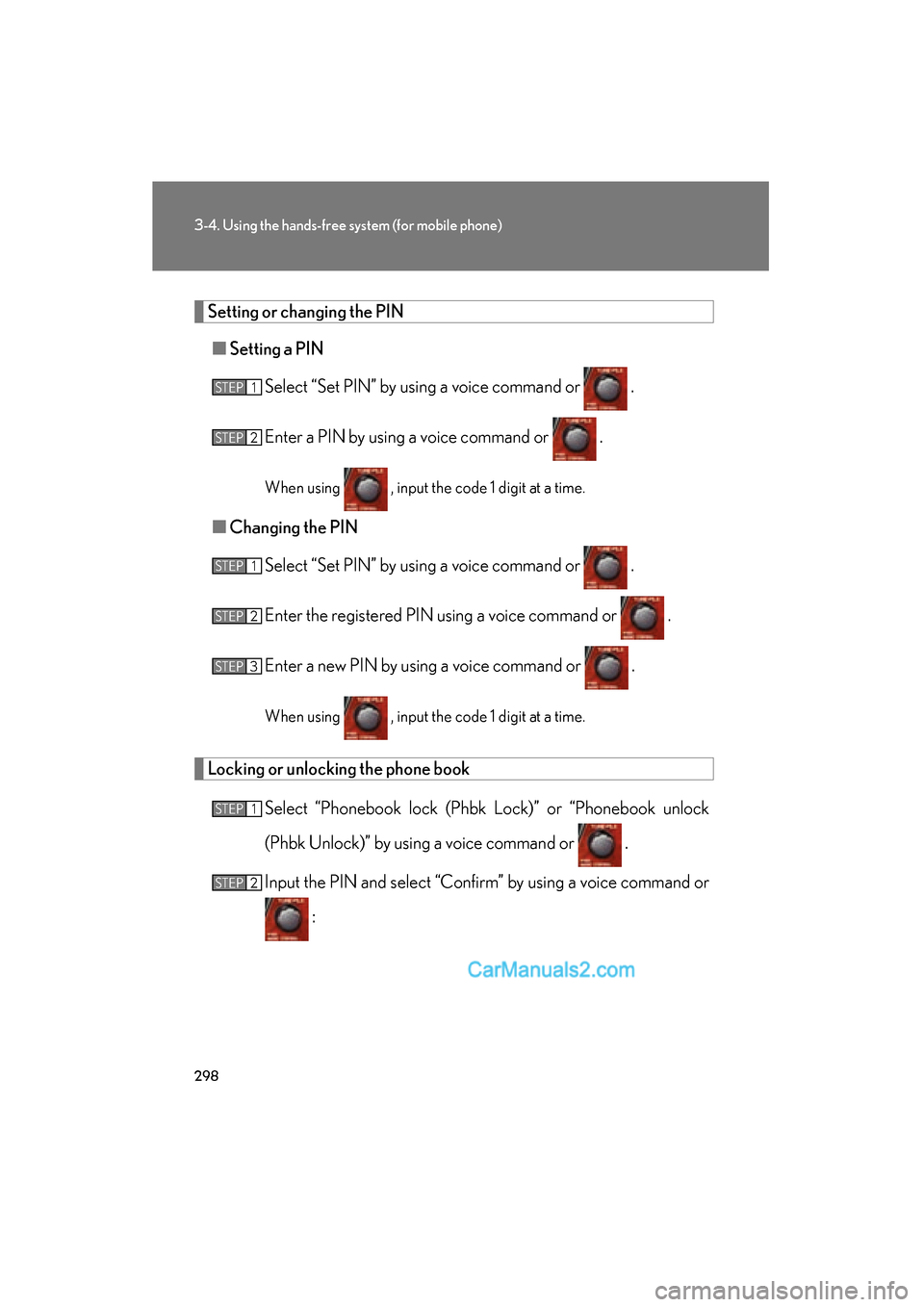
Setting or changing the PIN
■ Setting a PIN
Select “Set PIN” by using a voice command or .
Enter a PIN by using a voice command or .
When using , input the code 1 digit at a time.
■Changing the PIN
Select “Set PIN” by using a voice command or .
Enter the registered PIN using a voice command or .
Enter a new PIN by using a voice command or .
When using , input the code 1 digit at a time.
Locking or unlocking the phone book
Select “Phonebook lock (Phbk Lock)” or “Phonebook unlock
(Phbk Unlock)” by using a voice command or .
Input the PIN and select “Confirm” by using a voice command or :
STEP1
STEP2
STEP1
STEP2
STEP3
STEP1
STEP2
Page 301 of 543
299
3-4. Using the hands-free system (for mobile phone)
3
Interior features
ES350_U
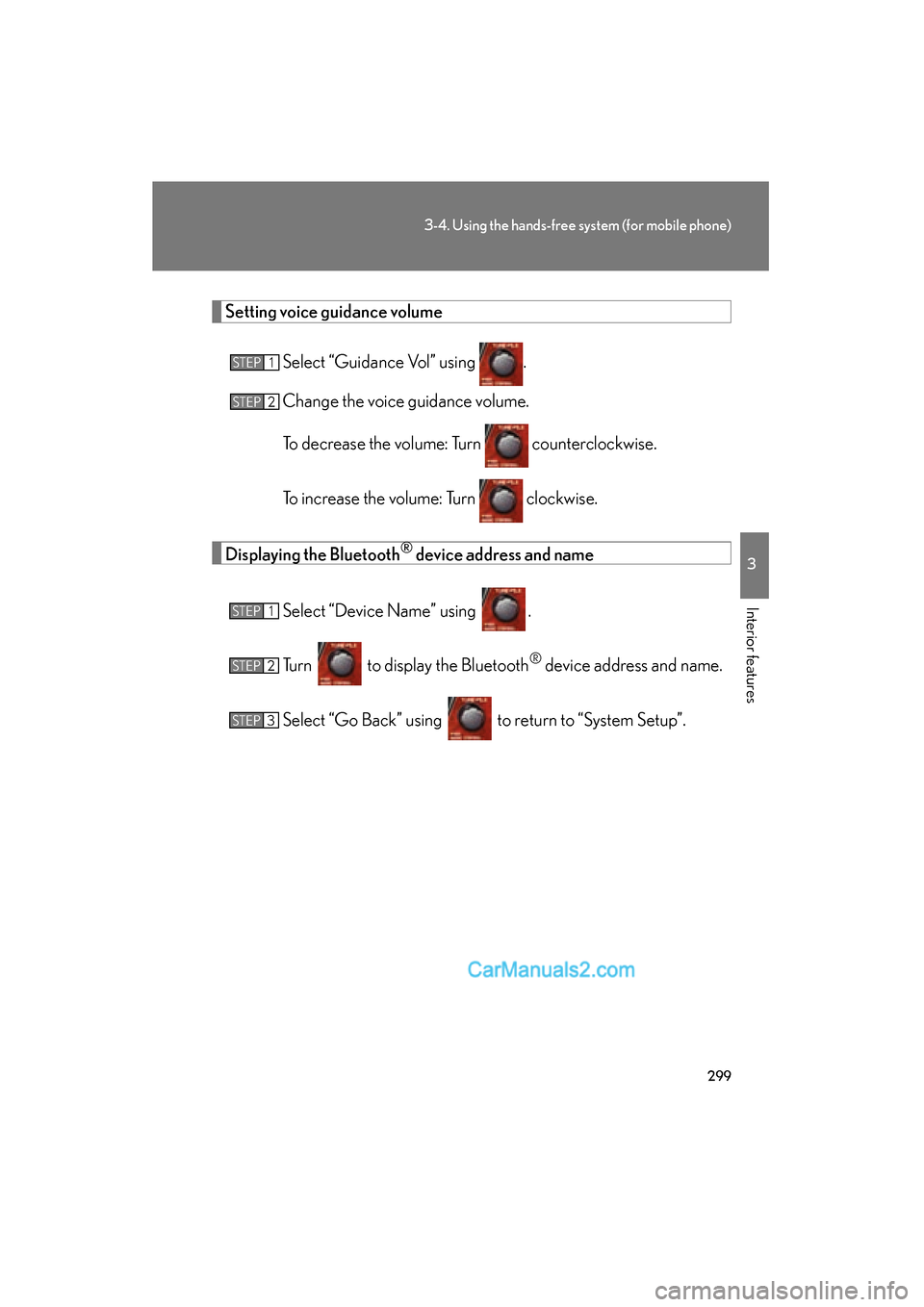
Setting voice guidance volumeSelect “Guidance Vol” using .
Change the voice guidance volume.
To decrease the volume: Turn counterclockwise.
To increase the volume: Turn clockwise.
Displaying the Bluetooth® device address and name
Select “Device Name” using .
Turn to display the Bluetooth
® device address and name.
Select “Go Back” using to return to “System Setup”.
STEP1
STEP2
STEP1
STEP2
STEP3
Page 302 of 543
300
3-4. Using the hands-free system (for mobile phone)
ES350_U
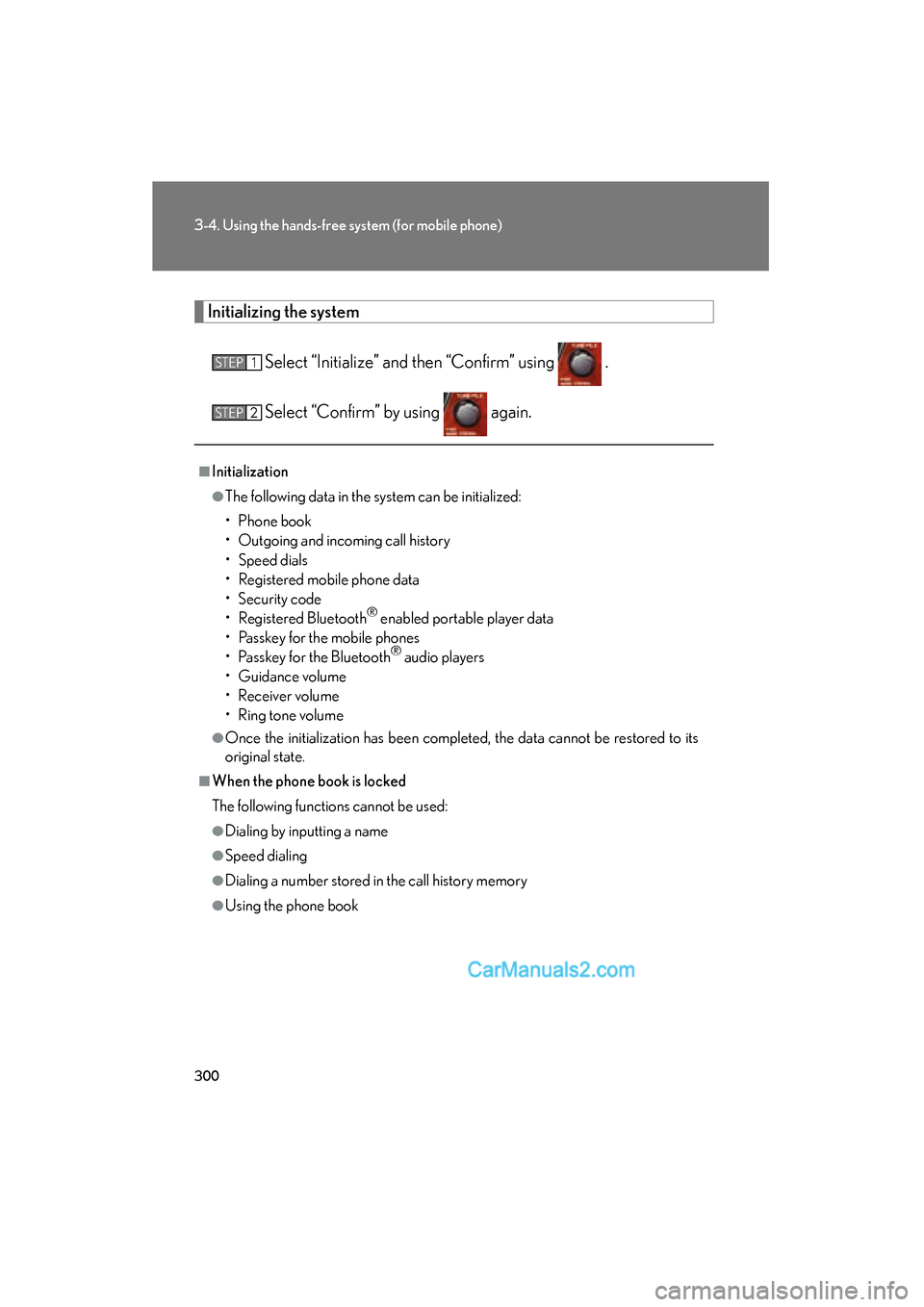
Initializing the system
Select “Initialize” and then “Confirm” using .
Select “Confirm” by using again.
■Initialization
●The following data in the system can be initialized:
• Phone book
• Outgoing and incoming call history
• Speed dials
• Registered mobile phone data
• Security code
• Registered Bluetooth
® enabled portable player data
• Passkey for the mobile phones
• Passkey for the Bluetooth
® audio players
• Guidance volume
• Receiver volume
• Ring tone volume
●Once the initialization has been completed, the data cannot be restored to its
original state.
■When the phone book is locked
The following functions cannot be used:
●Dialing by inputting a name
●Speed dialing
●Dialing a number stored in the call history memory
●Using the phone book
STEP1
STEP2
Page 310 of 543
308
ES350_U
3-5. Using the interior lights
Interior lights list
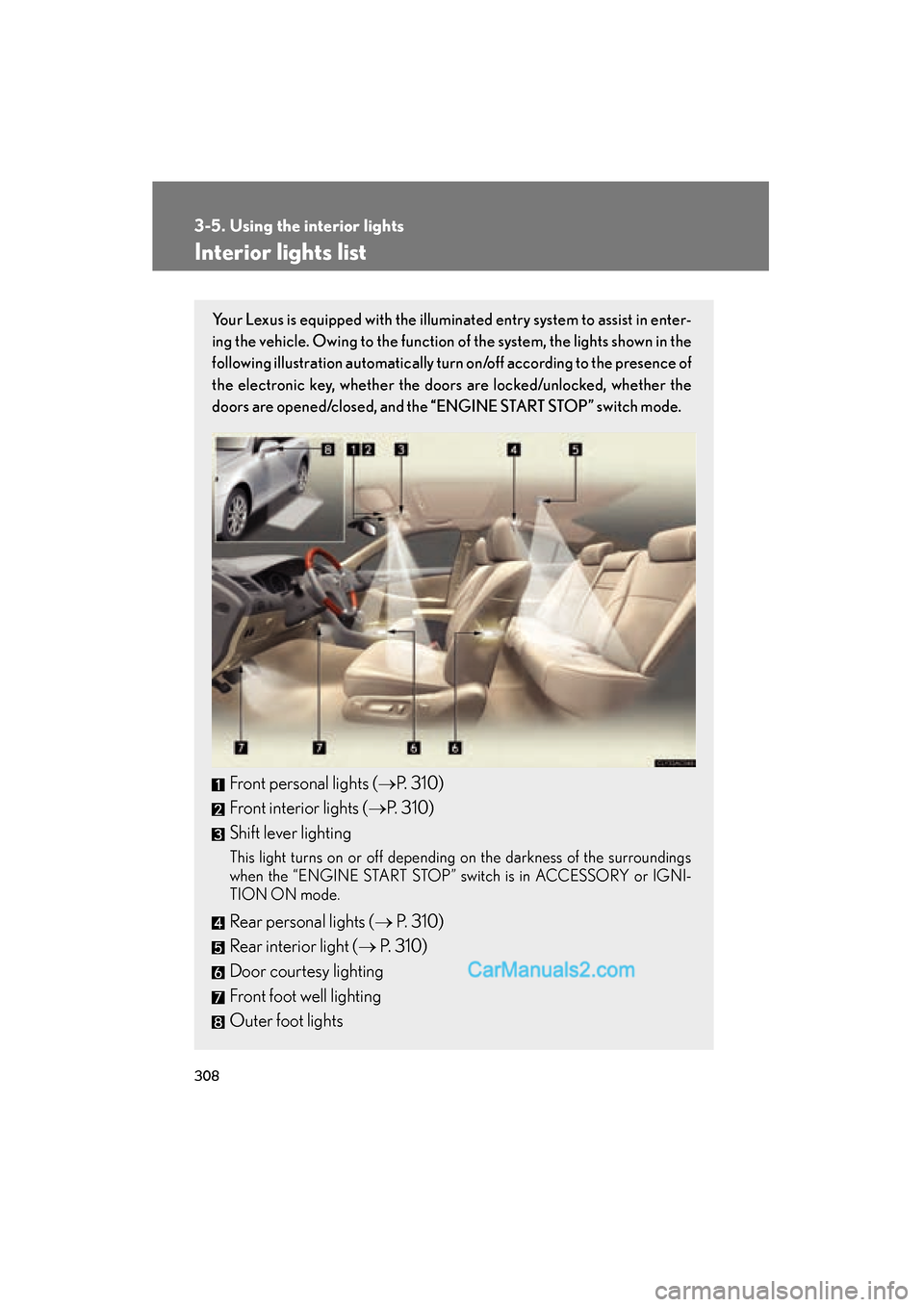
Your Lexus is equipped with the illuminated entry system to assist in enter-
ing the vehicle. Owing to the function of the system, the lights shown in the
following illustration automatically turn on/off according to the presence of
the electronic key, whether the door s are locked/unlocked, whether the
doors are opened/closed, and the “ENGINE START STOP” switch mode.
Front personal lights (oP. 310)
Front interior lights ( oP. 310)
Shift lever lighting
This light turns on or off depending on the darkness of the surroundings
when the “ENGINE START STOP” switch is in ACCESSORY or IGNI-
TION ON mode.
Rear personal lights ( o P. 310)
Rear interior light ( o P. 310)
Door courtesy lighting
Front foot well lighting
Outer foot lights
Page 312 of 543
310
3-5. Using the interior lights
ES350_U
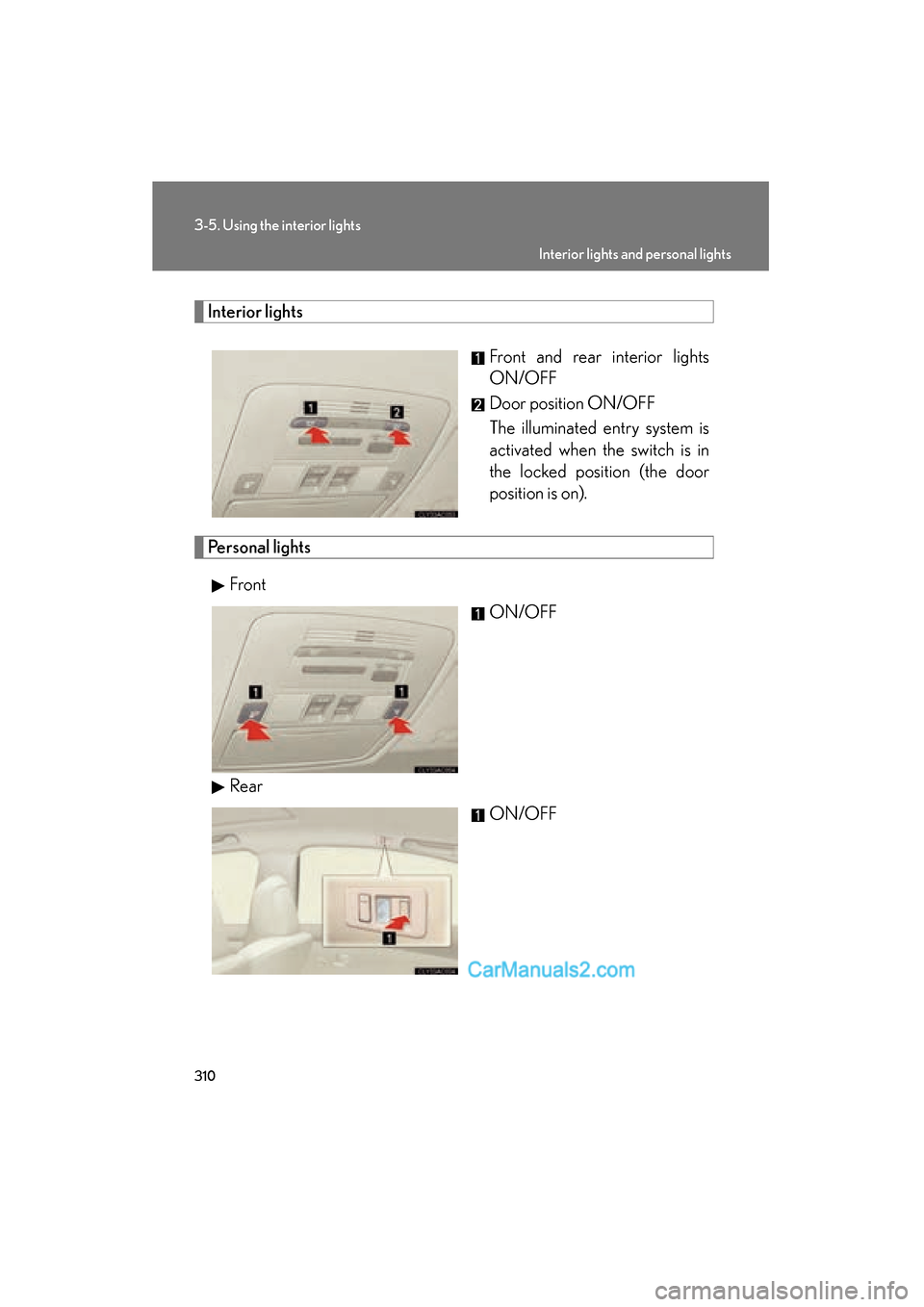
Interior lightsFront and rear interior lights
ON/OFF
Door position ON/OFF
The illuminated entry system is
activated when the switch is in
the locked position (the door
position is on).
Personal lightsFront ON/OFF
Rear ON/OFF
Interior lights and personal lights
Page 314 of 543
312
3-6. Using the storage features
ES350_U
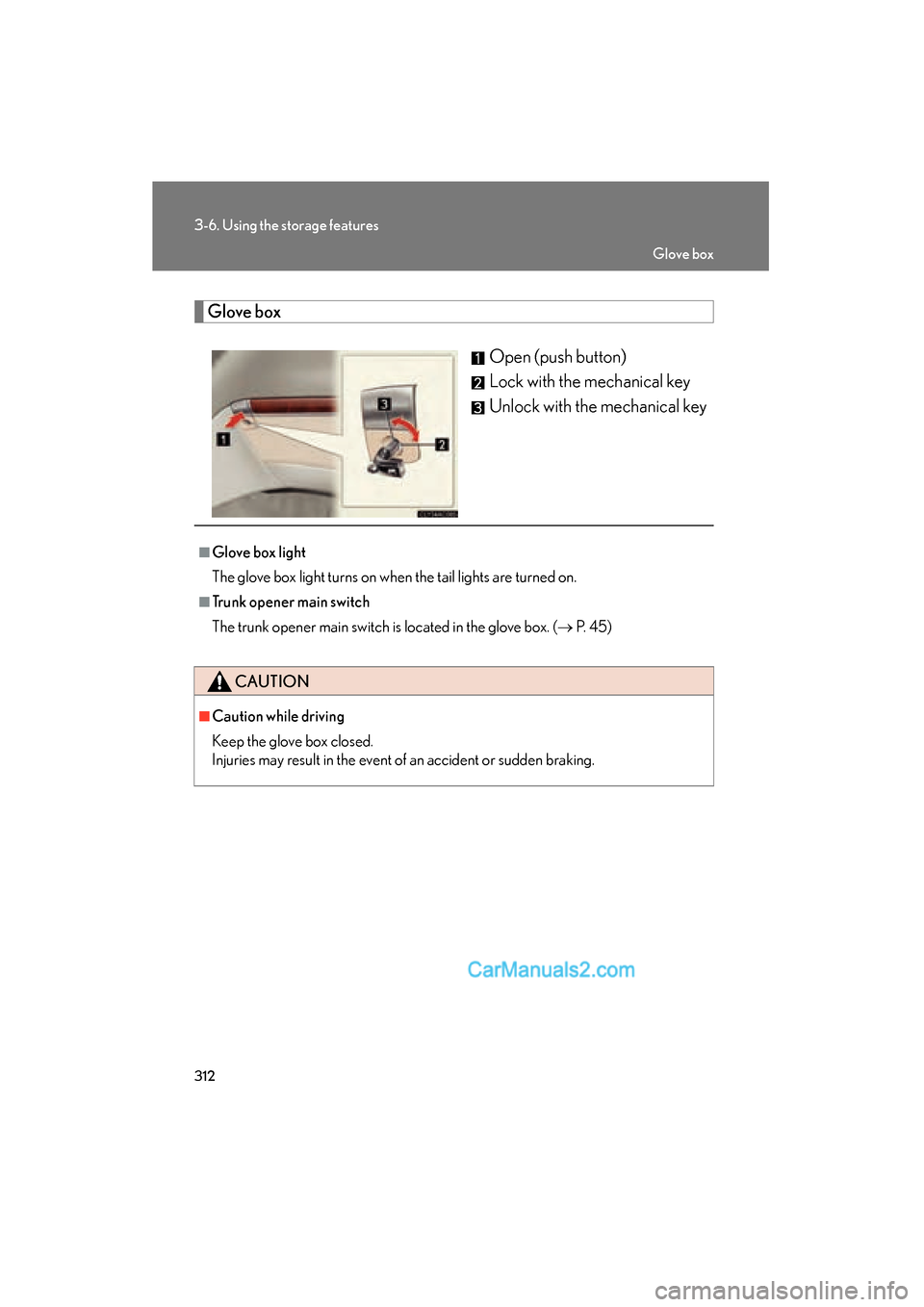
Glove boxOpen (push button)
Lock with the mechanical key
Unlock with the mechanical key
■Glove box light
The glove box light turns on when the tail lights are turned on.
■Trunk opener main switch
The trunk opener main switch is located in the glove box. ( o P. 45)
CAUTION
■Caution while driving
Keep the glove box closed.
Injuries may result in the event of an accident or sudden braking.
Glove box
Page 322 of 543
320
3-7. Other interior features
ES350_U
Clock
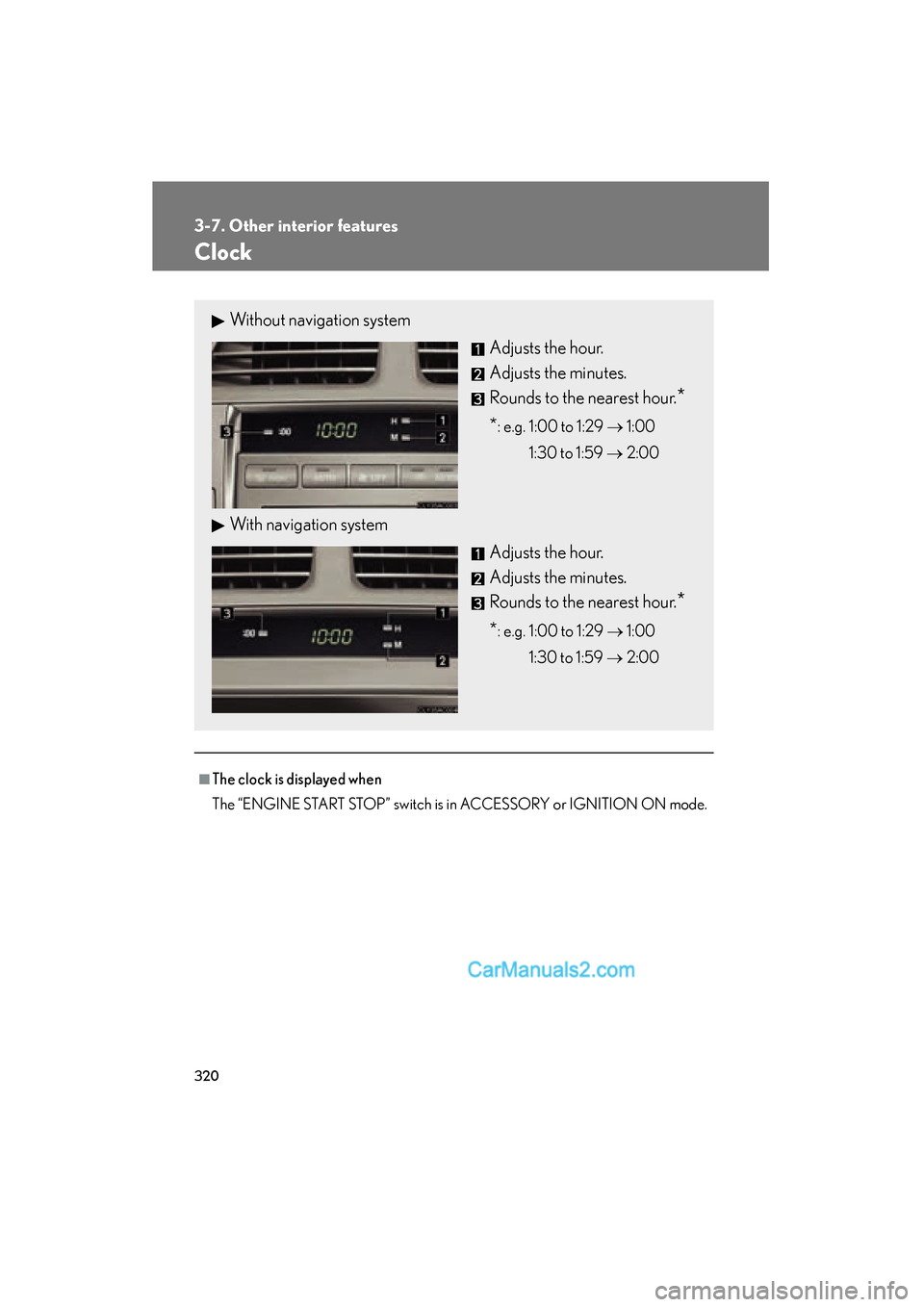
■The clock is displayed when
The “ENGINE START STOP” switch is in ACCESSORY or IGNITION ON mode.
Without navigation systemAdjusts the hour.
Adjusts the minutes.
Rounds to the nearest hour.
*
*: e.g. 1:00 to 1:29 o 1:00
1:30 to 1:59 o 2:00
With navigation system
Adjusts the hour.
Adjusts the minutes.
Rounds to the nearest hour.
*
*: e.g. 1:00 to 1:29 o 1:00
1:30 to 1:59 o 2:00