light Lexus ES350 2011 s Repair Manual
[x] Cancel search | Manufacturer: LEXUS, Model Year: 2011, Model line: ES350, Model: Lexus ES350 2011Pages: 563, PDF Size: 6.72 MB
Page 159 of 563
157
2-4. Using other driving systems
2
When driving
ES350_U
■If the cruise control indicator light flashes
Turn the ON-OFF button off once, and then reactivate the system.
If the cruise control speed cannot be set or if the cruise control cancels immediately
after being activated, there may be a malfunction in the cruise control system. Have
the vehicle inspected by your Lexus dealer.
CAUTION
■To avoid inadvertent cruise control activation
Keep the ON-OFF button off when not in use.
■Situations unsuitable for cruise control
Do not use cruise control in any of the following situations.
Doing so may result in control of the vehicle being lost and could cause an accident
resulting in death or serious injury.
●In heavy traffic
●On roads with sharp bends
●On winding roads
●On slippery roads, such as those covered with rain, ice or snow
●On steep hills
●When towing a trailer or emergency towing
Page 169 of 563

167
2-4. Using other driving systems
2
When driving
ES350_U
■Warning lights, messages and buzzers for dynamic radar cruise control
Warning lights, messages and buzzers are used to indicate a system malfunction or
to inform the driver of the need for caution while driving. (→P. 455)
■Approach warning
In the following instances, there is a possibility that the warnings will not occur:
●When the speed of the vehicle ahead matches or exceeds your vehicle speed
●When the vehicle ahead is traveling at an extremely slow speed
●Immediately after the cruise control speed was set
●At the instant the accelerator is applied
■Certification
For vehicles sold in U.S.A.
FCC ID: HYQDNMWR005
This device complies with Part 15 of the FCC Rules. Operation is subject to the fol-
lowing two conditions;
(1) This device may not cause harmful interference, and
(2) This device must accept any interference received, including interference that
may cause undesired operation.
FCC WARNING:
Changes or modifications not expressly approved by the party responsible for
compliance could void the user's authority to operate the equipment.
Radio frequency radiation exposure Information:
This equipment complies with FCC radiatio n exposure limits set forth for an uncon-
trolled environment.
This equipment should be installed and operated with minimum distance of 20 cm
between the radiator and your body.
This transmitter must not be co-located or operating in conjunction with any other
antenna or transmitter
For vehicles sold in Canada
Operation is subject to the following two conditions;
(1) This device may not cause interference, and
(2) This device must accept any interference, including interference that may cause
undesired operation of the device.
Page 172 of 563
170
2-4. Using other driving systems
ES350_U
CAUTION
■Conditions under which the vehicle-to-vehicle distance control may not function
correctly
Apply the brakes as necessary in the following conditions as the radar sensor may
not be able to correctly detect vehicles ahead, and a fatal or serious accident may
result:
●When water or snow thrown up by the surrounding vehicles hinders the function-
ing of the sensor
●When your vehicle is pointing upwards (caused by a heavy load in the trunk etc.)
●When the road curves or when the lanes are narrow
●When steering wheel operation or your position in the lane is unstable
●When the vehicle ahead of you decelerates suddenly
■Handling the radar sensor
Observe the following to ensure the cruise control system can function effectively.
Otherwise, the system may not function correctly and could result in an accident.
●Keep the sensor and front grille cover clean at all times.
Clean the sensor and front grille cover with a soft cloth so you do not mark or
damage them.
●Do not subject the sensor or surrounding area to a strong impact.
If the sensor moves even slightly off position, the system may malfunction. If the
sensor or surrounding area is subject to a strong impact, always have the area
inspected and adjusted by a Lexus dealer.
●Do not disassemble the sensor.
●Do not attach accessories or stickers to the sensor, grille cover or surrounding
area.
●Do not modify or paint the sensor and grille cover.
●Do not replace them with non-genuine parts.
Page 177 of 563
175
2-4. Using other driving systems
2
When driving
ES350_U
■Sensor detection information
●Certain vehicle conditions and the surrounding environment may affect the
ability of the sensor to correctly detect obstacles. Particular instances where this
may occur are listed below.
• There is dirt, snow or ice on the sensor.
• The sensor is frozen.
• The sensor is covered in any way.
• The vehicle is leaning considerably to one side.
• On an extremely bumpy road, on an incline, on gravel, or on grass
• The vicinity of the vehicle is noisy due to vehicle horns, motorcycle engines,air brakes of large vehicles, or other loud noises producing ultrasonic waves.
• There is another vehicle equipped with parking assist sensors in the vicinity.
• The sensor is coated with a sheet of spray or heavy rain
• The vehicle is equipped with a fender pole or wireless antenna.
• Towing eyelets are installed.
• The bumper or sensor receives a strong impact.
• The vehicle is approaching a tall or curved curb.
• In harsh sunlight or intense cold weather
In addition to the examples above, there are instances in which, because of their
shapes, signs and other objects may be judged by the sensor to be closer than they
are.
●The shape of the obstacle may prevent the sensor from detecting it. Pay particu-
lar attention to the following obstacles.
• Wires, fences, ropes etc.
• Cotton, snow and other materials that absorb radio waves
• Sharply-angled objects
• Low obstacles
• Tall obstacles with upper sections projecting outwards in the direction of your
vehicle
Page 179 of 563
177
2-4. Using other driving systems
2
When driving
ES350_U
Driving assist systems
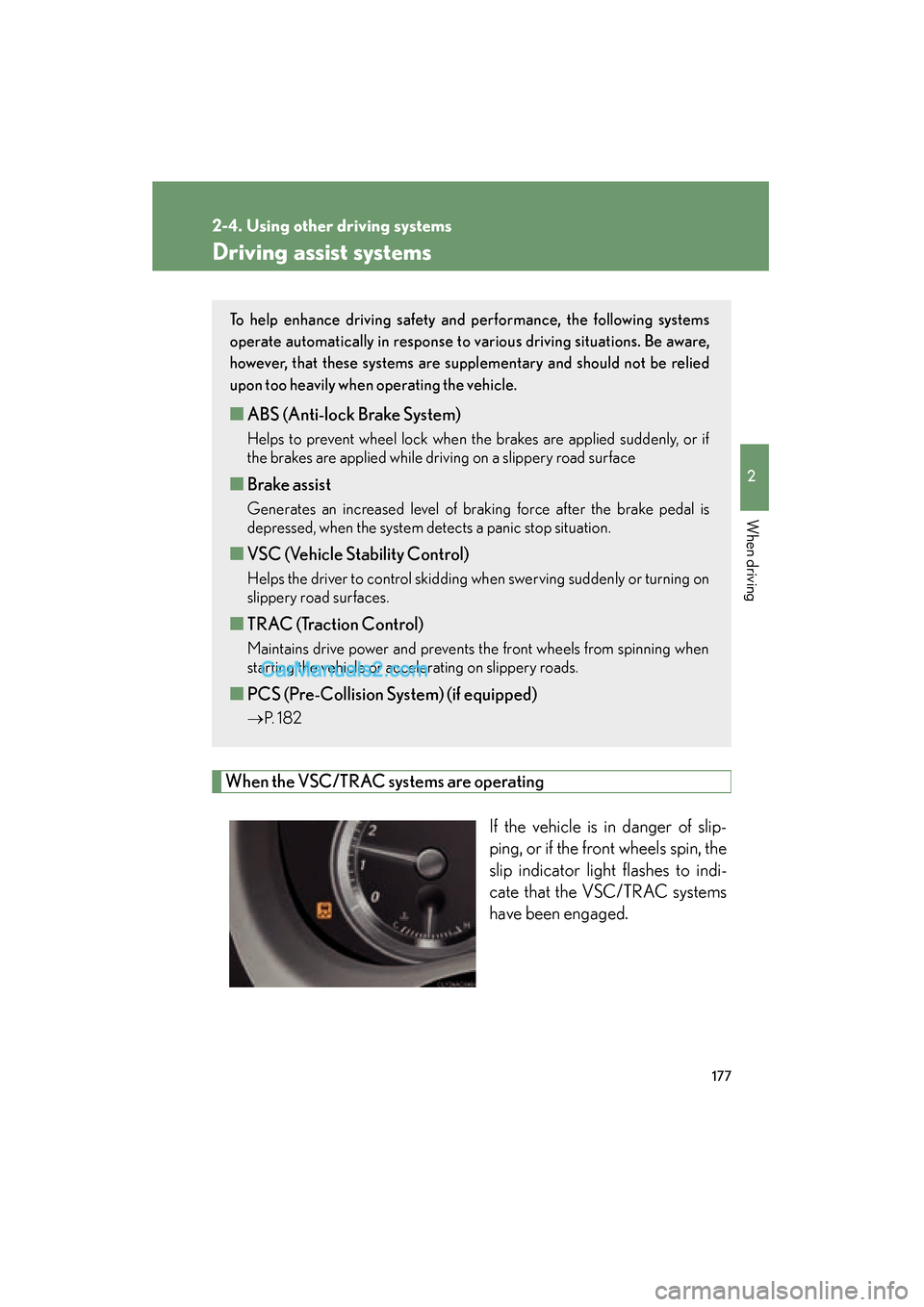
When the VSC/TRAC systems are operatingIf the vehicle is in danger of slip-
ping, or if the front wheels spin, the
slip indicator light flashes to indi-
cate that the VSC/TRAC systems
have been engaged.
To help enhance driving safety and performance, the following systems
operate automatically in response to various driving situations. Be aware,
however, that these systems are suppl ementary and should not be relied
upon too heavily when operating the vehicle.
■ ABS (Anti-lock Brake System)
Helps to prevent wheel lock when the brakes are applied suddenly, or if
the brakes are applied while driving on a slippery road surface
■Brake assist
Generates an increased level of braking force after the brake pedal is
depressed, when the system detects a panic stop situation.
■VSC (Vehicle Stability Control)
Helps the driver to control skidding when swerving suddenly or turning on
slippery road surfaces.
■TRAC (Traction Control)
Maintains drive power and prevents the front wheels from spinning when
starting the vehicle or accelerating on slippery roads.
■PCS (Pre-Collision System) (if equipped)
→ P. 1 8 2
Page 180 of 563

178
2-4. Using other driving systems
ES350_U
Disabling the TRAC/VSC systemsIf the vehicle gets stuck in fresh snow or mud, the TRAC/VSC systems
may reduce power from the engine to the wheels. You may need to turn
the system off to enable you to rock the vehicle in order to free it.
■ Turning off the TRAC system only
To turn the TRAC system off,
quickly press and release the but-
ton.
A message will be shown on the
multi-information display.
Press the button again to turn the
system back on.
■Turning off both TRAC and VSC systems
To turn the TRAC and VSC sys-
tems off, press and hold the button
for more than 3 seconds while the
vehicle is stopped.
A message will be shown on the
multi-information display and VSC
off indicator light will come on.
Press the button again to turn the
systems back on.
Page 181 of 563
179
2-4. Using other driving systems
2
When driving
ES350_U
■Sounds and vibrations caused by the ABS, brake assist, VSC and TRAC systems
●A sound may be heard from the engine compartment when the engine is
started or just after the vehicle begins to move. This sound does not indicate that
a malfunction has occurred in any of these systems.
●Any of the following conditions may occur when the above systems are operat-
ing. None of these indicates that a malfunction has occurred.
• Vibrations may be felt through the vehicle body and steering.
• A motor sound may be heard after the vehicle comes to a stop.
• The brake pedal may pulsate slightly after the ABS is activated.
• The brake pedal may move down slightly after the ABS is activated.
■Reactivation of the TRAC /VSC systems after turning off the engine
Turning off the engine after turning off the TRAC/VSC systems will automatically
reactivate them.
■Reactivation of the TRAC system linked to vehicle speed
When only the TRAC system is turned off, the TRAC system will turn on when vehi-
cle speed increases. However, when both TRAC and VSC systems are turned off,
the systems will not turn on even when vehicle speed increases.
■If the slip indicator comes on
It may indicate a malfunction in the VSC and TRAC function. Contact your Lexus
dealer.
Page 183 of 563
181
2-4. Using other driving systems
2
When driving
ES350_U
CAUTION
■When the slip indicator flashes
This situation occurs immediately while VSC is activated. Always drive carefully.
Reckless driving may cause an accident. Exercise particular care when the indica-
tor light flashes.
■When the TRAC/VSC systems are turned off
Be especially careful and drive at a speed appropriate to the road conditions. As
these are the systems to help enhance vehicle stability and driving force, do not turn
the TRAC/VSC systems off unless necessary.
■Replacing tires
Make sure that all tires are of the same size, brand, tread pattern and total load
capacity. In addition, make sure that the tires are inflated to the recommended tire
pressure level.
The ABS and VSC systems will not function correctly if different tires are fitted on
the vehicle.
Contact your Lexus dealer for further information when replacing tires or wheels.
Page 186 of 563
184
2-4. Using other driving systems
ES350_U
●When climbing a steep hill causes an overhead billboard or other metallic struc-
ture to appear directly in the vehicle's line of travel.
●When an extreme change in vehicle height occurs
●When the axis of the radar is out of adjustment
●When passing through certain toll gates
When the system is activated in the situations described above there is also a possi-
bility that the seat belts will retract quickly and the brakes will be applied with a force
greater than normal. When the seat belt is locked in the retracted position, stop the
vehicle in a safe place, release the seat belt and refasten.
■Situations in which the pre-collision system does not function properly
The system may not function effectively in situations such as the following:
●On roads with sharp bends or uneven surfaces
●On slippery roads such as those covered with ice or snow
●If a vehicle suddenly moves in front of your vehicle, such as at an intersection
●If a vehicle suddenly cuts in front of your vehicle, such as when overtaking
●In inclement weather such as heavy rain, fog, snow or sand storms
■Automatic cancelation of the pre-collision system
When a malfunction occurs due to sensor contamination, etc. that results in the
sensors being unable to detect obstacles, the pre-collision system will be automati-
cally disabled. In this case, the system will not activate even if there is a collision pos-
sibility.
■When there is a malfunction in the system
Warning lights and/or warning messages will turn on or flash. ( →P. 445, 455)
Page 188 of 563
186
2-4. Using other driving systems
ES350_U
CAUTION
■Handling the radar sensor
Observe the following to ensure the pre-collision system can function effectively.
●Keep the sensor and front grille clean at all times.
Clean the sensor and front grille with a soft cloth so you do not mark or damage
them.
●Do not subject the sensor or surrounding area to a strong impact.
If the sensor moves even slightly off position, the system may malfunction. If the
sensor or surrounding area are subject to a strong impact, always have the area
inspected and adjusted by a Lexus dealer.
●Do not disassemble the sensor.
●Do not attach accessories or stickers to the sensor, grille guard or surrounding
area.
●Do not modify or paint the sensor and grille cover.
■Limitations of the pre-collision system
Do not rely on the pre-collision system. Always drive safely, taking care to observe
your surroundings and checking for any obstacles or other road hazards.