turn signal Lexus ES350 2011 Owner's Manuals
[x] Cancel search | Manufacturer: LEXUS, Model Year: 2011, Model line: ES350, Model: Lexus ES350 2011Pages: 563, PDF Size: 6.72 MB
Page 4 of 563
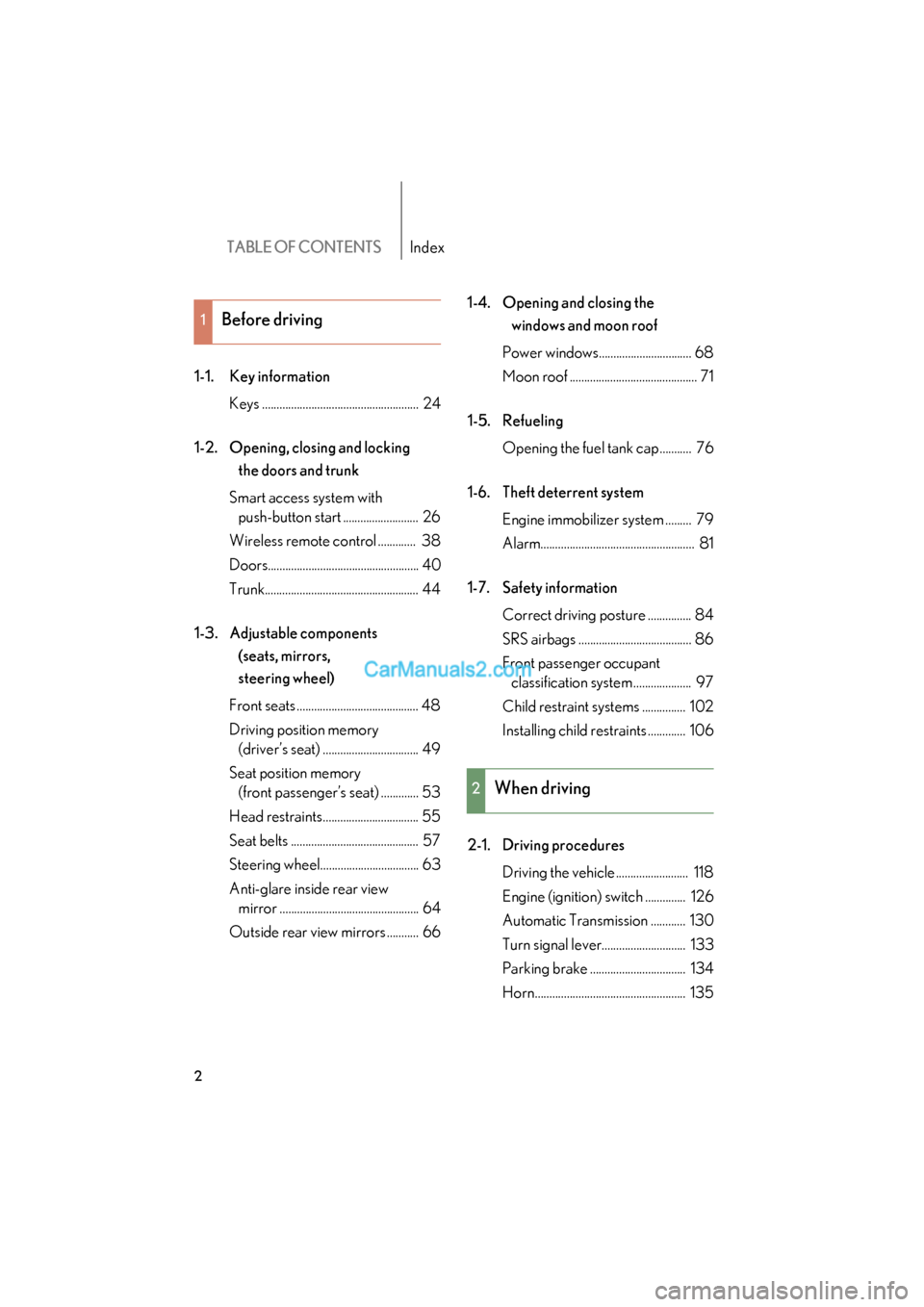
TABLE OF CONTENTSIndex
ES350_U
2
1-1. Key informationKeys ...................................................... 24
1-2. Opening, closing and locking the doors and trunk
Smart access system with push-button start .......................... 26
Wireless remote control ............. 38
Doors.................................................... 40
Trunk..................................................... 44
1-3. Adjustable components (seats, mirrors,
steering wheel)
Front seats .......................................... 48
Driving position memory (driver’s seat) ................................. 49
Seat position memory (front passenger’s seat) ............. 53
Head restraints................................. 55
Seat belts ............................................ 57
Steering wheel.................................. 63
Anti-glare inside rear view mirror ................................................ 64
Outside rear view mirrors ........... 66 1-4. Opening and closing the
windows and moon roof
Power windows................................ 68
Moon roof ............................................ 71
1-5. Refueling Opening the fuel tank cap........... 76
1-6. Theft deterrent system Engine immobilizer system ......... 79
Alarm..................................................... 81
1-7. Safety information Correct driving posture ............... 84
SRS airbags ....................................... 86
Front passenger occupant classification system .................... 97
Child restraint systems ............... 102
Installing child restraints ............. 106
2-1. Driving procedures Driving the vehicle ......................... 118
Engine (ignition) switch .............. 126
Automatic Transmission ............ 130
Turn signal lever............................. 133
Parking brake ................................. 134
Horn.................................................... 135
1Before driving
2When driving
Page 10 of 563
ES350_U
8
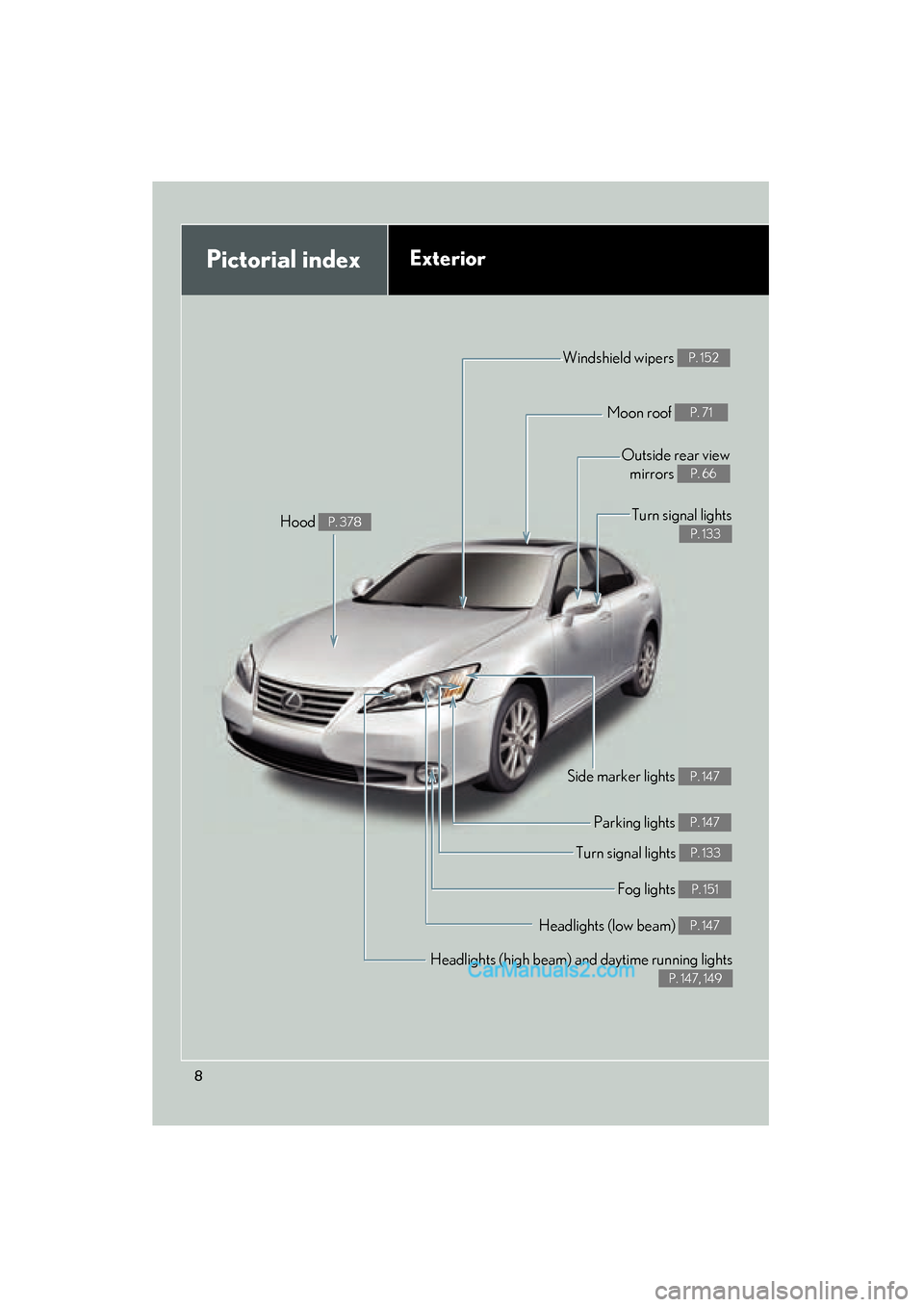
Pictorial indexExterior
Headlights (high beam) and daytime running lights
P. 147, 149
Turn signal lights P. 133
Side marker lights P. 147
Headlights (low beam) P. 147
Hood P. 378
Windshield wipers P. 152
Moon roof P. 71
Outside rear viewmirrors
P. 66
Fog lights P. 151
Parking lights P. 147
Turn signal lights
P. 133
Page 11 of 563
ES350_U
9
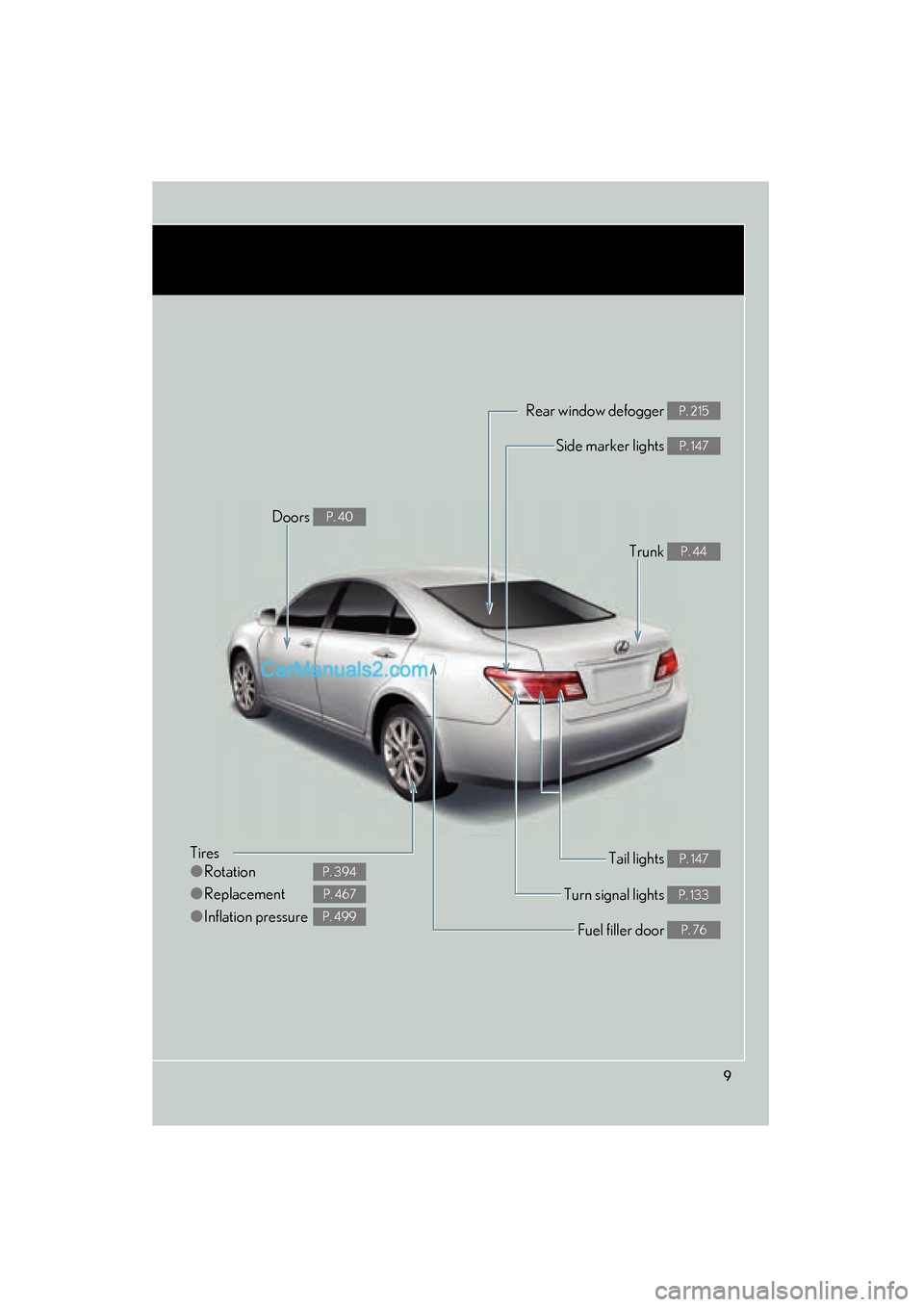
Tires
●Rotation
● Replacement
● Inflation pressure
P. 394
P. 467
P. 499
Tail lights P. 147
Side marker lights P. 147
Trunk P. 44
Rear window defogger P. 215
Doors P. 40
Fuel filler door P. 76
Turn signal lights P. 133
Page 16 of 563
ES350_U
14
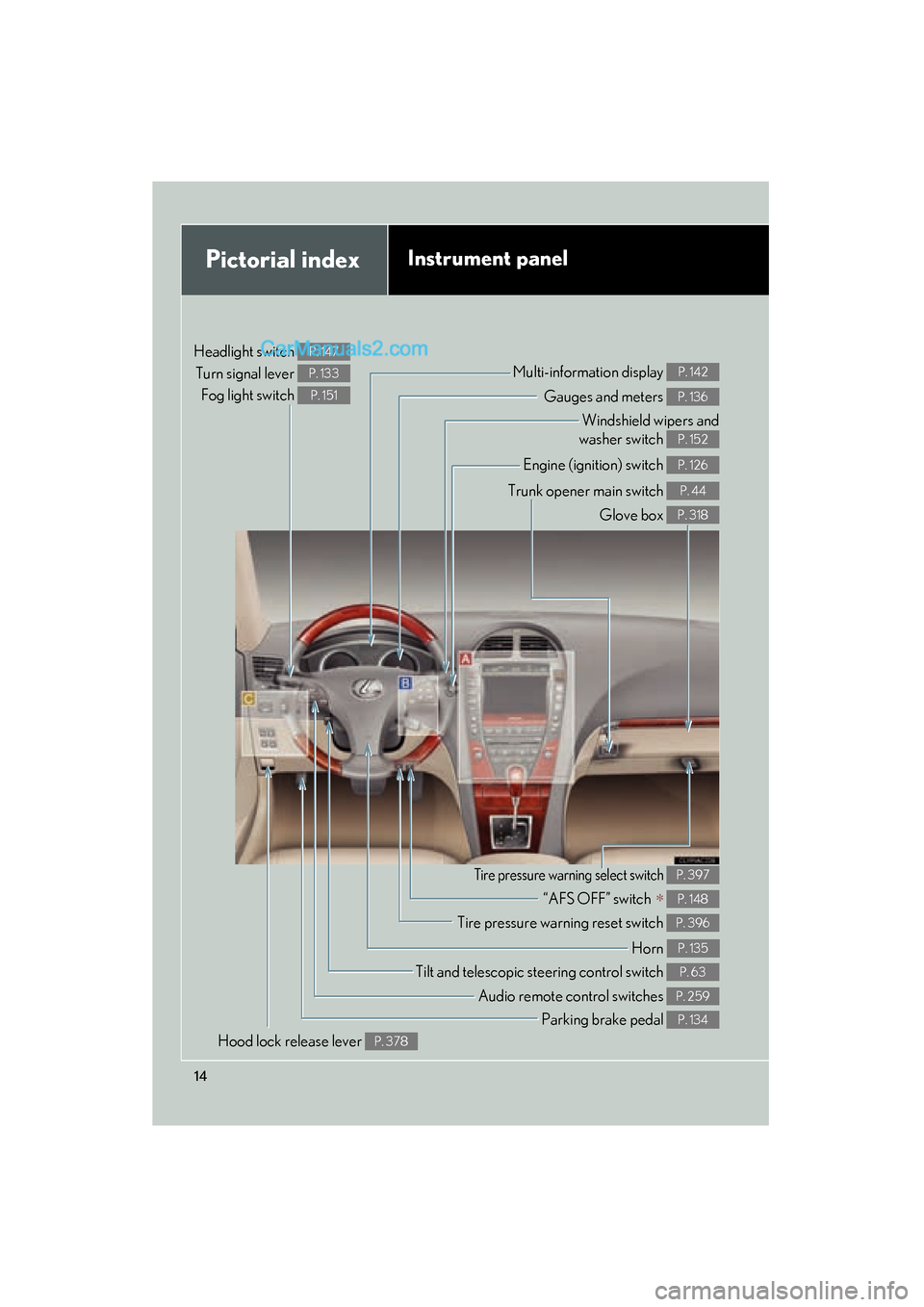
Pictorial indexInstrument panel
Headlight switch Turn signal lever Fog light switch P. 147
P. 133
P. 151Gauges and meters P. 136
Multi-information display P. 142
Windshield wipers and
washer switch
P. 152
Engine (ignition) switch P. 126
Trunk opener main switch P. 44
Glove box P. 318
Tilt and telescopic steering control switch P. 63
Parking brake pedal P. 134
Audio remote control switches P. 259
Hood lock release lever P. 378
Tire pressure warning reset switch P. 396
“AFS OFF” switch ∗ P. 148
Tire pressure warning select switch P. 397
Horn P. 135
Page 51 of 563
49
1
1-3. Adjustable components (seats, mirrors, steering wheel)
Before driving
ES350_U
Driving position memory (driver’s seat)
Your preferred driving position (the position of the driver's seat, steering
wheel and outside rear view mirrors) can be memorized and recalled with
the touch of a button. It is also possible to set this function to activate auto-
matically when the doors are unlocked.
Two different driving positions can be entered into memory.
■ Entering a position to memory
Turn the “ENGINE START STOP” switch to IGNITION ON
mode.
Adjust the driver’s seat, steering wheel, and outside rear view
mirrors to the desired positions.
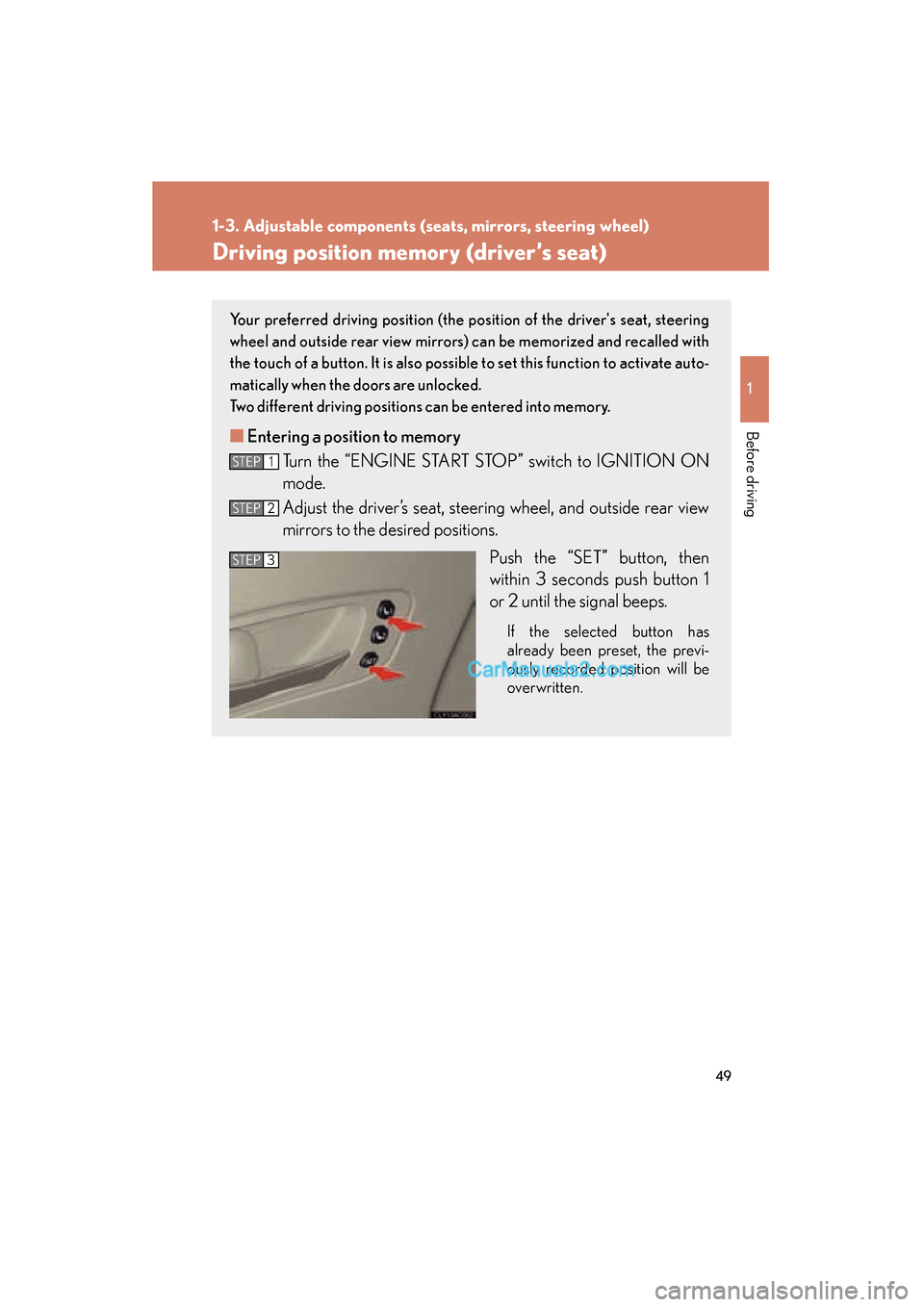
Push the “SET” button, then
within 3 seconds push button 1
or 2 until the signal beeps.
If the selected button has
already been preset, the previ-
ously recorded position will be
overwritten.
STEP1
STEP2
STEP3
Page 52 of 563
50
1-3. Adjustable components (seats, mirrors, steering wheel)
ES350_U
Linking driving position memory with door unlock operation
Record your driving position to button 1 or 2 before performing the fol-
lowing.
Carry only the key to which you want to link the driving position. If 2 or
more keys are in the vehicle, the driving position cannot be linked prop-
erly. Using the wireless remote control Turn the “ENGINE START STOP” switch OFF and close the
driver's door.
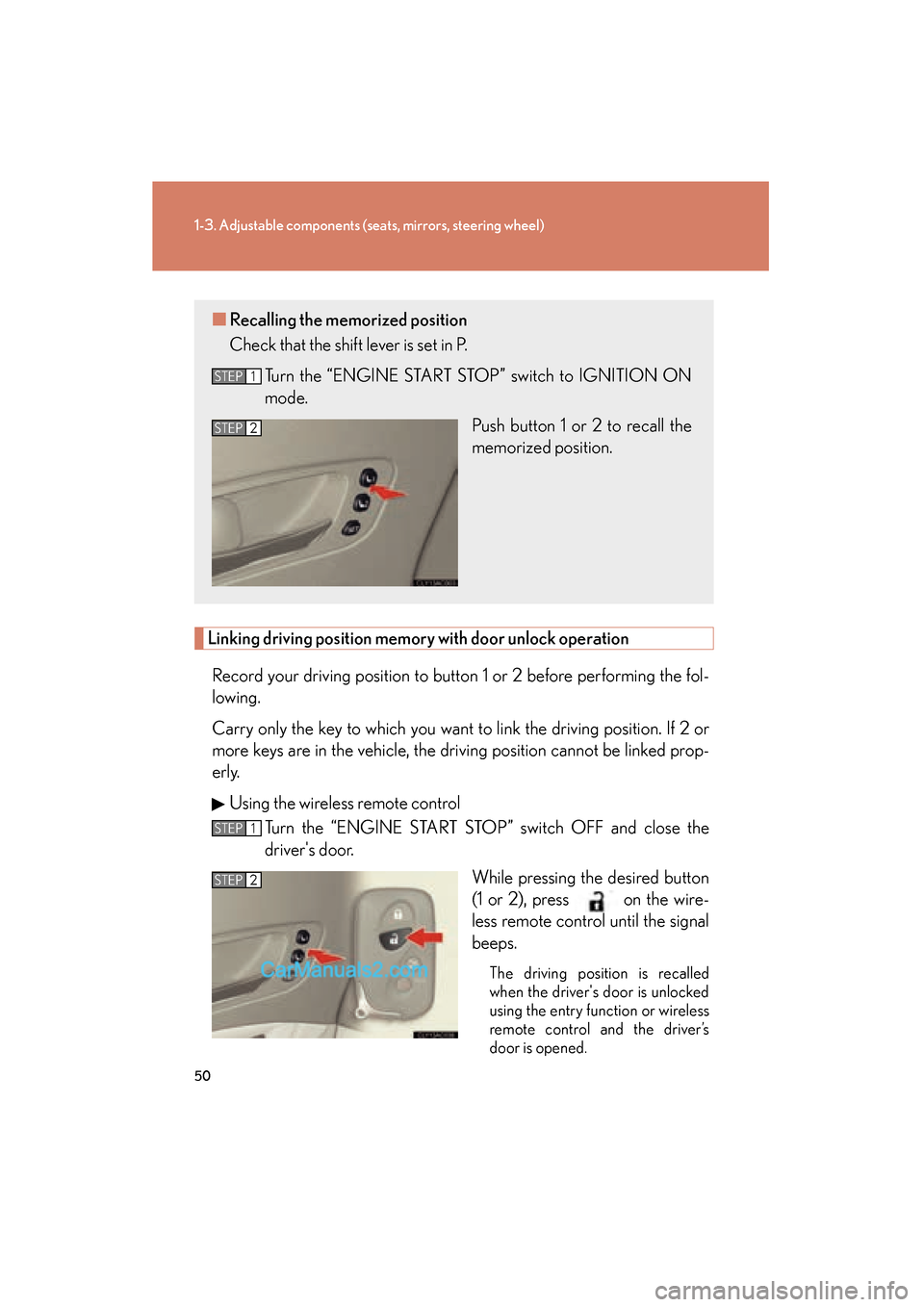
While pressing the desired button
(1 or 2), press on the wire-
less remote control until the signal
beeps.
The driving position is recalled
when the driver's door is unlocked
using the entry function or wireless
remote control and the driver’s
door is opened.
■Recalling the memorized position
Check that the shift lever is set in P.
Turn the “ENGINE START STOP” switch to IGNITION ON
mode. Push button 1 or 2 to recall the
memorized position.
STEP1
STEP2
STEP1
STEP2
Page 53 of 563
51
1-3. Adjustable components (seats, mirrors, steering wheel)
1
Before driving
ES350_UOpen one of the doors.
If a door is not opened within 60 seconds after is pressed, the
doors will be locked again and the alarm will automatically be set.
In case that the alarm is triggered, immediately stop the alarm.
( → P. 8 1 )
Using the door lock switch
Close the driver's door and turn the “ENGINE START STOP”
s w i t c h O F F.
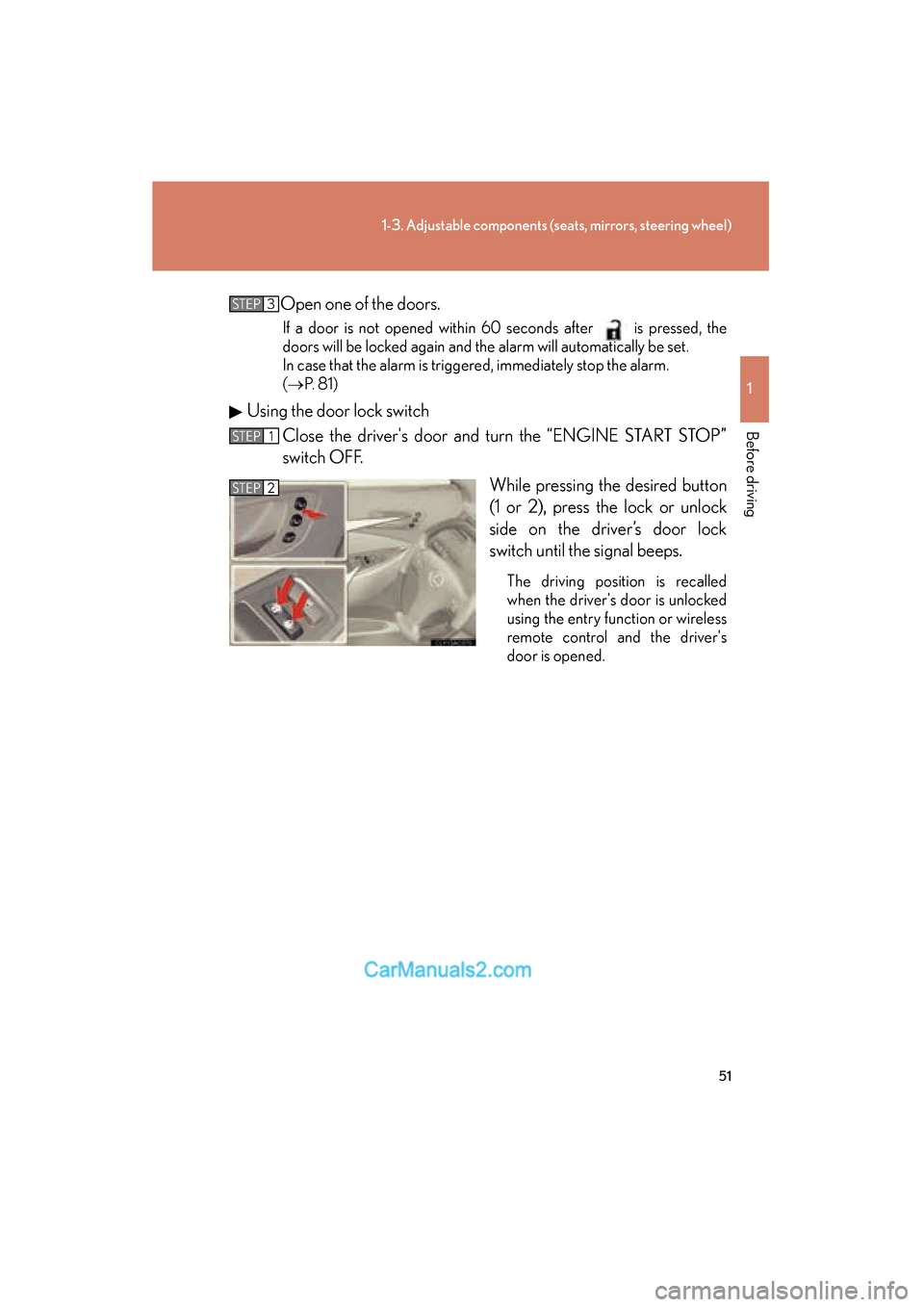
While pressing the desired button
(1 or 2), press the lock or unlock
side on the driver’s door lock
switch until the signal beeps.
The driving position is recalled
when the driver's door is unlocked
using the entry function or wireless
remote control and the driver's
door is opened.
STEP3
STEP1
STEP2
Page 54 of 563
52
1-3. Adjustable components (seats, mirrors, steering wheel)
ES350_U
■Canceling the linked door unlock operation
Carry only the key whose linked operation is to be canceled.
Turn the “ENGINE START STOP” switch OFF and close the driver's door.
Using the wireless remote control: While pushing the “SET” button, press on the wireless remote control until the signal beeps.
Using the door lock switch: While pr essing the “SET” button, press the
lock or unlock side on the door lock switch until the signal beeps.
■Operating the driving position memory after turning the “ENGINE START
STOP” switch OFF
Memorized positions (except for the steering wheel positions) can be activated up
to 180 seconds after the driver’s door is opened and another 60 seconds after it is
closed again, even after turning the “ENGINE START STOP” switch OFF.
■To cancel seat position recall
Perform any of the following operations.
●Push the “SET” button.
●Push button 1 or 2.
●Adjust the seat using the switches (only cancels seat position recall).
■If the battery is disconnected
The memorized positions are erased when the battery is disconnected.
CAUTION
■Seat adjustment caution
Take care during seat adjustment that the seat does not strike the rear passenger or
squeeze your body against the steering wheel.
STEP1
STEP2
Page 55 of 563
53
1
1-3. Adjustable components (seats, mirrors, steering wheel)
Before driving
ES350_U
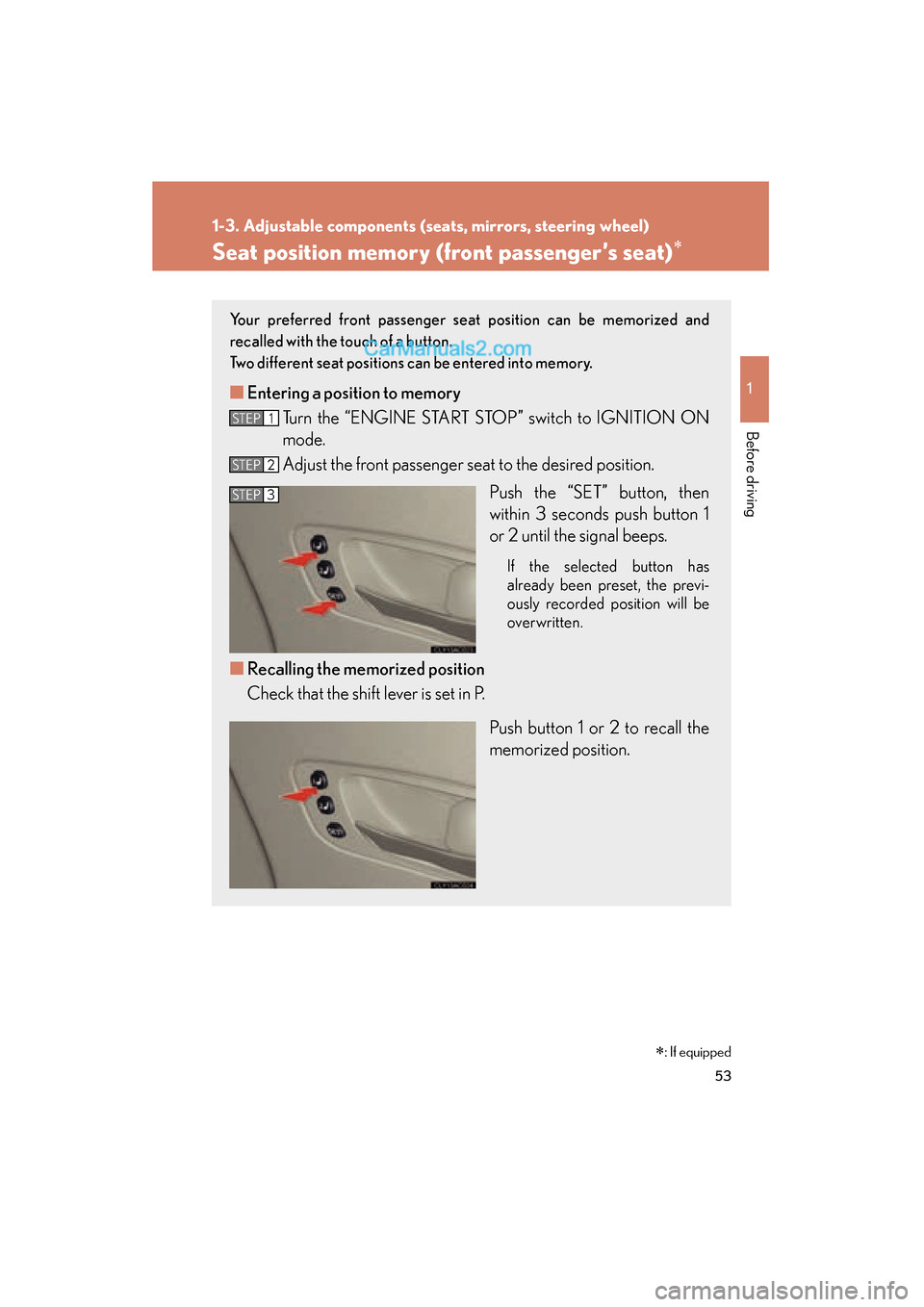
Seat position memory (front passenger’s seat)∗
Your preferred front passenger seat position can be memorized and
recalled with the touch of a button.
Two different seat positions can be entered into memory.
■ Entering a position to memory
Turn the “ENGINE START STOP” switch to IGNITION ON
mode.
Adjust the front passenger seat to the desired position.
Push the “SET” button, then
within 3 seconds push button 1
or 2 until the signal beeps.
If the selected button has
already been preset, the previ-
ously recorded position will be
overwritten.
■Recalling the memorized position
Check that the shift lever is set in P.
Push button 1 or 2 to recall the
memorized position.
STEP1
STEP2
STEP3
∗: If equipped
Page 119 of 563
When driving2
117
ES350_U
2-1. Driving proceduresDriving the vehicle................... 118
Engine (ignition) switch ......... 126
Automatic Transmission ........ 130
Turn signal lever ....................... 133
Parking brake ........................... 134
Horn ............................................ 135
2-2. Instrument cluster Gauges and meters ................ 136
Indicators and warning lights ......................................... 138
Multi-information display ..... 142 2-3. Operating the lights and
windshield wipers
Headlight switch ...................... 147
Fog light switch ......................... 151
Windshield wipers and washer ..................................... 152
2-4. Using other driving systems
Cruise control.......................... 155
Dynamic radar cruise control ..................................... 158
Intuitive parking assist ............. 171
Driving assist systems ............. 177
PCS (Pre-Collision System) ....... 182
2-5. Driving information Cargo and luggage ................ 187
Vehicle load limits ................... 190
Winter driving tips ................... 191
Trailer towing ............................ 197
Dinghy towing......................... 204