eco Lexus ES350 2012 Service Manual
[x] Cancel search | Manufacturer: LEXUS, Model Year: 2012, Model line: ES350, Model: Lexus ES350 2012Pages: 554, PDF Size: 6.43 MB
Page 134 of 554
133
2-1. Driving procedures
2
When driving
ES350_U
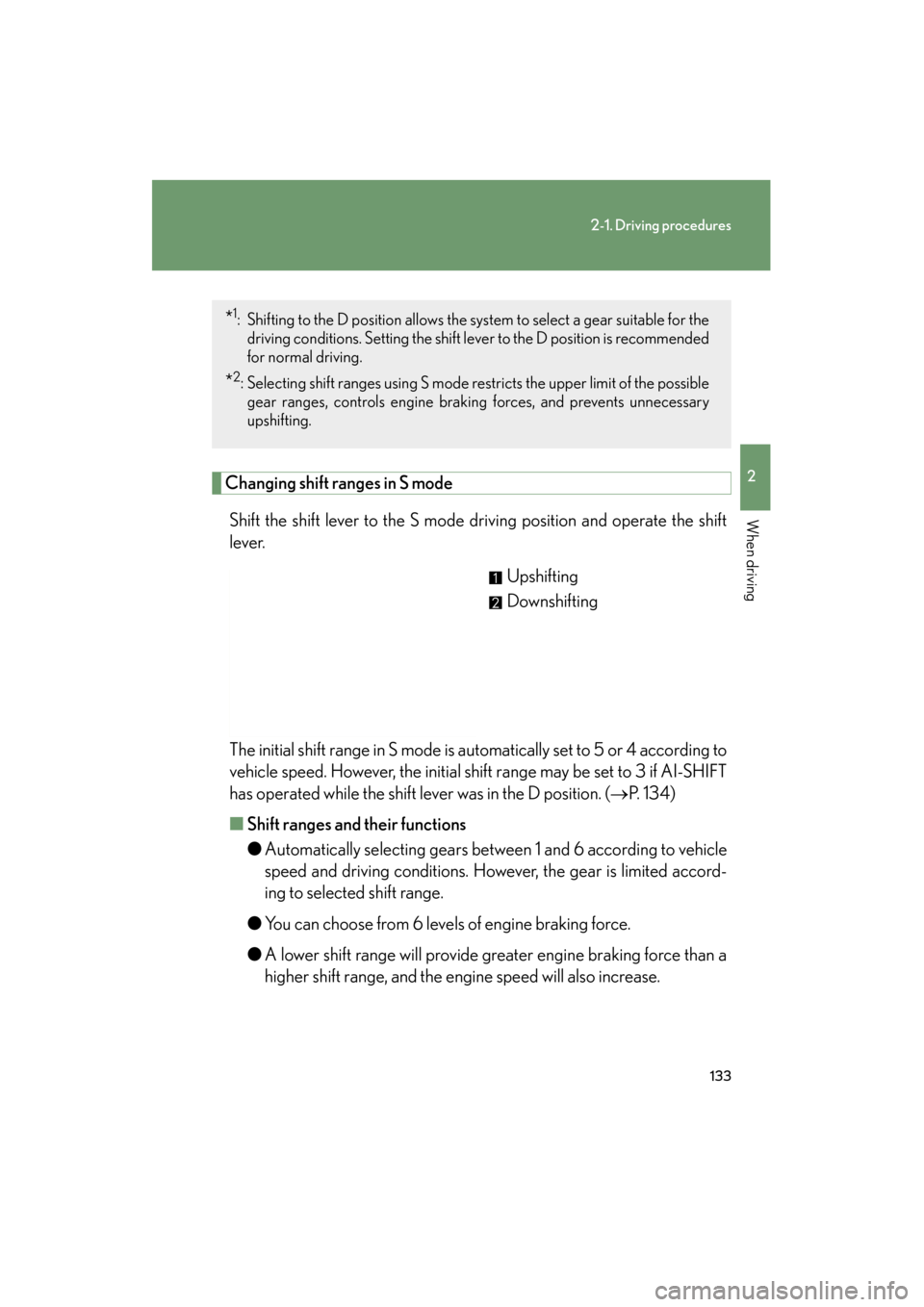
Changing shift ranges in S modeShift the shift lever to the S mode driving position and operate the shift
lever. Upshifting
Downshifting
The initial shift range in S mode is automatically set to 5 or 4 according to
vehicle speed. However, the initial shift range may be set to 3 if AI-SHIFT
has operated while the shift lever was in the D position. ( →P. 1 3 4 )
■ Shift ranges and their functions
●Automatically selecting gears between 1 and 6 according to vehicle
speed and driving conditions. However, the gear is limited accord-
ing to selected shift range.
● You can choose from 6 levels of engine braking force.
● A lower shift range will provide greater engine braking force than a
higher shift range, and the engine speed will also increase.
*1: Shifting to the D position allows the system to select a gear suitable for the
driving conditions. Setting the shift le ver to the D position is recommended
for normal driving.
*2: Selecting shift ranges using S mode restricts the upper limit of the possible gear ranges, controls engine brak ing forces, and prevents unnecessary
upshifting.
Page 135 of 554
134
2-1. Driving procedures
ES350_U
■Downshifting restrictions warning buzzer (in the S mode)
To help ensure safety and driving performance, downshifting operation may some-
times be restricted. In some circumstances, downshifting may not be possible even
when the shift lever is operated. (The warning buzzer will sound twice.)
■When driving with the cruise control system or dynamic radar cruise control sys-
tem
The engine brake will not operate in the S mode, even when downshifting to 5 or 4.
( → P. 160, 164)
■If the shift lever cannot be shifted from P
→P. 4 7 2
■If the indicator does not come on even after shifting the shift lever to S
mode driving position
This may indicate a malfunction in the automatic transmission system. Have the
vehicle inspected by your Lexus dealer immediately.
(In this situation, the transmission will operate in the same as manner as when the
shift lever is in D.)
■S mode
●When the shift range is 5 or lower, holding the shift lever toward “+” sets the shift
range to 6.
●To prevent excessive engine speed, a function was adopted that automatically
selects a higher shift range before engine speed becomes too high.
●To protect the automatic transmission, a function is adopted that automatically
selects a higher shift range when the fluid temperature is high.
■AI-SHIFT
AI-SHIFT automatically selects the suitable gear according to driver performance
and driving conditions.
AI-SHIFT automatically operates when the shift lever is in the D position. (Shifting
the shift lever to the S mode driving position cancels the function.)
The engine speed may remain high after releasing the accelerator pedal. This does
not indicate a malfunction.
Page 140 of 554
139
2-2. Instrument cluster
2
When driving
ES350_U
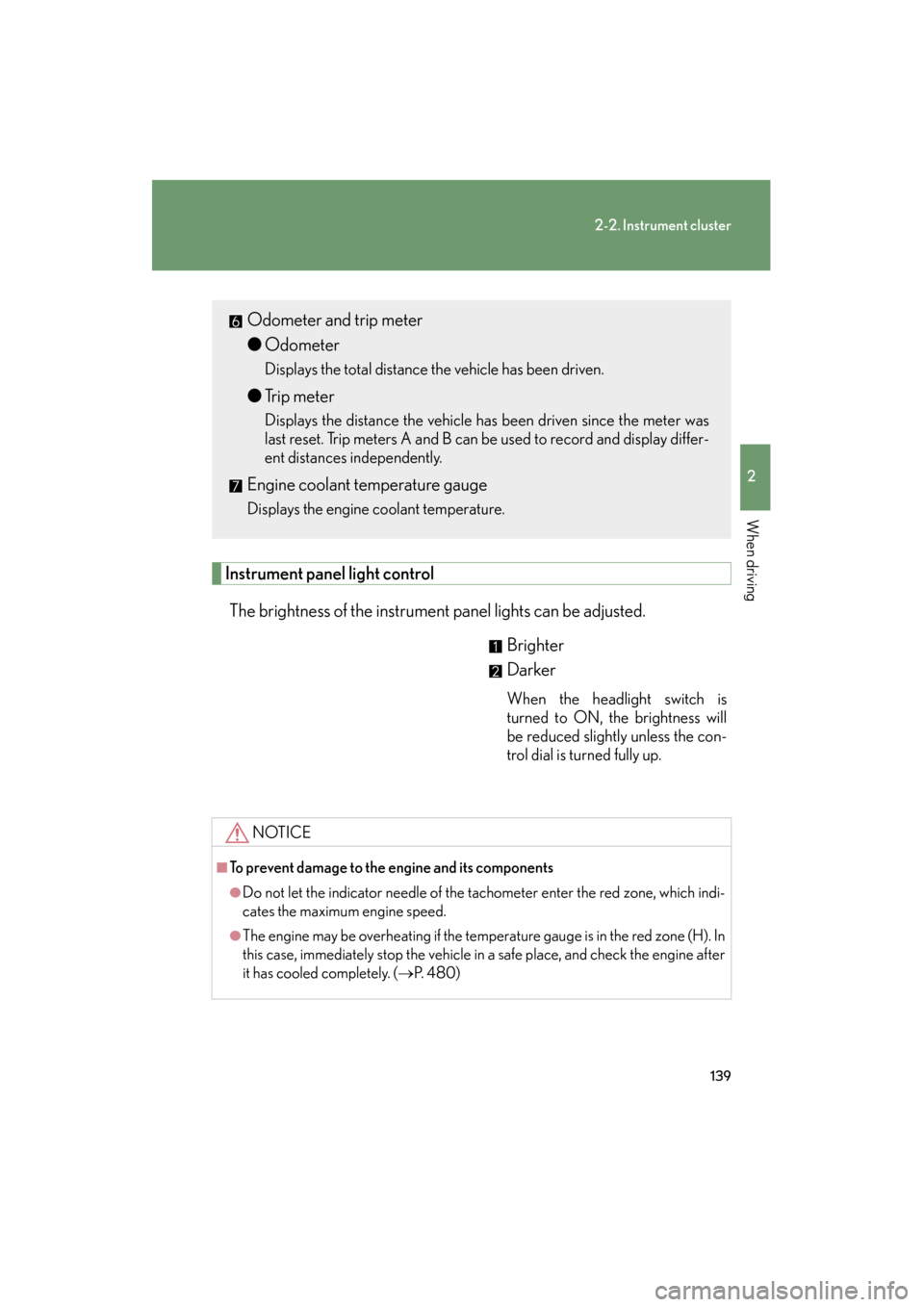
Instrument panel light controlThe brightness of the instrument panel lights can be adjusted. Brighter
Darker
When the headlight switch is
turned to ON, the brightness will
be reduced slightly unless the con-
trol dial is turned fully up.
Odometer and trip meter
●Odometer
Displays the total distance the vehicle has been driven.
●Trip meter
Displays the distance the vehicle has been driven since the meter was
last reset. Trip meters A and B can be used to record and display differ-
ent distances independently.
Engine coolant temperature gauge
Displays the engine coolant temperature.
NOTICE
■To prevent damage to the engine and its components
●Do not let the indicator needle of the tachometer enter the red zone, which indi-
cates the maximum engine speed.
●The engine may be overheating if the temperature gauge is in the red zone (H). In
this case, immediately stop the vehicle in a safe place, and check the engine after
it has cooled completely. (→P. 4 8 0 )
Page 143 of 554
142
2-2. Instrument cluster
ES350_U
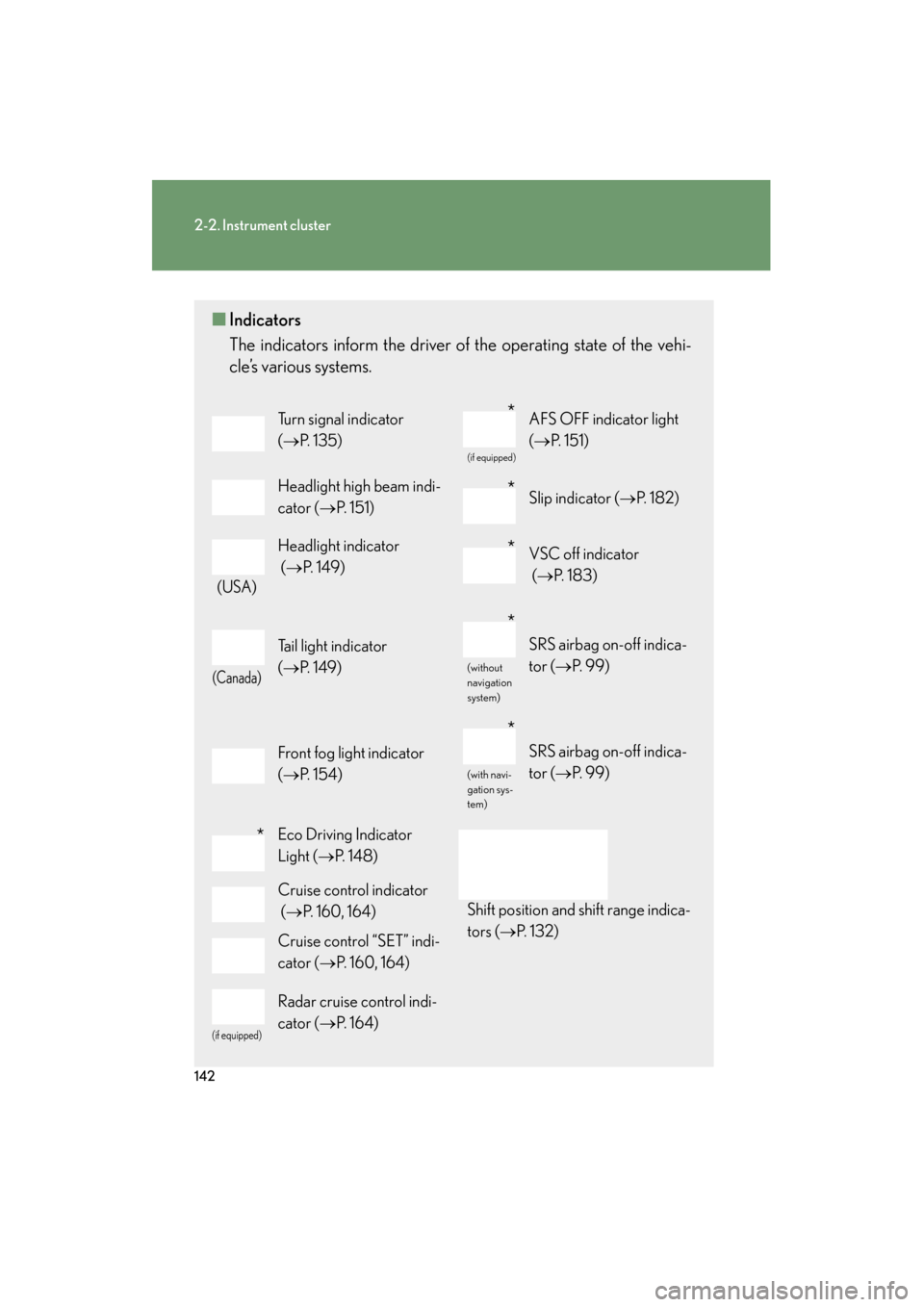
■Indicators
The indicators inform the driver of the operating state of the vehi-
cle’s various systems.
Turn signal indicator
(→ P. 1 3 5 )
(if equipped)
AFS OFF indicator light
(→ P. 151)
Headlight high beam indi-
cator ( →P. 151)Slip indicator ( →P. 1 8 2 )
(USA)
Headlight indicator
(→ P. 1 4 9 )VSC off indicator
(→ P. 1 8 3 )
(Canada)
Tail light indicator
(→ P. 1 4 9 )
(without
navigation
system)
SRS airbag on-off indica-
tor (→ P. 99)
Front fog light indicator
(→ P. 1 5 4 )
(with navi-
gation sys-
tem)
SRS airbag on-off indica-
tor (→ P. 99)
Eco Driving Indicator
Light (→P. 1 4 8 )
Shift position and shift range indica-
tors ( →P. 1 3 2 )
Cruise control indicator
(→ P. 160, 164)
Cruise control “SET” indi-
cator ( →P. 160, 164)
(if equipped)
Radar cruise control indi-
cator ( →P. 1 6 4 )
*
*
*
*
*
*
Page 147 of 554
146
2-2. Instrument cluster
ES350_U■
Outside temperature
■ Driving range
■ Average fuel consumption
■ Average fuel consumption after refueling Displays the outside air temperature.
The temperature range that can be displayed in the fol-
lowing range.
USA: from -40 to 122 °F
Canada: from -40 to 50 °C
Displays the estimated maximum distance that can
be driven with the quantity of fuel remaining.
• This distance is computed based on your averagefuel consumption. As a result, the actual distance
that can be driven may differ from that displayed.
• When only a small amount of fuel is added to the tank, the display may not be updated.
When adding fuel, turn the “ENGINE START
STOP” switch to off. In case fuel is added without
turning the “ENGINE START STOP” switch to off,
the display may not be updated.
Displays the average fuel consumption since the
function was reset.
• The function can be reset by pushing the “DISP”switch for longer than one second when the average
fuel consumption is displayed.
• Use the displayed average fuel consumption as a reference.
Displays the average fuel consumption since the
vehicle was last refueled.
Use the displayed average fuel consumption as a refer-
ence.
Page 148 of 554
147
2-2. Instrument cluster
2
When driving
ES350_U■
Current fuel consumption
■ Eco Driving Indicator Zone Display
→ P. 1 4 8
■ Eco Driving Indicator Light customization
■ Average vehicle speed
■ Elapsed time
Displays the current rate of fuel consumption.
Eco Driving Indicator Light can be deactivated. This
customization can only be performed when the vehi-
cle is stopped.
Eco Driving Indicator Light can be activated or deacti-
vated by pressing the “DISP” switch for longer than 1
second when Eco Driving Indicator Light customization
screen is displayed.
Displays the average vehicle speed since the engine
was started or the function was reset.
Displays the elapsed time since the engine was
started.
■System check display
After switching the “ENGINE START STOP” switch to IGNITION ON mode,
is displayed while system operation is checked. When the system check is
complete, is displayed before returning to the normal screen.
Page 149 of 554
148
2-2. Instrument cluster
ES350_U
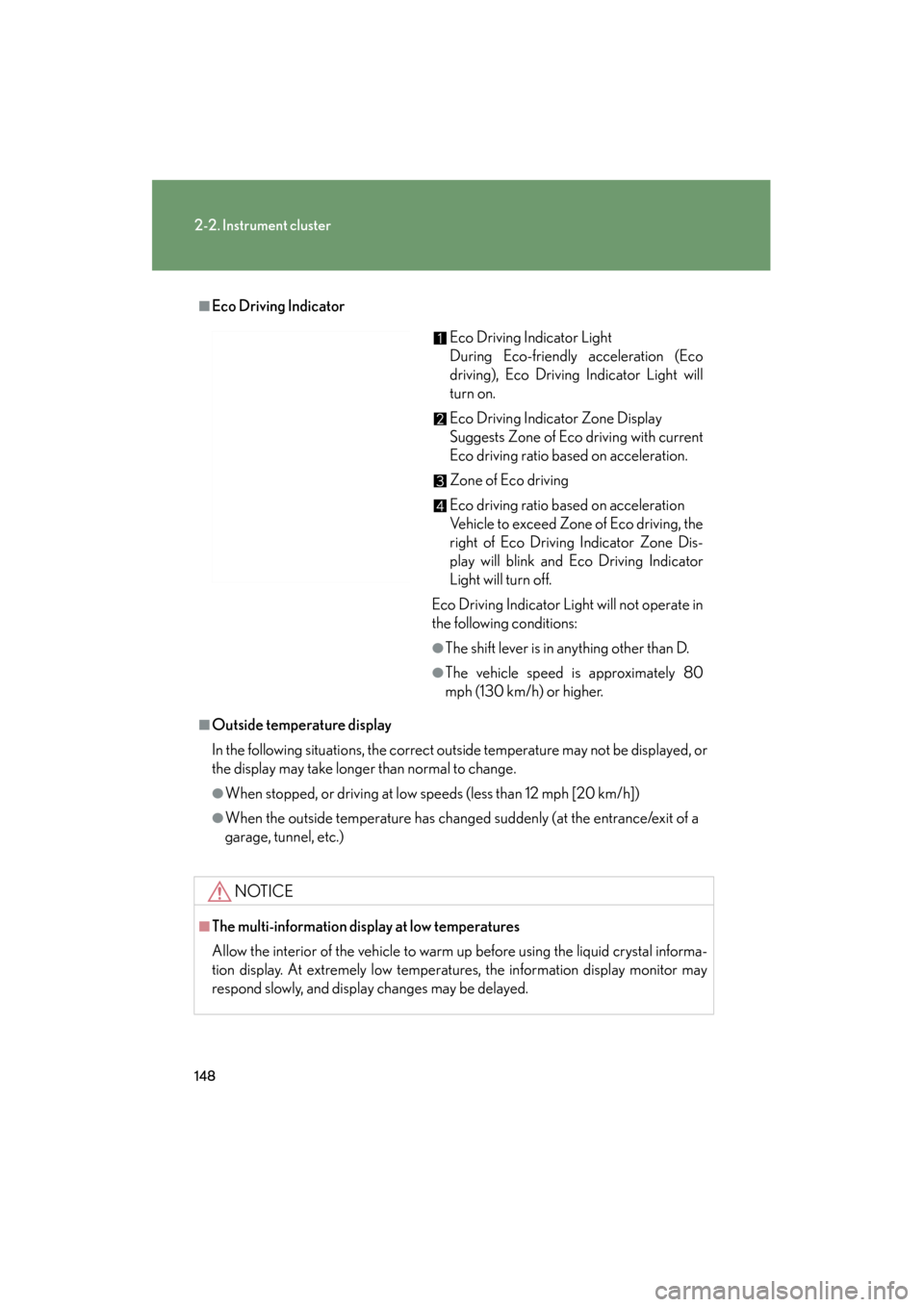
■Eco Driving Indicator
■Outside temperature display
In the following situations, the correct outside temperature may not be displayed, or
the display may take longer than normal to change.
●When stopped, or driving at low speeds (less than 12 mph [20 km/h])
●When the outside temperature has changed suddenly (at the entrance/exit of a
garage, tunnel, etc.)
NOTICE
■The multi-information display at low temperatures
Allow the interior of the vehicle to warm up before using the liquid crystal informa-
tion display. At extremely low temperatures, the information display monitor may
respond slowly, and display changes may be delayed.
Eco Driving Indicator Light
During Eco-friendly acceleration (Eco
driving), Eco Driving Indicator Light will
turn on.
Eco Driving Indicator Zone Display
Suggests Zone of Eco driving with current
Eco driving ratio based on acceleration.
Zone of Eco driving
Eco driving ratio based on acceleration
Vehicle to exceed Zone of Eco driving, the
right of Eco Driving Indicator Zone Dis-
play will blink and Eco Driving Indicator
Light will turn off.
Eco Driving Indicator Light will not operate in
the following conditions:
●The shift lever is in anything other than D.
●The vehicle speed is approximately 80
mph (130 km/h) or higher.
Page 153 of 554
152
2-3. Operating the lights and windshield wipers
ES350_U
■Daytime running light system
●To make your vehicle more visible to other drivers, the headlights turn on auto-
matically (at a reduced intensity) whenever the engine is started and the parking
brake is released. Daytime running lights are not designed for use at night.
●Compared to turning on the headlights, the daytime running light system offers
greater durability and consumes less electricity, so it can help improve fuel
economy.
■Headlight control sensor
■Automatic light off system
●When the headlights come on: The headlights and tail lights turn off 30 seconds
after all doors are closed with the “ENGINE START STOP” switch switched to
ACCESSORY mode or turned OFF. (The light turns off immediately if
the button on the key is pressed after all doors are locked.)
●When only the tail lights come on: The tail lights turn off automatically if the
“ENGINE START STOP” switch is switched to ACCESSORY mode or turned
OFF and driver’s door is opened.
To turn the lights on again, switch to IGNITION ON mode, or turn the light switch
OFF once and then back to the
or position.
■Automatic headlight leveling system (vehicles with discharge headlights)
The level of the headlights is automatically adjusted according to the number of
passengers and the loading condition of the vehicle to ensure that the headlights do
not interfere with other road users.
■If the indicator flashes... (veh icles with discharge headlights)
It may indicate a malfunction in the system. Contact your Lexus dealer. The sensor may not function properly if an
object is placed on the sensor, or anything
that blocks the sensor is affixed to the wind-
shield.
Doing so interferes with the sensor detecting
the level of ambient light and may cause the
automatic headlight control system to mal-
function.
Page 160 of 554
159
2-3. Operating the lights and windshield wipers
2
When driving
ES350_U
CAUTION
■Caution regarding the use of windshield wipers in AUTO mode
The windshield wipers may operate unexpectedly if the sensor is touched or the
windshield is subjected to vibration in AUTO mode. Take care that your fingers or
anything else do not become caught in the windshield wipers.
NOTICE
■When the windshield is dry
Do not use the wipers, as they may damage the windshield.
■When there is no washer fluid spray from the nozzle
Damage to the washer fluid pump may be caused if the lever is pulled toward you
and held continually.
■When a nozzle becomes blocked
In this case, contact your Lexus dealer.
Do not try to clear it with a pin or other object. The nozzle will be damaged.
Page 161 of 554
160
ES350_U
2-4. Using other driving systems
Cruise control∗
Use the cruise control to maintain a set speed without depressing the
accelerator pedal.
Indicators
Cruise control switch
■ Setting the vehicle speed
Press the “ON-OFF” button to
activate the cruise control.
Cruise control indicator will
come on.
Press the button again to deacti-
vate the cruise control.
Accelerate or decelerate the
vehicle to the desired speed,
and push the lever down to set
the speed.
“SET” indicator will come on.
The vehicle speed at the
moment the lever is released
becomes the set speed.
STEP1
STEP2
∗: If equipped