headlights Lexus ES350 2016 s / User Guide
[x] Cancel search | Manufacturer: LEXUS, Model Year: 2016, Model line: ES350, Model: Lexus ES350 2016Pages: 576, PDF Size: 8.3 MB
Page 168 of 576
168
ES350_OM_OM33B64U_(U)4-3. Operating the lights and wipers
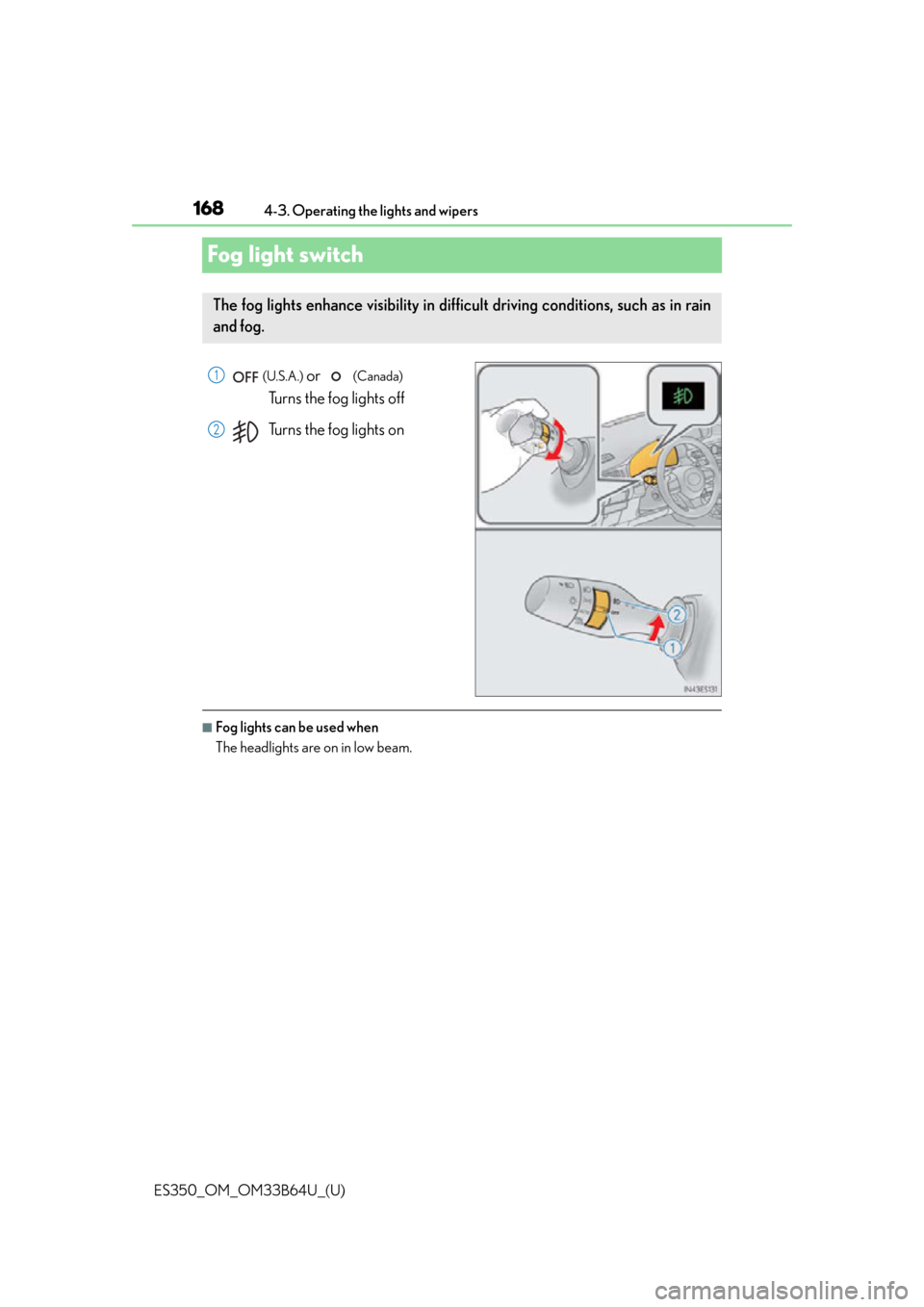
Fog light switch
(U.S.A.) or (Canada)
Turns the fog lights off
Turns the fog lights on
■Fog lights can be used when
The headlights are on in low beam.
The fog lights enhance visibility in difficult driving conditions, such as in rain
and fog.
1
2
Page 180 of 576
180
ES350_OM_OM33B64U_(U)4-5. Using the driving support systems
WA R N I N G
●If the part of the windshield in front of th
e camera sensor is fogged up or covered with
condensation or ice, use the windshield defogger to remove the fog, condensation or
ice. ( P. 3 6 8 )
●Do not apply glass coating agents to the area of the windshield in front of the camera
sensor.
Glass coating agents can be applied to the windshield in areas other than in front of
the camera sensor. However, it will still be necessary to use the wipers if the area of
the windshield in front of the camera sensor is covered with water droplets.
●If water droplets cannot be properly remove d from the area of the windshield in front
of the camera sensor by the windshield wi pers, replace the wiper rubber or wiper
blade.
If the wiper inserts or wiper blades need to be replaced, contact your Lexus dealer.
●Do not attach window tinting to the windshield.
●Replace the windshield if it is damaged or cracked.
If the windshield needs to be re placed, contact your Lexus dealer.
●Do not get the camera sensor wet.
●Do not allow bright lights to shine into the camera sensor.
●Do not dirty or damage the camera sensor.
When cleaning the inside of the windshield , do not allow glass cleaner to contact the
lens. Also, do not touch the lens.
If the lens is dirty or damag ed, contact your Lexus dealer.
●Do not subject the camera sensor to a strong impact.
●Do not change the installation position or di rection of the camera sensor or remove it.
●Do not disassemble the camera sensor.
●Do not install an electronic device or device that emits strong electric waves near the
camera sensor.
●Do not modify any components of the vehicle around the camera sensor (inside rear
view mirror, sun visors, etc.) or ceiling.
●Do not attach any accessories that may obst ruct the camera sensor to the hood, front
grille or front bumper. Contact your Lexus dealer for details.
●If a surfboard or other long object is to be mounted on the roof, make sure that it will
not obstruct the camera sensor.
●Do not modify the headlights or other lights.
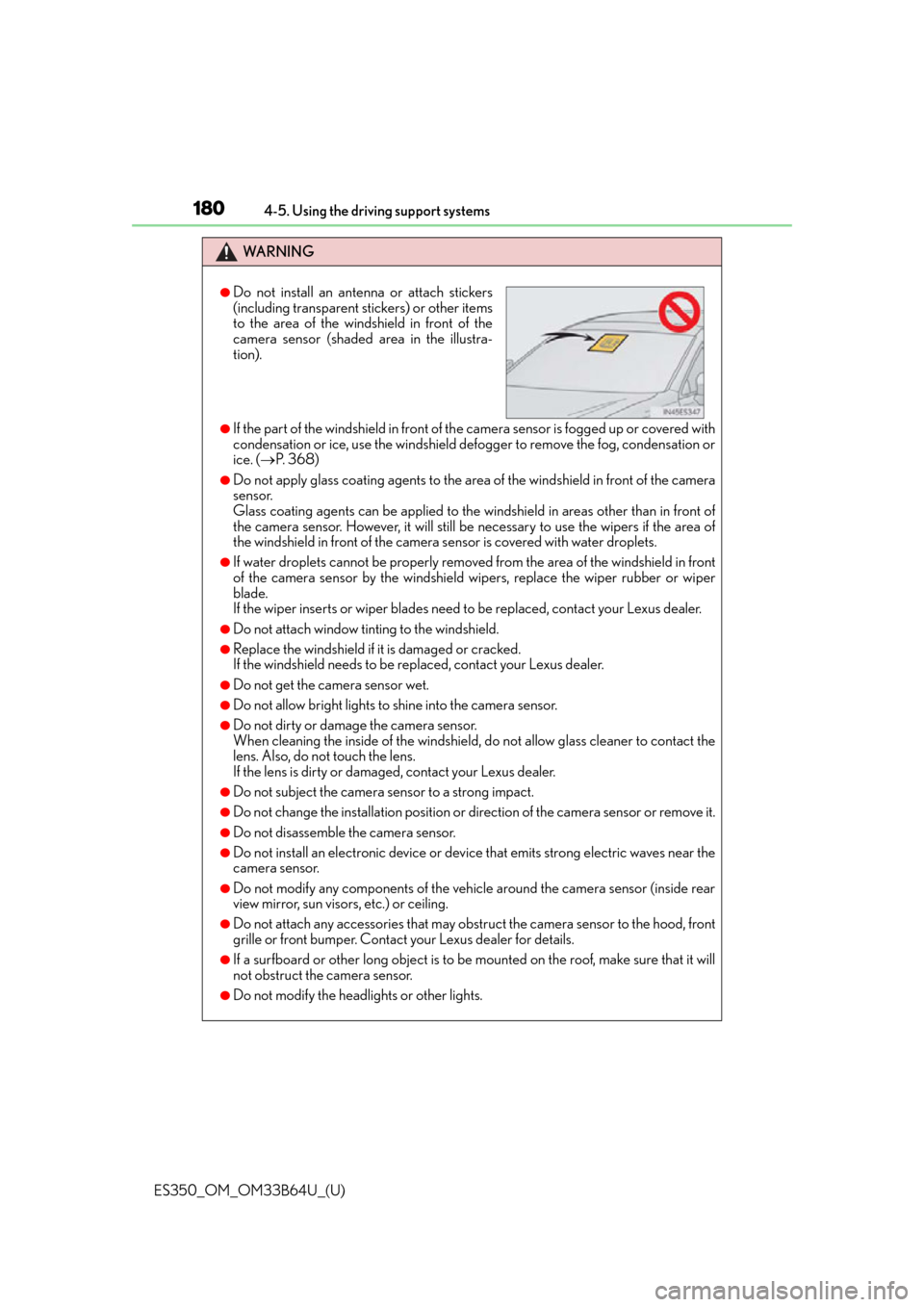
●Do not install an antenna or attach stickers
(including transparent stickers) or other items
to the area of the windshield in front of the
camera sensor (shaded area in the illustra-
tion).
Page 193 of 576
ES350_OM_OM33B64U_(U)
1934-5. Using the driving support systems
4
Driving
■Situations in which the system may not operate properly
●In some situations such as the following, a vehicle may not be detected by the radar
sensor and camera sensor, preventing the system from operating properly:
• If an oncoming vehicle is approaching your vehicle
• If a vehicle ahead is a motorcycle or bicycle
• When approaching the side of a vehicle
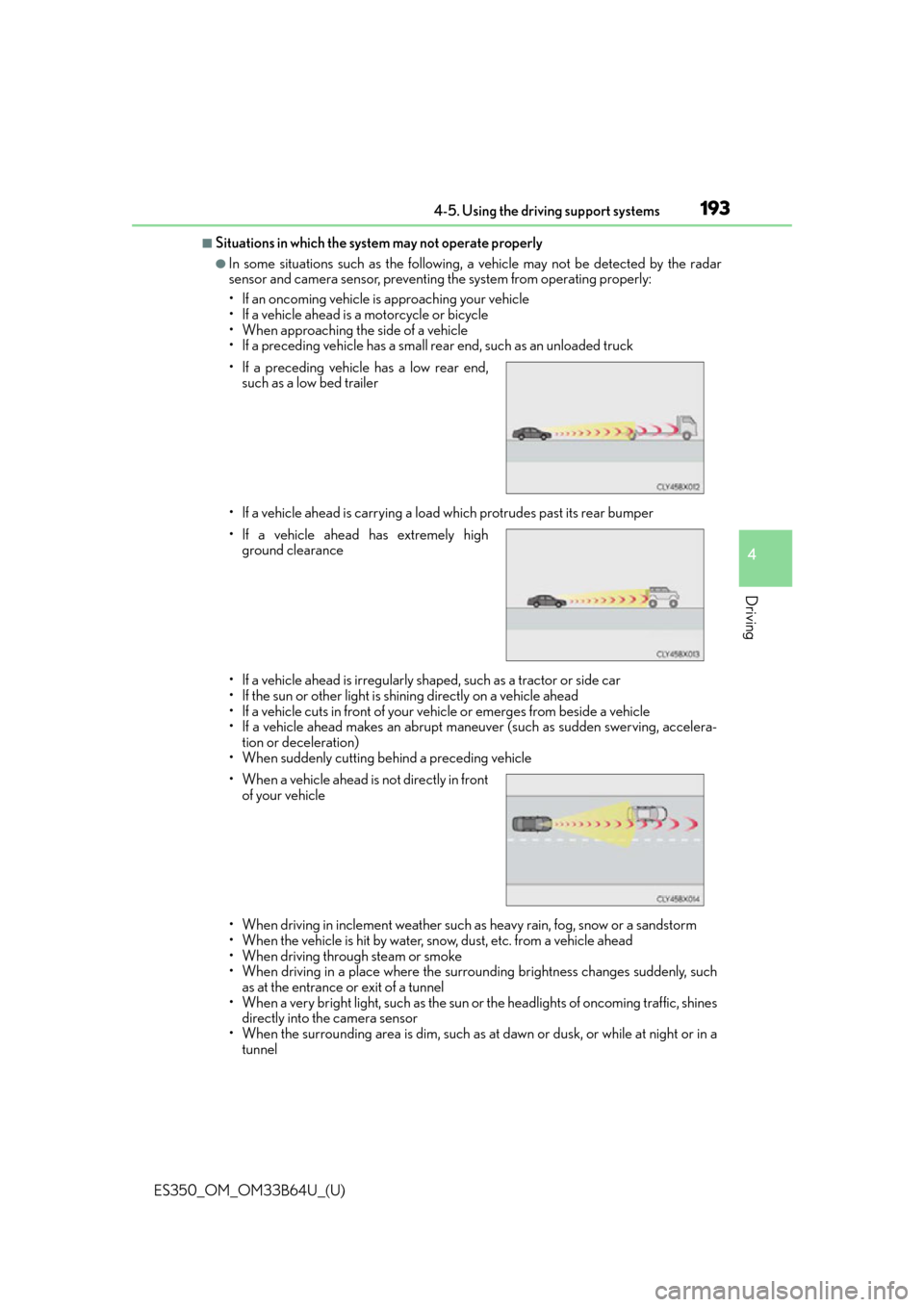
• If a preceding vehicle has a small rear end, such as an unloaded truck
• If a vehicle ahead is carrying a load which protrudes past its rear bumper
• If a vehicle ahead is irregularly shaped, such as a tractor or side car
• If the sun or other light is shin ing directly on a vehicle ahead
• If a vehicle cuts in front of your vehicle or emerges from beside a vehicle
• If a vehicle ahead makes an abrupt maneuver (such as sudden swerving, accelera- tion or deceleration)
• When suddenly cutting behind a preceding vehicle
• When driving in inclement weather such as heavy rain, fog, snow or a sandstorm
• When the vehicle is hit by water, snow, dust, etc. from a vehicle ahead
• When driving through steam or smoke
• When driving in a place where the surrounding brightness changes suddenly, such as at the entrance or exit of a tunnel
• When a very bright light, such as the sun or the headlights of oncoming traffic, shines
directly into the camera sensor
• When the surrounding area is dim, such as at dawn or dusk, or while at night or in a tunnel
• If a preceding vehicle has a low rear end,
such as a low bed trailer
• If a vehicle ahead has extremely high ground clearance
• When a vehicle ahead is not directly in front
of your vehicle
Page 194 of 576

194
ES350_OM_OM33B64U_(U)4-5. Using the driving support systems
• After the engine has started the vehicle has not been driven for a certain amount of time
• While making a left/right turn and for a few seconds after making a left/right turn
• While driving on a curve and for a few seconds after driving on a curve
• If your vehicle is skidding
• If the front of the vehicle is raised or lowered, such as when the road surface is uneven or undulating
• If the wheels are misaligned
• If a wiper blade is blocking the camera sensor
• If the headlights or other lights have been modified
• The vehicle is wobbling.
• The vehicle is being driven at extremely high speeds.
• When driving on a hill
●In some situations such as the following, su fficient braking force may not be obtained,
preventing the system from performing properly:
• If the braking functions cannot operate to their full extent, such as when the brake parts are extremely cold, extremely hot, or wet
• If the vehicle is not properly maintained (brakes or tires are excessively worn, improper tire inflation pressure, etc.)
• When the vehicle is being driven on a gravel road or other slippery surface
●Some pedestrians such as the following may not be detected by the radar sensor and
camera sensor, preventing the system from operating properly
*5:
• Pedestrians shorter than approximately 3.2 ft. (100 cm) or taller than approximately 6.5 ft. (2 m)
• Pedestrians wearing oversized clothing (a rain coat, long skirt, etc.), making their sil-
houette obscure
• Pedestrians who are carrying large baggage , holding an umbrella, etc., hiding part
of their body
• Pedestrians who are bending forward or squatting
• Pedestrians who are pushing a stroller, wheelchair, bicycle or other vehicle
• Groups of pedestrians which are close together
• Pedestrians who are wearing white and look extremely bright
• Pedestrians in the dark, such as at night or while in a tunnel
• Pedestrians whose clothing appears to be nearly the same color or brightness as
their surroundings
• Pedestrians near walls, fences, guardrails, or large objects
• Pedestrians who are on a metal object (man hole cover, steel plate, etc.) on the road
• Pedestrians who are walking fast
• Pedestrians who are changing speed abruptly
• Pedestrians running out from behind a vehicle or a large object
• Pedestrians who are extremely close to the side of the vehicle (outside rear view
mirror, etc.)
*5: Depending on the region in which the ve hicle was sold, the pedestrian detection
function may not be available.
Page 198 of 576

198
ES350_OM_OM33B64U_(U)4-5. Using the driving support systems
WA R N I N G
■Before using LDA system
Do not rely solely upon the LDA system. LDA is not a system which automatically
drives the vehicle or reduces the amount of
attention that must be paid to the area in
front of the vehicle. The driver must always assume full responsibility for driving safely
by always paying careful attention to the surrounding conditions and operate the steer-
ing wheel to correct the path of the vehicle. Also, make sure to take adequate breaks
when fatigued, such as from driv ing for a long period of time.
Failure to perform appropriate driving operat ions and pay careful attention may lead to
an accident, resulting in death or serious injury.
■To avoid operating LDA by mistake
When not using the LDA system, use the LDA switch to turn the system off.
■Situations unsuitable for LDA
Do not use the LDA system in the following situations.
The system may not operate properly and le ad to an accident, resulting in death or
serious injury.
●A spare tire, tire chains, etc., are equipped.
●When the tires have been excessively worn, or when the tire inflation pressure is low.
●Tires which differ by structure, manufa cturer, brand or tread pattern are used.
●Objects or patterns that could be mistaken for white (yellow) lines are present on the
side of the road (guardrails, curbs, reflective poles, etc.).
●Vehicle is driven on a snow-covered road.
●White (yellow) lines are difficult to see due to rain, snow, fog, dust, etc.
●Asphalt repair marks, white (yellow) line marks, etc., are present due to road repair.
●Vehicle is driven in a temporary lane or restricted lane due to construction work.
●Vehicle is driven on a road surface which is slippery due to rainy weather, fallen snow,
freezing, etc.
●Vehicle is driven in traffic lanes other than on highways and freeways.
●Vehicle is driven in a construction zone.
●Vehicle is towing a trailer or another vehicle.
■Preventing LDA system malfunctions and operations performed by mistake
●Do not modify the headlights or place stickers, etc., on the surface of the lights.
●Do not modify the suspension etc. If the suspension etc. needs to be replaced, con-
tact your Lexus dealer.
●Do not install or place anything on the hood or grille. Also, do not install a grille guard
(bull bars, kangaroo bar, etc.).
●If your windshield needs repairs, contact your Lexus dealer.
Page 202 of 576

202
ES350_OM_OM33B64U_(U)4-5. Using the driving support systems
■White (yellow) lines are on
ly on one side of road
The LDA system will not operate for the side on which white (yellow) lines could not be
recognized.
■Conditions in which functions may not operate properly
In the following situations, the camera sensor may not detect white (yellow) lines and var-
ious functions may not operate normally.
●There are shadows on the road that run paralle l with, or cover, the white (yellow) lines.
●The vehicle is driven in an area without white (yellow) lines, such as in front of a tollgate
or checkpoint, or at an intersection etc.
●The white (yellow) lines are cracked, or cat’ s eyes (reflective markers) or stones are
present.
●The white (yellow) lines cannot be seen or are difficult to see due to sand, etc.
●The vehicle is driven on a road surface that is wet due to rain, puddles, etc.
●The traffic lines are yellow (which may be more difficult to recognize than lines that are
white).
●The white (yellow) lines cross over a curb, etc.
●The vehicle is driven on a brig ht surface, such as concrete.
●The vehicle is driven on a surface that is bright due to reflected light, etc.
●The vehicle is driven in an area where the brightness changes suddenly, such as at the
entrances and exits of tunnels, etc.
●Light from the headlights of an oncoming vehicle, the sun, etc., enters the camera.
●The vehicle is driven where the road diverges, merges, etc.
●The vehicle is driven on a slope.
●The vehicle is driven on a road which tilts left or right, or a winding road.
●The vehicle is driven on an unpaved or rough road.
●The vehicle is driven around a sharp curve.
●The traffic lane is excessively narrow or wide.
●The vehicle is extremely tilted due to carry ing heavy luggage or having improper tire
pressure.
●The distance to the preceding vehicle is extremely short.
●The vehicle is moving up and down a large am ount due to road conditions during driv-
ing (poor roads or road seams).
●The headlight lenses are dirty an d emit a faint amount of light at night, or the beam axis
has deviated.
●The vehicle is struck by a crosswind.
●The vehicle has just changed lane s or crossed an intersection.
●Snow tires, etc., are equipped.
Page 241 of 576
ES350_OM_OM33B64U_(U)
2414-5. Using the driving support systems
4
Driving
■If you notice any symptoms
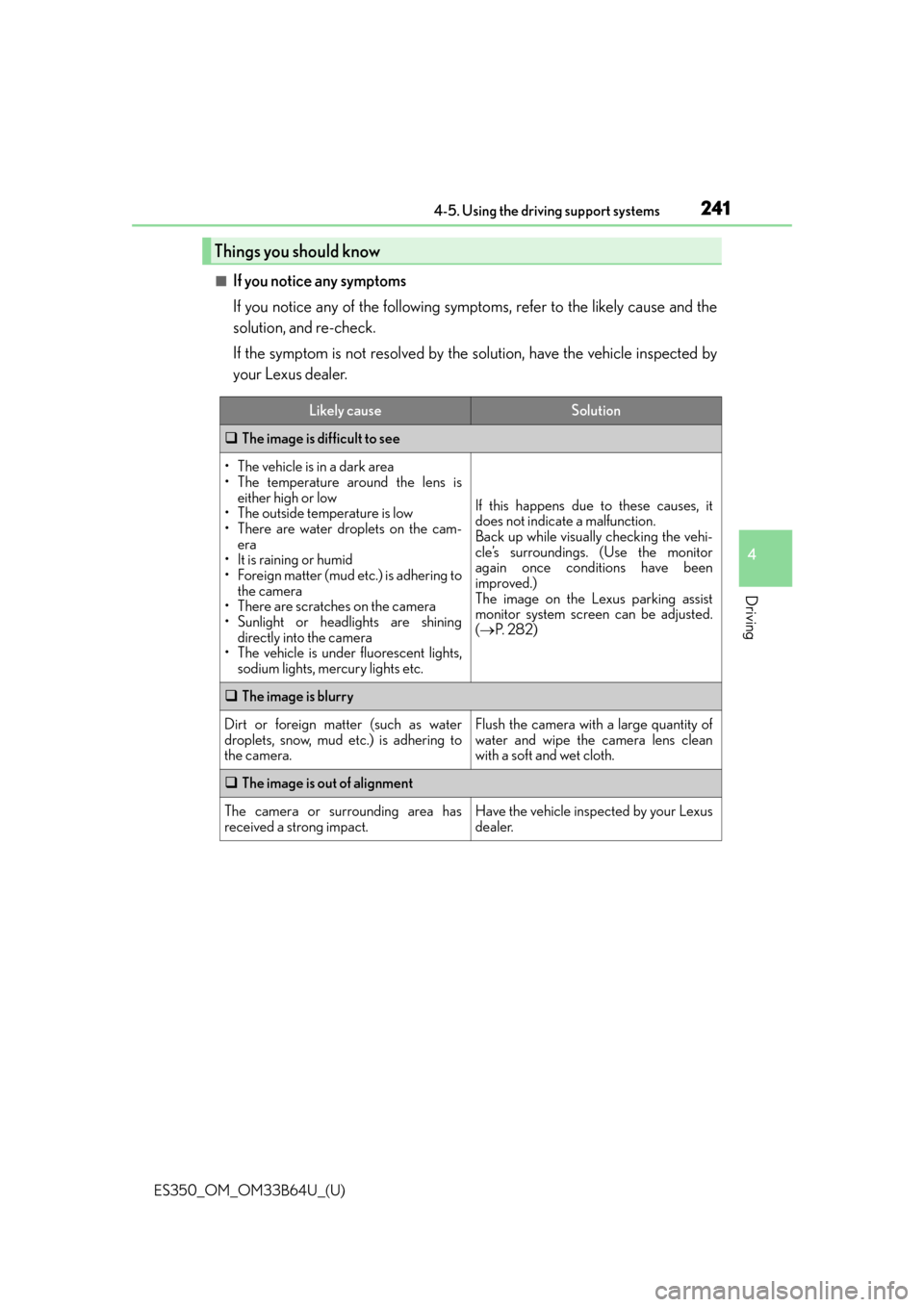
If you notice any of the following symptoms, refer to the likely cause and the
solution, and re-check.
If the symptom is not resolved by the solution, have the vehicle inspected by
your Lexus dealer.
Things you should know
Likely causeSolution
The image is difficult to see
• The vehicle is in a dark area
• The temperature around the lens is
either high or low
• The outside temperature is low
• There are water droplets on the cam- era
• It is raining or humid
• Foreign matter (mud etc.) is adhering to the camera
• There are scratches on the camera
• Sunlight or headlights are shining directly into the camera
• The vehicle is under fluorescent lights, sodium lights, mercury lights etc.
If this happens due to these causes, it
does not indicate a malfunction.
Back up while visually checking the vehi-
cle’s surroundings. (Use the monitor
again once conditions have been
improved.)
The image on the Lexus parking assist
monitor system screen can be adjusted.
( P. 2 8 2 )
The image is blurry
Dirt or foreign matter (such as water
droplets, snow, mud etc.) is adhering to
the camera.Flush the camera with a large quantity of
water and wipe the camera lens clean
with a soft and wet cloth.
The image is out of alignment
The camera or surrounding area has
received a strong impact.Have the vehicle inspected by your Lexus
dealer.
Page 282 of 576
282
ES350_OM_OM33B64U_(U)5-2. Setup
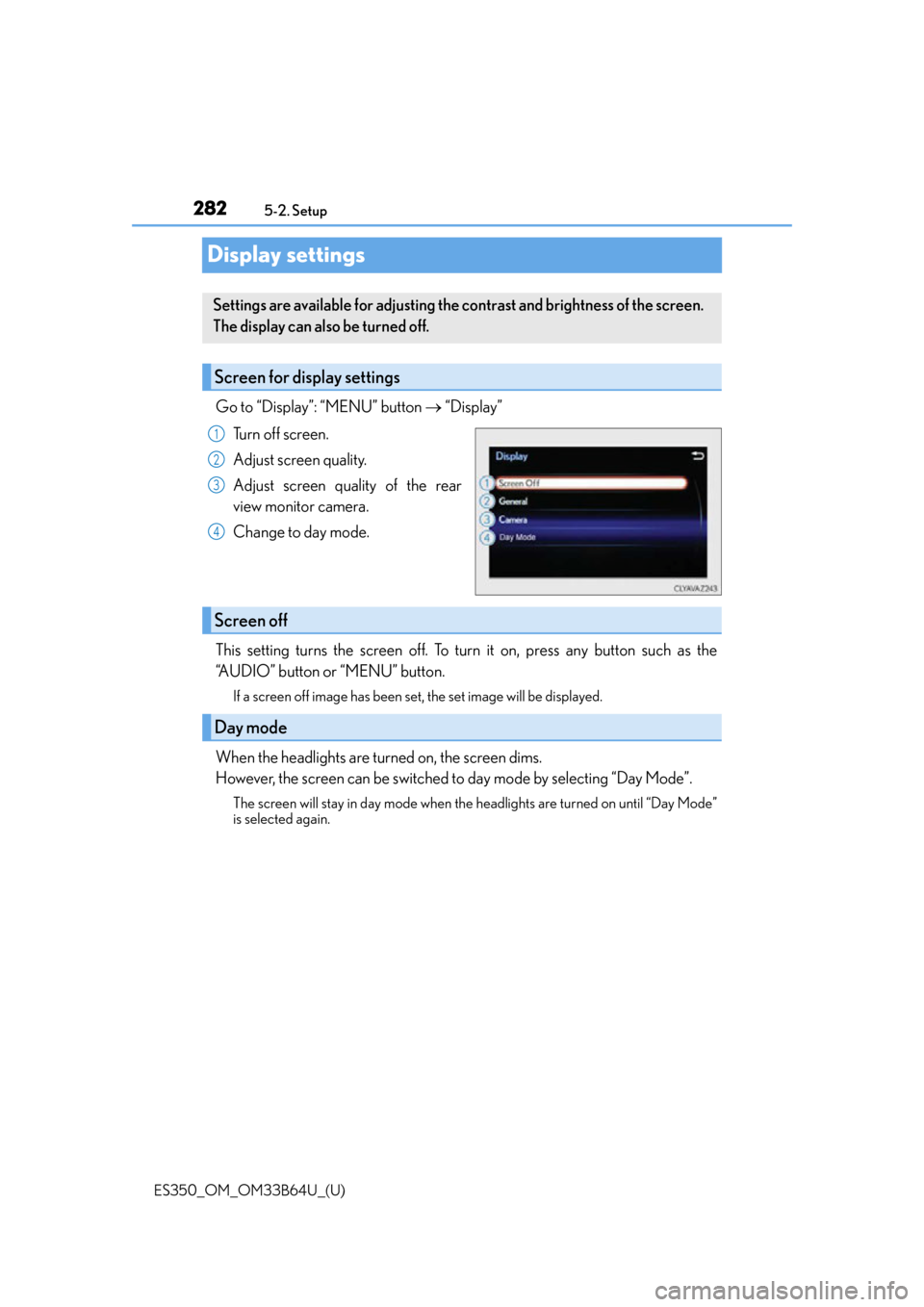
Display settings
Go to “Display”: “MENU” button
“Display”
Turn off screen.
Adjust screen quality.
Adjust screen quality of the rear
view monitor camera.
Change to day mode.
This setting turns the screen off. To turn it on, press any button such as the
“AUDIO” button or “MENU” button.
If a screen off image has been set, the set image will be displayed.
When the headlights are turned on, the screen dims.
However, the screen can be switched to day mode by selecting “Day Mode”.
The screen will stay in day mode when the headlights are turned on until “Day Mode”
is selected again.
Settings are available for adjusting the contrast and brightness of the screen.
The display can also be turned off.
Screen for display settings
1
2
3
4
Screen off
Day mode
Page 418 of 576
418
ES350_OM_OM33B64U_(U)7-2. Maintenance
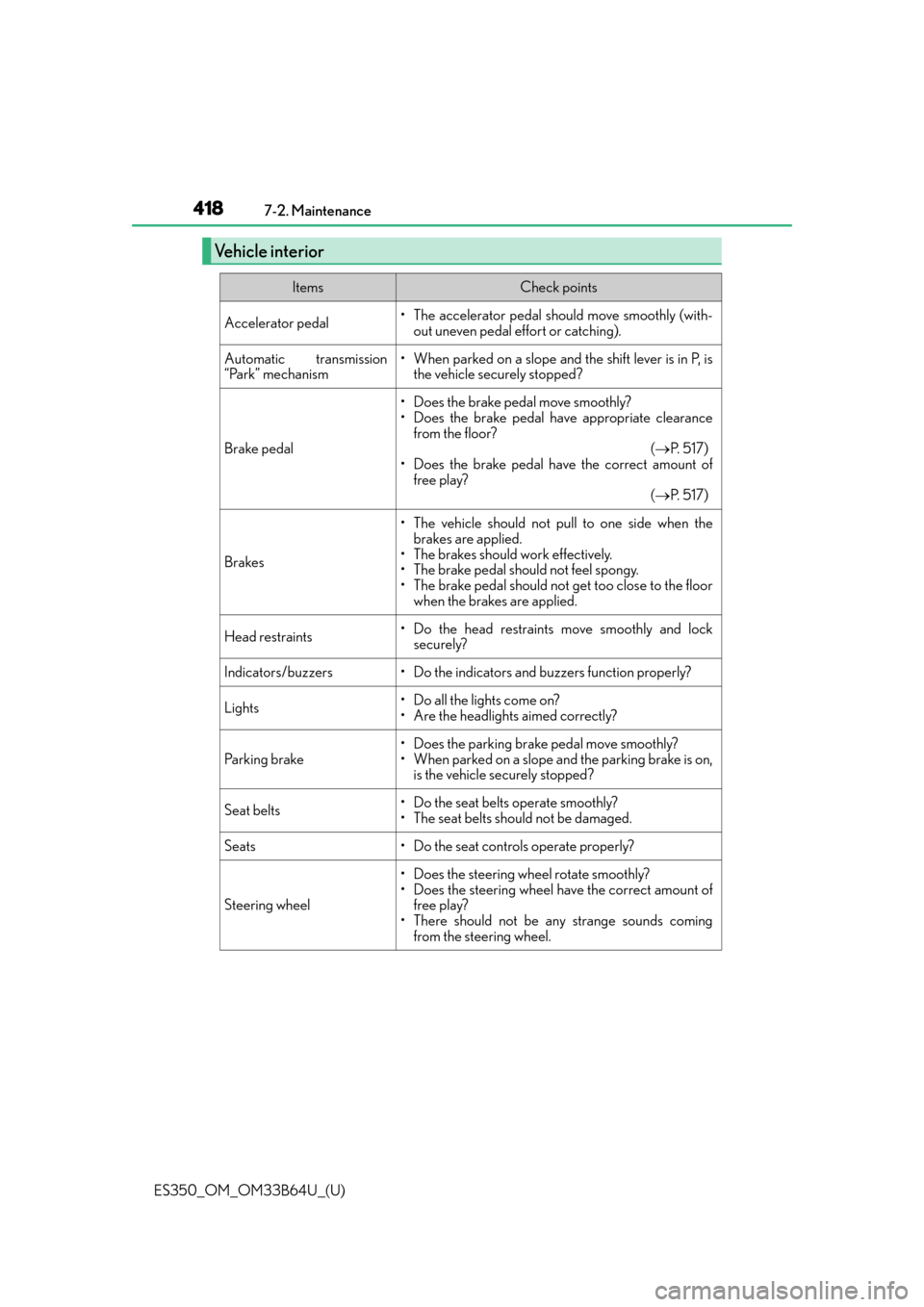
Vehicle interior
ItemsCheck points
Accelerator pedal• The accelerator pedal should move smoothly (with-
out uneven pedal effort or catching).
Automatic transmission
“Park” mechanism• When parked on a slope and the shift lever is in P, isthe vehicle securely stopped?
Brake pedal
• Does the brake pedal move smoothly?
• Does the brake pedal have appropriate clearance
from the floor? ( P. 5 1 7 )
• Does the brake pedal have the correct amount of free play? ( P. 5 1 7 )
Brakes
• The vehicle should not pull to one side when the
brakes are applied.
• The brakes should work effectively.
• The brake pedal should not feel spongy.
• The brake pedal should not get too close to the floor when the brakes are applied.
Head restraints• Do the head restraints move smoothly and locksecurely?
Indicators/buzzers• Do the indicators and buzzers function properly?
Lights• Do all the lights come on?
• Are the headlights aimed correctly?
Parking brake
• Does the parking brake pedal move smoothly?
• When parked on a slope and the parking brake is on,is the vehicle securely stopped?
Seat belts•Do the seat belt s operate smoothly?
• The seat belts should not be damaged.
Seats• Do the seat controls operate properly?
Steering wheel
• Does the steering wheel rotate smoothly?
• Does the steering wheel have the correct amount of free play?
• There should not be an y strange sounds coming
from the steering wheel.
Page 496 of 576
496
ES350_OM_OM33B64U_(U)8-2. Steps to take in an emergency
If the engine will not start
One of the following may be the cause of the problem:
●There may not be sufficient fuel in the vehicle’s tank.
Refuel the vehicle.
●The engine may be flooded.
Try to restart the engine again following correct starting procedures.
(
P. 1 5 1 )
●There may be a malfunction in the engine immobilizer system. ( P. 6 5 )
One of the following may be the cause of the problem:
●The battery may be discharged. ( P. 5 0 1 )
●The battery terminal connections may be loose or corroded.
The engine starting system may be malfun ctioning due to an electrical problem
such as electronic key battery depletion or a blown fuse. However, an interim
measure is available to start the engine. ( P. 4 9 7 )
One of the following may be the cause of the problem:
●One or both of the battery terminals may be disconnected.
●The battery may be discharged. ( P. 5 0 1 )
●There may be a malfunction in the steering lock system.
Contact your Lexus dealer if the problem cannot be repaired, or if repair procedures
are unknown.
If the engine will not start even though correct starting procedures are being
followed ( P. 151), consider each of the following points:
The engine will not start even thoug h the starter motor operates nor-
mally.
The starter motor turns over slowly , the interior lights and headlights
are dim, or the horn does not sound or sounds at a low volume.
The starter motor does not turn over
The starter motor does not turn over, the interior lights and headlights
do not turn on, or the horn does not sound.