Tune up Lexus ES350 2016 Owner's Manuals /
[x] Cancel search | Manufacturer: LEXUS, Model Year: 2016, Model line: ES350, Model: Lexus ES350 2016Pages: 576, PDF Size: 8.3 MB
Page 266 of 576
266
ES350_OM_OM33B64U_(U)5-1. Basic Operations
Lexus Display Audio System
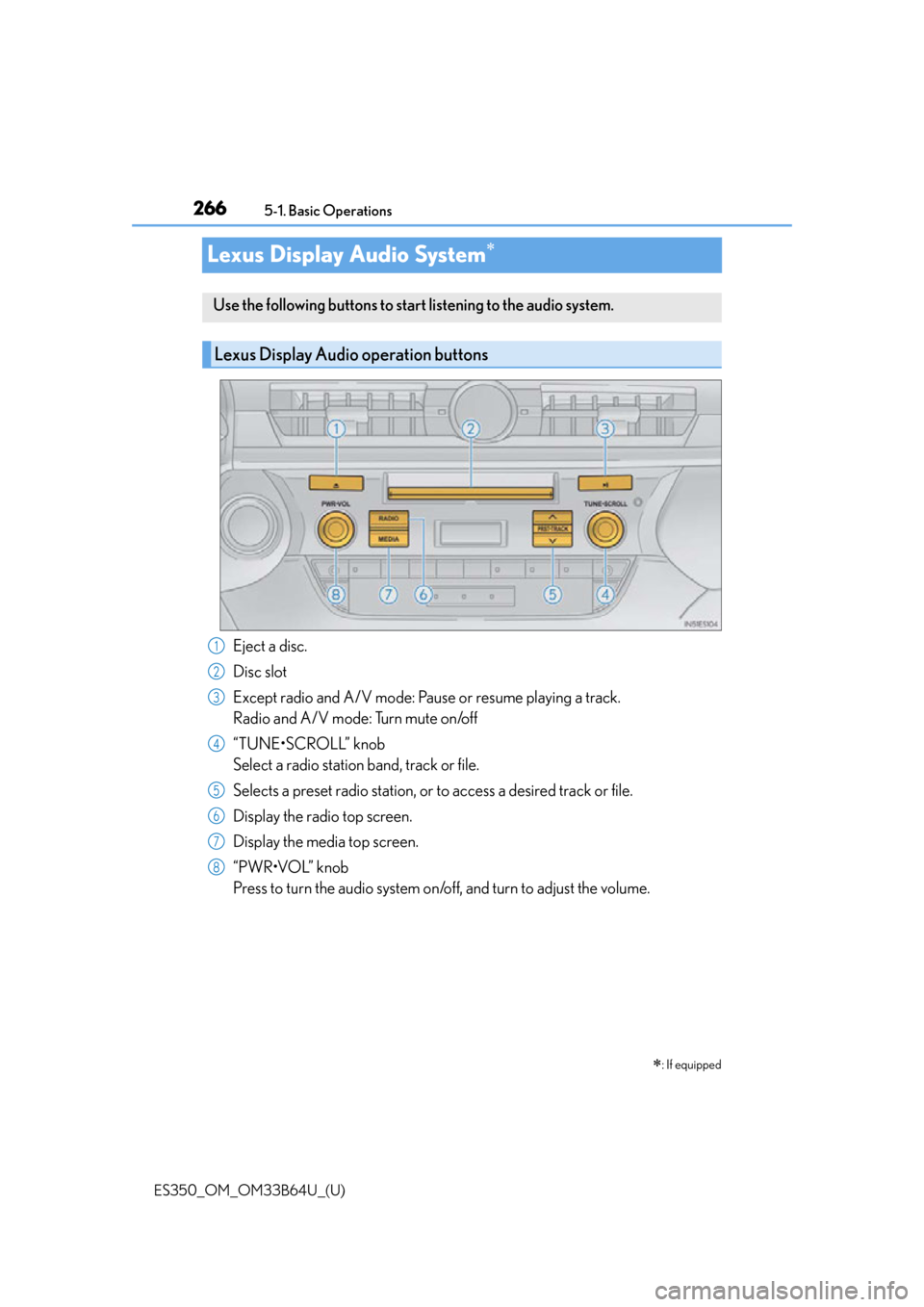
Eject a disc.
Disc slot
Except radio and A/V mode: Pause or resume playing a track.
Radio and A/V mode: Turn mute on/off
“TUNE•SCROLL” knob
Select a radio station band, track or file.
Selects a preset radio st
ation, or to access a desired track or file.
Display the radio top screen.
Display the media top screen.
“PWR•VOL” knob
Press to turn the audio system on/o ff, and turn to adjust the volume.
: If equipped
Use the following buttons to start listening to the audio system.
Lexus Display Audio operation buttons
1
2
3
4
5
6
7
8
Page 292 of 576
292
ES350_OM_OM33B64U_(U)5-4. Using the radio
Radio operation
Pressing the “RADIO” button displays the radio top screen from any screen of
the selected source.
■Menu screen
P. 2 8 9
Tune in to the desired station us ing one of the following methods.
■Seek tuning
Press and hold then release “” or “ ”.
Seek turning can also be oper ated on the menu screen. (P. 2 8 9 )
The radio will begin seeking up or down for a station of the nearest frequency
and will stop when a station is found.
■Manual tuning
Turn the “TUNE•SCROLL” knob.
■Preset stations
Select the desired preset station by pressing “ ” or “ ” or controller.
■Station list
Move the controller to the right and selecting “Station List”.
AM radio: Selecting a desired station.
FM radio: Selecting a desired type of station and selecting a desired sta-
tion.
To refreshing the station list, select “R efresh”. Select “Source” on the refresh
screen, can be change to the other audio source while refreshing.
Select “AM”, “FM” or “SAT” on the audio source selection screen to begin lis-
tening to the radio.
Radio top screen
Selecting a station (AM or FM radio)
1
2
Page 293 of 576
ES350_OM_OM33B64U_(U)
2935-4. Using the radio
5
Lexus Display Audio system
When “HD Radio” is set to “On”, available stations with HD Radio channels are
marked with “HD)”.In AM or FM mode, select a station marked with “HD)”.
Turn the “TUNE•SCROLL” knob to select an HD Radio channel.
HD Radio channels can also be selected by selecting “Multicast” on the menu screen.
( P. 2 8 9 )
Select in to the desired channel using one of the following methods.
■Tu r n i n g u p /d o w n t h e c h a n n e l
Press and hold “” or “ ” or turn the “TUNE•SCROLL” knob.
■Preset channels
Select the desired preset channel by pressing “ ” or “ ” or controller.
■Channel list
Move the controller to the right and selecting “Select a SAT Category”.
Selecting a desired category of chan nel and selecting a desired channel.
Search for desired stations or channel.
Select and hold one of the preset until you hear a beep.
■Display the song information
Move the controller to the right and selecting “Text”.
■Display the Additional information (AM, FM radio)
Move the controller to the right and selecting “Additional Information”.
Selecting an HD Radio channel
Selecting a channel (XM Satellite Radio)
Setting presets
Display the text message
1
2
1
2
1
2
Page 294 of 576
2945-4. Using the radio
ES350_OM_OM33B64U_(U)
HD Radio™ Technology is the digital evolution of analog AM/FM radio. Your
radio product has a special receiver which allows it to receive digital broadcasts
(where available) in addition to the analog broadcasts it already receives.
Digital broadcasts have better sound qua lity than analog broadcasts as digital
broadcasts provide free, crystal clear audio with no static or distortion. For more
information, and a guide to available radio stations and programming, refer to
www.hdradio.com
.
“HD Radio features included in Lexus radios:
Digital Sound - HD Radio broadcasts deliver crystal-clear, digital audio quality to
listeners.
HD2 /HD3 Channels - FM stations can provide additional digital only audio pro-
gramming with expanded content and format choices on HD2 /HD3 channels.
PSD - Program Service Data (PSD) gives you on-screen information such as art-
ist name and song title.
iTunes Tagging - Listeners can tag (store) songs they like for later review and pur-
chase through iTunes.
Artist Experience - Images related to the broadcast are displayed on the radio
screen, such as album cover art and station logos.”
HD Radio™ Technology
HD Radio Technology manufactured un der license from iBiquity Digital
Corporation. U.S. and Foreign Patents. HD Radio™ and the HD, HD Radio, and
“Arc” logos are proprietary trademarks of iBiquity Digital Corp.
Page 296 of 576

2965-4. Using the radio
ES350_OM_OM33B64U_(U)
■Reception sensitivity
●Maintaining perfect radio recept ion at all times is difficult due to the continually chang-
ing position of the antenna, differences in signal strength and surrounding objects, such
as trains, transmitters, etc.
●The radio antenna is mounted inside the rear window. To maintain clear radio reception,
do not attach metallic window tinting or other metallic objects to the antenna wire
mounted inside the rear window.
■XM Radio Services — Descriptions
●Radio and Entertainment
XM offers more than 170 satellite radio channels of commercial-free music and
premier sports, news, talk, and entertainment. XM is broadcast via satellites to millions
of listeners across the continental United States. XM subscribers listen to XM on
satellite radio receivers for the car, home, and portable use. More information about
XM is available online at www.siriusxm.com
(U.S.A.) or www.xmradio.ca (Canada).
●Satellite tuner
The tuner supports only Audio Services (M usic and Talk) and the accompanying Text
Information of XM
® Satellite Radio.
■XM Radio Services — Subscription Instructions
For XM Services requiring a subscription (s uch as XM Radio), the following paragraph
shall be included.
Required XM Radio monthly subscriptions sold separately after trial period. Subscrip-
tion fee is consumer only. All fees and prog ramming subject to change. Subscriptions are
subject to the Customer Agreement available at www.siriusxm.com
(U.S.A.) or
www.xmradio.ca
(Canada) XM service only availa ble in the 48 contiguous United
States and 10 Canadian provinces. © 2011 Sirius XM Radio Inc. Sirius, XM and all
related marks and logos are trademarks of Sirius XM Radio Inc. All other marks, channel
names and logos are the property of their respective owners.
For more information, program schedules, and to subscribe or extend subscription after
complimentary trial period; more information is available at:
U.S.A. Customers:
Visit ww w.siriusxm.com
or call 1-877-515-3987
Canadian Customers:
Visit ww w.xmradio.ca
or call 1-877-438-9677
●Radio ID
You will need the radio ID when activating XM service or reporting a problem. If
“Ch000” is selected using the “TUNE•SCRO LL” knob, the ID code, which is 8 alpha-
numeric characters, will be displayed. If anot her channel is selected, the ID code will no
longer be displayed. The channel (000) alte rnates between displaying the radio ID and
the specific radio code.
Page 298 of 576
2985-4. Using the radio
ES350_OM_OM33B64U_(U)
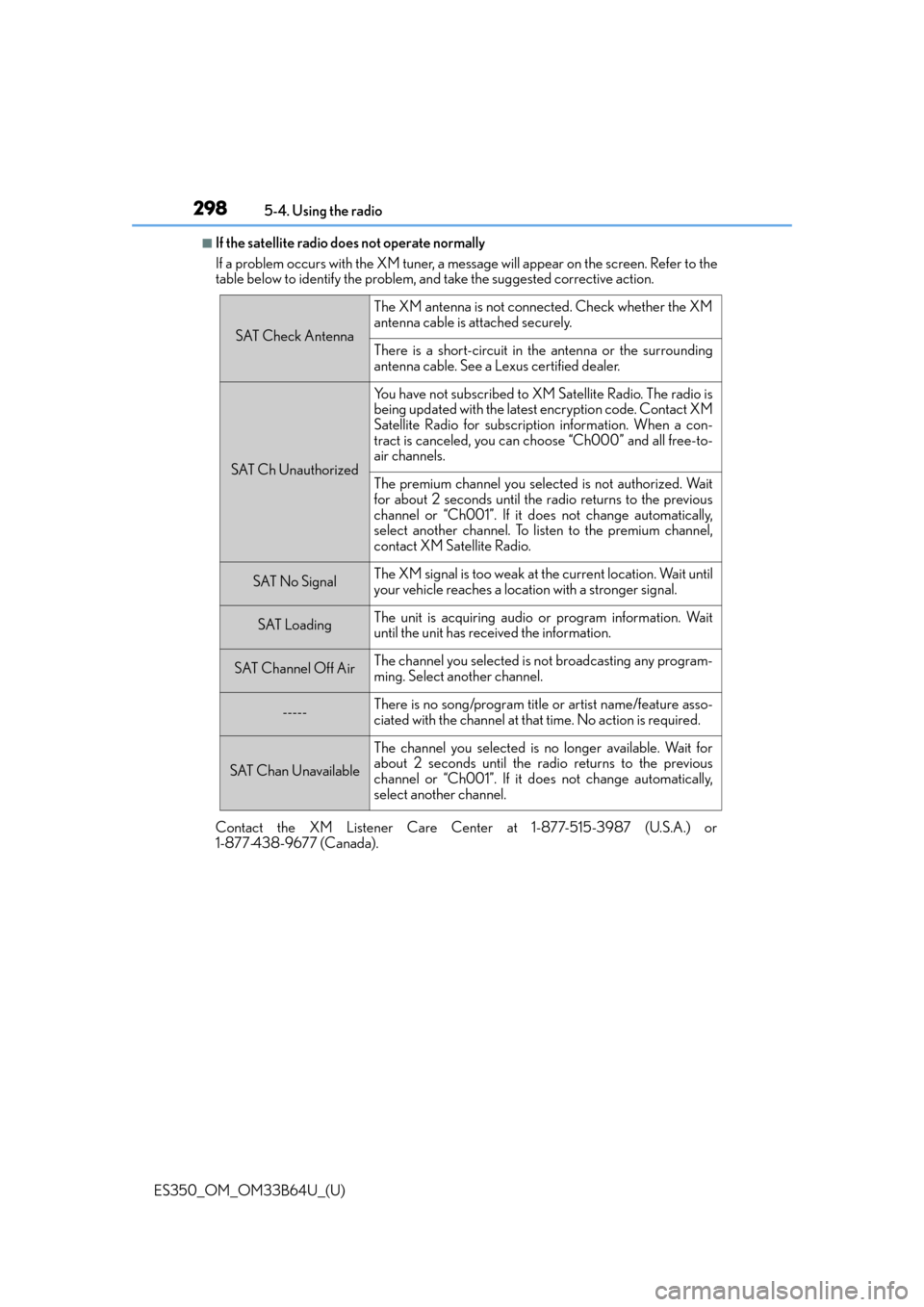
■If the satellite radio does not operate normally
If a problem occurs with the XM tuner, a me ssage will appear on the screen. Refer to the
table below to identify the problem, and take the suggested corrective action.
Contact the XM Listener Care Center at 1-877-515-3987 (U.S.A.) or
1-877-438-9677 (Canada).
SAT Check Antenna
The XM antenna is not connected. Check whether the XM
antenna cable is attached securely.
There is a short-circuit in the antenna or the surrounding
antenna cable. See a Lexus certified dealer.
SAT Ch Unauthorized
Yo u h a v e n o t s u b s c r i b e d t o X M Satellite Radio. The radio is
being updated with the latest encryption code. Contact XM
Satellite Radio for subscription information. When a con-
tract is canceled, you can choose “Ch000” and all free-to-
air channels.
The premium channel you select ed is not authorized. Wait
for about 2 seconds until the radio returns to the previous
channel or “Ch001”. If it does not change automatically,
select another channel. To listen to the premium channel,
contact XM Satellite Radio.
SAT No SignalThe XM signal is too weak at the current location. Wait until
your vehicle reaches a location with a stronger signal.
SAT LoadingThe unit is acquiring audio or program information. Wait
until the unit has received the information.
SAT Channel Off AirThe channel you selected is not broadcasting any program-
ming. Select another channel.
-----There is no song/program title or artist name/feature asso-
ciated with the channel at that time. No action is required.
SAT Chan Unavailable
The channel you selected is no longer available. Wait for
about 2 seconds until the radio returns to the previous
channel or “Ch001”. If it does not change automatically,
select another channel.
Page 299 of 576
299
ES350_OM_OM33B64U_(U)5-5. Playing an audio CD and MP3/WMA/AAC discs
5
Lexus Display Audio system
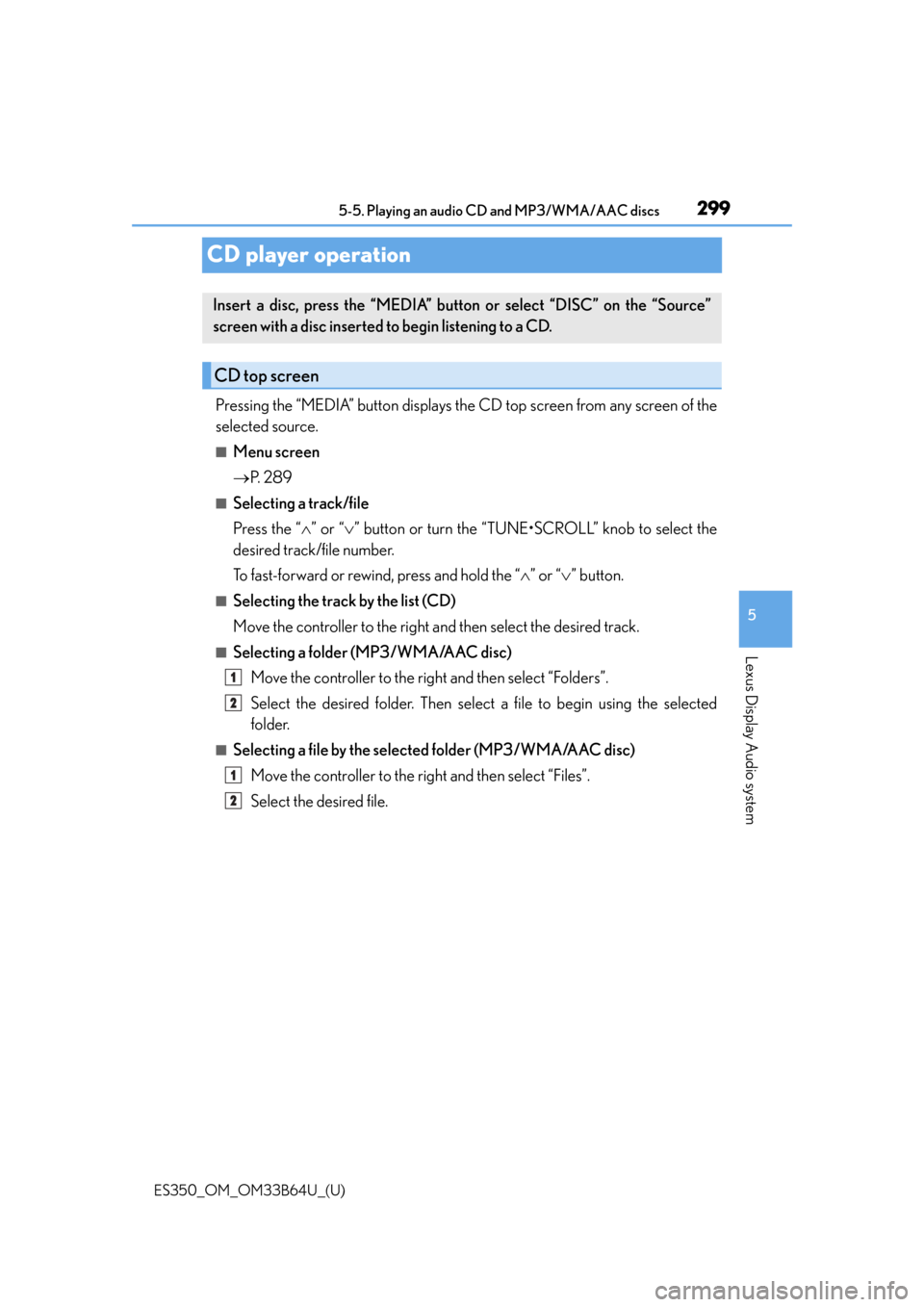
CD player operation
Pressing the “MEDIA” button displays the CD top screen from any screen of the
selected source.
■Menu screen
P. 2 8 9
■Selecting a track/file
Press the “ ” or “ ” button or turn the “TUNE•SCROLL” knob to select the
desired track/file number.
To fast-forward or rewind, press and hold the “ ” or “ ” button.
■Selecting the track by the list (CD)
Move the controller to the right and then select the desired track.
■Selecting a folder (MP3/WMA/AAC disc)
Move the controller to the right and then select “Folders”.
Select the desired folder. Then select a file to begin using the selected
folder.
■Selecting a file by the selected folder (MP3/WMA/AAC disc)Move the controller to the right and then select “Files”.
Select the desired file.
Insert a disc, press the “MEDIA” butto n or select “DISC” on the “Source”
screen with a disc inserted to begin listening to a CD.
CD top screen
1
2
1
2
Page 306 of 576
306
ES350_OM_OM33B64U_(U)5-6. Using an external device
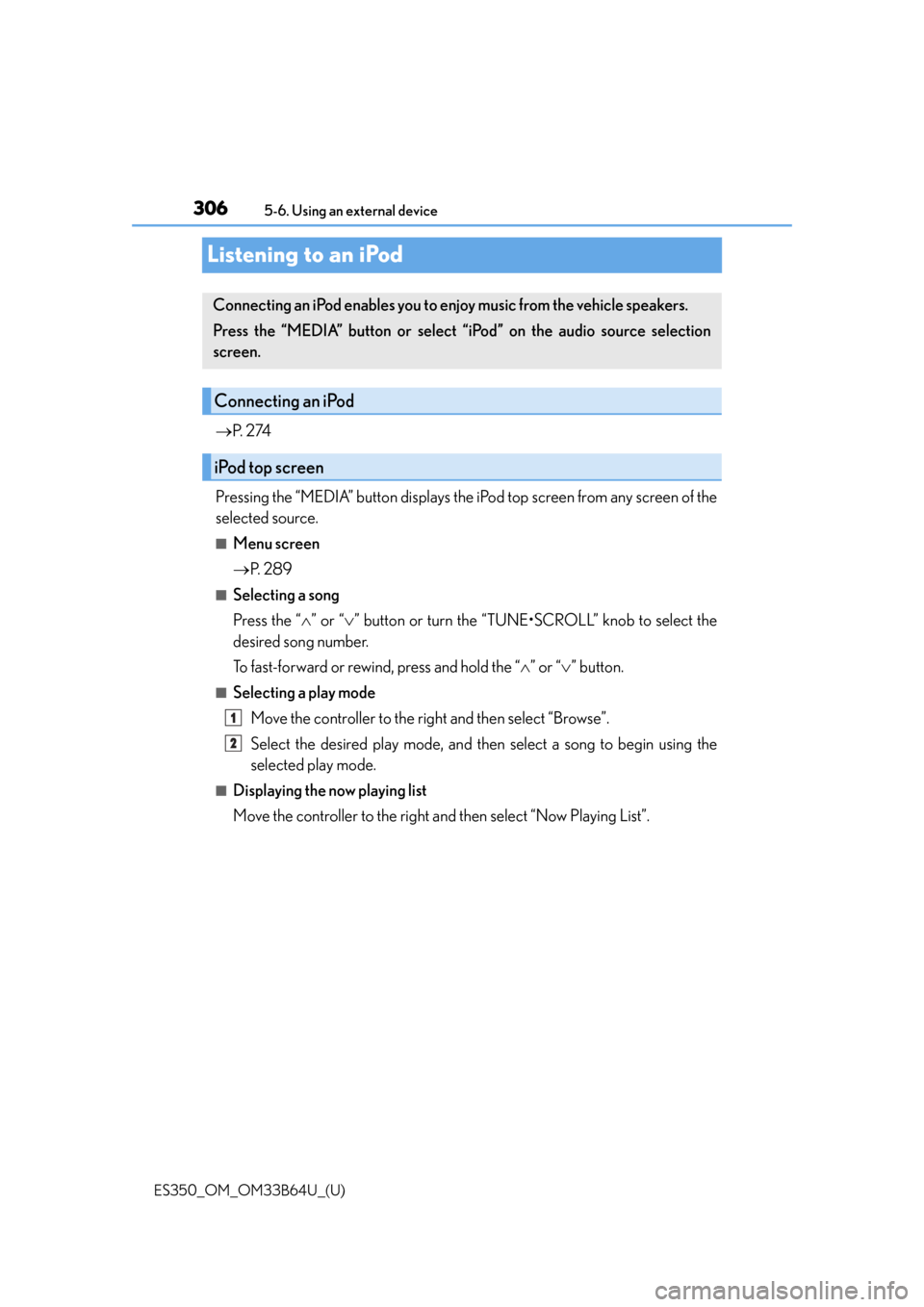
Listening to an iPod
P. 2 74
Pressing the “MEDIA” button displays the iPod top screen from any screen of the
selected source.
■Menu screen
P. 2 8 9
■Selecting a song
Press the “ ” or “ ” button or turn the “TUNE•SCROLL” knob to select the
desired song number.
To fast-forward or rewind, press and hold the “ ” or “ ” button.
■Selecting a play mode
Move the controller to the right and then select “Browse”.
Select the desired play mode, and then select a song to begin using the
selected play mode.
■Displaying the now playing list
Move the controller to the right and then select “Now Playing List”.
Connecting an iPod enables you to en joy music from the vehicle speakers.
Press the “MEDIA” button or select “i Pod” on the audio source selection
screen.
Connecting an iPod
iPod top screen
1
2
Page 310 of 576
310
ES350_OM_OM33B64U_(U)5-6. Using an external device
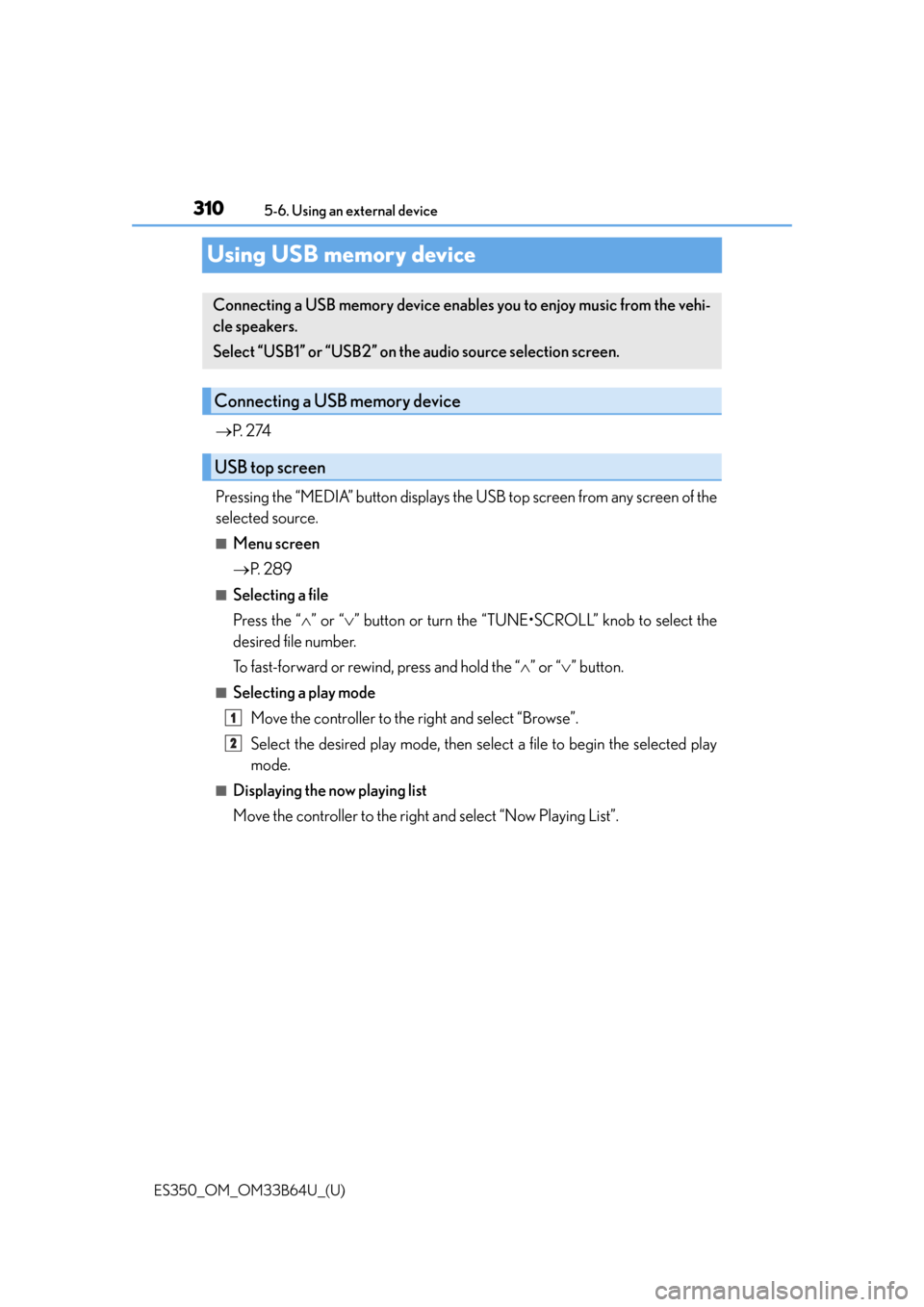
Using USB memory device
P. 2 74
Pressing the “MEDIA” button displays the USB top screen from any screen of the
selected source.
■Menu screen
P. 2 8 9
■Selecting a file
Press the “ ” or “ ” button or turn the “TUNE•SCROLL” knob to select the
desired file number.
To fast-forward or rewind, press and hold the “ ” or “ ” button.
■Selecting a play mode
Move the controller to the right and select “Browse”.
Select the desired play mode, then select a file to begin the selected play
mode.
■Displaying the now playing list
Move the controller to the right and select “Now Playing List”.
Connecting a USB memory device enables you to enjoy music from the vehi-
cle speakers.
Select “USB1” or “USB2” on th e audio source selection screen.
Connecting a USB memory device
USB top screen
1
2
Page 324 of 576

3245-8. Bluetooth® Audio
ES350_OM_OM33B64U_(U)
Pressing the “MEDIA” button displays the Bluetooth® audio top screen from any
screen of the selected source.
■Menu screen
P. 2 8 9
■Selecting a song
Press the “ ” or “ ” button or turn the “TUNE•SCROLL” knob to select the
desired song number.
To fast-forward or reverse, press and hold the “ ” or “ ” button.
■Selecting a play mode
Move the controller to the right and then select “Browse”.
Select the desired play mode, and then select a song to begin using the
selected play mode.
■Displaying the now playing list
Move the controller to the right and then select “Now Playing List”.
Bluetooth® audio top screen
1
2