warning LEXUS ES350 2022 Owners Manual
[x] Cancel search | Manufacturer: LEXUS, Model Year: 2022, Model line: ES350, Model: LEXUS ES350 2022Pages: 468, PDF Size: 26.96 MB
Page 175 of 468
1734-5. Using the driving support systems
4
Driving
WARNING
●If the part of the windshield in front of
the front camera is fogged up or cov-
ered with condensation or ice, use the
windshield defogger to remove the
fog, condensation or ice. (P.263)
●If water droplets cannot be properly
removed from the area of the wind-
shield in front of the front camera by
the windshield wipers, replace the
wiper insert or wiper blade.
●Do not attach window tint to the wind-
shield.
●Replace the windshield if it is damaged
or cracked. After replacing the wind-
shield, the front camera must be
recalibrated. Contact your Lexus
dealer for details.
●Do not allow liquids to contact the
front camera.
●Do not allow bright lights to shine into
the front camera.
●Do not dirty or damage the front cam-
era.
When cleaning the inside of the wind-
shield, do not allow glass cleaner to
contact the lens of the front camera.
Also, do not touch the lens.
If the lens is dirty or damaged, contact
your Lexus dealer.
●Do not subject the front camera to a
strong impact.
●Do not change the installation position
or direction of the front camera or
remove it.
●Do not disassemble the front camera.
●Do not modify any components of the
vehicle around the front camera
(inside rear view mirror, etc.) or ceil-
ing.
●Do not attach any accessories to the
hood, front grille or front bumper that
may obstruct the front camera. Con-
tact your Lexus dealer for details.
●If a surfboard or other long object is to
be mounted on the roof, make sure
that it will not obstruct the front cam-
era.
●Do not modify the headlights or other
lights.
Page 176 of 468
1744-5. Using the driving support systems
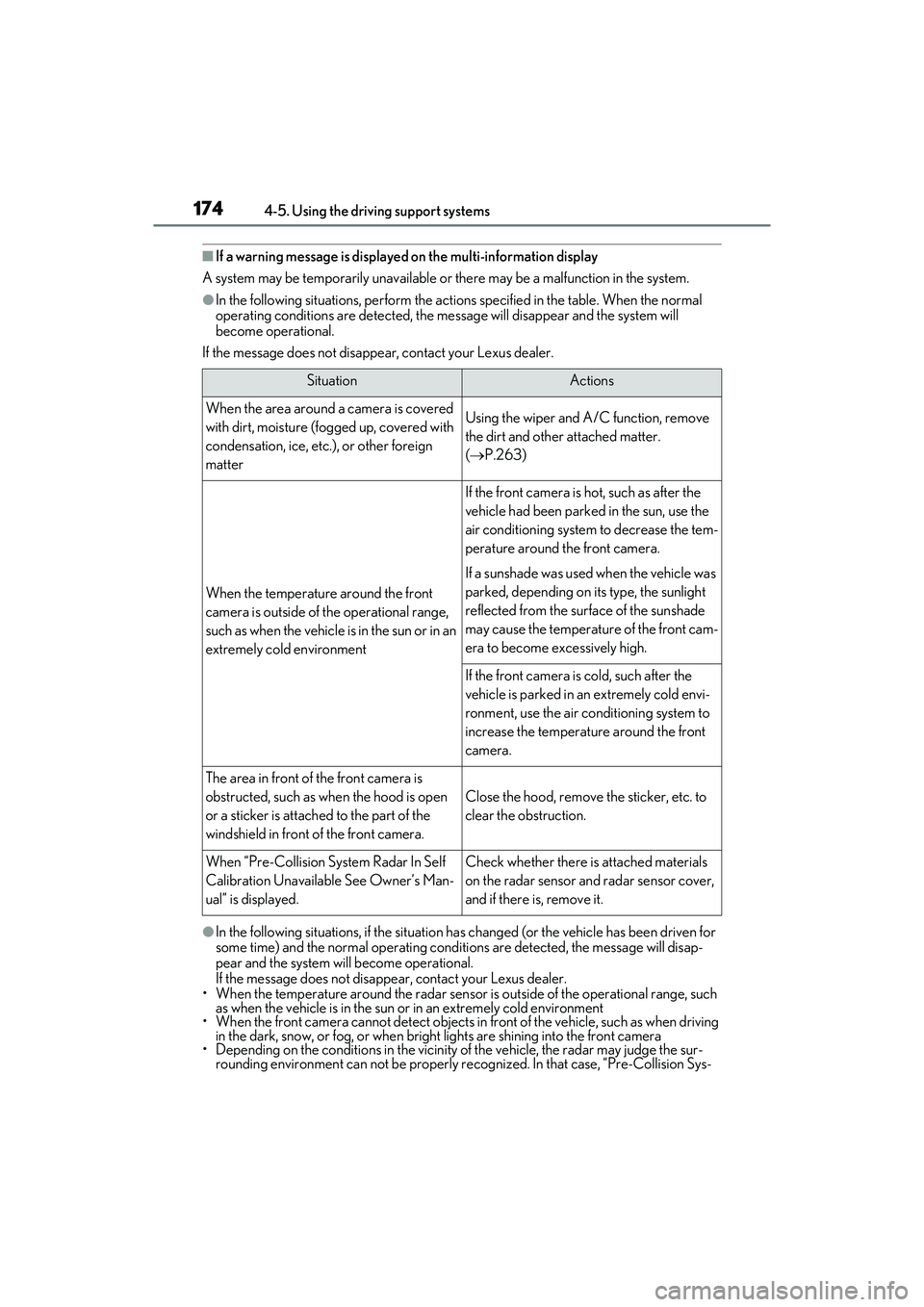
■If a warning message is displayed on the multi-information display
A system may be temporarily unavailable or there may be a malfunction in the system.
●In the following situations, perform the actions specified in the table. When the normal
operating conditions are detected, the message will disappear and the system will
become operational.
If the message does not disappear, contact your Lexus dealer.
●In the following situations, if the situation has changed (or the vehicle has been driven for
some time) and the normal operating conditions are detected, the message will disap-
pear and the system will become operational.
If the message does not disappear, contact your Lexus dealer.
• When the temperature around the radar sensor is outside of the operational range, such as when the vehicle is in the sun or in an extremely cold environment
• When the front camera cannot detect objects in front of the vehicle, such as when driving in the dark, snow, or fog, or when bright lights are shining into the front camera
• Depending on the conditions in the vicinity of the vehicle, the radar may judge the sur- rounding environment can not be properly re cognized. In that case, “Pre-Collision Sys-
SituationActions
When the area around a camera is covered
with dirt, moisture (fogged up, covered with
condensation, ice, etc.), or other foreign
matterUsing the wiper and A/C function, remove
the dirt and other attached matter.
( P.263)
When the temperature around the front
camera is outside of the operational range,
such as when the vehicle is in the sun or in an
extremely cold environment
If the front camera is hot, such as after the
vehicle had been parked in the sun, use the
air conditioning system to decrease the tem-
perature around the front camera.
If a sunshade was used when the vehicle was
parked, depending on its type, the sunlight
reflected from the surface of the sunshade
may cause the temperature of the front cam-
era to become excessively high.
If the front camera is cold, such after the
vehicle is parked in an extremely cold envi-
ronment, use the air conditioning system to
increase the temperature around the front
camera.
The area in front of the front camera is
obstructed, such as when the hood is open
or a sticker is attached to the part of the
windshield in front of the front camera.
Close the hood, remove the sticker, etc. to
clear the obstruction.
When “Pre-Collision System Radar In Self
Calibration Unavailable See Owner’s Man-
ual” is displayed.Check whether there is attached materials
on the radar sensor and radar sensor cover,
and if there is, remove it.
Page 178 of 468
1764-5. Using the driving support systems
The system can detect the following
(The detectable objects differs
depending on the function.):
Vehicles
Bicyclists
Pedestrians
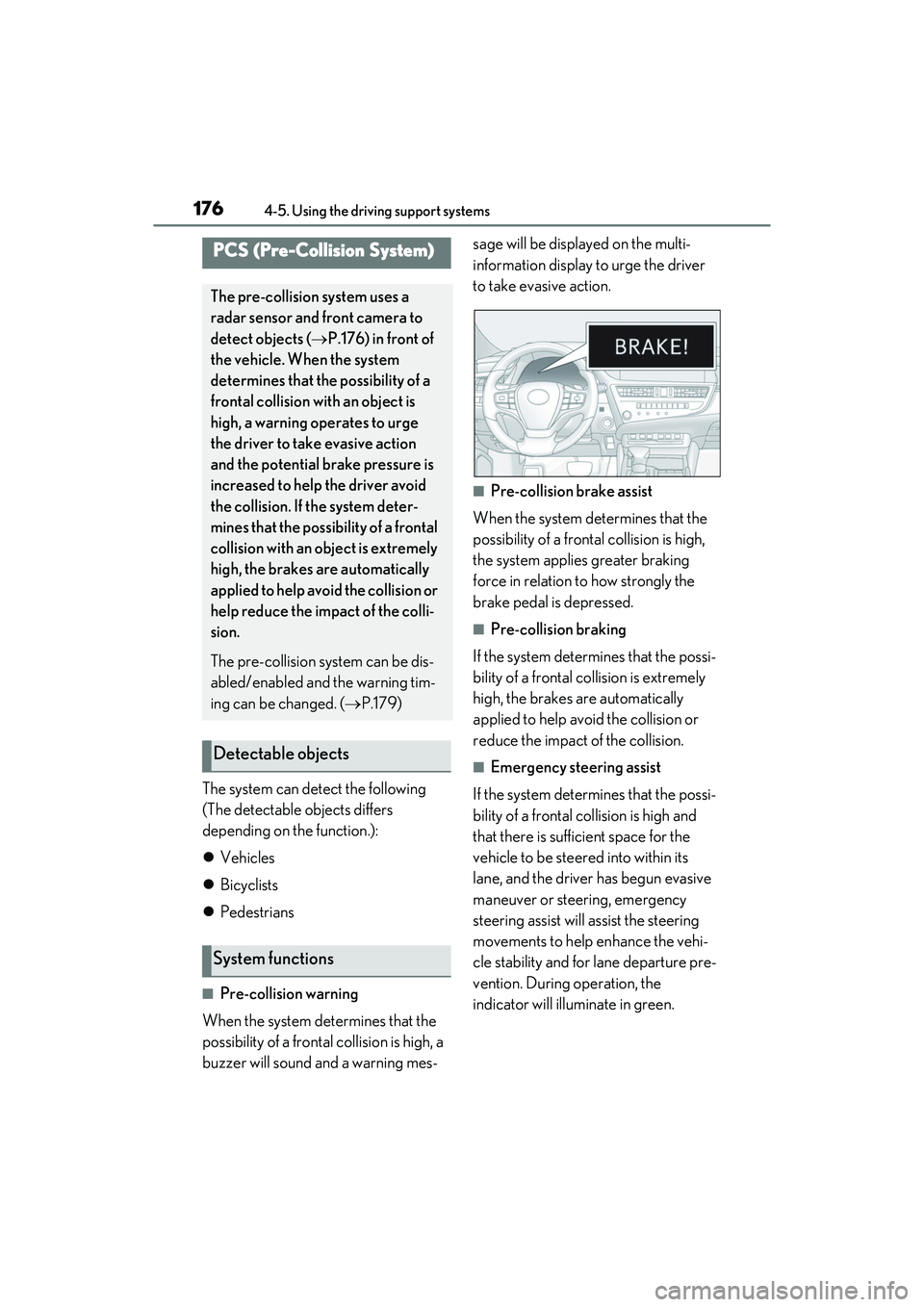
■Pre-collision warning
When the system determines that the
possibility of a frontal collision is high, a
buzzer will sound and a warning mes- sage will be displayed on the multi-
information display to urge the driver
to take evasive action.
■Pre-collision brake assist
When the system determines that the
possibility of a frontal collision is high,
the system applies greater braking
force in relation to how strongly the
brake pedal is depressed.
■Pre-collision braking
If the system determines that the possi-
bility of a frontal collision is extremely
high, the brakes are automatically
applied to help avoid the collision or
reduce the impact of the collision.
■Emergency steering assist
If the system determines that the possi-
bility of a frontal collision is high and
that there is sufficient space for the
vehicle to be steered into within its
lane, and the driver has begun evasive
maneuver or steering, emergency
steering assist will assist the steering
movements to help enhance the vehi-
cle stability and for lane departure pre-
vention. During operation, the
indicator will illuminate in green.
PCS (Pre-Collision System)
The pre-collision system uses a
radar sensor and front camera to
detect objects ( P.176) in front of
the vehicle. When the system
determines that the possibility of a
frontal collision with an object is
high, a warning operates to urge
the driver to take evasive action
and the potential br ake pressure is
increased to help the driver avoid
the collision. If the system deter-
mines that the possibility of a frontal
collision with an object is extremely
high, the brakes are automatically
applied to help avoid the collision or
help reduce the impact of the colli-
sion.
The pre-collision system can be dis-
abled/enabled and the warning tim-
ing can be changed. ( P.179)
Detectable objects
System functions
Page 179 of 468
1774-5. Using the driving support systems
4
Driving
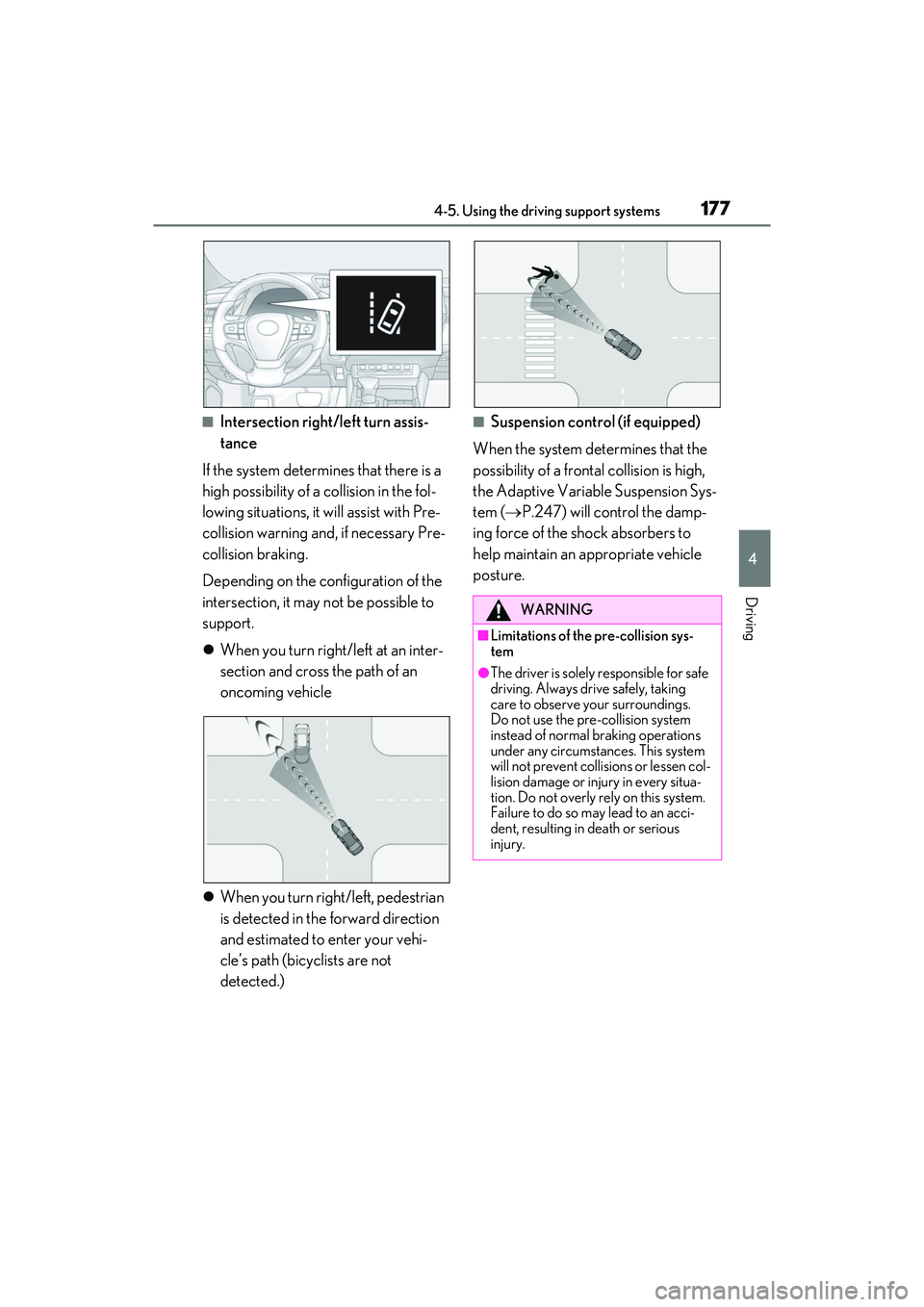
■Intersection right/left turn assis-
tance
If the system determines that there is a
high possibility of a collision in the fol-
lowing situations, it will assist with Pre-
collision warning and, if necessary Pre-
collision braking.
Depending on the configuration of the
intersection, it may not be possible to
support.
When you turn right/left at an inter-
section and cross the path of an
oncoming vehicle
When you turn right/left, pedestrian
is detected in the forward direction
and estimated to enter your vehi-
cle’s path (bicyclists are not
detected.)■Suspension control (if equipped)
When the system determines that the
possibility of a frontal collision is high,
the Adaptive Variable Suspension Sys-
tem ( P.247) will control the damp-
ing force of the shock absorbers to
help maintain an appropriate vehicle
posture.
WARNING
■Limitations of the pre-collision sys-
tem
●The driver is solely responsible for safe
driving. Always drive safely, taking
care to observe your surroundings.
Do not use the pre-collision system
instead of normal braking operations
under any circumstances. This system
will not prevent collisions or lessen col-
lision damage or injury in every situa-
tion. Do not overly rely on this system.
Failure to do so may lead to an acci-
dent, resulting in death or serious
injury.
Page 180 of 468
1784-5. Using the driving support systems
WARNING
●Although this system is designed to
help avoid a collision or help reduce
the impact of the collision, its effective-
ness may change according to various
conditions, therefore the system may
not always be able to achieve the same
level of performance.
Read the following conditions care-
fully. Do not overly rely on this system
and always drive carefully.
• Conditions under which the system may operate even if there is no possi-
bility of a collision: P.182
• Conditions under which the system may not operate properly: P.184
●Do not attempt to test the operation of
the pre-collision system yourself.
Depending on the objects used for
testing (dummies, cardboard objects
imitating detectable objects, etc.), the
system may not operate properly, pos-
sibly leading to an accident.
■Pre-collision braking
●When the pre-collision braking func-
tion is operating, a large amount of
braking force will be applied.
●If the vehicle is stopped by the opera-
tion of the pre-collision braking func-
tion, the pre-collision braking function
operation will be canceled after
approximately 2 seconds.
Depress the brake pedal as necessary.
●The pre-collision braking function may
not operate if certain operations are
performed by the driver. If the acceler-
ator pedal is being depressed strongly
or the steering wheel is being turned,
the system may determine that the
driver is taking evasive action and pos-
sibly prevent the pre-collision braking
function from operating.
●In some situations, while the pre-colli-
sion braking function is operating,
operation of the function may be can-
celed if the accelerator pedal is
depressed strongly or the steering
wheel is turned and the system deter-
mines that the driver is taking evasive
action.
●If the brake pedal is being depressed,
the system may determine that the
driver is taking ev asive action and pos-
sibly delay the operation timing of the
pre-collision braking function.
■Emergency steering assist
●As emergency steering assist opera-
tion will be canceled when the system
determines that lane departure pre-
vention function has been completed.
●Emergency steering assist may not
operate or may be cancel in the fol-
lowing cases as the system may deter-
mine the driver is taking actions.
• If the accelerator pedal is being depressed strongly, the steering wheel
is being operated sharply, the brake
pedal is being depressed or the turn
signal lever is bein g operated. In this
case, the system may determine that
the driver is taking evasive action and
the emergency steering assist may not
operate.
• In some situations, while the emer- gency steering assist is operating,
operation of the function may be can-
celed if the accelerator pedal is
depressed strongly, the steering wheel
is operated sharply or the brake pedal
is being depressed and the system
determines that the driver is taking
evasive action.
• When the emergency steering assist is operating, if the steering wheel is held
firmly or is operated in the opposite
direction to that which the system is
generating torque, the function may
be canceled.
Page 181 of 468
1794-5. Using the driving support systems
4
Driving
■Enabling/disabling the pre-colli-
sion system
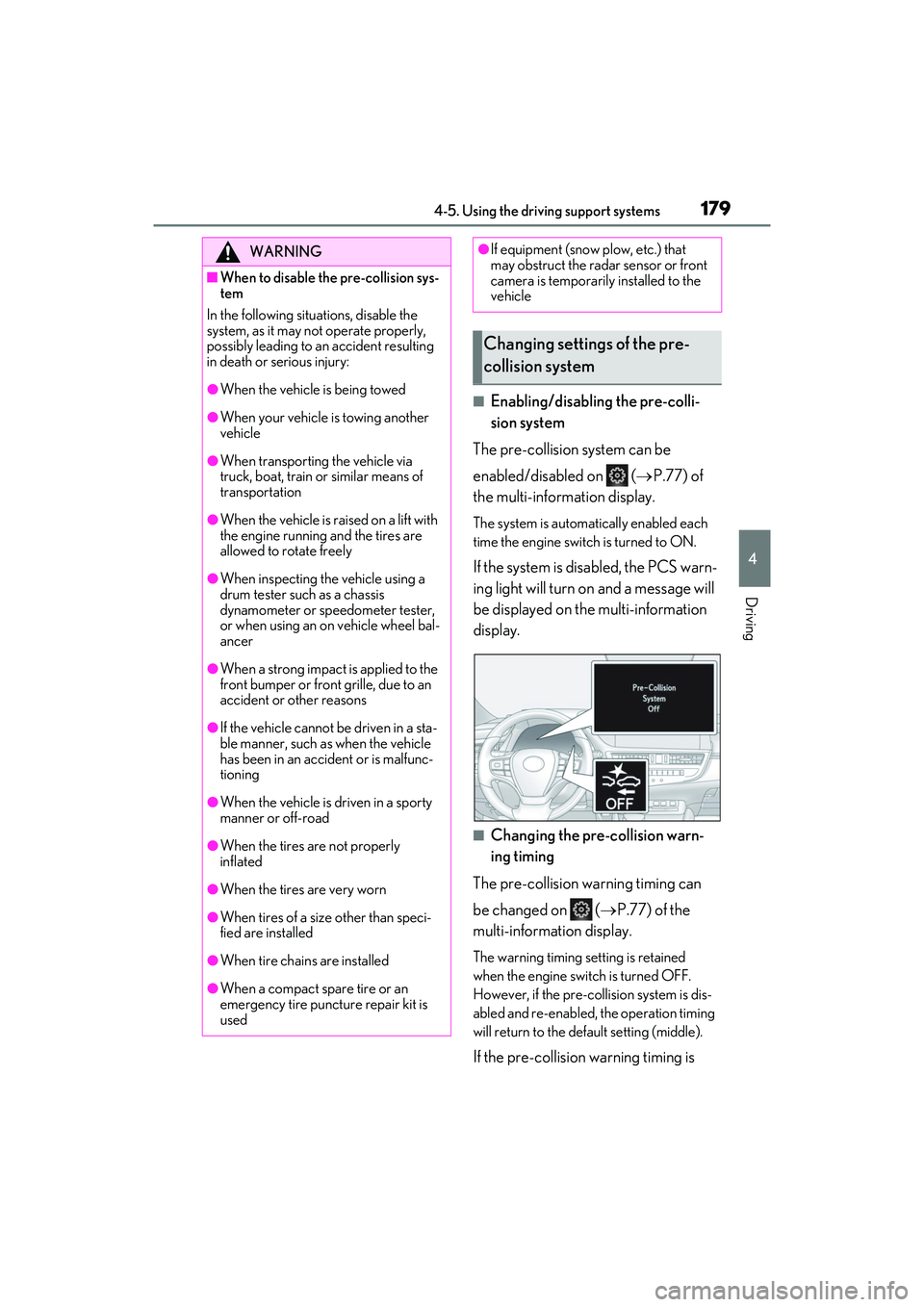
The pre-collision system can be
enabled/disabled on ( P.77) of
the multi-information display.
The system is automatically enabled each
time the engine switch is turned to ON.
If the system is disabled, the PCS warn-
ing light will turn on and a message will
be displayed on the multi-information
display.
■Changing the pre-collision warn-
ing timing
The pre-collision warning timing can
be changed on ( P.77) of the
multi-information display.
The warning timing setting is retained
when the engine switch is turned OFF.
However, if the pre-collision system is dis-
abled and re-enabled, the operation timing
will return to the default setting (middle).
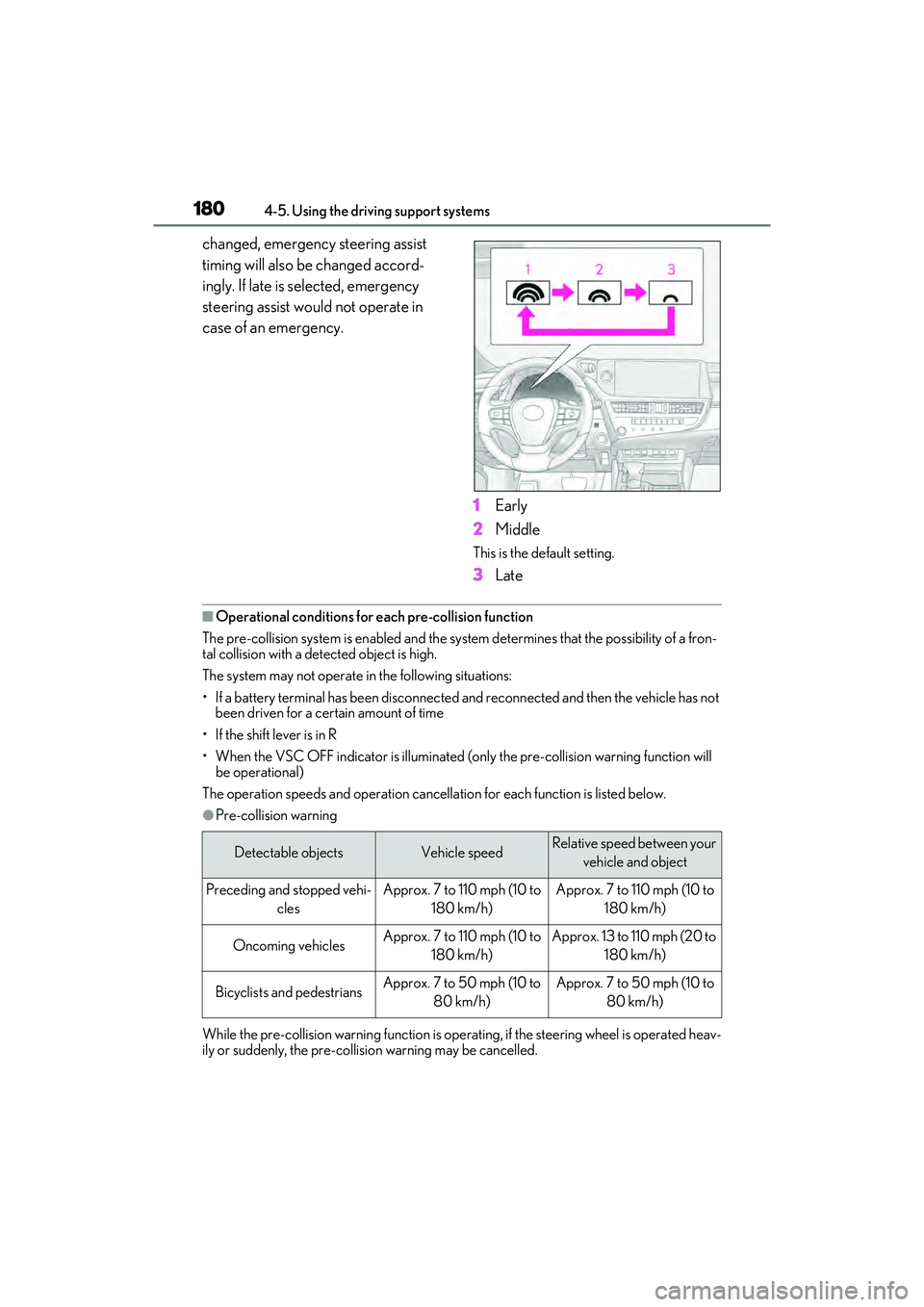
If the pre-collision warning timing is
WARNING
■When to disable the pre-collision sys-
tem
In the following situations, disable the
system, as it may not operate properly,
possibly leading to an accident resulting
in death or serious injury:
●When the vehicle is being towed
●When your vehicle is towing another
vehicle
●When transporting the vehicle via
truck, boat, train or similar means of
transportation
●When the vehicle is raised on a lift with
the engine running and the tires are
allowed to rotate freely
●When inspecting the vehicle using a
drum tester such as a chassis
dynamometer or speedometer tester,
or when using an on vehicle wheel bal-
ancer
●When a strong impact is applied to the
front bumper or front grille, due to an
accident or other reasons
●If the vehicle cannot be driven in a sta-
ble manner, such as when the vehicle
has been in an accident or is malfunc-
tioning
●When the vehicle is driven in a sporty
manner or off-road
●When the tires are not properly
inflated
●When the tires are very worn
●When tires of a size other than speci-
fied are installed
●When tire chains are installed
●When a compact spare tire or an
emergency tire puncture repair kit is
used
●If equipment (snow plow, etc.) that
may obstruct the radar sensor or front
camera is temporarily installed to the
vehicle
Changing settings of the pre-
collision system
Page 182 of 468
1804-5. Using the driving support systems
changed, emergency steering assist
timing will also be changed accord-
ingly. If late is selected, emergency
steering assist would not operate in
case of an emergency.1Early
2 Middle
This is the default setting.
3Late
■Operational conditio ns for each pre-collision function
The pre-collision system is enabled and the syst em determines that the possibility of a fron-
tal collision with a detected object is high.
The system may not operate in the following situations:
• If a battery terminal has been disconnected and reconnected and then the vehicle has not been driven for a certain amount of time
• If the shift lever is in R
• When the VSC OFF indicator is illuminated (o nly the pre-collision warning function will
be operational)
The operation speeds and operation cancellation for each function is listed below.
●Pre-collision warning
While the pre-collision warning function is operat ing, if the steering wheel is operated heav-
ily or suddenly, the pre-collision warning may be cancelled.
Detectable objectsVehicle speedRelative speed between your
vehicle and object
Preceding and stopped vehi- clesApprox. 7 to 110 mph (10 to 180 km/h)Approx. 7 to 110 mph (10 to 180 km/h)
Oncoming vehiclesApprox. 7 to 110 mph (10 to 180 km/h)Approx. 13 to 110 mph (20 to 180 km/h)
Bicyclists and pedestriansApprox. 7 to 50 mph (10 to 80 km/h)Approx. 7 to 50 mph (10 to 80 km/h)
Page 183 of 468
1814-5. Using the driving support systems
4
Driving
●Pre-collision brake assist
●Pre-collision braking
If either of the following occur while the pre-collision braking function is operating, it will be
canceled:
• The accelerator pedal is depressed strongly.
• The steering wheel is turned sharply or abruptly.
●Emergency steering assist
When the turn signal lights are flashing, emer gency steering assist will not operate in case of
an emergency.
If any of the following occur while the emergency steering assist function is operating, it will
be canceled:
• The accelerator pedal is depressed strongly.
• The steering wheel is turned sharply or abruptly.
• The brake pedal is depressed.
●Intersection right/left turn assistance (pre-collision warning)
When the turn signal lights are not flashing, support for turning left or right at an intersection
which targets oncoming vehicles does not work.
Detectable objectsVehicle speedRelative speed between your vehicle and object
Preceding and stopped vehi- clesApprox. 20 to 110 mph (30 to 180 km/h)Approx. 20 to 110 mph (30 to 180 km/h)
Bicyclists and pedestriansApprox. 20 to 50 mph (30 to 80 km/h)Approx. 20 to 50 mph (30 to 80 km/h)
Detectable objectsVehicle speedRelative speed between your vehicle and object
Preceding and stopped vehi- clesApprox. 7 to 110 mph (10 to 180 km/h)Approx. 7 to 110 mph (10 to 180 km/h)
Oncoming vehiclesApprox. 7 to 110 mph (10 to 180 km/h)Approx. 13 to 110 mph (20 to 180 km/h)
Bicyclists and pedestriansApprox. 7 to 50 mph (10 to 80 km/h)Approx. 7 to 50 mph (10 to 80 km/h)
Detectable objectsVehicle speedRelative speed between your vehicle and object
Preceding and stopped vehi-cles, bicyclists and pedestri- ansApprox. 25 to 50 mph (40 to 80 km/h)Approx. 25 to 50 mph (40 to 80 km/h)
Page 188 of 468
1864-5. Using the driving support systems
parts are extremely cold, extremely hot,
or wet
• If the vehicle is not properly maintained
(brakes or tires are excessively worn,
improper tire inflation pressure, etc.)
• When the vehicle is being driven on a
gravel road or other slippery surface
• When the road surface has deep wheel tracks
• When driving on a hill road
• When driving on a road that has inclines to the left or right
■If VSC is disabled
●If VSC is disabled ( P.247), the pre-
collision brake assist and pre-collision
braking functions are also disabled.
●The PCS warning light will turn on and
“VSC Turned off Pre-Collision Brake
System Unavailable” will be displayed on
the multi-information display.
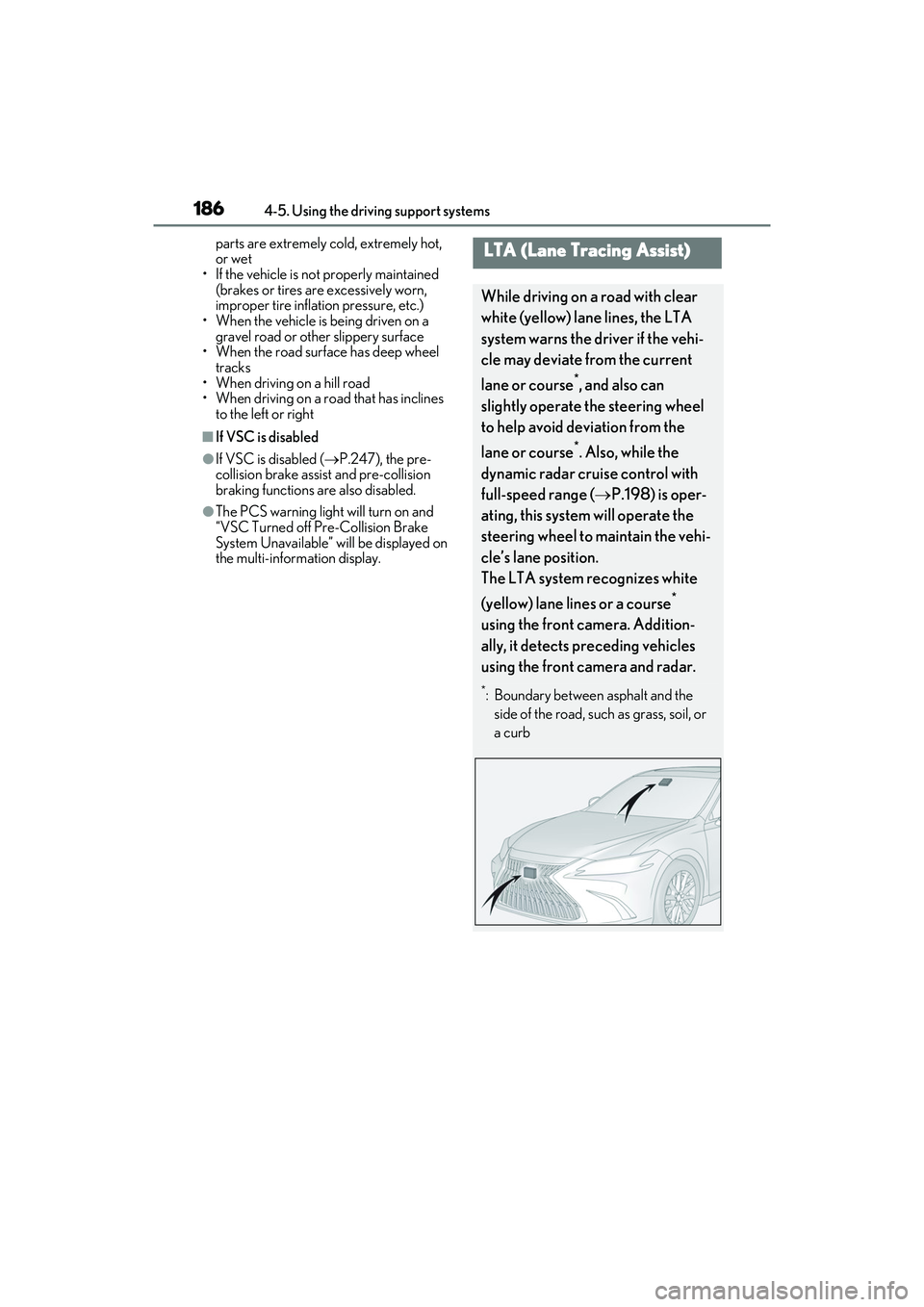
LTA (Lane Tracing Assist)
While driving on a road with clear
white (yellow) lane lines, the LTA
system warns the driver if the vehi-
cle may deviate from the current
lane or course
*, and also can
slightly operate the steering wheel
to help avoid deviation from the
lane or course
*. Also, while the
dynamic radar cruise control with
full-speed range ( P.198) is oper-
ating, this system will operate the
steering wheel to maintain the vehi-
cle’s lane position.
The LTA system recognizes white
(yellow) lane lines or a course
*
using the front camera. Addition-
ally, it detects preceding vehicles
using the front camera and radar.
*: Boundary between asphalt and the side of the road, such as grass, soil, or
a curb
Page 189 of 468
1874-5. Using the driving support systems
4
Driving
WARNING
■Before using LTA system
●Do not rely solely upon the LTA sys-
tem. The LTA system does not auto-
matically drive the vehicle or reduce
the amount of attention that must be
paid to the area in front of the vehicle.
The driver must always assume full
responsibility for driving safely by pay-
ing careful attention to the surround-
ing conditions and operating the
steering wheel to correct the path of
the vehicle. Also, the driver must take
adequate breaks when fatigued, such
as from driving for a long period of
time.
●Failure to perform appropriate driving
operations and pay careful attention
may lead to an accident, resulting in
death or serious injury.
■Situations unsuitable for LTA system
In the following situations, use the LTA
switch to turn the system off. Failure to do
so may lead to an acc ident, resulting in
death or serious injury.
●Vehicle is driven on a road surface
which is slippery due to rainy weather,
fallen snow, freezing, etc.
●Vehicle is driven on a snow-covered
road.
●White (yellow) lines are difficult to see
due to rain, snow, fog, dust, etc.
●Vehicle is driven in a temporary lane
or restricted lane due to construction
work.
●Vehicle is driven in a construction
zone.
●A spare tire, tire chains, etc. are
equipped.
●When the tires have been excessively
worn, or when the tire inflation pres-
sure is low.
●During emergency towing
■Preventing LTA system malfunctions
and operations performed by mistake
●Do not modify the headlights or place
stickers, etc. on the surface of the
lights.
●Do not modify the suspension etc. If
the suspension etc. needs to be
replaced, contact your Lexus dealer.
●Do not install or place anything on the
hood or grille. Also, do not install a
grille guard (bull bars, kangaroo bar,
etc.).
●If your windshield needs repairs, con-
tact your Lexus dealer.
■Conditions in which functions may
not operate properly
In the following situations, the functions
may not operate properly and the vehi-
cle may depart from its lane. Drive safely
by always paying careful attention to
your surroundings and operate the
steering wheel to correct the path of the
vehicle without relying solely on the func-
tions.
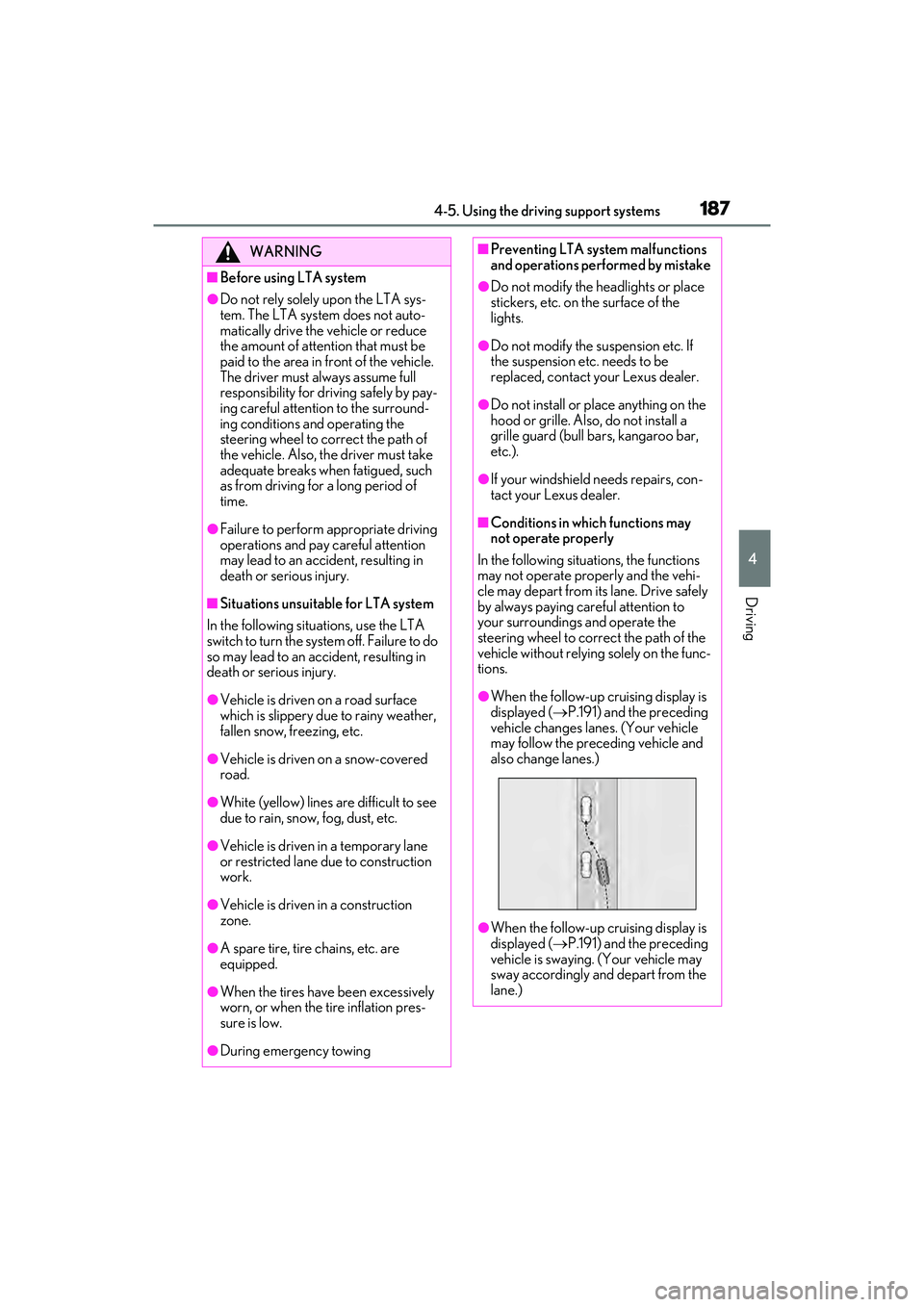
●When the follow-up cruising display is
displayed ( P.191) and the preceding
vehicle changes lanes. (Your vehicle
may follow the preceding vehicle and
also change lanes.)
●When the follow-up cruising display is
displayed ( P.191) and the preceding
vehicle is swaying. (Your vehicle may
sway accordingly and depart from the
lane.)