radio LEXUS ES350 2022 User Guide
[x] Cancel search | Manufacturer: LEXUS, Model Year: 2022, Model line: ES350, Model: LEXUS ES350 2022Pages: 468, PDF Size: 26.96 MB
Page 113 of 468
1113-2. Opening, closing and locking the doors and trunk
3
Before driving
■To operate the system properly
●Make sure to carry the electronic key
when operating the system. Do not get
the electronic key too close to the vehicle
when operating the system from the out-
side of the vehicle.
Depending on the position and holding
condition of the electronic key, the key
may not be detected correctly and the
system may not operate properly. (The
alarm may go off accidentally, or the door
lock prevention function may not oper-
ate.)
●Do not leave the electronic key inside the
trunk.
The key confinement prevention function
may not operate, depending on the loca-
tion of the key (close to a spare tire, the
inside edge of the trunk), conditions
(inside a metal bag, close to metallic
objects) and the radio waves in the sur-
rounding area. (P.104)
■If an electronic key does not work prop-
erly
●If the doors cannot be locked or
unlocked and the trunk cannot be
opened, perform the following.
• Bring the electronic key close to the door
handle and perform a lock or unlock
operation.
• Bring the electronic key close to the but-
ton on the trunk ( P.103) and press the
button.
• Use the wireless remote control.
If the doors cannot be locked or unlocked
by perform the above, use the mechanical
key. ( P.376)
For Canada: However, if the mechanical
key is used while the alarm system is set, the
warning will sound. ( P.60)
●If the engine cannot be started, refer to
P.378
■Customization
Settings (e. g. smart access system with
push-button start) can be changed.
(Customizable features: P.408)
If the smart access system with push-button
start has been deactivated in a customized
setting, refer to the explanations for the fol- lowing operations.
●Locking and unlocking the doors and
opening the trunk:
Use the wireless remote control or
mechanical key. (
P.96, 103, 376)
●Starting the engine and changing engine
switch modes: P.378
●Stopping the engine: P.146
WARNING
■Caution regarding interference with
electronic devices
●People with implantable cardiac pace-
makers, cardiac resynchronization
therapy-pacemakers or implantable
cardioverter defibrillators should keep
away from the smart access system
with push-button start antennas.
( P.107)
The radio waves may affect the opera-
tion of such devices. If necessary, the
entry function can be disabled. Ask
your Lexus dealer for details, such as
the frequency of radio waves and tim-
ing of the emitted radio waves. Then,
consult your doctor to see if you
should disable the entry function.
●Users of any electrical medical device
other than implantable cardiac pace-
makers, cardiac resynchronization
therapy-pacemakers or implantable
cardioverter defibrillators should con-
sult the manufacturer of the device for
information about its operation under
the influence of radio waves.
Radio waves could have unexpected
effects on the operation of such medi-
cal devices.
Ask your Lexus dealer for details on dis-
abling the entry function.
Page 185 of 468
1834-5. Using the driving support systems
4
Driving
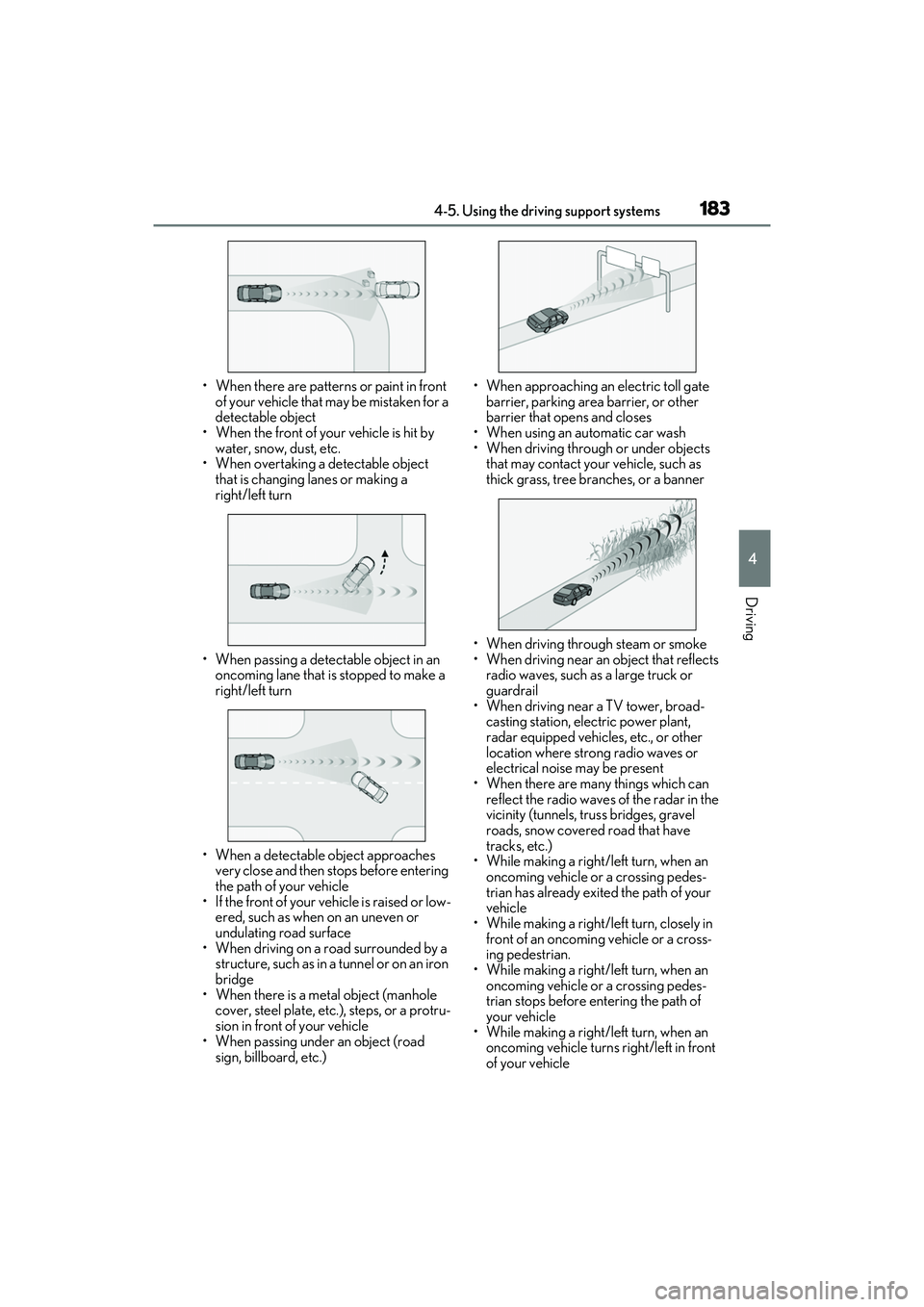
• When there are patterns or paint in front of your vehicle that may be mistaken for a
detectable object
• When the front of your vehicle is hit by water, snow, dust, etc.
• When overtaking a detectable object
that is changing lanes or making a
right/left turn
• When passing a detectable object in an oncoming lane that is stopped to make a
right/left turn
• When a detectable object approaches very close and then stops before entering
the path of your vehicle
• If the front of your vehicle is raised or low- ered, such as when on an uneven or
undulating road surface
• When driving on a road surrounded by a structure, such as in a tunnel or on an iron
bridge
• When there is a metal object (manhole cover, steel plate, etc.), steps, or a protru-
sion in front of your vehicle
• When passing under an object (road
sign, billboard, etc.) • When approaching an electric toll gate
barrier, parking area barrier, or other
barrier that opens and closes
• When using an automatic car wash
• When driving through or under objects that may contact your vehicle, such as
thick grass, tree branches, or a banner
• When driving through steam or smoke
• When driving near an object that reflects radio waves, such as a large truck or
guardrail
• When driving near a TV tower, broad- casting station, electric power plant,
radar equipped vehicles, etc., or other
location where strong radio waves or
electrical noise may be present
• When there are many things which can
reflect the radio waves of the radar in the
vicinity (tunnels, truss bridges, gravel
roads, snow covered road that have
tracks, etc.)
• While making a right/left turn, when an oncoming vehicle or a crossing pedes-
trian has already exited the path of your
vehicle
• While making a right/left turn, closely in
front of an oncoming vehicle or a cross-
ing pedestrian.
• While making a right/left turn, when an
oncoming vehicle or a crossing pedes-
trian stops before entering the path of
your vehicle
• While making a right/left turn, when an oncoming vehicle turns right/left in front
of your vehicle
Page 186 of 468
1844-5. Using the driving support systems
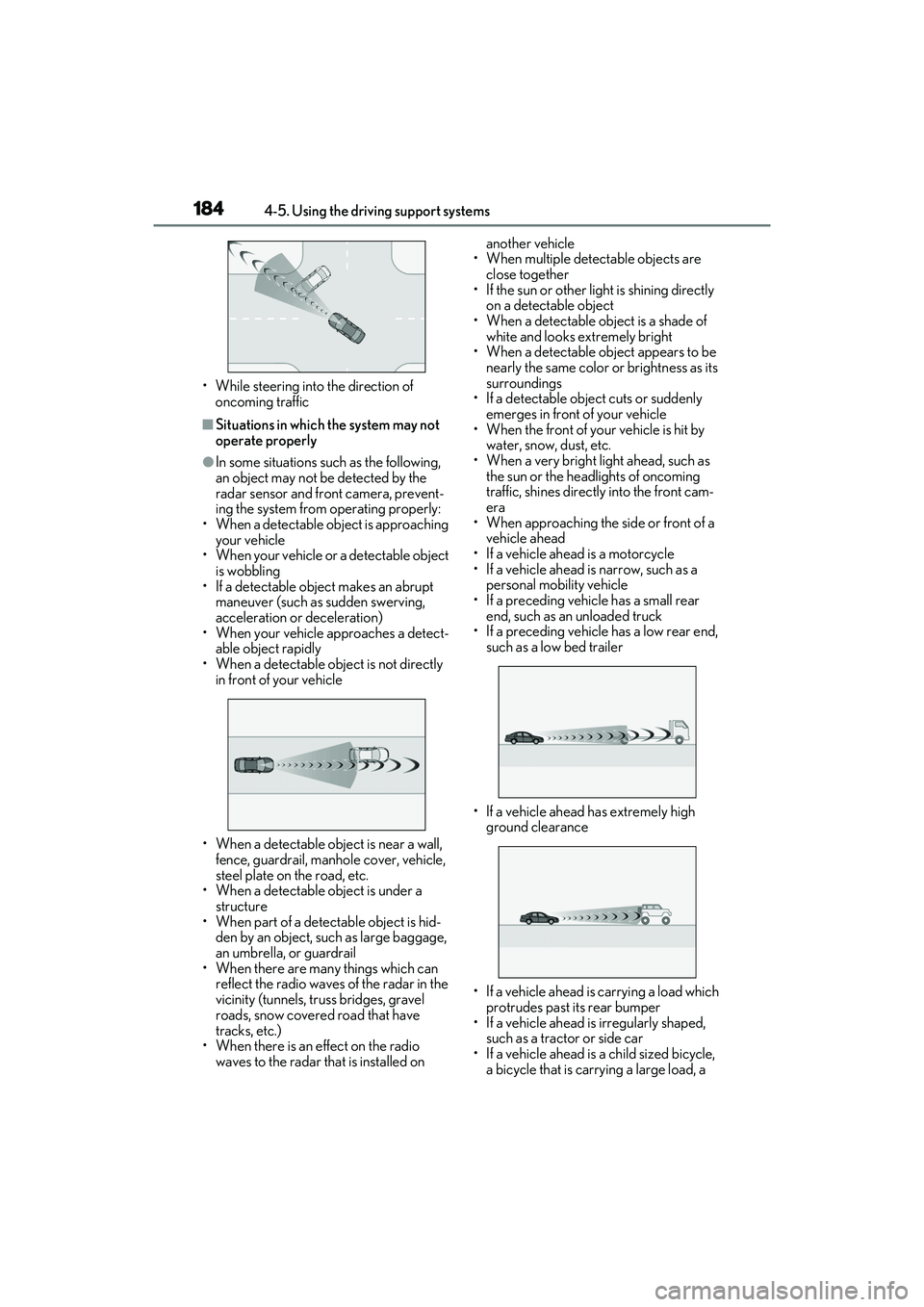
• While steering into the direction of oncoming traffic
■Situations in which the system may not
operate properly
●In some situations such as the following,
an object may not be detected by the
radar sensor and front camera, prevent-
ing the system from operating properly:
• When a detectable object is approaching
your vehicle
• When your vehicle or a detectable object is wobbling
• If a detectable object makes an abrupt maneuver (such as sudden swerving,
acceleration or deceleration)
• When your vehicle approaches a detect- able object rapidly
• When a detectable object is not directly
in front of your vehicle
• When a detectable object is near a wall, fence, guardrail, manhole cover, vehicle,
steel plate on the road, etc.
• When a detectable object is under a
structure
• When part of a detectable object is hid- den by an object, such as large baggage,
an umbrella, or guardrail
• When there are many things which can reflect the radio waves of the radar in the
vicinity (tunnels, truss bridges, gravel
roads, snow covered road that have
tracks, etc.)
• When there is an effect on the radio waves to the radar that is installed on another vehicle
• When multiple detectable objects are close together
• If the sun or other light is shining directly on a detectable object
• When a detectable object is a shade of
white and looks extremely bright
• When a detectable object appears to be nearly the same color or brightness as its
surroundings
• If a detectable object cuts or suddenly emerges in front of your vehicle
• When the front of your vehicle is hit by water, snow, dust, etc.
• When a very bright light ahead, such as
the sun or the headlights of oncoming
traffic, shines directly into the front cam-
era
• When approaching the side or front of a vehicle ahead
• If a vehicle ahead is a motorcycle
• If a vehicle ahead is narrow, such as a personal mobility vehicle
• If a preceding vehicle has a small rear
end, such as an unloaded truck
• If a preceding vehicle has a low rear end, such as a low bed trailer
• If a vehicle ahead has extremely high ground clearance
• If a vehicle ahead is carrying a load which protrudes past its rear bumper
• If a vehicle ahead is irregularly shaped, such as a tractor or side car
• If a vehicle ahead is a child sized bicycle, a bicycle that is carrying a large load, a
Page 286 of 468

2845-6. Using the other interior features
*: Depending on the portable device, there are cases where the operation indicator
light will continue being lit up orange
even after the charging is complete.
When the operation indicator light
flashes
When an error occurs, the operation indi-
cator light flashes an orange color. Handle
the error based on the following tables.
• Flashing repeatedly once every second
(Orange)
• Repeatedly flashes 3 times continuously (Orange) • Repeatedly flashes 4 times continuously
(Orange)
■The wireless charger can be operated
when
The engine switch is in ACCESSORY or
IGNITION ON mode.
■Usable portable devices
●Qi standard wireless charge standard
can be used on compatible devices.
However, not all Qi standard devices and
compatibility are guaranteed.
●Starting with mobile phones and smart
phones, it is aimed for low power electri-
cally supplied portable devices of no
more than 5W.
■When covers and accessories are
attached to portable devices
Do not charge in situations where cover
and accessories not able to handle Qi are
attached to the portable device. Depending
on the type of cover and accessory, it may
not be possible to charge. When charging
is not performed even with the portable
device placed on the charge area, remove
the cover and accessories.
■While charging, noise enters the AM
radio
Turn off the wireless charger and confirm
that the noise has decreased. If the noise
decreases, continuously pushing the power
supply switch of the wireless charger for 2
seconds, the frequency of the charger can
be changed and the noise can be reduced.
Also, on that occasion, the operation indi-
cator light will flash orange 2 times.
■Important points of the wireless charger
●If the electronic key cannot be detected
within the vehicle interior, charging can-
not be done. When the door is opened
and closed, charging may be temporarily
Orange
(comes on)
When placing the portable
device on the charging area
(detecting the portable
device)
Charging
Suspected causeHandling method
Vehicle to charger
communication fail-
ure.Contact your Lexus
dealer.
Suspected causesHandling method
A foreign substance
is between the por-
table device and
charge area.Remove the foreign
substance from
between portable
device and the
charge area.
The portable device
is out of sync due to
the device being
shifted from the cen-
ter of the charge
area.
Place the portable
device near the cen-
ter of the charge
area.
Operation indicator light
Conditions
Suspected causeHandling method
Temperature rising
within the wireless
charger.Stop charging at
once and start
charging again after
for a while.
Page 287 of 468

2855-6. Using the other interior features
5
Interior features
suspended.
●When charging, the wireless charging
device and portable device will get
warmer, however this is not a malfunc-
tion.
When a portable device gets warm while
charging, charging may stop due to the
protection function on the portable
device side. In this case, when the tem-
perature of the portable device drops
significantly, charge again.
■Operation sounds
When the power supply is turned on, while
searching for the portable device a sound
will be produced, however this is not a mal-
function.
WARNING
■Caution while driving
When charging a portable device, for
safety reasons, the driver should not
operate the main the part of the portable
device while driving.
■Caution regarding interference with
electronic devices
People with implantable cardiac pace-
makers, cardiac resynchronization ther-
apy-pacemakers or implantable
cardioverter defibrillators, as well as any
other electrical medical device, should
consult their physician about the usage of
the wireless charger.
The operations of the wireless charger
may have an affect on medical devices.
■To prevent damage or burns
Observe the following precautions.
Failure to do so may result in a possibility
of equipment failure and damage, catch
fire, burns due to overheat.
●Do not insert any metallic objects
between the charging area and the
portable device while charging
●Do not attach stickers, metallic
objects, etc., to the charger area or
portable device
●Do not cover with cloth, etc., and
charge
●Do not charge portable devices other
than designated
●Do not attempt to dismantle for disas-
sembly or modifications
●Do not hit or apply a strong force
NOTICE
■Conditions in which the function may
not operate correctly
In the following conditions, it may not
operate correctly
●The portable device is fully charged
●There is foreign matter between the
charge area and portable device
●The temperature of the portable
device gets higher from charging
●The charging surface of the portable
device is facing up
●The placement of the portable device
is out of alignment with the charge
area
●Near a TV tower, electric power plant,
gas station, radio station, large display,
airport or other facility that generates
strong radio waves or electrical noise
●When the electronic key is in contact
with, or is covered by the following
metallic objects
• Cards to which aluminum foil is attached
• Cigarette boxes that have aluminum foil inside
• Metallic wallets or bags
•Coins
• Hand warmers made of metal
• Media such as CDs and DVDs
Page 288 of 468

2865-6. Using the other interior features
Fold down the armrest for use.An assist grip installed on the ceiling
can be used to support your body
while sitting on the seat.
■Rear sunshade
The rear sunshade can be raised and
lowered by operating the button
shown below.
Press the switch. (Raise/lower)
NOTICE
●When other wireless keys (that emit
radio waves) are being used nearby
In addition, excluding the above-men-
tioned, when the charger does not per-
form normally or the operation indicator
light is flashing continuously, it is consid-
ered that the wireless charger is malfunc-
tioning. Contact your Lexus dealer.
■To prevent failure or damage to data
●Do not bring magnetic cards, such as
credit cards, or magnetic recording
media, etc., close to the charger while
charging, otherwise, data may disap-
pear under the influence of magne-
tism. Also, do not bring precision
instruments such as wrist watches, etc.,
close to the charger, as such objects
may break.
●Do not leave portable devices in the
cabin. The temperature inside the
cabin may become high, when under
the sun, and cause damage to the
device.
■To prevent battery discharge
When the engine is stopped, do not use
the wireless charger for a long time.
Armrest
NOTICE
■To prevent damage to the armrest
Do not apply too much load on the arm-
rest.
Assist grips
WARNING
■Assist grips
Do not use the assist grip when getting in
or out of the vehicle or rising from your
seat.
NOTICE
■To prevent damage to the assist grip
Do not hang any heavy object or put a
heavy load on the assist grip.
Rear sunshade (if
equipped)/rear door sunshades
(if equipped)
Page 325 of 468
3236-3. Do-it-yourself maintenance
6
Maintenance and care
●Tire inflation pressure changes with tem-
perature. The displayed values may also
be different from the values measured
using a tire pressure gauge.
■Situations in which the tire pressure
warning system may not operate prop-
erly
●In the following cases, the tire pressure
warning system may not operate prop-
erly.
• If non-genuine Lexus wheels are used.
• A tire has been replaced with a tire that is
not an OE (Original Equipment) tire.
• A tire has been replaced with a tire that is not of the specified size.
• Tire chains etc. are equipped.
• An auxiliary-supported run-flat tire is equipped.
• If a window tint that affects the radio wave signals is installed.
• If there is a lot of snow or ice on the vehi-
cle, particularly around the wheels or
wheel housings.
• If the tire inflation pressure is extremely
higher than the specified level.
• If wheel without tire pressure warning valves and transmitters are used.
• If the ID code on the tire pressure warn- ing valves and transmitters is not regis-
tered in the tire pressure warning
computer.
●Performance may be affected in the fol-
lowing situations.
• Near a TV tower, electric power plant, gas station, radio station, large display,
airport or other facility that generates
strong radio waves or electrical noise
• When carrying a portable radio, cellular
phone, cordless phone or other wireless
communication device
If tire position information is not correctly
displayed due to the radio wave conditions,
the display may be corrected by driving and
changing the radio wave conditions.
●When the vehicle is parked, the time
taken for the warning to start or go off
could be extended.
●When tire inflation pressure declines rap-
idly for example when a tire has burst, the
warning may not function.
■Warning performance of the tire pres-
sure warning system
The warning of the tire pressure warning
system will change in accordance with driv-
ing conditions. For this reason, the system
may give a warning even if the tire pressure
does not reach a low enough level, or if the
pressure is higher than the pressure that
was adjusted to when the system was initial-
ized.
When replacing tires or wheels, tire
pressure warning valves and transmit-
ters must also be installed.
When new tire pressure warning
valves and transmitters are installed,
new ID codes must be registered in the
tire pressure warning computer and
the tire pressure warning system must
be initialized. ( P.326)
■When replacing the tires and wheels
If the ID code of the tire pressure warning
valve and transmitter is not registered, the
tire pressure warning system will not work
properly. After driving for about 20 min-
utes, the tire pressure warning light blinks
for 1 minute and stays on to indicate a sys-
tem malfunction.
Installing tire pressure warning
valves and transmitters
NOTICE
■Repairing or replacing tires, wheels,
tire pressure warning valves, trans-
mitters and tire valve caps
●When removing or fitting the wheels,
tires or the tire pressure warning
valves and transmitters, contact your
Lexus dealer as the tire pressure warn-
ing valves and transmitters may be
damaged if not handled correctly.
Page 405 of 468
4038-1. Specifications
8
Vehicle specifications
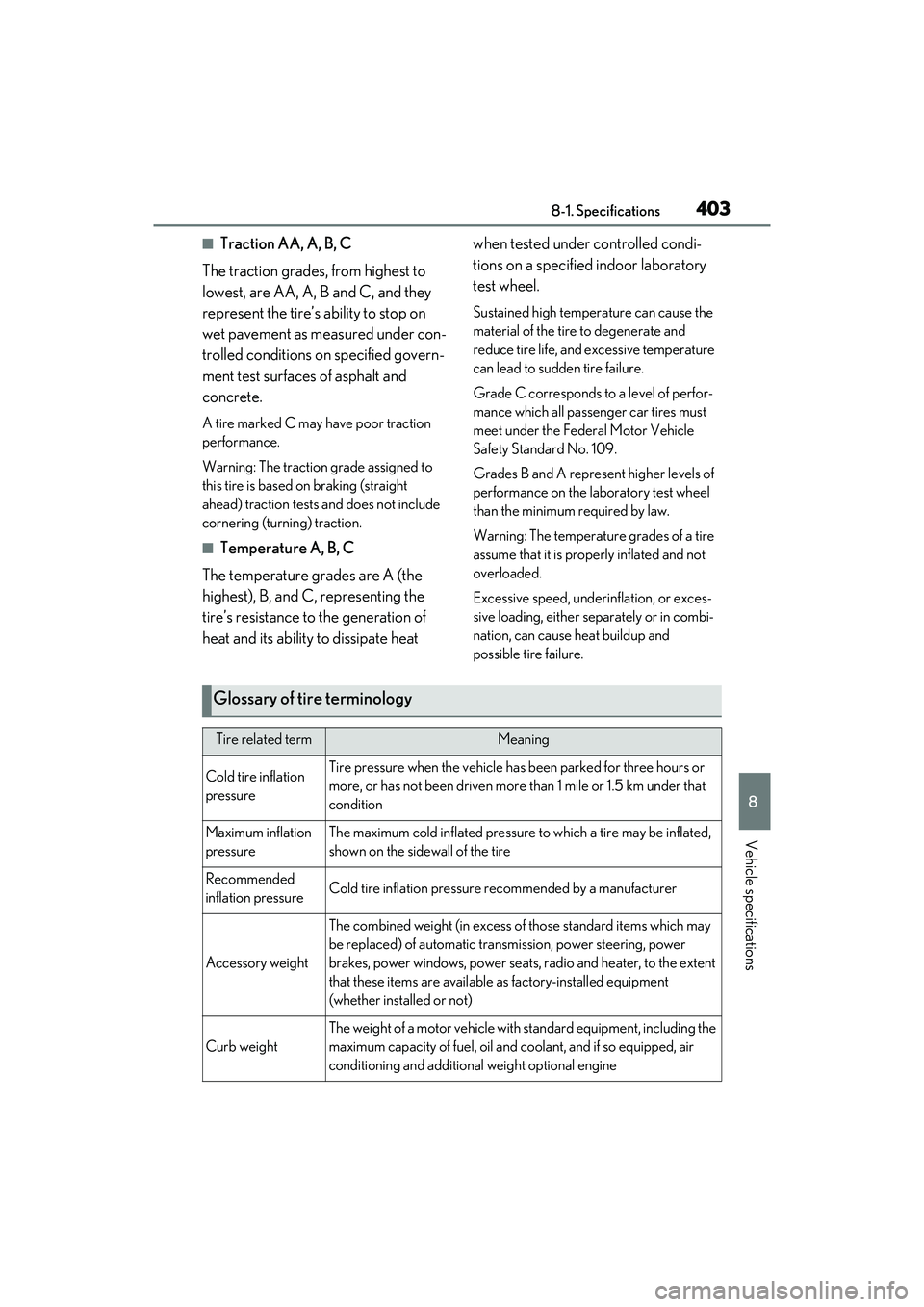
■Traction AA, A, B, C
The traction grades, from highest to
lowest, are AA, A, B and C, and they
represent the tire’s ability to stop on
wet pavement as measured under con-
trolled conditions on specified govern-
ment test surfaces of asphalt and
concrete.
A tire marked C may have poor traction
performance.
Warning: The traction grade assigned to
this tire is based on braking (straight
ahead) traction tests and does not include
cornering (turning) traction.
■Temperature A, B, C
The temperature grades are A (the
highest), B, and C, representing the
tire’s resistance to the generation of
heat and its ability to dissipate heat when tested under controlled condi-
tions on a specified indoor laboratory
test wheel.
Sustained high temperature can cause the
material of the tire to degenerate and
reduce tire life, and excessive temperature
can lead to sudden tire failure.
Grade C corresponds to a level of perfor-
mance which all passenger car tires must
meet under the Federal Motor Vehicle
Safety Standard No. 109.
Grades B and A represent higher levels of
performance on the laboratory test wheel
than the minimum required by law.
Warning: The temperature grades of a tire
assume that it is properly inflated and not
overloaded.
Excessive speed, underinflation, or exces-
sive loading, either separately or in combi-
nation, can cause heat buildup and
possible tire failure.
Glossary of tire terminology
Tire related termMeaning
Cold tire inflation
pressureTire pressure when the vehicle has been parked for three hours or
more, or has not been driven more
than 1 mile or 1.5 km under that
condition
Maximum inflation
pressureThe maximum cold inflated pressure to which a tire may be inflated,
shown on the sidewall of the tire
Recommended
inflation pressureCold tire inflation pressure recommended by a manufacturer
Accessory weight
The combined weight (in excess of those standard items which may
be replaced) of automatic transmission, power steering, power
brakes, power windows, power seats, radio and heater, to the extent
that these items are available as factory-installed equipment
(whether installed or not)
Curb weight
The weight of a motor vehicle with standard equipment, including the
maximum capacity of fuel, oil and coolant, and if so equipped, air
conditioning and additional weight optional engine
Page 432 of 468
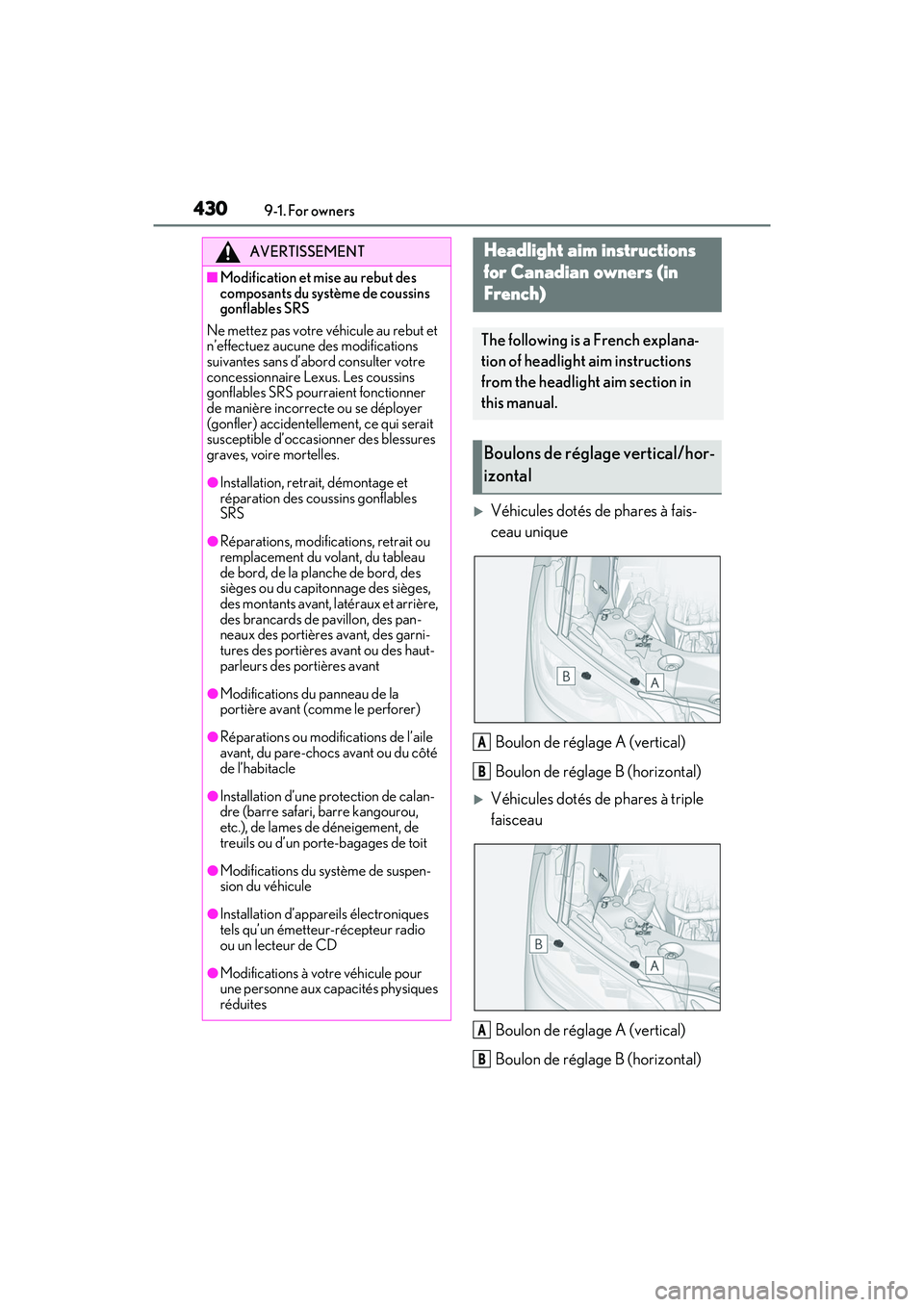
4309-1. For owners
Véhicules dotés de phares à fais-
ceau uniqueBoulon de réglage A (vertical)
Boulon de réglage B (horizontal)
Véhicules dotés de phares à triple
faisceauBoulon de réglage A (vertical)
Boulon de réglage B (horizontal)
AVERTISSEMENT
■Modification et mise au rebut des
composants du système de coussins
gonflables SRS
Ne mettez pas votre véhicule au rebut et
n’effectuez aucune des modifications
suivantes sans d’abord consulter votre
concessionnaire Lexus. Les coussins
gonflables SRS pourraient fonctionner
de manière incorrecte ou se déployer
(gonfler) accidentellement, ce qui serait
susceptible d’occasionner des blessures
graves, voire mortelles.
●Installation, retrait, démontage et
réparation des coussins gonflables
SRS
●Réparations, modifications, retrait ou
remplacement du volant, du tableau
de bord, de la planche de bord, des
sièges ou du capitonnage des sièges,
des montants avant, latéraux et arrière,
des brancards de pavillon, des pan-
neaux des portières avant, des garni-
tures des portières avant ou des haut-
parleurs des portières avant
●Modifications du panneau de la
portière avant (comme le perforer)
●Réparations ou modifications de l’aile
avant, du pare-chocs avant ou du côté
de l’habitacle
●Installation d’une protection de calan-
dre (barre safari, barre kangourou,
etc.), de lames de déneigement, de
treuils ou d’un porte-bagages de toit
●Modifications du système de suspen-
sion du véhicule
●Installation d’appareils électroniques
tels qu’un émetteur-récepteur radio
ou un lecteur de CD
●Modifications à votre véhicule pour
une personne aux capacités physiques
réduites
Headlight aim instructions
for Canadian owners (in
French)
The following is a French explana-
tion of headlight aim instructions
from the headlight aim section in
this manual.
Boulons de réglage vertical/hor-
izontal
A
B
A
B
Page 436 of 468
434What to do if... (Troubleshooting)
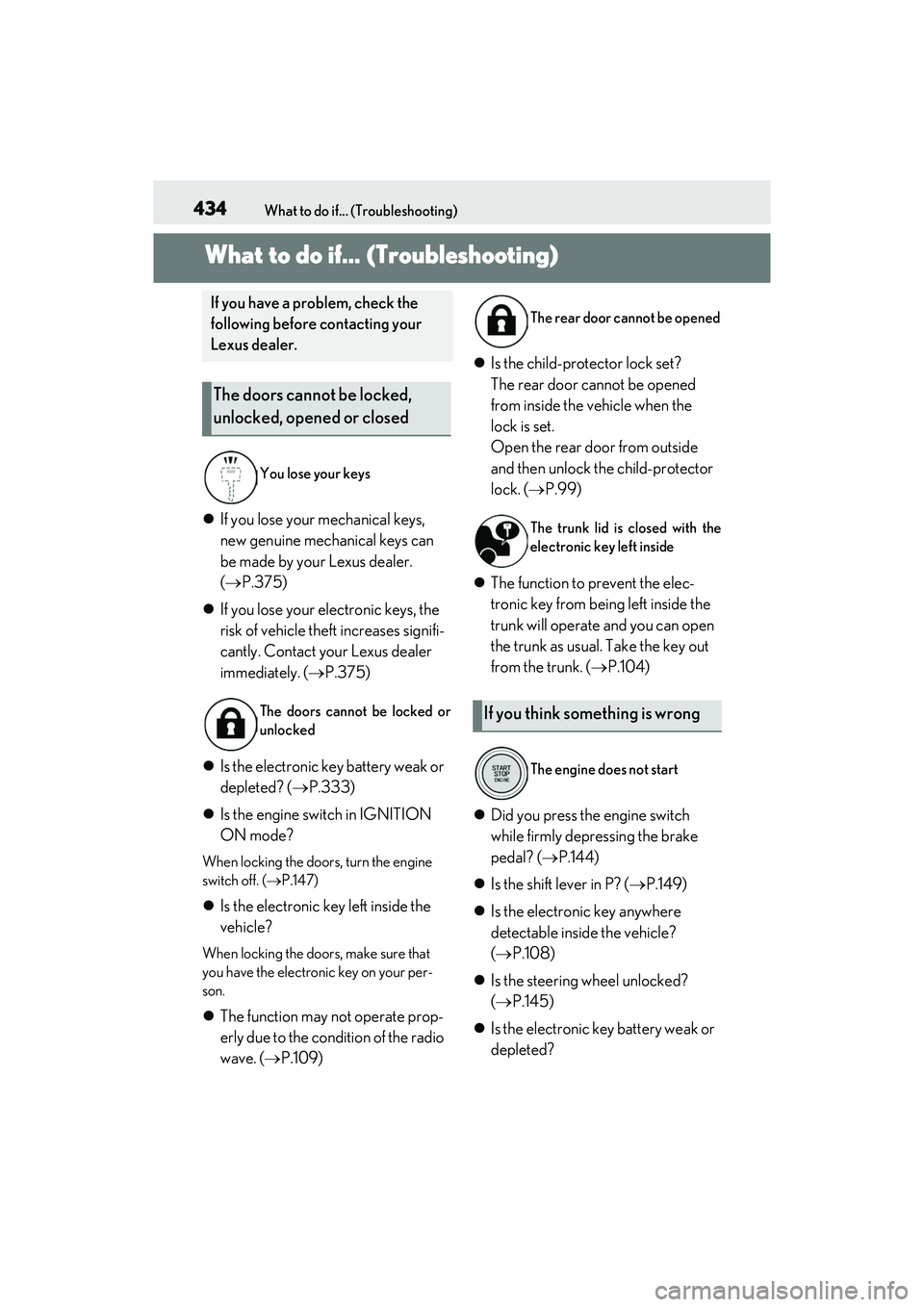
1-1. W hat to do if.. . (Troubleshoo ting)What to do if... (Troubleshooting)
If you lose your mechanical keys,
new genuine mechanical keys can
be made by your Lexus dealer.
( P.375)
If you lose your electronic keys, the
risk of vehicle theft increases signifi-
cantly. Contact your Lexus dealer
immediately. ( P.375)
Is the electronic key battery weak or
depleted? ( P.333)
Is the engine switch in IGNITION
ON mode?
When locking the doors, turn the engine
switch off. ( P.147)
Is the electronic key left inside the
vehicle?
When locking the doors, make sure that
you have the electronic key on your per-
son.
The function may not operate prop-
erly due to the condition of the radio
wave. ( P.109)
Is the child-protector lock set?
The rear door cannot be opened
from inside the vehicle when the
lock is set.
Open the rear d oor from outside
and then unlock the child-protector
lock. ( P.99)
The function to prevent the elec-
tronic key from being left inside the
trunk will operate and you can open
the trunk as usual. Take the key out
from the trunk. ( P.104)
Did you press the engine switch
while firmly depressing the brake
pedal? ( P.144)
Is the shift lever in P? ( P.149)
Is the electronic key anywhere
detectable inside the vehicle?
( P.108)
Is the steering wheel unlocked?
( P.145)
Is the electronic key battery weak or
depleted?
If you have a problem, check the
following before contacting your
Lexus dealer.
The doors cannot be locked,
unlocked, opened or closed
You lose your keys
The doors cannot be locked or
unlocked
The rear door cannot be opened
The trunk lid is closed with the
electronic key left inside
If you think something is wrong
The engine does not start