cruise control LEXUS ES350 2022 Owners Manual
[x] Cancel search | Manufacturer: LEXUS, Model Year: 2022, Model line: ES350, Model: LEXUS ES350 2022Pages: 468, PDF Size: 26.96 MB
Page 5 of 468
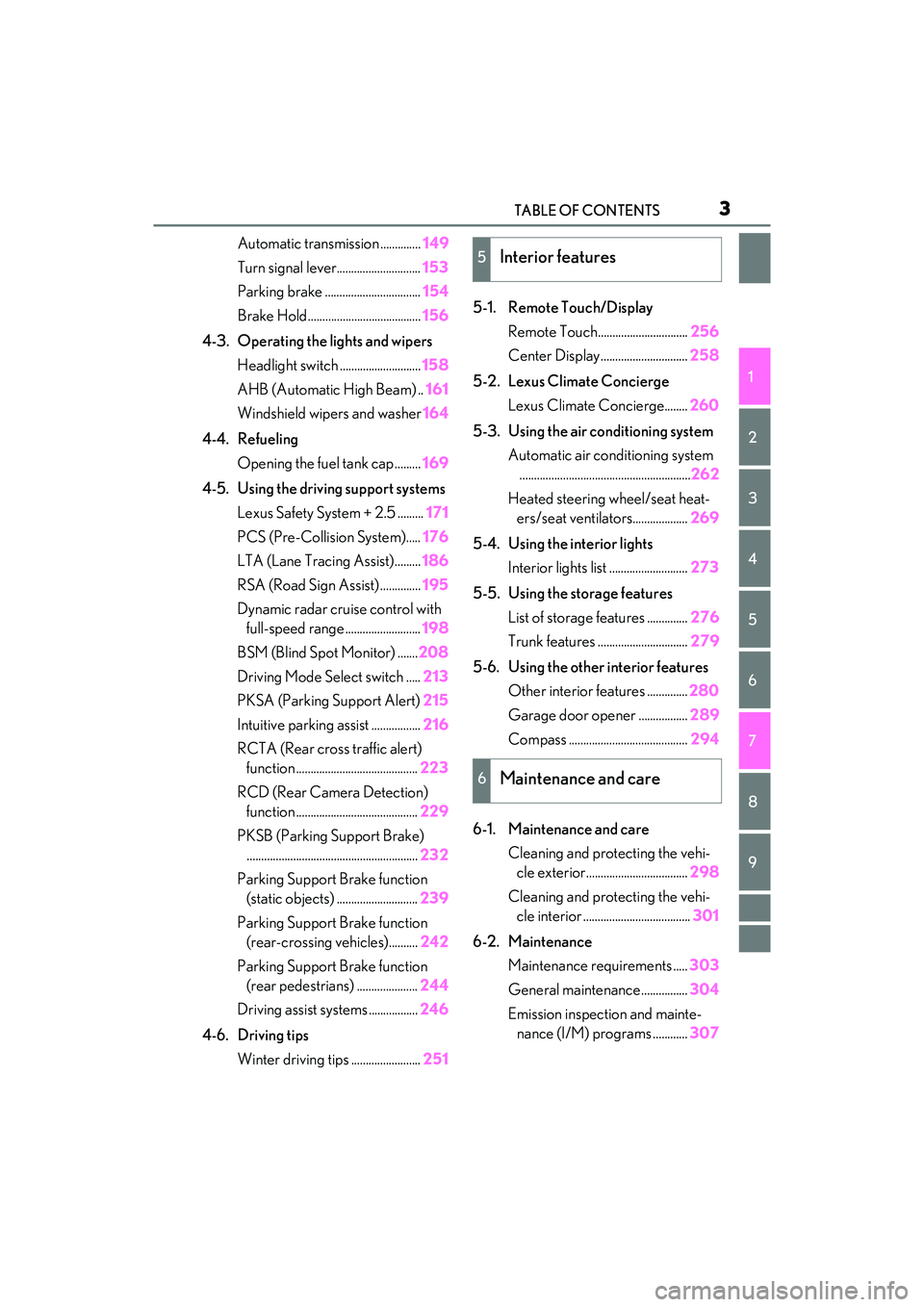
3TABLE OF CONTENTS
1
2
3
4
5
6
7
8
9
Automatic transmission ..............149
Turn signal lever............................. 153
Parking brake ................................. 154
Brake Hold....................................... 156
4-3. Operating the lights and wipers Headlight switch ............................ 158
AHB (Automatic High Beam) .. 161
Windshield wipers and washer 164
4-4. Refueling Opening the fuel tank cap ......... 169
4-5. Using the driving support systems Lexus Safety System + 2.5 ......... 171
PCS (Pre-Collision System)..... 176
LTA (Lane Tracing Assist)......... 186
RSA (Road Sign Assist) .............. 195
Dynamic radar cruise control with full-speed range .......................... 198
BSM (Blind Spot Monitor) ....... 208
Driving Mode Select switch ..... 213
PKSA (Parking Support Alert) 215
Intuitive parking assist ................. 216
RCTA (Rear cross traffic alert) function .......................................... 223
RCD (Rear Camera Detection) function .......................................... 229
PKSB (Parking Support Brake) ........................................................... 232
Parking Support Brake function (static objects) ............................ 239
Parking Support Brake function (rear-crossing vehicles).......... 242
Parking Support Brake function (rear pedestrians) ..................... 244
Driving assist systems ................. 246
4-6. Driving tips Winter driving tips ........................ 2515-1. Remote Touch/Display
Remote Touch............................... 256
Center Display.............................. 258
5-2. Lexus Climate Concierge Lexus Climate Concierge........ 260
5-3. Using the air conditioning system Automatic air conditioning system...........................................................262
Heated steering wheel/seat heat- ers/seat ventilators................... 269
5-4. Using the interior lights Interior lights list ........................... 273
5-5. Using the storage features List of storage features .............. 276
Trunk features ............................... 279
5-6. Using the other interior features Other interior features .............. 280
Garage door opener ................. 289
Compass ......................................... 294
6-1. Maintenance and care Cleaning and protecting the vehi-cle exterior................................... 298
Cleaning and protecting the vehi- cle interior ..................................... 301
6-2. Maintenance Maintenance requirements ..... 303
General maintenance................ 304
Emission inspection and mainte- nance (I/M) programs ............ 3075Interior features
6Maintenance and care
Page 20 of 468
18Pictorial index
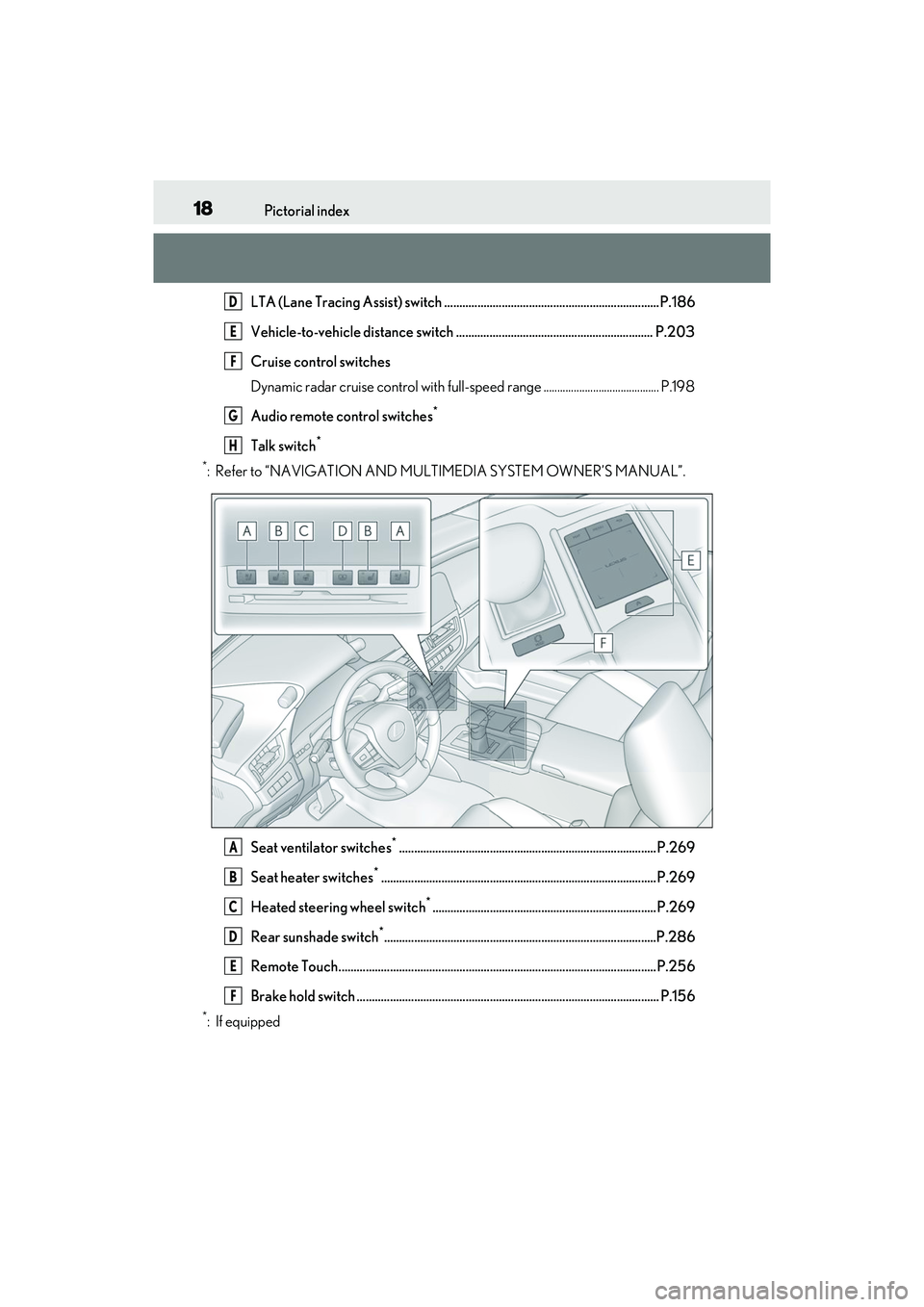
LTA (Lane Tracing Assist) switch .......................................................................P.186
Vehicle-to-vehicle distance switch ................................................................. P.203
Cruise control switches
Dynamic radar cruise control with full-speed range .......................................... P.198
Audio remote control switches
*
Talk switch*
*
: Refer to “NAVIGATION AND MULTIMEDIA SYSTEM OWNER’S MANUAL”.
Seat ventilator switches
*.....................................................................................P.269
Seat heater switches
*...........................................................................................P.269
Heated steering wheel switch
*..........................................................................P.269
Rear sunshade switch
*..........................................................................................P.286
Remote Touch.........................................................................................................P.256
Brake hold switch .................................................................................................... P.156
*: If equipped
D
E
F
G
H
A
B
C
D
E
F
Page 68 of 468
662-1. Instrument cluster
*1: These lights come on when the engine switch is turned to IGNITION ON
mode to indicate that a system check is
being performed. They will turn off after
the engine is started, or after a few sec-
onds. There may be a malfunction in a
system if the lights do not come on, or
turn off. Have the vehicle inspected by
your Lexus dealer.
*2: This light illuminates on the multi-infor-mation display.
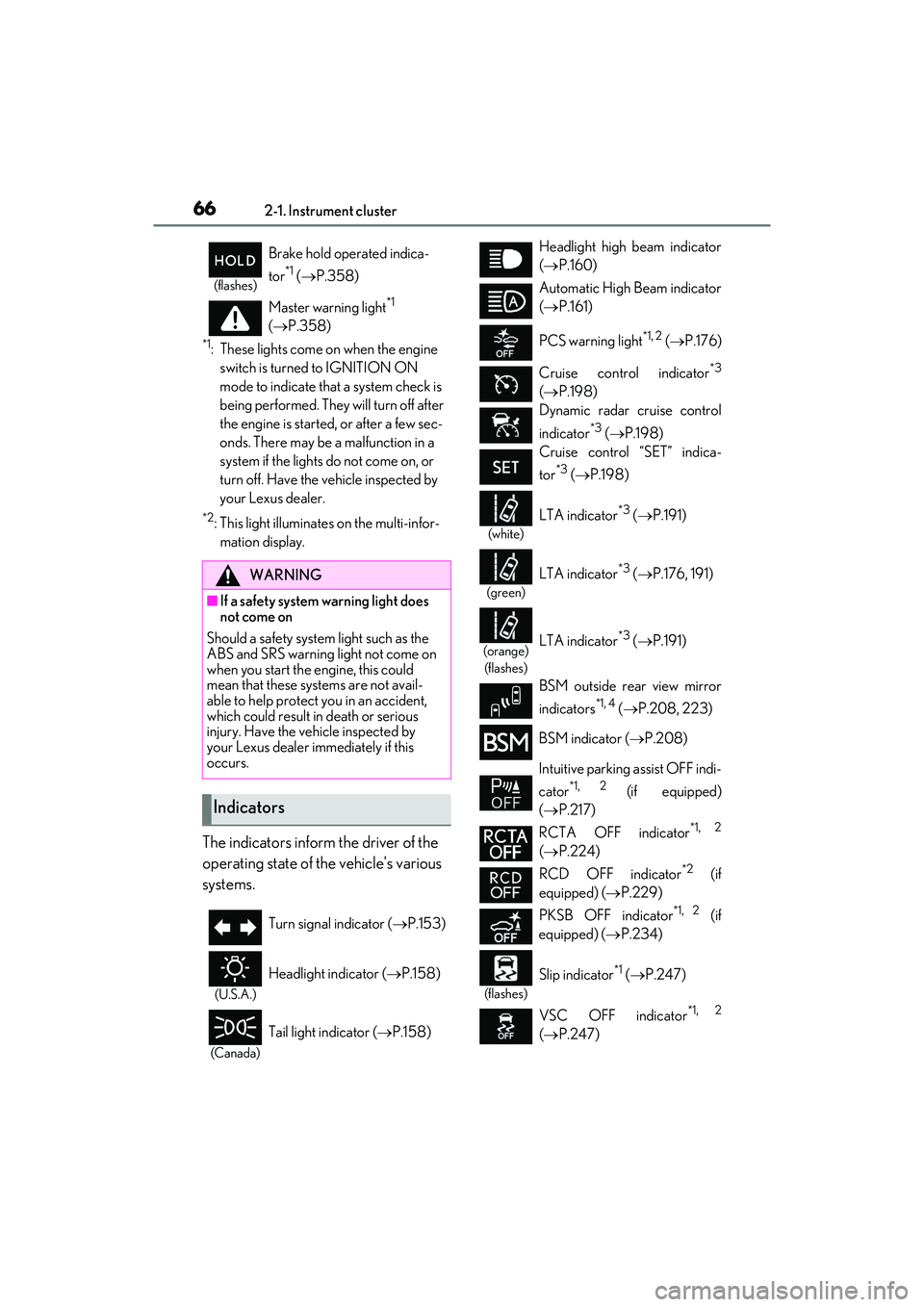
The indicators inform the driver of the
operating state of the vehicle’s various
systems.
(flashes)
Brake hold operated indica-
tor
*1 ( P.358)
Master warning light
*1
( P.358)
WARNING
■If a safety system warning light does
not come on
Should a safety system light such as the
ABS and SRS warning light not come on
when you start the engine, this could
mean that these systems are not avail-
able to help protect you in an accident,
which could result in death or serious
injury. Have the vehicle inspected by
your Lexus dealer immediately if this
occurs.
Indicators
Turn signal indicator ( P.153)
(U.S.A.)
Headlight indicator ( P.158)
(Canada)
Tail light indicator ( P.158)
Headlight high beam indicator
( P.160)
Automatic High Beam indicator
( P.161)
PCS warning light
*1, 2 ( P.176)
Cruise control indicator
*3
( P.198)
Dynamic radar cruise control
indicator
*3 ( P.198)
Cruise control “SET” indica-
tor
*3 ( P.198)
(white)
LTA indicator*3 ( P.191)
(green)
LTA indicator*3 ( P.176, 191)
(orange)
(flashes)LTA indicator*3 ( P.191)
BSM outside rear view mirror
indicators
*1, 4 ( P.208, 223)
BSM indicator ( P.208)
Intuitive parking assist OFF indi-
cator
*1, 2 (if equipped)
( P.217)
RCTA OFF indicator
*1, 2
( P.224)
RCD OFF indicator
*2 (if
equipped) ( P.229)
PKSB OFF indicator
*1, 2 (if
equipped) ( P.234)
(flashes)
Slip indicator*1 ( P.247)
VSC OFF indicator
*1, 2
( P.247)
Page 82 of 468
802-1. Instrument cluster
generated, the G-force value display will
turn amber and be held for 2 seconds.
■Gear Position (F SPORT models)
Displays the current shift range or gear
position when the shift lever is in D or S.
■Units (F SPORT models)
The units of measure used can be
changed while driving.
Unlike the units setting performed on the
settings display, the units setting per-
formed on the drive information display
can be changed while driving.
■Eco Driving Indicator
Eco Driving Indicator will not operate
under the following conditions:
●The shift lever is in any position other than
D.
●A paddle shift switch is operated.
●The driving mode is set to other than nor-
mal mode or eco drive mode.
●The vehicle speed is approximately 80
mph (130 km/h) or higher.
Select to display the following naviga-
tion system-linked information.
Route guidance to destination
Compass display (heading-up dis-
play)
■Route guidance to destination display
When the route guidance to destination
display is enabled on the head-up display, it
will not be displayed on the multi-informa-
tion display. ( P.84)
Select to enable selection of an audio
source or track on the meter using the
meter control switches.
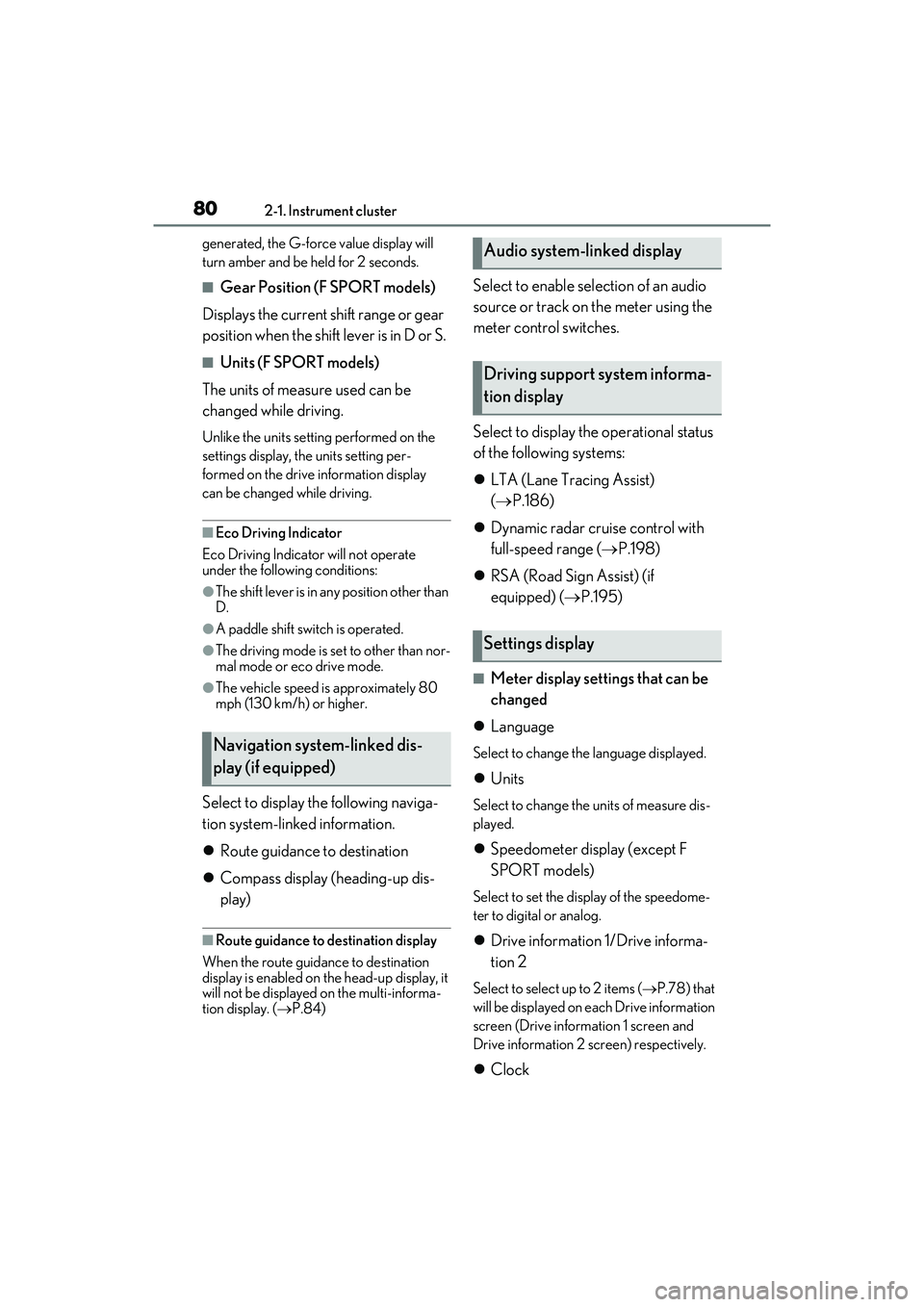
Select to display the operational status
of the following systems:
LTA (Lane Tracing Assist)
( P.186)
Dynamic radar cruise control with
full-speed range ( P.198)
RSA (Road Sign Assist) (if
equipped) ( P.195)
■Meter display settings that can be
changed
Language
Select to change the language displayed.
Units
Select to change the units of measure dis-
played.
Speedometer display (except F
SPORT models)
Select to set the display of the speedome-
ter to digital or analog.
Drive information 1/Drive informa-
tion 2
Select to select up to 2 items ( P.78) that
will be displayed on e ach Drive information
screen (Drive inform ation 1 screen and
Drive information 2 screen) respectively.
Clock
Navigation system-linked dis-
play (if equipped)
Audio system-linked display
Driving support system informa-
tion display
Settings display
Page 87 of 468
852-1. Instrument cluster
2
Vehicle status information and indicators
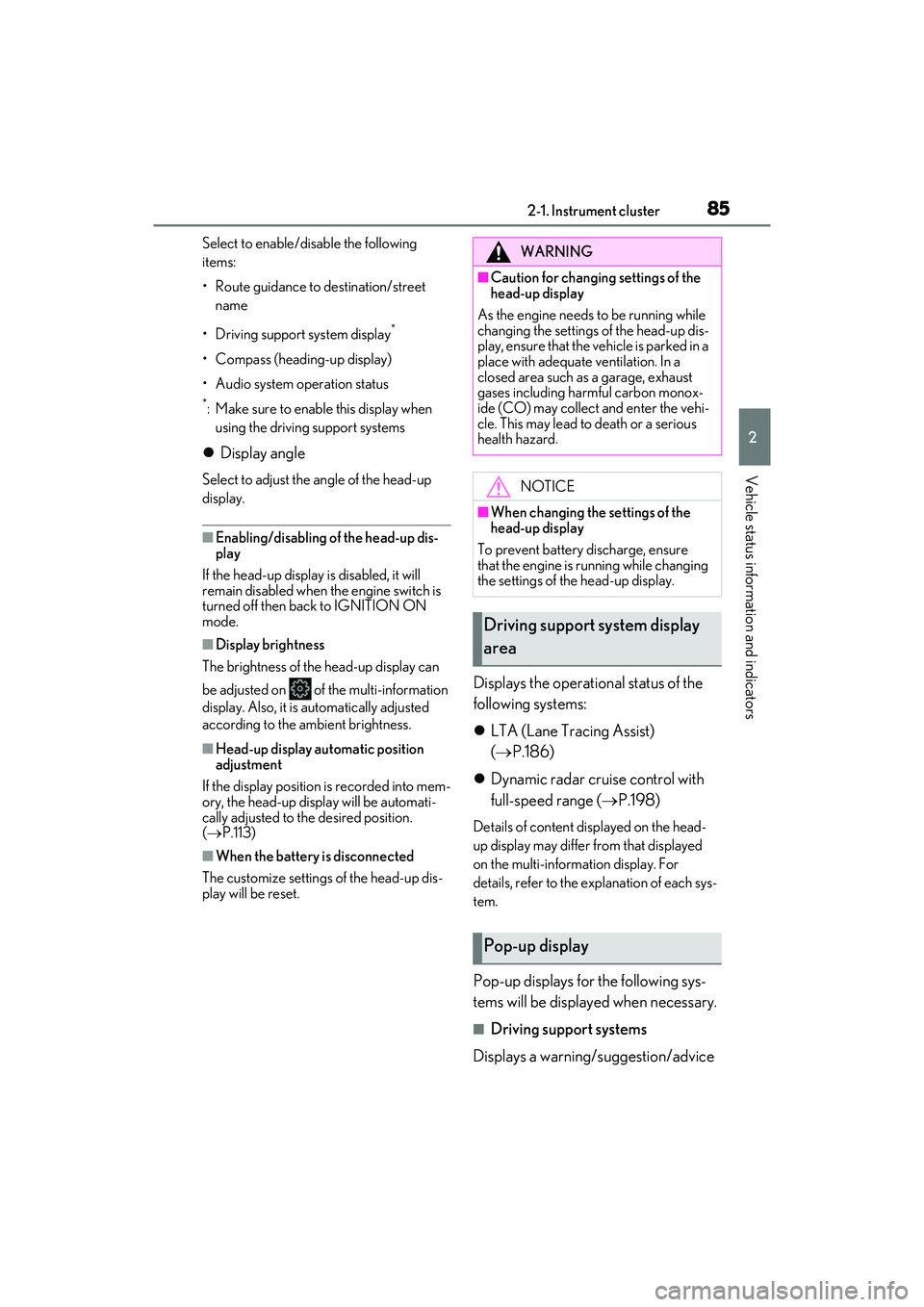
Select to enable/disable the following
items:
• Route guidance to destination/street name
• Driving support system display
*
• Compass (heading-up display)
• Audio system operation status
*: Make sure to enable this display when using the driving support systems
Display angle
Select to adjust the angle of the head-up
display.
■Enabling/disabling of the head-up dis-
play
If the head-up display is disabled, it will
remain disabled when the engine switch is
turned off then back to IGNITION ON
mode.
■Display brightness
The brightness of the head-up display can
be adjusted on of the multi-information
display. Also, it is automatically adjusted
according to the ambient brightness.
■Head-up display automatic position
adjustment
If the display position is recorded into mem-
ory, the head-up display will be automati-
cally adjusted to the desired position.
( P.113)
■When the battery is disconnected
The customize settings of the head-up dis-
play will be reset.
Displays the operational status of the
following systems:
LTA (Lane Tracing Assist)
( P.186)
Dynamic radar cruise control with
full-speed range ( P.198)
Details of content displayed on the head-
up display may differ from that displayed
on the multi-information display. For
details, refer to the explanation of each sys-
tem.
Pop-up displays for the following sys-
tems will be displayed when necessary.
■Driving support systems
Displays a warning/suggestion/advice
WARNING
■Caution for changing settings of the
head-up display
As the engine needs to be running while
changing the settings of the head-up dis-
play, ensure that the vehicle is parked in a
place with adequate ventilation. In a
closed area such as a garage, exhaust
gases including harmful carbon monox-
ide (CO) may collect and enter the vehi-
cle. This may lead to death or a serious
health hazard.
NOTICE
■When changing the settings of the
head-up display
To prevent battery discharge, ensure
that the engine is running while changing
the settings of the head-up display.
Driving support system display
area
Pop-up display
Page 135 of 468
133
4
4
Driving
Driving
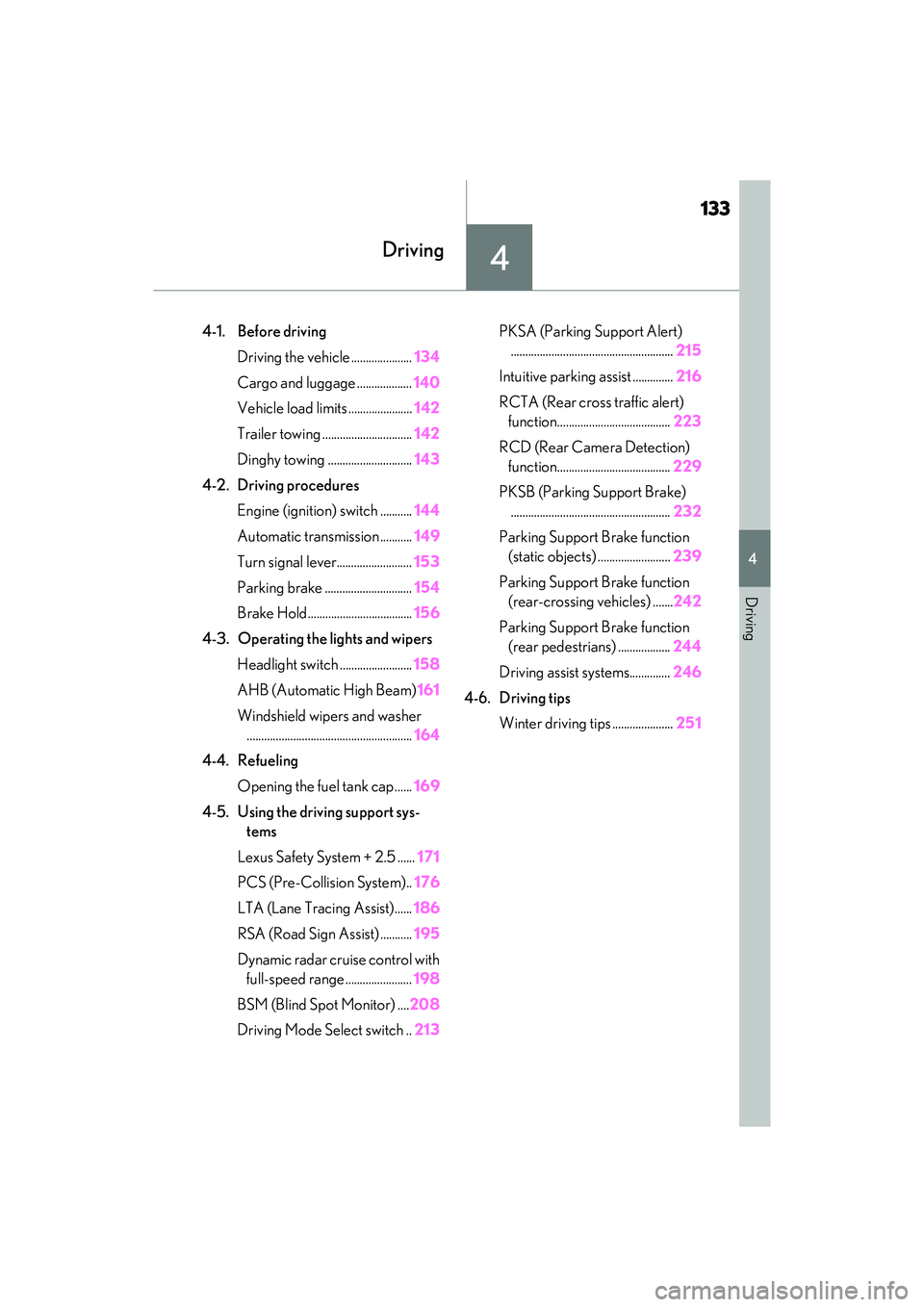
4-1. Before drivingDriving the vehicle ..................... 134
Cargo and luggage ................... 140
Vehicle load limits ...................... 142
Trailer towing ............................... 142
Dinghy towing ............................. 143
4-2. Driving procedures Engine (ignition) switch ........... 144
Automatic transmission ........... 149
Turn signal lever.......................... 153
Parking brake .............................. 154
Brake Hold.................................... 156
4-3. Operating the lights and wipers Headlight switch ......................... 158
AHB (Automatic High Beam) 161
Windshield wipers and washer ......................................................... 164
4-4. Refueling
Opening the fuel tank cap ...... 169
4-5. Using the driving support sys- tems
Lexus Safety System + 2.5 ...... 171
PCS (Pre-Collision System).. 176
LTA (Lane Tracing Assist)...... 186
RSA (Road Sign Assist) ........... 195
Dynamic radar cruise control with full-speed range ....................... 198
BSM (Blind Spot Monitor) .... 208
Driving Mode Select switch .. 213PKSA (Parking Support Alert)
........................................................ 215
Intuitive parking assist .............. 216
RCTA (Rear cross traffic alert) function....................................... 223
RCD (Rear Camera Detection) function....................................... 229
PKSB (Parking Support Brake) ....................................................... 232
Parking Support Brake function (static objects) ......................... 239
Parking Support Brake function (rear-crossing vehicles) ....... 242
Parking Support Brake function (rear pedestrians) .................. 244
Driving assist systems.............. 246
4-6. Driving tips Winter driving tips ..................... 251
Page 151 of 468
1494-2. Driving procedures
4
Driving
*1: Shifting to the D position allows the sys-tem to select a gear suitable for the
driving conditions. Setting the shift lever
to the D position is recommended for
normal driving. You can choose shift
range suitable for your driving situation
by operating the paddle shift switches.
*2: Selecting shift ranges using S mode restricts the upper limit of the possible
gear ranges, controls engine braking
force, and prevents unnecessary
upshifting.
■When driving with dynamic radar cruise
control with full-speed range activated
Even when performing the following
actions with the intent of enabling engine
braking, engine braking will not be acti-
vated because dynamic radar cruise con-
trol with full-speed range will not be
canceled.
●While driving in the D position or S mode,
downshifting to S7, S6, S5 or S4.
( P.198)
●When switching the driving mode to
sport mode while driving in D position.
( P.213)
■Restraining sudden start (Drive-Start
Control)
P.139
■AI-SHIFT
The AI-SHIFT automatically selects the suit-
able gear according to driver performance
and driving conditions.
The AI-SHIFT automatically operates when
the shift lever is in D. (Shifting the shift lever
to the S position or using the paddle shift
cancels the function.)
Automatic transmission
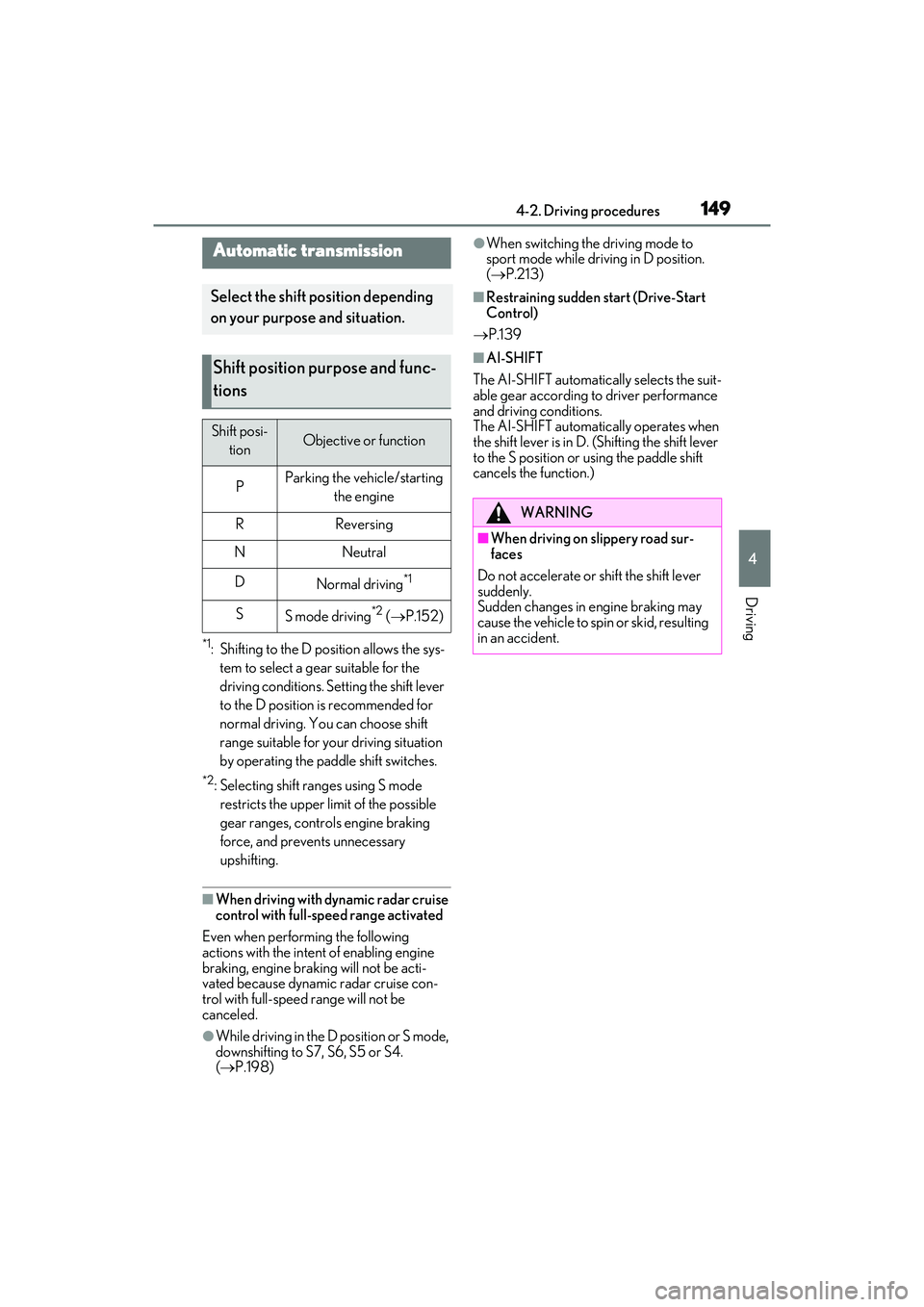
Select the shift position depending
on your purpose and situation.
Shift position purpose and func-
tions
Shift posi- tionObjective or function
PParking the vehicle/starting the engine
RReversing
NNeutral
DNormal driving*1
SS mode driving*2 ( P.152)
WARNING
■When driving on slippery road sur-
faces
Do not accelerate or shift the shift lever
suddenly.
Sudden changes in engine braking may
cause the vehicle to spin or skid, resulting
in an accident.
Page 173 of 468
1714-5. Using the driving support systems
4
Driving
4-5.Using the driving support s yste ms
■PCS (Pre-Collision System)
P.176
■LTA (Lane Tracing Assist)
P.186
■AHB (Automatic High Beam)
P.161
■RSA (Road Sign Assist) (if
equipped)
P.195
■Dynamic radar cruise control with
full-speed range
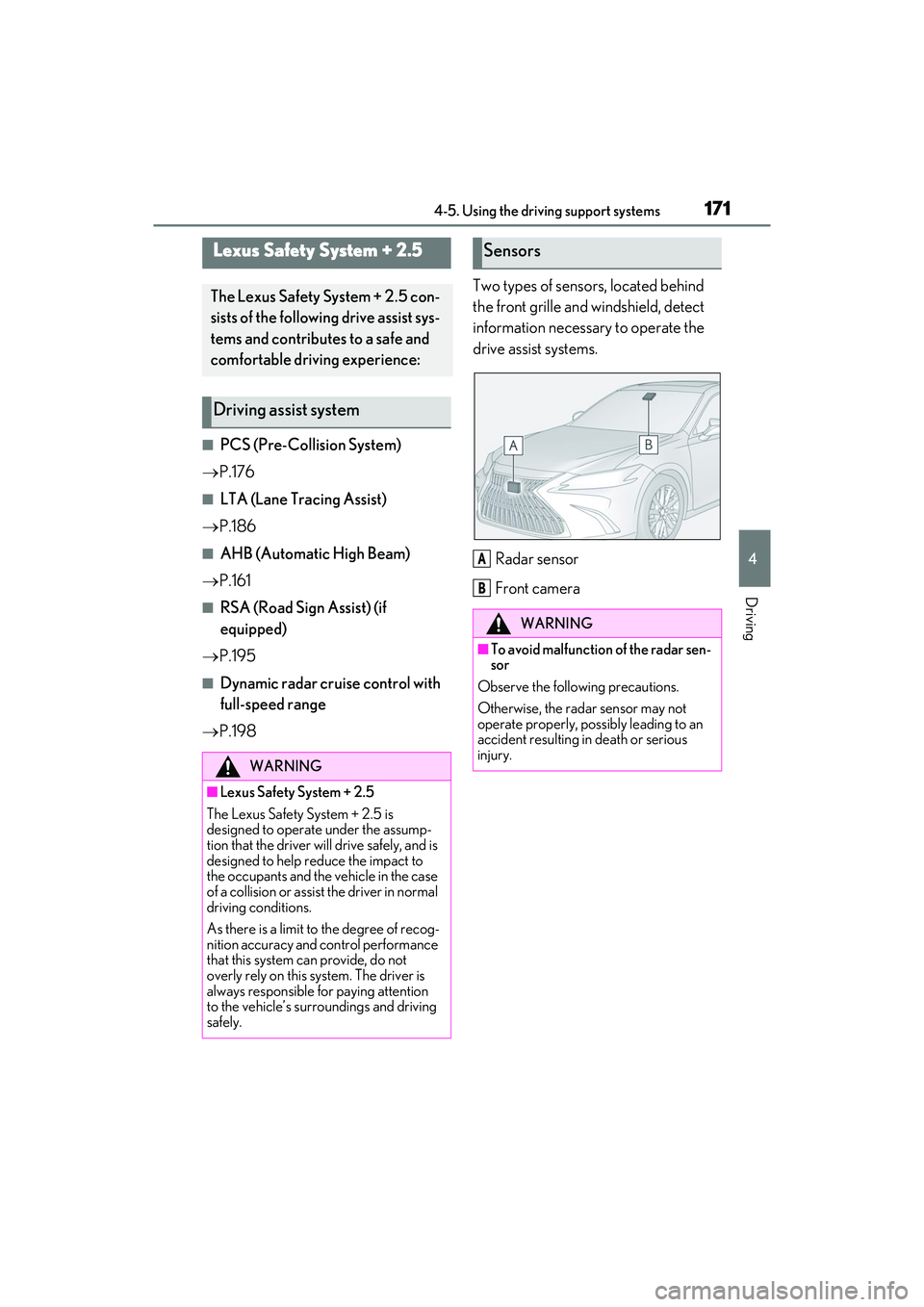
P.198 Two types of sensors, located behind
the front grille and windshield, detect
information necessary to operate the
drive assist systems.
Radar sensor
Front camera
Lexus Safety System + 2.5
The Lexus Safety System + 2.5 con-
sists of the following drive assist sys-
tems and contributes to a safe and
comfortable driving experience:
Driving assist system
WARNING
■Lexus Safety System + 2.5
The Lexus Safety System + 2.5 is
designed to operate under the assump-
tion that the driver will drive safely, and is
designed to help reduce the impact to
the occupants and the vehicle in the case
of a collision or assist the driver in normal
driving conditions.
As there is a limit to the degree of recog-
nition accuracy and control performance
that this system can provide, do not
overly rely on this system. The driver is
always responsible for paying attention
to the vehicle’s surroundings and driving
safely.
Sensors
WARNING
■To avoid malfunction of the radar sen-
sor
Observe the following precautions.
Otherwise, the radar sensor may not
operate properly, possibly leading to an
accident resulting in death or serious
injury.
A
B
Page 188 of 468
1864-5. Using the driving support systems
parts are extremely cold, extremely hot,
or wet
• If the vehicle is not properly maintained
(brakes or tires are excessively worn,
improper tire inflation pressure, etc.)
• When the vehicle is being driven on a
gravel road or other slippery surface
• When the road surface has deep wheel tracks
• When driving on a hill road
• When driving on a road that has inclines to the left or right
■If VSC is disabled
●If VSC is disabled ( P.247), the pre-
collision brake assist and pre-collision
braking functions are also disabled.
●The PCS warning light will turn on and
“VSC Turned off Pre-Collision Brake
System Unavailable” will be displayed on
the multi-information display.
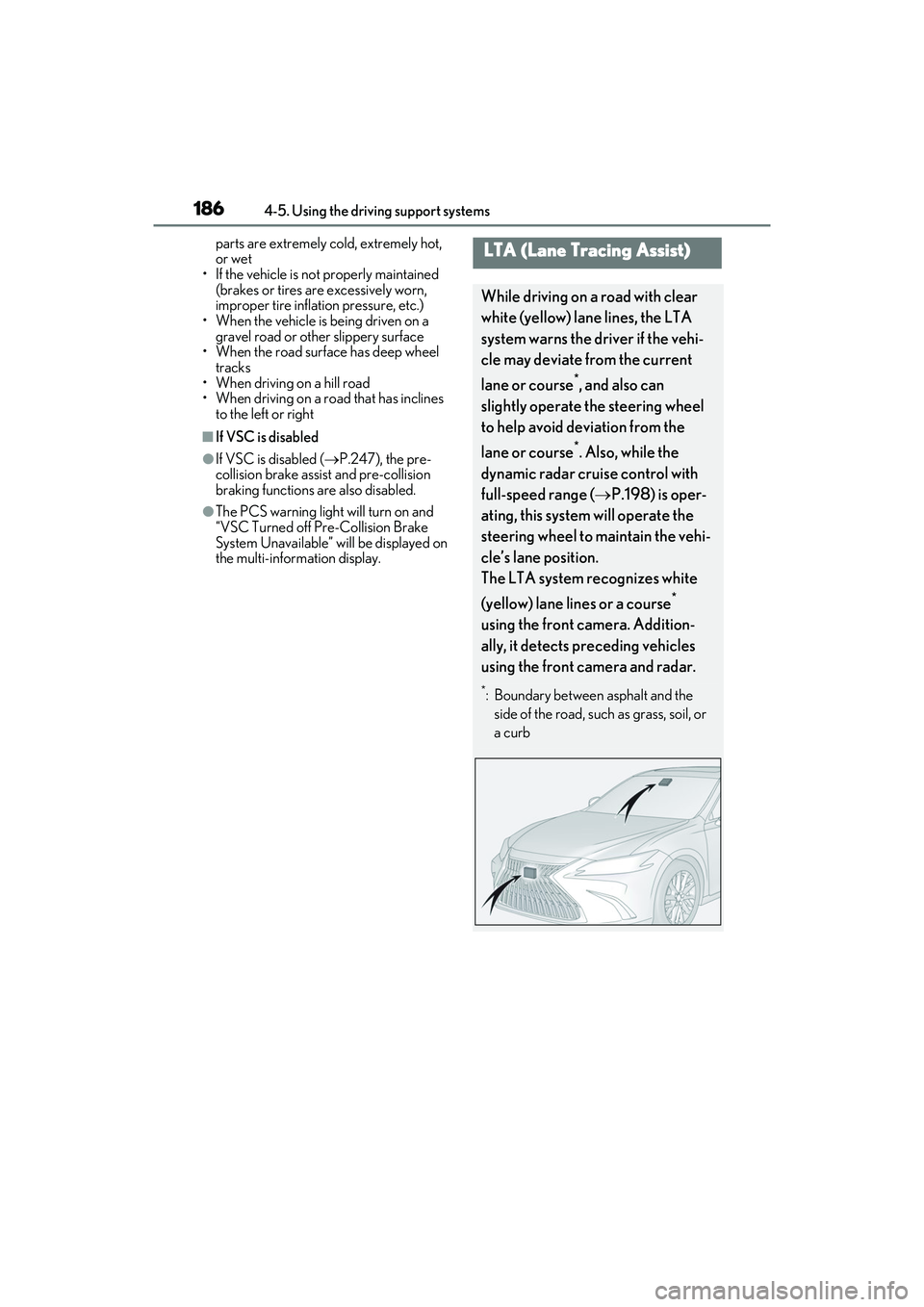
LTA (Lane Tracing Assist)
While driving on a road with clear
white (yellow) lane lines, the LTA
system warns the driver if the vehi-
cle may deviate from the current
lane or course
*, and also can
slightly operate the steering wheel
to help avoid deviation from the
lane or course
*. Also, while the
dynamic radar cruise control with
full-speed range ( P.198) is oper-
ating, this system will operate the
steering wheel to maintain the vehi-
cle’s lane position.
The LTA system recognizes white
(yellow) lane lines or a course
*
using the front camera. Addition-
ally, it detects preceding vehicles
using the front camera and radar.
*: Boundary between asphalt and the side of the road, such as grass, soil, or
a curb
Page 192 of 468
1904-5. Using the driving support systems
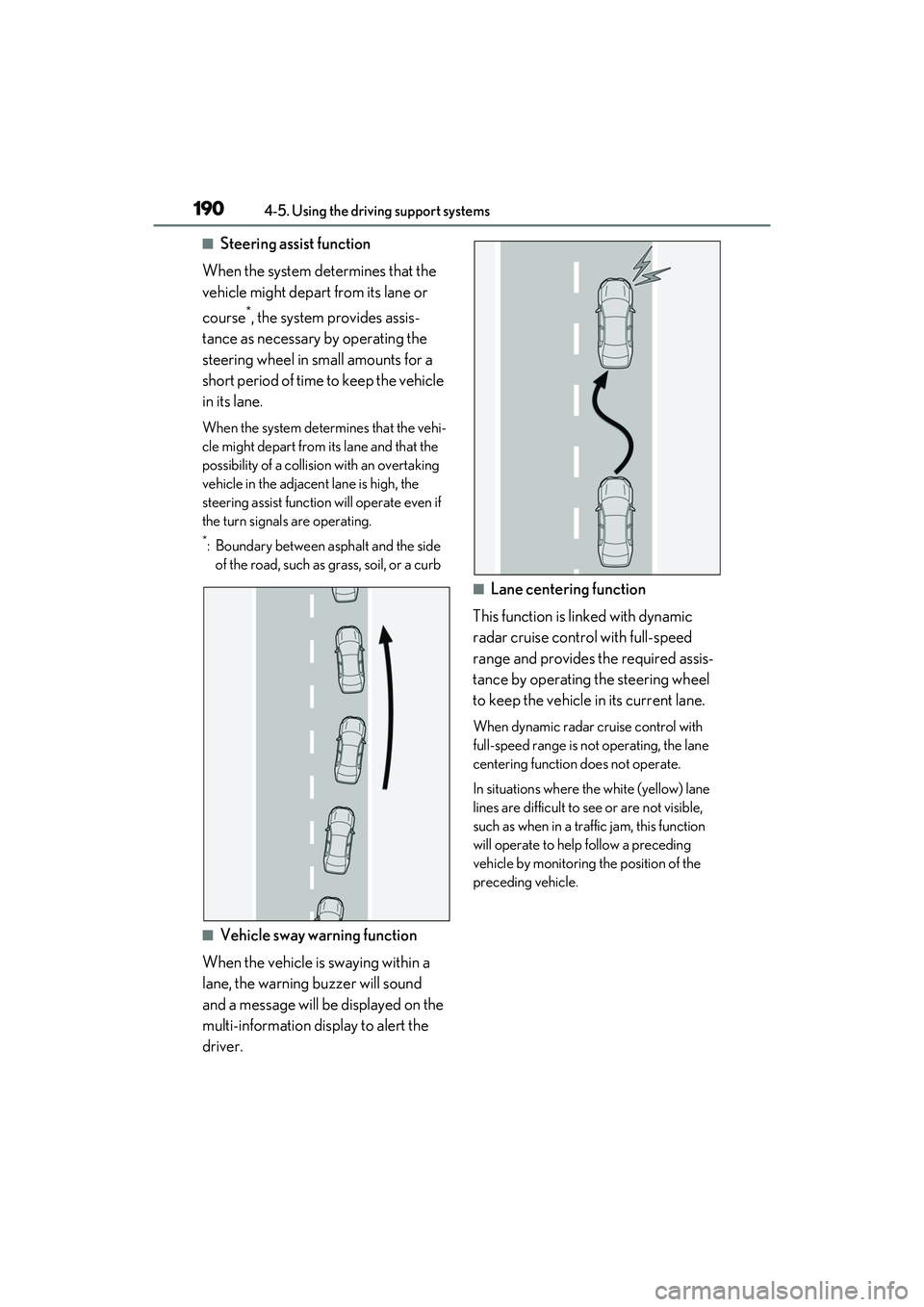
■Steering assist function
When the system determines that the
vehicle might depart from its lane or
course
*, the system provides assis-
tance as necessary by operating the
steering wheel in small amounts for a
short period of time to keep the vehicle
in its lane.
When the system determines that the vehi-
cle might depart from its lane and that the
possibility of a collision with an overtaking
vehicle in the adjacent lane is high, the
steering assist function will operate even if
the turn signals are operating.
*: Boundary between asphalt and the side of the road, such as grass, soil, or a curb
■Vehicle sway warning function
When the vehicle is swaying within a
lane, the warning buzzer will sound
and a message will be displayed on the
multi-information display to alert the
driver.
■Lane centering function
This function is linked with dynamic
radar cruise control with full-speed
range and provides the required assis-
tance by operating the steering wheel
to keep the vehicle in its current lane.
When dynamic radar cruise control with
full-speed range is not operating, the lane
centering function does not operate.
In situations where the white (yellow) lane
lines are difficult to see or are not visible,
such as when in a traffic jam, this function
will operate to help follow a preceding
vehicle by monitoring the position of the
preceding vehicle.