battery Lexus GS F 2017 Owner's Manual
[x] Cancel search | Manufacturer: LEXUS, Model Year: 2017, Model line: GS F, Model: Lexus GS F 2017Pages: 676, PDF Size: 67.73 MB
Page 6 of 676
TABLE OF CONTENTS6
GS350_200t_GS F_OM_OM30F83E_(EE)
7-2. Steps to take in an emergency
If your vehicle needs to be towed ................................. 510
If you think something is wrong ........................................ 516
Fuel pump shut off system ....... 517
If a warning light turns on or a warning buzzer
sounds........................................... 518
If a warning message is displayed.................................524
If you have a flat tire (vehicles with spare tire)..........................557
If you have a flat tire (vehicles without spare tire) ...................573
If the engine will not start ....... 590
If the parking brake cannot be released .................592
If the electronic key does not operate properly .....................594
If the vehicle battery is discharged .............................597
If your vehicle overheats .........602
If the vehicle becomes stuck ........................ 608 8-1. Specifications
Maintenance data (fuel, oil level, etc.).................... 612
Fuel information.......................... 632
8-2. Customization Customizable features ............634
8-3. Initialization Item to initialize ............................ 651
What to do if... (Troubleshooting) ...............................654
Alphabetical index................................ 6588Vehicle specifications
Index
For information regarding the equipm ent listed below, refer to the
“NAVIGATION AND MULTIMEDIA SYSTEM OWNER’S MANUAL”
Page 94 of 676
941-2. Theft deterrent system
GS350_200t_GS F_OM_OM30F83E_(EE)
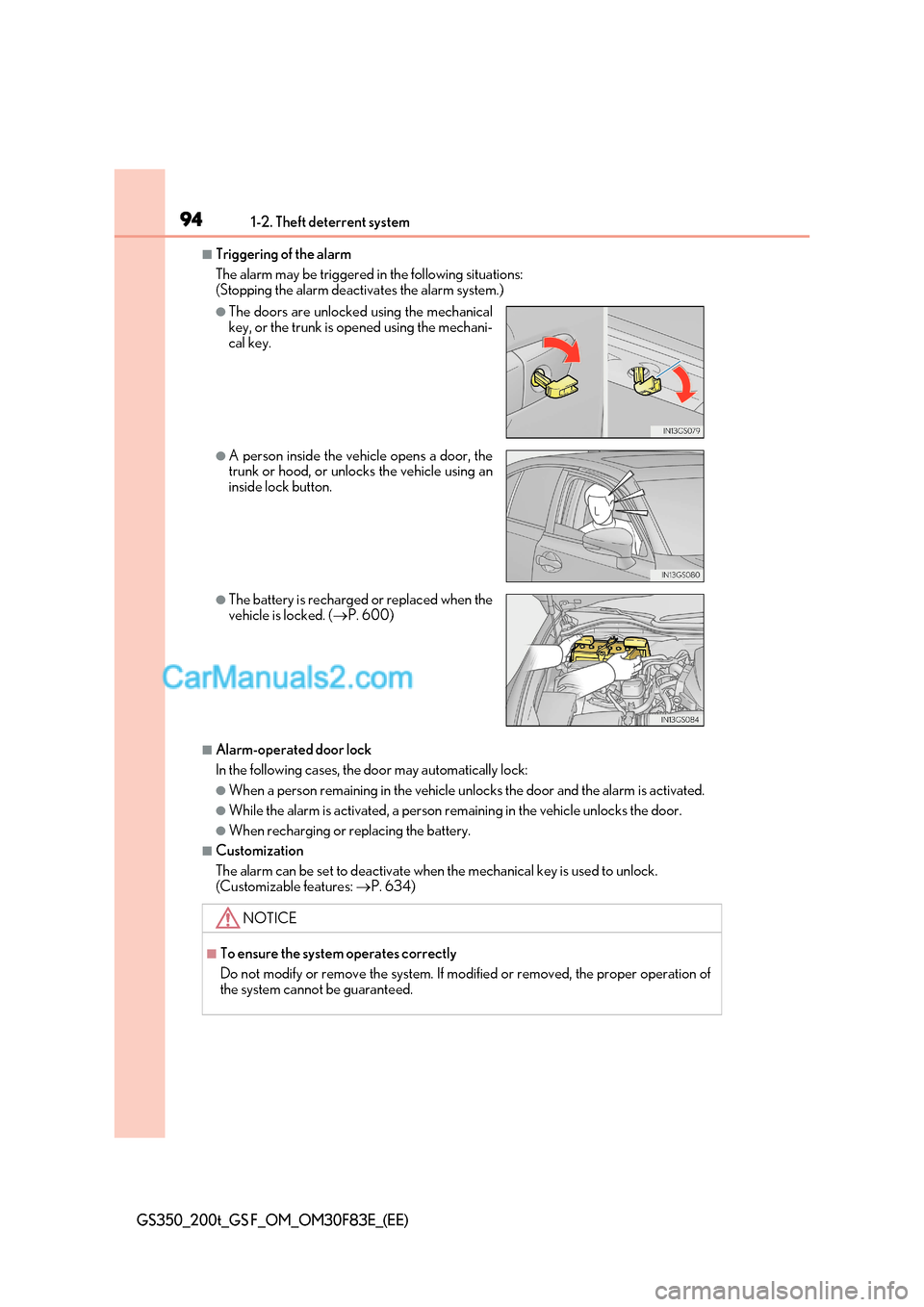
■Triggering of the alarm
The alarm may be triggered in the following situations:
(Stopping the alarm deactivates the alarm system.)
■Alarm-operated door lock
In the following cases, the door may automatically lock:
●When a person remain ing in the vehicle unlocks the d oor and the alarm is activated.
●While the alarm is activated, a person re maining in the vehicle unlocks the door.
●When recharging or replacing the battery.
■Customization
The alarm can be set to deactivate when the mechanical key is used to unlock.
(Customizable features: P. 634)
●The doors are unlocked using the mechanical
key, or the trunk is opened using the mechani-
cal key.
●A person inside the vehicle opens a door, the
trunk or hood, or unlocks the vehicle using an
inside lock button.
●The battery is recharged or replaced when the
vehicle is locked. ( P. 600)
NOTICE
■To ensure the system operates correctly
Do not modify or remove the system. If mo dified or removed, the proper operation of
the system cannot be guaranteed.
Page 127 of 676
127
2. Instrument cluster
2
Instrument cluster
GS350_200t_GS F_OM_OM30F83E_(EE)
■G-force display
●The G-force values may not be zero even when the vehicle is parked, such as when it is
parked on an incline.
●Depending on the vehicle usage conditions, the brake fluid pressure display may not
reach its maximum reading even though the brake pedal is fully depressed.
●If a battery terminal is disconnected and reconnected, the steering amount display may
be disabled temporarily. After driving the ve hicle for a while, the display will be enabled.
■Suspension of the settings display
In the following situations, the settings disp lay using the meter control switches will be
suspended.
●When a warning message appears on the multi-information display
●When the vehicle begins to move
■Tire inflation pressure (if equipped)
●It may take a few minutes to display the tire inflation pressure afte r the engine switch is
turned to IGNITION ON mode. It may also take a few minutes to display the tire infla-
tion pressure after inflation pressure has been adjusted.
●“---” may be displayed if the tire information cannot be determined due to unfavorable
radio wave conditions.
●Tire inflation pressure changes with temperature. The displayed values may also be dif-
ferent from the values measured using a tire pressure gauge.
■When disconnecting and reconnecting battery terminals
The drive information will be reset.
■Liquid crystal display P. 111
Page 128 of 676

1282. Instrument cluster
GS350_200t_GS F_OM_OM30F83E_(EE)
WARNING
■Caution for use while driving
●When operating the multi-info rmation display while driving, pay extra attention to the
safety of the area around the vehicle.
●Do not look continuously at the multi-info rmation display while driving as you may fail
to see pedestrians, objects on the road, etc. ahead of the vehicle.
■Cautions during setting up the display
As the engine needs to be operating during se tting up the display, ensure that the vehi-
cle is parked in a place with adequate ventilation. In a closed area such as a garage,
exhaust gases including harmful carbon monoxide (CO) may collect and enter the
vehicle. This may lead to death or a serious health hazard.
NOTICE
■During setting up the display
To prevent battery discharge, ensure that the engine is operating while setting up the
display features.
Page 139 of 676
139
2. Instrument cluster
2
Instrument cluster
GS350_200t_GS F_OM_OM30F83E_(EE)
■Start-up display
When the engine is started, the name of the vehicle is displayed on the multi-information
display.
While the start-up display is being displayed, the meter display cannot be changed even
if the drive mode is changed. When the start-up display is finished, the meter display for
the currently selected mode will be displayed.
■Torque distribution display (if equipped)
Torque distribution may not be displayed correctly in some cases, such as when the vehi-
cle passes over road expansion joints.
■G-force display
●The G-force values may not be zero even when the vehicle is parked, such as when it is
parked on an incline.
●The steering amount, accelerator pedal input, and brake fluid pressure displays are dis-
abled until the engine has warmed up (the variable red zone of the tachometer has
retracted to 7300 r/min).
After the engine has warmed up, these displays will be enabled.
●Depending on the vehicle usage conditions, the brake fluid pressure display may not
reach its maximum reading even though the brake pedal is fully depressed.
●If a battery terminal is disconnected and reconnected, the steering amount display may
be disabled temporarily. After driving the ve hicle for a while, the display will be enabled.
■Suspension of the settings display
In the following situations, operation of th e settings display will be temporarily sus-
pended.
●When a warning message appears on the multi-information display
●When the vehicle begins to move
■Tire inflation pressure
●It may take a few minutes to display the tire inflation pressure afte r the engine switch is
turned to IGNITION ON mode. It may also take a few minutes to display the tire infla-
tion pressure after inflation pressure has been adjusted.
●“---” may be displayed if the tire positi on information cannot be determined due to
unfavorable radio wave conditions.
●Tire inflation pressure changes with temperature. The displayed values may also be dif-
ferent from the values measured using a tire pressure gauge.
■When disconnecting and reconnecting battery terminals
The following information data will be reset:
●Lap timer: Measured lap times, history
●G-force: Record of the maximum G-forces
■Using the lap timer
If the engine is stopped while a lap is being timed, the lap timer will stop and the lap time
up to that point will be recorded.
■Liquid crystal display P. 119
Page 140 of 676

1402. Instrument cluster
GS350_200t_GS F_OM_OM30F83E_(EE)
WARNING
■Caution for use while driving
●When operating the multi-info rmation display while driving, pay extra attention to the
safety of the area around the vehicle.
●Do not look continuously at the multi-info rmation display while driving as you may fail
to see pedestrians, objects on the road, etc. ahead of the vehicle.
■Cautions during setting up the display
As the engine needs to be running during setting up the display, ensure that the vehicle
is parked in a place with adequate ventilation. In a closed area such as a garage,
exhaust gases including harmful carbon monoxide (CO) may collect and enter the
vehicle. This may lead to death or a serious health hazard.
NOTICE
■During setting up the display
To prevent battery discharge, ensure that the engine is running while setting up the dis-
play features.
Page 147 of 676
147
2. Instrument cluster
2
Instrument cluster
GS350_200t_GS F_OM_OM30F83E_(EE)
■Head-up display
●The head-up display may seem dark and hard to see when viewed through sunglasses,
especially polarized sunglasses.
Adjust the brightness of the head-up display or remove your sunglasses.
●When the head-up display is turned off, it will remain off even if the engine switch is
turned to IGNITION ON mode after the engine switch has been turned off.
●The startup image will be disp layed on the head-up display after the engine switch has
been turned to IGNITION ON mode while the head-up display switch is set to on.
■Head-up rev indicator
●The head-up display is linked to the rev indicator in the meter.
●Whether or not to display the rev indicator in the head-up display, as well as display tim-
ing, can be changed through the settings for the rev indicator in the meter. ( P. 138)
■When the battery is disconnected
The customize settings of the head-up display will be reset.
■Head-up display automatic position adjustment
If the display position is recorded into me mory, the head-up display will be automatically
adjusted to the desired position. ( P. 199)
WARNING
■Before using the head-up display
Check that the position and brightness of the head-up display image does not interfere
with safe driving. Incorrect adjustment of the image’s position or brightness may
obstruct the driver’s view and lead to an accident, resulting in death or serious injury.
NOTICE
■To prevent damage to components
●Do not touch the inside of the head-up display projector or thrust sharp edges or the
like into the projector.
Doing so could cause mechanical malfunctions.
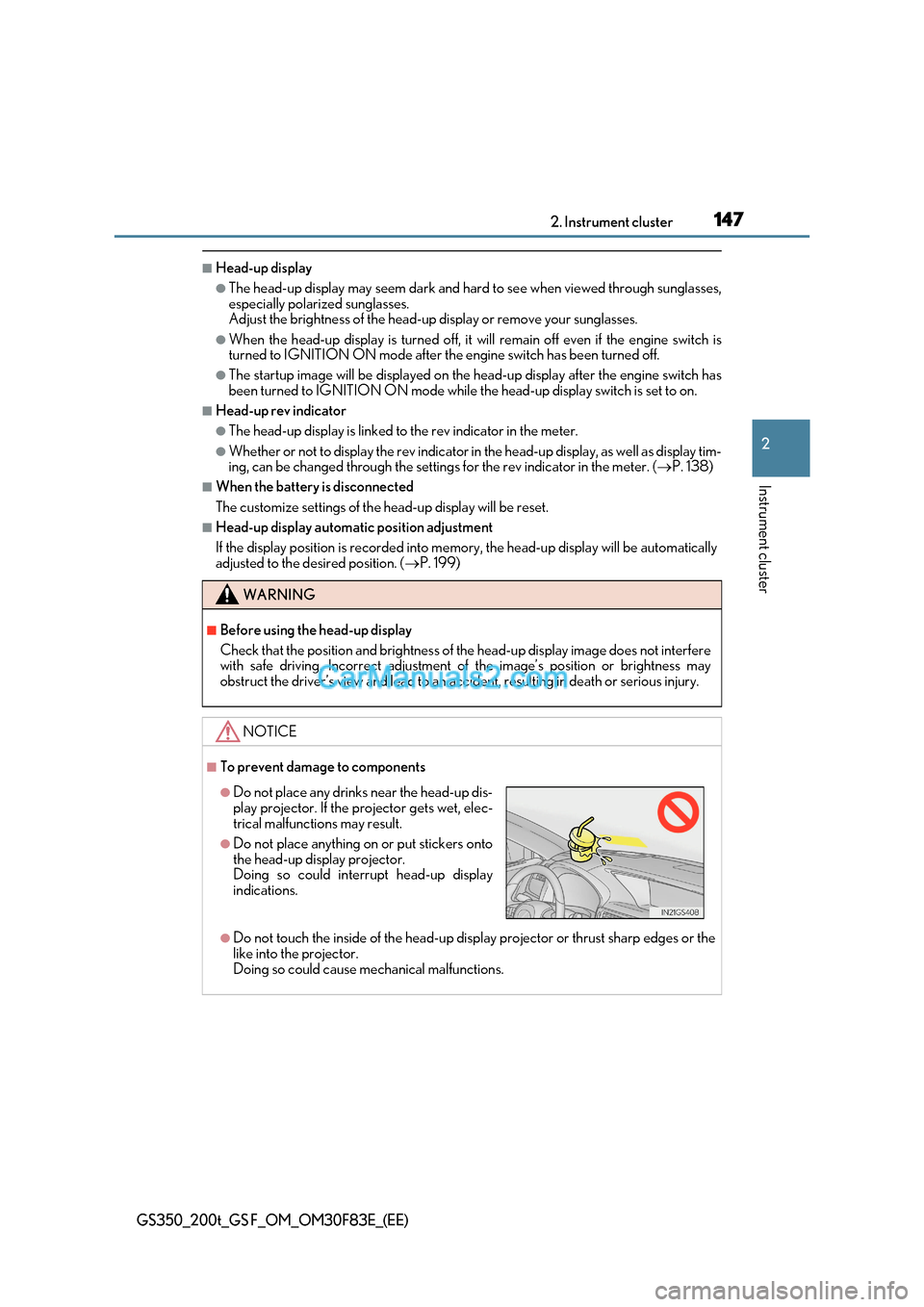
●Do not place any drinks near the head-up dis-
play projector. If the projector gets wet, elec-
trical malfunctions may result.
●Do not place anything on or put stickers onto
the head-up display projector.
Doing so could interrupt head-up display
indications.
Page 155 of 676

155
3-1. Key information
3
Operation of each component
GS350_200t_GS F_OM_OM30F83E_(EE)
To take out the mechanical key, push
the release button and take the key out.
The mechanical key can only be
inserted in one direction, as the key only
has grooves on one si de. If the key can-
not be inserted in a lock cylinder, turn it
over and re-attempt to insert it.
After using the mechanical key, store it
in the electronic key. Carry the mechan-
ical key together with the electronic key.
If the electronic key battery is depleted
or the entry function does not operate
properly, you will need the mechanical
key. ( P. 594)
■Card key (if equipped)
●The card key is not waterproof.
●The mechanical key that is stored inside th e card key should be used only if a problem
arises, such as when the card key does not operate properly.
●If it is difficult to take out the mechanical key, push down the lock release button using a
pen tip etc. If it is still difficu lt to pull it out, use a coin etc.
Using the mechanical key
●To store the mechanical key in the card key,
insert it while pressing the lock release button.
●If the battery cover is not installed and the bat-
tery falls out or if the battery was removed
because the key got wet, reinstall the battery
with the positive terminal facing the Lexus
emblem.
Page 156 of 676
1563-1. Key information
GS350_200t_GS F_OM_OM30F83E_(EE)
■When required to leave the vehicl e’s key with a parking attendant
Turn the trunk opener main switch off, lock the glove box and armrest door as circum-
stances demand. ( P. 168, 420, 433)
Remove the mechanical key for your own use and provide the attendant with the elec-
tronic key only.
■If you lose your mechanical keys
New genuine mechanical keys can be made by any authorized Lexus retailer or Lexus
authorized repairer, or any reliable repairer using the other mechanical key and the key
number stamped on your key number plate. K eep the plate in a safe place such as your
wallet, not in the vehicle.
■When riding in an aircraft
When bringing an electronic key onto an aircraft, make sure you do not press any but-
tons on the electronic key while inside the ai rcraft cabin. If you are carrying an electronic
key in your bag etc., ensure that the buttons are not likely to be pressed accidentally.
Pressing a button may cause the electronic key to emit radio waves that could interfere
with the operation of the aircraft.
■Electronic key battery depletion
●The standard battery life is 1 to 2 years. (The card key battery life is about a year and a
half.)
●If the battery becomes low, an alarm will sound in the cabin when the engine stops.
( P. 555)
●As the electronic key always receives ra dio waves, the battery will become depleted
even if the electronic key is not used. The following symptoms indicate that the elec-
tronic key battery may be depleted. Replace the battery when necessary. ( P. 491)
Page 158 of 676

1583-1. Key information
GS350_200t_GS F_OM_OM30F83E_(EE)
NOTICE
■Handling the card key (if equipped)
●Do not apply excess force when inserting the mechanical key into th e card key. Doing
so may damage the card key.
●If the battery or card key terminals get wet, the battery may corrode.
If the key is dropped into water, or if drinking water etc. is spilled on the key, immedi-
ately remove the battery cover and wipe the battery and terminals. (To remove the
battery cover, lightly grasp and pull it.) If the battery is corroded, have any authorized
Lexus retailer or Lexus authorized repairer , or any reliable repairer replace the bat-
tery.
●Do not crush the battery cover or use a screwdriver to remove the battery cover.
Forcibly removing the battery co ver may bend or damage the key.
●If the battery cover is frequently removed, the battery cover may beco me loose.
●When installing the battery, make sure to check the direction of the battery.
Installing the battery in the wrong direction may cause the battery to deplete rapidly.
●The surface of the card key may be damaged, or its coating may peel off in the follow-
ing situations: