Trunk Lexus GS250 2012 User Guide
[x] Cancel search | Manufacturer: LEXUS, Model Year: 2012, Model line: GS250, Model: Lexus GS250 2012Pages: 914, PDF Size: 53.04 MB
Page 89 of 914
881-2. Theft deterrent system
GS350/250_EE (OM30C36E)
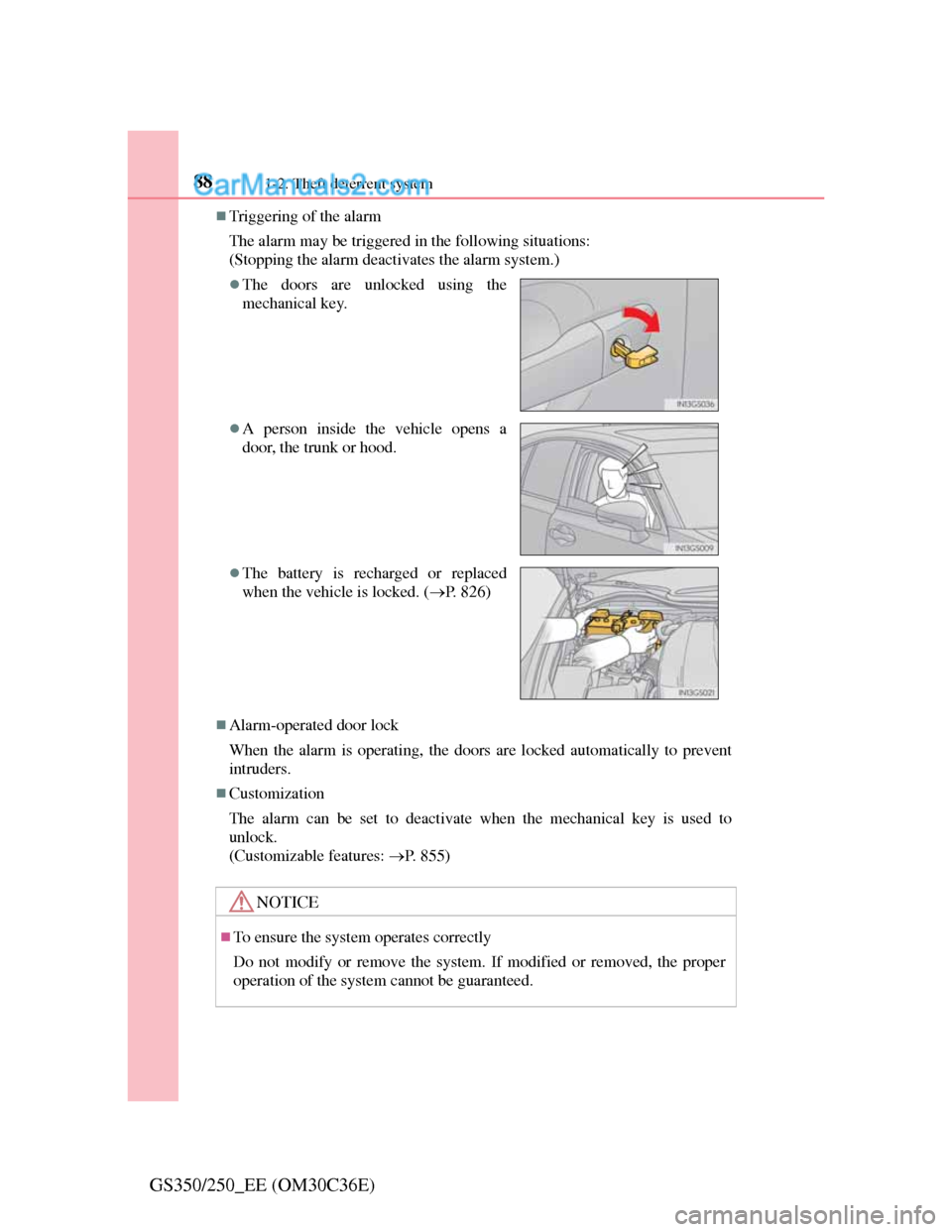
Triggering of the alarm
The alarm may be triggered in the following situations:
(Stopping the alarm deactivates the alarm system.)
Alarm-operated door lock
When the alarm is operating, the doors are locked automatically to prevent
intruders.
Customization
The alarm can be set to deactivate when the mechanical key is used to
unlock.
(Customizable features: P. 855)
The doors are unlocked using the
mechanical key.
A person inside the vehicle opens a
door, the trunk or hood.
The battery is recharged or replaced
when the vehicle is locked. (P. 826)
NOTICE
To ensure the system operates correctly
Do not modify or remove the system. If modified or removed, the proper
operation of the system cannot be guaranteed.
Page 120 of 914
117
3
Operation of
each component
GS350/250_EE (OM30C36E)
3-1. Key information
Keys ...................................118
3-2. Opening, closing and locking
the doors and trunk
Smart entry & start system 123
Wireless remote control .... 141
Doors ................................ 146
Trunk................................. 150
3-3. Adjusting the seats
Front seats ......................... 157
Driving position memory.. 161
Head restraints .................. 167
3-4. Adjusting the steering
wheel and mirrors
Steering wheel .................. 170
Inside rear view mirror ..... 171
Outside rear view mirrors . 174
3-5. Opening, closing the windows
and moon roof
Power windows................. 178
Moon roof ......................... 181
Page 123 of 914
1203-1. Key information
GS350/250_EE (OM30C36E)
Card key (if equipped)
The card key is not waterproof.
The mechanical key that is stored inside the card key should be used only if
a problem arises, such as when the card key does not operate properly.
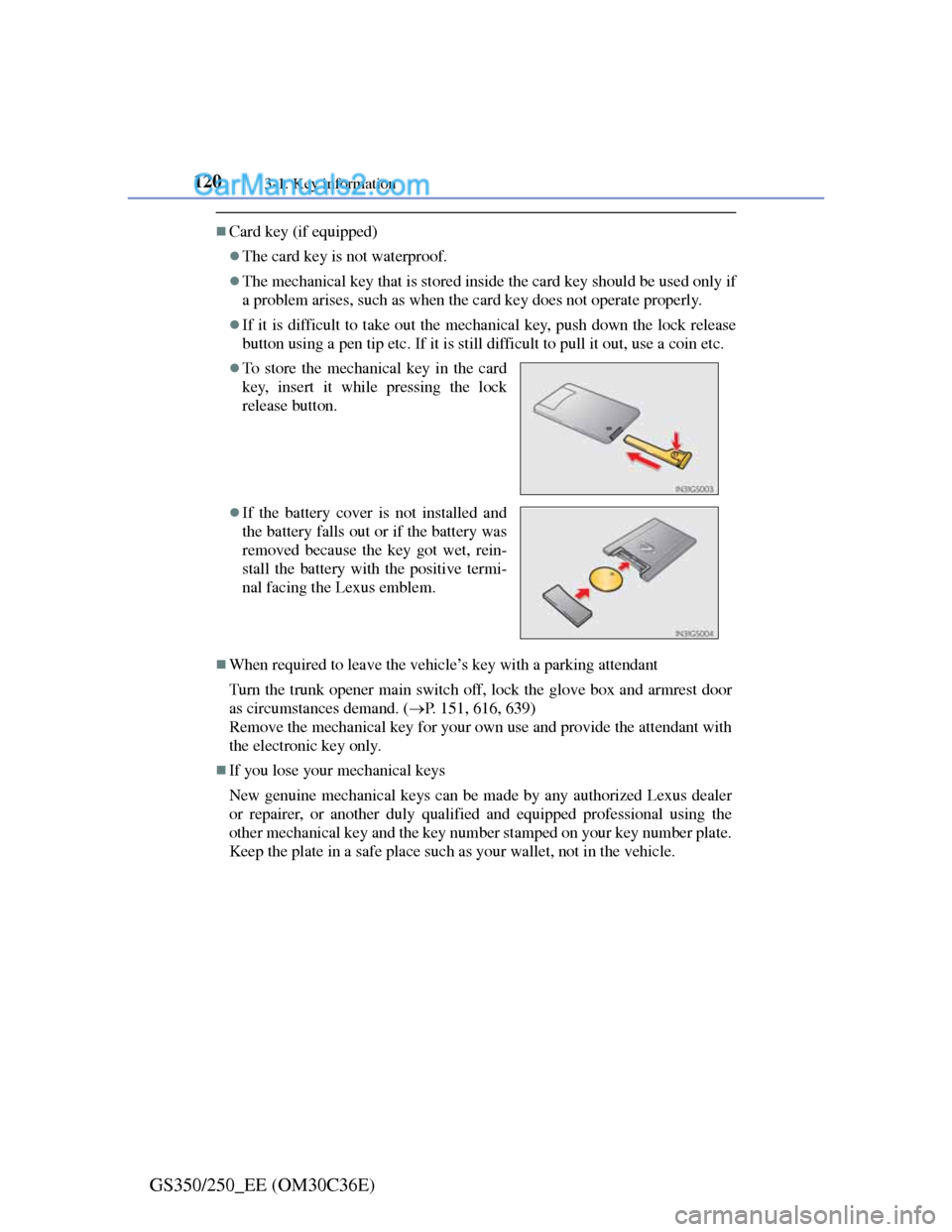
If it is difficult to take out the mechanical key, push down the lock release
button using a pen tip etc. If it is still difficult to pull it out, use a coin etc.
When required to leave the vehicle’s key with a parking attendant
Turn the trunk opener main switch off, lock the glove box and armrest door
as circumstances demand. (P. 151, 616, 639)
Remove the mechanical key for your own use and provide the attendant with
the electronic key only.
If you lose your mechanical keys
New genuine mechanical keys can be made by any authorized Lexus dealer
or repairer, or another duly qualified and equipped professional using the
other mechanical key and the key number stamped on your key number plate.
Keep the plate in a safe place such as your wallet, not in the vehicle.
To store the mechanical key in the card
key, insert it while pressing the lock
release button.
If the battery cover is not installed and
the battery falls out or if the battery was
removed because the key got wet, rein-
stall the battery with the positive termi-
nal facing the Lexus emblem.
Page 126 of 914
123
3 3-2. Opening, closing and locking the doors and trunk
Operation of each component
GS350/250_EE (OM30C36E)
Smart entry & start system
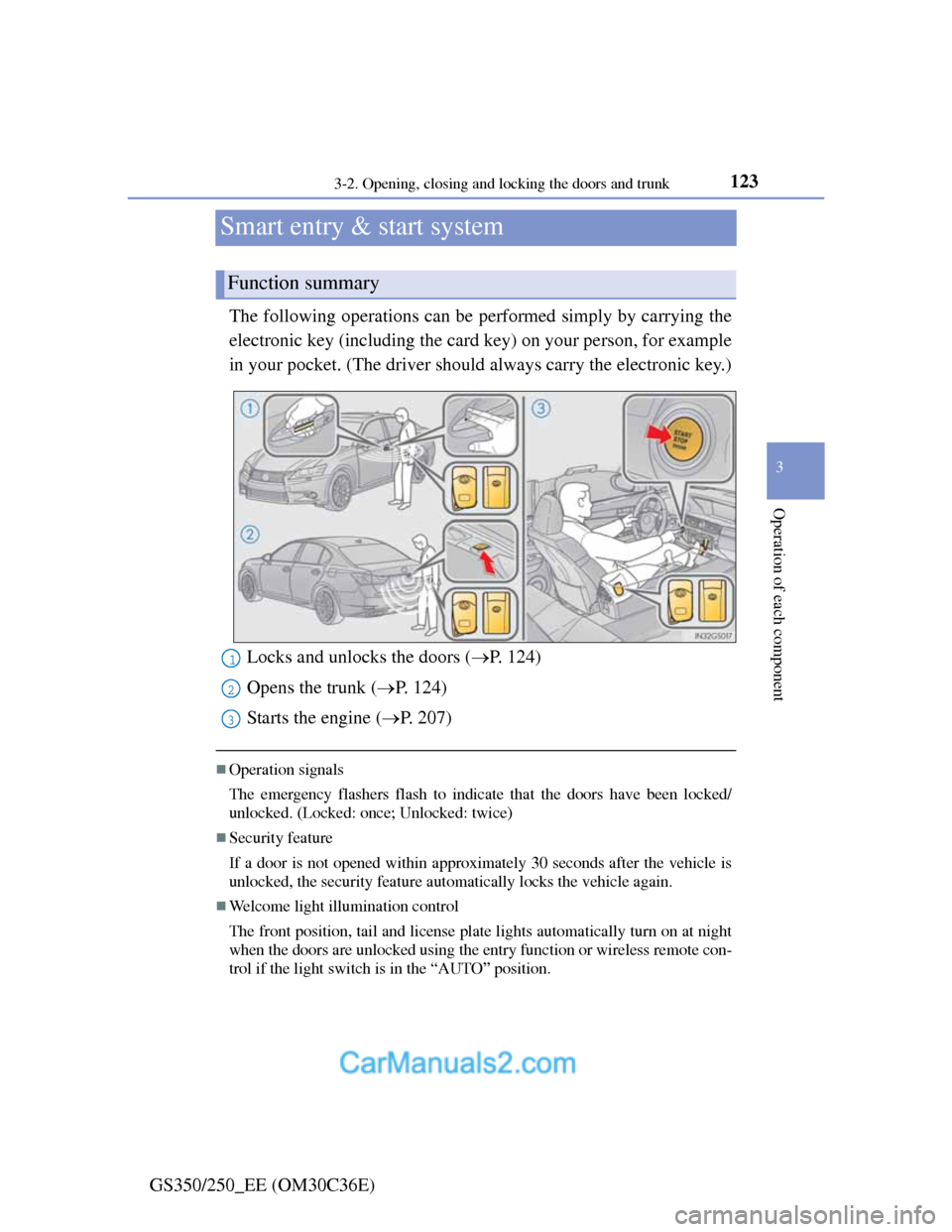
The following operations can be performed simply by carrying the
electronic key (including the card key) on your person, for example
in your pocket. (The driver should always carry the electronic key.)
Operation signals
The emergency flashers flash to indicate that the doors have been locked/
unlocked. (Locked: once; Unlocked: twice)
Security feature
If a door is not opened within approximately 30 seconds after the vehicle is
unlocked, the security feature automatically locks the vehicle again.
Welcome light illumination control
The front position, tail and license plate lights automatically turn on at night
when the doors are unlocked using the entry function or wireless remote con-
trol if the light switch is in the “AUTO” position.
Function summary
Locks and unlocks the doors (P. 124)
Opens the trunk (P. 124)
Starts the engine (P. 207)1
2
3
Page 127 of 914

1243-2. Opening, closing and locking the doors and trunk
GS350/250_EE (OM30C36E)Grip the handle to unlock the
doors.
Make sure to touch the sensor on
the back of the handle.
The doors cannot be unlocked for
3 seconds after the doors are
locked.
Touch the lock sensor (the inden-
tation on the upper part of the
door handle) to lock the doors.
Press the button.
If the vehicle is equipped with
power trunk lid, the trunk lid auto-
matically opens fully.
Unlocking and locking the doors
Opening the trunk
Page 128 of 914
1253-2. Opening, closing and locking the doors and trunk
3
Operation of each component
GS350/250_EE (OM30C36E)
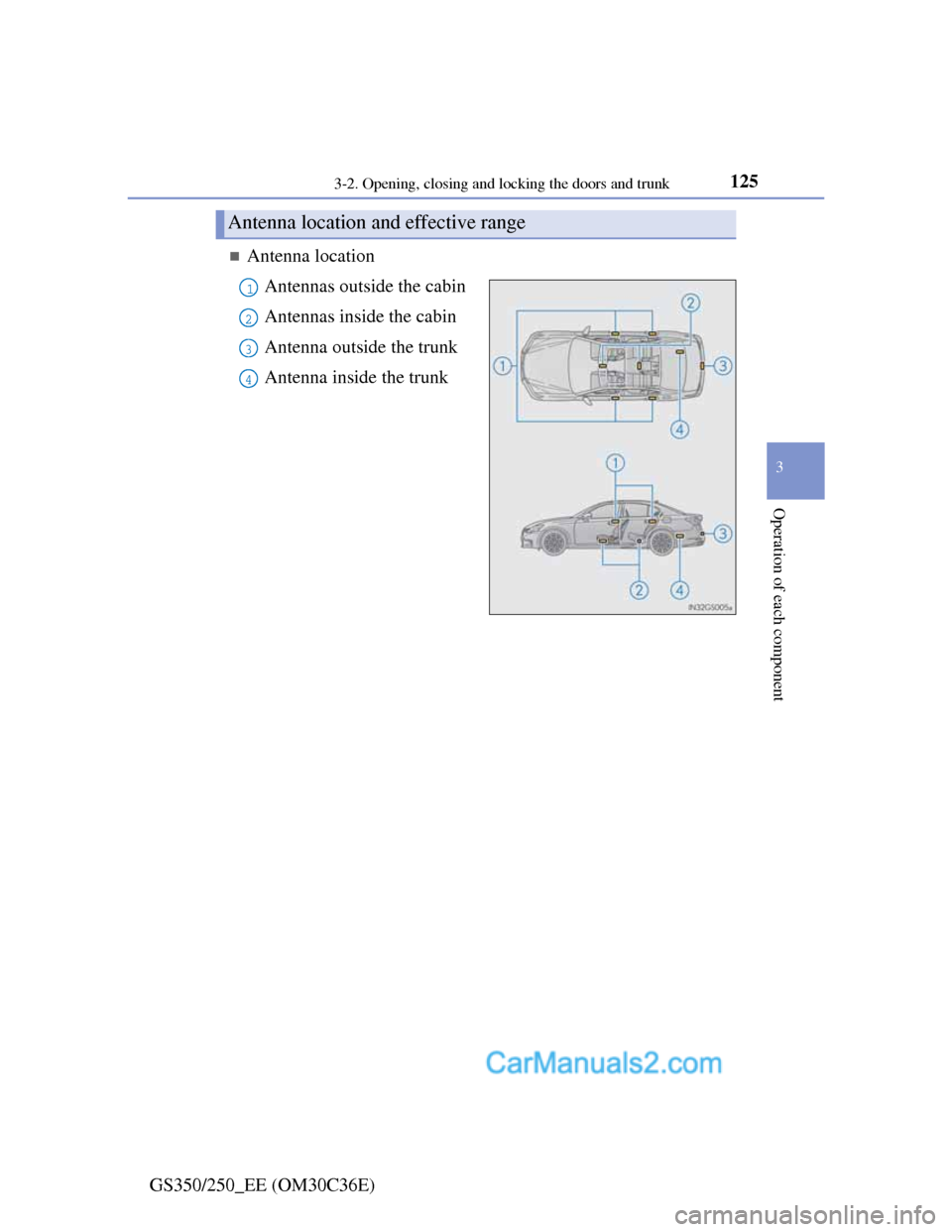
Antenna location
Antennas outside the cabin
Antennas inside the cabin
Antenna outside the trunk
Antenna inside the trunk
Antenna location and effective range
1
2
3
4
Page 129 of 914

1263-2. Opening, closing and locking the doors and trunk
GS350/250_EE (OM30C36E)
Effective range (areas within which the electronic key is
detected)
When locking or unlocking
the doors
The system can be operated
when the electronic key is
within about 0.7 m (2.3 ft.) of an
outside door handle. (Only the
doors detecting the key can be
operated.)
When opening the trunk
The system can be operated
when the electronic key is
within about 0.7 m (2.3 ft.) of
the trunk release button.
When starting the engine or
changing engine switch
modes
The system can be operated
when the electronic key is inside
the vehicle.
When the door cannot be locked by the lock sensor on the upper part of the
door handle
If the door will not lock even when the
topside sensor area is touched, try touch-
ing both the topside and underside sensor
areas at the same time.
Page 130 of 914
1273-2. Opening, closing and locking the doors and trunk
3
Operation of each component
GS350/250_EE (OM30C36E)
Alarms and warning indicators
An alarm sounds and warning message displays shown on the multi-informa-
tion display are used to protect against unexpected accidents or theft of the
vehicle resulting from erroneous operation. When a warning message is dis-
played, take appropriate measures based on the displayed message. (P.
757)
When only an alarm sounds, circumstances and correction procedures are as
follows.
AlarmSituationCorrection procedure
Exterior alarm sounds
once for 5 seconds
The trunk was closed
while the electronic
key was still inside the
trunk and all the doors
were locked.
Retrieve the electronic
key from the trunk and
close the trunk lid.
An attempt was made
to lock the vehicle
while a door was open.Close all of the doors
and lock the doors
again.
Interior alarm sounds
continuously
The engine switch was
turned to ACCES-
SORY mode while the
driver’s door was open
(or the driver’s door
was opened while the
engine switch was in
ACCESSORY mode).
Turn the engine switch
off and close the
driver’s door.
Page 131 of 914
1283-2. Opening, closing and locking the doors and trunk
GS350/250_EE (OM30C36E)
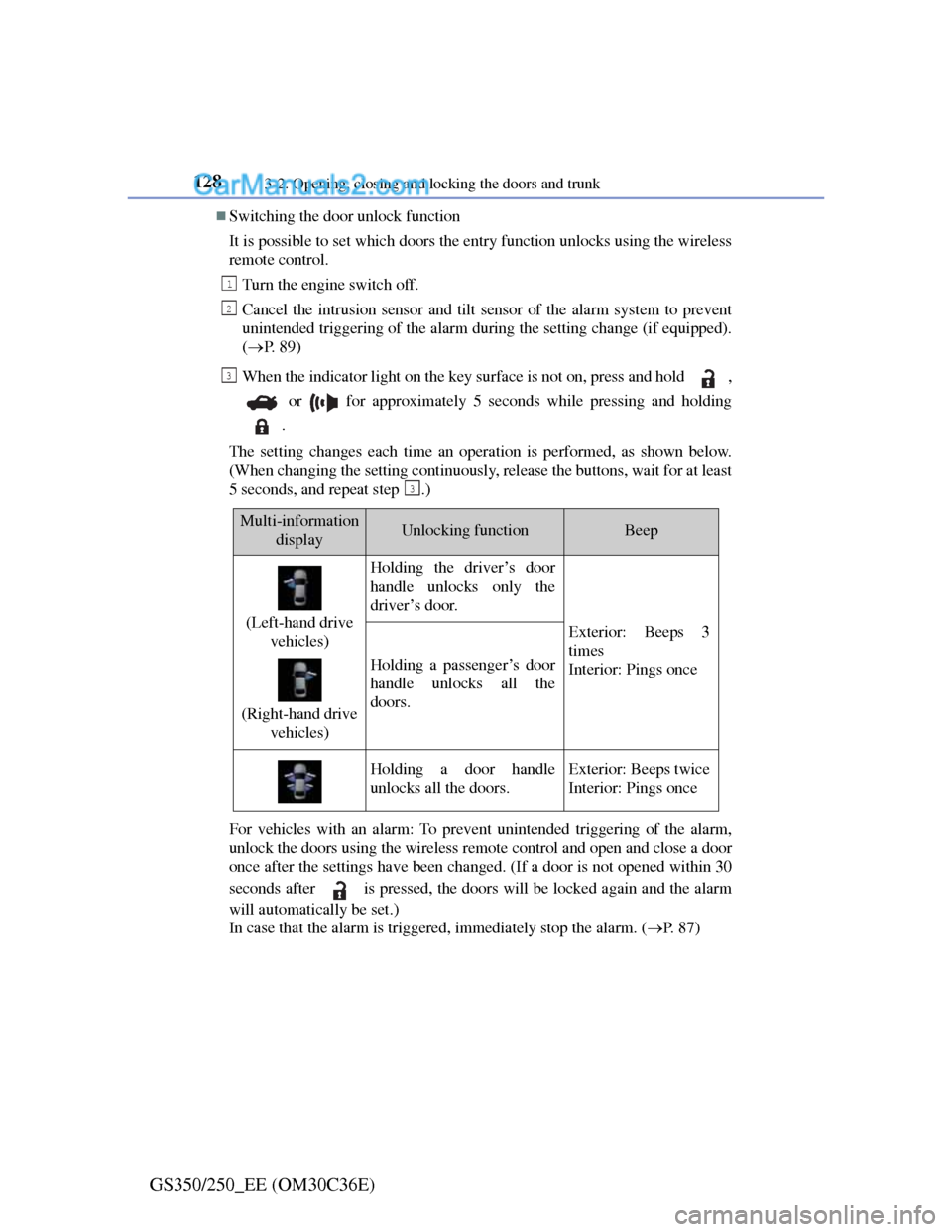
Switching the door unlock function
It is possible to set which doors the entry function unlocks using the wireless
remote control.
Turn the engine switch off.
Cancel the intrusion sensor and tilt sensor of the alarm system to prevent
unintended triggering of the alarm during the setting change (if equipped).
(P. 8 9 )
When the indicator light on the key surface is not on, press and hold ,
or for approximately 5 seconds while pressing and holding
.
The setting changes each time an operation is performed, as shown below.
(When changing the setting continuously, release the buttons, wait for at least
5 seconds, and repeat step .)
For vehicles with an alarm: To prevent unintended triggering of the alarm,
unlock the doors using the wireless remote control and open and close a door
once after the settings have been changed. (If a door is not opened within 30
seconds after is pressed, the doors will be locked again and the alarm
will automatically be set.)
In case that the alarm is triggered, immediately stop the alarm. (P. 8 7 )
1
2
3
3
Multi-information
displayUnlocking functionBeep
(Left-hand drive
vehicles)
(Right-hand drive
vehicles)
Holding the driver’s door
handle unlocks only the
driver’s door.
Exterior: Beeps 3
times
Interior: Pings once
Holding a passenger’s door
handle unlocks all the
doors.
Holding a door handle
unlocks all the doors.Exterior: Beeps twice
Interior: Pings once
Page 132 of 914
1293-2. Opening, closing and locking the doors and trunk
3
Operation of each component
GS350/250_EE (OM30C36E)
Battery-saving function
The battery-saving function will be activated in order to prevent the elec-
tronic key battery and the vehicle battery from being discharged while the
vehicle is not in operation for a long time.
In the following situations, the smart entry & start system may take some
time to unlock the doors.
• The electronic key has been left in an area of approximately 2 m (6 ft.) of
the outside of the vehicle for 10 minutes or longer.
• The smart entry & start system has not been used for 5 days or longer.
If the smart entry & start system has not been used for 14 days or longer, the
doors cannot be unlocked at any doors except the driver’s door. In this case,
take hold of the driver’s door handle, or use the wireless remote control or
the mechanical key, to unlock the doors.
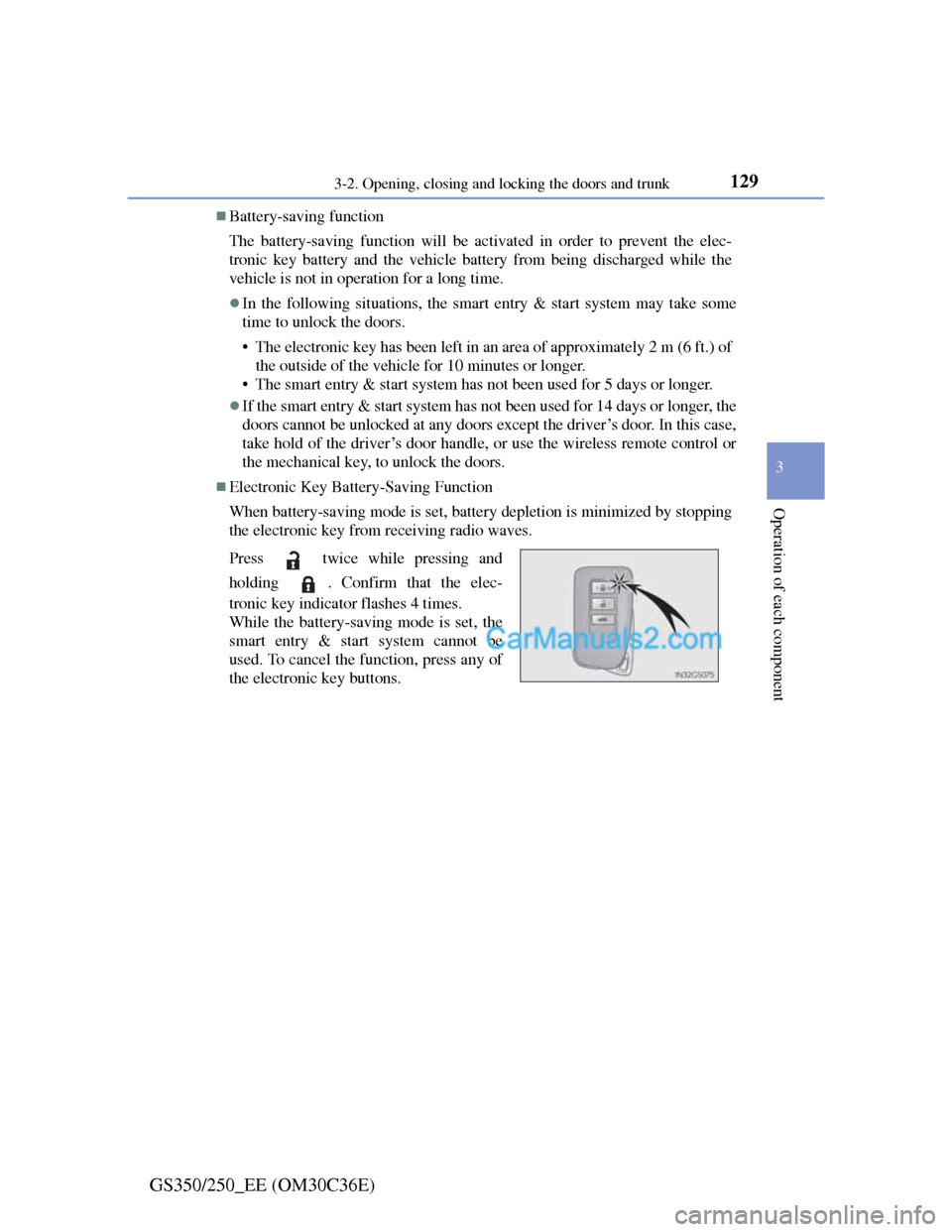
Electronic Key Battery-Saving Function
When battery-saving mode is set, battery depletion is minimized by stopping
the electronic key from receiving radio waves.
Press twice while pressing and
holding . Confirm that the elec-
tronic key indicator flashes 4 times.
While the battery-saving mode is set, the
smart entry & start system cannot be
used. To cancel the function, press any of
the electronic key buttons.