brakes Lexus GS250 2012 User Guide
[x] Cancel search | Manufacturer: LEXUS, Model Year: 2012, Model line: GS250, Model: Lexus GS250 2012Pages: 914, PDF Size: 53.04 MB
Page 301 of 914

2944-5. Using the driving support
GS350/250_EE (OM30C36E)
Lexus parking assist-sensor display
When an obstacle is detected while the rear view monitor system, is in use,
the warning indicator will appear in the top right of the screen even if the dis-
play setting has been set to off.
Sensor detection information
The sensor’s detection areas are limited to the areas around the vehicle’s
front corner and rear bumpers.
Certain vehicle conditions and the surrounding environment may affect the
ability of the sensor to correctly detect obstacles. Particular instances where
this may occur are listed below.
• There is dirt, snow or ice on the sensor. (Wiping the sensors will resolve
this problem.)
• The sensor is frozen. (Thawing the area will resolve this problem.)
In especially cold weather, if a sensor is frozen the screen may show an
abnormal display, or obstacles may not be detected.
• The sensor is covered in any way.
• The vehicle is leaning considerably to one side.
• On an extremely bumpy road, on an incline, on gravel, or on grass.
• The vicinity of the vehicle is noisy due to vehicle horns, motorcycle
engines, air brakes of large vehicles, or other loud noises producing
ultrasonic waves.
• There is another vehicle equipped with parking assist sensors in the
vicinity.
• The sensor is coated with a sheet of spray or heavy rain.
• The vehicle is equipped with a fender pole or wireless antenna.
• Towing eyelets are installed.
• The bumper or sensor receives a strong impact.
• The vehicle is approaching a tall or curved curb.
• In harsh sunlight or intense cold weather.
• The area directly under the bumpers is not detected.
• If obstacles draw too close to the sensor.
• A non-genuine Lexus suspension (lowered suspension etc.) is installed.
• People may not be detected if they are wearing certain types of clothing.
In addition to the examples above, there are instances in which, because of
their shape, signs and other objects may be judged by the sensor to be closer
than they are.
Page 340 of 914
3334-5. Using the driving support
4
Driving
GS350/250_EE (OM30C36E)
Driving assist systems
ABS (Anti-lock Brake System)
Helps to prevent wheel lock when the brakes are applied sud-
denly, or if the brakes are applied while driving on a slippery
road surface
Brake assist
Generates an increased level of braking force after the brake
pedal is depressed when the system detects a panic stop situation
VSC (Vehicle Stability Control)
Helps the driver to control skidding when swerving suddenly or
turning on slippery road surfaces
VSC+ (Vehicle Stability Control+)
Provides cooperative control of the ABS, TRC, VSC and EPS.
Helps to maintain directional stability when swerving on slippery
road surfaces by controlling steering performance.
TRC (Traction Control)
Helps to maintain drive power and prevent the drive wheels from
spinning when starting the vehicle or accelerating on slippery
roads
Hill-start assist control
P. 341
To help enhance driving safety and performance, the following
systems operate automatically in response to various driving situa-
tions. Be aware, however, that these systems are supplementary
and should not be relied upon too heavily when operating the vehi-
cle.
Page 341 of 914
3344-5. Using the driving support
GS350/250_EE (OM30C36E)
EPS (Electric Power Steering)
Employs an electric motor to reduce the amount of effort needed
to turn the steering wheel
AVS (Adaptive Variable Suspension system) (if equipped)
By independently controlling the damping force of the shock
absorbers for each of the 4 wheels according to the road and driv-
ing conditions, this system combines riding comfort with supe-
rior steering stability, and ensures good vehicle posture. (P.
328)
VDIM (Vehicle Dynamics Integrated Management)
Provides integrated control of the ABS, brake assist, TRC, VSC,
hill-start assist control and EPS systems
Helps to maintain vehicle stability when swerving on slippery
road surfaces by controlling the brakes, engine output, steering
assist, and steering ratio
PCS (Pre-Crash Safety system) (if equipped)
P. 343
Emergency brake signal
When the brakes are applied suddenly, the stop lights automati-
cally flash to alert the vehicle behind.
Page 348 of 914
341
4 4-5. Using the driving support
Driving
GS350/250_EE (OM30C36E)
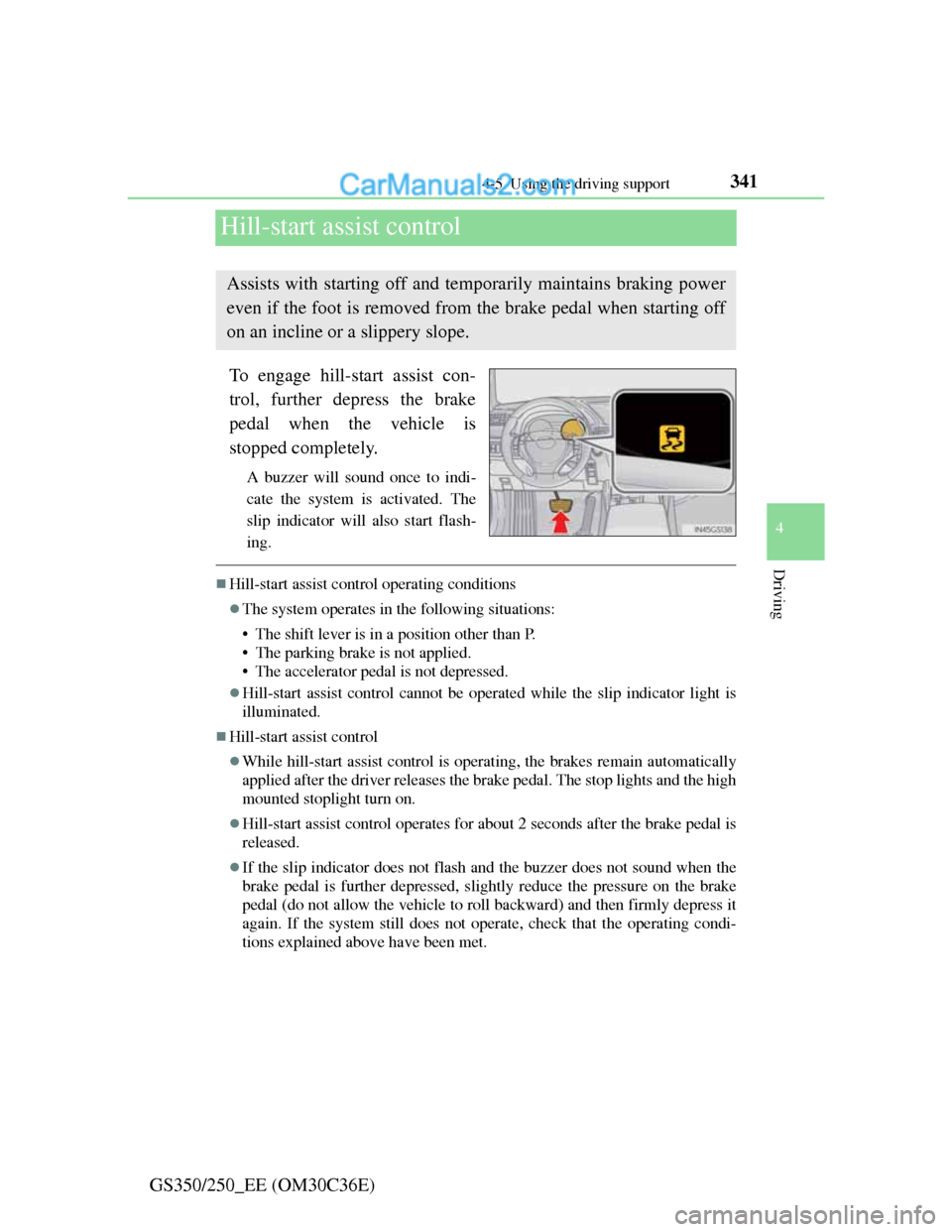
Hill-start assist control
To engage hill-start assist con-
trol, further depress the brake
pedal when the vehicle is
stopped completely.
A buzzer will sound once to indi-
cate the system is activated. The
slip indicator will also start flash-
ing.
Hill-start assist control operating conditions
The system operates in the following situations:
• The shift lever is in a position other than P.
• The parking brake is not applied.
• The accelerator pedal is not depressed.
Hill-start assist control cannot be operated while the slip indicator light is
illuminated.
Hill-start assist control
While hill-start assist control is operating, the brakes remain automatically
applied after the driver releases the brake pedal. The stop lights and the high
mounted stoplight turn on.
Hill-start assist control operates for about 2 seconds after the brake pedal is
released.
If the slip indicator does not flash and the buzzer does not sound when the
brake pedal is further depressed, slightly reduce the pressure on the brake
pedal (do not allow the vehicle to roll backward) and then firmly depress it
again. If the system still does not operate, check that the operating condi-
tions explained above have been met.
Assists with starting off and temporarily maintains braking power
even if the foot is removed from the brake pedal when starting off
on an incline or a slippery slope.
Page 350 of 914
3434-5. Using the driving support
4
Driving
GS350/250_EE (OM30C36E)
PCS (Pre-Crash Safety system)
Pre-crash seat belts (front seat only)
If the pre-crash sensor detects that a collision is unavoidable, the
pre-crash safety system will retract the seat belt before the colli-
sion occurs.
The same will happen if the driver makes an emergency braking
or loses control of the vehicle. (P. 40)
Pre-crash brake assist
When there is a high possibility of a frontal collision, the system
applies greater braking force in relation to how strongly the
brake pedal is depressed.
Pre-crash braking
When there is a high possibility of a frontal collision, the system
warns the driver using a warning light, warning display and
buzzer. If the system determines that a collision is unavoidable,
the brakes are automatically applied to reduce the collision
speed.
: If equipped
When the radar sensor detects that a frontal collision is highly
likely or even unavoidable, safety systems such as the brakes and
seat belts are automatically engaged to lessen impact as well as
vehicle damage.
The pre-crash safety system can be turned on and off as necessary
by operating the switch. (P. 344)
Page 354 of 914

3474-5. Using the driving support
4
Driving
GS350/250_EE (OM30C36E)
Pre-crash alert braking:
• The system determines that the driver is not facing forward, or that the
driver’s eyes are closed.
• Vehicle speed is greater than about 40 km/h (25 mph).
• The speed at which your vehicle is approaching the vehicle running
ahead of you is greater than about 40 km/h (25 mph).
• The steering is not being turned.
Conditions that may trigger the system even if there is no danger of a collision
When there is an object by the roadside at the entrance to a curve
When passing an oncoming vehicle on a curve
When driving over a narrow iron bridge
When there is a metal object on the road surface
When driving on an uneven road surface
When passing an oncoming vehicle on a left-turn (left-hand drive vehicles)
or right-turn (right-hand drive vehicles)
When your vehicle rapidly closes on the vehicle in front
When a grade separation/interchange, sign, billboard, or other structure
appears to be directly in the vehicle’s line of travel
When climbing a steep hill causes an overhead billboard or other metallic
structure to appear directly in the vehicle’s line of travel
When the system is activated in the situations described above, there is also a
possibility that the seat belts will retract quickly and the brakes will be
applied with a force greater than normal. When the seat belt is locked in the
retracted position, stop the vehicle in a safe place, release the seat belt and
refasten it.
Obstacles not detected
The sensor cannot detect plastic obstacles such as traffic cones. There may
also be occasions when the sensor cannot detect pedestrians, animals, bicy-
cles, motorcycles, trees, or snowdrifts.
Page 370 of 914
3604-6. Driving tips
GS350/250_EE (OM30C36E)Perform the following according to the driving conditions:
Do not try to forcibly open a window or move a wiper that is fro-
zen. Pour warm water over the frozen area to melt the ice. Wipe
away the water immediately to prevent it from freezing.
To ensure proper operation of the climate control system fan,
remove any snow that has accumulated on the air inlet vents in
front of the windshield.
Check for and remove any excess ice or snow that may have
accumulated on the exterior lights, vehicle’s roof, chassis, around
the tires or on the brakes.
Remove any snow or mud from the bottom of your shoes before
getting in the vehicle.
Accelerate the vehicle slowly, keep a safe distance between you
and the vehicle ahead, and drive at a reduced speed suitable to road
conditions.
Park the vehicle and move the shift lever to P without setting the
parking brake. The parking brake may freeze up, preventing it from
being released. If necessary, block the wheels to prevent inadver-
tent sliding or creeping.
Before driving the vehicle
When driving the vehicle
When parking the vehicle
Page 760 of 914

7407-1. Essential information
GS350/250_EE (OM30C36E)
CAUTION
If the engine has to be turned off while driving
Power assist for the brakes and steering wheel will be lost, making the
brake pedal harder to depress and the steering wheel heavier to turn. Decel-
erate as much as possible before turning off the engine.
Page 762 of 914
7417-2. Steps to take in an emergency
7
When trouble arises
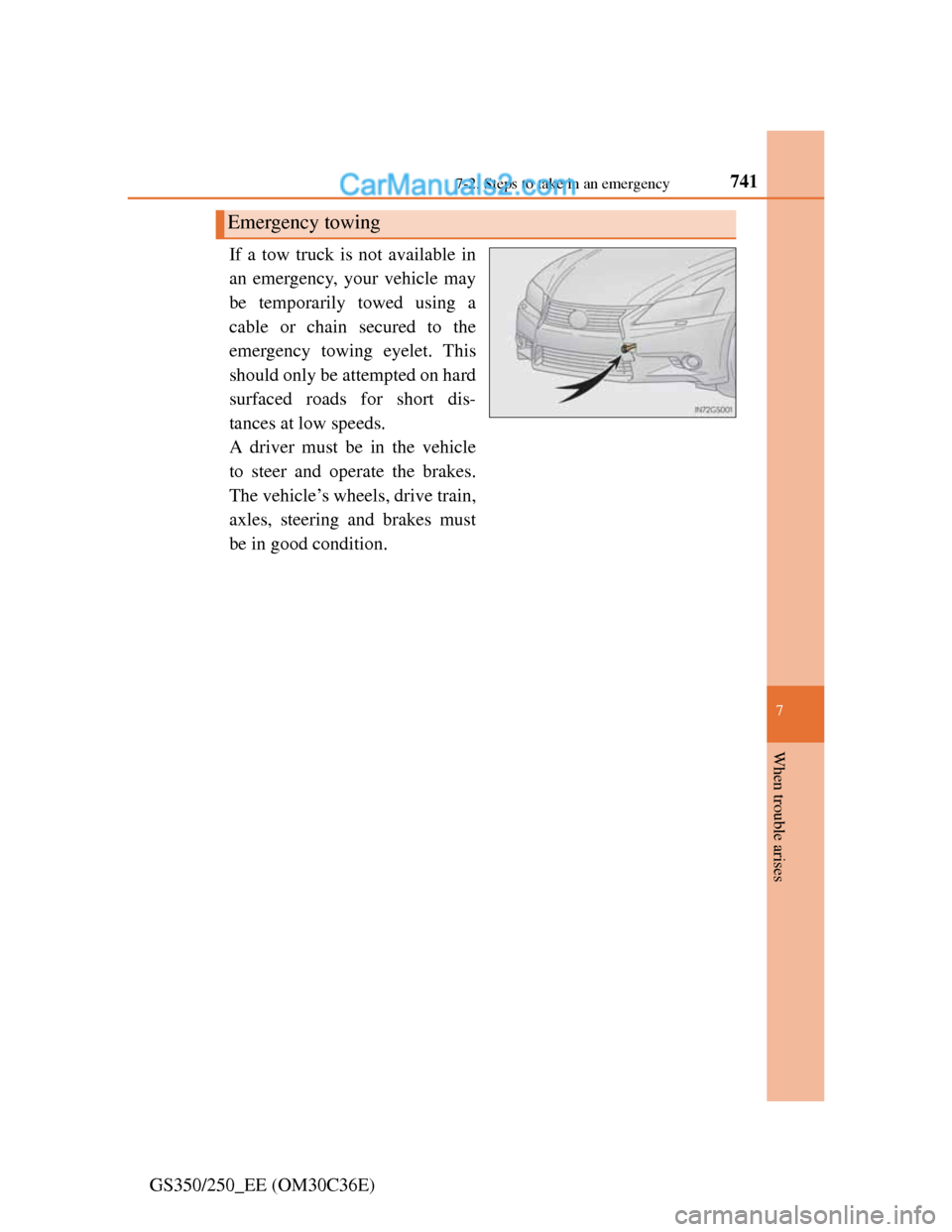
GS350/250_EE (OM30C36E)If a tow truck is not available in
an emergency, your vehicle may
be temporarily towed using a
cable or chain secured to the
emergency towing eyelet. This
should only be attempted on hard
surfaced roads for short dis-
tances at low speeds.
A driver must be in the vehicle
to steer and operate the brakes.
The vehicle’s wheels, drive train,
axles, steering and brakes must
be in good condition.
Emergency towing
Page 766 of 914
7457-2. Steps to take in an emergency
7
When trouble arises
GS350/250_EE (OM30C36E)
Before emergency towing
Release the parking brake.
Shift the shift lever to N.
Turn the engine switch to ACCESSORY (engine off) or IGNITION ON
(engine running) mode.
CAUTION
Observe the following precautions.
Failure to do so may result in death or serious injury.
Caution while towing
Use extreme caution when towing the vehicle.
Avoid sudden starts or erratic driving maneuvers which place excessive
stress on the emergency towing eyelets and the cables or chains. Always
be cautious of the surroundings and other vehicles while towing.
If the engine is not running, the power assist for the brakes and steering
will not function, making steering and braking more difficult.
Installing towing eyelets to the vehicle
Make sure that towing eyelets are installed securely.
If not securely installed, towing eyelets may come loose during towing.
1
2
3