ignition Lexus GS250 2012 User Guide
[x] Cancel search | Manufacturer: LEXUS, Model Year: 2012, Model line: GS250, Model: Lexus GS250 2012Pages: 914, PDF Size: 53.04 MB
Page 119 of 914
1182. Instrument cluster
GS350/250_EE (OM30C36E)
Head-up display
The head-up display may seem dark and hard to see when viewed through
sunglasses, especially polarized sunglasses.
Adjust the brightness of the head-up display or remove your sunglasses.
When the head-up display is turned off, it will remain off even if the engine
switch is turned to IGNITION ON mode after the engine switch has been
turned off.
When the battery is disconnected
The customize settings of the head-up display will be reset.
CAUTION
Before using the head-up display
Check that the position and brightness of the head-up display image does
not interfere with safe driving. Incorrect adjustment of the image’s position
or brightness may obstruct the driver’s view and lead to an accident, result-
ing in death or serious injury.
NOTICE
To prevent damage to components
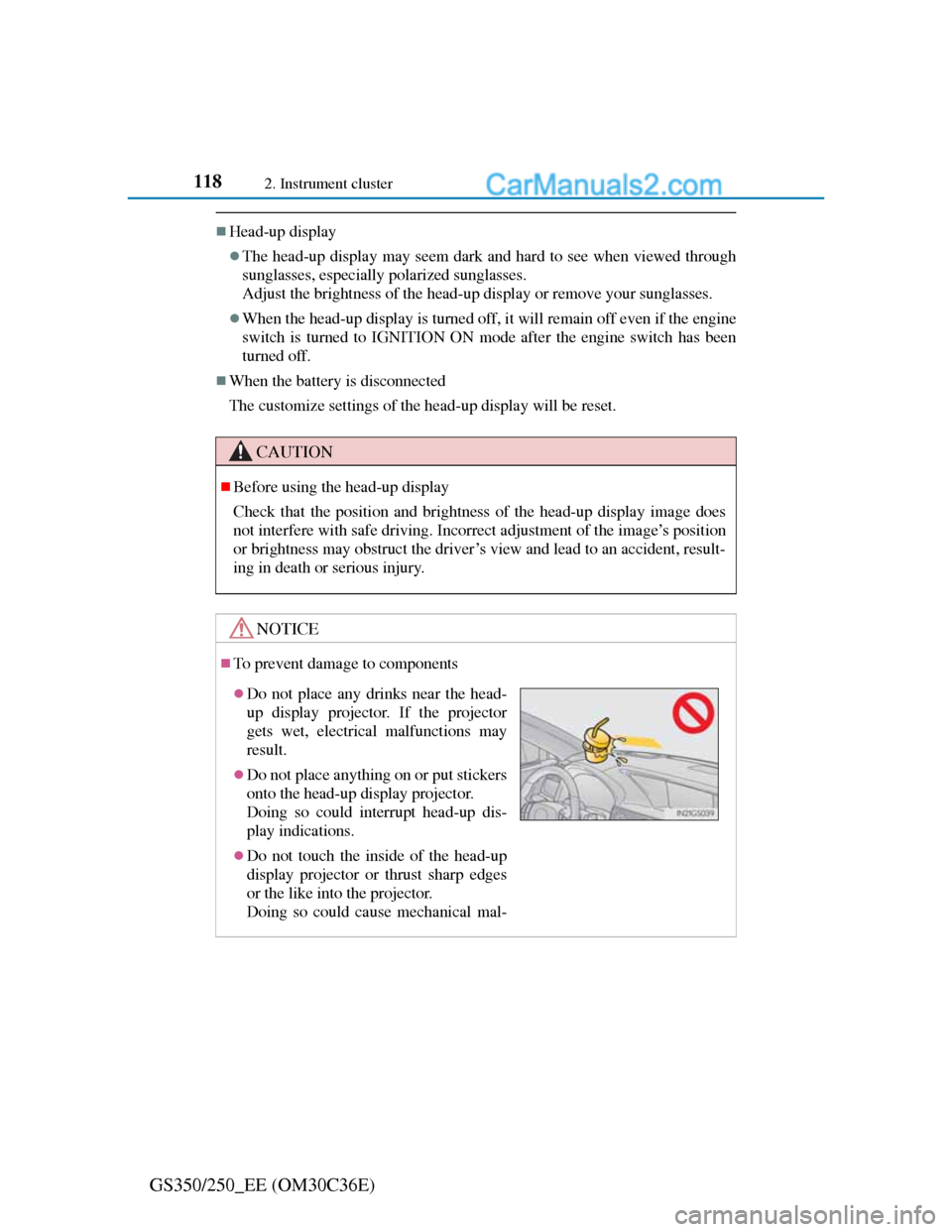
Do not place any drinks near the head-
up display projector. If the projector
gets wet, electrical malfunctions may
result.
Do not place anything on or put stickers
onto the head-up display projector.
Doing so could interrupt head-up dis-
play indications.
Do not touch the inside of the head-up
display projector or thrust sharp edges
or the like into the projector.
Doing so could cause mechanical mal-
Page 150 of 914
1473-2. Opening, closing and locking the doors and trunk
3
Operation of each component
GS350/250_EE (OM30C36E)Move the inside lock button to the lock position.
Close the door while pulling the door handle.
The door cannot be locked if the engine switch is in ACCESSORY
or IGNITION ON mode, or the electronic key is left inside the
vehicle.
The key may not be detected correctly and the door may be locked.
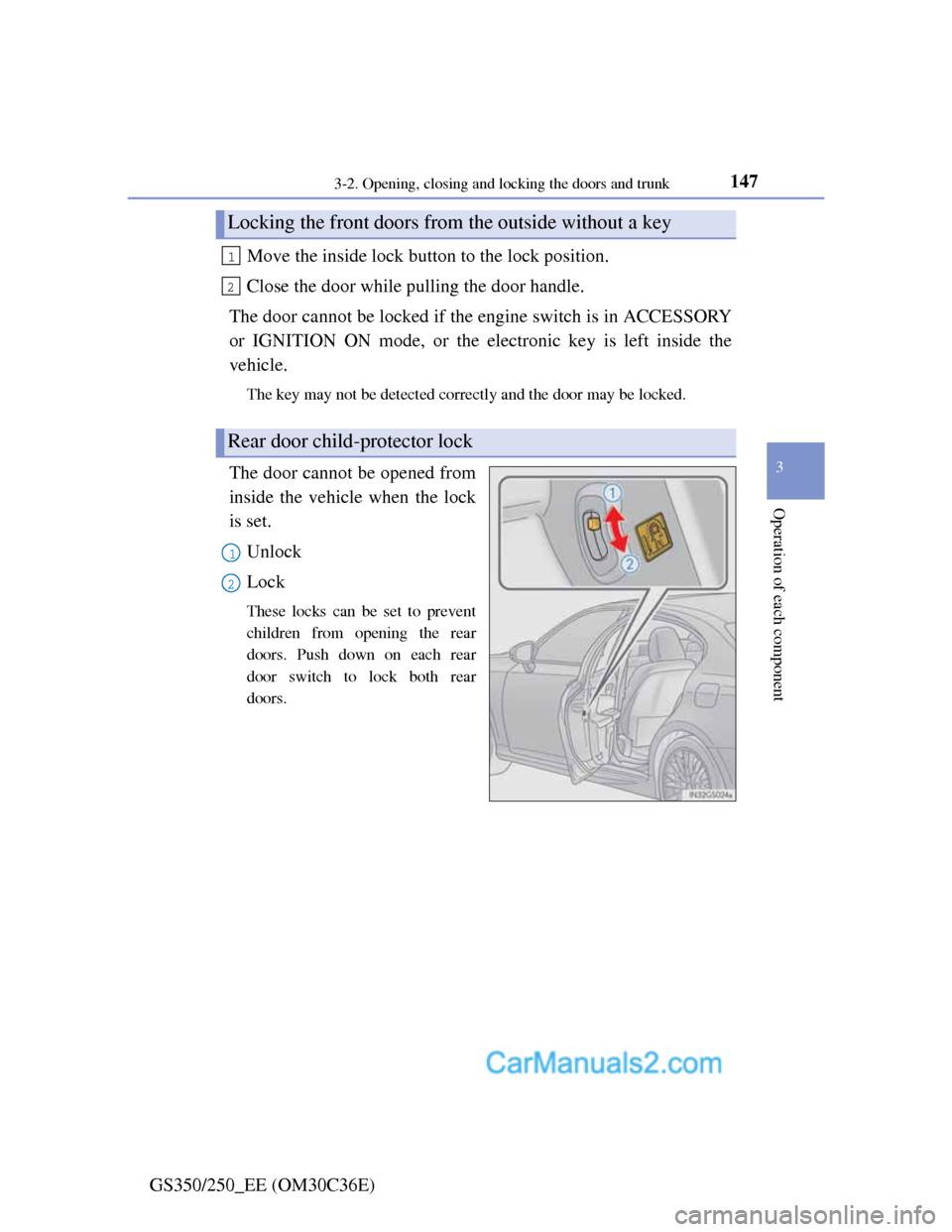
The door cannot be opened from
inside the vehicle when the lock
is set.
Unlock
Lock
These locks can be set to prevent
children from opening the rear
doors. Push down on each rear
door switch to lock both rear
doors.
Locking the front doors from the outside without a key
Rear door child-protector lock
1
2
1
2
Page 158 of 914
1553-2. Opening, closing and locking the doors and trunk
3
Operation of each component
GS350/250_EE (OM30C36E)
CAUTION
Trunk easy closer (vehicles with power trunk lid)
Power trunk lid (if equipped)
Observe the following precautions when operating the power trunk lid.
Failure to do so may cause serious injury.
Check the safety of the surrounding area to make sure there are no obsta-
cles or anything that could cause any of your belongings to get caught.
If anyone is in the vicinity, make sure they are safe and let them know that
the trunk is about to open or close.
If the trunk closer switch is pressed while the trunk lid is opening during
automatic operation, the trunk lid stops opening. Take extra care when on
an incline, as the trunk lid may open or close suddenly.
On an incline, the trunk lid may fall after it opens automatically. Make
sure the trunk lid is fully open and secure before using the trunk.
In the following situations, the power trunk lid may detect an abnormality
and automatic operation may be stopped. In this case, the trunk lid has to
be operated manually. Take extra care in this situation, as the stopped
trunk lid may suddenly fall, causing an accident.
• When the trunk lid contacts an obstacle
• When the battery voltage suddenly drops, such as when the engine
switch is turned to IGNITION ON mode or the engine is started during
automatic operation
Do not attach any accessories other than genuine Lexus parts to the trunk
lid. The power trunk lid may not operate, causing itself to malfunction, or
the trunk lid may fall closed again after it is opened.
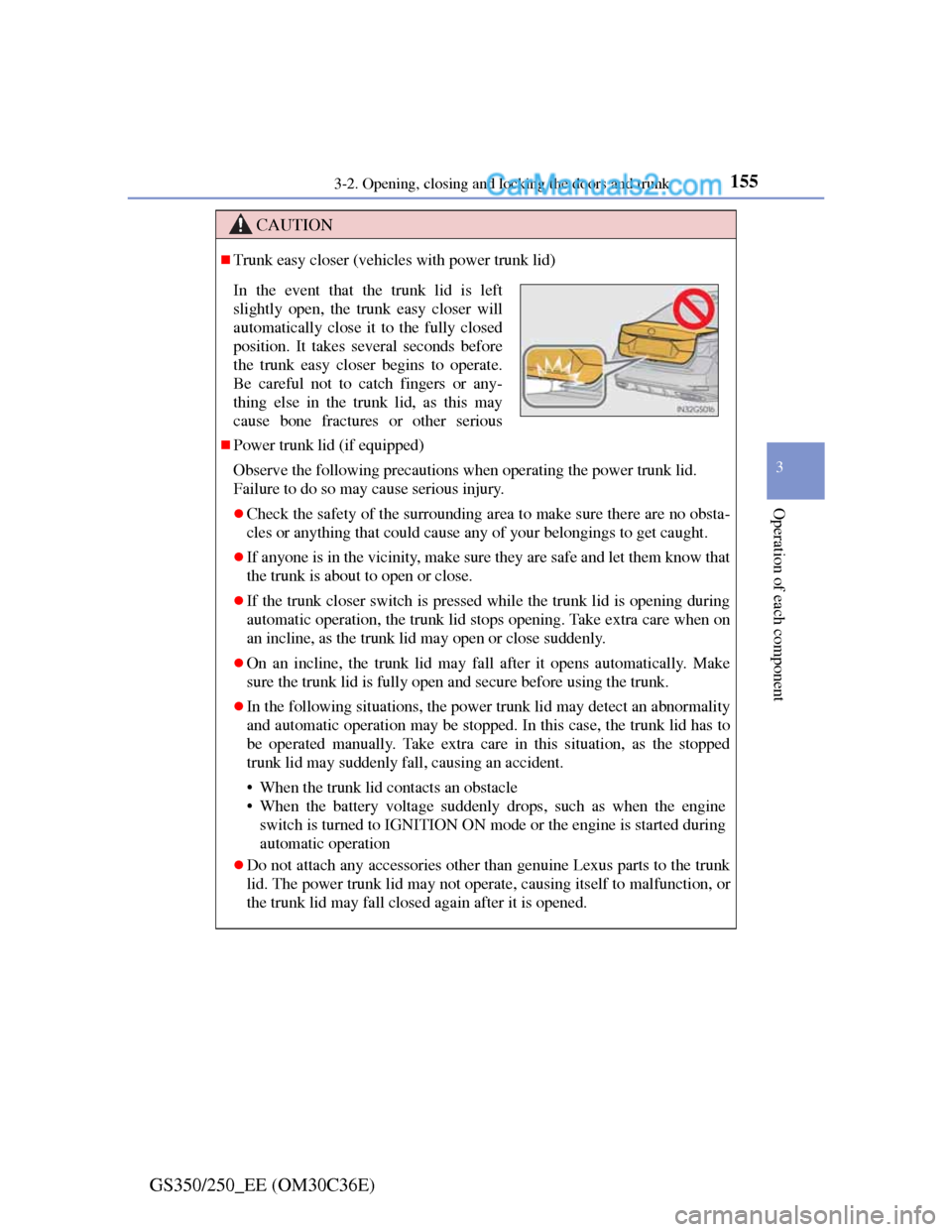
In the event that the trunk lid is left
slightly open, the trunk easy closer will
automatically close it to the fully closed
position. It takes several seconds before
the trunk easy closer begins to operate.
Be careful not to catch fingers or any-
thing else in the trunk lid, as this may
cause bone fractures or other serious
Page 165 of 914
1623-3. Adjusting the seats
GS350/250_EE (OM30C36E)
Driving position memory
Check that the shift lever is in P.
Turn the engine switch to IGNITION ON mode.
Adjust the driver’s seat, steering wheel, and outside rear view
mirrors to the desired positions. (When memorizing the front
passenger’s seat, adjust the front passenger’s seat to the desired
positions.)
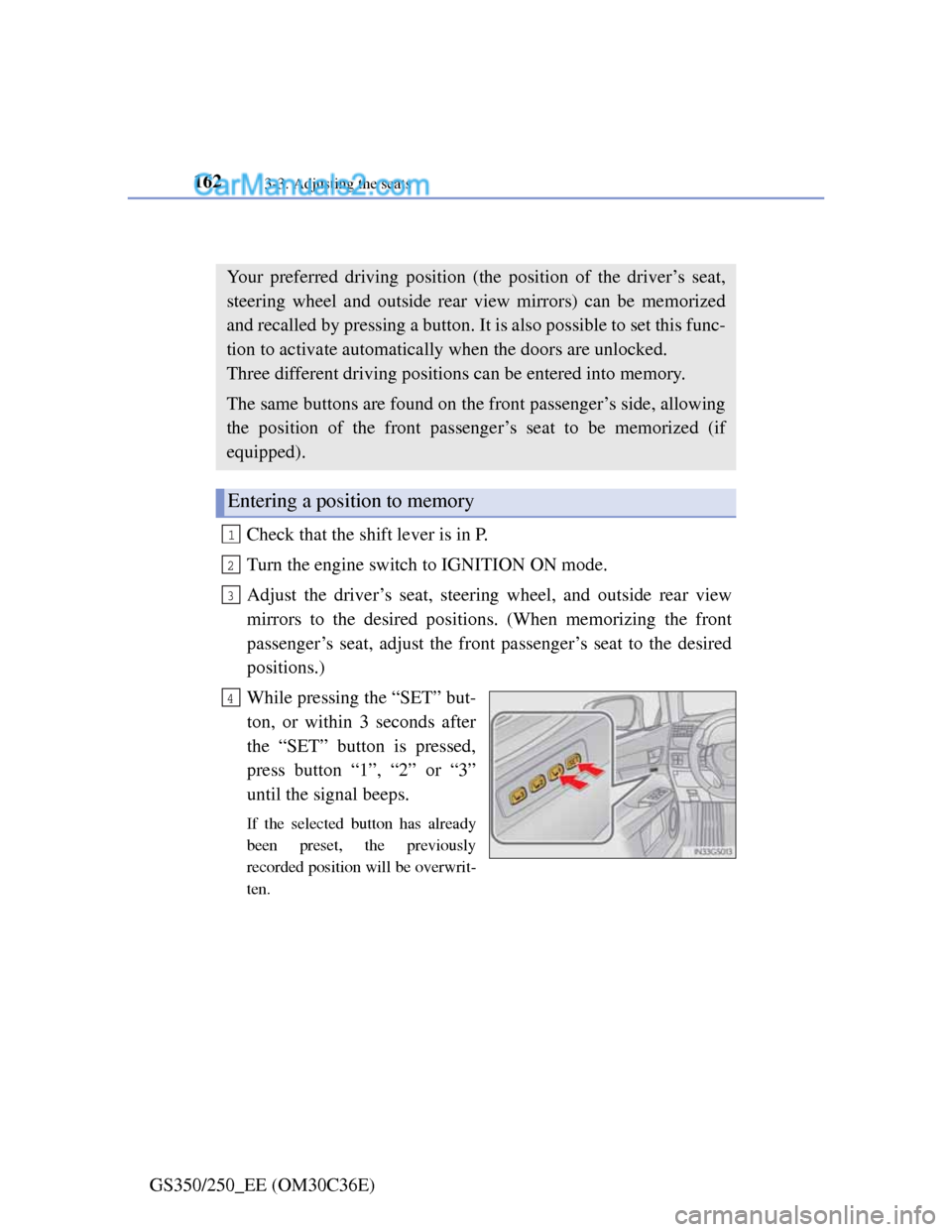
While pressing the “SET” but-
ton, or within 3 seconds after
the “SET” button is pressed,
press button “1”, “2” or “3”
until the signal beeps.
If the selected button has already
been preset, the previously
recorded position will be overwrit-
ten.
Your preferred driving position (the position of the driver’s seat,
steering wheel and outside rear view mirrors) can be memorized
and recalled by pressing a button. It is also possible to set this func-
tion to activate automatically when the doors are unlocked.
Three different driving positions can be entered into memory.
The same buttons are found on the front passenger’s side, allowing
the position of the front passenger’s seat to be memorized (if
equipped).
Entering a position to memory
1
2
3
4
Page 166 of 914
1633-3. Adjusting the seats
3
Operation of each component
GS350/250_EE (OM30C36E)Check that the shift lever is in P.
Turn the engine switch to IGNITION ON mode.
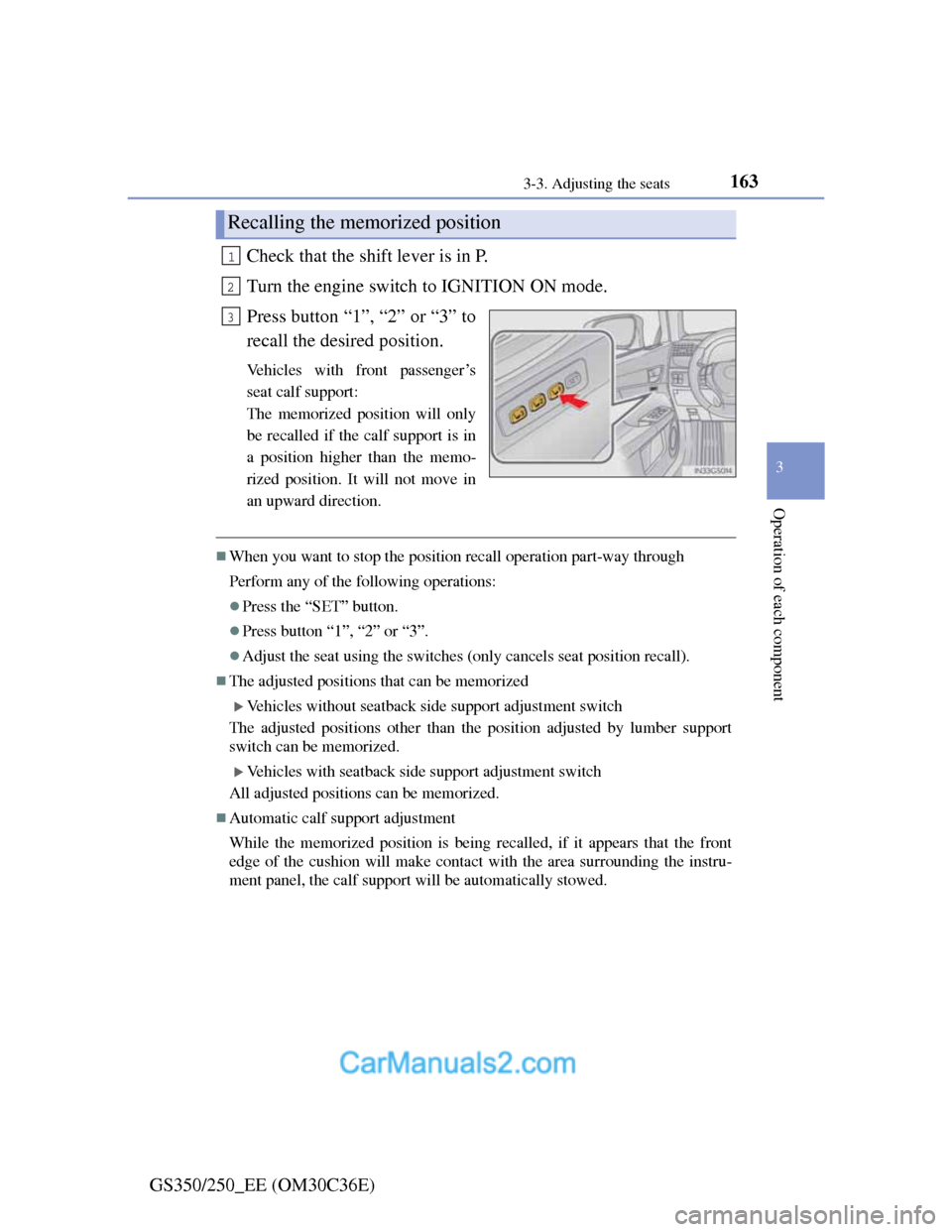
Press button “1”, “2” or “3” to
recall the desired position.
Vehicles with front passenger’s
seat calf support:
The memorized position will only
be recalled if the calf support is in
a position higher than the memo-
rized position. It will not move in
an upward direction.
When you want to stop the position recall operation part-way through
Perform any of the following operations:
Press the “SET” button.
Press button “1”, “2” or “3”.
Adjust the seat using the switches (only cancels seat position recall).
The adjusted positions that can be memorized
Vehicles without seatback side support adjustment switch
The adjusted positions other than the position adjusted by lumber support
switch can be memorized.
Vehicles with seatback side support adjustment switch
All adjusted positions can be memorized.
Automatic calf support adjustment
While the memorized position is being recalled, if it appears that the front
edge of the cushion will make contact with the area surrounding the instru-
ment panel, the calf support will be automatically stowed.
Recalling the memorized position
1
2
3
Page 167 of 914
1643-3. Adjusting the seats
GS350/250_EE (OM30C36E)A desired driving position can be recalled linked with the unlock-
ing of the door.
Setting procedure
Record your driving position to button “1”, “2” or “3” before
performing the following:
Carrying only the key (including the card key) to which you want
to link the driving position, shift the shift lever to P and then
close the driver’s door.
If 2 or more keys are in the vehicle, the driving position cannot
be linked properly.
Turn the engine switch to IGNITION ON mode and recall the
position which you want to link.
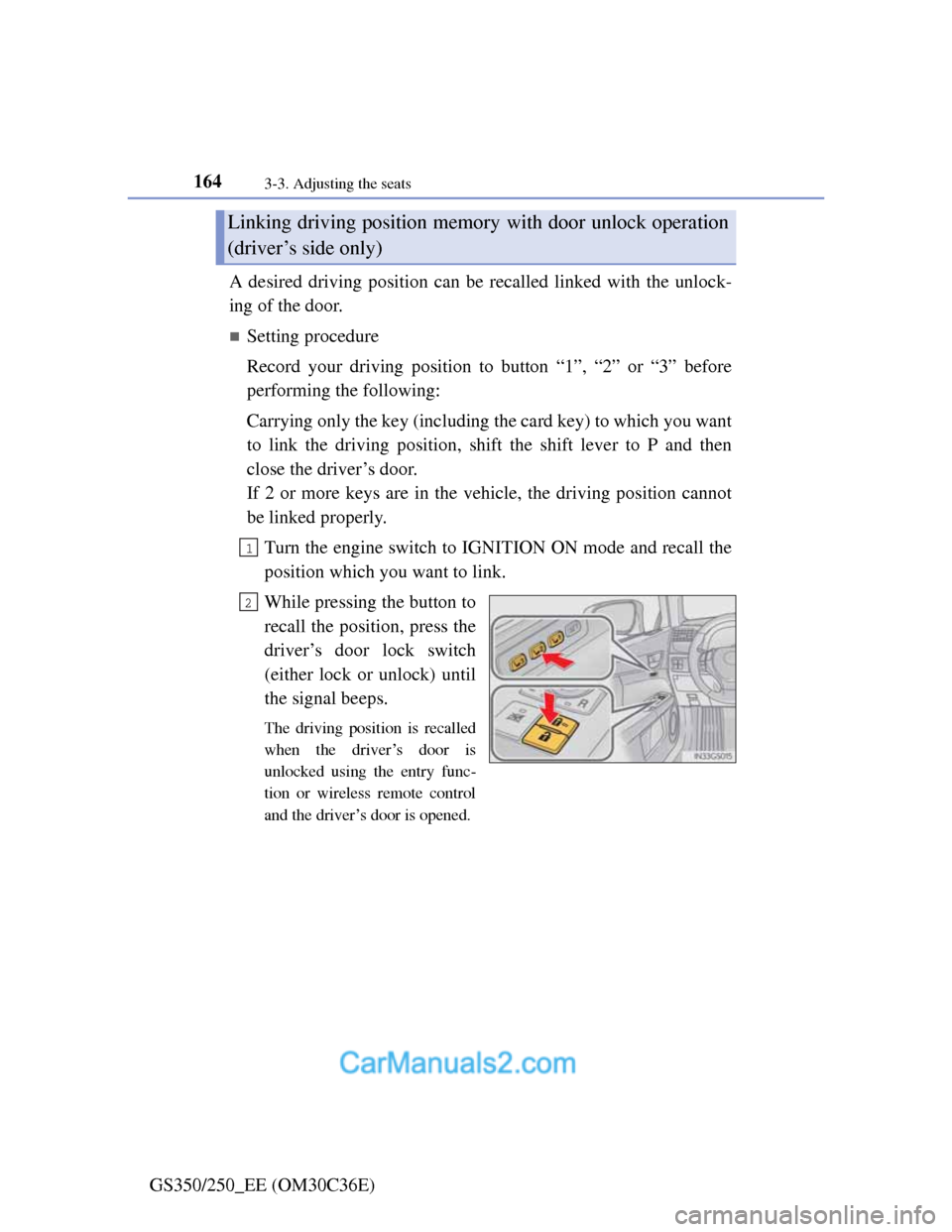
While pressing the button to
recall the position, press the
driver’s door lock switch
(either lock or unlock) until
the signal beeps.
The driving position is recalled
when the driver’s door is
unlocked using the entry func-
tion or wireless remote control
and the driver’s door is opened.
Linking driving position memory with door unlock operation
(driver’s side only)
1
2
Page 168 of 914
1653-3. Adjusting the seats
3
Operation of each component
GS350/250_EE (OM30C36E)
Cancelation procedure
Carry only the key to which you want to cancel the linked door
unlock operation.
If 2 or more keys are in the vehicle, the driving position cannot
be canceled properly.
Turn the engine switch to IGNITION ON mode.
While pressing the “SET” button, press the driver’s door lock
switch (either lock or unlock) until the signal beeps.
1
2
Page 170 of 914
167
3 3-3. Adjusting the seats
Operation of each component
GS350/250_EE (OM30C36E)
When driving position memory is linked with door unlock operation
If the driver’s door is opened, the driver’s seat will move toward the memo-
rized position but stop slightly beforehand to allow easy access to the vehi-
cle.
Turning the engine switch to ACCESSORY or IGNITION ON mode, or fas-
tening the driver’s seat belt moves the seat fully into the memorized position.
Operating the driving position memory after turning the engine switch off
Driver’s seat:
Memorized seat positions can be activated up to 180 seconds after the
driver’s door is opened and another 60 seconds after it is closed again. Mem-
orized steering wheel position can be activated by pressing the engine switch.
Front passenger’s seat:
Memorized positions can be activated up to 180 seconds after the front pas-
senger’s door is opened by pressing button “1”, “2” or “3”.
Correct seat position
When the seat is in the most forward or most backward position, and the seat
is being moved in those directions, the system may not correctly recognize
the current position and the memorized position will not be correctly
recalled.
The auto away function for exiting the driver’s seat
If the seat is already close to the rearmost position, the auto away function
may not operate when the driver exits the vehicle.
Customization
The distance that the driver’s seat moves backward during the auto away
function can be changed. (Customizable features: P. 855)
CAUTION
Seat adjustment caution
Take care during seat adjustment so that the seat does not strike the rear
passenger or squeeze your body against the steering wheel.
Page 174 of 914
1703-4. Adjusting the steering wheel and mirrors
GS350/250_EE (OM30C36E)
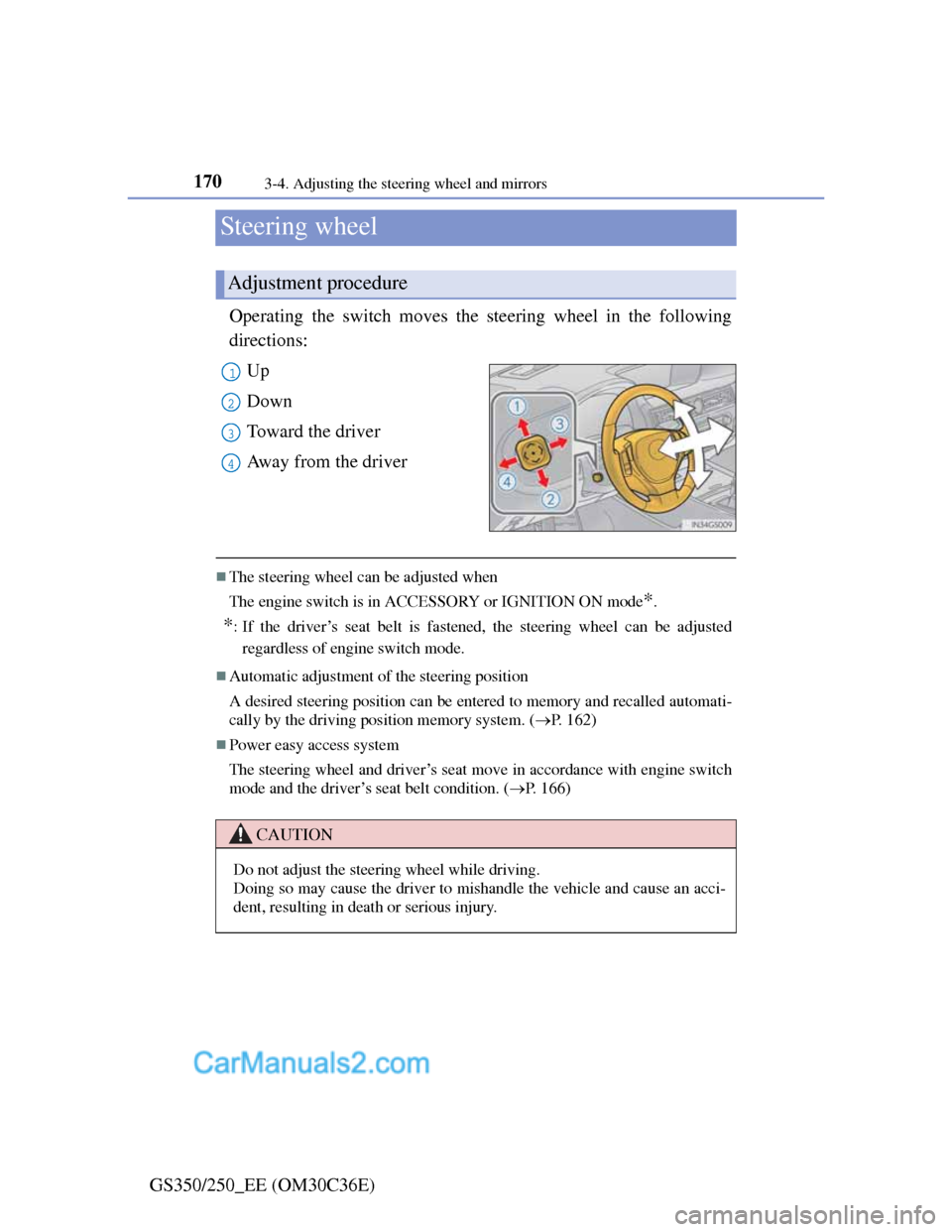
Steering wheel
Operating the switch moves the steering wheel in the following
directions:
Up
Down
Toward the driver
Away from the driver
The steering wheel can be adjusted when
The engine switch is in ACCESSORY or IGNITION ON mode
*.
*: If the driver’s seat belt is fastened, the steering wheel can be adjusted
regardless of engine switch mode.
Automatic adjustment of the steering position
A desired steering position can be entered to memory and recalled automati-
cally by the driving position memory system. (P. 162)
Power easy access system
The steering wheel and driver’s seat move in accordance with engine switch
mode and the driver’s seat belt condition. (P. 166)
Adjustment procedure
1
2
3
4
CAUTION
Do not adjust the steering wheel while driving.
Doing so may cause the driver to mishandle the vehicle and cause an acci-
dent, resulting in death or serious injury.
Page 176 of 914

1723-4. Adjusting the steering wheel and mirrors
GS350/250_EE (OM30C36E)
Auto anti-glare inside rear view mirror
Responding to the level of brightness of the headlights of vehicles
behind, the reflected light is automatically reduced.
Changing automatic anti-glare
function mode
ON/OFF
When the automatic anti-glare
function is in ON mode, the indi-
cator illuminates.
The function will set to ON mode
each time the engine switch is
turned to IGNITION ON mode.
Pressing the button turns the func-
tion to OFF mode. (The indicator
also turns off.)
To prevent sensor error (vehicles with auto anti-glare inside rear view mirror)
Indicator
To ensure that the sensors operate prop-
erly, do not touch or cover them.