lights Lexus GS250 2012 User Guide
[x] Cancel search | Manufacturer: LEXUS, Model Year: 2012, Model line: GS250, Model: Lexus GS250 2012Pages: 914, PDF Size: 53.04 MB
Page 25 of 914
25Pictorial index
GS350/250_EE (OM30C36E)
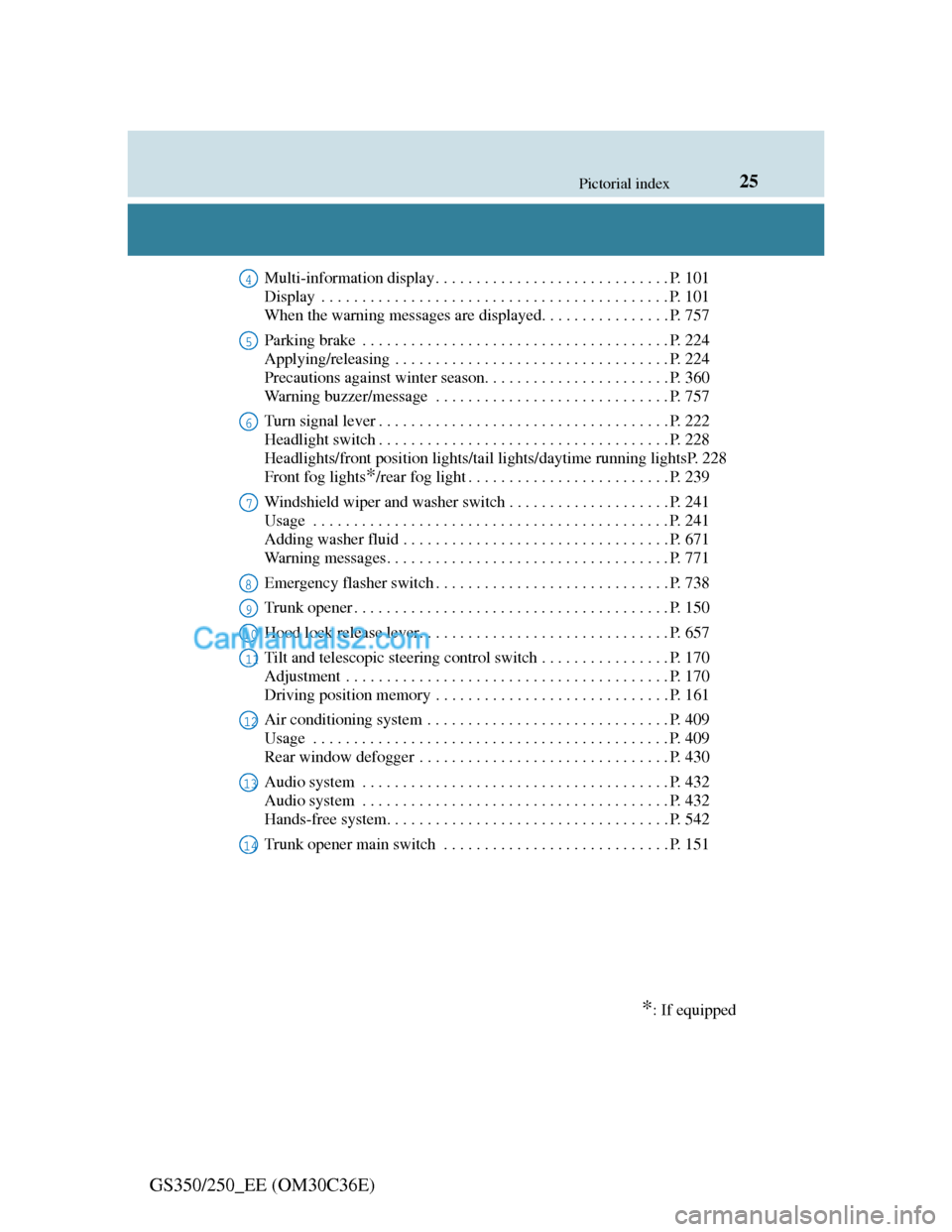
Multi-information display . . . . . . . . . . . . . . . . . . . . . . . . . . . . . P. 101
Display . . . . . . . . . . . . . . . . . . . . . . . . . . . . . . . . . . . . . . . . . . . P. 101
When the warning messages are displayed. . . . . . . . . . . . . . . . P. 757
Parking brake . . . . . . . . . . . . . . . . . . . . . . . . . . . . . . . . . . . . . . P. 224
Applying/releasing . . . . . . . . . . . . . . . . . . . . . . . . . . . . . . . . . . P. 224
Precautions against winter season. . . . . . . . . . . . . . . . . . . . . . . P. 360
Warning buzzer/message . . . . . . . . . . . . . . . . . . . . . . . . . . . . . P. 757
Turn signal lever . . . . . . . . . . . . . . . . . . . . . . . . . . . . . . . . . . . . P. 222
Headlight switch . . . . . . . . . . . . . . . . . . . . . . . . . . . . . . . . . . . . P. 228
Headlights/front position lights/tail lights/daytime running lightsP. 228
Front fog lights
*/rear fog light . . . . . . . . . . . . . . . . . . . . . . . . . P. 239
Windshield wiper and washer switch . . . . . . . . . . . . . . . . . . . . P. 241
Usage . . . . . . . . . . . . . . . . . . . . . . . . . . . . . . . . . . . . . . . . . . . . P. 241
Adding washer fluid . . . . . . . . . . . . . . . . . . . . . . . . . . . . . . . . . P. 671
Warning messages. . . . . . . . . . . . . . . . . . . . . . . . . . . . . . . . . . . P. 771
Emergency flasher switch . . . . . . . . . . . . . . . . . . . . . . . . . . . . . P. 738
Trunk opener . . . . . . . . . . . . . . . . . . . . . . . . . . . . . . . . . . . . . . . P. 150
Hood lock release lever. . . . . . . . . . . . . . . . . . . . . . . . . . . . . . . P. 657
Tilt and telescopic steering control switch . . . . . . . . . . . . . . . . P. 170
Adjustment . . . . . . . . . . . . . . . . . . . . . . . . . . . . . . . . . . . . . . . . P. 170
Driving position memory . . . . . . . . . . . . . . . . . . . . . . . . . . . . . P. 161
Air conditioning system . . . . . . . . . . . . . . . . . . . . . . . . . . . . . . P. 409
Usage . . . . . . . . . . . . . . . . . . . . . . . . . . . . . . . . . . . . . . . . . . . . P. 409
Rear window defogger . . . . . . . . . . . . . . . . . . . . . . . . . . . . . . . P. 430
Audio system . . . . . . . . . . . . . . . . . . . . . . . . . . . . . . . . . . . . . . P. 432
Audio system . . . . . . . . . . . . . . . . . . . . . . . . . . . . . . . . . . . . . . P. 432
Hands-free system. . . . . . . . . . . . . . . . . . . . . . . . . . . . . . . . . . . P. 542
Trunk opener main switch . . . . . . . . . . . . . . . . . . . . . . . . . . . . P. 151
*: If equipped
4
5
6
7
8
9
10
11
12
13
14
Page 31 of 914
31Pictorial index
GS350/250_EE (OM30C36E)
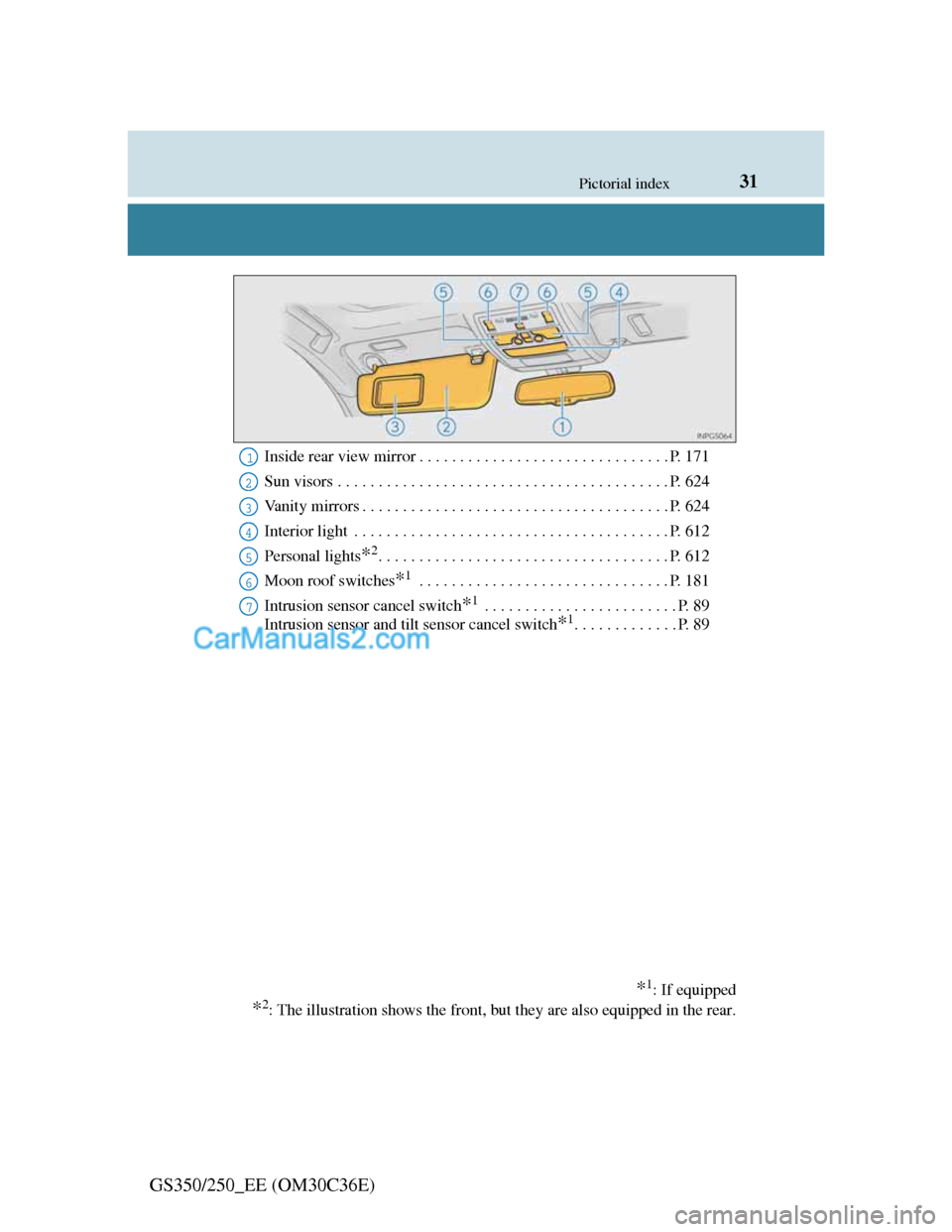
Inside rear view mirror . . . . . . . . . . . . . . . . . . . . . . . . . . . . . . . P. 171
Sun visors . . . . . . . . . . . . . . . . . . . . . . . . . . . . . . . . . . . . . . . . . P. 624
Vanity mirrors . . . . . . . . . . . . . . . . . . . . . . . . . . . . . . . . . . . . . . P. 624
Interior light . . . . . . . . . . . . . . . . . . . . . . . . . . . . . . . . . . . . . . . P. 612
Personal lights
*2. . . . . . . . . . . . . . . . . . . . . . . . . . . . . . . . . . . . P. 612
Moon roof switches
*1 . . . . . . . . . . . . . . . . . . . . . . . . . . . . . . . P. 181
Intrusion sensor cancel switch
*1 . . . . . . . . . . . . . . . . . . . . . . . . P. 89
Intrusion sensor and tilt sensor cancel switch
*1. . . . . . . . . . . . . P. 89
*1: If equipped
*2: The illustration shows the front, but they are also equipped in the rear.
1
2
3
4
5
6
7
Page 46 of 914
461-1. For safe use
GS350/250_EE (OM30C36E)
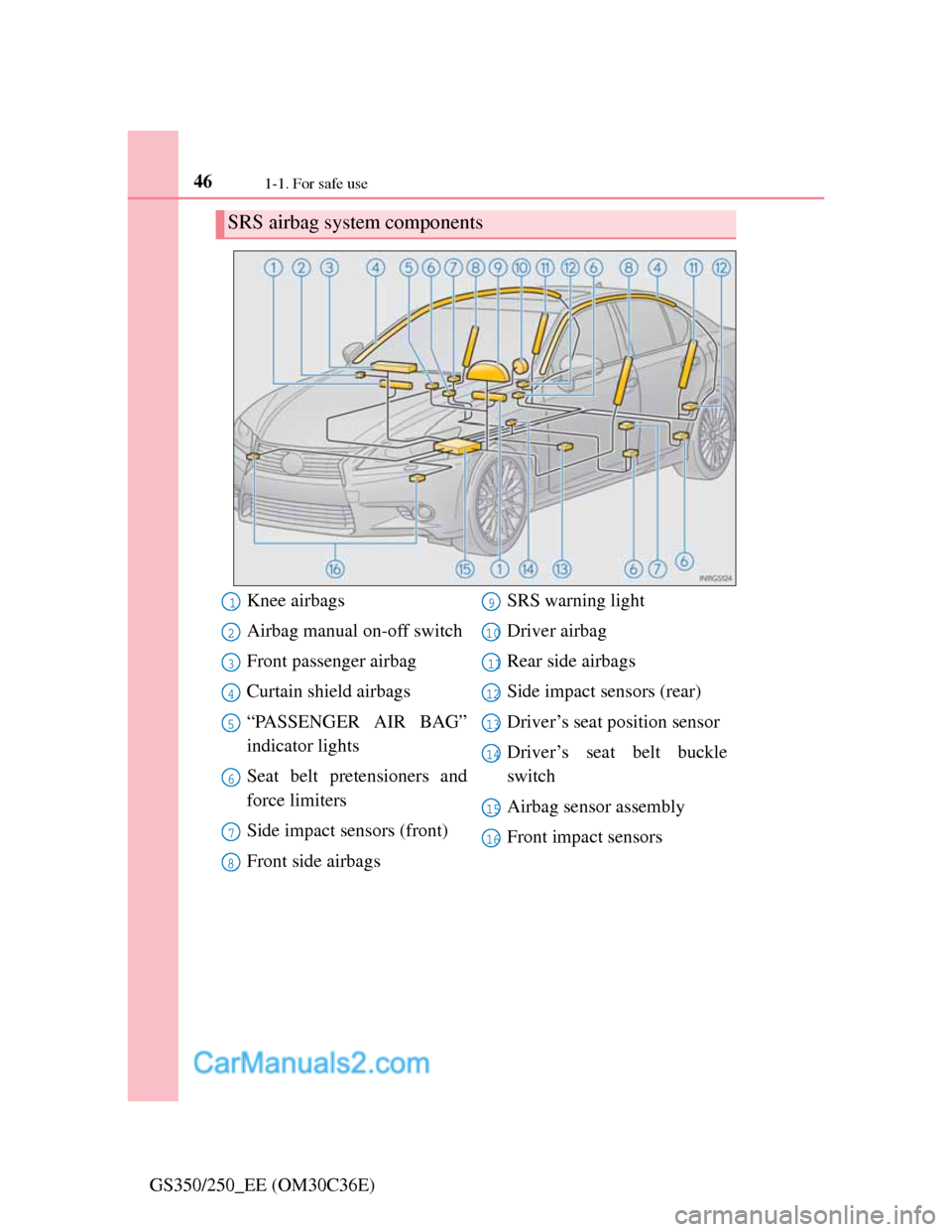
SRS airbag system components
Knee airbags
Airbag manual on-off switch
Front passenger airbag
Curtain shield airbags
“PASSENGER AIR BAG”
indicator lights
Seat belt pretensioners and
force limiters
Side impact sensors (front)
Front side airbagsSRS warning light
Driver airbag
Rear side airbags
Side impact sensors (rear)
Driver’s seat position sensor
Driver’s seat belt buckle
switch
Airbag sensor assembly
Front impact sensors1
2
3
4
5
6
7
8
9
10
11
12
13
14
15
16
Page 94 of 914
93
2Instrument cluster
GS350/250_EE (OM30C36E)
2. Instrument cluster
Warning lights
and indicators.................... 94
Gauges and meters .............. 98
Multi-information display. 101
Head-up display ................ 109
Page 95 of 914
942. Instrument cluster
GS350/250_EE (OM30C36E)
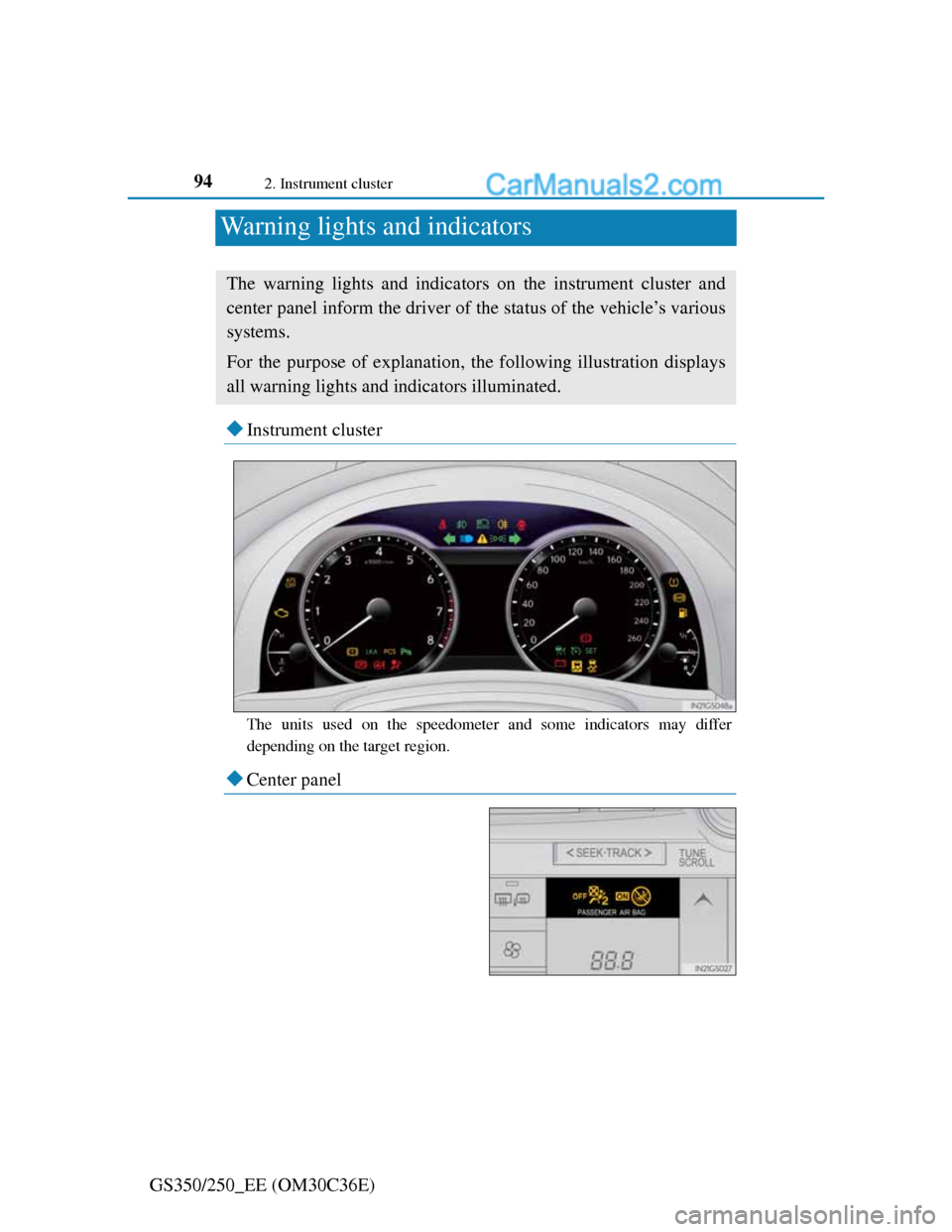
Warning lights and indicators
Instrument cluster
The units used on the speedometer and some indicators may differ
depending on the target region.
Center panel
The warning lights and indicators on the instrument cluster and
center panel inform the driver of the status of the vehicle’s various
systems.
For the purpose of explanation, the following illustration displays
all warning lights and indicators illuminated.
Page 96 of 914
952. Instrument cluster
2
Instrument cluster
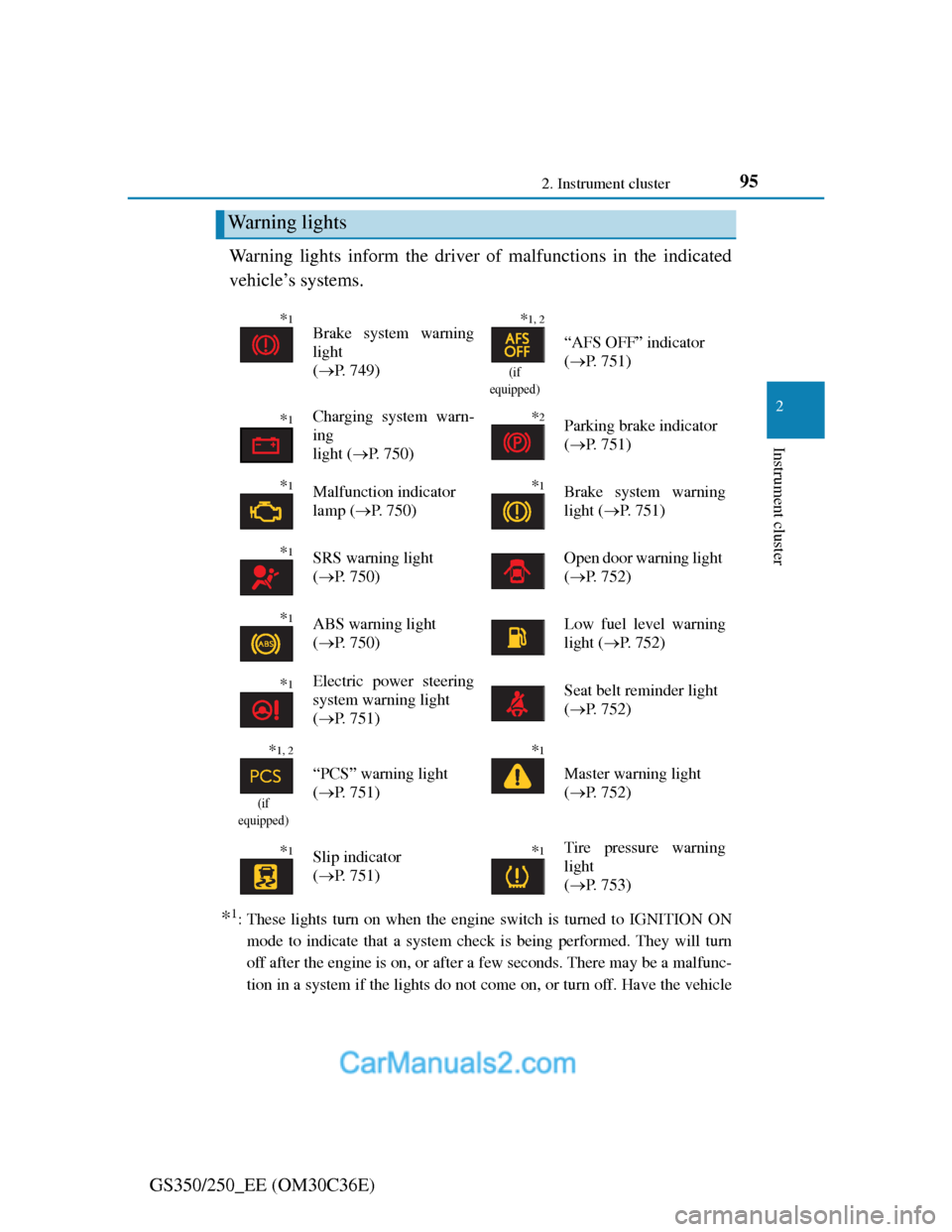
GS350/250_EE (OM30C36E)Warning lights inform the driver of malfunctions in the indicated
vehicle’s systems.
*1: These lights turn on when the engine switch is turned to IGNITION ON
mode to indicate that a system check is being performed. They will turn
off after the engine is on, or after a few seconds. There may be a malfunc-
tion in a system if the lights do not come on, or turn off. Have the vehicle
Warning lights
*1Brake system warning
light
(P. 749)*1, 2
(if
equipped)
“AFS OFF” indicator
(P. 751)
*1Charging system warn-
ing
light (P. 7 5 0 )*2Parking brake indicator
(P. 751)
*1Malfunction indicator
lamp (P. 750)*1Brake system warning
light (P. 7 5 1 )
*1SRS warning light
(P. 750)Open door warning light
(P. 752)
*1ABS warning light
(P. 750)Low fuel level warning
light (P. 7 5 2 )
*1Electric power steering
system warning light
(P. 751)Seat belt reminder light
(P. 752)
*1, 2
(if
equipped)
“PCS” warning light
(P. 751)
*1
Master warning light
(P. 752)
*1Slip indicator
(P. 751)*1Tire pressure warning
light
(P. 753)
Page 99 of 914
982. Instrument cluster
GS350/250_EE (OM30C36E)
*1: These lights turn on when the engine switch is turned to IGNITION ON
mode to indicate that a system check is being performed. They will turn
off after the engine is on, or after a few seconds. There may be a malfunc-
tion in a system if the lights do not come on, or turn off. Have the vehicle
inspected by any authorized Lexus dealer or repairer, or another duly qual-
ified and equipped professional.
*2: The light flashes to indicate that the system is operating.
*3: The light comes on when the system is turned off. The light flashes faster
than usual to indicate that the system is operating.
CAUTION
If a safety system warning light does not come on
Should a safety system light such as the ABS and SRS warning light not
come on when you start the engine, this could mean that these systems are
not available to help protect you in an accident, which could result in death
or serious injury. Have the vehicle inspected by any authorized Lexus
dealer or repairer, or another duly qualified and equipped professional
immediately if this occurs.
Page 101 of 914
1002. Instrument cluster
GS350/250_EE (OM30C36E)Odometer and trip meter display
Odometer:
Displays the total distance the vehicle has been driven
Trip meter:
Displays the distance the vehicle has been driven since the meter was last
reset. Trip meters “A” and “B” can be used to record and display different
distances independently.
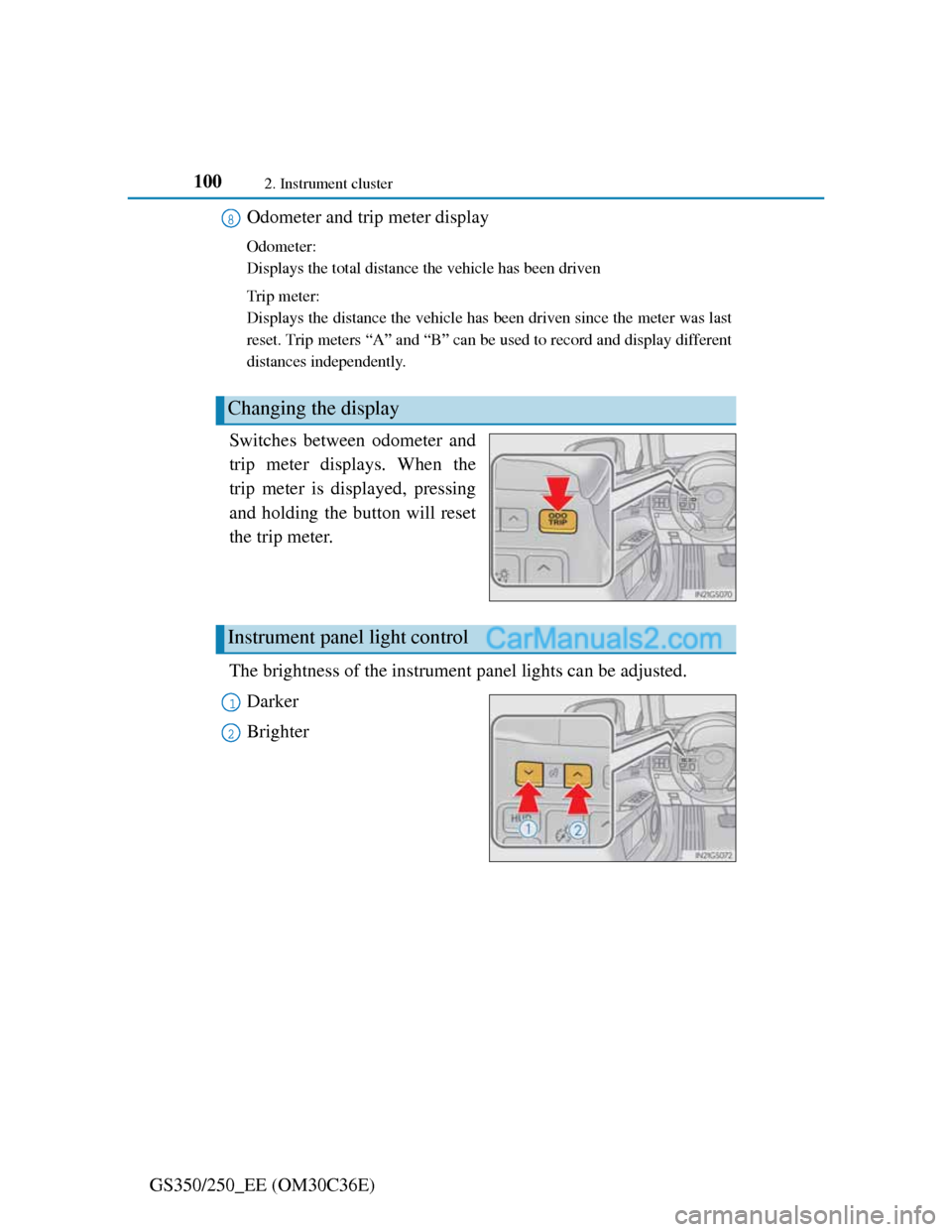
Switches between odometer and
trip meter displays. When the
trip meter is displayed, pressing
and holding the button will reset
the trip meter.
The brightness of the instrument panel lights can be adjusted.
Darker
Brighter
Changing the display
8
Instrument panel light control
1
2
Page 102 of 914
101
2 2. Instrument cluster
Instrument cluster
GS350/250_EE (OM30C36E)
The meters and display illuminate when
The engine switch is in IGNITION ON mode.
Instrument panel brightness adjustment
The instrument panel brightness levels when the tail lights are on and off can
be adjusted individually. However, when the surroundings are bright (day-
time, etc.), turning on the tail lights will not change the instrument panel
brightness.
Limitation of brightness adjustment
The brightness of the instrument panel lights is automatically adjusted based
on the light sensor detecting how bright the surroundings are. However, if the
instrument panel brightness has been manually set to either the brightest or
darkest setting, the automatic adjustment will not be performed.
ECO lamp and SPORT lamp
When sport mode is selected, SPORT lamp (red) will illuminate.
When all of the following conditions are satisfied and Eco-friendly driving,
ECO lamp (blue) will illuminate. (ECO lamp will become brighter the more
Eco-friendly driving you perform. Also, while the acceleration exceeds
Zone of Eco driving, ECO lamp turns off. (P. 109) However, when Eco
drive mode is selected, while the acceleration exceeds Zone of Eco driving,
ECO lamp does not turn off.):
• Driving with the shift lever in D
• Paddle shift switch is not operated.
• Either normal mode or Eco drive mode is selected.
• The vehicle speed is approximately 130 km/h (80 mph) or below.
Customization
Settings (e.g. on/off operation of ECO lamp) can be changed.
(Customizable features P. 857)
NOTICE
To prevent damage to the engine and its components
Do not let the indicator needle of the tachometer enter the red zone, which
indicates the maximum engine speed.
The engine may be overheating if the engine coolant temperature gauge is
in the red zone (H). In this case, immediately stop the vehicle in a safe
place, and check the engine after it has cooled completely. (P. 829)
Page 126 of 914
123
3 3-2. Opening, closing and locking the doors and trunk
Operation of each component
GS350/250_EE (OM30C36E)
Smart entry & start system
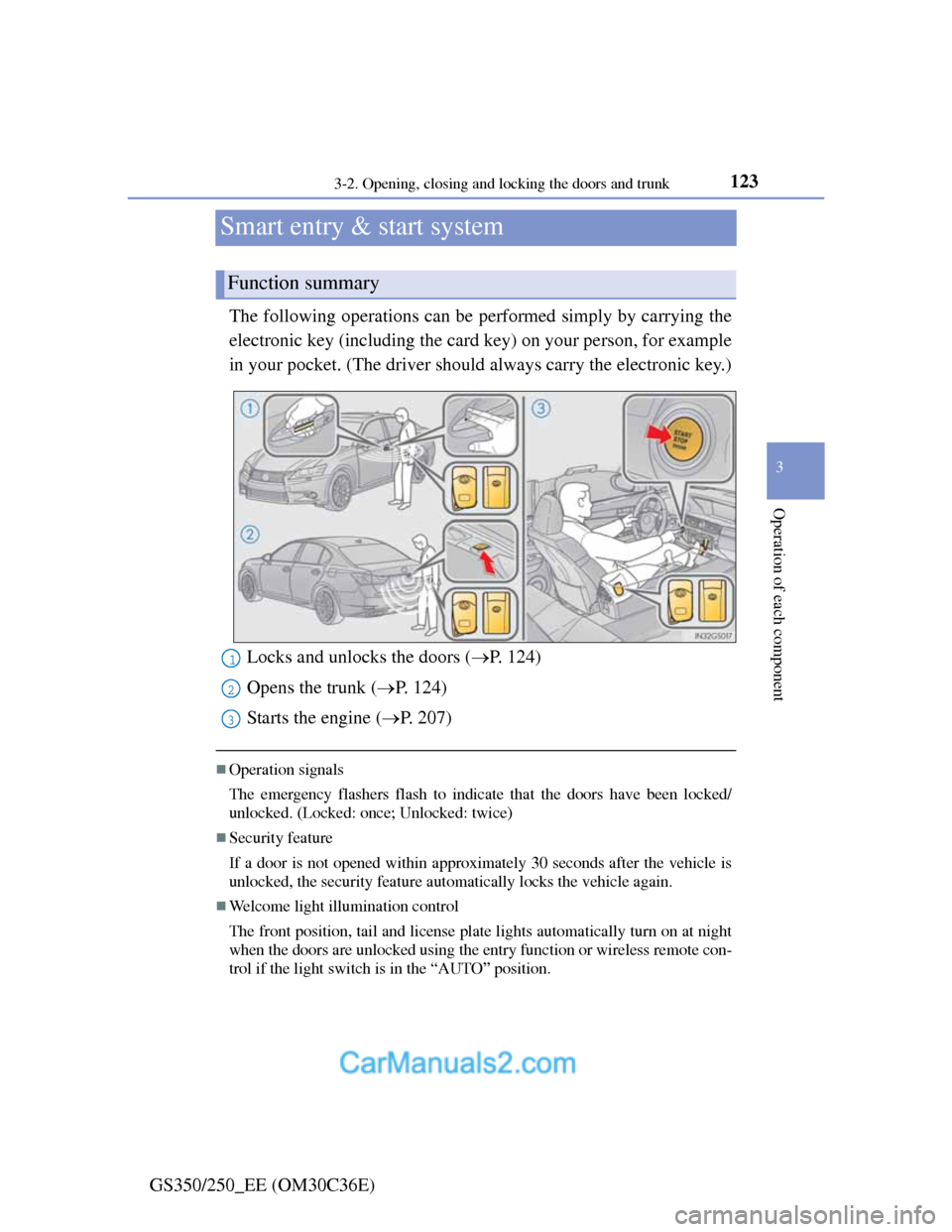
The following operations can be performed simply by carrying the
electronic key (including the card key) on your person, for example
in your pocket. (The driver should always carry the electronic key.)
Operation signals
The emergency flashers flash to indicate that the doors have been locked/
unlocked. (Locked: once; Unlocked: twice)
Security feature
If a door is not opened within approximately 30 seconds after the vehicle is
unlocked, the security feature automatically locks the vehicle again.
Welcome light illumination control
The front position, tail and license plate lights automatically turn on at night
when the doors are unlocked using the entry function or wireless remote con-
trol if the light switch is in the “AUTO” position.
Function summary
Locks and unlocks the doors (P. 124)
Opens the trunk (P. 124)
Starts the engine (P. 207)1
2
3