CD player Lexus GS250 2012 Owner's Guide
[x] Cancel search | Manufacturer: LEXUS, Model Year: 2012, Model line: GS250, Model: Lexus GS250 2012Pages: 914, PDF Size: 53.04 MB
Page 519 of 914
5085-3. Using the audio system
GS350/250_EE (OM30C36E)
About Bluetooth®
Compatible models
Portable players must correspond to the following specifications:
Bluetooth® specification
Ver. 1.1 or higher
(Recommended: Ver. 2.1+EDR or higher)
Profile
• A2DP (Advanced Audio Distribution Profile) Ver. 1.0 or higher
(Recommended: Ver. 1.2 or higher)
• AVRCP (Audio/Video Remote Control Profile) Ver. 1.0 or higher
(Recommended: Ver. 1.4 or higher)
However, please note that some functions may be limited depending on the
type of portable player. Also, the different screen is displayed depending on
which portable player is connecting.
Certification
P. 5 4 9
Reconnecting the portable player
If the portable player is disconnected with a poor reception when the engine
switch is in ACCESSORY or IGNITION ON mode, the system automati-
cally reconnects the portable player.
If you have switched off the portable player yourself, follow the instructions
below to reconnect:
Select the portable player again
Enter the portable player
When transferring ownership of your vehicle
Be sure to remove the registered portable player from the system. (P. 601) Bluetooth is a registered trademark of
Bluetooth SIG. Inc.
Page 520 of 914
5095-3. Using the audio system
5
Interior features
GS350/250_EE (OM30C36E)
CAUTION
While driving
Do not use the portable player or connect the Bluetooth
® system.
NOTICE
When leaving the vehicle
Do not leave your portable player in the vehicle. The inside of the vehicle
may become hot, causing damage to the portable player.
Page 549 of 914
5385-3. Using the audio system
GS350/250_EE (OM30C36E)Press to turn the front audio system on.
Pressing the button again turns the system off.
Press to change the audio source. The audio source as fol-
lows each time the button is pressed. If no discs are inserted in the
player, or if the external device is not connected, that mode will be
skipped.
FM DAB DVD player iPod or USB memory
Bluetooth® audio player AUX AM
Press “” on to increase the volume and “” to decrease the
volume.
Press and hold the button to continue increasing or decreasing the volume.
Turning the power on/off
Changing the audio source
Adjusting the volume
Page 550 of 914
539
5 5-3. Using the audio system
Interior features
GS350/250_EE (OM30C36E)
Select a radio station
Press to select a frequency band.
Press “” or “” on to seek the frequency.
To scan for receivable stations, press and hold until you hear a
beep.
Select a preset station
Press to select a frequency band.
Press “” or “” on to select a preset station.
Audio CD
Press to select the DVD player.
Press “” or “” on to select a track.
Bluetooth® audio player
Press to select the Bluetooth
® audio player.
Press “” or “” on to select an folder.
Press “” or “” on to select a file.
iPod
Press to select the iPod.
Selecting a radio station
Selecting a track/folder/file
1
2
1
2
1
2
1
2
3
1
Page 552 of 914
5415-3. Using the audio system
5
Interior features
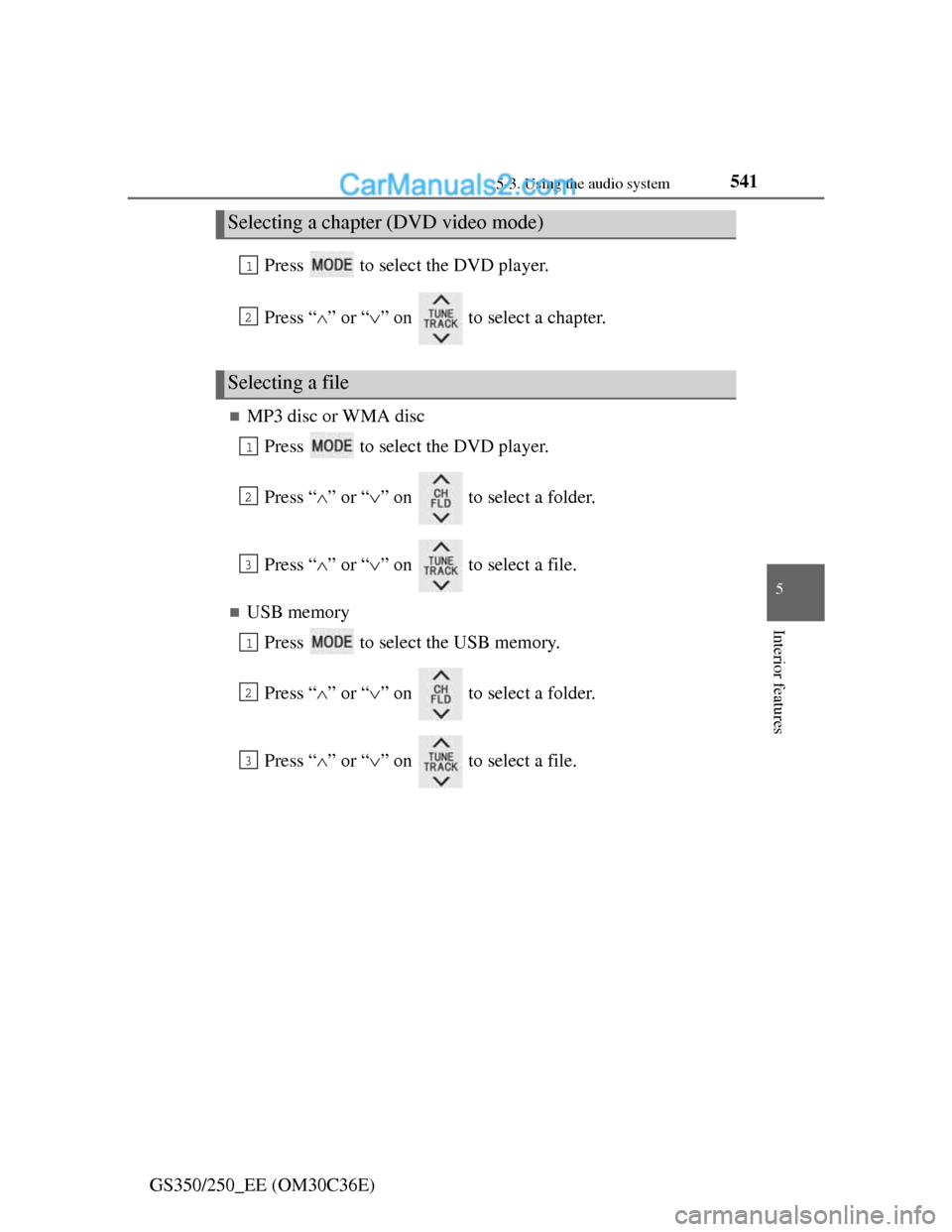
GS350/250_EE (OM30C36E)Press to select the DVD player.
Press “” or “” on to select a chapter.
MP3 disc or WMA disc
Press to select the DVD player.
Press “” or “” on to select a folder.
Press “” or “” on to select a file.
USB memory
Press to select the USB memory.
Press “” or “” on to select a folder.
Press “” or “” on to select a file.
Selecting a chapter (DVD video mode)
Selecting a file
1
2
1
2
3
1
2
3
Page 553 of 914
5425-3. Using the audio system
GS350/250_EE (OM30C36E)
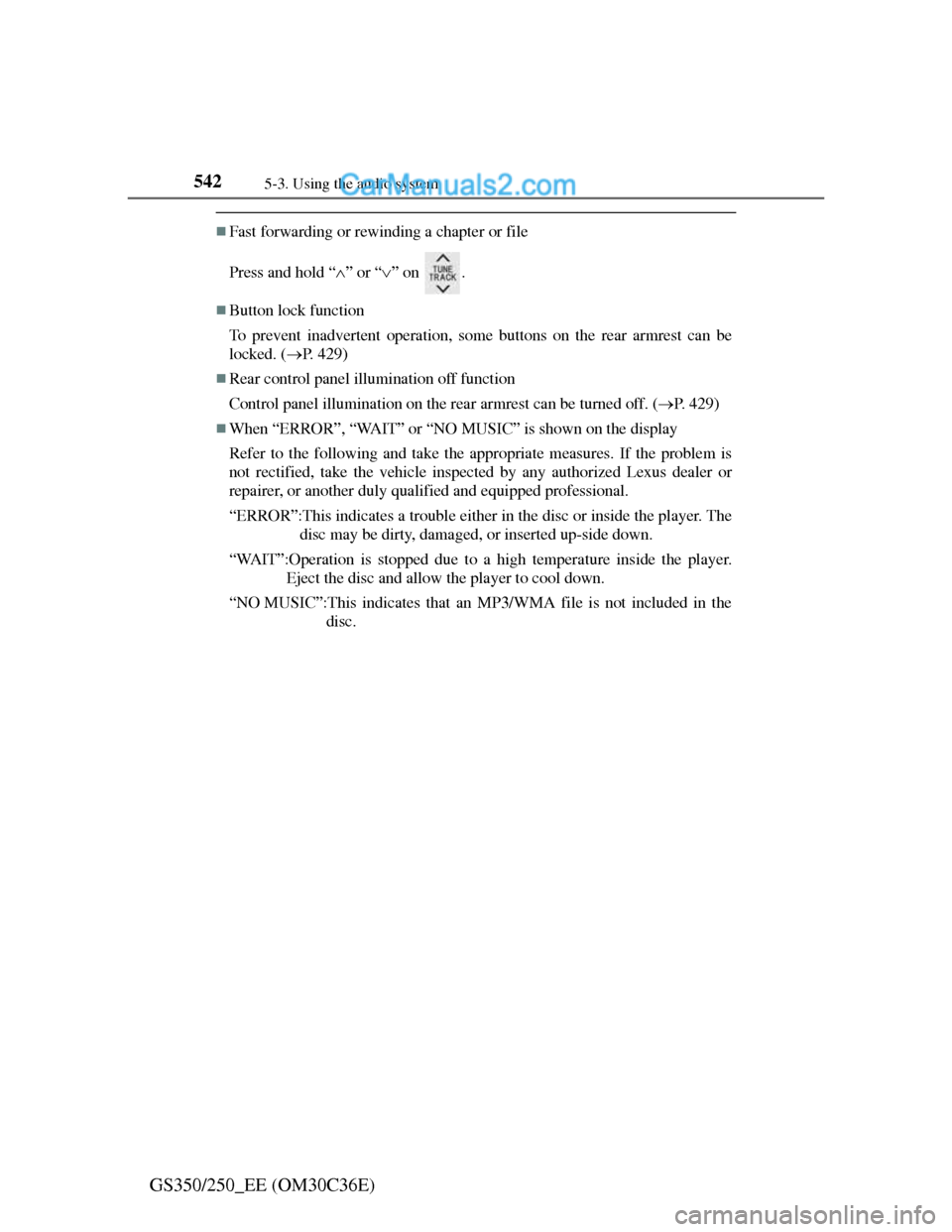
Fast forwarding or rewinding a chapter or file
Press and hold “” or “” on .
Button lock function
To prevent inadvertent operation, some buttons on the rear armrest can be
locked. (P. 429)
Rear control panel illumination off function
Control panel illumination on the rear armrest can be turned off. (P. 429)
When “ERROR”, “WAIT” or “NO MUSIC” is shown on the display
Refer to the following and take the appropriate measures. If the problem is
not rectified, take the vehicle inspected by any authorized Lexus dealer or
repairer, or another duly qualified and equipped professional.
“ERROR”:This indicates a trouble either in the disc or inside the player. The
disc may be dirty, damaged, or inserted up-side down.
“WAIT”:Operation is stopped due to a high temperature inside the player.
Eject the disc and allow the player to cool down.
“NO MUSIC”:This indicates that an MP3/WMA file is not included in the
disc.
Page 616 of 914
6015-4. Using the hands-free phone system (for cellular phone)
5
Interior features
GS350/250_EE (OM30C36E)
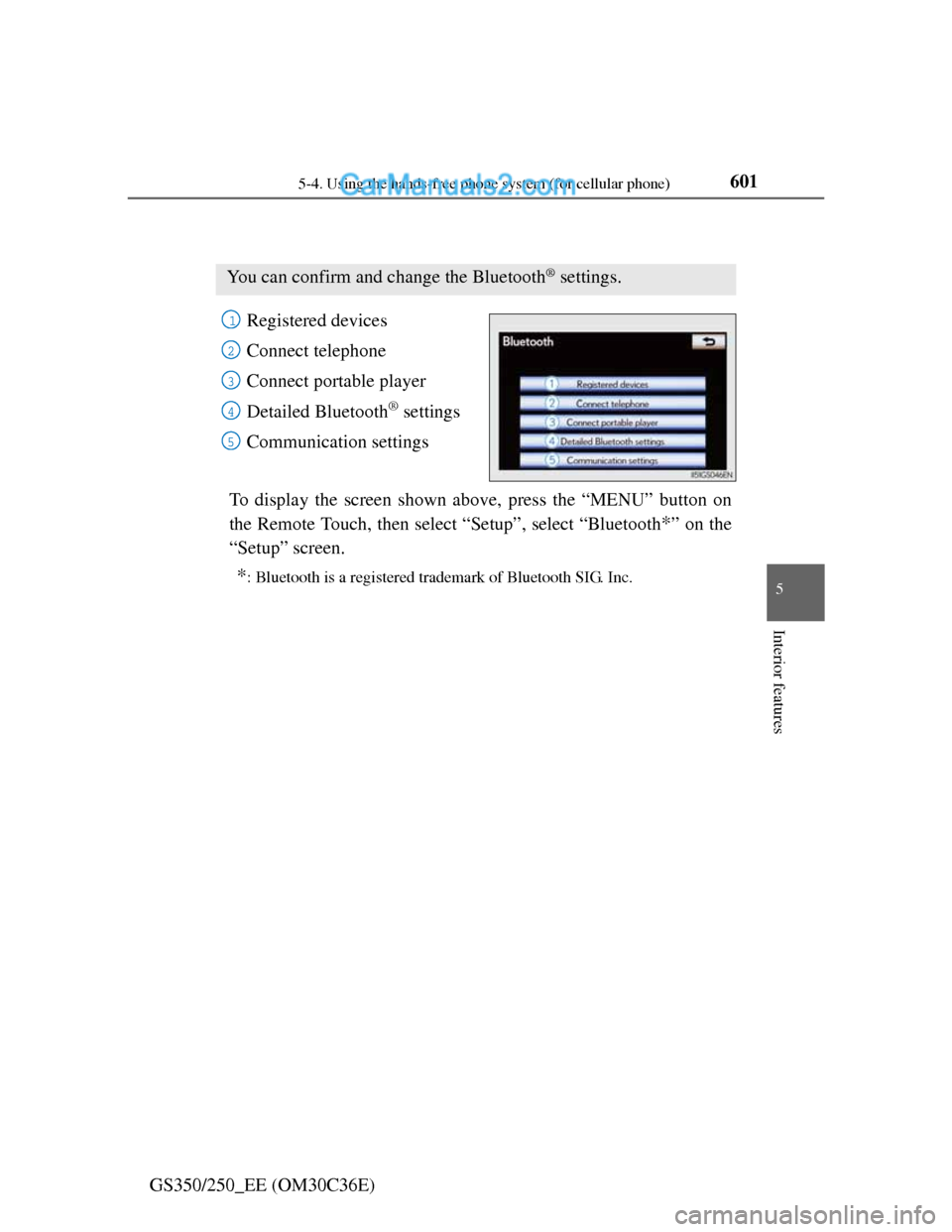
Setting the Bluetooth®
Registered devices
Connect telephone
Connect portable player
Detailed Bluetooth
® settings
Communication settings
To display the screen shown above, press the “MENU” button on
the Remote Touch, then select “Setup”, select “Bluetooth
*” on the
“Setup” screen.
*: Bluetooth is a registered trademark of Bluetooth SIG. Inc.
You can confirm and change the Bluetooth® settings.
1
2
3
4
15
Page 617 of 914
6025-4. Using the hands-free phone system (for cellular phone)
GS350/250_EE (OM30C36E)
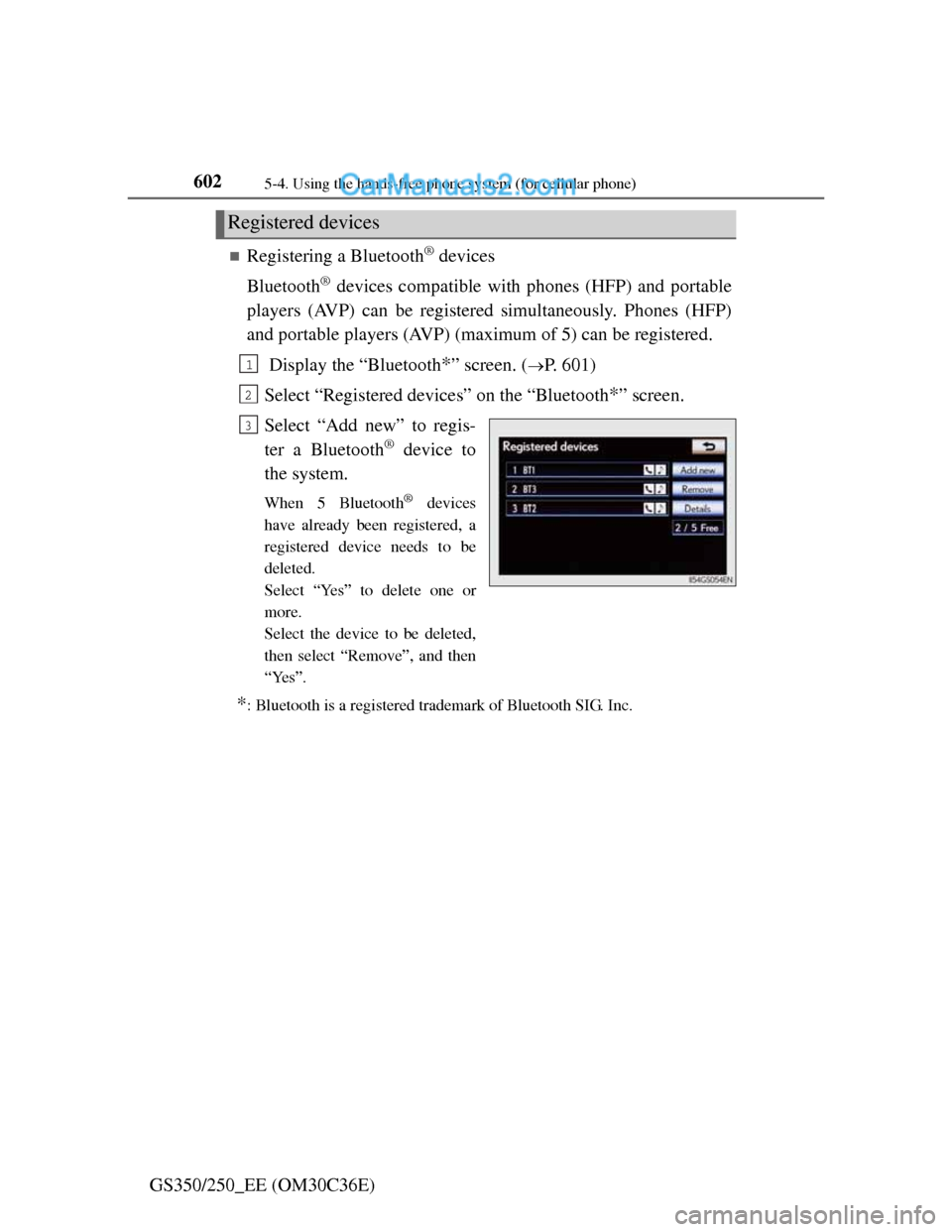
Registering a Bluetooth® devices
Bluetooth
® devices compatible with phones (HFP) and portable
players (AVP) can be registered simultaneously. Phones (HFP)
and portable players (AVP) (maximum of 5) can be registered.
Display the “Bluetooth
*” screen. (P. 601)
Select “Registered devices” on the “Bluetooth
*” screen.
Select “Add new” to regis-
ter a Bluetooth
® device to
the system.
When 5 Bluetooth® devices
have already been registered, a
registered device needs to be
deleted.
Select “Yes” to delete one or
more.
Select the device to be deleted,
then select “Remove”, and then
“Yes”.
*: Bluetooth is a registered trademark of Bluetooth SIG. Inc.
Registered devices
1
2
3
Page 620 of 914
6055-4. Using the hands-free phone system (for cellular phone)
5
Interior features
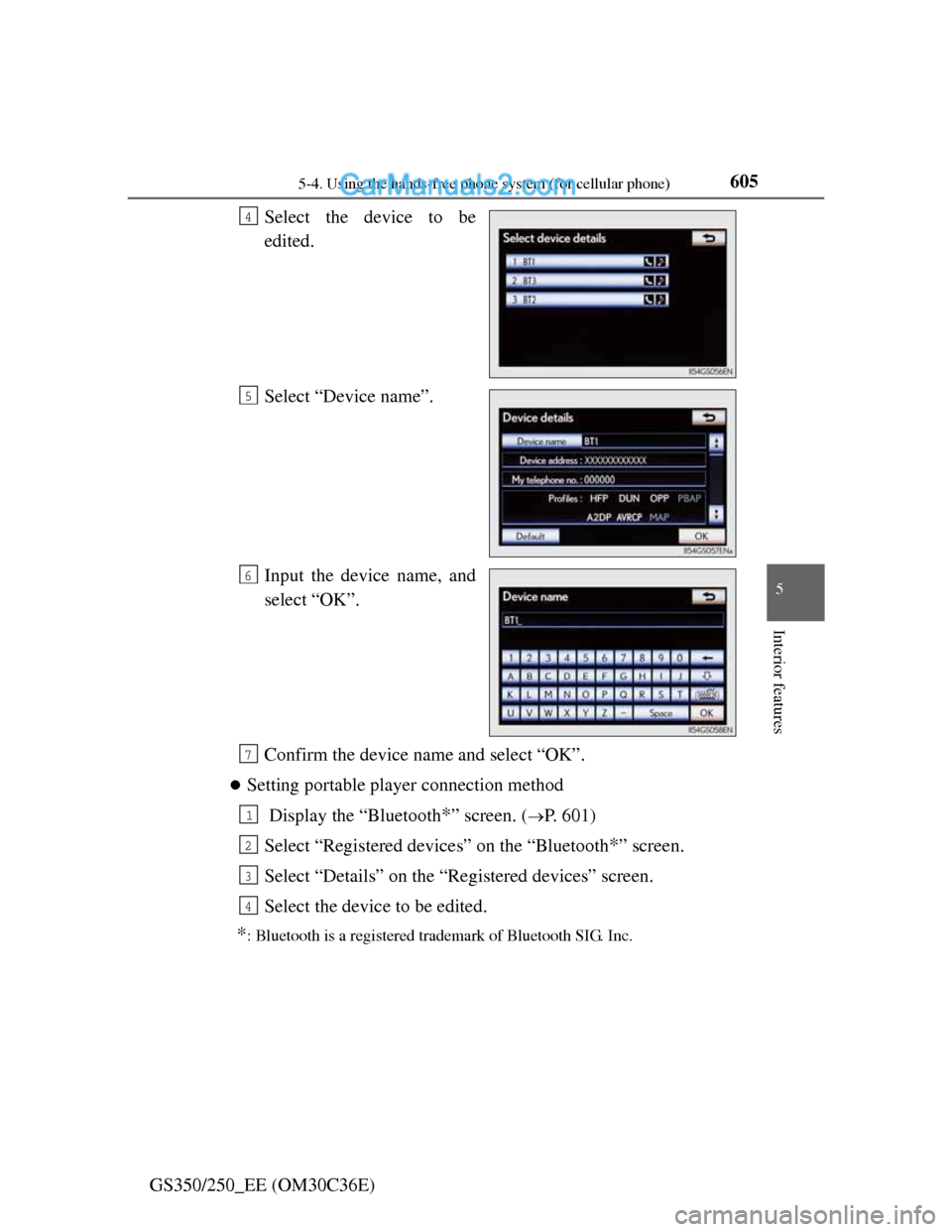
GS350/250_EE (OM30C36E)Select the device to be
edited.
Select “Device name”.
Input the device name, and
select “OK”.
Confirm the device name and select “OK”.
Setting portable player connection method
Display the “Bluetooth
*” screen. (P. 601)
Select “Registered devices” on the “Bluetooth
*” screen.
Select “Details” on the “Registered devices” screen.
Select the device to be edited.
*: Bluetooth is a registered trademark of Bluetooth SIG. Inc.
4
5
6
7
1
2
3
4
Page 621 of 914
6065-4. Using the hands-free phone system (for cellular phone)
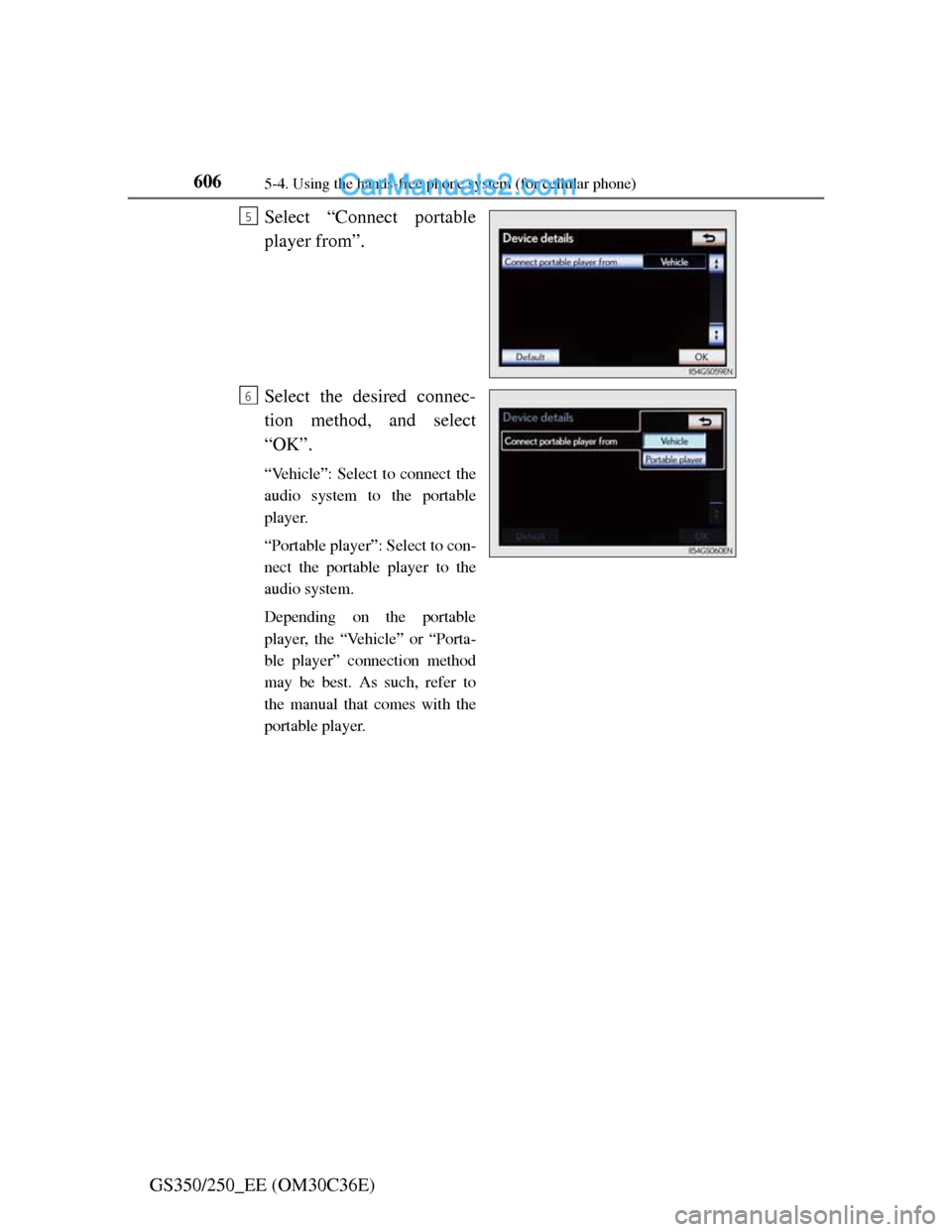
GS350/250_EE (OM30C36E)Select “Connect portable
player from”.
Select the desired connec-
tion method, and select
“OK”.
“Vehicle”: Select to connect the
audio system to the portable
player.
“Portable player”: Select to con-
nect the portable player to the
audio system.
Depending on the portable
player, the “Vehicle” or “Porta-
ble player” connection method
may be best. As such, refer to
the manual that comes with the
portable player.
5
6