ECO mode Lexus GS250 2012 Owner's Guide
[x] Cancel search | Manufacturer: LEXUS, Model Year: 2012, Model line: GS250, Model: Lexus GS250 2012Pages: 914, PDF Size: 53.04 MB
Page 286 of 914
2794-5. Using the driving support
4
Driving
GS350/250_EE (OM30C36E)
Temporary cancelation of the LKA system functions
If any of the following occurs, the LKA system functions will be temporarily
canceled. The functions will resume after the necessary operating conditions
have returned.
The steering wheel is turned as far as necessary to cause the vehicle to
change lanes.
When the system detects no-handed driving. (The lane keeping assist func-
tion will be temporarily canceled, but the lane departure warning function
will continue.)
The turn signal lever is operated.
The vehicle speed deviates from the operating range of the LKA system
functions. (The buzzer will beep twice when the lane keeping assist func-
tion is being canceled.)
When the lane lines cannot be recognized while driving. (The buzzer will
beep twice when the lane keeping assist function is being canceled.)
The wiper switch is set on high speed mode or is set on AUTO mode with
wipers operating at high speed. (The lane keeping assist function will be
temporarily canceled, but the lane departure warning function will con-
tinue.)
If the vehicle crosses a line for approximately half a minute or more. (The
lane keeping assist function will be temporarily canceled, but the lane
departure warning function will continue.)
When the lane departure warning function is activated.
The lane departure warning function will not operate again for a several
seconds after it has been activated, even if the vehicle leaves the lane again.
The lane departure warning
It may be difficult to feel the sensory warning depending on the road condi-
tions.
No-handed driving warning
If the steering wheel is not operated for approximately 15 seconds on a
straight road or approximately 5 seconds on a curve, the buzzer will beep
twice, indicators on the multi-information display will flash, and the lane
keeping assist function will be temporarily canceled. If you drive the vehicle
with your hands lightly touching the steering wheel, this may also be
detected as no-handed driving.
Page 332 of 914
3254-5. Using the driving support
4
Driving
GS350/250_EE (OM30C36E)
CAUTION
In low temperatures, the screen may darken or the image may become
faint. The image could distort when the vehicle is moving, or you may
become unable to see the image on the screen. Be sure to check direct
visually and with mirror all around the vehicle before proceeding.
If the tire sizes are changed, the position of the guide lines displayed on
the screen may change.
The camera uses a special lens. The distances between objects and pedes-
trians that appear in the image displayed on the screen will differ from the
actual distances. (P. 316)
When using the perpendicular parking assist screen
The position of the guide lines displayed on the screen may change in
accordance with the number of passengers, the amount of cargo etc. Be
sure to check behind and all around the vehicle direct visually and with
mirror before proceeding.
Estimated course line display mode: If the steering wheel is straight and
the vehicle width extension guide lines and the estimated course lines are
not in alignment, have the vehicle inspected by any authorized Lexus
dealer or repairer, or another duly qualified and equipped professional.
The vehicle width extension guide lines are wider than the actual width of
the vehicle. When backing up, be sure to check behind and all around the
vehicle direct visually and with mirror before proceeding.
When using the parallel parking assist screen
Do not use the system if the display is incorrect due to an uneven (curvy/
hilly) road or a non-straight road.
Make sure to operate the steering wheel only when the vehicle is stopped.
Be sure to check that there are no obstacles inside the blue outline.
If there are any obstacles inside the blue outline, do not use the parallel
parking assist.
When positioning the blue outline over the parking space, be sure to posi-
tion it so that the extended blue line may not cross the tire of the vehicle
parked in front of the empty space.
Page 335 of 914
3284-5. Using the driving support
GS350/250_EE (OM30C36E)
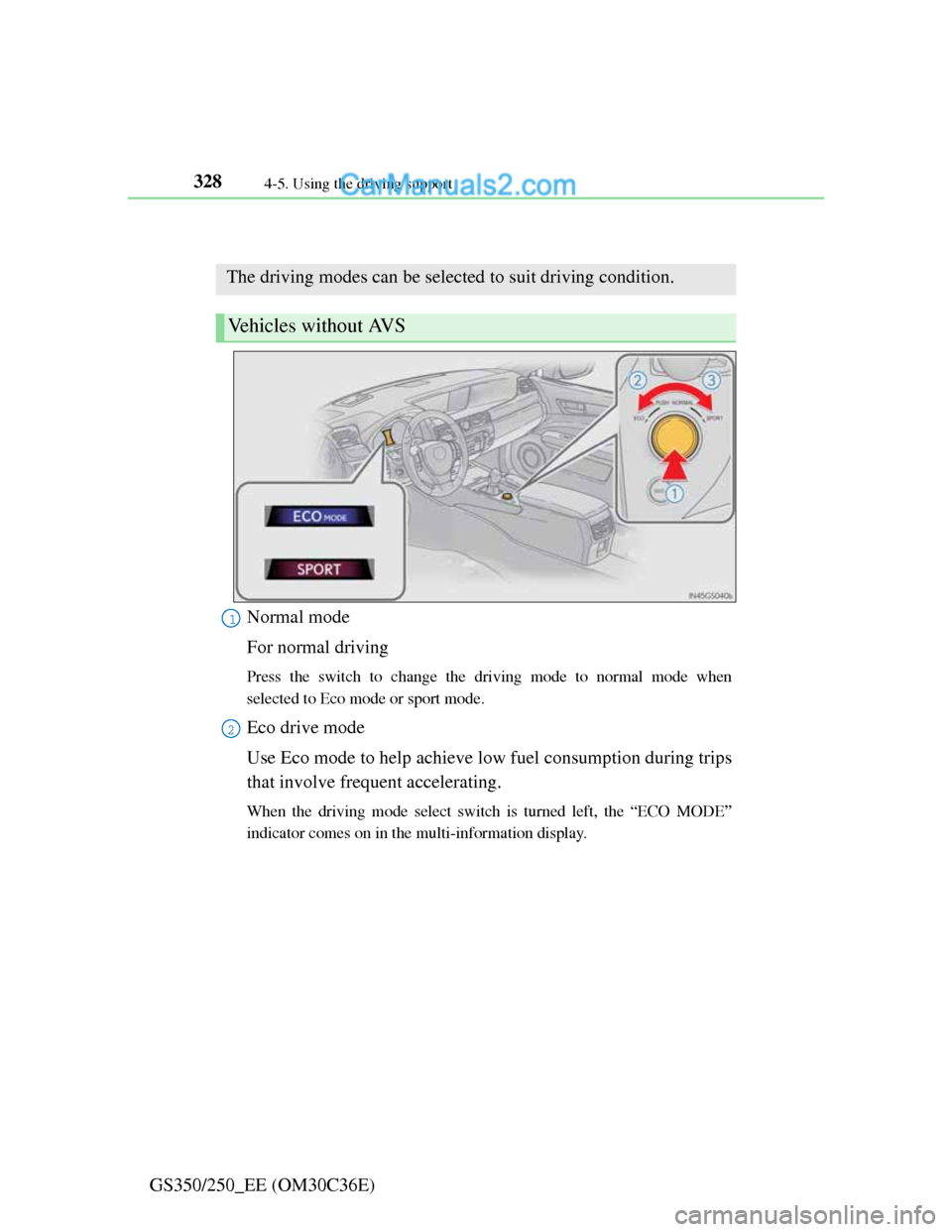
Driving mode select switch
Normal mode
For normal driving
Press the switch to change the driving mode to normal mode when
selected to Eco mode or sport mode.
Eco drive mode
Use Eco mode to help achieve low fuel consumption during trips
that involve frequent accelerating.
When the driving mode select switch is turned left, the “ECO MODE”
indicator comes on in the multi-information display.
The driving modes can be selected to suit driving condition.
Vehicles without AVS
1
2
Page 337 of 914
3304-5. Using the driving support
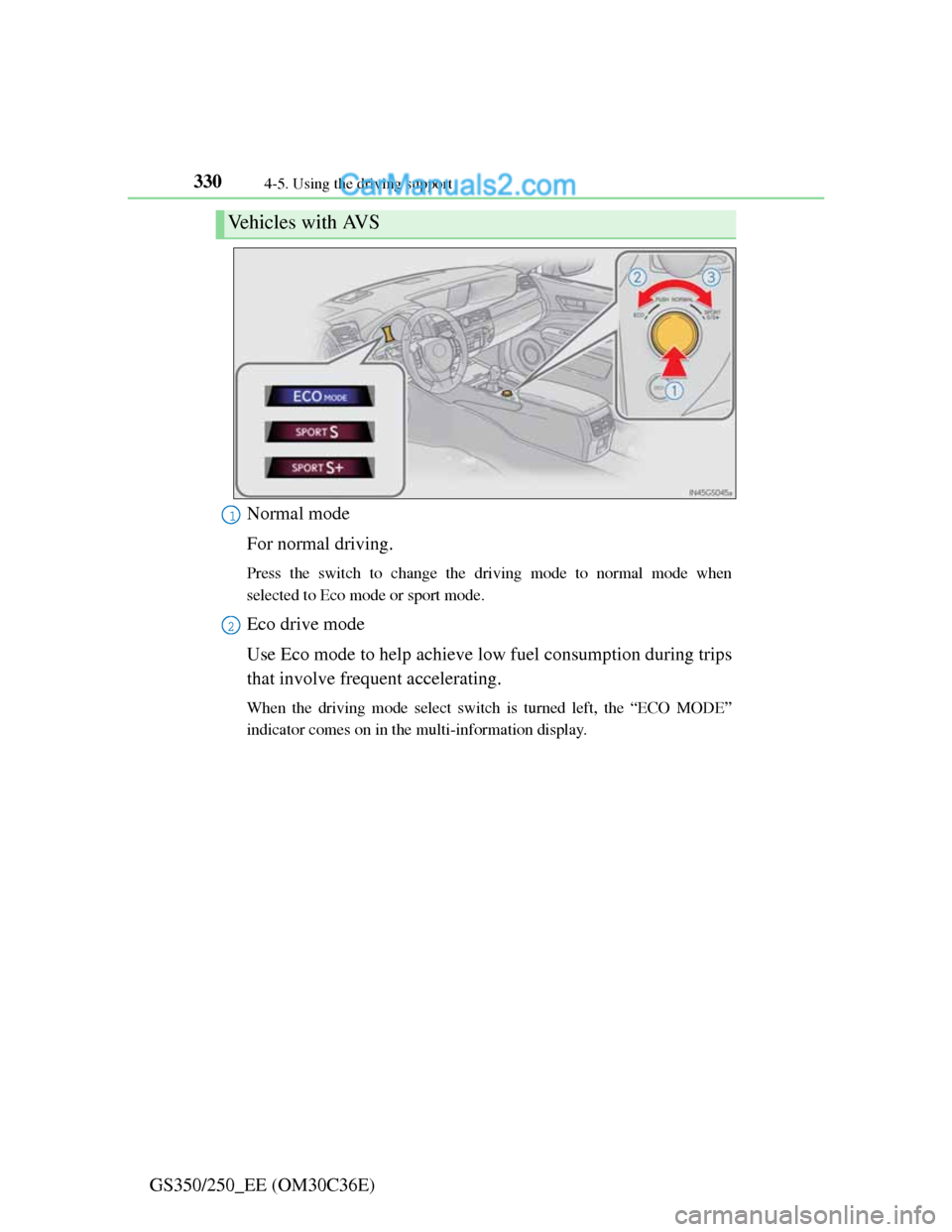
GS350/250_EE (OM30C36E)Normal mode
For normal driving.
Press the switch to change the driving mode to normal mode when
selected to Eco mode or sport mode.
Eco drive mode
Use Eco mode to help achieve low fuel consumption during trips
that involve frequent accelerating.
When the driving mode select switch is turned left, the “ECO MODE”
indicator comes on in the multi-information display.
Vehicles with AVS
1
2
Page 339 of 914
3324-5. Using the driving support
GS350/250_EE (OM30C36E)
Operation of the air conditioning system in Eco drive mode
Eco drive mode controls the heating/cooling operations and fan speed of the
air conditioning system to enhance fuel efficiency (P. 409). To improve air
conditioning performance, adjust the fan speed or turn off Eco drive mode.
Automatic operation of the seat heater during Eco drive mode
If the driving mode select switch is switched to Eco drive mode in cold tem-
peratures, the seat heater will be automatically operated to assist heating per-
formance.
Sport mode automatic deactivation
Sport mode is automatically deactivated if the engine switch is turned off
after driving in sport mode.
Page 379 of 914
3695-1. Remote Touch screen
5
Interior features
GS350/250_EE (OM30C36E)
CAUTION
When using the Remote Touch
Do not allow fingers, fingernails or hair to become caught in the Remote
Touch as this may cause an injury.
Be careful when selecting the Remote Touch in extreme temperatures as it
may become very hot or cold due to the temperature inside the vehicle.
NOTICE
To prevent damage to the Remote Touch
Do not allow the Remote Touch to come into contact with food, liquid,
stickers or lit cigarettes as doing so may cause it to change color, emit a
strange odor or stop functioning.
Do not subject the Remote Touch to excessive pressure or strong impact
as the knob may bend or break off.
Do not allow coins, contact lenses or other such items to become caught in
the Remote Touch as this may cause it to stop functioning.
Items of clothing may rip if they become caught on the Remote Touch
knob.
If your hand or any object is on the Remote Touch knob when the engine
switch is turned to ACCESSORY mode, the Remote Touch knob may not
operate properly.
Page 381 of 914
3715-1. Remote Touch screen
5
Interior features
GS350/250_EE (OM30C36E)If the engine switch is turned to
ACCESSORY or IGNITION
ON mode, the initial screen will
be displayed for a few seconds as
the system starts up.
Images shown on the initial screen
can be changed to suit individual
preferences. (P. 389)
SwitchPage
“Car”P. 3 7 8
“Info”Navigation System Owner’s Manual
“Setup”P. 3 8 2
“Navi”Navigation System Owner’s Manual
“Audio”P. 432, 467
“Climate”P. 4 0 9
“Telephone”P. 5 4 2
“Display”P. 3 7 2
Initial screen
Page 390 of 914
3805-1. Remote Touch screen
GS350/250_EE (OM30C36E)
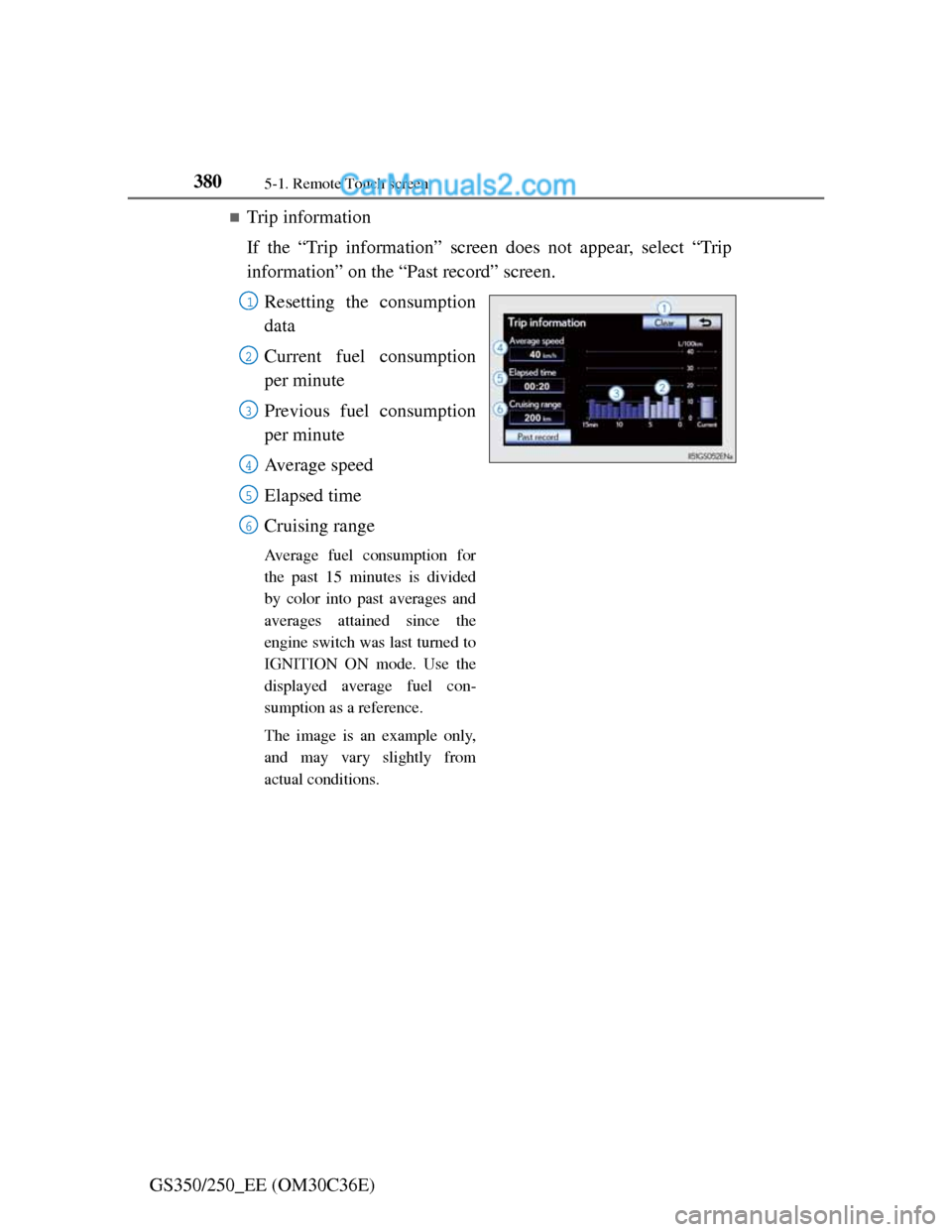
Trip information
If the “Trip information” screen does not appear, select “Trip
information” on the “Past record” screen.
Resetting the consumption
data
Current fuel consumption
per minute
Previous fuel consumption
per minute
Average speed
Elapsed time
Cruising range
Average fuel consumption for
the past 15 minutes is divided
by color into past averages and
averages attained since the
engine switch was last turned to
IGNITION ON mode. Use the
displayed average fuel con-
sumption as a reference.
The image is an example only,
and may vary slightly from
actual conditions.
1
2
3
4
5
6
Page 433 of 914
4225-2. Using the air conditioning system and defogger
GS350/250_EE (OM30C36E)
Automatic mode for air intake control
In automatic mode, the system detects exhaust gas and other pollutants and
automatically switches between outside air and recirculated air modes.
When the dehumidification function is off, and the fan is operating, turning
automatic mode on will activate the dehumidification function.
Pollen removal mode
In order to prevent the windshield from fogging up when the outside air is
cold, the following may occur:
• Outside air mode does not switch to (recirculated air) mode.
• The dehumidification function operates.
• The operation cancels after approximately 1 minute.
In rainy weather, the windows may fog up. Press .
In extremely humid weather, the windows may fog up.
The pollens are filtered out even if the pollen removal mode is turned off.
When the outside temperature falls to nearly 0C (32F)
The dehumidification function may not operate even when is selected.
Air conditioning odors
During use, various odors from inside and outside the vehicle may enter
into and accumulate in the air conditioning system. This may then cause
odor to be emitted from the vents.
To reduce potential odors from occurring:
• It is recommended that the air conditioning system be set to outside air
mode prior to turning the vehicle off.
• The start timing of the blower may be delayed for a short period of time
immediately after the air conditioning system is started in automatic
mode.
Page 441 of 914
4305-2. Using the air conditioning system and defogger
GS350/250_EE (OM30C36E)
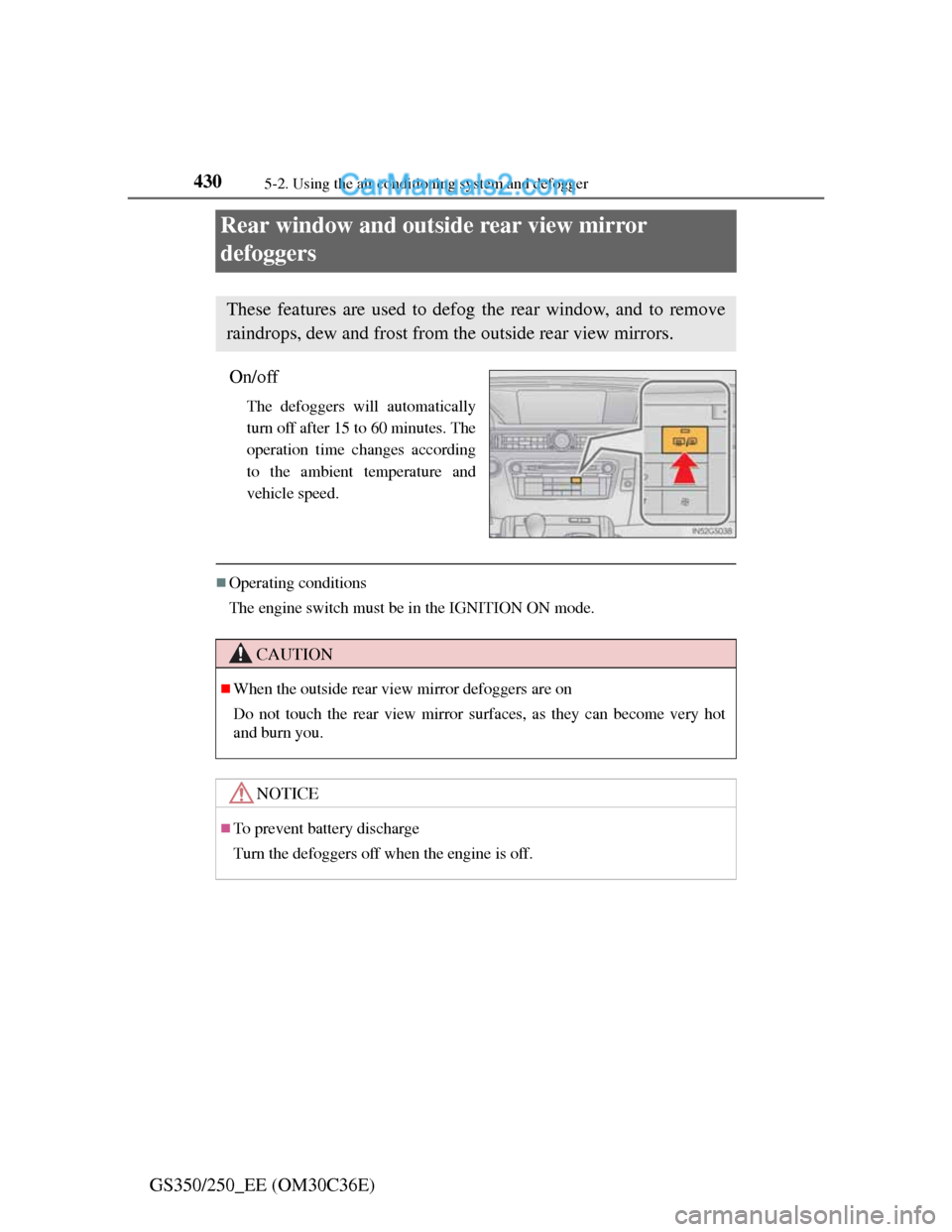
Rear window and outside rear view mirror
defoggers
On/off
The defoggers will automatically
turn off after 15 to 60 minutes. The
operation time changes according
to the ambient temperature and
vehicle speed.
Operating conditions
The engine switch must be in the IGNITION ON mode.
These features are used to defog the rear window, and to remove
raindrops, dew and frost from the outside rear view mirrors.
CAUTION
When the outside rear view mirror defoggers are on
Do not touch the rear view mirror surfaces, as they can become very hot
and burn you.
NOTICE
To prevent battery discharge
Turn the defoggers off when the engine is off.