wheel Lexus GS250 2012 Manual PDF
[x] Cancel search | Manufacturer: LEXUS, Model Year: 2012, Model line: GS250, Model: Lexus GS250 2012Pages: 914, PDF Size: 53.04 MB
Page 556 of 914
5455-3. Using the audio system
5
Interior features
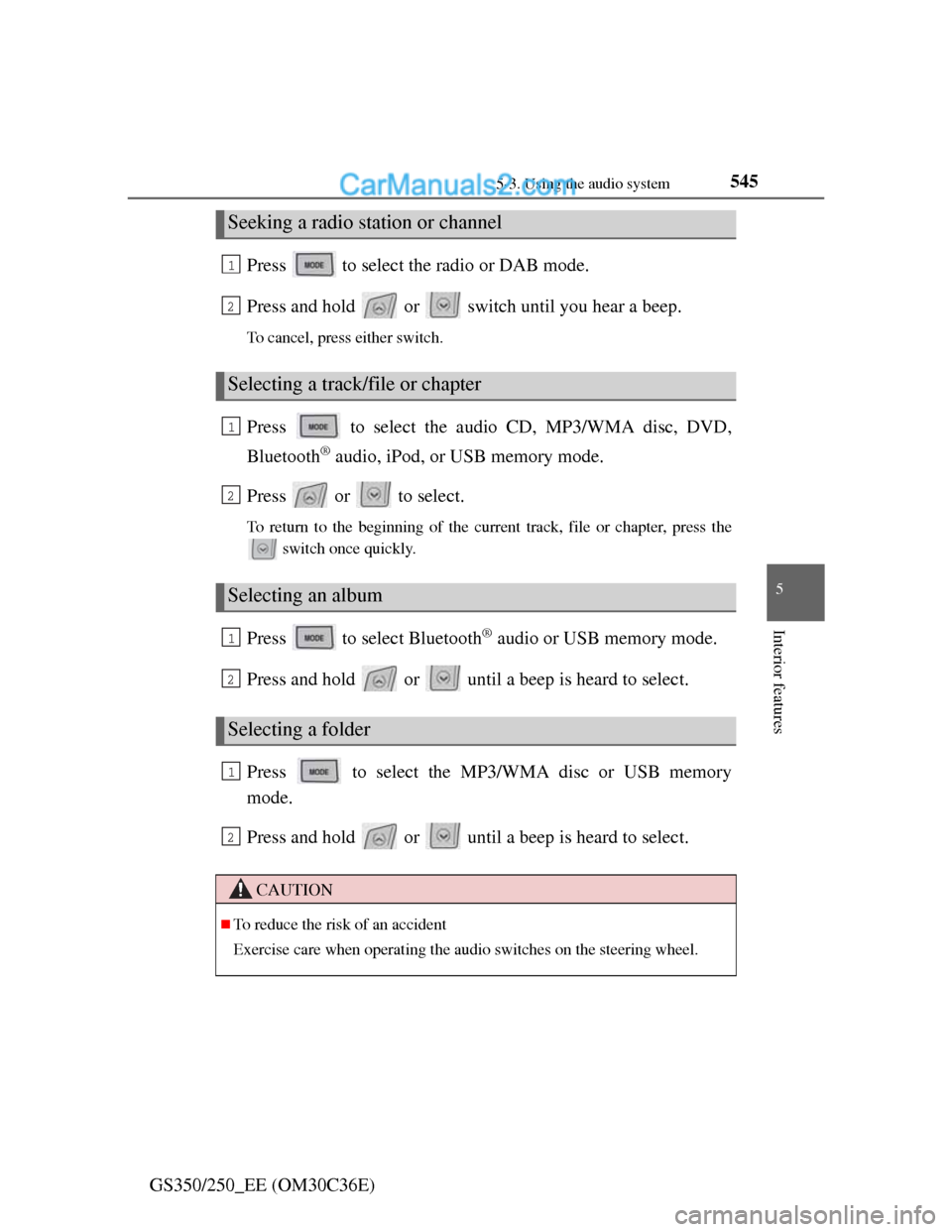
GS350/250_EE (OM30C36E)Press to select the radio or DAB mode.
Press and hold or switch until you hear a beep.
To cancel, press either switch.
Press to select the audio CD, MP3/WMA disc, DVD,
Bluetooth
® audio, iPod, or USB memory mode.
Press or to select.
To return to the beginning of the current track, file or chapter, press the
switch once quickly.
Press to select Bluetooth® audio or USB memory mode.
Press and hold or until a beep is heard to select.
Press to select the MP3/WMA disc or USB memory
mode.
Press and hold or until a beep is heard to select.
Seeking a radio station or channel
Selecting a track/file or chapter
Selecting an album
Selecting a folder
CAUTION
To reduce the risk of an accident
Exercise care when operating the audio switches on the steering wheel.
1
2
1
2
1
2
1
2
Page 571 of 914
5565-4. Using the hands-free phone system (for cellular phone)
GS350/250_EE (OM30C36E)
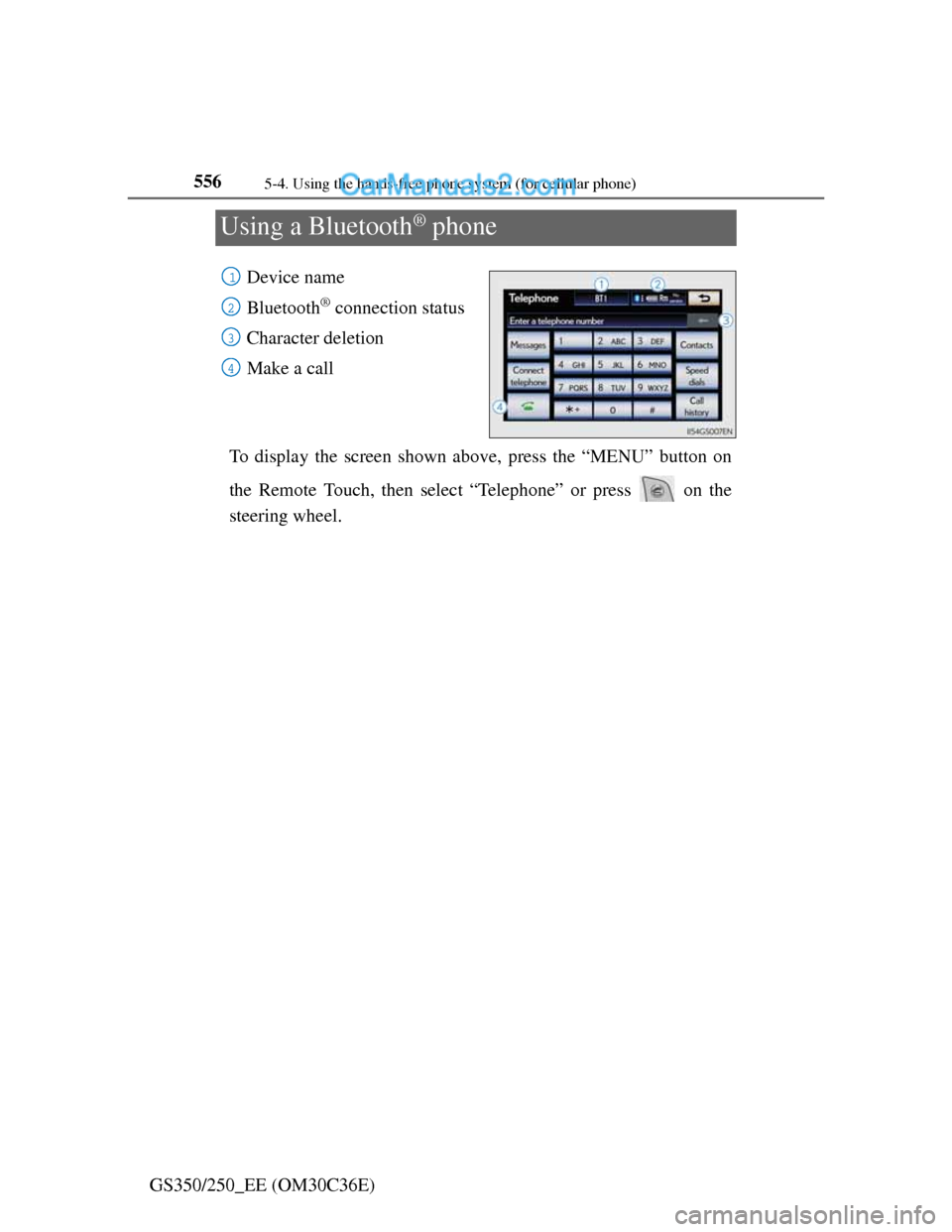
Using a Bluetooth® phone
Device name
Bluetooth
® connection status
Character deletion
Make a call
To display the screen shown above, press the “MENU” button on
the Remote Touch, then select “Telephone” or press on the
steering wheel.
1
2
3
4
Page 577 of 914
5625-4. Using the hands-free phone system (for cellular phone)
GS350/250_EE (OM30C36E)Once the Bluetooth
® phone is registered, you can make a call using
the following procedure:
Dialing
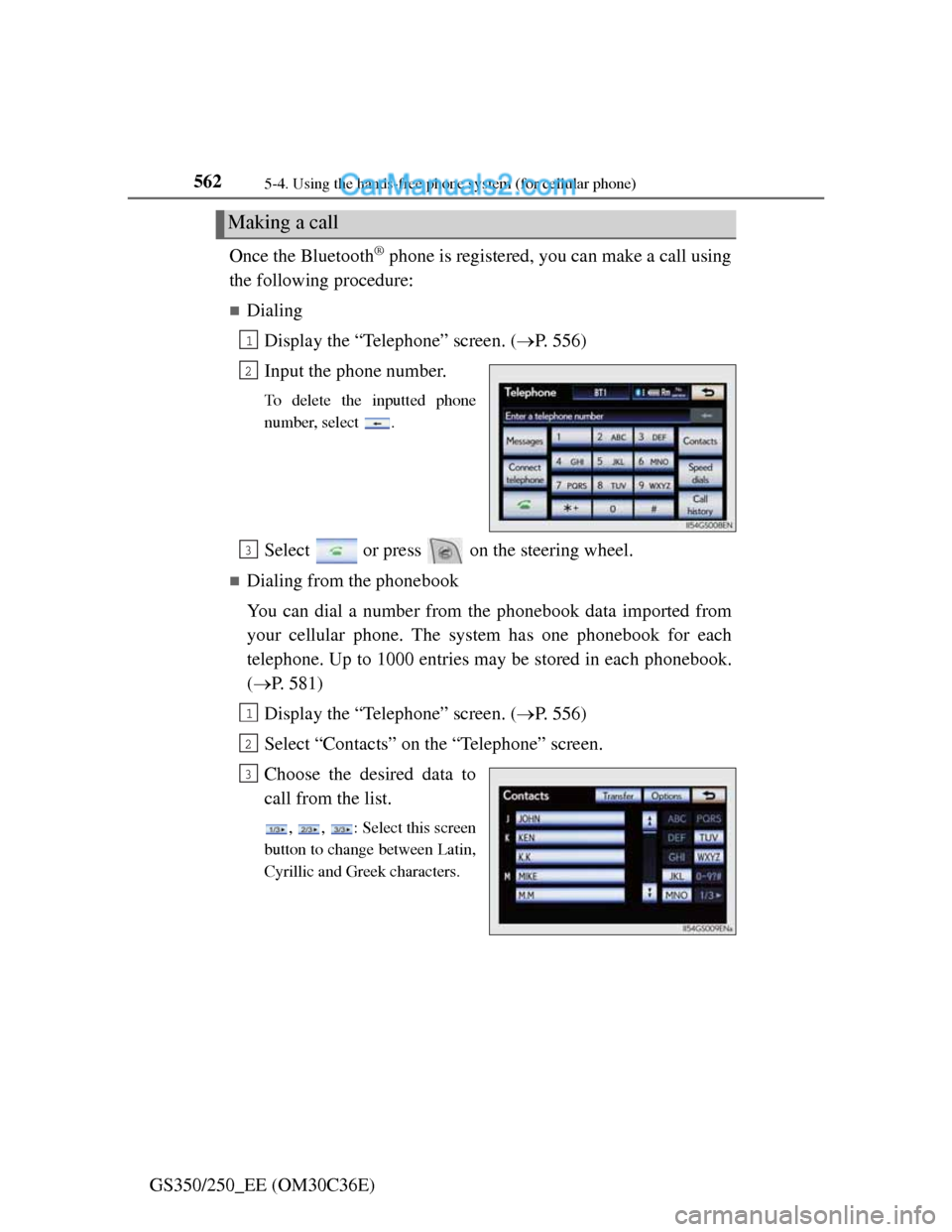
Display the “Telephone” screen. (P. 556)
Input the phone number.
To delete the inputted phone
number, select .
Select or press on the steering wheel.
Dialing from the phonebook
You can dial a number from the phonebook data imported from
your cellular phone. The system has one phonebook for each
telephone. Up to 1000 entries may be stored in each phonebook.
(P. 581)
Display the “Telephone” screen. (P. 556)
Select “Contacts” on the “Telephone” screen.
Choose the desired data to
call from the list.
, , : Select this screen
button to change between Latin,
Cyrillic and Greek characters.
Making a call
1
2
3
1
2
3
Page 578 of 914
5635-4. Using the hands-free phone system (for cellular phone)
5
Interior features
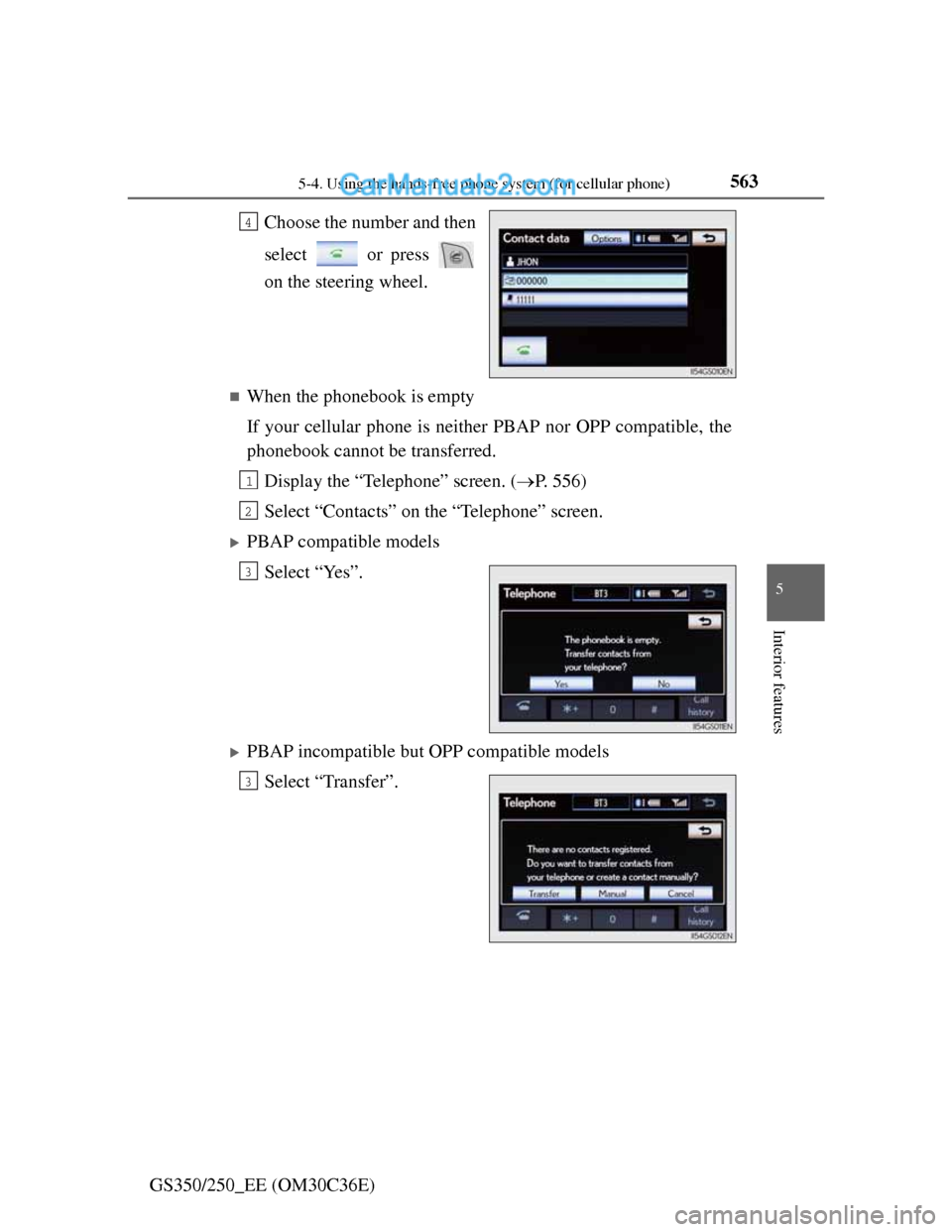
GS350/250_EE (OM30C36E)Choose the number and then
select or press
on the steering wheel.
When the phonebook is empty
If your cellular phone is neither PBAP nor OPP compatible, the
phonebook cannot be transferred.
Display the “Telephone” screen. (P. 556)
Select “Contacts” on the “Telephone” screen.
PBAP compatible models
Select “Yes”.
PBAP incompatible but OPP compatible models
Select “Transfer”.
4
1
2
3
3
Page 581 of 914
5665-4. Using the hands-free phone system (for cellular phone)
GS350/250_EE (OM30C36E)
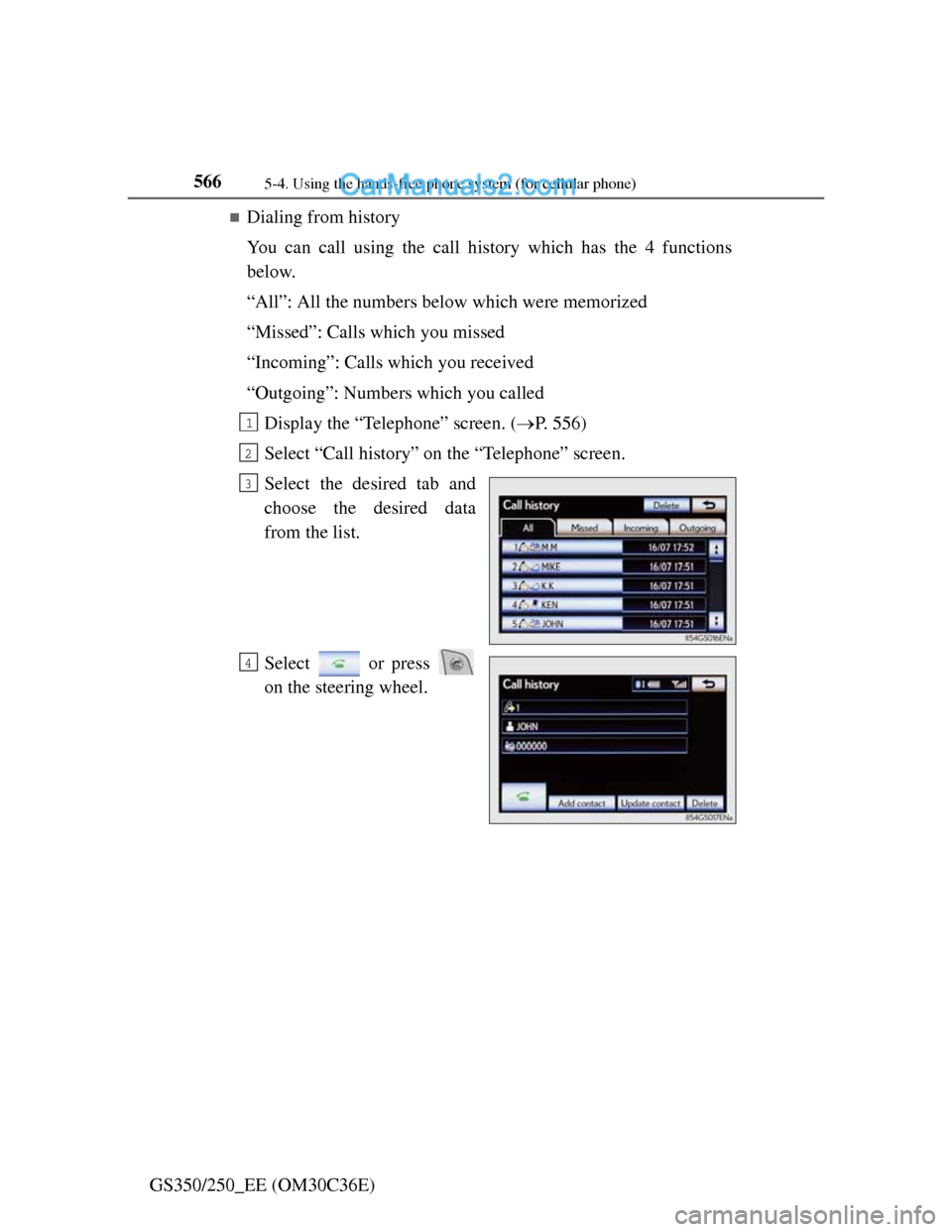
Dialing from history
You can call using the call history which has the 4 functions
below.
“All”: All the numbers below which were memorized
“Missed”: Calls which you missed
“Incoming”: Calls which you received
“Outgoing”: Numbers which you called
Display the “Telephone” screen. (P. 556)
Select “Call history” on the “Telephone” screen.
Select the desired tab and
choose the desired data
from the list.
Select or press
on the steering wheel.
1
2
3
4
Page 582 of 914
5675-4. Using the hands-free phone system (for cellular phone)
5
Interior features
GS350/250_EE (OM30C36E)
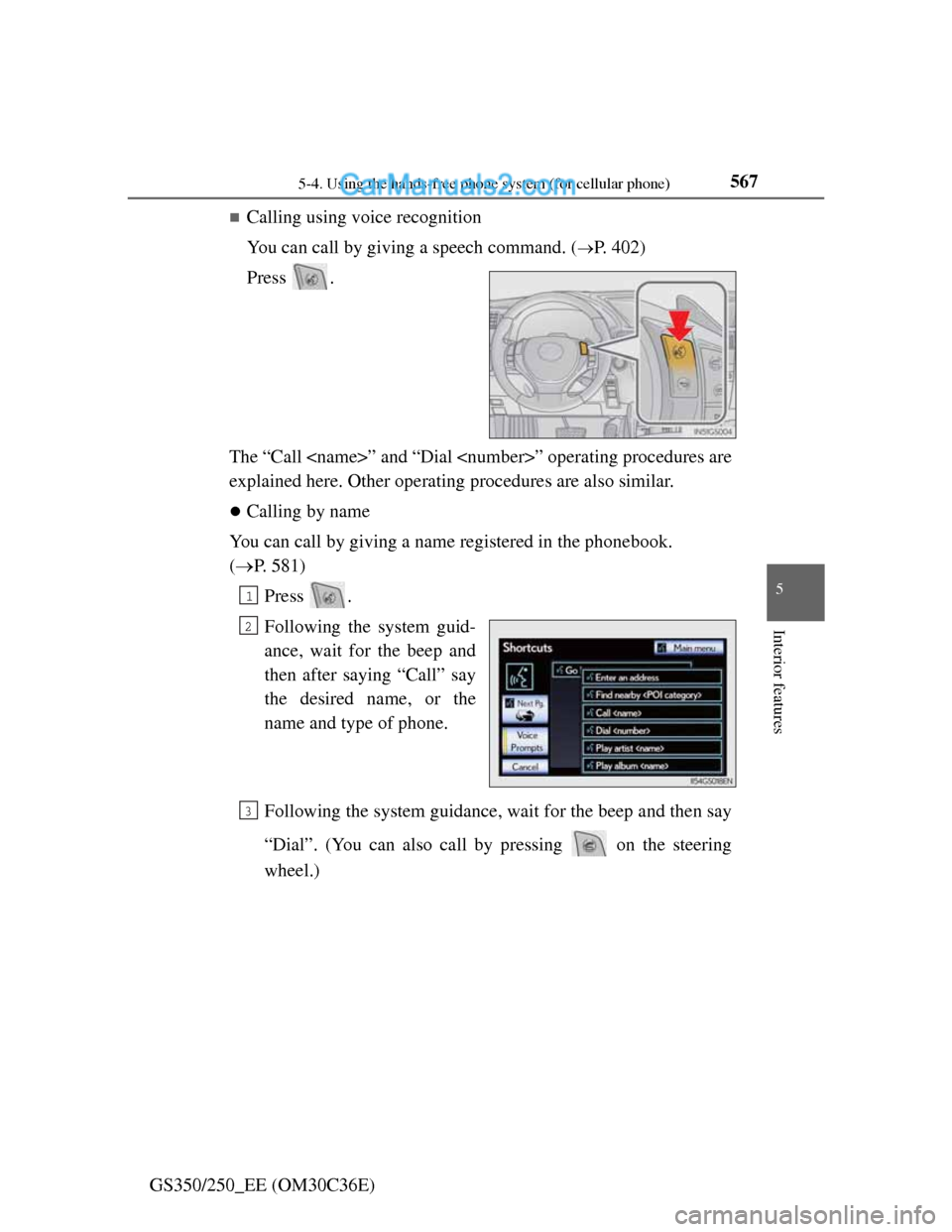
Calling using voice recognition
You can call by giving a speech command. (
P. 402)
Press .
The “Call
explained here. Other operating procedures are also similar.
Calling by name
You can call by giving a name registered in the phonebook.
(P. 581)
Press .
Following the system guid-
ance, wait for the beep and
then after saying “Call” say
the desired name, or the
name and type of phone.
Following the system guidance, wait for the beep and then say
“Dial”. (You can also call by pressing on the steering
wheel.)
1
2
3
Page 583 of 914
5685-4. Using the hands-free phone system (for cellular phone)
GS350/250_EE (OM30C36E)
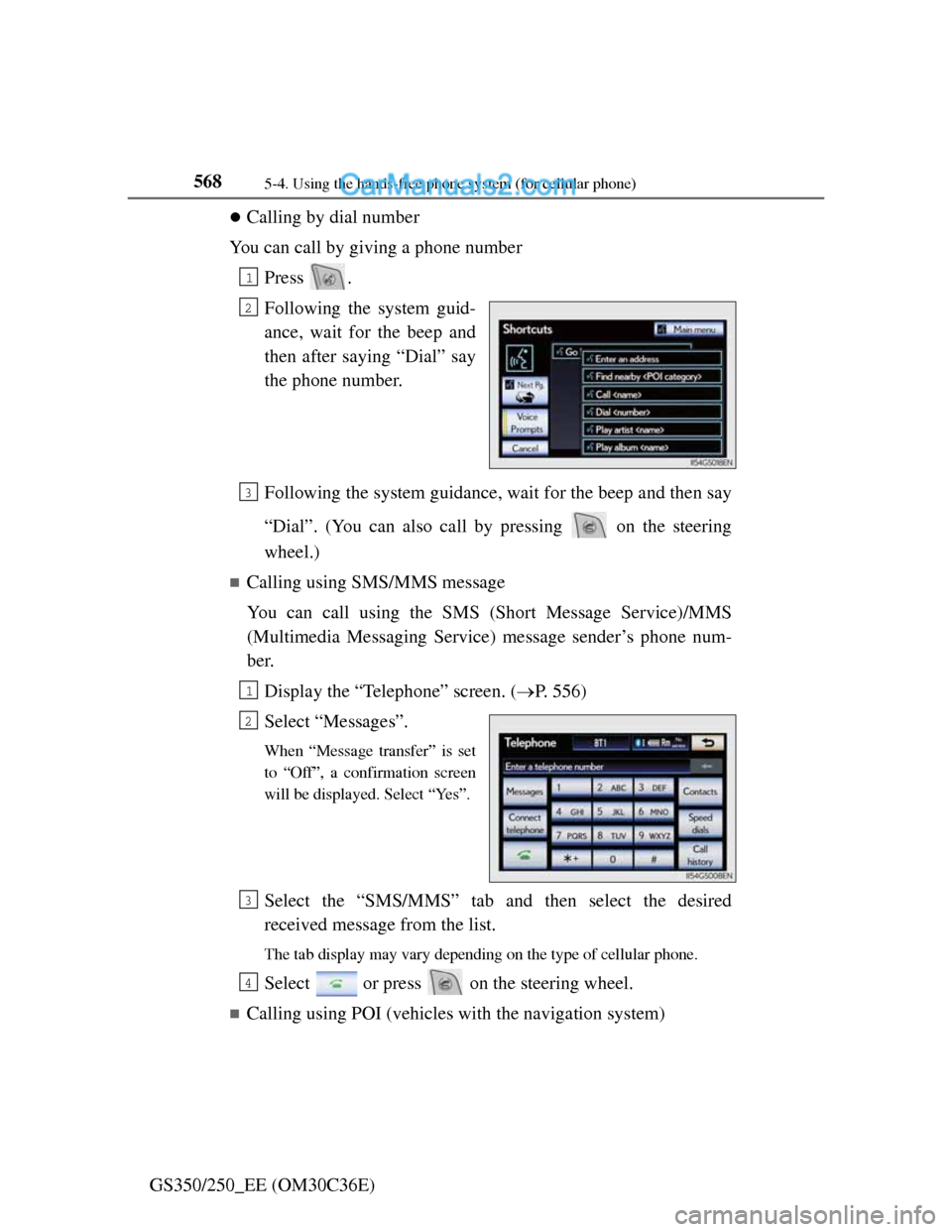
Calling by dial number
You can call by giving a phone number
Press .
Following the system guid-
ance, wait for the beep and
then after saying “Dial” say
the phone number.
Following the system guidance, wait for the beep and then say
“Dial”. (You can also call by pressing on the steering
wheel.)
Calling using SMS/MMS message
You can call using the SMS (Short Message Service)/MMS
(Multimedia Messaging Service) message sender’s phone num-
ber.
Display the “Telephone” screen. (P. 556)
Select “Messages”.
When “Message transfer” is set
to “Off”, a confirmation screen
will be displayed. Select “Yes”.
Select the “SMS/MMS” tab and then select the desired
received message from the list.
The tab display may vary depending on the type of cellular phone.
Select or press on the steering wheel.
Calling using POI (vehicles with the navigation system)
1
2
3
1
2
3
4
Page 586 of 914
5715-4. Using the hands-free phone system (for cellular phone)
5
Interior features
GS350/250_EE (OM30C36E)
When calling by phone number
Say the phone number one digit at a time. For example, if the phone number
is 2345678, say “two three four five six seven eight”.
As the system cannot recognize additional numbers, say the complete num-
ber without stopping.
When the system recognizes multiple phone numbers, a phone number can-
didate list will be displayed on the screen. If the desired phone number is
not displayed on the top of the screen, say the number of the desired phone
number from the candidate list (1st and 2nd) to select a phone number from
the candidate list
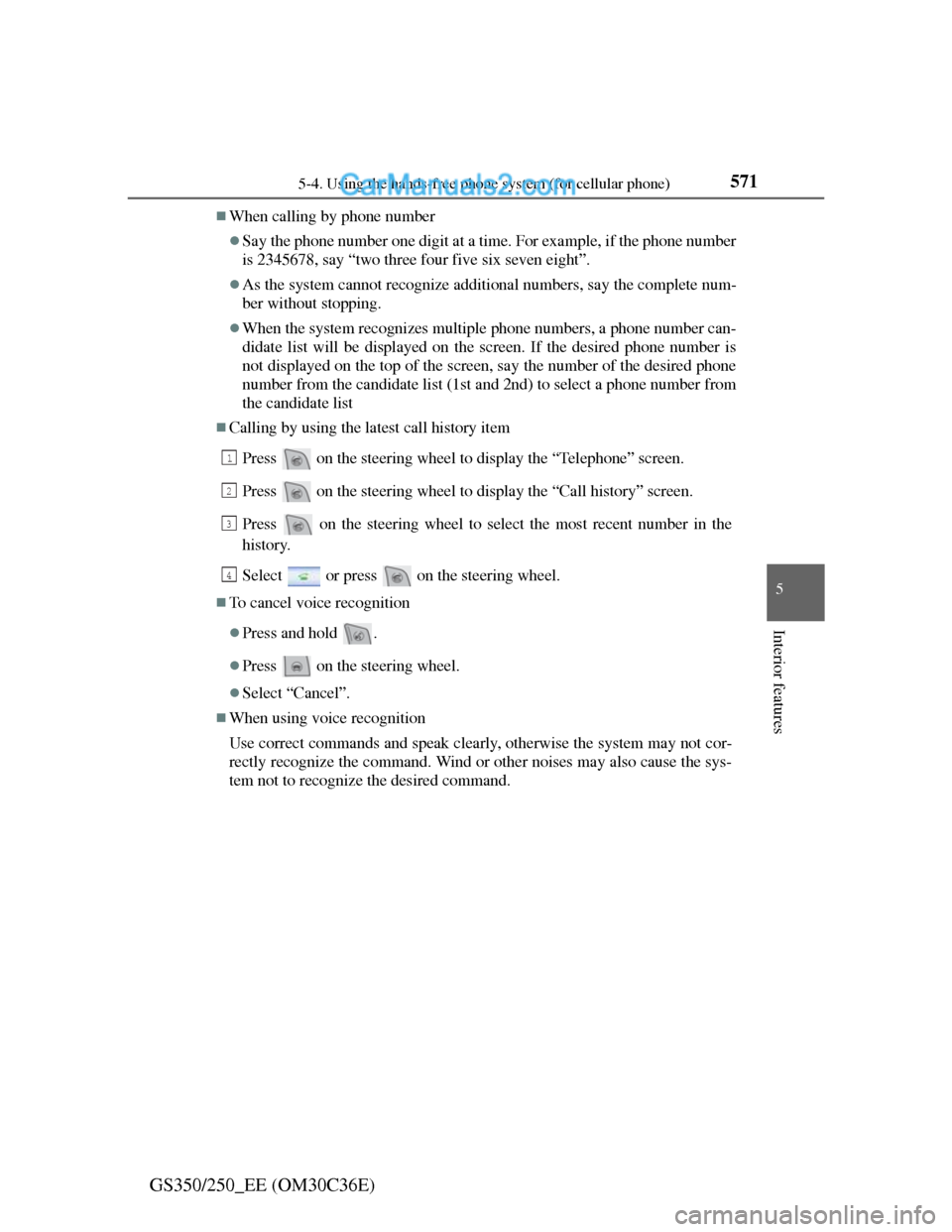
Calling by using the latest call history item
Press on the steering wheel to display the “Telephone” screen.
Press on the steering wheel to display the “Call history” screen.
Press on the steering wheel to select the most recent number in the
history.
Select or press on the steering wheel.
To cancel voice recognition
Press and hold .
Press on the steering wheel.
Select “Cancel”.
When using voice recognition
Use correct commands and speak clearly, otherwise the system may not cor-
rectly recognize the command. Wind or other noises may also cause the sys-
tem not to recognize the desired command.
1
2
3
4
Page 587 of 914
5725-4. Using the hands-free phone system (for cellular phone)
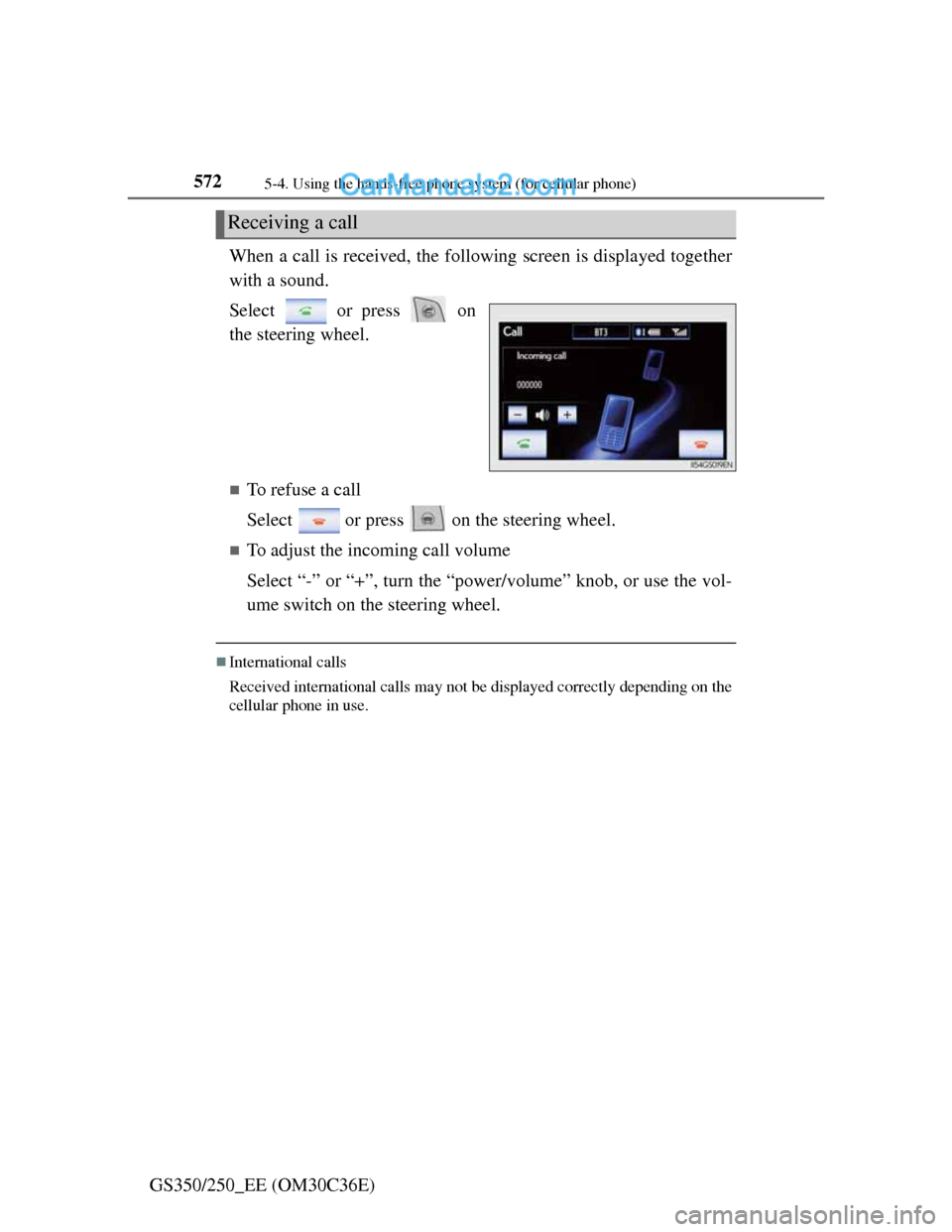
GS350/250_EE (OM30C36E)When a call is received, the following screen is displayed together
with a sound.
Select or press on
the steering wheel.
To refuse a call
Select or press on the steering wheel.
To adjust the incoming call volume
Select “-” or “+”, turn the “power/volume” knob, or use the vol-
ume switch on the steering wheel.
International calls
Received international calls may not be displayed correctly depending on the
cellular phone in use.
Receiving a call
Page 588 of 914
5735-4. Using the hands-free phone system (for cellular phone)
5
Interior features
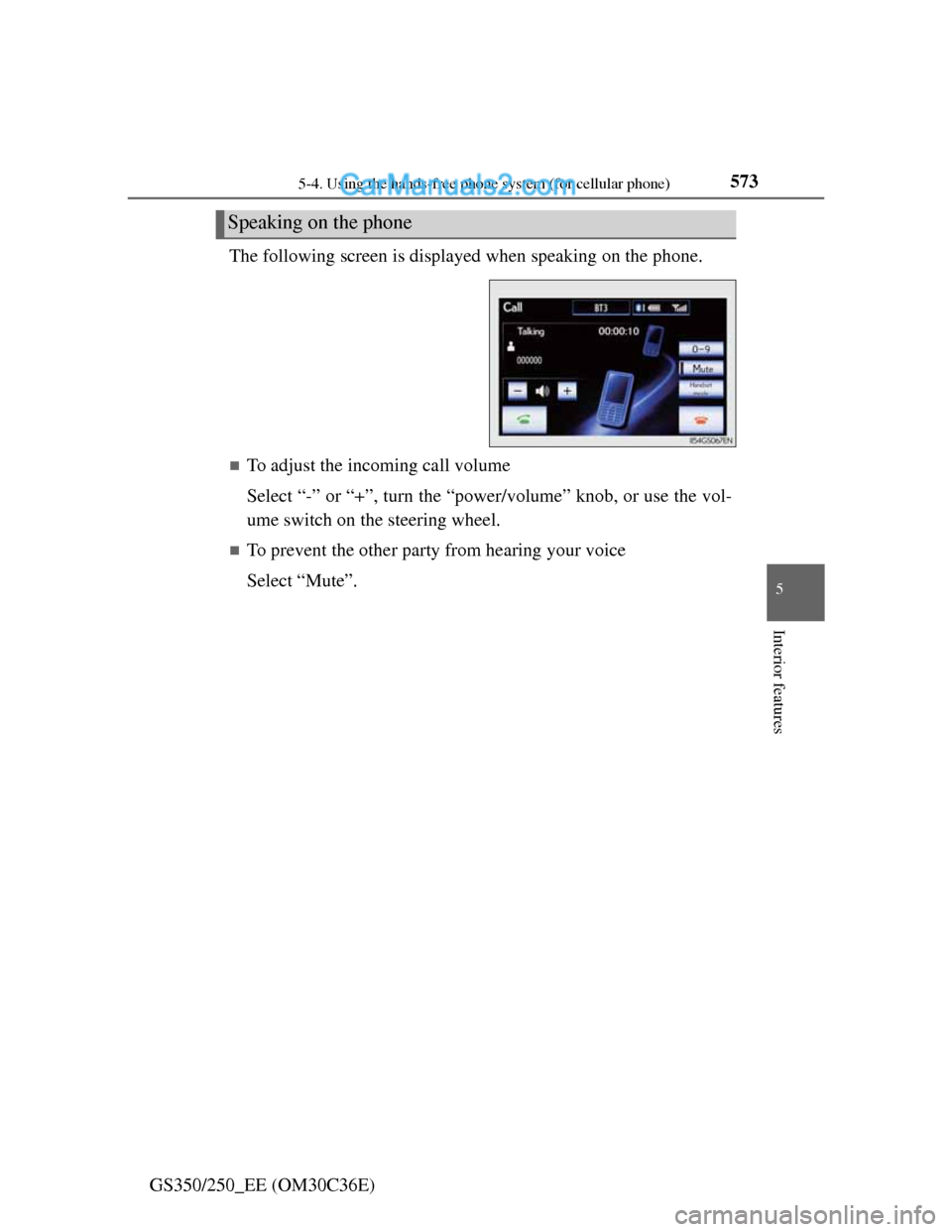
GS350/250_EE (OM30C36E)The following screen is displayed when speaking on the phone.
To adjust the incoming call volume
Select “-” or “+”, turn the “power/volume” knob, or use the vol-
ume switch on the steering wheel.
To prevent the other party from hearing your voice
Select “Mute”.
Speaking on the phone