audio Lexus GS250 2014 User Guide
[x] Cancel search | Manufacturer: LEXUS, Model Year: 2014, Model line: GS250, Model: Lexus GS250 2014Pages: 688, PDF Size: 152.64 MB
Page 343 of 688
3434-5. Using the driving support systems
4
Driving
GS350_250_OM_OM30E16E_(EE)
■The outside rear view mirror indicators visibility
When under strong sunlight, the outside rear view mirror indicator may be difficult to
see.
■Rear Crossing Traffic Alert buzzer hearing
Rear Crossing Traffic Alert function may be difficult to hear over loud noises such as
high audio volume.
■When there is a malfunction in the Blind Spot Monitor
If a system malfunction is detected due to any of the following reasons, warning mes-
sages will be displayed: (→P. 5 5 7 , 5 6 4 )
●There is a malfunction with the sensors
●The sensors have become dirty
●The outside temperature is extremely high or low
●The sensor voltage has become abnormal
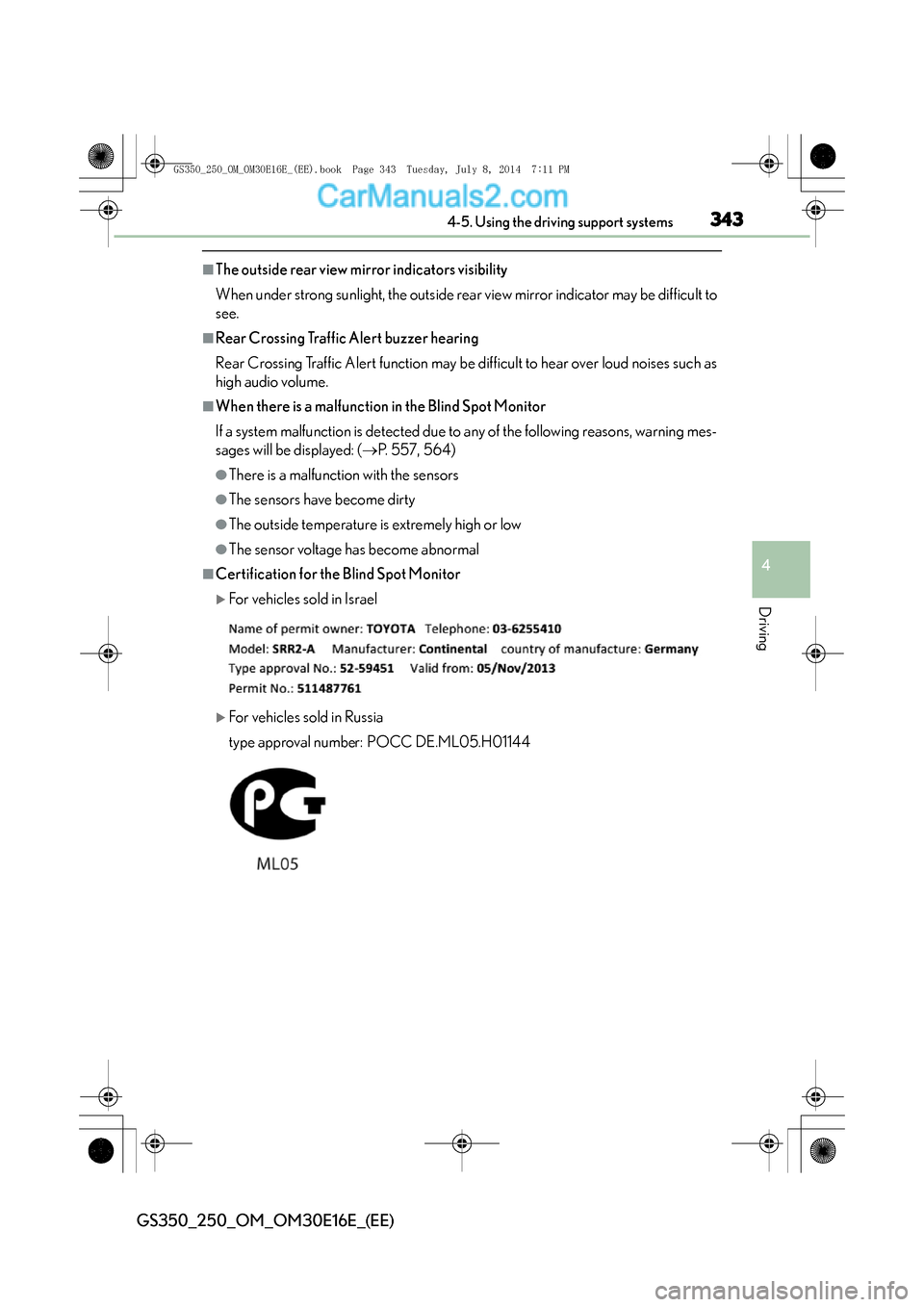
■Certification for the Blind Spot Monitor
XFor vehicles sold in Israel
XFor vehicles sold in Russia
type approval number: POCC DE.ML05.H01144
GS350_250_OM_OM30E16E_(EE).book Page 343 Tuesday, July 8, 201 4 7:11 PM
Page 365 of 688
3655-1. Remote Touch screen
5
Interior features
GS350_250_OM_OM30E16E_(EE)
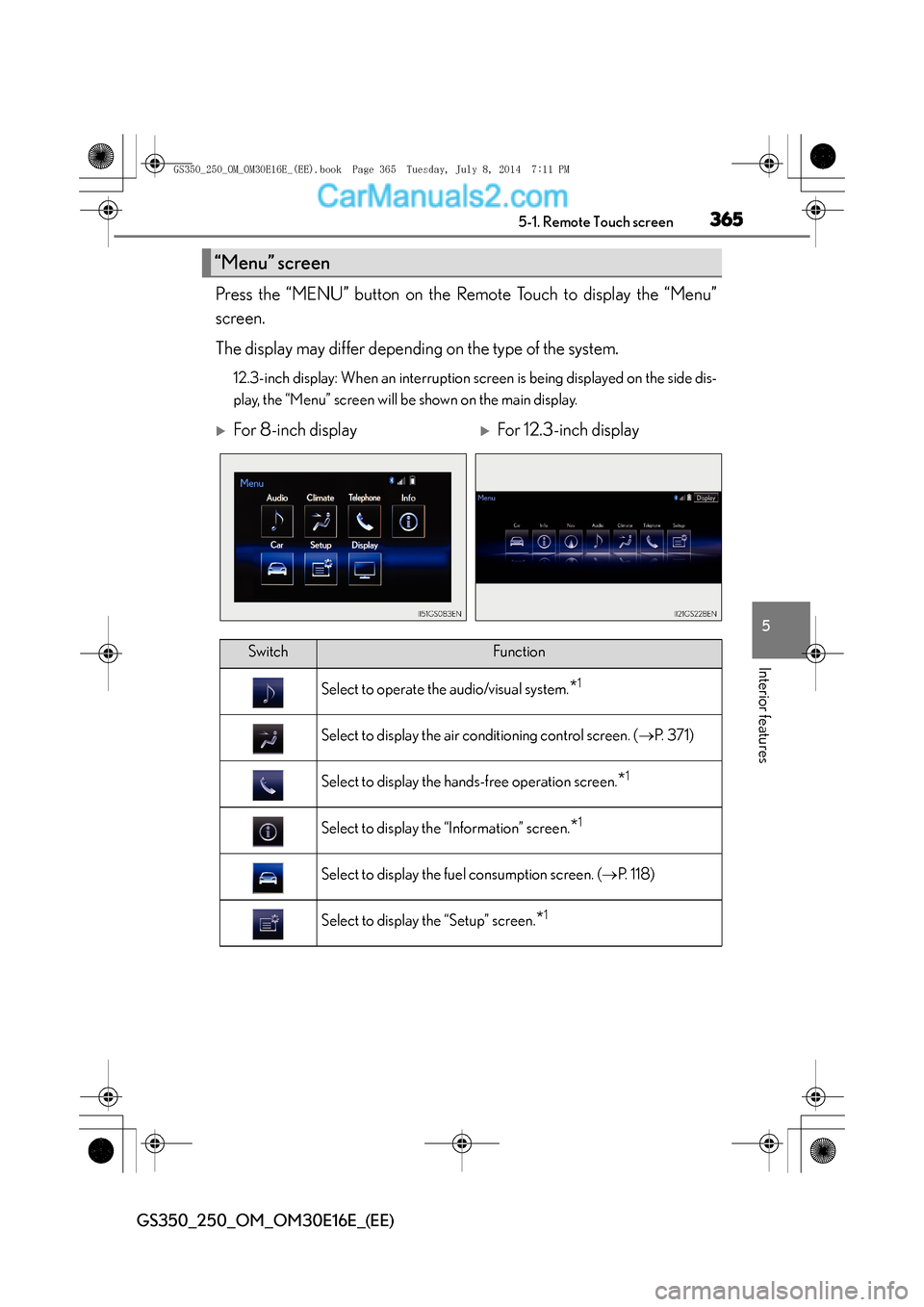
Press the “MENU” button on the Remote Touch to display the “Menu”
screen.
The display may differ depending on the type of the system.
12.3-inch display: When an interruption screen is being displayed on the side dis-
play, the “Menu” screen will be shown on the main display.
“Menu” screen
XFor 8-inch displayXFor 12.3-inch display
SwitchFunction
Select to operate the audio/visual system.*1
Select to display the air conditioning control screen. (→P. 3 7 1 )
Select to display the hands-free operation screen.*1
Select to display the “Information” screen.*1
Select to display the fuel consumption screen. ( →P. 118)
Select to display the “Setup” screen.*1
GS350_250_OM_OM30E16E_(EE).book Page 365 Tuesday, July 8, 201 4 7:11 PM
Page 368 of 688
3685-1. Remote Touch screen
GS350_250_OM_OM30E16E_(EE)
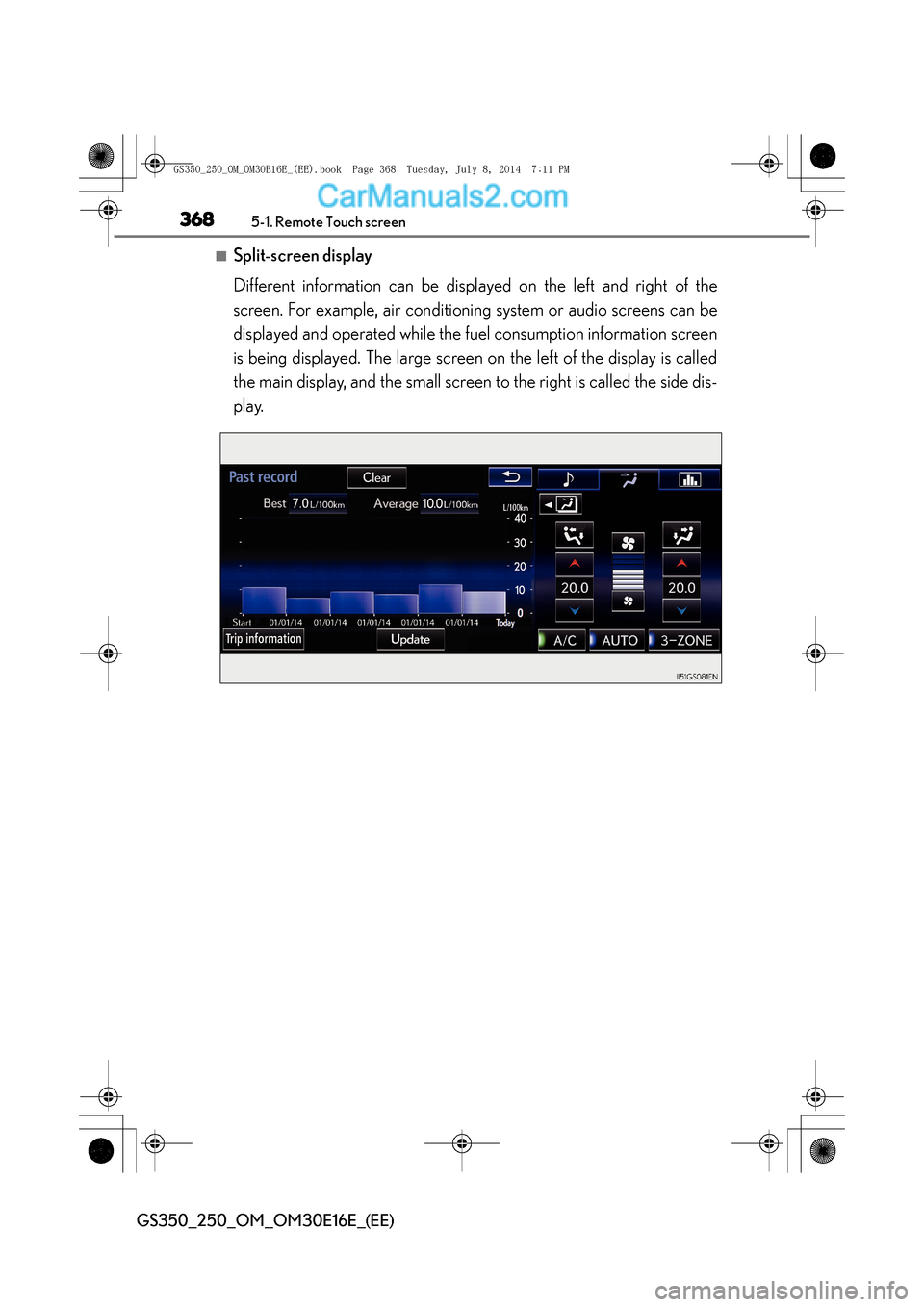
■Split-screen display
Different information can be displayed on the left and right of the
screen. For example, air conditioning system or audio screens can be
displayed and operated while the fuel consumption information screen
is being displayed. The large screen on the left of the display is called
the main display, and the small screen to the right is called the side dis-
play.
GS350_250_OM_OM30E16E_(EE).book Page 368 Tuesday, July 8, 2014 7:11 PM
Page 369 of 688
3695-1. Remote Touch screen
5
Interior features
GS350_250_OM_OM30E16E_(EE)
For details of the functions and operation of the main display, refer to the
respective section.
■Selecting the operation screen
When selecting the side display, move the Remote Touch knob to the
right until is displayed at the boundary between the main display
and the side display, and then move it further to the right. When select-
ing the main display, move the Remote Touch knob to the left until is
displayed at the boundary between the main display and the side dis-
play, and then move it further to the left.
■Display the side display
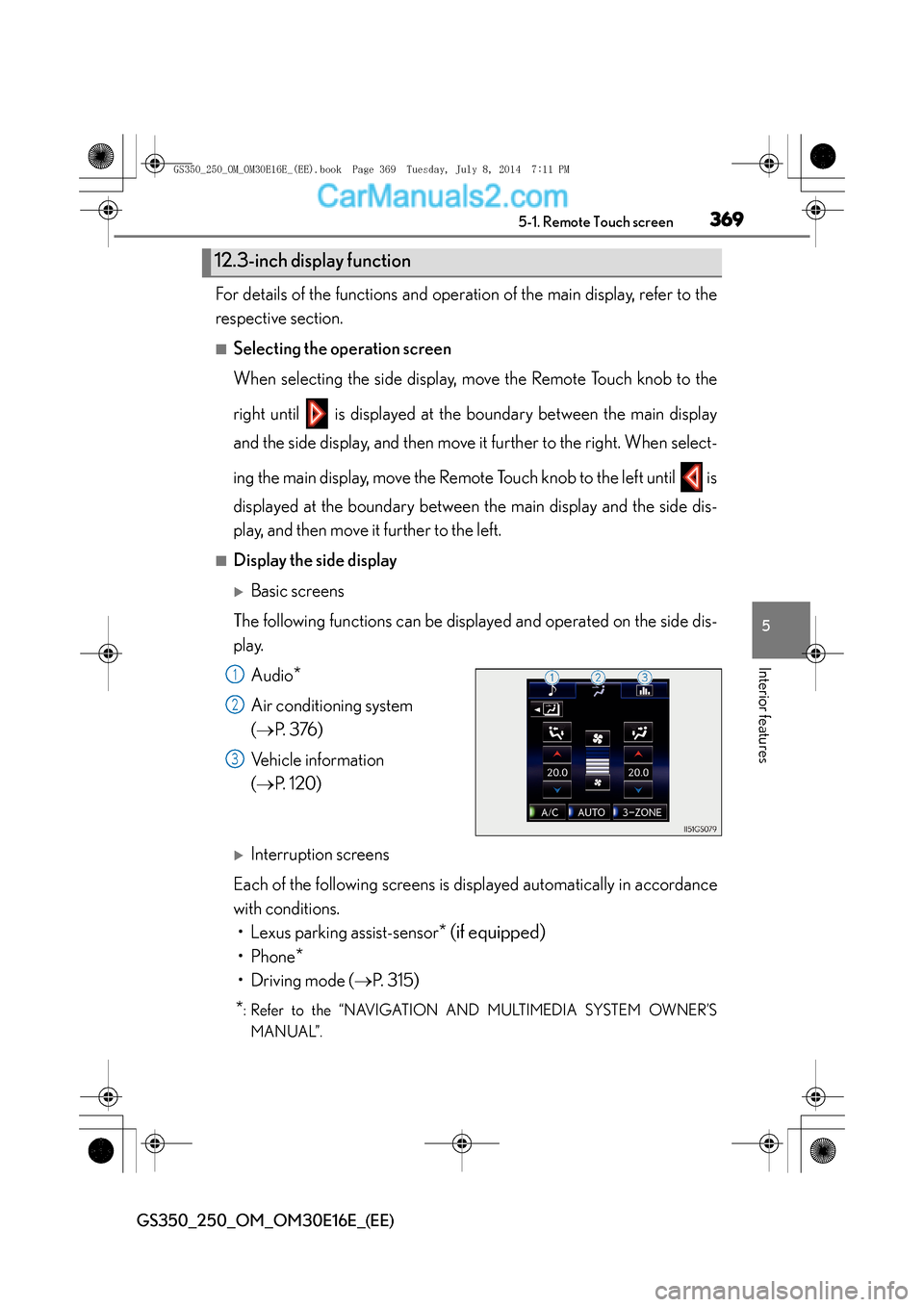
XBasic screens
The following functions can be displayed and operated on the side dis-
play. Audio
*
Air conditioning system
(→ P. 3 76 )
Vehicle information
( → P. 1 2 0 )
XInterruption screens
Each of the following screens is displayed automatically in accordance
with conditions. • Lexus parking assist-sensor
* (if equipped)
•Phone*
• Driving mode ( →P. 315)
*: Refer to the “NAVIGATION AND MULTIMEDIA SYSTEM OWNER’S
MANUAL”.
12.3-inch display function
1
2
3
GS350_250_OM_OM30E16E_(EE).book Page 369 Tuesday, July 8, 201 4 7:11 PM
Page 442 of 688
4426-1. Maintenance and care
GS350_250_OM_OM30E16E_(EE)
NOTICE
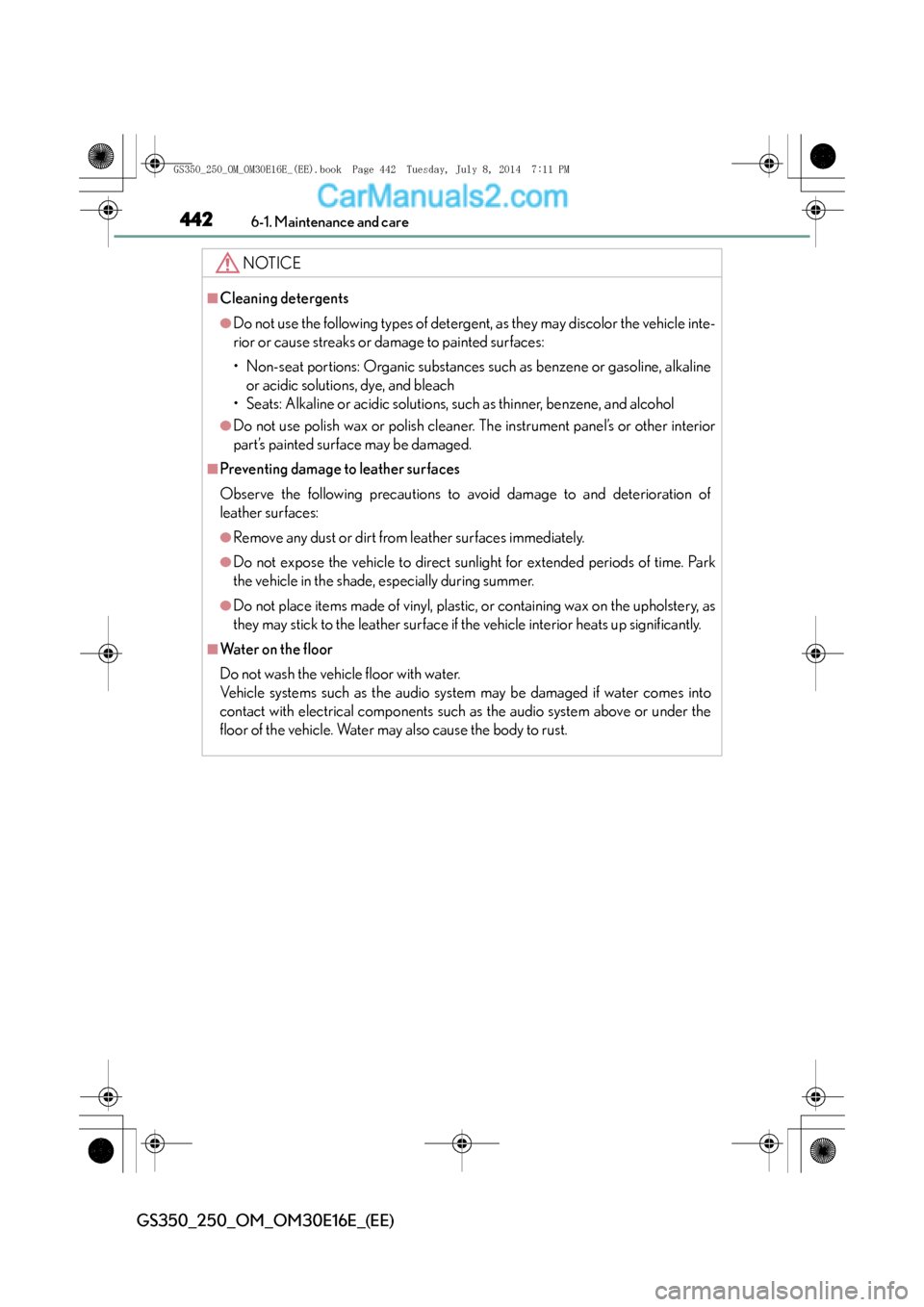
■Cleaning detergents
●Do not use the following types of detergent, as they may discolor the vehicle inte-
rior or cause streaks or damage to painted surfaces:
• Non-seat portions: Organic substances such as benzene or gasoline, alkalineor acidic solutions, dye, and bleach
• Seats: Alkaline or acidic solutions, such as thinner, benzene, and alcohol
●Do not use polish wax or polish cleaner. The instrument panel’s or other interior
part’s painted surface may be damaged.
■Preventing damage to leather surfaces
Observe the following precautions to avoid damage to and deterioration of
leather surfaces:
●Remove any dust or dirt from leather surfaces immediately.
●Do not expose the vehicle to direct sunlight for extended periods of time. Park
the vehicle in the shade, especially during summer.
●Do not place items made of vinyl, plastic, or containing wax on the upholstery, as
they may stick to the leather surface if the vehicle interior heats up significantly.
■Water on the floor
Do not wash the vehicle floor with water.
Vehicle systems such as the audio system may be damaged if water comes into
contact with electrical components such as the audio system above or under the
floor of the vehicle. Water may also cause the body to rust.
GS350_250_OM_OM30E16E_(EE).book Page 442 Tuesday, July 8, 201 4 7:11 PM
Page 509 of 688
509 6-3. Do-it-yourself maintenance
6
Maintenance and care
GS350_250_OM_OM30E16E_(EE)
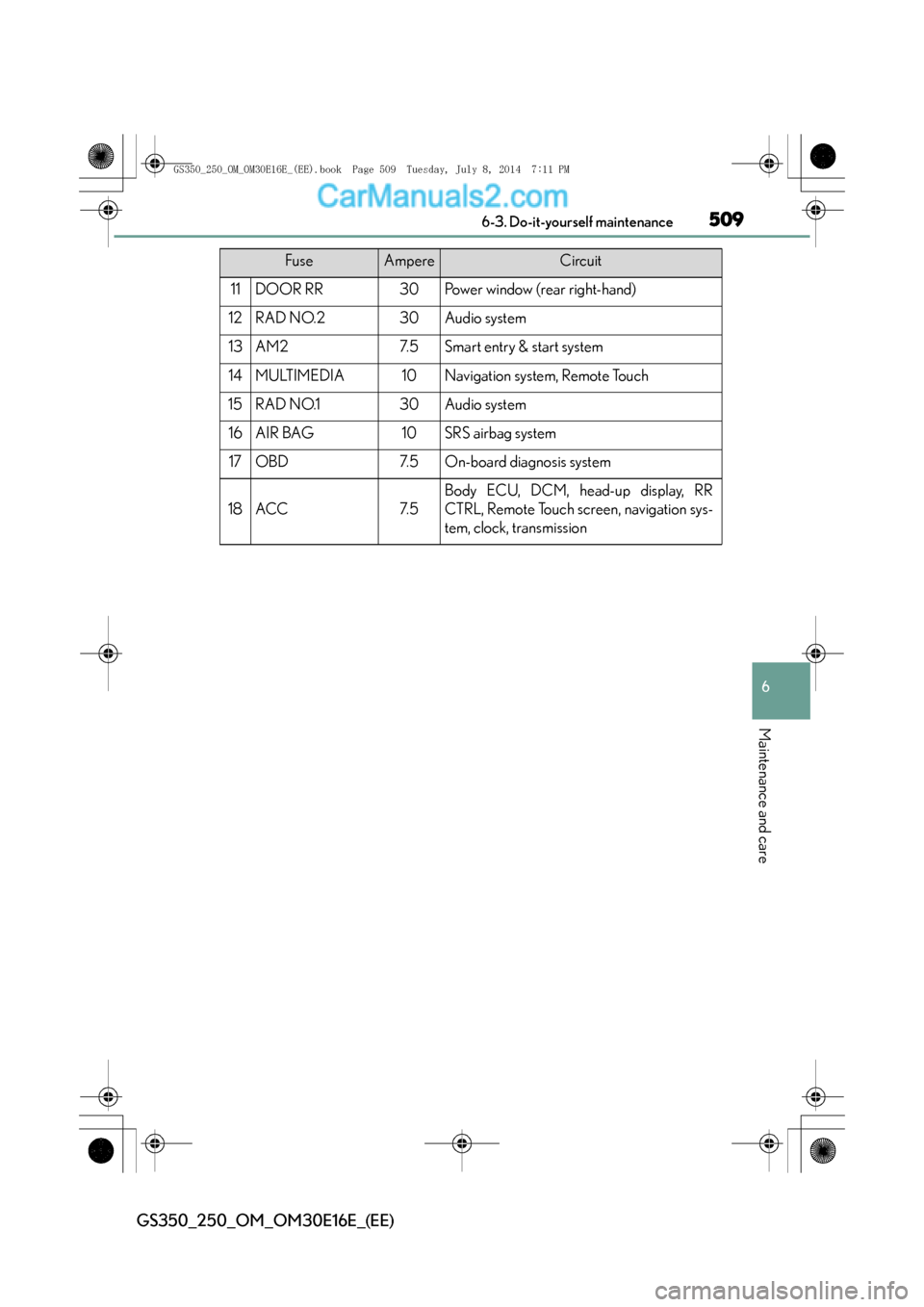
11DOOR RR30Power window (rear right-hand)
12RAD NO.230Audio system
13AM27. 5Smart entry & start system
14MULTIMEDIA10Navigation system, Remote Touch
15RAD NO.130Audio system
16AIR BAG10SRS airbag system
17OBD7. 5On-board diagnosis system
18ACC7. 5
Body ECU, DCM, head-up display, RR
CTRL, Remote Touch screen, navigation sys-
tem, clock, transmission
FuseAmpereCircuit
GS350_250_OM_OM30E16E_(EE).book Page 509 Tuesday, July 8, 2014 7:11 PM
Page 511 of 688
511 6-3. Do-it-yourself maintenance
6
Maintenance and care
GS350_250_OM_OM30E16E_(EE)
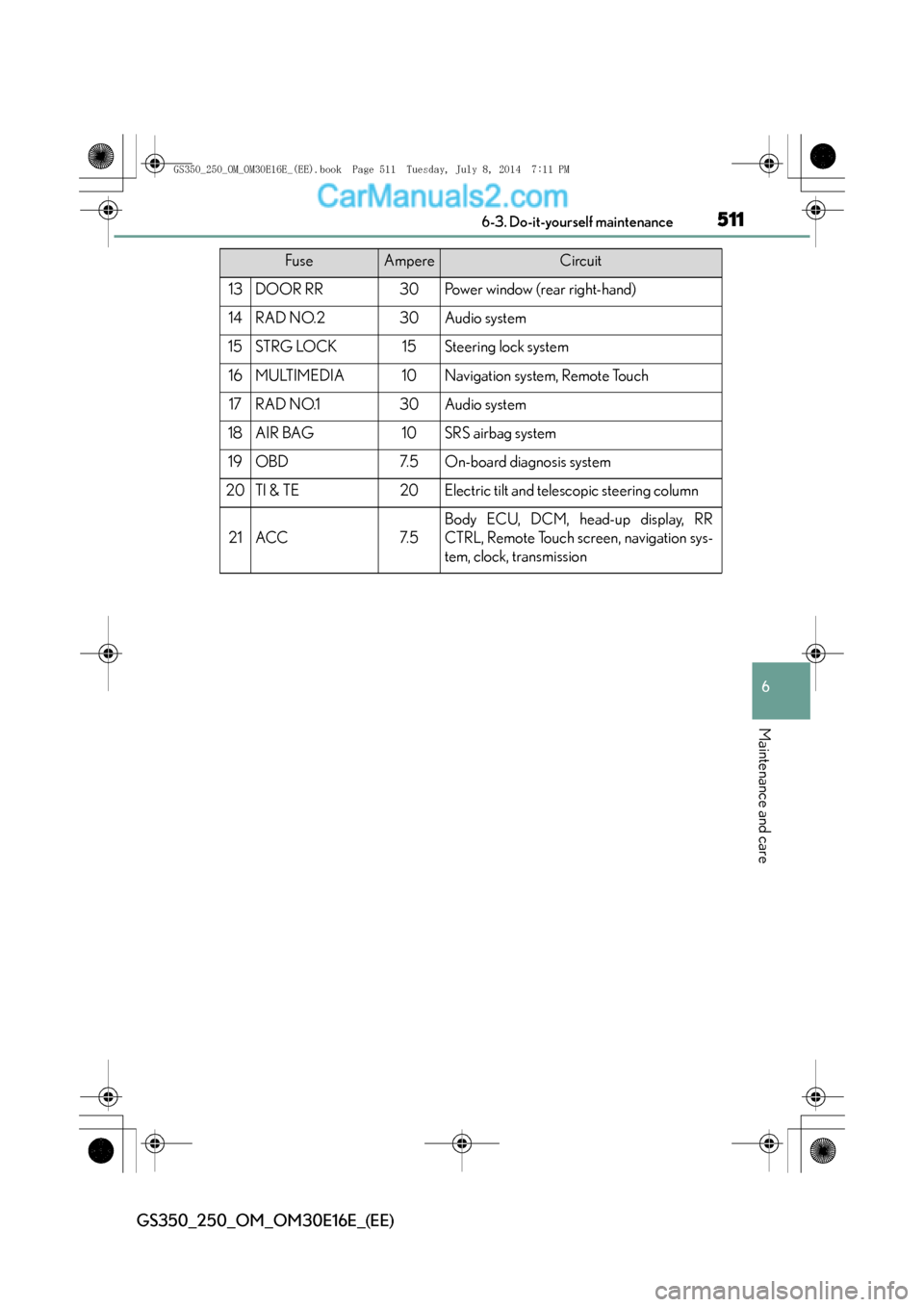
13DOOR RR30Power window (rear right-hand)
14RAD NO.230Audio system
15STRG LOCK15Steering lock system
16MULTIMEDIA10Navigation system, Remote Touch
17RAD NO.130Audio system
18AIR BAG10SRS airbag system
19OBD7. 5On-board diagnosis system
20TI & TE20Electric tilt and telescopic steering column
21ACC7. 5
Body ECU, DCM, head-up display, RR
CTRL, Remote Touch screen, navigation sys-
tem, clock, transmission
FuseAmpereCircuit
GS350_250_OM_OM30E16E_(EE).book Page 511 Tuesday, July 8, 2014 7:11 PM
Page 550 of 688
5507-2. Steps to take in an emergency
GS350_250_OM_OM30E16E_(EE)
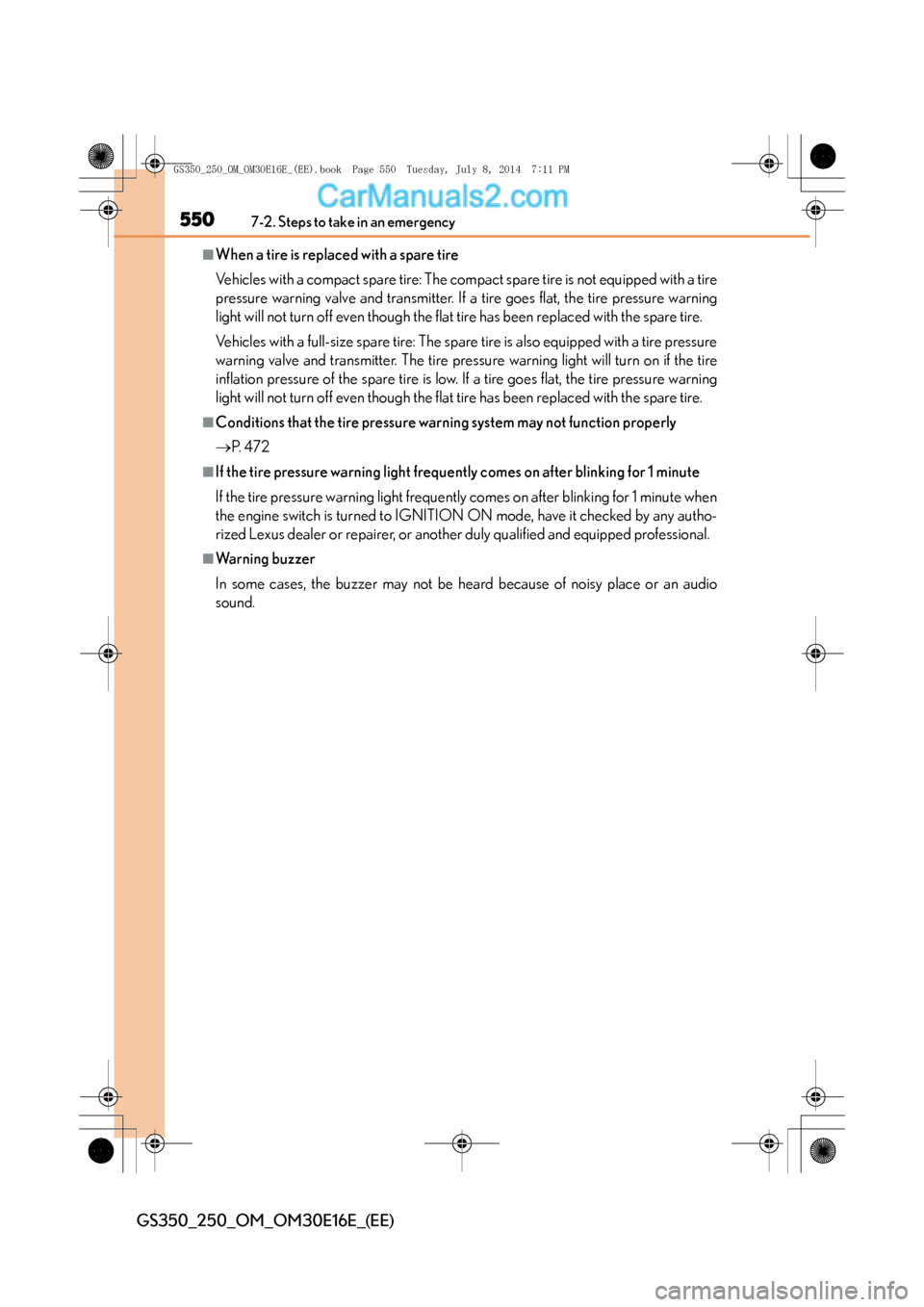
■When a tire is replaced with a spare tire
Vehicles with a compact spare tire: The compact spare tire is not equipped with a tire
pressure warning valve and transmitter. If a tire goes flat, the tire pressure warning
light will not turn off even though the flat tire has been replaced with the spare tire.
Vehicles with a full-size spare tire: The spare tire is also equipped with a tire pressure
warning valve and transmitter. The tire pressure warning light will turn on if the tire
inflation pressure of the spare tire is low. If a tire goes flat, the tire pressure warning
light will not turn off even though the flat tire has been replaced with the spare tire.
■Conditions that the tire pressure warning system may not function properly
→P. 4 7 2
■If the tire pressure warning light freque ntly comes on after blinking for 1 minute
If the tire pressure warning light frequently comes on after blinking for 1 minute when
the engine switch is turned to IGNITION ON mode, have it checked by any autho-
rized Lexus dealer or repairer, or another duly qualified and equipped professional.
■Warning buzzer
In some cases, the buzzer may not be heard because of noisy place or an audio
sound.
GS350_250_OM_OM30E16E_(EE).book Page 550 Tuesday, July 8, 201 4 7:11 PM
Page 576 of 688

5767-2. Steps to take in an emergency
GS350_250_OM_OM30E16E_(EE)
■Warning buzzer
In some cases, the buzzer may not be heard because of noisy place or an audio
sound.
InteriorbuzzerExterior
buzzerWa r n i n g m e s s a g eDetailsCorrection procedure
Once
The engine switch
has been turned off
with the shift lever
in a position other
than P or N.
Shift the
shift lever to
P.
Once
After the engine
switch has been
turned off with the
shift lever in a posi-
tion other than P,
the shift lever has
been shifted to P.
Tu r n t h e
engine
switch off.
(Flashes)
(Flashes)
GS350_250_OM_OM30E16E_(EE).book Page 576 Tuesday, July 8, 201 4 7:11 PM
Page 622 of 688
6227-2. Steps to take in an emergency
GS350_250_OM_OM30E16E_(EE)
Start the engine of the second vehicle. Increase the engine speed
slightly and maintain at that level for approximately 5 minutes to
recharge the battery of your vehicle.
Open and close any of the doors of your vehicle with the engine switch
off.
Maintain the engine speed of the second vehicle and start the engine of
your vehicle by turning the engine switch to IGNITION ON mode.
Once the vehicle’s engine has started, remove the jumper cables in the
exact reverse order from which they were connected.
Once the engine starts, have the vehicle inspected at any authorized
Lexus dealer or repairer, or another duly qualified and equipped profes-
sional as soon as possible.
■Starting the engine when the battery is discharged
The engine cannot be started by push-starting.
■To prevent battery discharge
●Turn off the headlights and the audio system while the engine is off.
●Turn off any unnecessary electrical components when the vehicle is running at a
low speed for an extended period, such as in heavy traffic.
■Charging the battery
The electricity stored in the battery will discharge gradually even when the vehicle is
not in use, due to natural discharge and the draining effects of certain electrical
appliances. If the vehicle is left for a long time, the battery may discharge, and the
engine may be unable to start. (The battery recharges automatically during driving.)
3
4
5
6
GS350_250_OM_OM30E16E_(EE).book Page 622 Tuesday, July 8, 201 4 7:11 PM