brake Lexus GS250 2014 Owner's Guide
[x] Cancel search | Manufacturer: LEXUS, Model Year: 2014, Model line: GS250, Model: Lexus GS250 2014Pages: 688, PDF Size: 152.64 MB
Page 235 of 688
2354-1. Before driving
4
Driving
GS350_250_OM_OM30E16E_(EE)
■If the engine overheats
Towing a loaded trailer up a long, steep incline in temperatures exceed-
ing 30°C (85 °F) may result in the engine overheating. If the engine
coolant temperature gauge indicates that the engine is overheating,
turn the air conditioning off immediately, leave the road and stop the
vehicle in a safe place. ( →P. 625)
■When parking the vehicle
Always place wheel chocks under the wheels of both the vehicle and
trailer. Firmly set the parking brake and shift the shift lever to P.
CAUTION
Follow all the instructions described in this section. Failure to do so could cause an
accident resulting in death or serious injury.
■Trailer towing precautions
When towing, make sure that none of the weight limits are exceeded. ( →P. 2 2 8 )
■To avoid accident or injury
●Do not tow a trailer when the compact spare tire is installed on your vehicle.
●Do not tow a trailer when the tire installed is repaired with the emergency tire
puncture repair kit.
●Do not use cruise control (if equipped) or dynamic radar cruise control (if
equipped) when trailer towing.
■Vehicle speed in towing
Observe the legal maximum speeds for trailer towing.
■Before descending hills or long declines
Reduce speed and downshift. However, never downshift suddenly while descend-
ing steep or long downhill grades.
■Operation of the brake pedal
Do not hold the brake pedal depressed often or for long periods of time.
Doing so may result in the brake overheating or reduce braking effects.
GS350_250_OM_OM30E16E_(EE).book Page 235 Tuesday, July 8, 201 4 7:11 PM
Page 237 of 688
237
4
4-2. Driving procedures
Driving
GS350_250_OM_OM30E16E_(EE)
Engine (ignition) switch
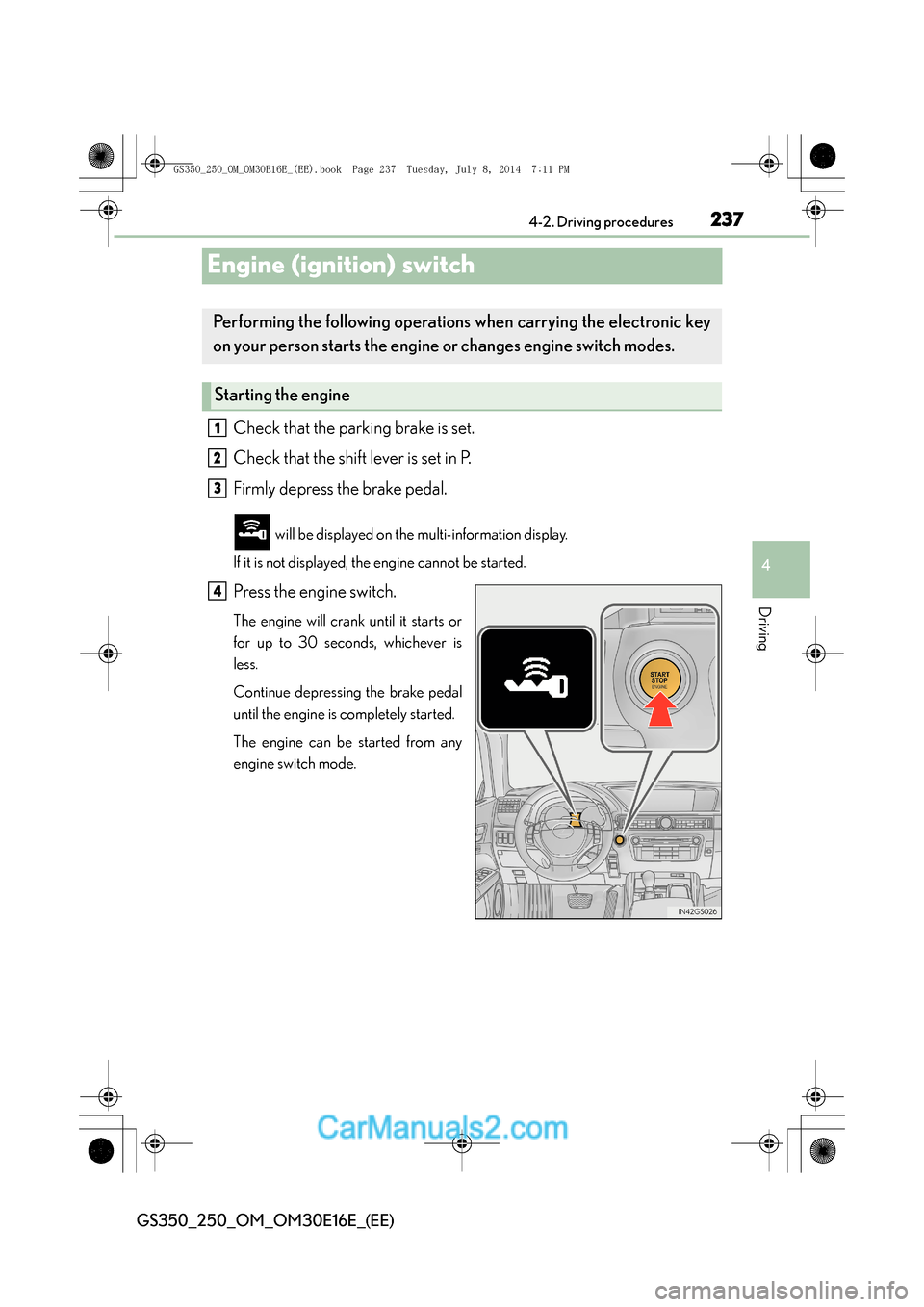
Check that the parking brake is set.
Check that the shift lever is set in P.
Firmly depress the brake pedal.
will be displayed on the multi-information display.
If it is not displayed, the engine cannot be started.
Press the engine switch.
The engine will crank until it starts or
for up to 30 seconds, whichever is
less.
Continue depressing the brake pedal
until the engine is completely started.
The engine can be started from any
engine switch mode.
Performing the fo llowing operations when carrying the electronic key
on your person starts the engine or changes engine switch modes.
Starting the engine
1
2
3
4
GS350_250_OM_OM30E16E_(EE).book Page 237 Tuesday, July 8, 201 4 7:11 PM
Page 238 of 688
2384-2. Driving procedures
GS350_250_OM_OM30E16E_(EE)
Stop the vehicle.
Shift the shift lever to P.
Set the parking brake. (→P. 255)
Press the engine switch.
Release the brake pedal and check that “POWER ON” on the multi-
information display is off.
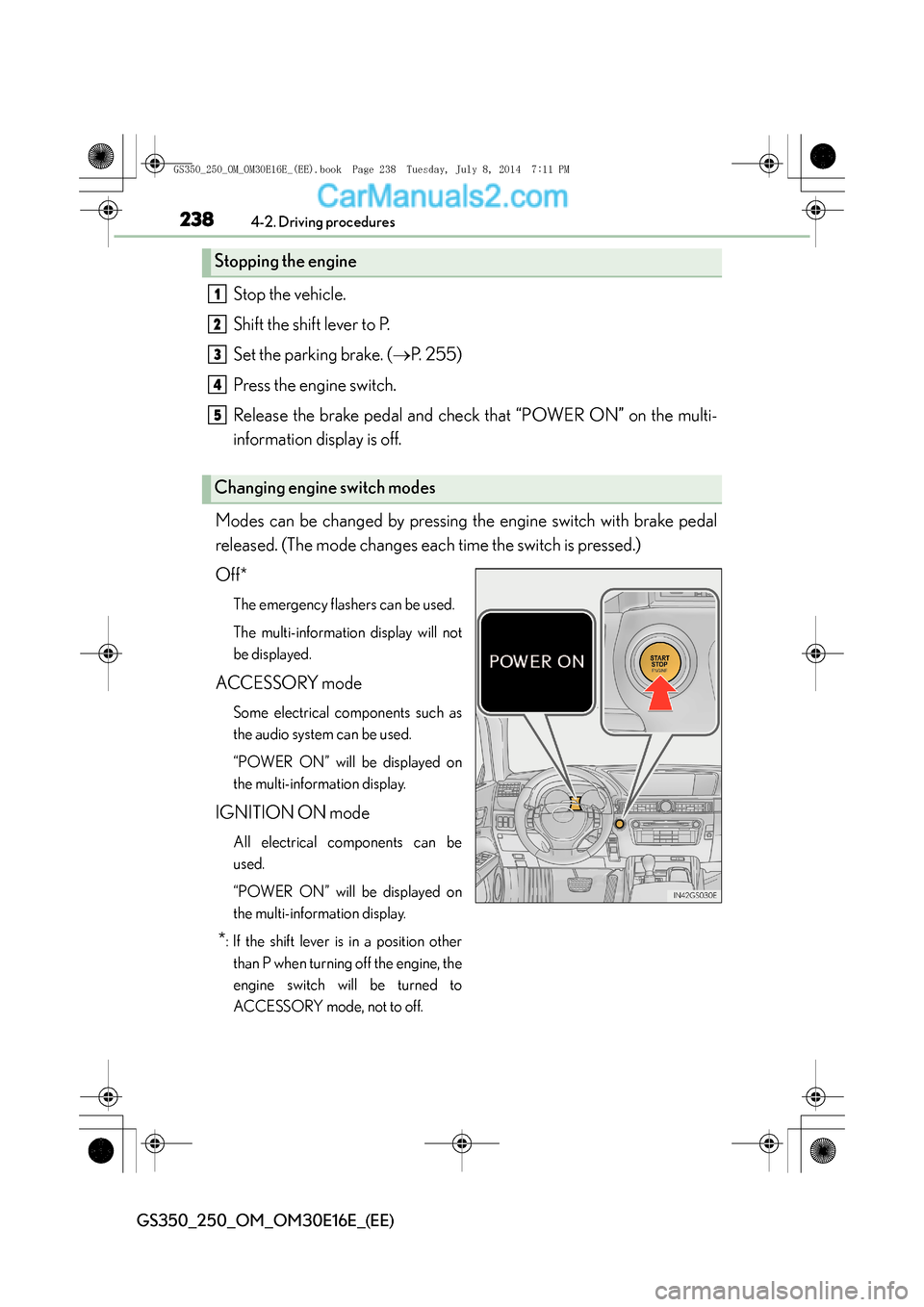
Modes can be changed by pressing the engine switch with brake pedal
released. (The mode changes each time the switch is pressed.)
Off*
The emergency flashers can be used.
The multi-information display will not
be displayed.
ACCESSORY mode
Some electrical components such as
the audio system can be used.
“POWER ON” will be displayed on
the multi-information display.
IGNITION ON mode
All electrical components can be
used.
“POWER ON” will be displayed on
the multi-information display.
*: If the shift lever is in a position other than P when turning off the engine, the
engine switch will be turned to
ACCESSORY mode, not to off.
Stopping the engine
Changing engine switch modes
1
2
3
4
5
GS350_250_OM_OM30E16E_(EE).book Page 238 Tuesday, July 8, 201 4 7:11 PM
Page 239 of 688
2394-2. Driving procedures
4
Driving
GS350_250_OM_OM30E16E_(EE)
If the engine is stopped with the shift lever in a position other than P, the
engine switch will not be turned off but instead be turned to ACCES-
SORY mode. Perform the following procedure to turn the switch off:Check that the parking brake is set.
Shift the shift lever to P.
Check that “POWER ON” and “Turn Power OFF” are displayed alter-
nately on the multi-information display and then press the engine switch
once.
Check that “POWER ON” and “Turn Power OFF” on the multi-infor-
mation display are off.
When stopping the engine with the shift lever in a position other
than P
1
2
3
4
GS350_250_OM_OM30E16E_(EE).book Page 239 Tuesday, July 8, 201 4 7:11 PM
Page 242 of 688
2424-2. Driving procedures
GS350_250_OM_OM30E16E_(EE)
CAUTION
■When starting the engine
Always start the engine while sitting in the driver’s seat. Do not depress the accel-
erator pedal while starting the engine under any circumstances.
Doing so may cause an accident resulting in death or serious injury.
■Caution while driving
If engine failure occurs while the vehicle is moving, do not lock or open the doors
until the vehicle reaches a safe and complete stop. Activation of the steering lock in
this circumstance may lead to an accident, resulting in death or serious injury.
■Stopping the engine in an emergency
If you want to stop the engine in an emergency while driving the vehicle, press and
hold the engine switch for more than 2 seconds, or press it briefly 3 times or more
in succession. (→P. 5 3 5 )
However, do not touch the engine switch while driving except in an emergency.
Turning the engine off while driving will not cause loss of steering or braking con-
trol, but the power assist to these systems will be lost. This will make it more difficult
to steer and brake, so you should pull over and stop the vehicle as soon as it is safe
to do so.
GS350_250_OM_OM30E16E_(EE).book Page 242 Tuesday, July 8, 201 4 7:11 PM
Page 244 of 688
2444-2. Driving procedures
GS350_250_OM_OM30E16E_(EE)
Automatic transmission
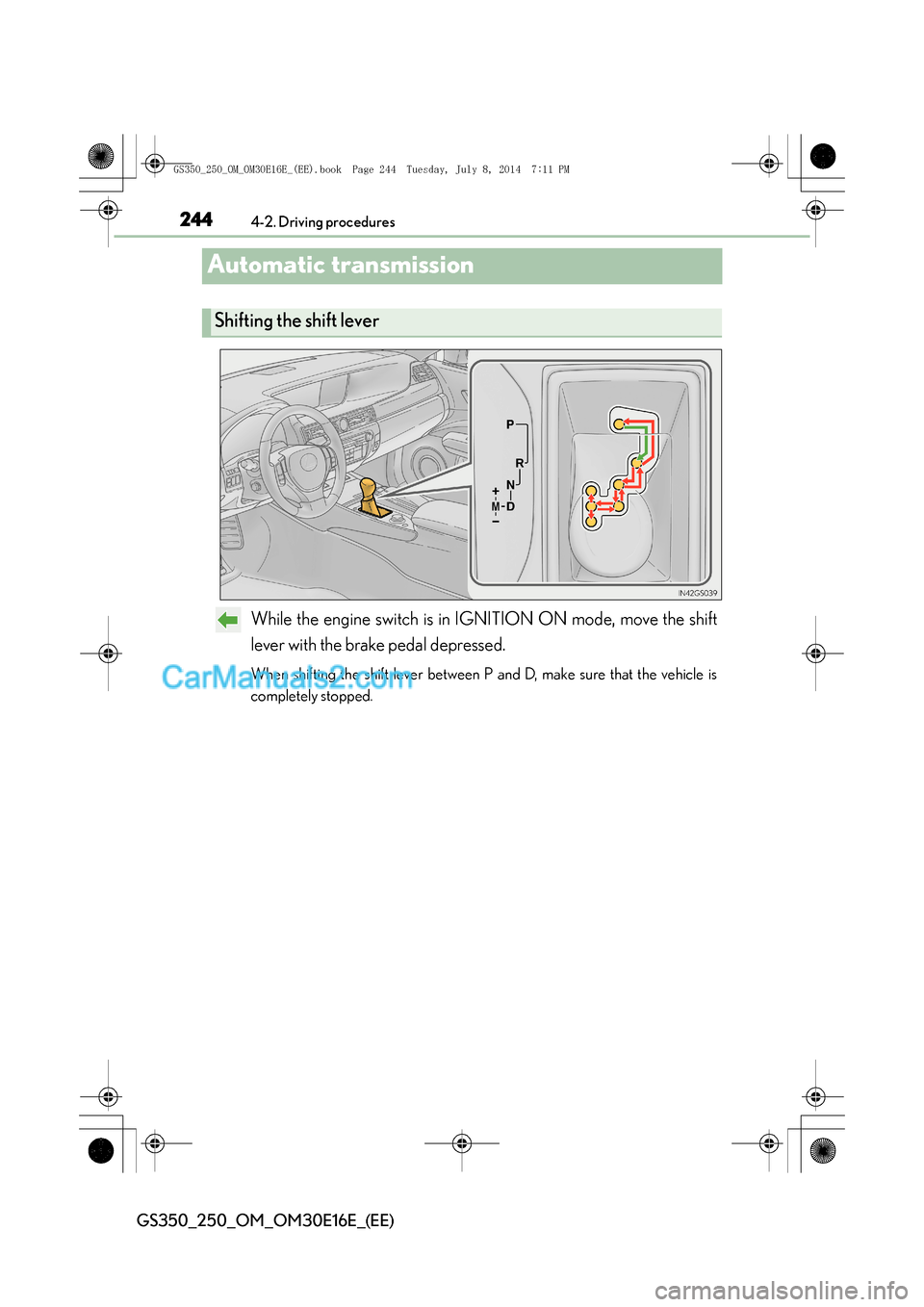
While the engine switch is in IGNITION ON mode, move the shift
lever with the brake pedal depressed.
When shifting the shift lever between P and D, make sure that the vehicle is
completely stopped.
Shifting the shift lever
GS350_250_OM_OM30E16E_(EE).book Page 244 Tuesday, July 8, 201 4 7:11 PM
Page 255 of 688
255
4
4-2. Driving procedures
Driving
GS350_250_OM_OM30E16E_(EE)
Pa rk ing bra ke
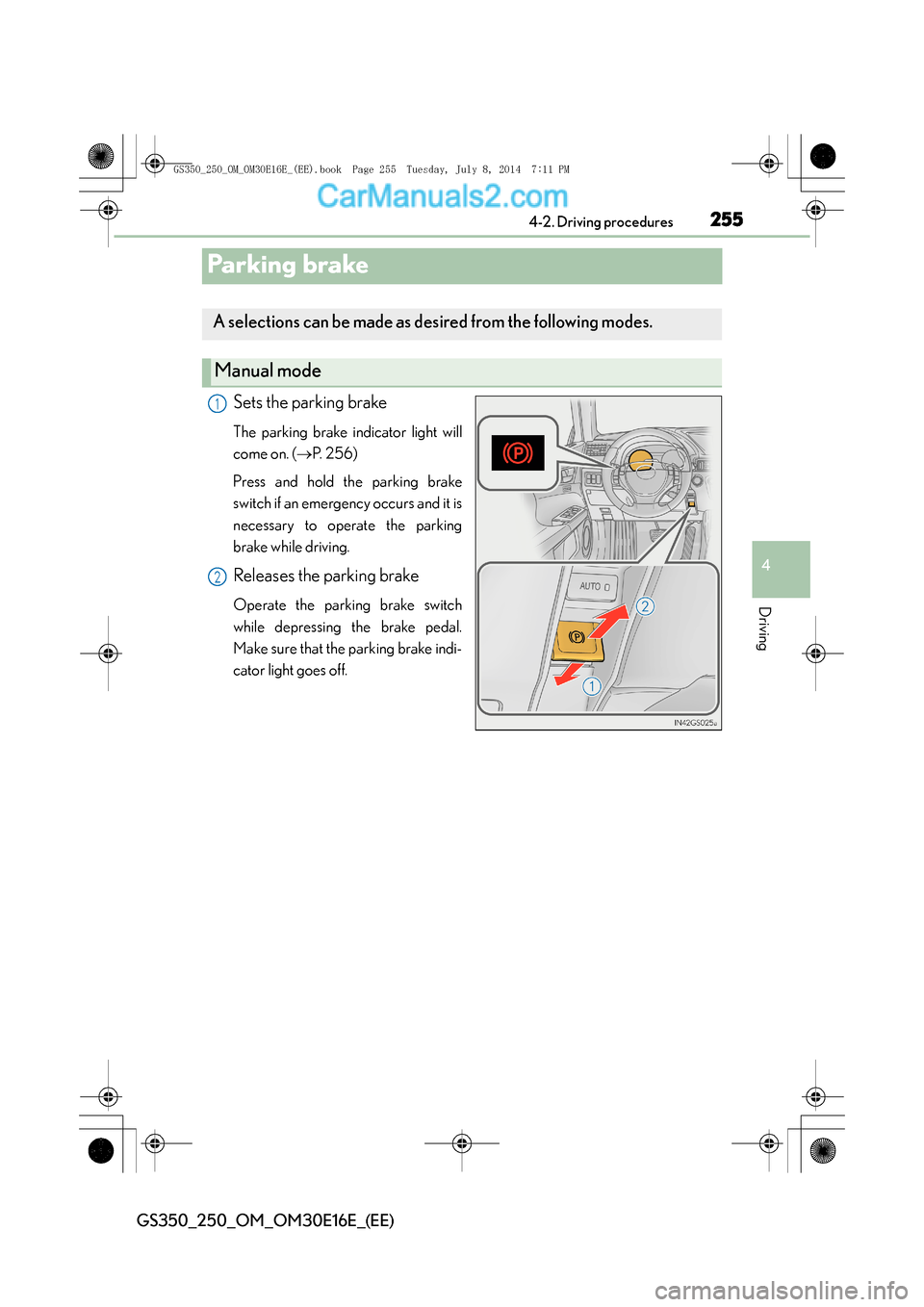
Sets the parking brake
The parking brake indicator light will
come on. (
→P. 2 5 6 )
Press and hold the parking brake
switch if an emergency occurs and it is
necessary to operate the parking
brake while driving.
Releases the parking brake
Operate the parking brake switch
while depressing the brake pedal.
Make sure that the parking brake indi-
cator light goes off.
A selections can be made as desired from the following modes.
Manual mode
1
2
GS350_250_OM_OM30E16E_(EE).book Page 255 Tuesday, July 8, 201 4 7:11 PM
Page 256 of 688
2564-2. Driving procedures
GS350_250_OM_OM30E16E_(EE)
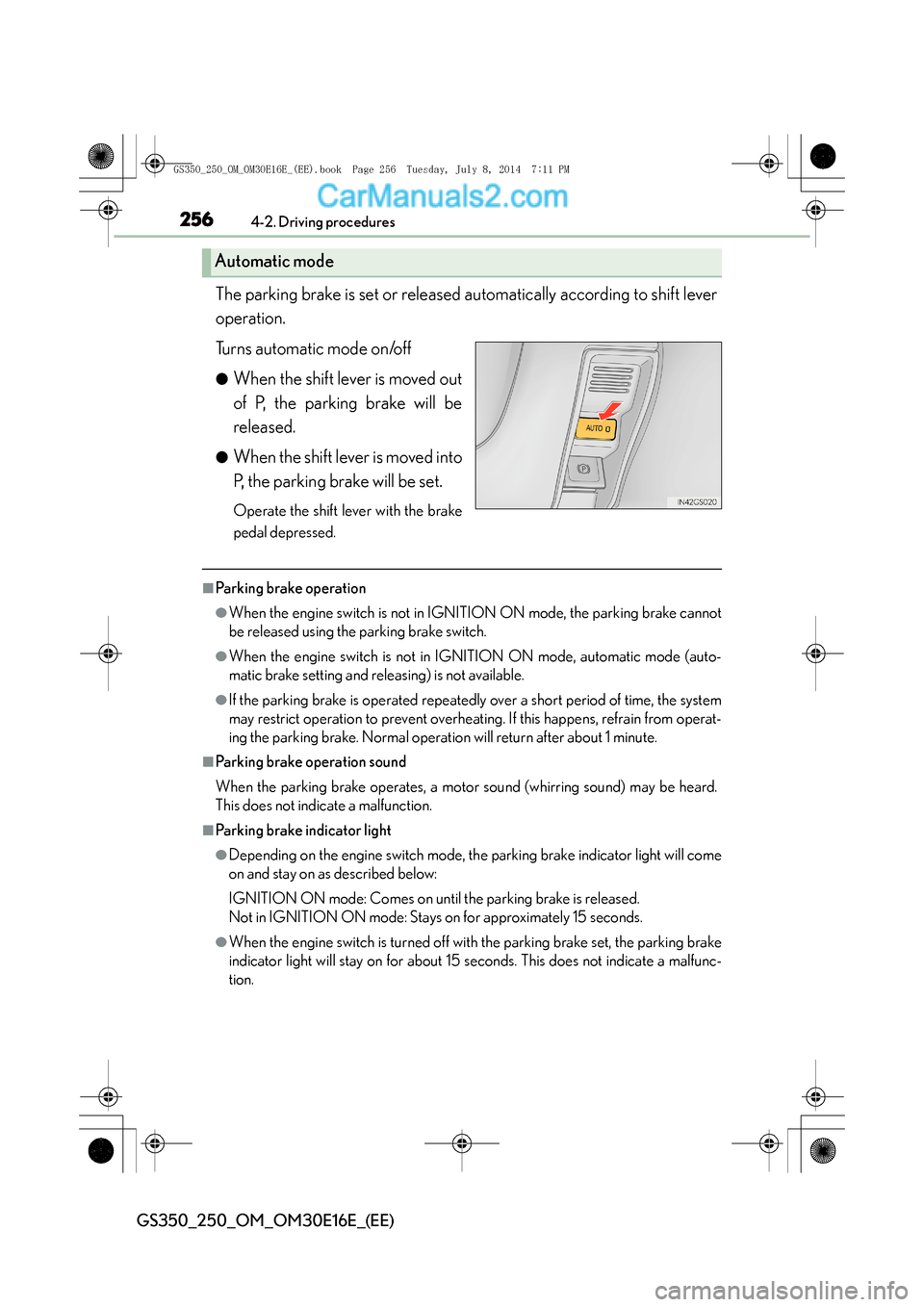
The parking brake is set or released automatically according to shift lever
operation.
Turns automatic mode on/off
●When the shift lever is moved out
of P, the parking brake will be
released.
●When the shift lever is moved into
P, the parking brake will be set.
Operate the shift lever with the brake
pedal depressed.
■Parking brake operation
●When the engine switch is not in IGNITION ON mode, the parking brake cannot
be released using the parking brake switch.
●When the engine switch is not in IGNITION ON mode, automatic mode (auto-
matic brake setting and releasing) is not available.
●If the parking brake is operated repeatedly over a short period of time, the system
may restrict operation to prevent overheating. If this happens, refrain from operat-
ing the parking brake. Normal operation will return after about 1 minute.
■Parking brake operation sound
When the parking brake operates, a motor sound (whirring sound) may be heard.
This does not indicate a malfunction.
■Parking brake indicator light
●Depending on the engine switch mode, the parking brake indicator light will come
on and stay on as described below:
IGNITION ON mode: Comes on until the parking brake is released.
Not in IGNITION ON mode: Stays on for approximately 15 seconds.
●When the engine switch is turned off with the parking brake set, the parking brake
indicator light will stay on for about 15 seconds. This does not indicate a malfunc-
tion.
Automatic mode
GS350_250_OM_OM30E16E_(EE).book Page 256 Tuesday, July 8, 201 4 7:11 PM
Page 257 of 688
2574-2. Driving procedures
4
Driving
GS350_250_OM_OM30E16E_(EE)
■When there is a malfunction in the system
Warning lights and/or warning message will turn on or flash. (→P. 5 4 4 , 5 5 2 )
Depending on the condition, the parking brake indicator light may flash.
■Usage in winter time
→ P. 3 5 4
NOTICE
■When parking the vehicle
Before you leave the vehicle, set the parking brake, shift the shift lever to P and
make sure that the vehicle does not move.
■When the system malfunctions
Stop the vehicle in a safe place and check the warning messages.
■When the parking brake cannot be released due to a malfunction
Use the parking brake release tool to manually release the parking brake.
( → P. 6 1 5 )
Driving the vehicle with the parking brake set will lead to brake components over-
heating, which may affect braking performance and increase brake wear.
GS350_250_OM_OM30E16E_(EE).book Page 257 Tuesday, July 8, 201 4 7:11 PM
Page 262 of 688
2624-3. Operating the lights and wipers
GS350_250_OM_OM30E16E_(EE)
■Daytime running light system
To make your vehicle more visible to other drivers, the front position lights turn on
automatically whenever the engine is started and the parking brake is released. Day-
time running lights are not designed for use at night.
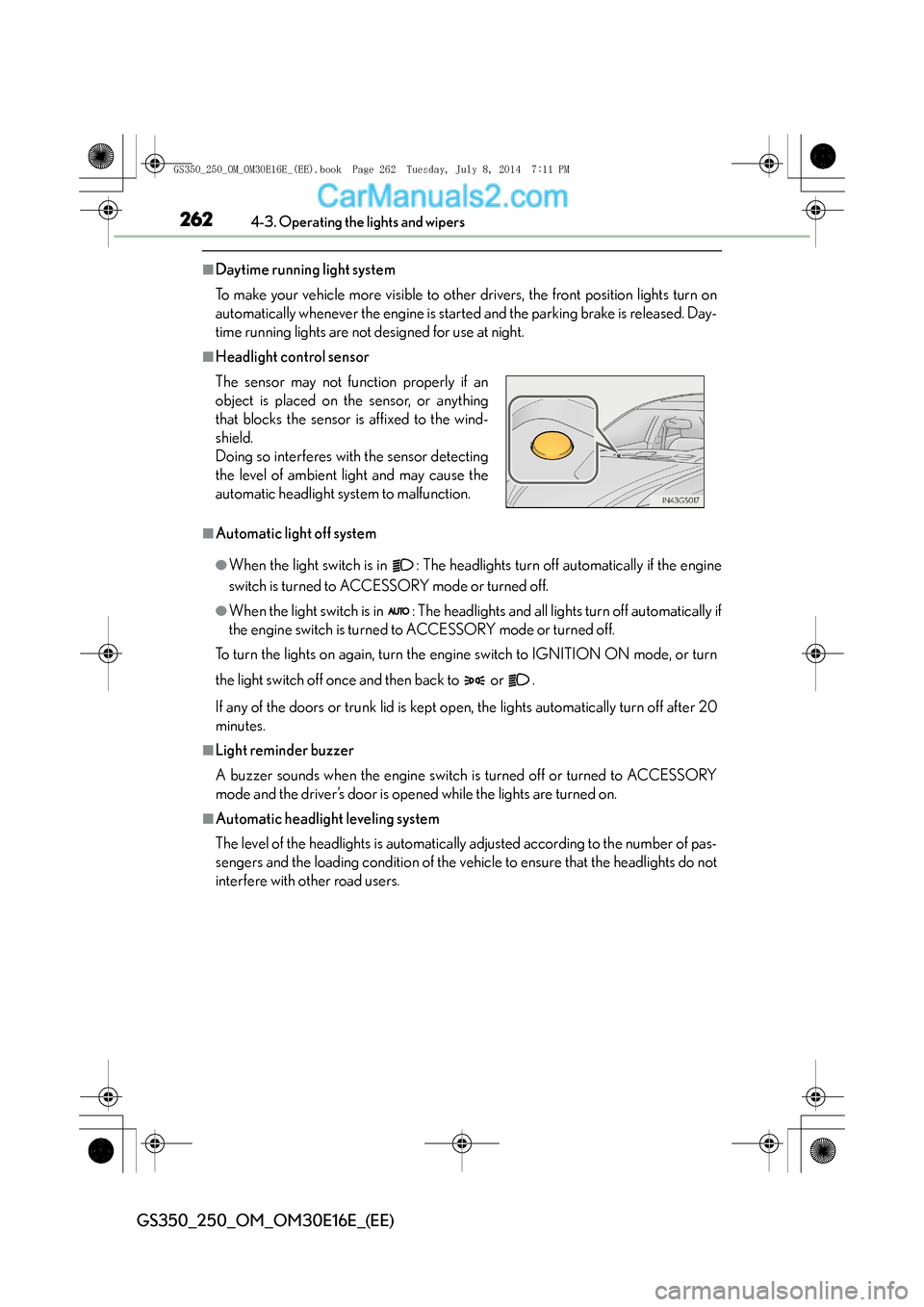
■Headlight control sensor
■Automatic light off system
●When the light switch is in : The headlights turn off automatically if the engine
switch is turned to ACCESSORY mode or turned off.
●When the light switch is in : The headlights and all lights turn off automatically if
the engine switch is turned to ACCESSORY mode or turned off.
To turn the lights on again, turn the engine switch to IGNITION ON mode, or turn
the light switch off once and then back to or .
If any of the doors or trunk lid is kept op en, the lights automatically turn off after 20
minutes.
■Light reminder buzzer
A buzzer sounds when the engine switch is turned off or turned to ACCESSORY
mode and the driver’s door is opened while the lights are turned on.
■Automatic headlight leveling system
The level of the headlights is automatically adjusted according to the number of pas-
sengers and the loading condition of the vehicle to ensure that the headlights do not
interfere with other road users. The sensor may not function properly if an
object is placed on the sensor, or anything
that blocks the sensor is affixed to the wind-
shield.
Doing so interferes with the sensor detecting
the level of ambient light and may cause the
automatic headlight system to malfunction.
GS350_250_OM_OM30E16E_(EE).book Page 262 Tuesday, July 8, 201 4 7:11 PM