light Lexus GS300h 2013 Owner's Manual
[x] Cancel search | Manufacturer: LEXUS, Model Year: 2013, Model line: GS300h, Model: Lexus GS300h 2013Pages: 1014
Page 449 of 1014
4324-6. Driving tips
GS450h_300h_OM_OM30D53E_(EE)
Hybrid vehicle driving tips
Using Eco drive mode
When using Eco drive mode, the torque corresponding to the
accelerator pedal depression amount can be generated more
smoothly than it is in normal conditions. In addition, the opera-
tion of the air conditioning system (heating/cooling) will be min-
imized, improving the fuel economy. (P. 392)
Use of Hybrid System Indicator
The Eco-friendly driving is possible by keeping the indicate of
Hybrid System Indicator within Eco area. (P. 126)
When braking the vehicle
Make sure to operate the brakes gently and in good time. A
greater amount of electrical energy can be retained when slowing
down.
Delays
Repeated acceleration and deceleration, as well as long waits at
traffic lights, will lead to bad fuel consumption. Check traffic
reports before leaving and avoid delays as much as possible.
When encountering a delay, gently release the brake pedal to
allow the vehicle to move forward slightly while avoiding over-
use of the accelerator pedal. Doing so can help control excessive
gasoline consumption.
Highway driving
Control your speed and keep at a constant speed. Also, before
stopping at a toll booth or similar, allow plenty of time to release
For economical and ecological driving, pay attention to the follow-
ing points:
Page 452 of 1014
4354-6. Driving tips
4
Driving
GS450h_300h_OM_OM30D53E_(EE)
Perform the following according to the driving conditions:
Do not try to forcibly open a window or move a wiper that is fro-
zen. Pour warm water over the frozen area to melt the ice. Wipe
away the water immediately to prevent it from freezing.
To ensure proper operation of the climate control system fan,
remove any snow that has accumulated on the air inlet vents in
front of the windshield.
Check for and remove any excess ice or snow that may have
accumulated on the exterior lights, vehicle’s roof, chassis, around
the tires or on the brakes.
Remove any snow or mud from the bottom of your shoes before
getting in the vehicle.
Accelerate the vehicle slowly, keep a safe distance between you
and the vehicle ahead, and drive at a reduced speed suitable to road
conditions.
Park the vehicle and move the shift lever to P without setting the
parking brake. The parking brake may freeze up, preventing it from
being released. If necessary, block the wheels to prevent inadver-
tent sliding or creeping.
Before driving the vehicle
When driving the vehicle
When parking the vehicle
Page 458 of 1014
441
5Interior features
GS450h_300h_OM_OM30D53E_(EE)5-4. Using the hands-free phone
system (for cellular phone)
Hands-free system
(for cellular phone) ......... 611
Using a Bluetooth
®
phone............................... 625
Setting the hands-free system
(for cellular phone) ......... 645
Setting the Bluetooth
®...... 671
5-5. Using the interior lights
Interior lights list ............... 684
• Interior light .................. 685
• Personal lights............... 685
5-6. Using the storage features
List of storage features ...... 687
• Glove box ..................... 689
• Console box .................. 690
• Cup holders ................... 691
• Auxiliary boxes............. 693
Trunk features ................... 6945-7. Other interior features
Sun visors and
vanity mirrors ................. 697
Clock................................. 698
Ashtrays ............................ 699
Power outlets .................... 700
Heated steering wheel....... 702
Seat heaters/
seat ventilators ................ 704
Armrest ..............................711
Rear sunshade/
rear door sunshades ........ 712
Coat hooks ........................ 715
Assist grips ....................... 716
Utility hook ....................... 717
Page 459 of 1014
4425-1. Remote Touch screen
GS450h_300h_OM_OM30D53E_(EE)
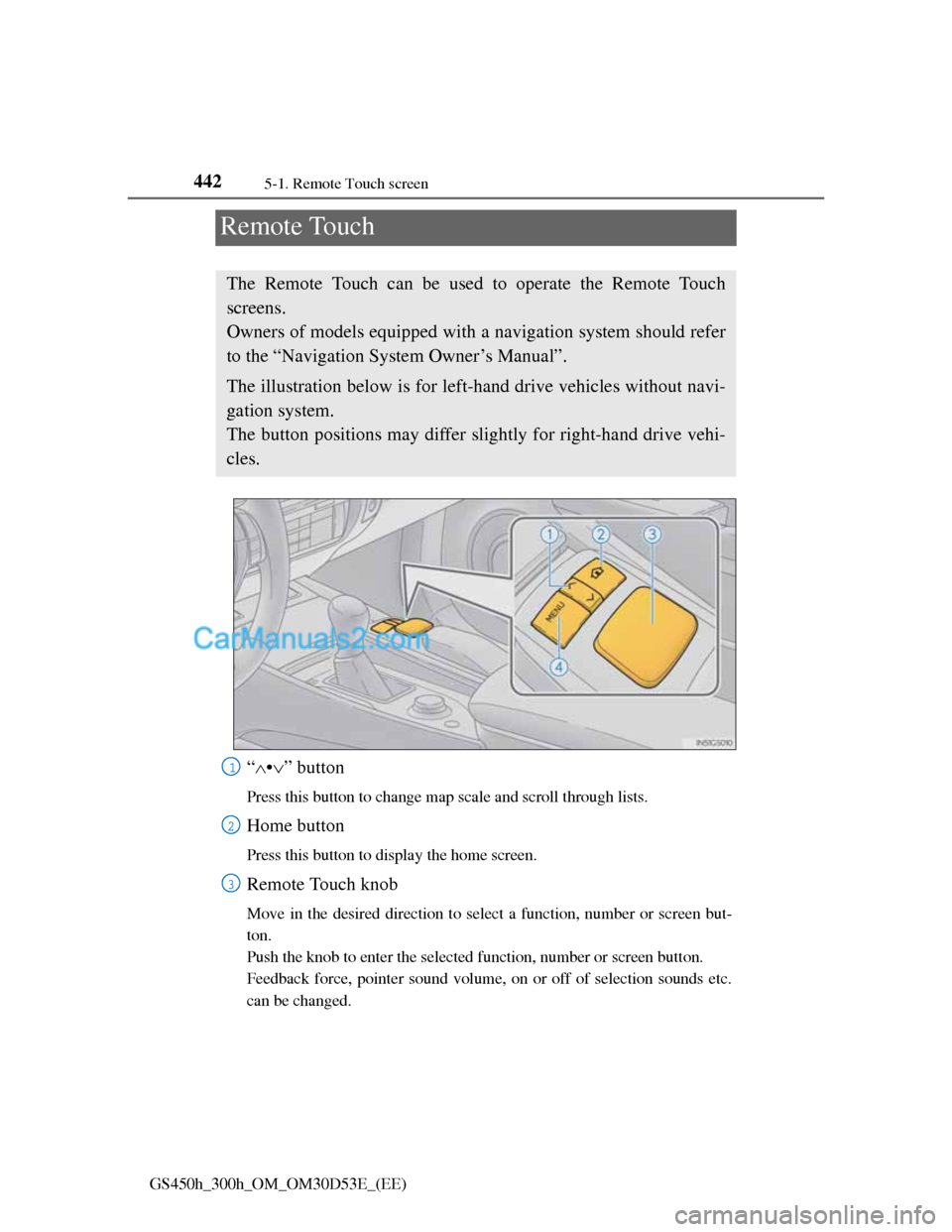
Remote Touch
“•” button
Press this button to change map scale and scroll through lists.
Home button
Press this button to display the home screen.
Remote Touch knob
Move in the desired direction to select a function, number or screen but-
ton.
Push the knob to enter the selected function, number or screen button.
Feedback force, pointer sound volume, on or off of selection sounds etc.
can be changed.
The Remote Touch can be used to operate the Remote Touch
screens.
Owners of models equipped with a navigation system should refer
to the “Navigation System Owner’s Manual”.
The illustration below is for left-hand drive vehicles without navi-
gation system.
The button positions may differ slightly for right-hand drive vehi-
cles.
1
2
3
Page 465 of 1014
4485-1. Remote Touch screen
GS450h_300h_OM_OM30D53E_(EE)
When using the Remote Touch screen
If the screen is cold, the display may be dark, or the system may seem to be
operating slightly slower than normal.
When the screen is viewed through polarized sunglasses, a rainbow pattern
may appear on the screen due to optical characteristics of the screen. If this
is disturbing, please operate the screen without polarized sunglasses.
Dimmed screen buttons cannot be operated.
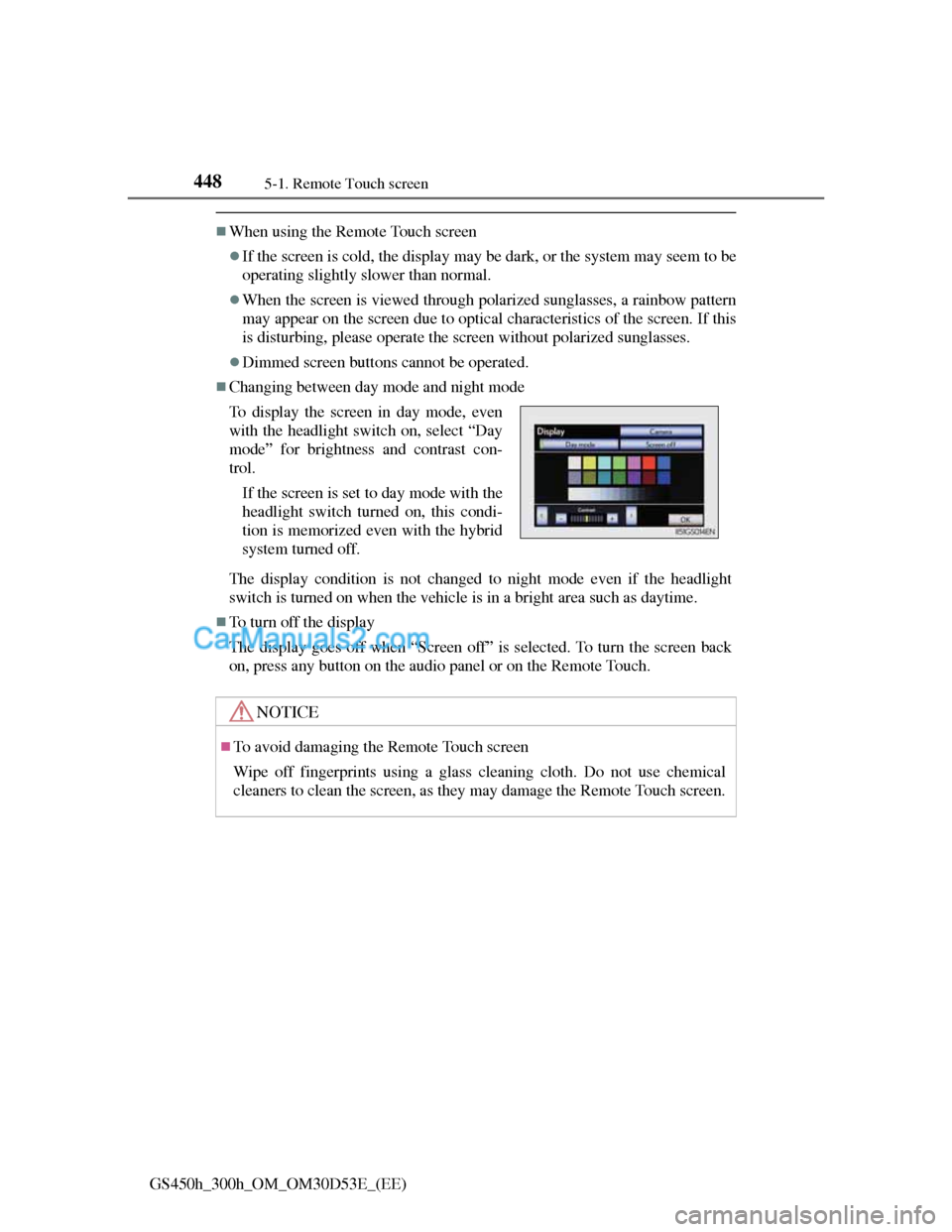
Changing between day mode and night mode
The display condition is not changed to night mode even if the headlight
switch is turned on when the vehicle is in a bright area such as daytime.
To turn off the display
The display goes off when “Screen off” is selected. To turn the screen back
on, press any button on the audio panel or on the Remote Touch. To display the screen in day mode, even
with the headlight switch on, select “Day
mode” for brightness and contrast con-
trol.
If the screen is set to day mode with the
headlight switch turned on, this condi-
tion is memorized even with the hybrid
system turned off.
NOTICE
To avoid damaging the Remote Touch screen
Wipe off fingerprints using a glass cleaning cloth. Do not use chemical
cleaners to clean the screen, as they may damage the Remote Touch screen.
Page 472 of 1014
4555-1. Remote Touch screen
5
Interior features
GS450h_300h_OM_OM30D53E_(EE)
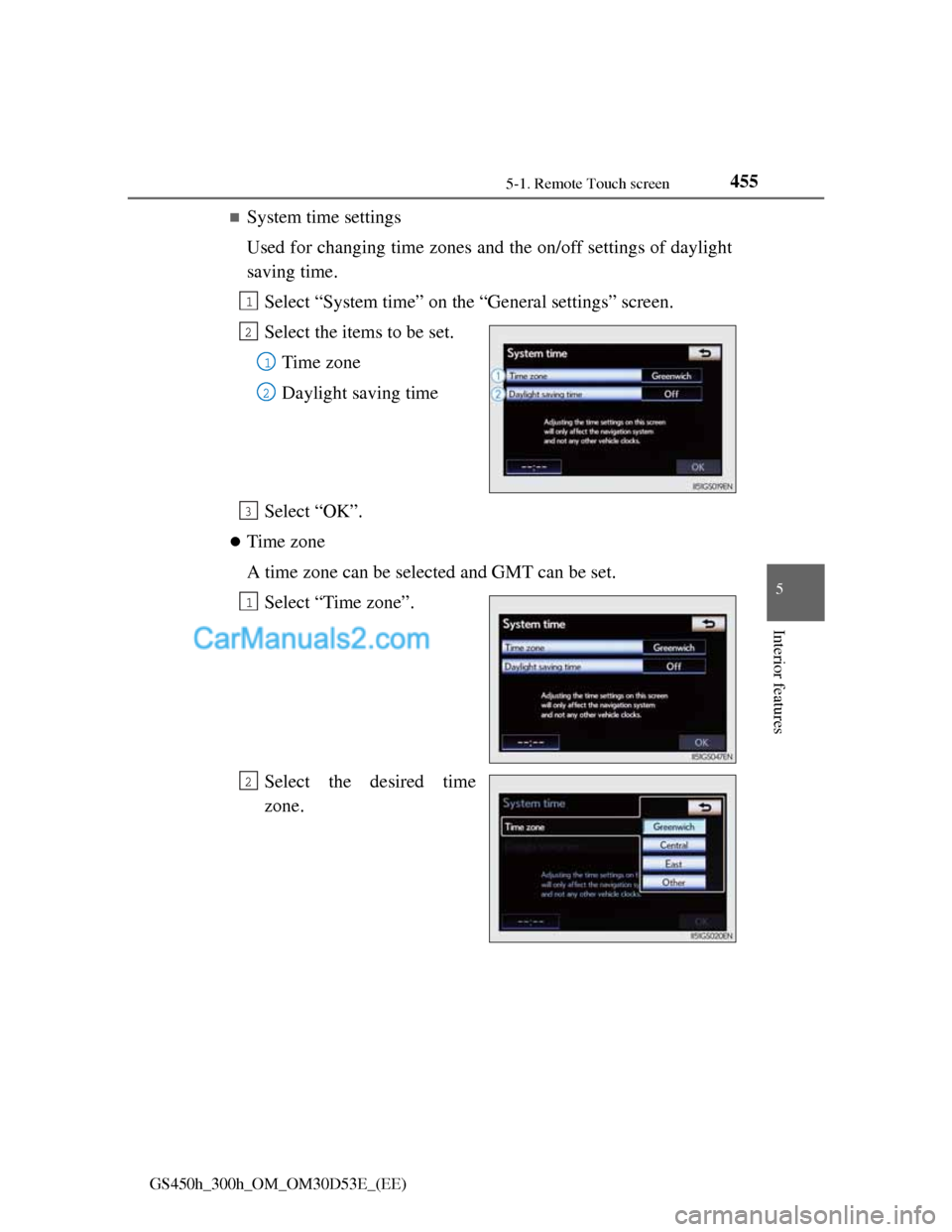
System time settings
Used for changing time zones and the on/off settings of daylight
saving time.
Select “System time” on the “General settings” screen.
Select the items to be set.
Time zone
Daylight saving time
Select “OK”.
Time zone
A time zone can be selected and GMT can be set.
Select “Time zone”.
Select the desired time
zone.
1
2
1
2
3
1
2
Page 473 of 1014
4565-1. Remote Touch screen
GS450h_300h_OM_OM30D53E_(EE)
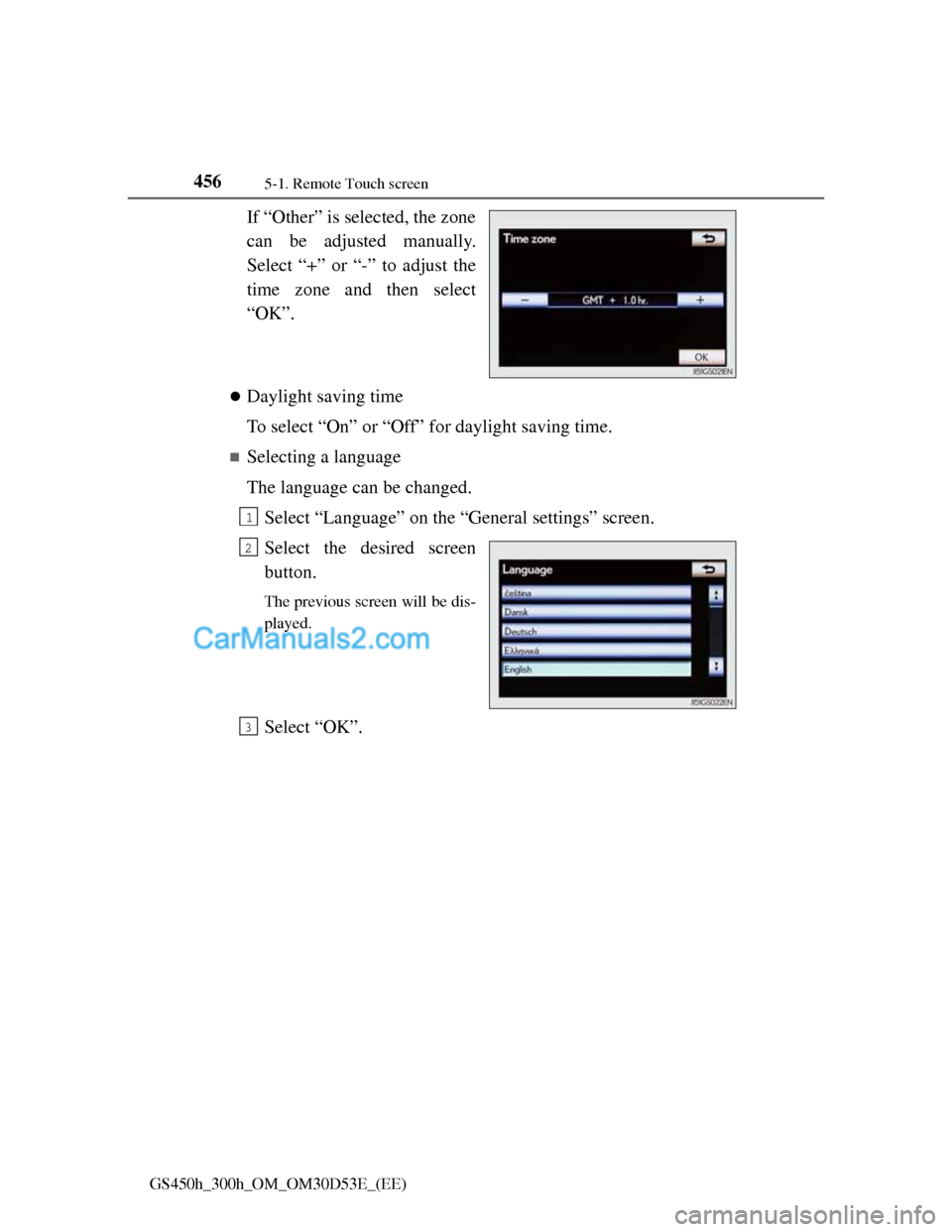
If “Other” is selected, the zone
can be adjusted manually.
Select “+” or “-” to adjust the
time zone and then select
“OK”.
Daylight saving time
To select “On” or “Off” for daylight saving time.
Selecting a language
The language can be changed.
Select “Language” on the “General settings” screen.
Select the desired screen
button.
The previous screen will be dis-
played.
Select “OK”.
1
2
3
Page 503 of 1014
4855-2. Using the air conditioning system and defogger
5
Interior features
GS450h_300h_OM_OM30D53E_(EE)
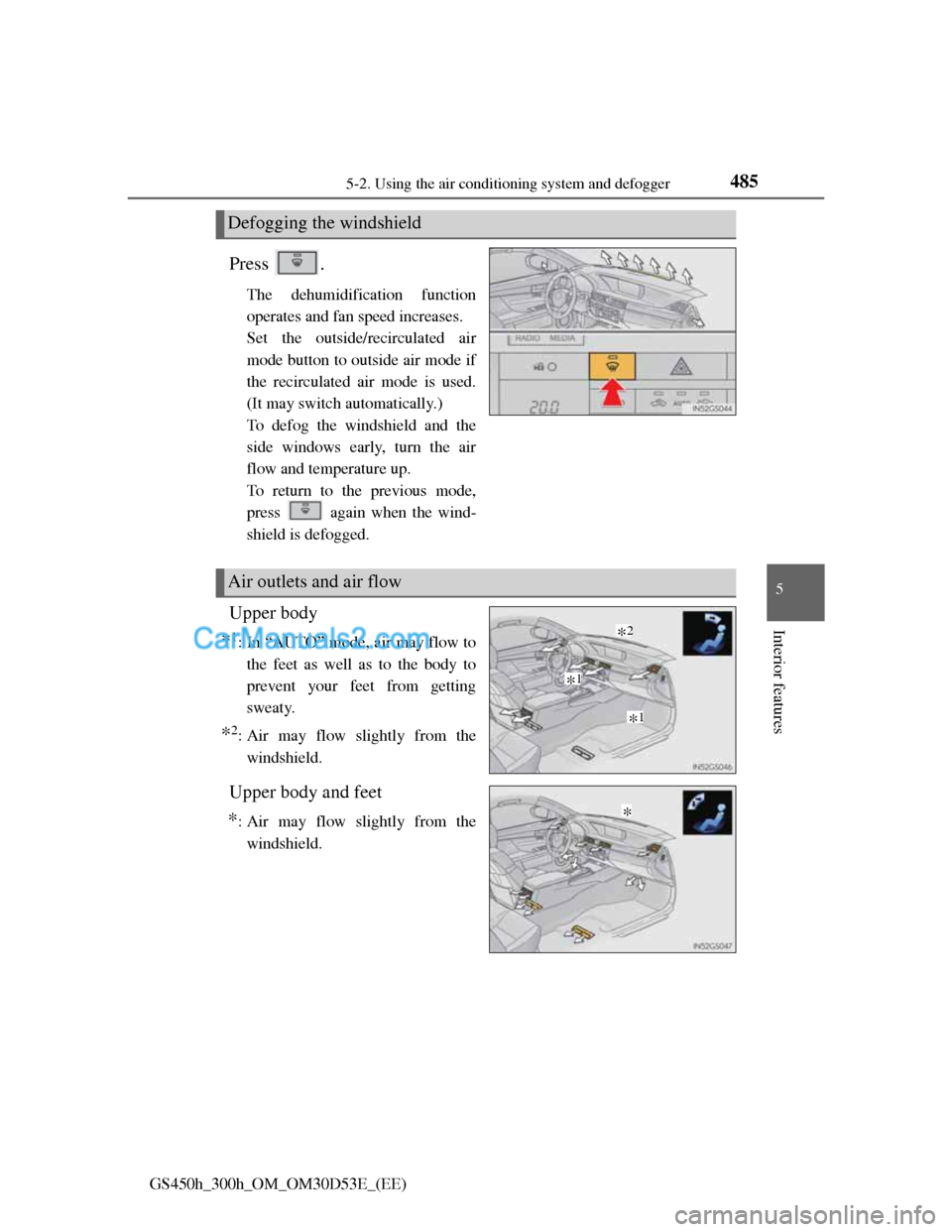
Press .
The dehumidification function
operates and fan speed increases.
Set the outside/recirculated air
mode button to outside air mode if
the recirculated air mode is used.
(It may switch automatically.)
To defog the windshield and the
side windows early, turn the air
flow and temperature up.
To return to the previous mode,
press
again when the wind-
shield is defogged.
Upper body
*1: In “AUTO” mode, air may flow to
the feet as well as to the body to
prevent your feet from getting
sweaty.
*2: Air may flow slightly from the
windshield.
Upper body and feet
*: Air may flow slightly from the
windshield.
Defogging the windshield
Air outlets and air flow
*1
*1
*2
*
Page 512 of 1014
4945-2. Using the air conditioning system and defogger
GS450h_300h_OM_OM30D53E_(EE)
Air conditioning odors
During use, various odors from inside and outside the vehicle may enter
into and accumulate in the air conditioning system. This may then cause
odor to be emitted from the vents.
To reduce potential odors from occurring:
• It is recommended that the air conditioning system be set to outside air
mode prior to turning the vehicle off.
• The start timing of the blower may be delayed for a short period of time
immediately after the air conditioning system is started in automatic
mode.
nanoe *1 system (if equipped)
The air conditioning system adopts nanoe generator. This helps to provide
clean air and moisture by emitting electrically charged ions coated with
water particles through the front center vent on driver’s side
*2.
When the fan is turned on and is selected, the nanoe system is acti-
vated.
When the fan is operated in the following conditions, system performance
will be maximized. If the following conditions are not met, performance
will be limited.
• The , or air outlets are being used.
• The front center vent on driver’s side is open.
When nanoe is generated, a small amount of ozone is emitted and may be
faintly smelled in some situations. However, this is approximately the same
as the amount that already exists in nature, such as in forests, and it has no
affect on the human body.
A slight noise may be heard during operation. This is not a malfunction.
*1:nanoe and the nanoe mark are trademarks of Panasonic Corporation.
*2: According to temperature and humidity conditions, fan speed and direc-
tion of the air flow, the nanoe system may not operate at full capacity.
Air conditioning filter
P. 7 7 5
Customization
Settings (e.g. exhaust gas sensor sensitivity) can be changed.
(Customizable features: P. 942)
Page 571 of 1014
5515-3. Using the audio system
5
Interior features
GS450h_300h_OM_OM30D53E_(EE)
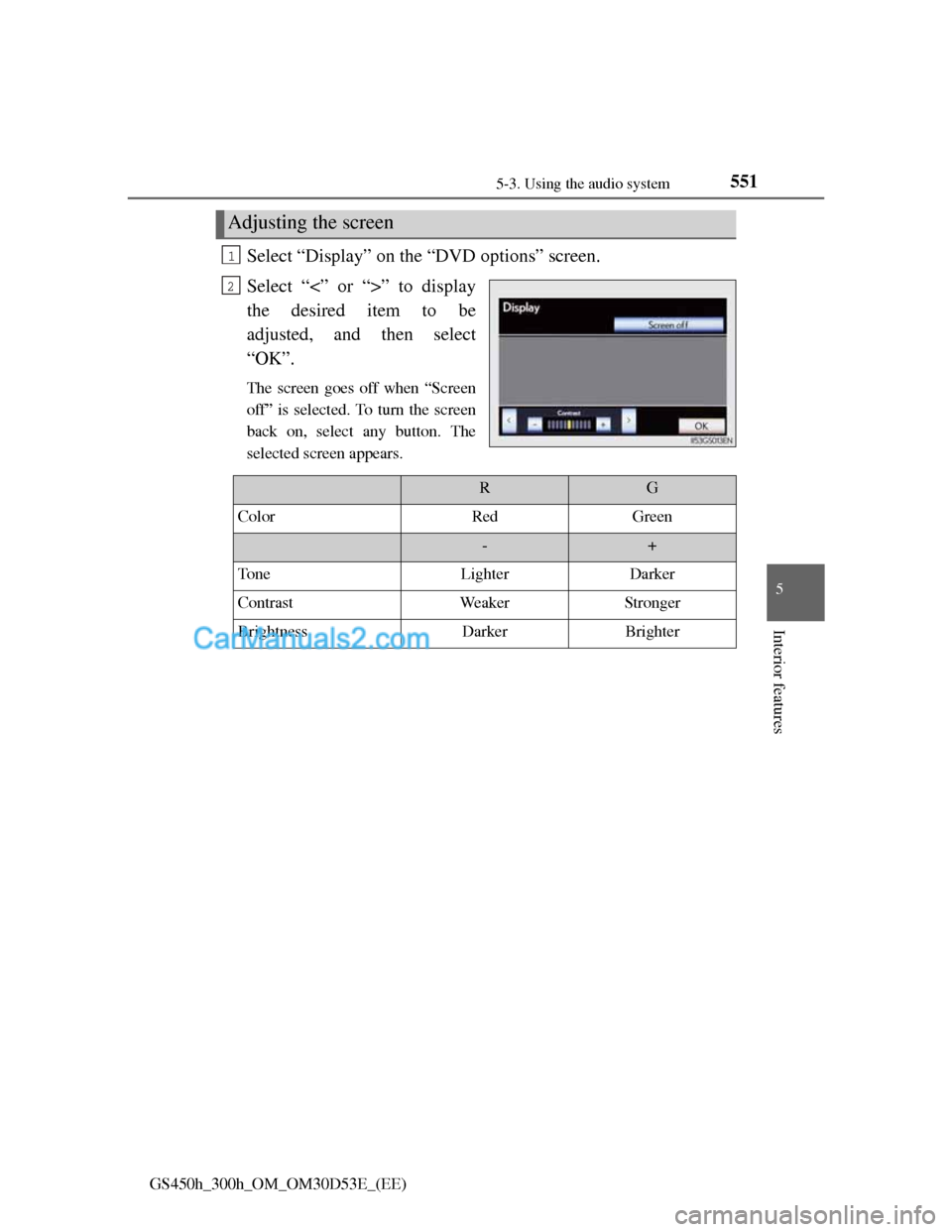
Select “Display” on the “DVD options” screen.
Select “<” or “>” to display
the desired item to be
adjusted, and then select
“OK”.
The screen goes off when “Screen
off” is selected. To turn the screen
back on, select any button. The
selected screen appears.
Adjusting the screen
1
2
RG
ColorRedGreen
-+
To n eLighterDarker
ContrastWeakerStronger
BrightnessDarkerBrighter