phone Lexus GS300h 2013 Owner's Guide
[x] Cancel search | Manufacturer: LEXUS, Model Year: 2013, Model line: GS300h, Model: Lexus GS300h 2013Pages: 1014
Page 620 of 1014
6005-3. Using the audio system
GS450h_300h_OM_OM30D53E_(EE)
Compatible models
The following iPod
®, iPod nano®, iPod classic®, iPod touch® and iPhone®
devices can be used with this system.
Made for
• iPod touch (4th generation)
• iPod touch (3rd generation)
• iPod touch (2nd generation)
• iPod touch (1st generation)
• iPod classic
• iPod with video
• iPod nano (6th generation)
• iPod nano (5th generation)
• iPod nano (4th generation)
• iPod nano (3rd generation)
• iPod nano (2nd generation)
• iPod nano (1st generation)
•iPhone 4
• iPhone 3GS
• iPhone 3G
•iPhone
Depending on differences between models or software versions etc., some
models might be incompatible with this system.
Page 634 of 1014
611
5 5-4. Using the hands-free phone system(for cellular phone)
Interior features
GS450h_300h_OM_OM30D53E_(EE)
Hands-free system (for cellular phone)
The hands-free system is a function that allows you to use your
cellular phone without touching it.
This system supports Bluetooth
® cellular phones. Bluetooth® is a
wireless data system that allows a cellular phone to wirelessly con-
nect to the hands-free system and outgoing/incoming calls.
The illustrations of the hands-free system screens shown here may
slightly vary depending on the type of the system.
Vehicles with a 12.3-inch display: The hands-free system function
can be displayed and operated on the “Side Display”. For details,
refer to the “Navigation System Owner’s Manual”.
Page 635 of 1014
6125-4. Using the hands-free phone system(for cellular phone)
GS450h_300h_OM_OM30D53E_(EE)
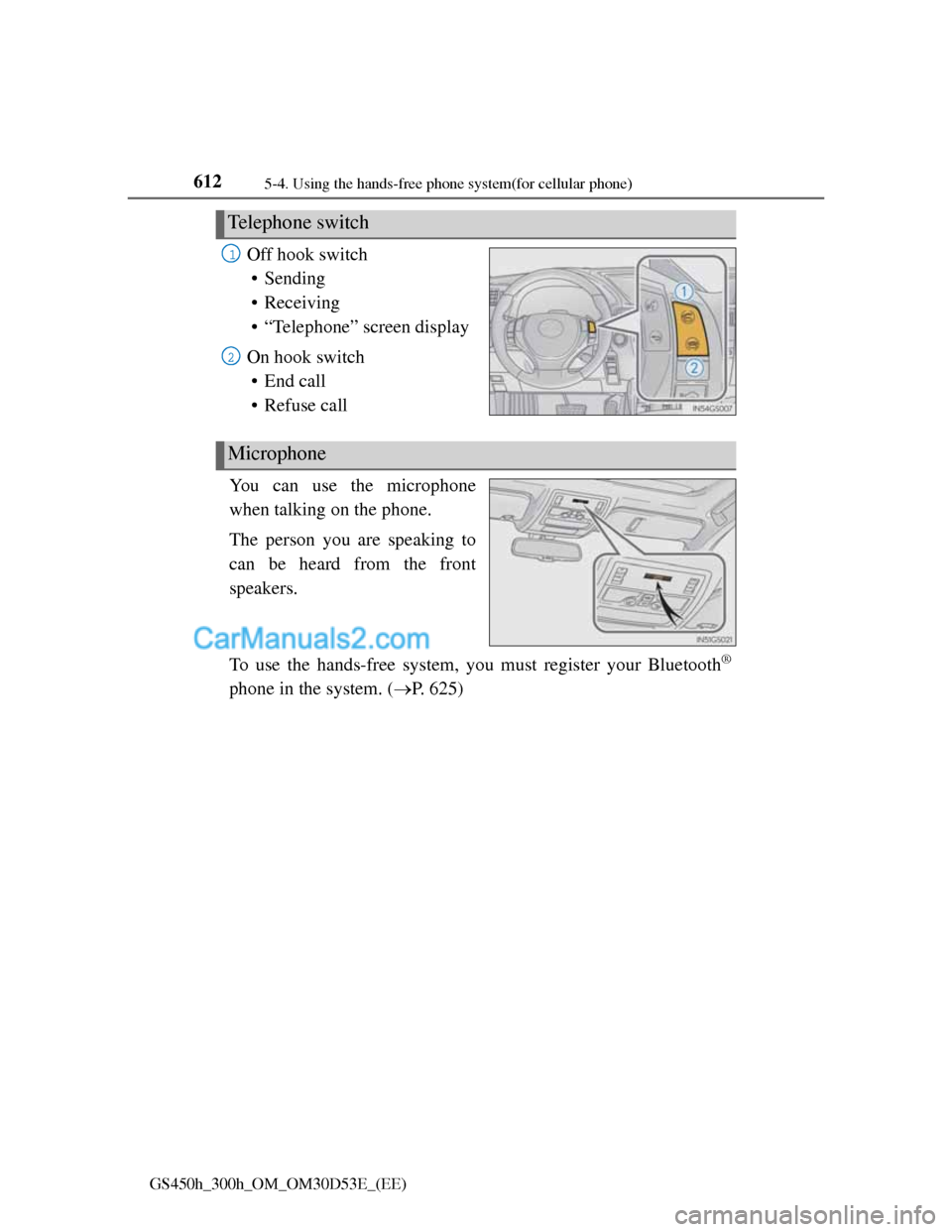
Off hook switch
• Sending
• Receiving
• “Telephone” screen display
On hook switch
• End call
• Refuse call
You can use the microphone
when talking on the phone.
The person you are speaking to
can be heard from the front
speakers.
To use the hands-free system, you must register your Bluetooth
®
phone in the system. (P. 625)
Telephone switch
1
2
Microphone
Page 636 of 1014
6135-4. Using the hands-free phone system(for cellular phone)
5
Interior features
GS450h_300h_OM_OM30D53E_(EE)
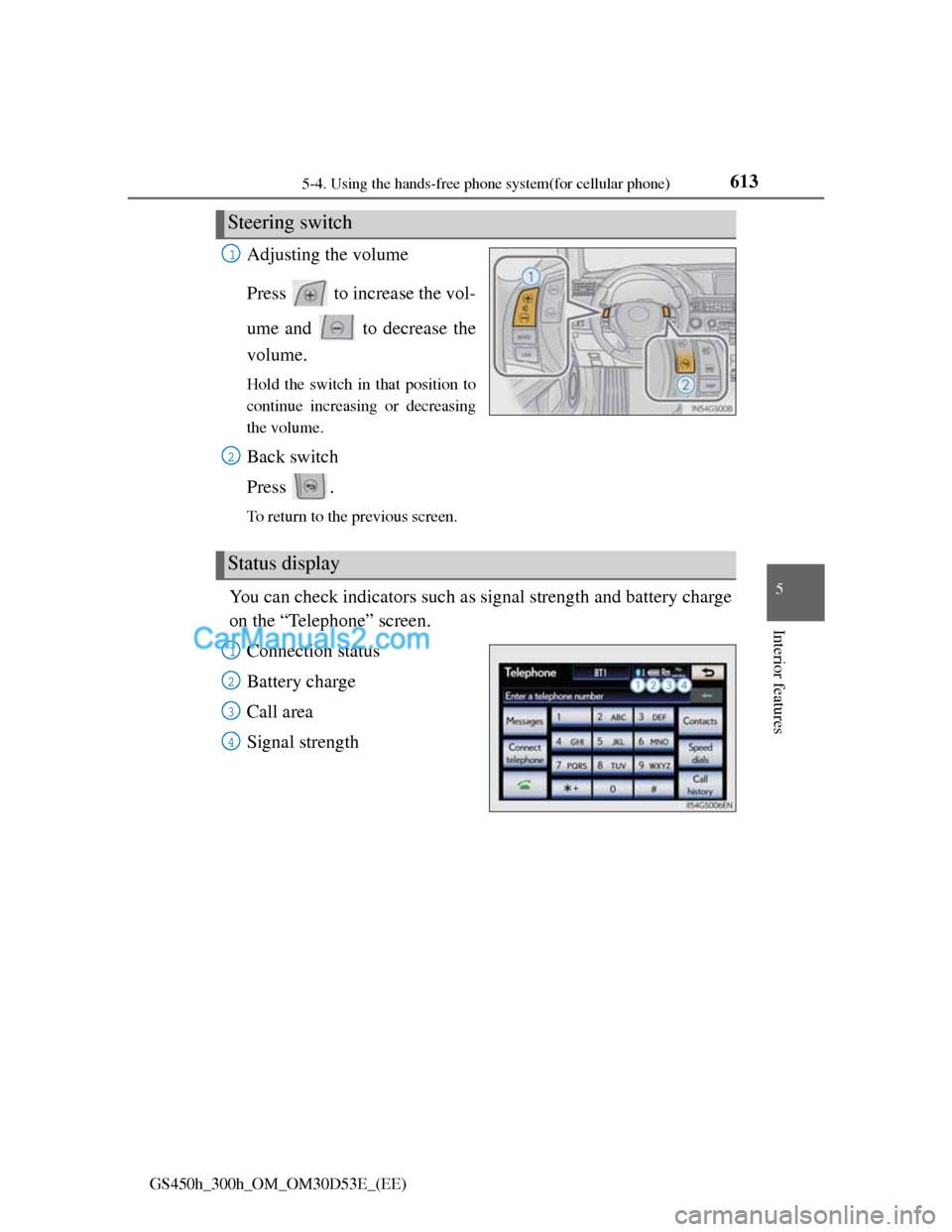
Adjusting the volume
Press to increase the vol-
ume and to decrease the
volume.
Hold the switch in that position to
continue increasing or decreasing
the volume.
Back switch
Press .
To return to the previous screen.
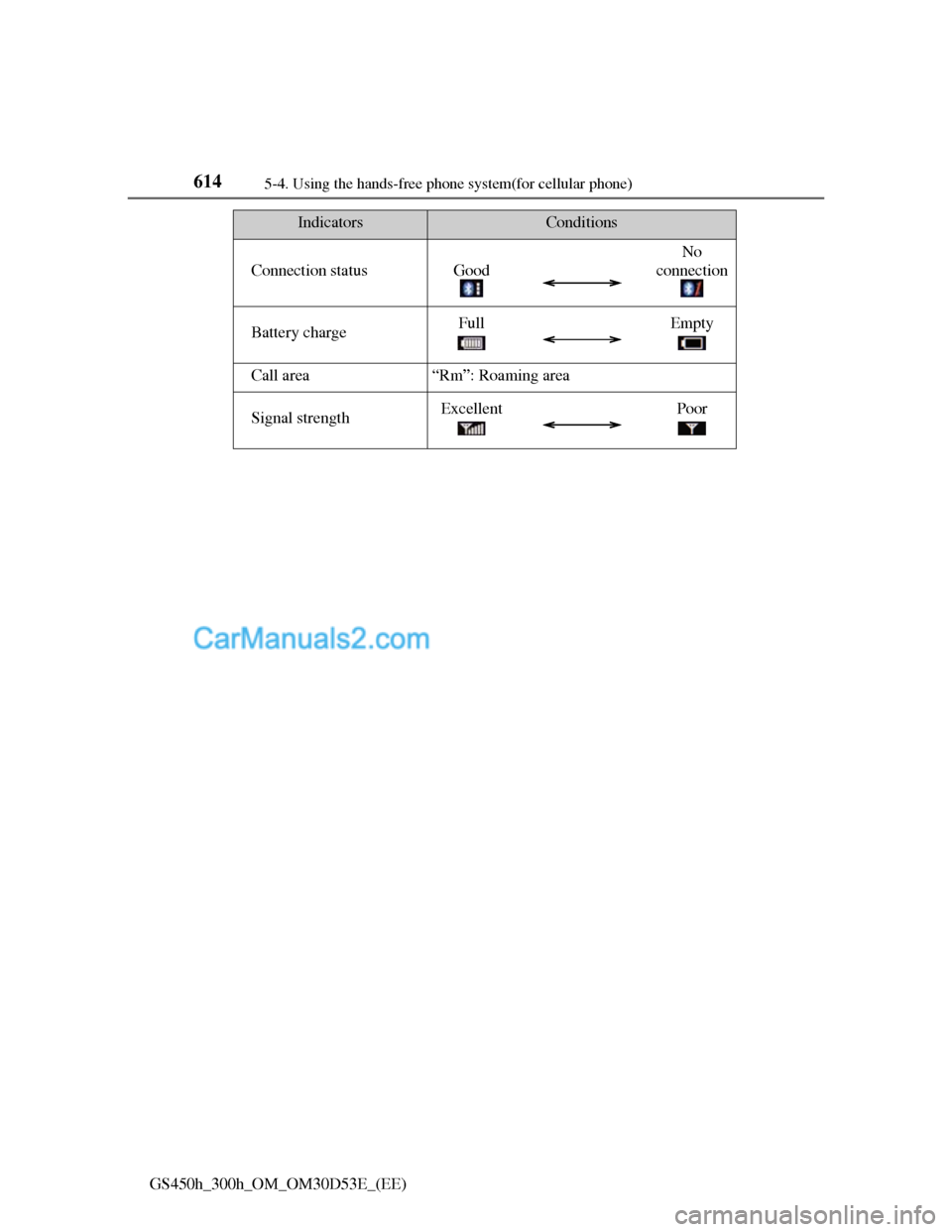
You can check indicators such as signal strength and battery charge
on the “Telephone” screen.
Connection status
Battery charge
Call area
Signal strength
Steering switch
1
2
Status display
1
2
3
4
Page 637 of 1014
6145-4. Using the hands-free phone system(for cellular phone)
GS450h_300h_OM_OM30D53E_(EE)
IndicatorsConditions
Connection statusGood
No
connection
Battery chargeFullEmpty
Call area“Rm”: Roaming area
Signal strengthExcellentPoor
Page 638 of 1014
6155-4. Using the hands-free phone system(for cellular phone)
5
Interior features
GS450h_300h_OM_OM30D53E_(EE)
When using the hands-free system
The audio system is muted when making a call.
If both parties speak at the same time, it may be difficult to hear.
If the incoming call volume is overly loud, an echo may be heard.
Try to face toward the microphone as much as possible when speaking.
In the following circumstances, it may be difficult to hear the other party:
• When driving on unpaved roads
• When driving at high speeds
• If a window is open
• If the air conditioning is blowing directly on the microphone
• If the air conditioning is set to high
• There is an effect from the network of the cellular phone
Conditions under which the system will not operate
If using a cellular phone that does not support Bluetooth®
If the cellular phone is turned off
If you are outside service range
If the cellular phone is not connected
If the cellular phone’s battery is low
Bluetooth® antenna
The antenna is built into the instrument panel. If the cellular phone is behind
the seat or in the console box, or touching or covered by metal objects, con-
nection status may deteriorate.
Battery charge/Signal status
This display may not correspond exactly with the cellular phone itself.
When the cellular phone is not connected, “No connect” is displayed.
When the cellular phone is out of the service area or in a place inaccessible
by radio waves, “No service” is displayed.
When using Bluetooth® audio and hands-free system at the same time
The following problems may occur.
The Bluetooth® connection may be cut.
Noise may be heard on the Bluetooth® audio playback.
Page 639 of 1014
6165-4. Using the hands-free phone system(for cellular phone)
GS450h_300h_OM_OM30D53E_(EE)
About the phonebook in this system
The following data is stored for every registered phone. When another phone
is connecting, you cannot read the registered data.
Call history data
Speed dial data
Speed dial
Image data
Messages
Quick reply messages
All phone settings
When you delete the phone, the above-mentioned data is also deleted.
When you release your car
Be sure to initialize your data. (P. 465)
About Bluetooth®
Bluetooth is a registered trademark of
Bluetooth SIG, Inc.
Page 640 of 1014
6175-4. Using the hands-free phone system(for cellular phone)
5
Interior features
GS450h_300h_OM_OM30D53E_(EE)
Compatible models
This system supports the following service.
Bluetooth® Specification Ver. 1.1 or higher (Recommended: Ver. 2.1+EDR
or higher)
Profiles
• HFP (Hands Free Profile) Ver. 1.0 or higher (Recommended: Ver. 1.5 or
higher)
• OPP (Object Push Profile) Ver. 1.1 or higher
• PBAP (Phone Book Access Profile) Ver. 1.0 or higher
• MAP (Message Access Profile) Ver. 1.0 or higher
• DUN (Dial-Up Networking Profile) Ver.1.1 or higher
*
*
: This profile is necessary when using connected services. For details,
refer to the “Navigation System Owner’s Manual”
If your cellular phone does not support HFP, you cannot enter the Bluetooth
®
phone, and take OPP, PBAP, MAP or DUN service individually.
If the connected Bluetooth
® phone version is older than recommended or
incompatible, this function may not be used.
Page 641 of 1014
6185-4. Using the hands-free phone system(for cellular phone)
GS450h_300h_OM_OM30D53E_(EE)
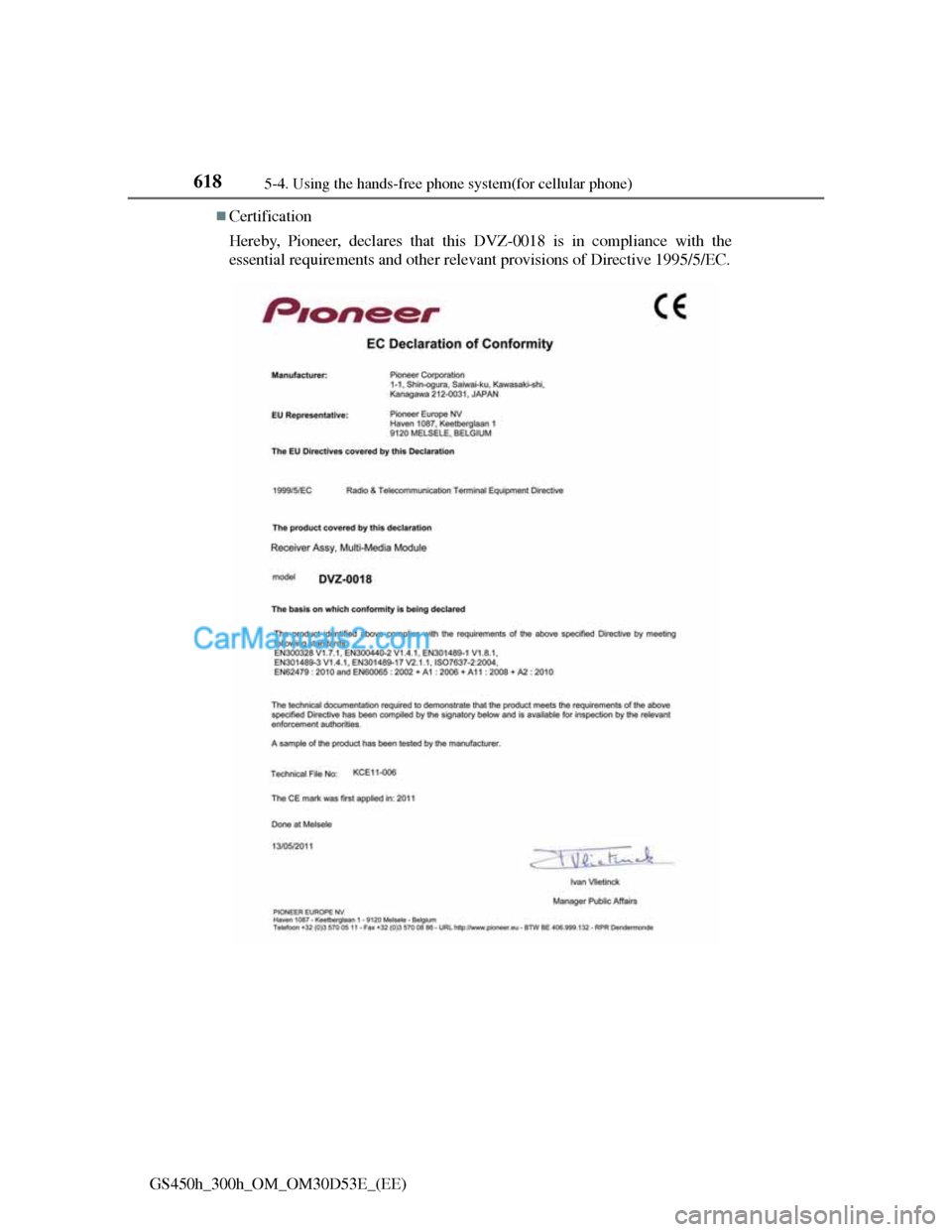
Certification
Hereby, Pioneer, declares that this DVZ-0018 is in compliance with the
essential requirements and other relevant provisions of Directive 1995/5/EC.
Page 642 of 1014
6195-4. Using the hands-free phone system(for cellular phone)
5
Interior features
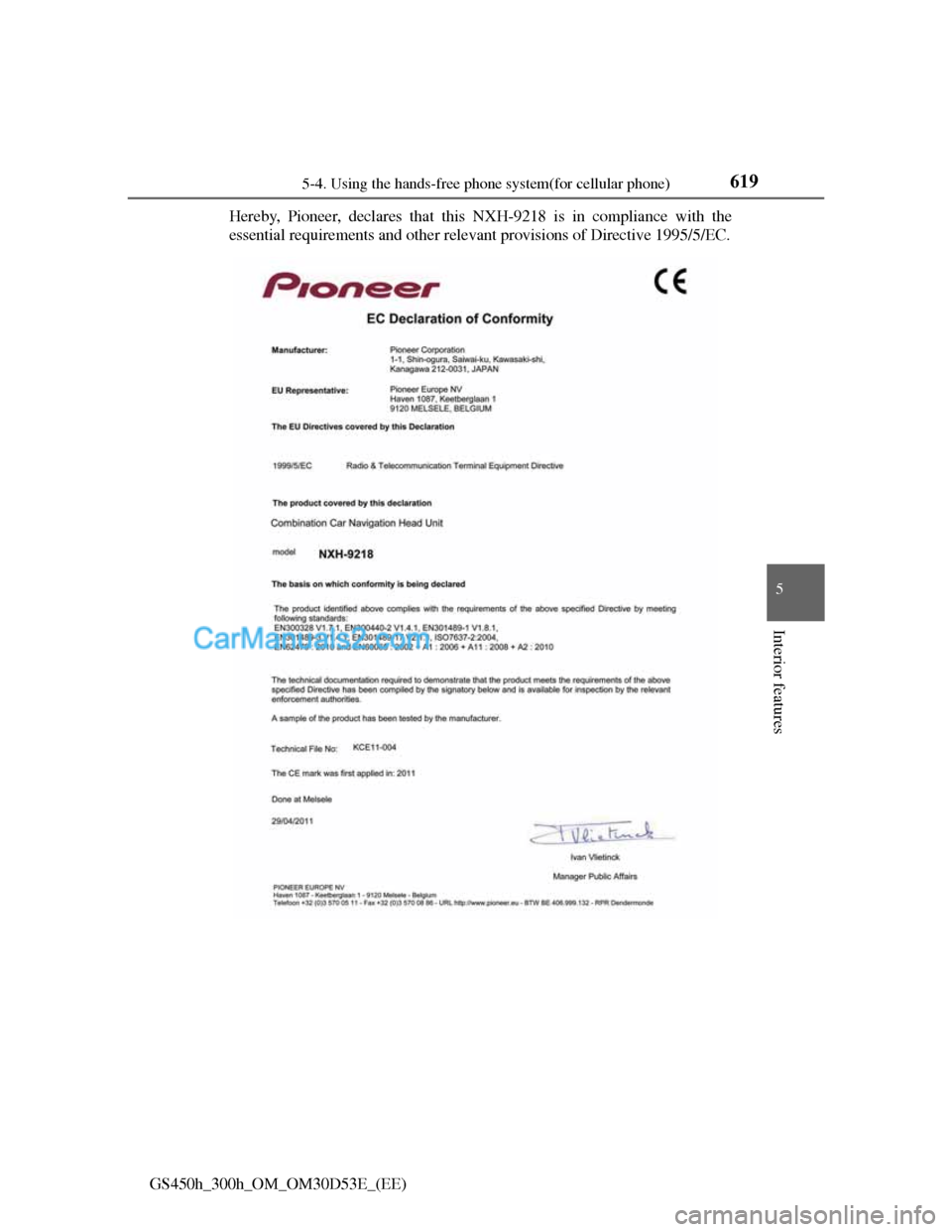
GS450h_300h_OM_OM30D53E_(EE)Hereby, Pioneer, declares that this NXH-9218 is in compliance with the
essential requirements and other relevant provisions of Directive 1995/5/EC.