phone Lexus GS300h 2013 Owner's Guide
[x] Cancel search | Manufacturer: LEXUS, Model Year: 2013, Model line: GS300h, Model: Lexus GS300h 2013Pages: 1014
Page 643 of 1014
6205-4. Using the hands-free phone system(for cellular phone)
GS450h_300h_OM_OM30D53E_(EE)Hereby, Pioneer, declares that this NXH-9318 is in compliance with the
essential requirements and other relevant provisions of Directive 1995/5/EC.
For vehicles sold in Croatia
Page 644 of 1014
6215-4. Using the hands-free phone system(for cellular phone)
5
Interior features
GS450h_300h_OM_OM30D53E_(EE)Hereby, Pioneer, declares that this NXH-9818 is in compliance with the
essential requirements and other relevant provisions of Directive 1995/5/EC.
Page 645 of 1014
6225-4. Using the hands-free phone system(for cellular phone)
GS450h_300h_OM_OM30D53E_(EE)Hereby, Pioneer, declares that this NXH-9918 is in compliance with the
essential requirements and other relevant provisions of Directive 1995/5/EC.
For vehicles sold in Croatia
Page 646 of 1014
6235-4. Using the hands-free phone system(for cellular phone)
5
Interior features
GS450h_300h_OM_OM30D53E_(EE)Hereby, Pioneer, declares that this DVZ-0118 is in compliance with the
essential requirements and other relevant provisions of Directive 1995/5/EC.
For vehicles sold in Montenegro
Page 647 of 1014
6245-4. Using the hands-free phone system(for cellular phone)
GS450h_300h_OM_OM30D53E_(EE)
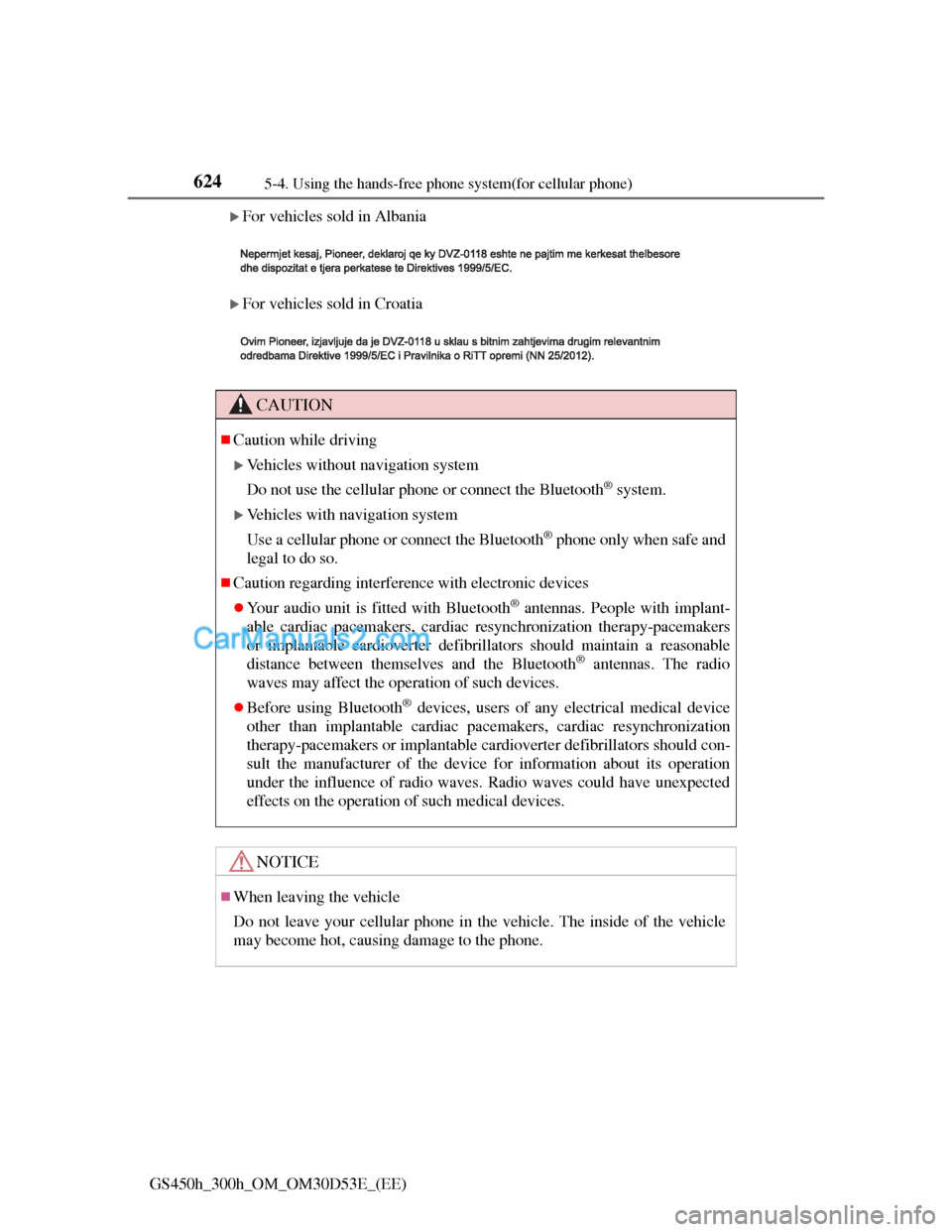
For vehicles sold in Albania
For vehicles sold in Croatia
CAUTION
Caution while driving
Vehicles without navigation system
Do not use the cellular phone or connect the Bluetooth
® system.
Vehicles with navigation system
Use a cellular phone or connect the Bluetooth
® phone only when safe and
legal to do so.
Caution regarding interference with electronic devices
Your audio unit is fitted with Bluetooth® antennas. People with implant-
able cardiac pacemakers, cardiac resynchronization therapy-pacemakers
or implantable cardioverter defibrillators should maintain a reasonable
distance between themselves and the Bluetooth
® antennas. The radio
waves may affect the operation of such devices.
Before using Bluetooth® devices, users of any electrical medical device
other than implantable cardiac pacemakers, cardiac resynchronization
therapy-pacemakers or implantable cardioverter defibrillators should con-
sult the manufacturer of the device for information about its operation
under the influence of radio waves. Radio waves could have unexpected
effects on the operation of such medical devices.
NOTICE
When leaving the vehicle
Do not leave your cellular phone in the vehicle. The inside of the vehicle
may become hot, causing damage to the phone.
Page 648 of 1014
625
5 5-4. Using the hands-free phone system(for cellular phone)
Interior features
GS450h_300h_OM_OM30D53E_(EE)
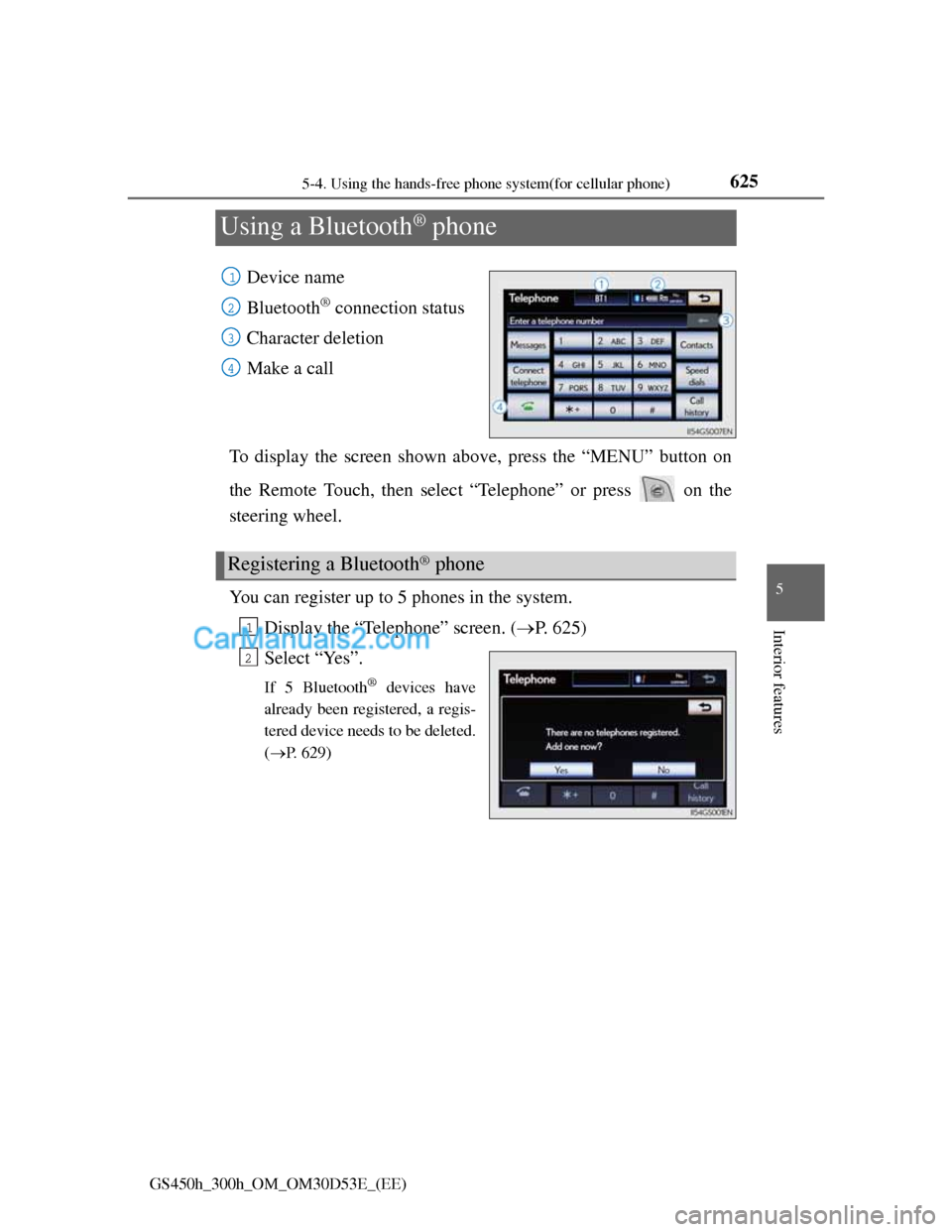
Using a Bluetooth® phone
Device name
Bluetooth
® connection status
Character deletion
Make a call
To display the screen shown above, press the “MENU” button on
the Remote Touch, then select “Telephone” or press on the
steering wheel.
You can register up to 5 phones in the system.
Display the “Telephone” screen. (P. 625)
Select “Yes”.
If 5 Bluetooth® devices have
already been registered, a regis-
tered device needs to be deleted.
(P. 629)
1
2
3
4
Registering a Bluetooth® phone
1
2
Page 649 of 1014
6265-4. Using the hands-free phone system(for cellular phone)
GS450h_300h_OM_OM30D53E_(EE)
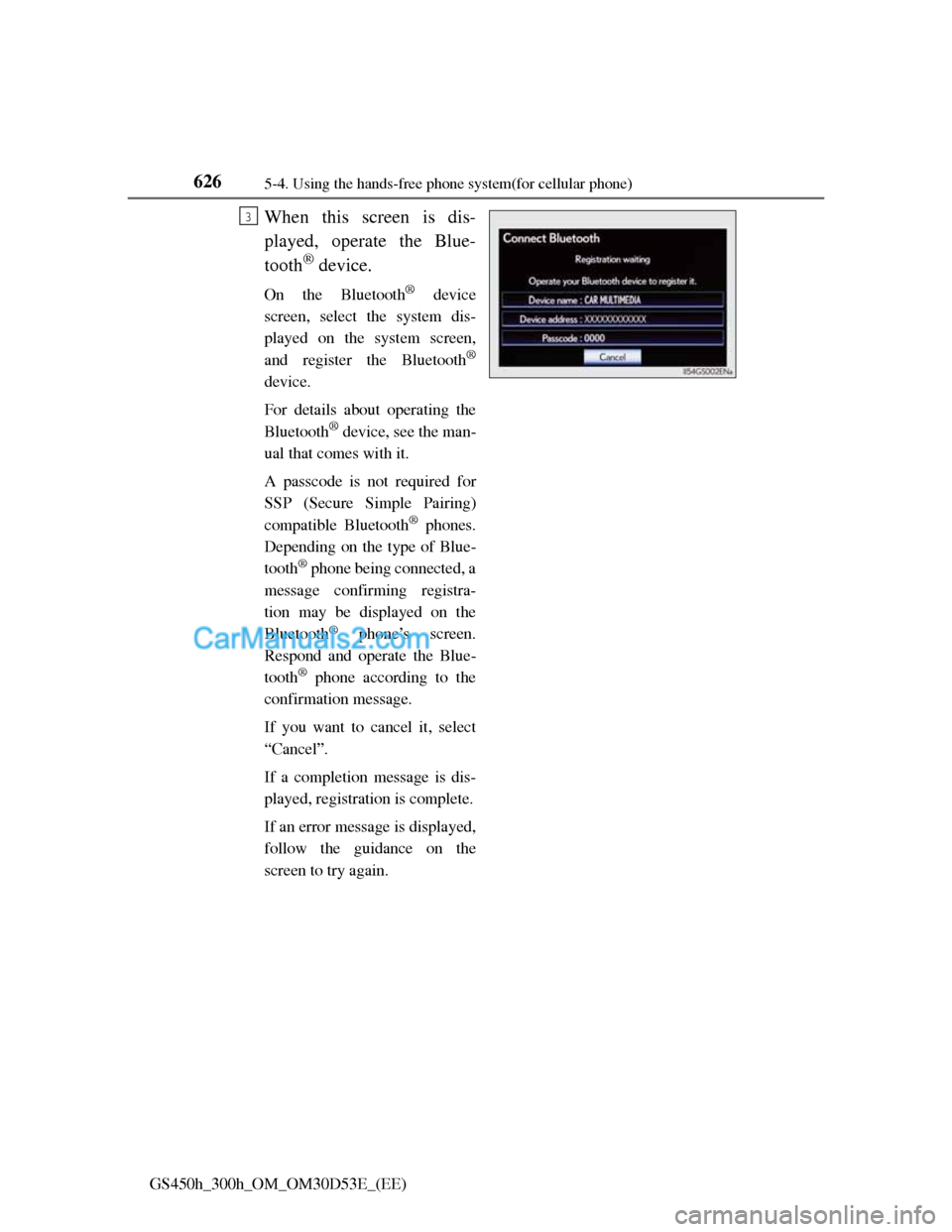
When this screen is dis-
played, operate the Blue-
tooth
® device.
On the Bluetooth® device
screen, select the system dis-
played on the system screen,
and register the Bluetooth
®
device.
For details about operating the
Bluetooth
® device, see the man-
ual that comes with it.
A passcode is not required for
SSP (Secure Simple Pairing)
compatible Bluetooth
® phones.
Depending on the type of Blue-
tooth
® phone being connected, a
message confirming registra-
tion may be displayed on the
Bluetooth
® phone’s screen.
Respond and operate the Blue-
tooth
® phone according to the
confirmation message.
If you want to cancel it, select
“Cancel”.
If a completion message is dis-
played, registration is complete.
If an error message is displayed,
follow the guidance on the
screen to try again.
3
Page 650 of 1014
6275-4. Using the hands-free phone system(for cellular phone)
5
Interior features
GS450h_300h_OM_OM30D53E_(EE)
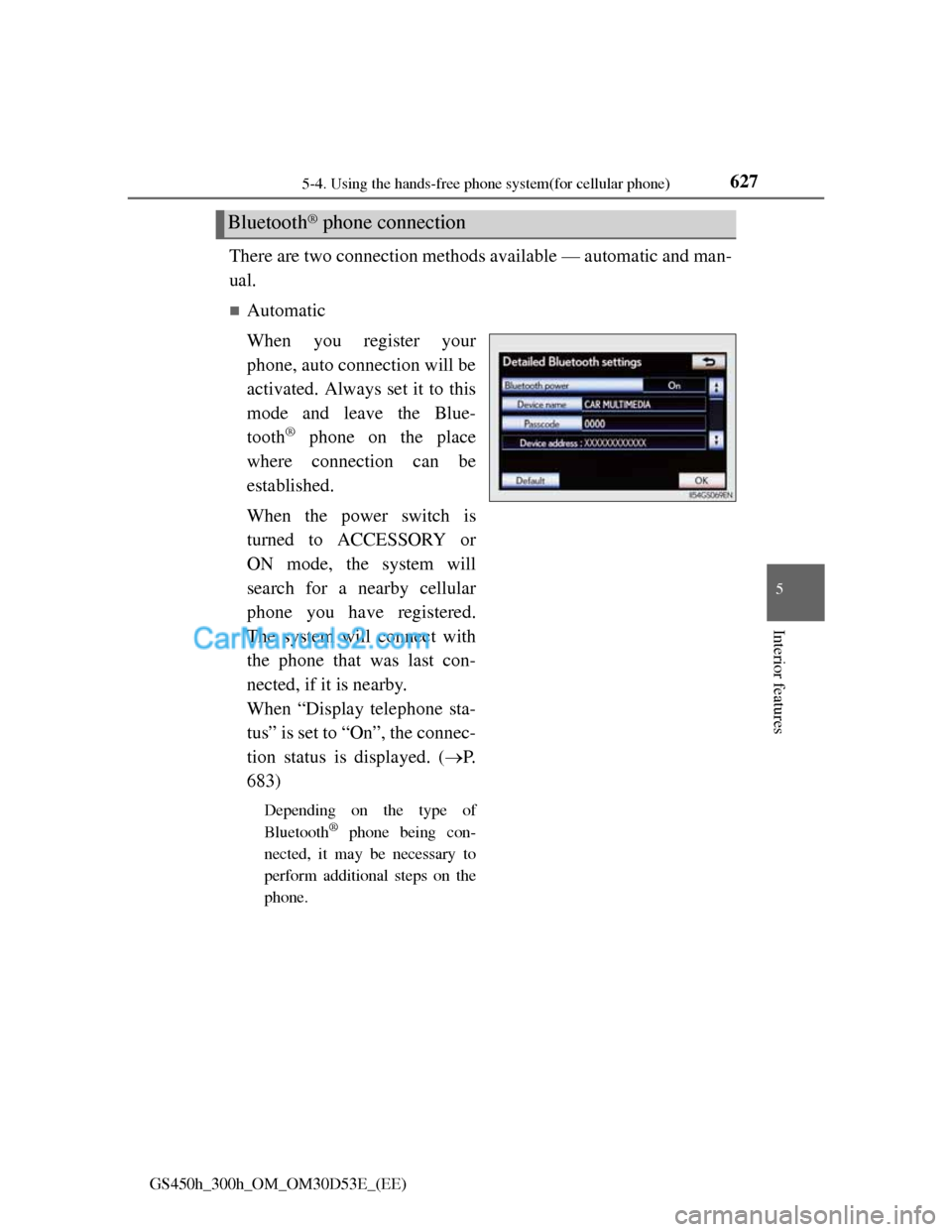
There are two connection methods available — automatic and man-
ual.
Automatic
When you register your
phone, auto connection will be
activated. Always set it to this
mode and leave the Blue-
tooth
® phone on the place
where connection can be
established.
When the power switch is
turned to ACCESSORY or
ON mode, the system will
search for a nearby cellular
phone you have registered.
The system will connect with
the phone that was last con-
nected, if it is nearby.
When “Display telephone sta-
tus” is set to “On”, the connec-
tion status is displayed. (P.
683)
Depending on the type of
Bluetooth
® phone being con-
nected, it may be necessary to
perform additional steps on the
phone.
Bluetooth® phone connection
Page 651 of 1014
6285-4. Using the hands-free phone system(for cellular phone)
GS450h_300h_OM_OM30D53E_(EE)
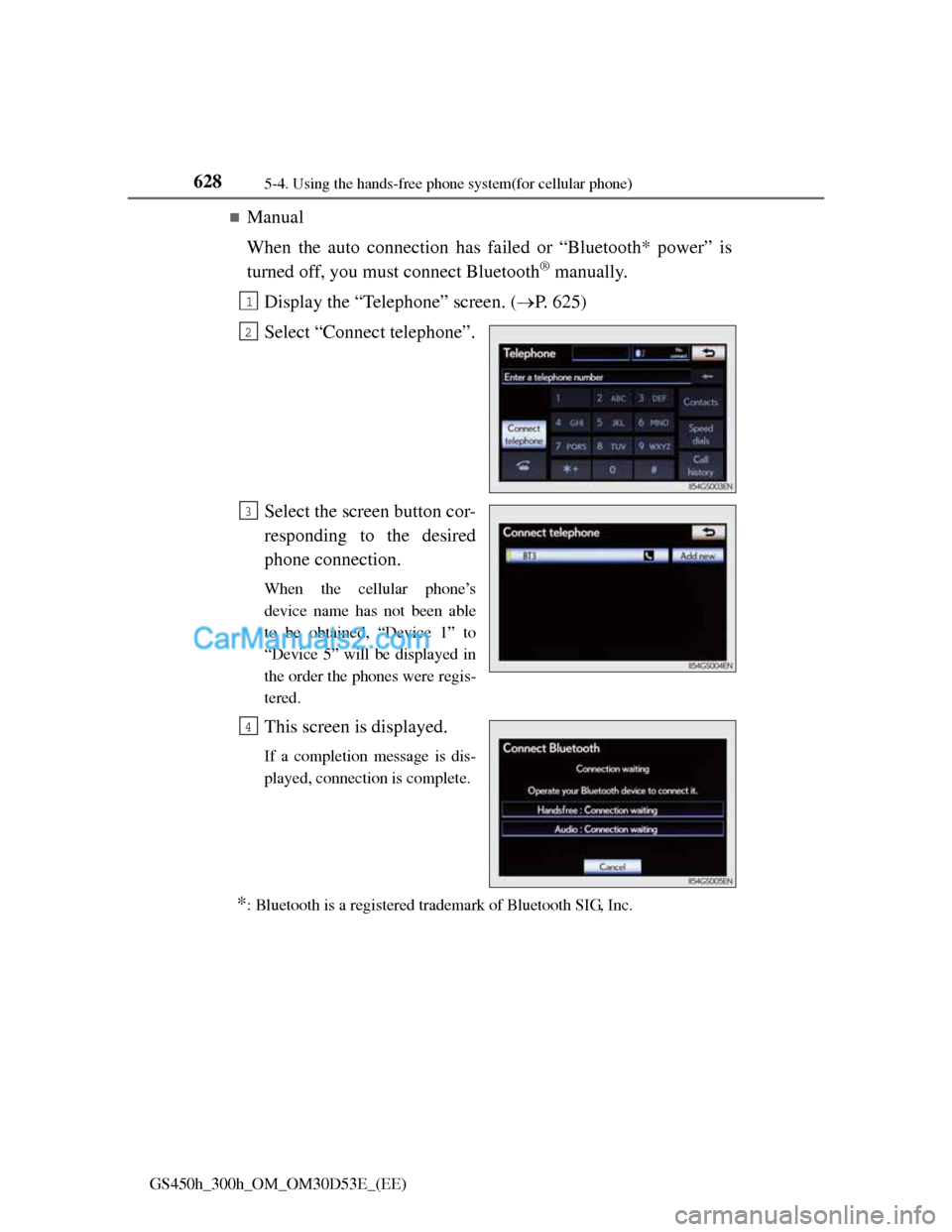
Manual
When the auto connection has failed or “Bluetooth* power” is
turned off, you must connect Bluetooth
® manually.
Display the “Telephone” screen. (P. 625)
Select “Connect telephone”.
Select the screen button cor-
responding to the desired
phone connection.
When the cellular phone’s
device name has not been able
to be obtained, “Device 1” to
“Device 5” will be displayed in
the order the phones were regis-
tered.
This screen is displayed.
If a completion message is dis-
played, connection is complete.
*: Bluetooth is a registered trademark of Bluetooth SIG, Inc.
1
2
3
4
Page 652 of 1014
6295-4. Using the hands-free phone system(for cellular phone)
5
Interior features
GS450h_300h_OM_OM30D53E_(EE)
Reconnecting to the Bluetooth® phone
If the system cannot connect due to poor signal strength with the power
switch in ACCESSORY or ON mode, the system will automatically attempt
to reconnect.
If the phone is turned off, the system will not attempt to reconnect. In this
case, it must be connected manually, or the phone must be re-selected or re-
entered.
Connecting the phone while Bluetooth® audio is playing
Bluetooth® audio will stop temporarily.
It may take time to connect.
Connecting the phone while another Bluetooth® device is connected
When another Bluetooth
® device is currently connected, a confirmation mes-
sage will be displayed. To disconnect the Bluetooth® device, select “Yes”.
Connecting the phone while 5 Bluetooth® devices have already been regis-
tered
When 5 Bluetooth
® devices have already been registered, a registered device
needs to be deleted. Select “Yes” to delete one or more.
Select the device to be deleted, then select “Remove”, and “Yes”.
If the Bluetooth® phone has a Bluetooth® audio function
When the Bluetooth
® phone to be registered has a Bluetooth® audio function,
this audio function will be registered automatically at the same time and con-
firmation message may be displayed. If this screen is displayed, select “Yes”
to connect the audio function or select “No” to cancel the connection.