stop start Lexus GS300h 2013 Owner's Guide
[x] Cancel search | Manufacturer: LEXUS, Model Year: 2013, Model line: GS300h, Model: Lexus GS300h 2013Pages: 1014
Page 258 of 1014
2524-2. Driving procedures
GS450h_300h_OM_OM30D53E_(EE)P. 9 0 8
CAUTION
When starting the hybrid system
Always start the hybrid system while sitting in the driver’s seat. Do not
depress the accelerator pedal while starting the hybrid system under any
circumstances.
Doing so may cause an accident resulting in death or serious injury.
Caution while driving
If hybrid system failure occurs while the vehicle is moving, do not lock or
open the doors until the vehicle reaches a safe and complete stop. Activa-
tion of the steering lock in this circumstance may lead to an accident,
resulting in death or serious injury.
Stopping the hybrid system in an emergency
If you want to stop the hybrid system in an emergency while driving the
vehicle, press and hold the power switch for more than 2 seconds, or press
it briefly 3 times or more in succession. (P. 821)
However, do not touch the power switch while driving except in an emer-
gency. Turning the hybrid system off while driving will not cause loss of
steering or braking control, however, power assist to the steering will be
lost. This will make it more difficult to steer smoothly, so you should pull
over and stop the vehicle as soon as it is safe to do so.
Page 278 of 1014
2724-2. Driving procedures
GS450h_300h_OM_OM30D53E_(EE)
Brake Hold
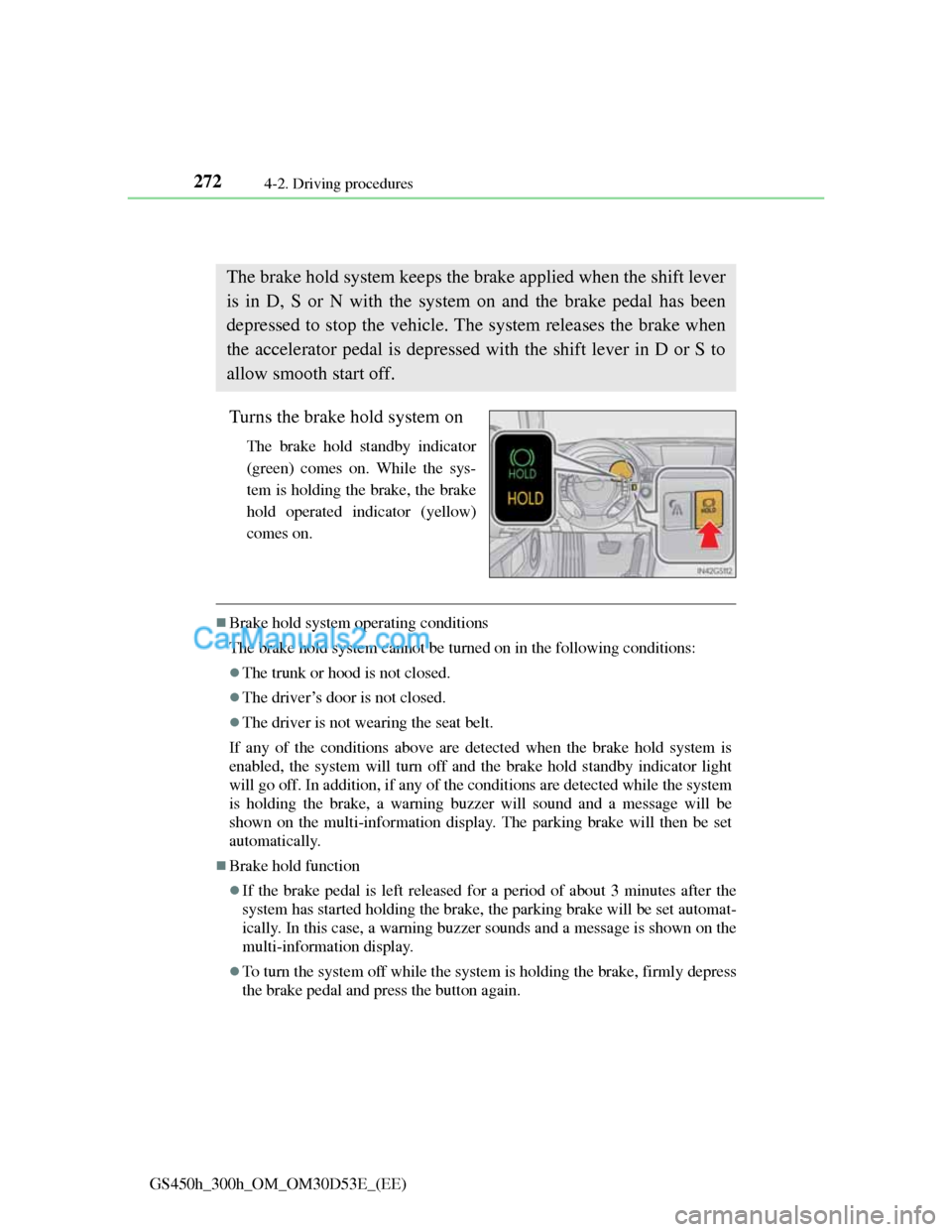
Turns the brake hold system on
The brake hold standby indicator
(green) comes on. While the sys-
tem is holding the brake, the brake
hold operated indicator (yellow)
comes on.
Brake hold system operating conditions
The brake hold system cannot be turned on in the following conditions:
The trunk or hood is not closed.
The driver’s door is not closed.
The driver is not wearing the seat belt.
If any of the conditions above are detected when the brake hold system is
enabled, the system will turn off and the brake hold standby indicator light
will go off. In addition, if any of the conditions are detected while the system
is holding the brake, a warning buzzer will sound and a message will be
shown on the multi-information display. The parking brake will then be set
automatically.
Brake hold function
If the brake pedal is left released for a period of about 3 minutes after the
system has started holding the brake, the parking brake will be set automat-
ically. In this case, a warning buzzer sounds and a message is shown on the
multi-information display.
To turn the system off while the system is holding the brake, firmly depress
the brake pedal and press the button again.
The brake hold system keeps the brake applied when the shift lever
is in D, S or N with the system on and the brake pedal has been
depressed to stop the vehicle. The system releases the brake when
the accelerator pedal is depressed with the shift lever in D or S to
allow smooth start off.
Page 334 of 1014
3234-5. Using the driving support system
4
Driving
GS450h_300h_OM_OM30D53E_(EE)
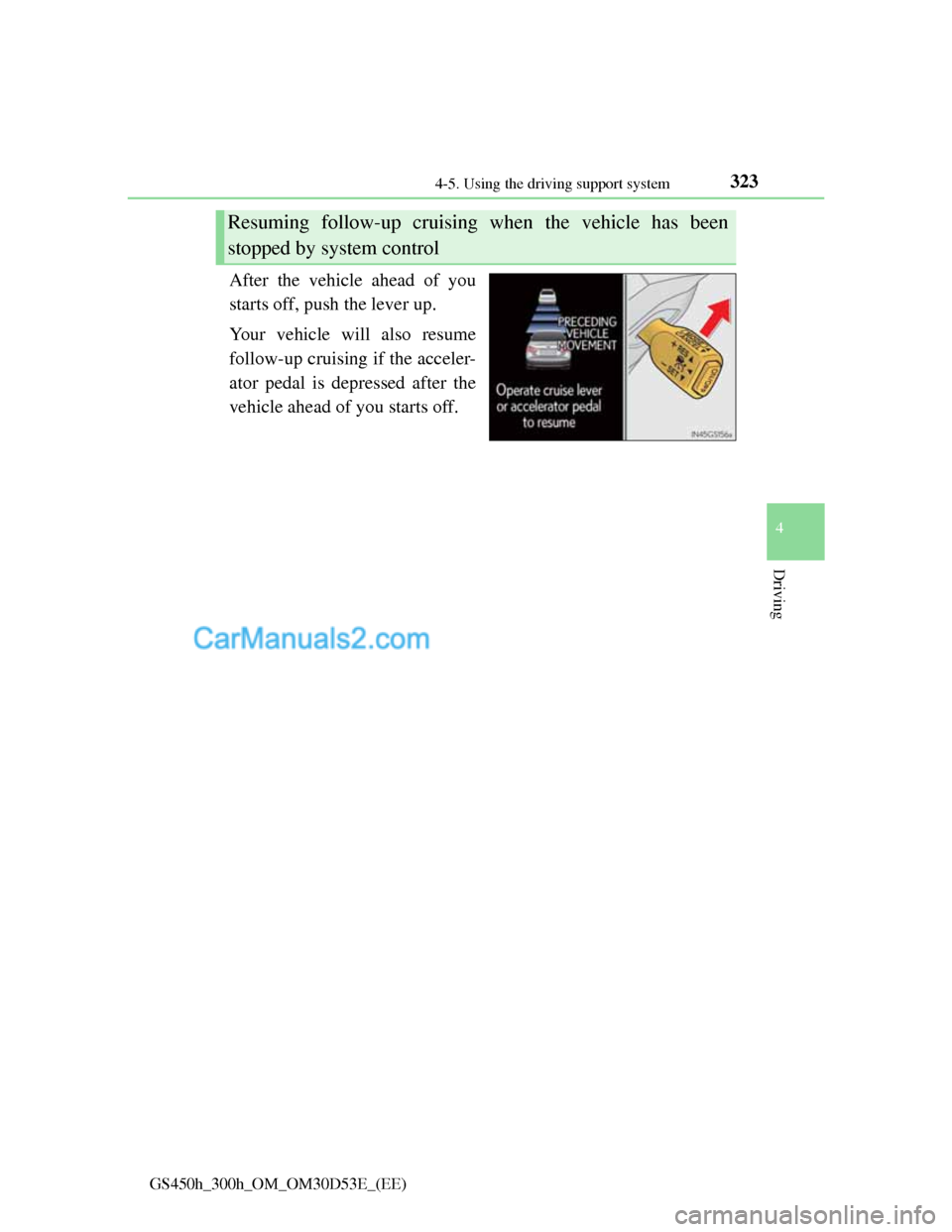
After the vehicle ahead of you
starts off, push the lever up.
Your vehicle will also resume
follow-up cruising if the acceler-
ator pedal is depressed after the
vehicle ahead of you starts off.
Resuming follow-up cruising when the vehicle has been
stopped by system control
Page 336 of 1014
3254-5. Using the driving support system
4
Driving
GS450h_300h_OM_OM30D53E_(EE)
This mode employs a radar sensor to detect the presence of vehicles
up to approximately 120 m (400 ft.) ahead, determines the current
vehicle-to-vehicle following distance, and operates to maintain a
suitable following distance from the vehicle ahead.
Note that vehicle-to-vehicle distance will close in when traveling on long
downhill slopes.
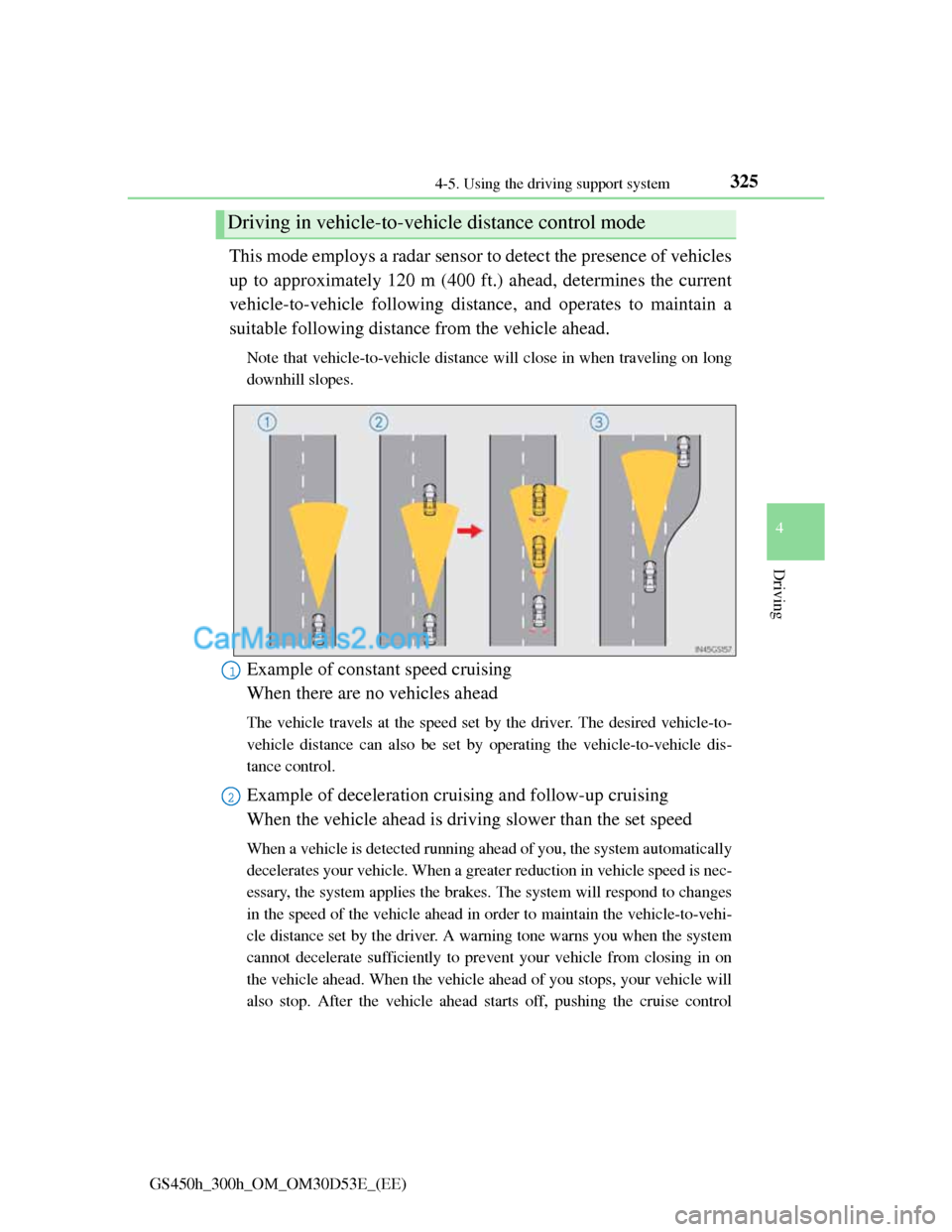
Example of constant speed cruising
When there are no vehicles ahead
The vehicle travels at the speed set by the driver. The desired vehicle-to-
vehicle distance can also be set by operating the vehicle-to-vehicle dis-
tance control.
Example of deceleration cruising and follow-up cruising
When the vehicle ahead is driving slower than the set speed
When a vehicle is detected running ahead of you, the system automatically
decelerates your vehicle. When a greater reduction in vehicle speed is nec-
essary, the system applies the brakes. The system will respond to changes
in the speed of the vehicle ahead in order to maintain the vehicle-to-vehi-
cle distance set by the driver. A warning tone warns you when the system
cannot decelerate sufficiently to prevent your vehicle from closing in on
the vehicle ahead. When the vehicle ahead of you stops, your vehicle will
also stop. After the vehicle ahead starts off, pushing the cruise control
Driving in vehicle-to-vehicle distance control mode
1
2
Page 387 of 1014
3764-5. Using the driving support system
GS450h_300h_OM_OM30D53E_(EE)
Leaving the vehicle stopped, turn the steering wheel all the
way to the left.
Be sure to turn the steering wheel only when the vehicle is stopped.
When the screen changes, keep the steering wheel in its cur-
rent position and back up.
When backing up, be careful not to hit any obstacles with the right front
corner of your vehicle. Back the vehicle up slowly.
When the vehicle is parallel with the road or the shoulder,
straighten the steering wheel.
Check your surroundings visually and with the mirrors, then
back up using the distance guide lines as a reference, and stop.
When the vehicle is approximately in the desired parking location, the
parallel parking assist is complete.
Parallel parking assist mode information
• There is a possibility that parallel parking guidance may not
be given when backing up at a very slow speed.
• If the trunk is opened during parallel parking guidance, the
parallel parking assist will be interrupted and canceled. Stop
the vehicle, shift the shift lever out of the R position, and
restart the operation from the step
.
Canceling parallel parking assist
Select .
Vehicles with Lexus parking assist-sensor
If Lexus parking assist-sensor detects an object while you
attempt to park in a parking space on the left, the black and
yellow vertical pole could be obscured by Lexus parking
assist-sensor display. In this event, turn Lexus parking assist-
sensor switch off (P. 349), and operate the vehicle while
checking the safety of the surrounding area direct visually and
with mirror. After the operation, turn the switch on.
8
9
10
1
Page 408 of 1014
3974-5. Using the driving support system
4
Driving
GS450h_300h_OM_OM30D53E_(EE)
Driving assist systems
ABS (Anti-lock Brake System)
Helps to prevent wheel lock when the brakes are applied sud-
denly, or if the brakes are applied while driving on a slippery
road surface
Brake assist
Generates an increased level of braking force after the brake
pedal is depressed when the system detects a panic stop situation
VSC (Vehicle Stability Control)
Helps the driver to control skidding when swerving suddenly or
turning on slippery road surfaces
TRC (Traction Control)
Helps to maintain drive power and prevent the drive wheels from
spinning when starting the vehicle or accelerating on slippery
roads
VGRS (Variable Gear Ratio Steering) (if equipped)
Adjusts the front wheel turning angle in accordance with the
vehicle speed and steering wheel movement
To help enhance driving safety and performance, the following
systems operate automatically in response to various driving situa-
tions. Be aware, however, that these systems are supplementary
and should not be relied upon too heavily when operating the vehi-
cle.
Page 413 of 1014
4024-5. Using the driving support system
GS450h_300h_OM_OM30D53E_(EE)
When the message is displayed on the multi-information display showing that
TRC has been disabled even if the VSC OFF switch has not been pressed
TRC cannot be operated. Contact any authorized Lexus dealer or repairer, or
another duly qualified and equipped professional.
VGRS is disabled when
VGRS may stop operating in the following situations.
In this event, the steering wheel may move from its straight forward position,
but it will return when the system restarts.
The steering wheel is operated for an extended period of time while the
vehicle is stopped or is moving very slowly.
When force is continuously applied for a long time with the steering wheel
turned as far as it will go.
The center position of the steering wheel may change when VGRS is dis-
abled. However, the position will return to normal after VGRS is reacti-
vated.
When the 12-volt battery is disconnected
The steering wheel may move from its straight forward position, but this will
be corrected automatically when driving.
Sounds and vibrations caused by the ABS, brake assist, VSC, TRC and
VGRS systems
A sound may be heard from the engine compartment when the brake pedal
is depressed repeatedly, when the hybrid system is started or just after the
vehicle begins to move. This sound does not indicate that a malfunction has
occurred in any of these systems.
Any of the following conditions may occur when the above systems are
operating. None of these indicates that a malfunction has occurred.
• Vibrations may be felt through the vehicle body and steering.
• A motor sound may be heard after the vehicle comes to a stop.
EPS, VGRS and DRS operation sound
When the steering wheel is operated, a motor sound (whirring sound) may be
heard. This does not indicate a malfunction.
Reactivation of the TRC/VSC systems
Even after the TRC/VSC systems have been turned off, turning the hybrid
system off and then on again will automatically reactivate the TRC/VSC sys-
tems.
Page 509 of 1014
4915-2. Using the air conditioning system and defogger
5
Interior features
GS450h_300h_OM_OM30D53E_(EE)
Registering air conditioning settings to electronic keys
Unlocking the vehicle using an electronic key and turning the power switch
to ON mode will recall that key’s registered air conditioning settings.
When the power switch is turned off, the current air conditioning settings
will automatically be registered to the electronic key that was used to
unlock the vehicle.
The system may not operate correctly if more than one electronic key is in
the vicinity or if the smart entry & start system is used to unlock a passenger
door.
Settings for the electronic key and the corresponding door can be changed.
Contact any authorized Lexus dealer or repairer, or another duly qualified
and equipped professional.
Using automatic mode
Fan speed is adjusted automatically according to the temperature setting and
the ambient conditions.
Therefore, the fan may stop for a while until warm or cool air is ready to flow
immediately after is pressed.
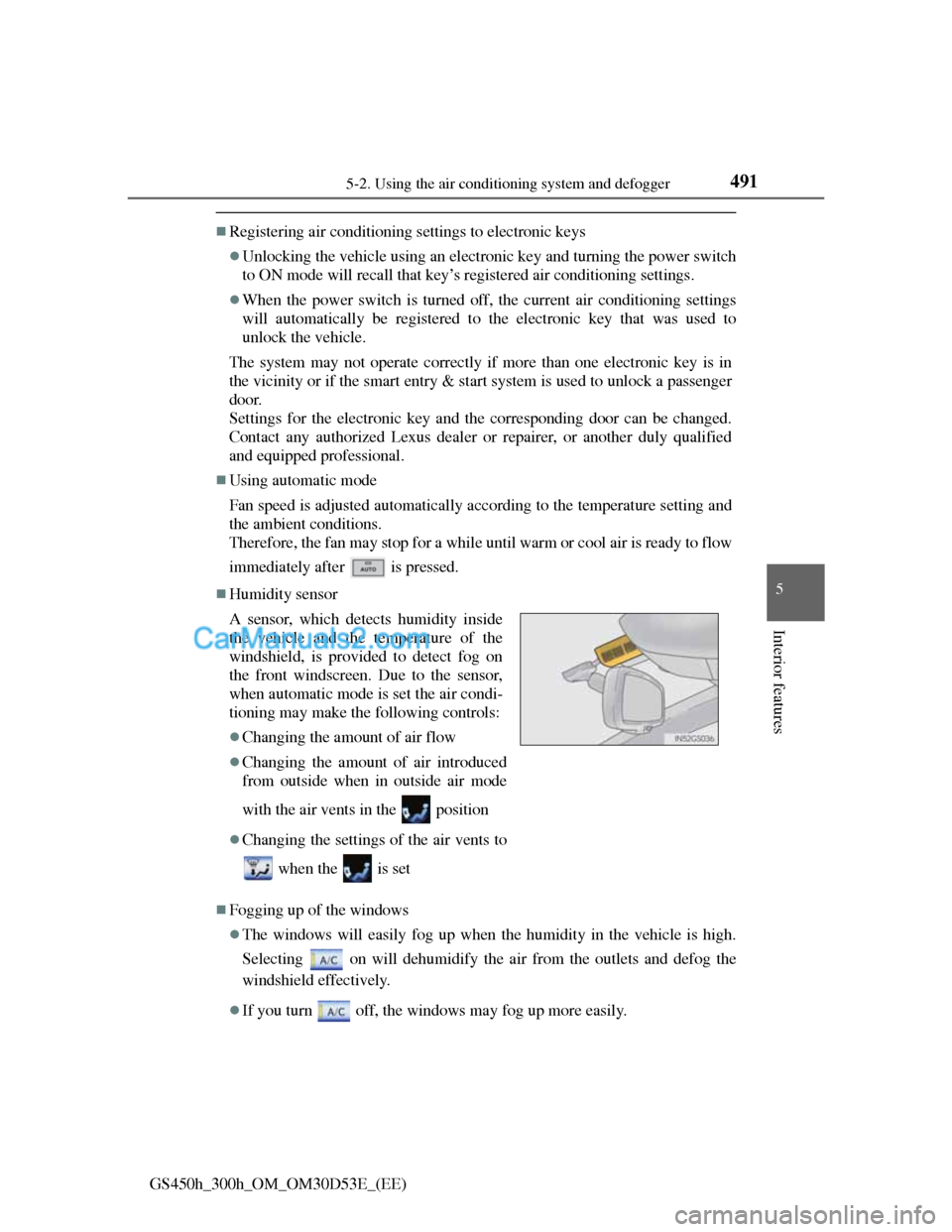
Humidity sensor
Fogging up of the windows
The windows will easily fog up when the humidity in the vehicle is high.
Selecting on will dehumidify the air from the outlets and defog the
windshield effectively.
If you turn off, the windows may fog up more easily. A sensor, which detects humidity inside
the vehicle and the temperature of the
windshield, is provided to detect fog on
the front windscreen. Due to the sensor,
when automatic mode is set the air condi-
tioning may make the following controls:
Changing the amount of air flow
Changing the amount of air introduced
from outside when in outside air mode
with the air vents in the position
Changing the settings of the air vents to
when the is set
Page 566 of 1014

5465-3. Using the audio system
GS450h_300h_OM_OM30D53E_(EE)
Select “Options” on “DVD” screen, the following screen appears.
Returns to the full screen (only when the vehicle is completely
stopped and the parking brake is applied)
Search by title number
Change audio language
Change angle
Display the predetermined scene and start playing from there
Change subtitle language
Change screen size
Display the image quality adjustment screen
Change initial setting
If appears on the screen when a control is selected the operation
relevant to the control is not permitted.
Select and hold or on the control icon screen, or press and
hold “<” or “>” on the “CH•TRACK” button.
DVD options screen
For 8-inch displayFor 12.3-inch display
Fast forwarding/rewinding a disc
1
2
3
4
5
6
7
8
9
Page 667 of 1014
6445-4. Using the hands-free phone system(for cellular phone)
GS450h_300h_OM_OM30D53E_(EE)
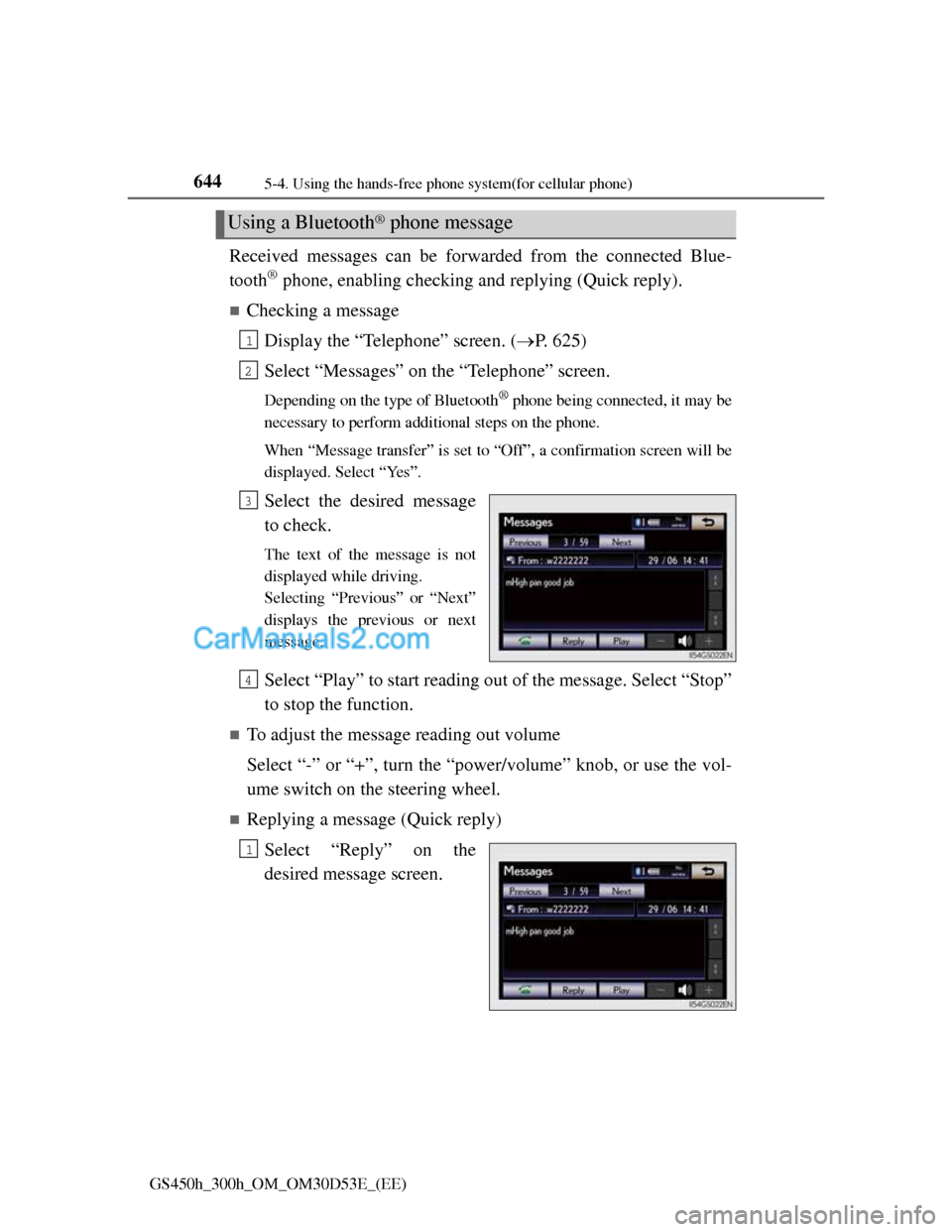
Received messages can be forwarded from the connected Blue-
tooth
® phone, enabling checking and replying (Quick reply).
Checking a message
Display the “Telephone” screen. (P. 625)
Select “Messages” on the “Telephone” screen.
Depending on the type of Bluetooth® phone being connected, it may be
necessary to perform additional steps on the phone.
When “Message transfer” is set to “Off”, a confirmation screen will be
displayed. Select “Yes”.
Select the desired message
to check.
The text of the message is not
displayed while driving.
Selecting “Previous” or “Next”
displays the previous or next
message.
Select “Play” to start reading out of the message. Select “Stop”
to stop the function.
To adjust the message reading out volume
Select “-” or “+”, turn the “power/volume” knob, or use the vol-
ume switch on the steering wheel.
Replying a message (Quick reply)
Select “Reply” on the
desired message screen.
Using a Bluetooth® phone message
1
2
3
4
1