bluetooth Lexus GS300h 2013 Workshop Manual
[x] Cancel search | Manufacturer: LEXUS, Model Year: 2013, Model line: GS300h, Model: Lexus GS300h 2013Pages: 1014
Page 700 of 1014
6775-4. Using the hands-free phone system(for cellular phone)
5
Interior features
GS450h_300h_OM_OM30D53E_(EE)
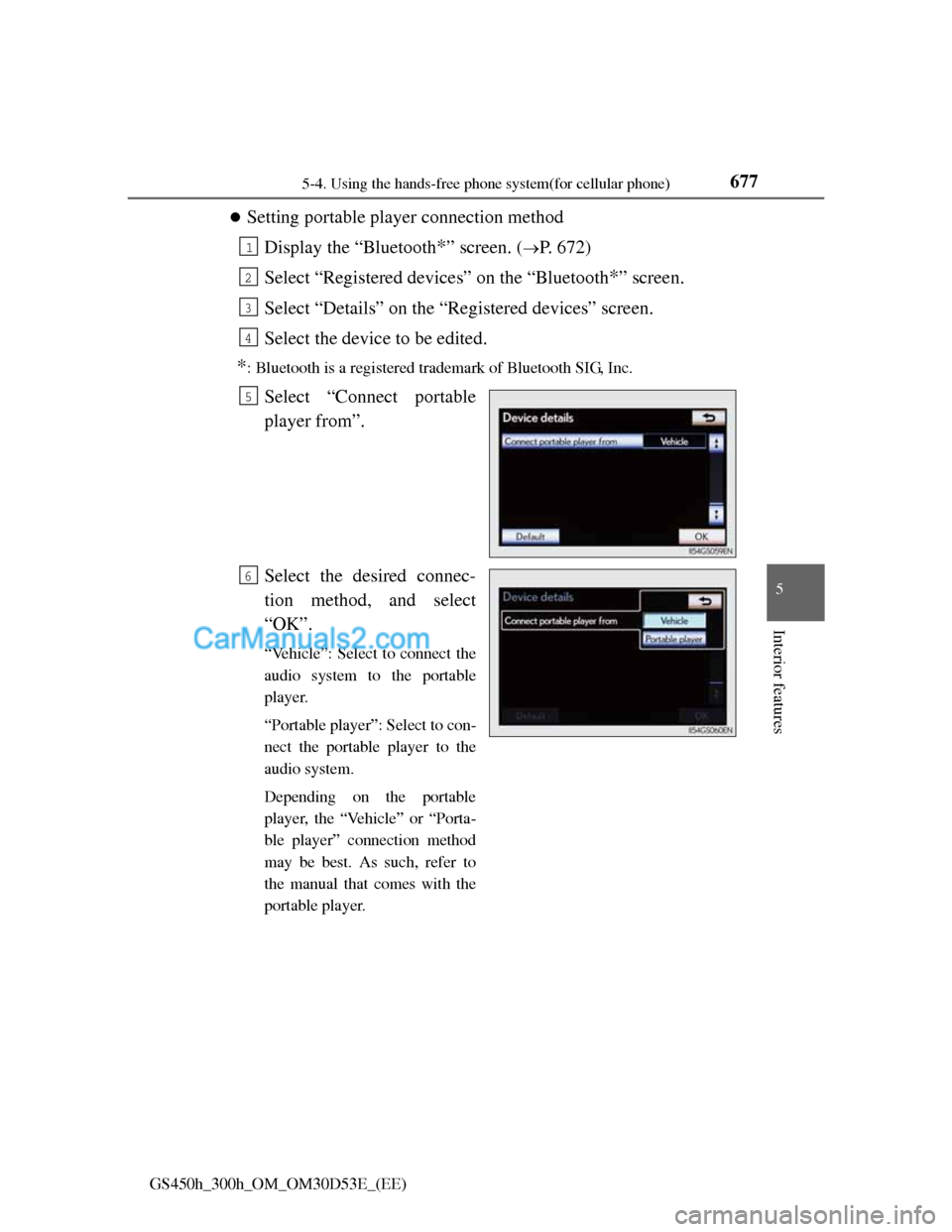
Setting portable player connection method
Display the “Bluetooth
*” screen. (P. 672)
Select “Registered devices” on the “Bluetooth
*” screen.
Select “Details” on the “Registered devices” screen.
Select the device to be edited.
*: Bluetooth is a registered trademark of Bluetooth SIG, Inc.
Select “Connect portable
player from”.
Select the desired connec-
tion method, and select
“OK”.
“Vehicle”: Select to connect the
audio system to the portable
player.
“Portable player”: Select to con-
nect the portable player to the
audio system.
Depending on the portable
player, the “Vehicle” or “Porta-
ble player” connection method
may be best. As such, refer to
the manual that comes with the
portable player.
1
2
3
4
5
6
Page 701 of 1014
6785-4. Using the hands-free phone system(for cellular phone)
GS450h_300h_OM_OM30D53E_(EE)
Editing the “Device name”
If you change a device name, the name registered in your cellular phone is
not changed.
About “Device address”
The address peculiar to the system. It cannot be changed. If you have regis-
tered two Bluetooth
® phones with the same device name and you cannot dis-
tinguish one from the other, refer to this address.
“My telephone no.”:
The phone number of the Bluetooth
® phone is displayed on the screen.
Depending on the type of phone, the phone number may not be displayed.
“Profiles”:
The compatibility profile of the Bluetooth
® device is displayed on the screen.
“Connect portable player from”:
There are 2 portable player connection settings available; “Vehicle” and
“Portable Player”.
When you delete a Bluetooth® phone
The phonebook data will be deleted at the same time.
Page 702 of 1014
6795-4. Using the hands-free phone system(for cellular phone)
5
Interior features
GS450h_300h_OM_OM30D53E_(EE)
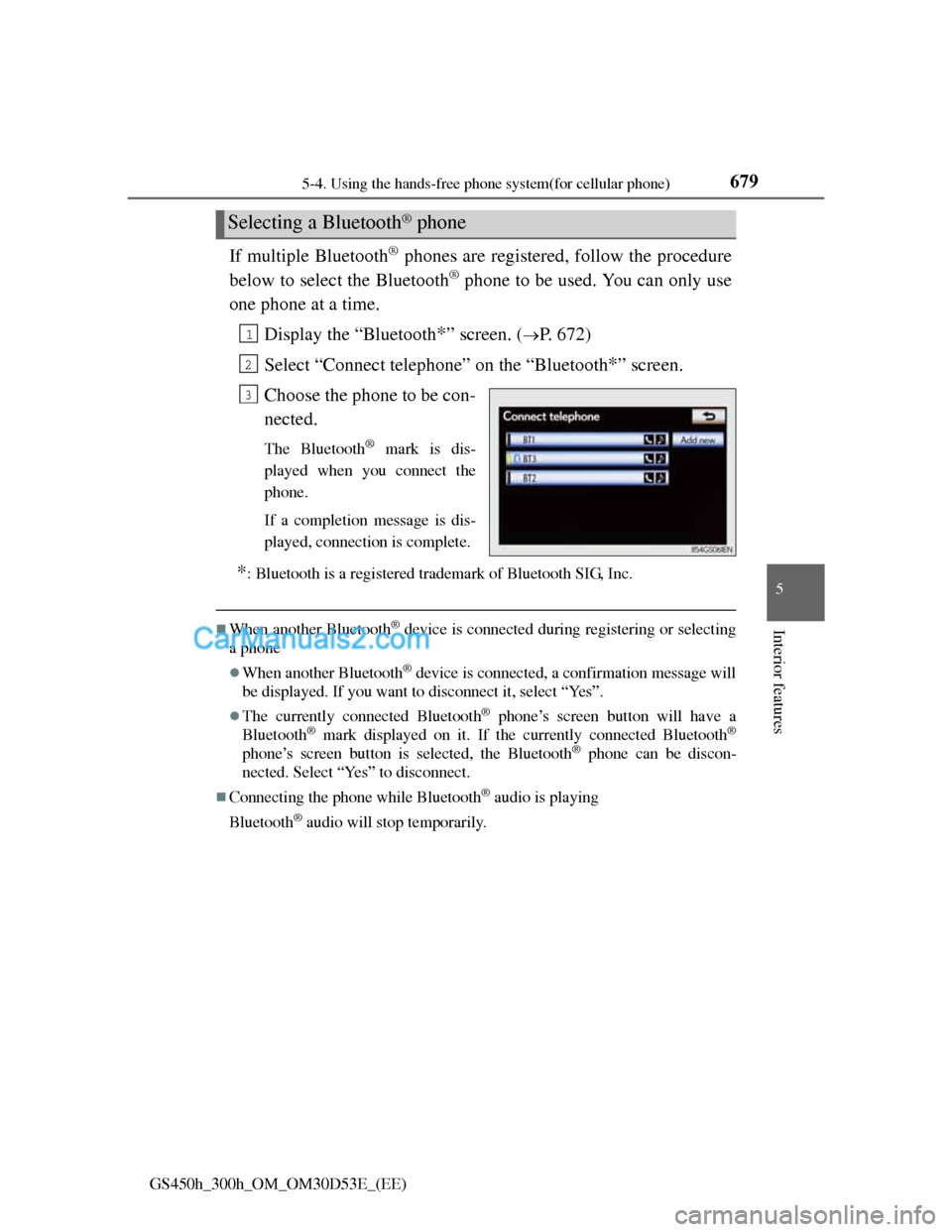
If multiple Bluetooth® phones are registered, follow the procedure
below to select the Bluetooth
® phone to be used. You can only use
one phone at a time.
Display the “Bluetooth
*” screen. (P. 672)
Select “Connect telephone” on the “Bluetooth
*” screen.
Choose the phone to be con-
nected.
The Bluetooth® mark is dis-
played when you connect the
phone.
If a completion message is dis-
played, connection is complete.
*: Bluetooth is a registered trademark of Bluetooth SIG, Inc.
When another Bluetooth® device is connected during registering or selecting
a phone
When another Bluetooth® device is connected, a confirmation message will
be displayed. If you want to disconnect it, select “Yes”.
The currently connected Bluetooth® phone’s screen button will have a
Bluetooth® mark displayed on it. If the currently connected Bluetooth®
phone’s screen button is selected, the Bluetooth® phone can be discon-
nected. Select “Yes” to disconnect.
Connecting the phone while Bluetooth® audio is playing
Bluetooth
® audio will stop temporarily.
Selecting a Bluetooth® phone
1
2
3
Page 703 of 1014
6805-4. Using the hands-free phone system(for cellular phone)
GS450h_300h_OM_OM30D53E_(EE)
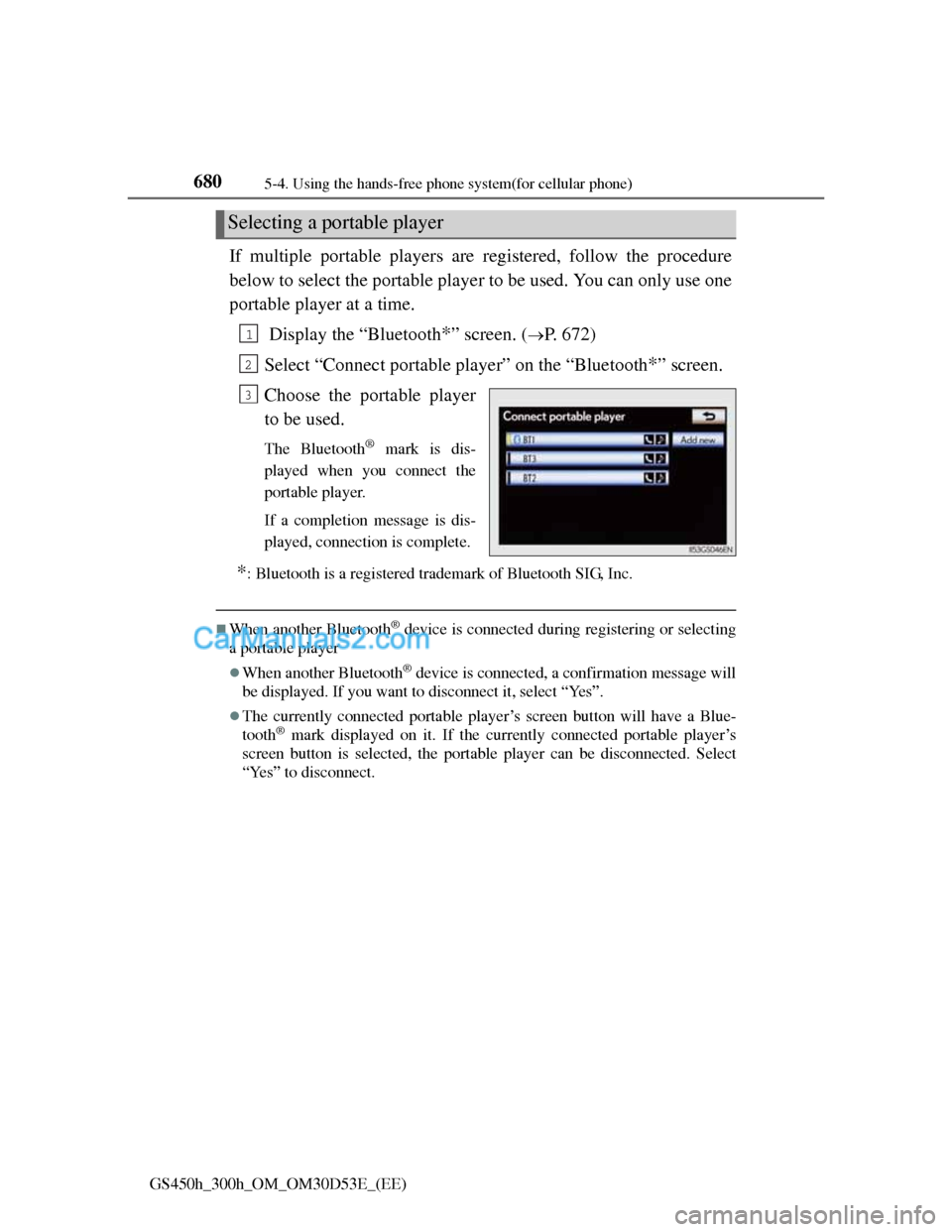
If multiple portable players are registered, follow the procedure
below to select the portable player to be used. You can only use one
portable player at a time.
Display the “Bluetooth
*” screen. (P. 672)
Select “Connect portable player” on the “Bluetooth
*” screen.
Choose the portable player
to be used.
The Bluetooth® mark is dis-
played when you connect the
portable player.
If a completion message is dis-
played, connection is complete.
*: Bluetooth is a registered trademark of Bluetooth SIG, Inc.
When another Bluetooth® device is connected during registering or selecting
a portable player
When another Bluetooth® device is connected, a confirmation message will
be displayed. If you want to disconnect it, select “Yes”.
The currently connected portable player’s screen button will have a Blue-
tooth® mark displayed on it. If the currently connected portable player’s
screen button is selected, the portable player can be disconnected. Select
“Yes” to disconnect.
Selecting a portable player
1
2
3
Page 704 of 1014
6815-4. Using the hands-free phone system(for cellular phone)
5
Interior features
GS450h_300h_OM_OM30D53E_(EE)
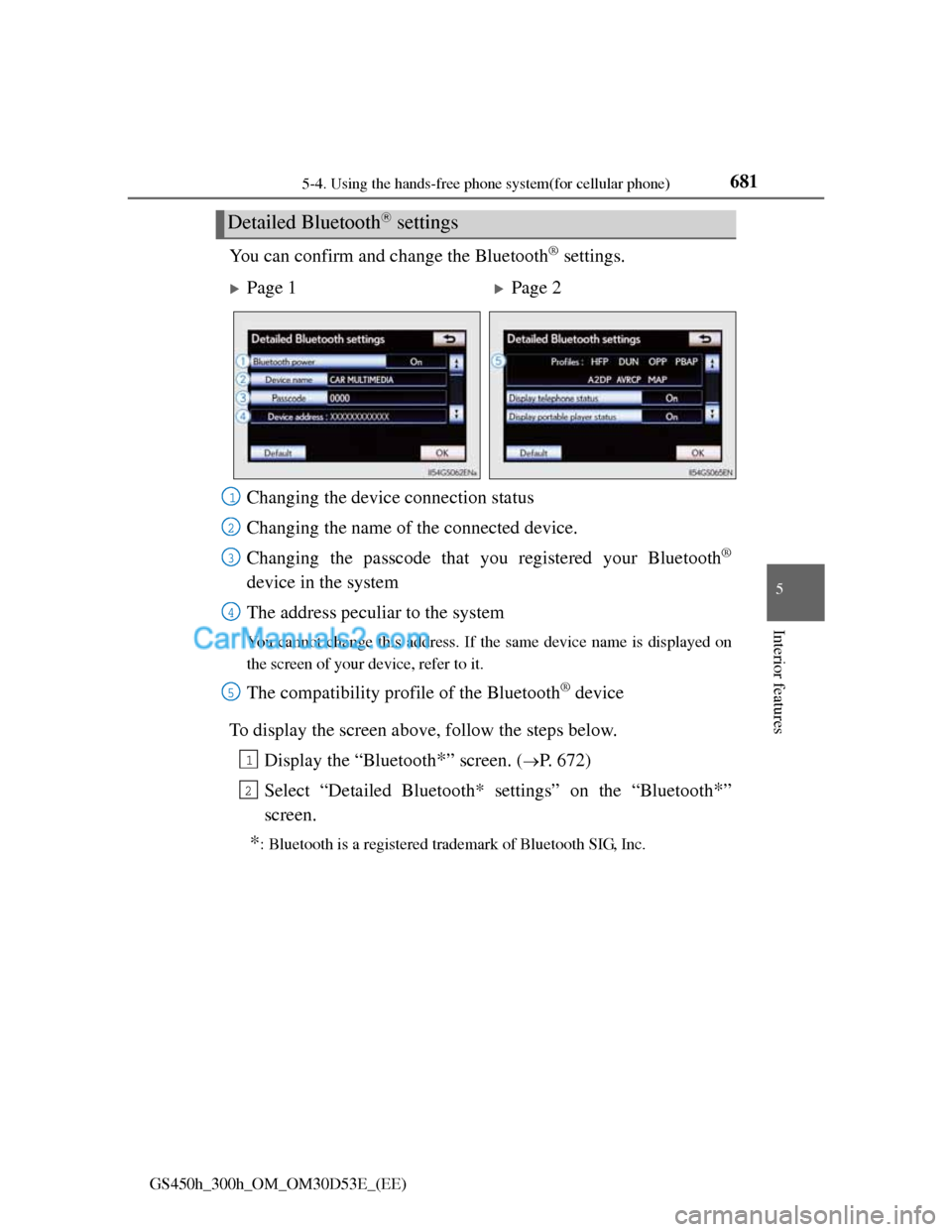
You can confirm and change the Bluetooth® settings.
To display the screen above, follow the steps below.
Display the “Bluetooth
*” screen. (P. 672)
Select “Detailed Bluetooth* settings” on the “Bluetooth
*”
screen.
*: Bluetooth is a registered trademark of Bluetooth SIG, Inc.
Detailed Bluetooth settings
Page 1Page 2
Changing the device connection status
Changing the name of the connected device.
Changing the passcode that you registered your Bluetooth
®
device in the system
The address peculiar to the system
You cannot change this address. If the same device name is displayed on
the screen of your device, refer to it.
The compatibility profile of the Bluetooth® device
1
2
3
4
5
1
2
Page 705 of 1014
6825-4. Using the hands-free phone system(for cellular phone)
GS450h_300h_OM_OM30D53E_(EE)
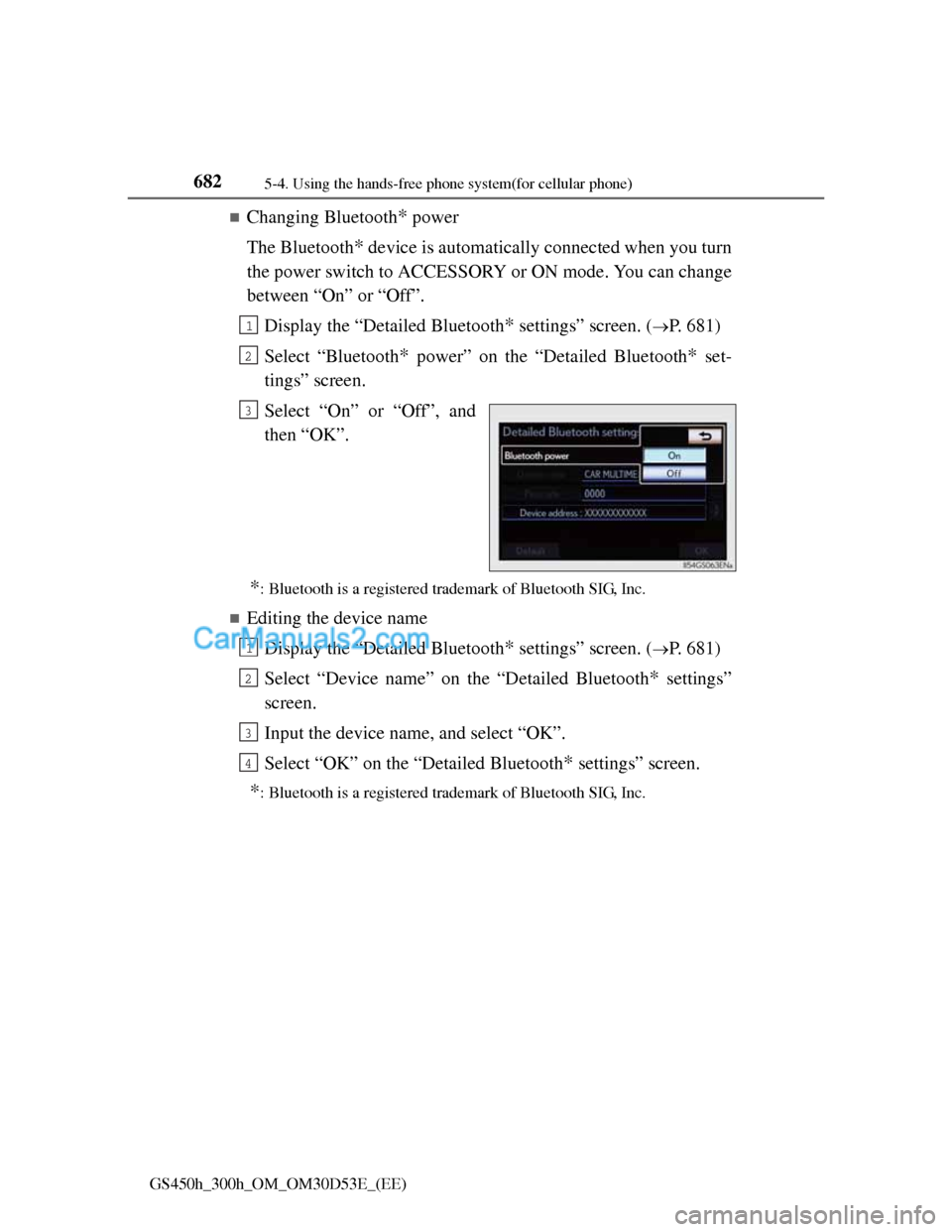
Changing Bluetooth* power
The Bluetooth
* device is automatically connected when you turn
the power switch to ACCESSORY or ON mode. You can change
between “On” or “Off”.
Display the “Detailed Bluetooth
* settings” screen. (P. 681)
Select “Bluetooth
* power” on the “Detailed Bluetooth* set-
tings” screen.
Select “On” or “Off”, and
then “OK”.
*: Bluetooth is a registered trademark of Bluetooth SIG, Inc.
Editing the device name
Display the “Detailed Bluetooth
* settings” screen. (P. 681)
Select “Device name” on the “Detailed Bluetooth
* settings”
screen.
Input the device name, and select “OK”.
Select “OK” on the “Detailed Bluetooth
* settings” screen.
*: Bluetooth is a registered trademark of Bluetooth SIG, Inc.
1
2
3
1
2
3
4
Page 706 of 1014
6835-4. Using the hands-free phone system(for cellular phone)
5
Interior features
GS450h_300h_OM_OM30D53E_(EE)
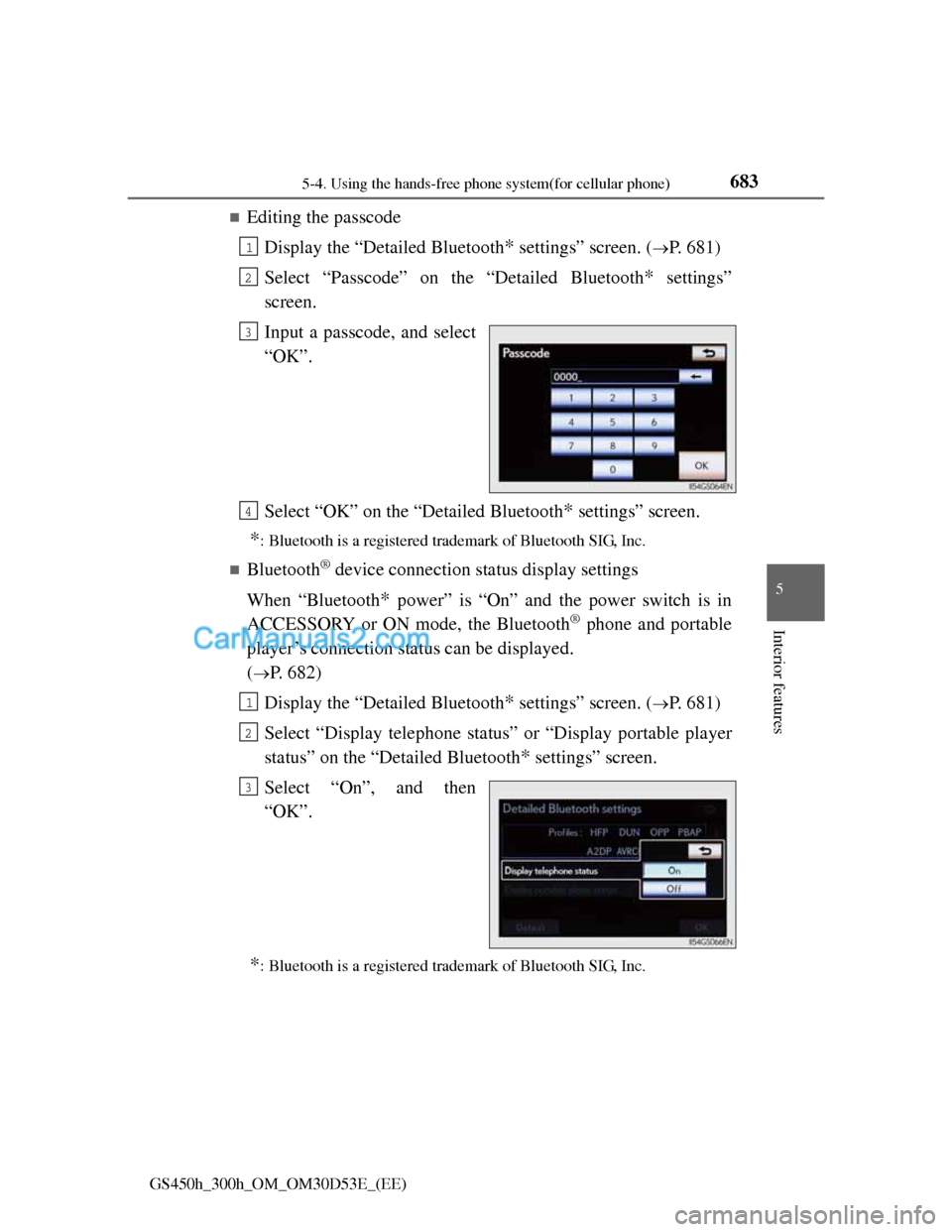
Editing the passcode
Display the “Detailed Bluetooth
* settings” screen. (P. 681)
Select “Passcode” on the “Detailed Bluetooth
* settings”
screen.
Input a passcode, and select
“OK”.
Select “OK” on the “Detailed Bluetooth
* settings” screen.
*: Bluetooth is a registered trademark of Bluetooth SIG, Inc.
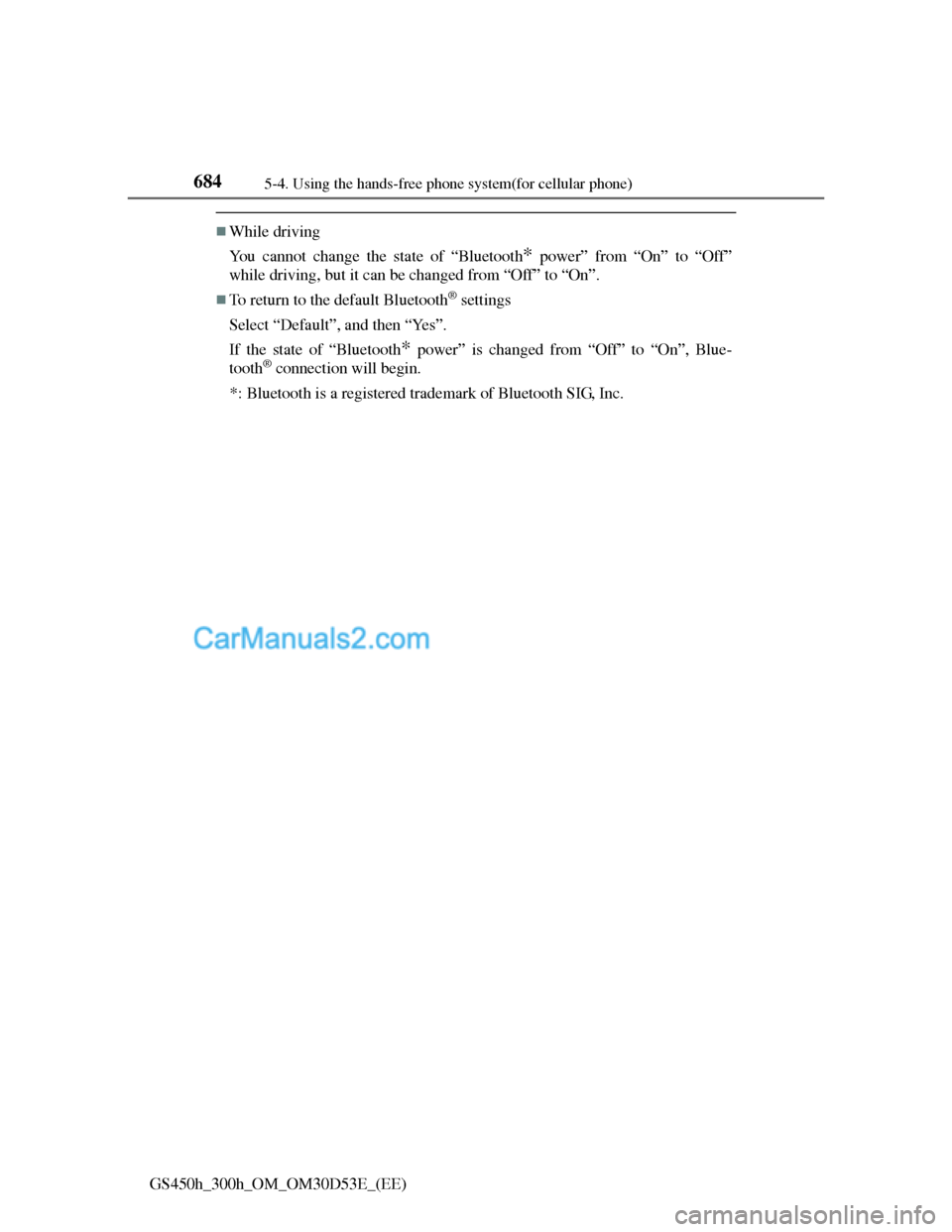
Bluetooth® device connection status display settings
When “Bluetooth
* power” is “On” and the power switch is in
ACCESSORY or ON mode, the Bluetooth
® phone and portable
player’s connection status can be displayed.
(
P. 682)
Display the “Detailed Bluetooth
* settings” screen. (P. 681)
Select “Display telephone status” or “Display portable player
status” on the “Detailed Bluetooth
* settings” screen.
Select “On”, and then
“OK”.
*: Bluetooth is a registered trademark of Bluetooth SIG, Inc.
1
2
3
4
1
2
3
Page 707 of 1014
6845-4. Using the hands-free phone system(for cellular phone)
GS450h_300h_OM_OM30D53E_(EE)
While driving
You cannot change the state of “Bluetooth
* power” from “On” to “Off”
while driving, but it can be changed from “Off” to “On”.
To return to the default Bluetooth® settings
Select “Default”, and then “Yes”.
If the state of “Bluetooth
* power” is changed from “Off” to “On”, Blue-
tooth® connection will begin.
*: Bluetooth is a registered trademark of Bluetooth SIG, Inc.
Page 995 of 1014
963Alphabetical index
GS450h_300h_OM_OM30D53E_(EE)
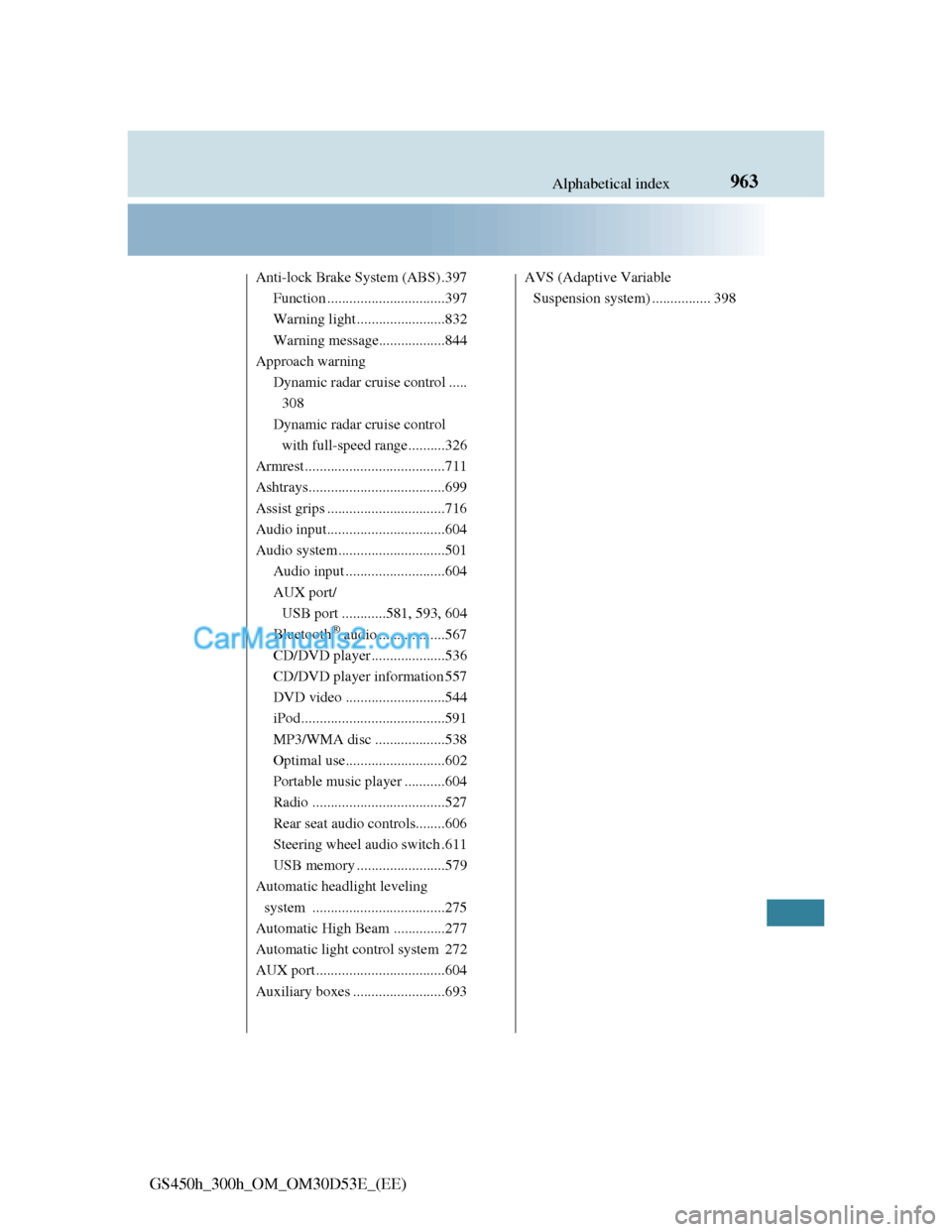
Anti-lock Brake System (ABS) .397
Function ................................397
Warning light........................832
Warning message..................844
Approach warning
Dynamic radar cruise control .....
308
Dynamic radar cruise control
with full-speed range..........326
Armrest ......................................711
Ashtrays.....................................699
Assist grips ................................716
Audio input................................604
Audio system .............................501
Audio input ...........................604
AUX port/
USB port ............581, 593, 604
Bluetooth
® audio ..................567
CD/DVD player ....................536
CD/DVD player information 557
DVD video ...........................544
iPod.......................................591
MP3/WMA disc ...................538
Optimal use...........................602
Portable music player ...........604
Radio ....................................527
Rear seat audio controls........606
Steering wheel audio switch .611
USB memory ........................579
Automatic headlight leveling
system ....................................275
Automatic High Beam ..............277
Automatic light control system 272
AUX port ...................................604
Auxiliary boxes .........................693AVS (Adaptive Variable
Suspension system) ................ 398
Page 996 of 1014
964Alphabetical index
GS450h_300h_OM_OM30D53E_(EE)
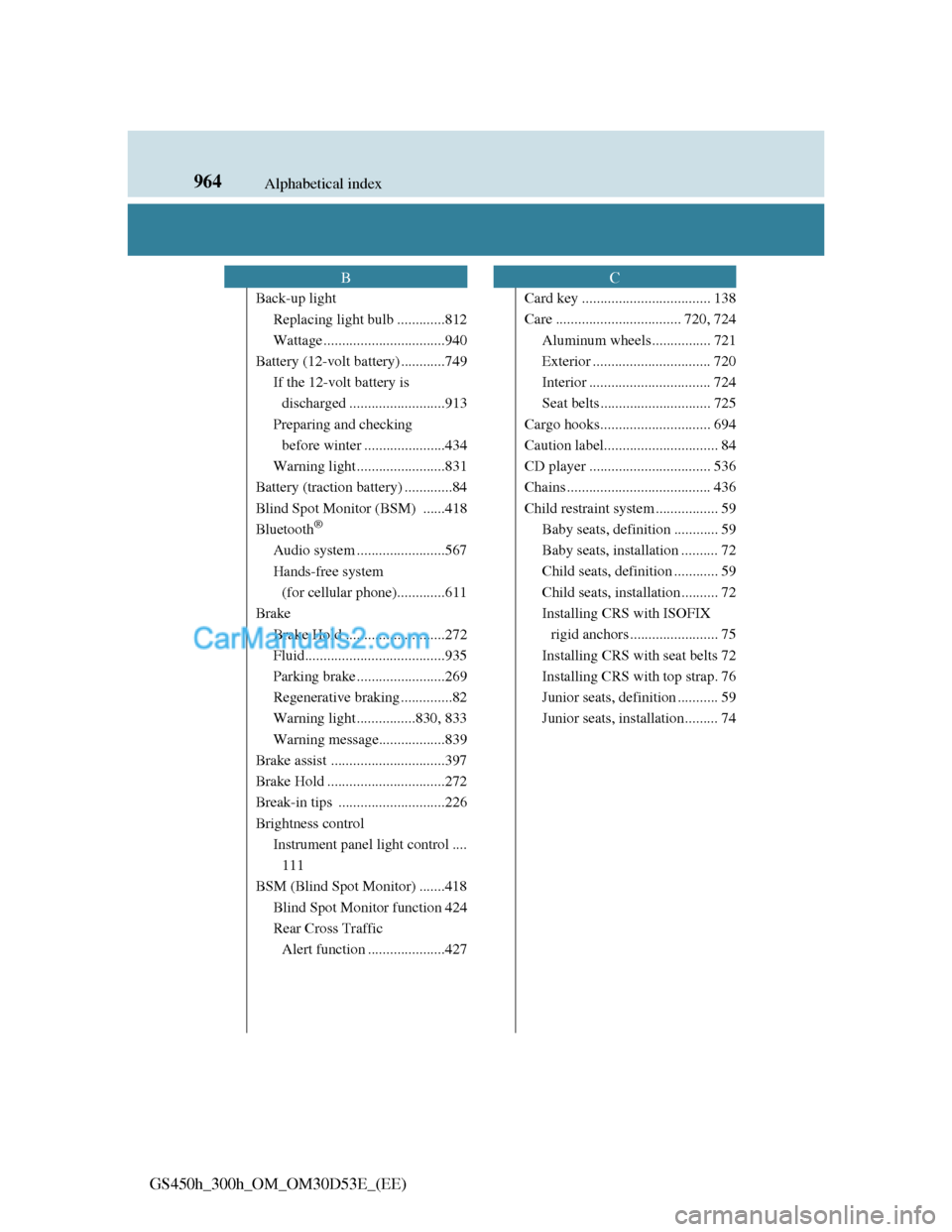
Back-up light
Replacing light bulb .............812
Wattage .................................940
Battery (12-volt battery) ............749
If the 12-volt battery is
discharged ..........................913
Preparing and checking
before winter ......................434
Warning light........................831
Battery (traction battery) .............84
Blind Spot Monitor (BSM) ......418
Bluetooth
®
Audio system ........................567
Hands-free system
(for cellular phone).............611
Brake
Brake Hold ...........................272
Fluid......................................935
Parking brake ........................269
Regenerative braking ..............82
Warning light ................830, 833
Warning message..................839
Brake assist ...............................397
Brake Hold ................................272
Break-in tips .............................226
Brightness control
Instrument panel light control ....
111
BSM (Blind Spot Monitor) .......418
Blind Spot Monitor function 424
Rear Cross Traffic
Alert function .....................427Card key ................................... 138
Care .................................. 720, 724
Aluminum wheels ................ 721
Exterior ................................ 720
Interior ................................. 724
Seat belts .............................. 725
Cargo hooks.............................. 694
Caution label............................... 84
CD player ................................. 536
Chains ....................................... 436
Child restraint system ................. 59
Baby seats, definition ............ 59
Baby seats, installation .......... 72
Child seats, definition ............ 59
Child seats, installation .......... 72
Installing CRS with ISOFIX
rigid anchors ........................ 75
Installing CRS with seat belts 72
Installing CRS with top strap. 76
Junior seats, definition ........... 59
Junior seats, installation......... 74
BC