audio Lexus GS300h 2015 Owner's Manual
[x] Cancel search | Manufacturer: LEXUS, Model Year: 2015, Model line: GS300h, Model: Lexus GS300h 2015Pages: 620
Page 6 of 620
TABLE OF CONTENTS6
GS450h_300h_OM_OM30F00E_(EE)
8-1. SpecificationsMaintenance data (fuel, oil level, etc.)...................566
Fuel information .......................... 579
8-2. Customization Customizable features.............. 581
8-3. Initialization Item to initialize ...........................596
What to do if... (Troubleshooting) ............................... 598
Alphabetical index .................................602
8Vehicle specifications
Index
For information regarding the equipment listed below, refer to the “NAVIGA-
TION AND MULTIMEDIA SYSTEM OWNER’S MANUAL”
• Audio system
• Lexus parking assist-sensor• Navigation system
• Lexus parking assist monitor
Page 17 of 620
17Pictorial index
GS450h_300h_OM_OM30F00E_(EE)
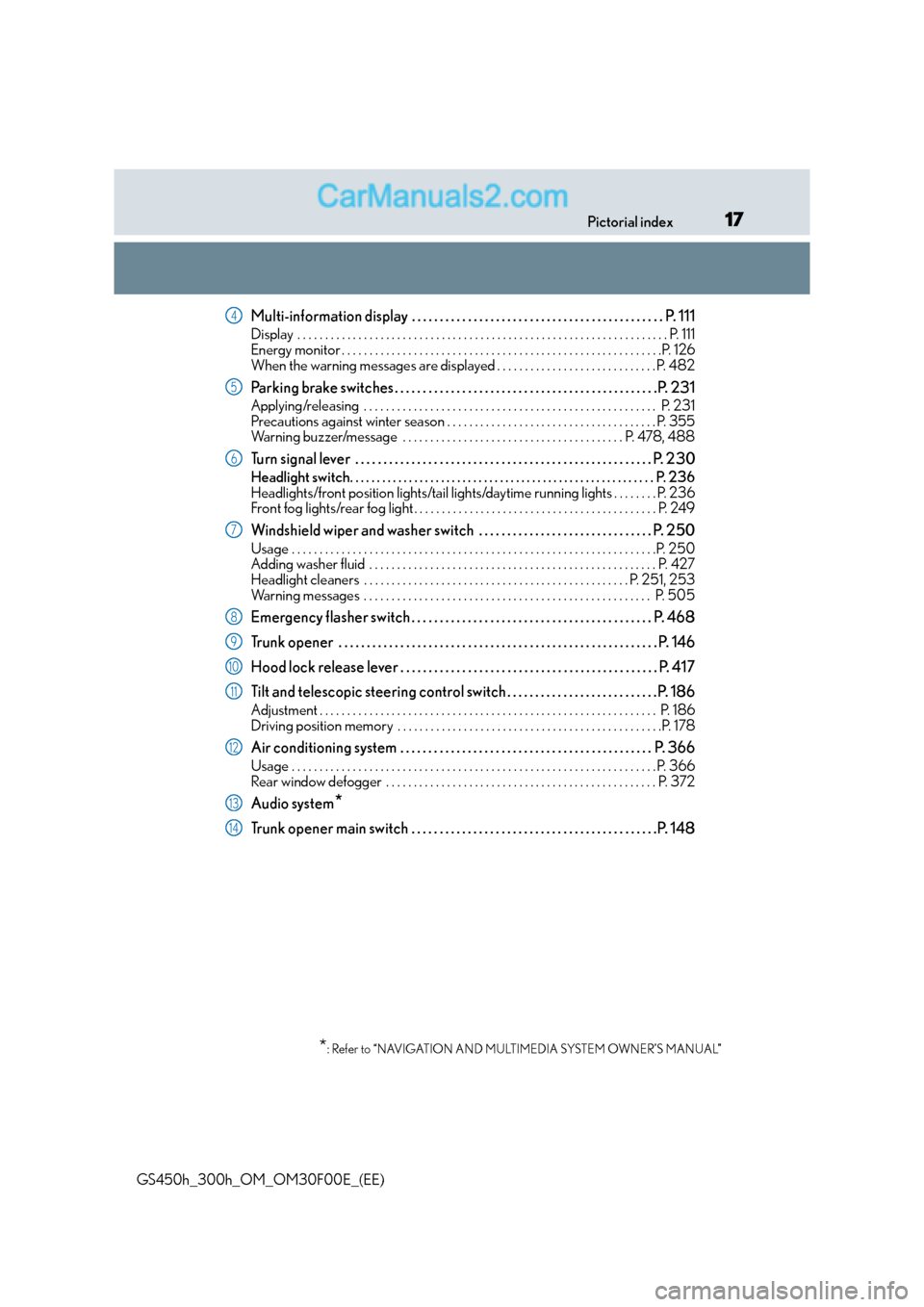
Multi-information display . . . . . . . . . . . . . . . . . . . . . . . . . . . . . . . . . . . . . . . . . . . . . P. 111
Display . . . . . . . . . . . . . . . . . . . . . . . . . . . . . . . . . . . . . . . . . . . . . . . . . . . . . . . . . . . . . . . . . . . P. 111
Energy monitor . . . . . . . . . . . . . . . . . . . . . . . . . . . . . . . . . . . . . . . . . . . . . . . . . . . . . . . . . .P. 126
When the warning messages are displayed . . . . . . . . . . . . . . . . . . . . . . . . . . . . . P. 482
Parking brake switches . . . . . . . . . . . . . . . . . . . . . . . . . . . . . . . . . . . . . . . . . . . . . . .P. 231
Applying/releasing . . . . . . . . . . . . . . . . . . . . . . . . . . . . . . . . . . . . . . . . . . . . . . . . . . . . . P. 231
Precautions against winter season . . . . . . . . . . . . . . . . . . . . . . . . . . . . . . . . . . . . . . P. 355
Warning buzzer/message . . . . . . . . . . . . . . . . . . . . . . . . . . . . . . . . . . . . . . . . P. 478, 488
Turn signal lever . . . . . . . . . . . . . . . . . . . . . . . . . . . . . . . . . . . . . . . . . . . . . . . . . . . . . P. 2 30
Headlight switch. . . . . . . . . . . . . . . . . . . . . . . . . . . . . . . . . . . . . . . . . . . . . . . . . . . . . . . . . P. 236
Headlights/front position lights/tail lights/daytime running lights . . . . . . . . P. 236
Front fog lights/rear fog light . . . . . . . . . . . . . . . . . . . . . . . . . . . . . . . . . . . . . . . . . . . . P. 249
Windshield wiper and washer switch . . . . . . . . . . . . . . . . . . . . . . . . . . . . . . . P. 250
Usage . . . . . . . . . . . . . . . . . . . . . . . . . . . . . . . . . . . . . . . . . . . . . . . . . . . . . . . . . . . . . . . . . .P. 250
Adding washer fluid . . . . . . . . . . . . . . . . . . . . . . . . . . . . . . . . . . . . . . . . . . . . . . . . . . . . P. 427
Headlight cleaners . . . . . . . . . . . . . . . . . . . . . . . . . . . . . . . . . . . . . . . . . . . . . . . . P. 251, 253
Warning messages . . . . . . . . . . . . . . . . . . . . . . . . . . . . . . . . . . . . . . . . . . . . . . . . . . . . P. 505
Emergency flasher switch . . . . . . . . . . . . . . . . . . . . . . . . . . . . . . . . . . . . . . . . . . . P. 468
Trunk opener . . . . . . . . . . . . . . . . . . . . . . . . . . . . . . . . . . . . . . . . . . . . . . . . . . . . . . . . . P . 146
Hood lock release lever . . . . . . . . . . . . . . . . . . . . . . . . . . . . . . . . . . . . . . . . . . . . . . P. 417
Tilt and telescopic steering control switch . . . . . . . . . . . . . . . . . . . . . . . . . . .P. 186
Adjustment . . . . . . . . . . . . . . . . . . . . . . . . . . . . . . . . . . . . . . . . . . . . . . . . . . . . . . . . . . . . . P. 186
Driving position memory . . . . . . . . . . . . . . . . . . . . . . . . . . . . . . . . . . . . . . . . . . . . . . . .P. 178
Air conditioning system . . . . . . . . . . . . . . . . . . . . . . . . . . . . . . . . . . . . . . . . . . . . . P. 366
Usage . . . . . . . . . . . . . . . . . . . . . . . . . . . . . . . . . . . . . . . . . . . . . . . . . . . . . . . . . . . . . . . . . . P. 366
Rear window defogger . . . . . . . . . . . . . . . . . . . . . . . . . . . . . . . . . . . . . . . . . . . . . . . . . P. 372
Audio system*
Trunk opener main switch . . . . . . . . . . . . . . . . . . . . . . . . . . . . . . . . . . . . . . . . . . . .P. 148
*: Refer to “NAVIGATION AND MULTIMEDIA SYSTEM OWNER’S MANUAL”
4
5
6
7
8
9
10
11
12
13
14
Page 20 of 620
20Pictorial index
GS450h_300h_OM_OM30F00E_(EE)
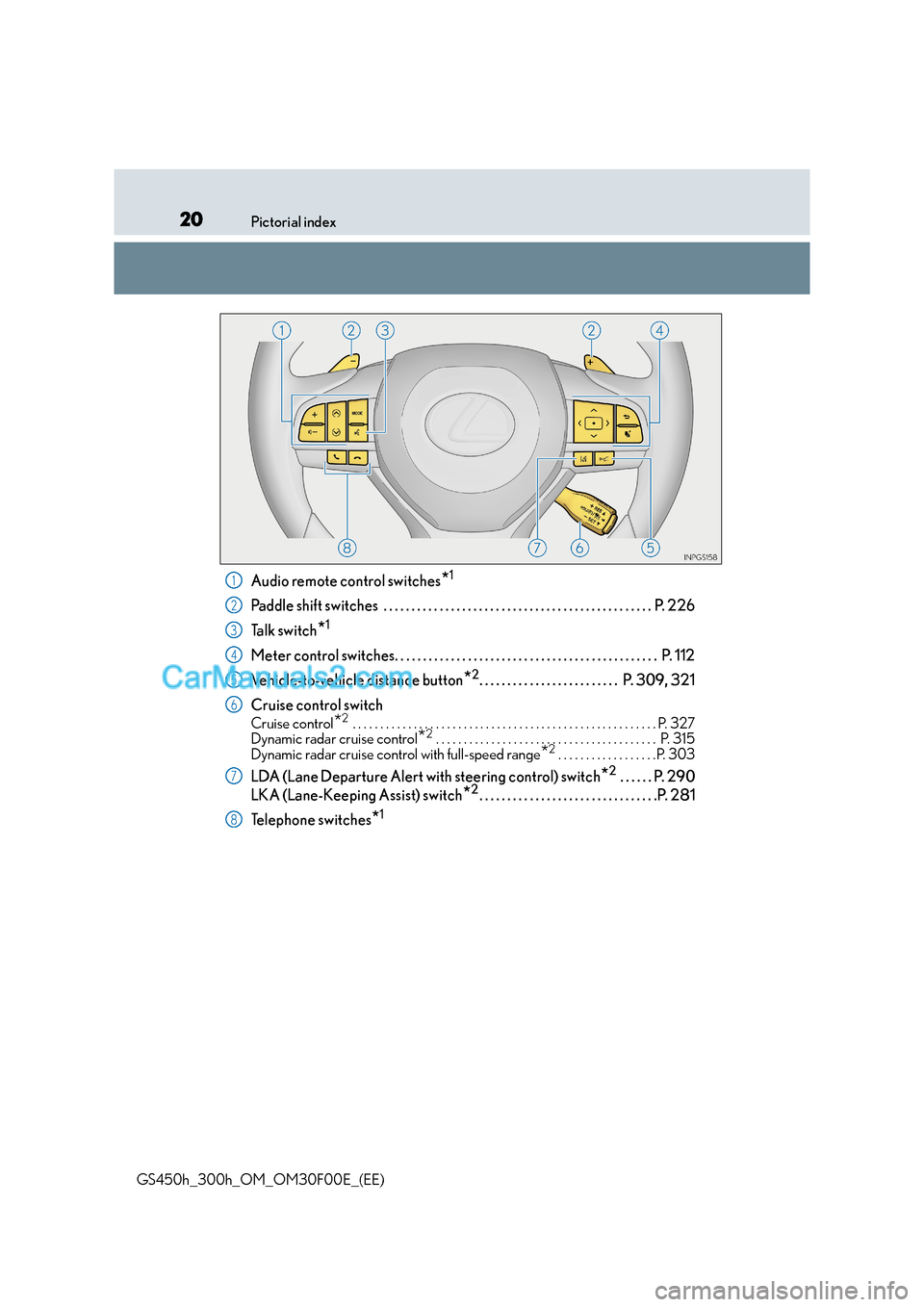
Audio remote control switches*1
Paddle shift switches . . . . . . . . . . . . . . . . . . . . . . . . . . . . . . . . . . . . . . . . . . . . . . . . P. 226
Ta l k s w i t c h
*1
Meter control switches. . . . . . . . . . . . . . . . . . . . . . . . . . . . . . . . . . . . . . . . . . . . . . . P. 112
Vehicle-to-vehicle distance button
*2. . . . . . . . . . . . . . . . . . . . . . . . . P. 309, 321
Cruise control switch
Cruise control*2 . . . . . . . . . . . . . . . . . . . . . . . . . . . . . . . . . . . . . . . . . . . . . . . . . . . . . . . P. 327
Dynamic radar cruise control*2 . . . . . . . . . . . . . . . . . . . . . . . . . . . . . . . . . . . . . . . . P. 315
Dynamic radar cruise control with full-speed range*2 . . . . . . . . . . . . . . . . . .P. 303
LDA (Lane Departure Alert with steering control) switch*2 . . . . . . P. 290
LKA (Lane-Keeping Assist) switch
*2. . . . . . . . . . . . . . . . . . . . . . . . . . . . . . . .P. 281
Telephone switches
*1
1
2
3
4
5
6
7
8
Page 25 of 620
25Pictorial index
GS450h_300h_OM_OM30F00E_(EE)
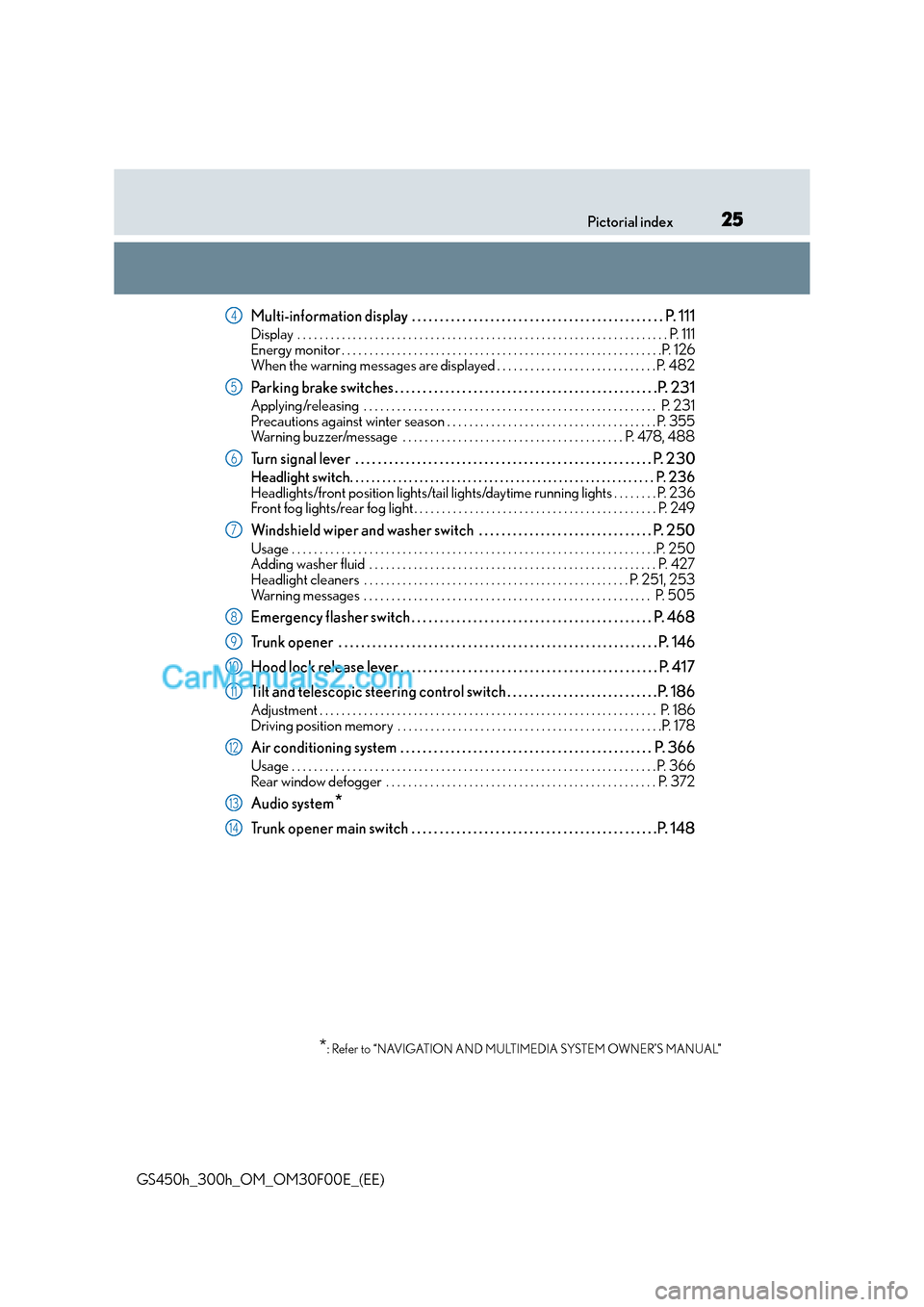
Multi-information display . . . . . . . . . . . . . . . . . . . . . . . . . . . . . . . . . . . . . . . . . . . . . P. 111
Display . . . . . . . . . . . . . . . . . . . . . . . . . . . . . . . . . . . . . . . . . . . . . . . . . . . . . . . . . . . . . . . . . . . P. 111
Energy monitor . . . . . . . . . . . . . . . . . . . . . . . . . . . . . . . . . . . . . . . . . . . . . . . . . . . . . . . . . .P. 126
When the warning messages are displayed . . . . . . . . . . . . . . . . . . . . . . . . . . . . . P. 482
Parking brake switches . . . . . . . . . . . . . . . . . . . . . . . . . . . . . . . . . . . . . . . . . . . . . . .P. 231
Applying/releasing . . . . . . . . . . . . . . . . . . . . . . . . . . . . . . . . . . . . . . . . . . . . . . . . . . . . . P. 231
Precautions against winter season . . . . . . . . . . . . . . . . . . . . . . . . . . . . . . . . . . . . . . P. 355
Warning buzzer/message . . . . . . . . . . . . . . . . . . . . . . . . . . . . . . . . . . . . . . . . P. 478, 488
Turn signal lever . . . . . . . . . . . . . . . . . . . . . . . . . . . . . . . . . . . . . . . . . . . . . . . . . . . . . P. 2 30
Headlight switch. . . . . . . . . . . . . . . . . . . . . . . . . . . . . . . . . . . . . . . . . . . . . . . . . . . . . . . . . P. 236
Headlights/front position lights/tail lights/daytime running lights . . . . . . . . P. 236
Front fog lights/rear fog light . . . . . . . . . . . . . . . . . . . . . . . . . . . . . . . . . . . . . . . . . . . . P. 249
Windshield wiper and washer switch . . . . . . . . . . . . . . . . . . . . . . . . . . . . . . . P. 250
Usage . . . . . . . . . . . . . . . . . . . . . . . . . . . . . . . . . . . . . . . . . . . . . . . . . . . . . . . . . . . . . . . . . .P. 250
Adding washer fluid . . . . . . . . . . . . . . . . . . . . . . . . . . . . . . . . . . . . . . . . . . . . . . . . . . . . P. 427
Headlight cleaners . . . . . . . . . . . . . . . . . . . . . . . . . . . . . . . . . . . . . . . . . . . . . . . . P. 251, 253
Warning messages . . . . . . . . . . . . . . . . . . . . . . . . . . . . . . . . . . . . . . . . . . . . . . . . . . . . P. 505
Emergency flasher switch . . . . . . . . . . . . . . . . . . . . . . . . . . . . . . . . . . . . . . . . . . . P. 468
Trunk opener . . . . . . . . . . . . . . . . . . . . . . . . . . . . . . . . . . . . . . . . . . . . . . . . . . . . . . . . . P . 146
Hood lock release lever . . . . . . . . . . . . . . . . . . . . . . . . . . . . . . . . . . . . . . . . . . . . . . P. 417
Tilt and telescopic steering control switch . . . . . . . . . . . . . . . . . . . . . . . . . . .P. 186
Adjustment . . . . . . . . . . . . . . . . . . . . . . . . . . . . . . . . . . . . . . . . . . . . . . . . . . . . . . . . . . . . . P. 186
Driving position memory . . . . . . . . . . . . . . . . . . . . . . . . . . . . . . . . . . . . . . . . . . . . . . . .P. 178
Air conditioning system . . . . . . . . . . . . . . . . . . . . . . . . . . . . . . . . . . . . . . . . . . . . . P. 366
Usage . . . . . . . . . . . . . . . . . . . . . . . . . . . . . . . . . . . . . . . . . . . . . . . . . . . . . . . . . . . . . . . . . . P. 366
Rear window defogger . . . . . . . . . . . . . . . . . . . . . . . . . . . . . . . . . . . . . . . . . . . . . . . . . P. 372
Audio system*
Trunk opener main switch . . . . . . . . . . . . . . . . . . . . . . . . . . . . . . . . . . . . . . . . . . . .P. 148
*: Refer to “NAVIGATION AND MULTIMEDIA SYSTEM OWNER’S MANUAL”
4
5
6
7
8
9
10
11
12
13
14
Page 28 of 620
28Pictorial index
GS450h_300h_OM_OM30F00E_(EE)
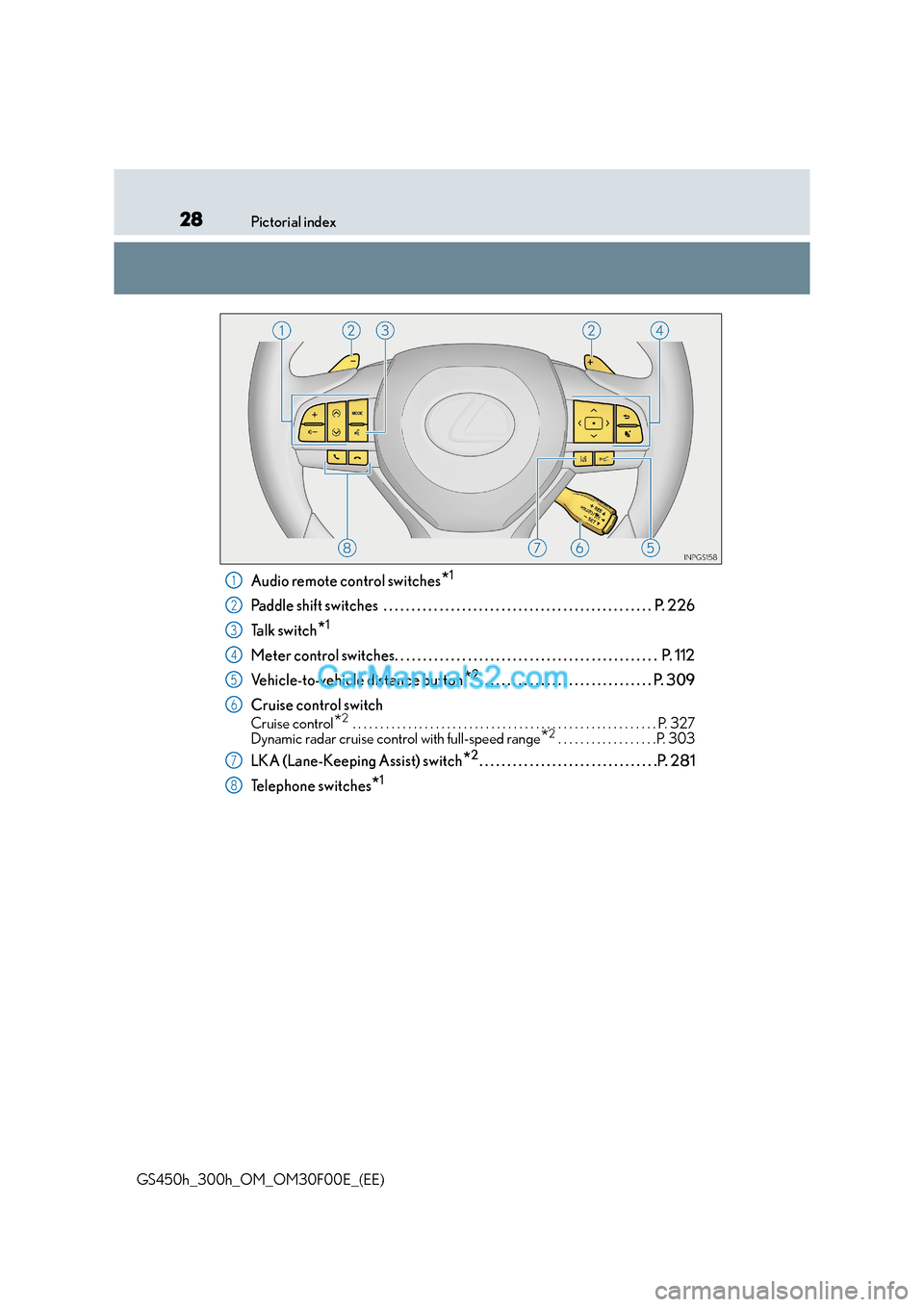
Audio remote control switches*1
Paddle shift switches . . . . . . . . . . . . . . . . . . . . . . . . . . . . . . . . . . . . . . . . . . . . . . . . P. 226
Ta l k s w i t c h
*1
Meter control switches. . . . . . . . . . . . . . . . . . . . . . . . . . . . . . . . . . . . . . . . . . . . . . . P. 112
Vehicle-to-vehicle distance button
*2. . . . . . . . . . . . . . . . . . . . . . . . . . . . . . . P. 309
Cruise control switch
Cruise control*2 . . . . . . . . . . . . . . . . . . . . . . . . . . . . . . . . . . . . . . . . . . . . . . . . . . . . . . . P. 327
Dynamic radar cruise control with full-speed range*2 . . . . . . . . . . . . . . . . . .P. 303
LKA (Lane-Keeping Assist) switch*2. . . . . . . . . . . . . . . . . . . . . . . . . . . . . . . .P. 281
Telephone switches
*1
1
2
3
4
5
6
7
8
Page 111 of 620
111
2
2. Instrument cluster
Instrument cluster
GS450h_300h_OM_OM30F00E_(EE)
Multi-information display
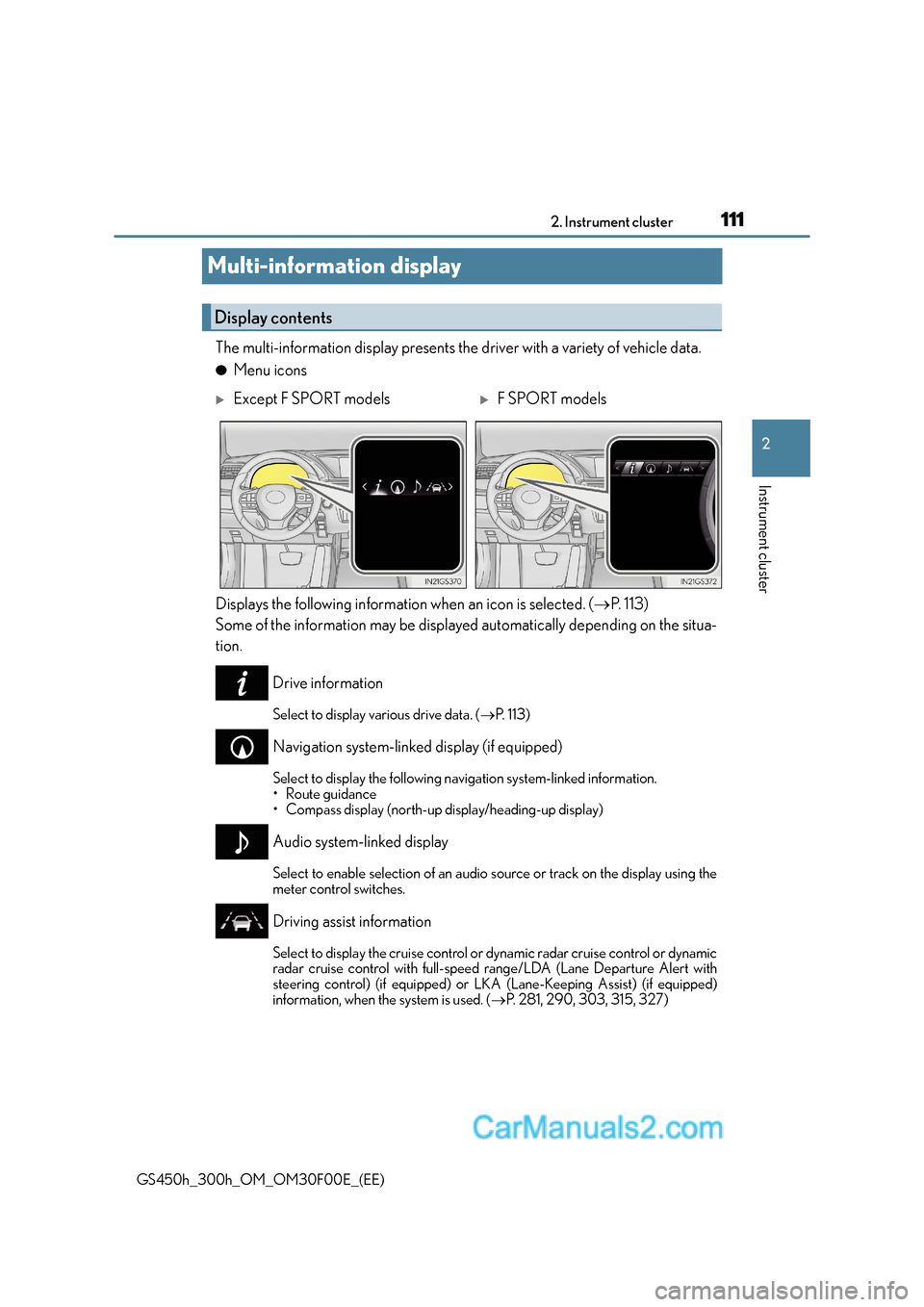
The multi-information display presents the
driver with a variety of vehicle data.
●Menu icons
Displays the following information when an icon is selected. ( →P. 1 1 3 )
Some of the information may be displayed automatically depending on the situa-
tion.
Drive information
Select to display various drive data. ( →P. 1 1 3 )
Navigation system-linked display (if equipped)
Select to display the following na vigation system-linked information.
•Route guidance
• Compass display (north-up display/heading-up display)
Audio system-linked display
Select to enable selection of an audio source or track on the display using the
meter control switches.
Driving assist information
Select to display the cruise control or dynamic radar cruise control or dynamic
radar cruise control with full-speed range/LDA (Lane Departure Alert with
steering control) (if equipped) or LKA (Lane-Keeping Assist) (if equipped)
information, when the system is used. ( →P. 281, 290, 303, 315, 327)
Display contents
XExcept F SPORT modelsXF SPORT models
Page 120 of 620
1202. Instrument cluster
GS450h_300h_OM_OM30F00E_(EE)
●Vehicle speed
●Hybrid System Indicator (→P. 1 2 3 )
●Tachometer
●Shift position and shift range
Displays the selected shift posi tion or selected shift range ( →P. 2 2 4 )
●Road signs recognized by the RS A (Road Sign Assist) (if equipped)
(→ P. 2 9 8 )
●Audio display*
Displays audio information for approximately 3 seconds when the audio system is
operated
●Route guidance display (vehicles with navigation system) ( →P. 1 2 3 )
When approaching an intersection while the navigation system is giving route guid-
ance, an arrow will automatically be displayed to indicate the direction of travel.
●Lane departure warning display (LDA [Lane Departure Alert with steering
control], LKA [Lane-Keeping Assist]) (if equipped) ( →P. 4 8 3 )
●Approach warning display (dynamic radar cruise control, dynamic radar
cruise control with full-speed range) (if equipped) ( →P. 4 8 3 )
●Pre-crash warning message (PCS [Pre-Crash Safety system])
(if equipped) ( →P. 4 8 2 )
*: The default setting is off
Head-up display contents
Page 124 of 620
1242. Instrument cluster
GS450h_300h_OM_OM30F00E_(EE)
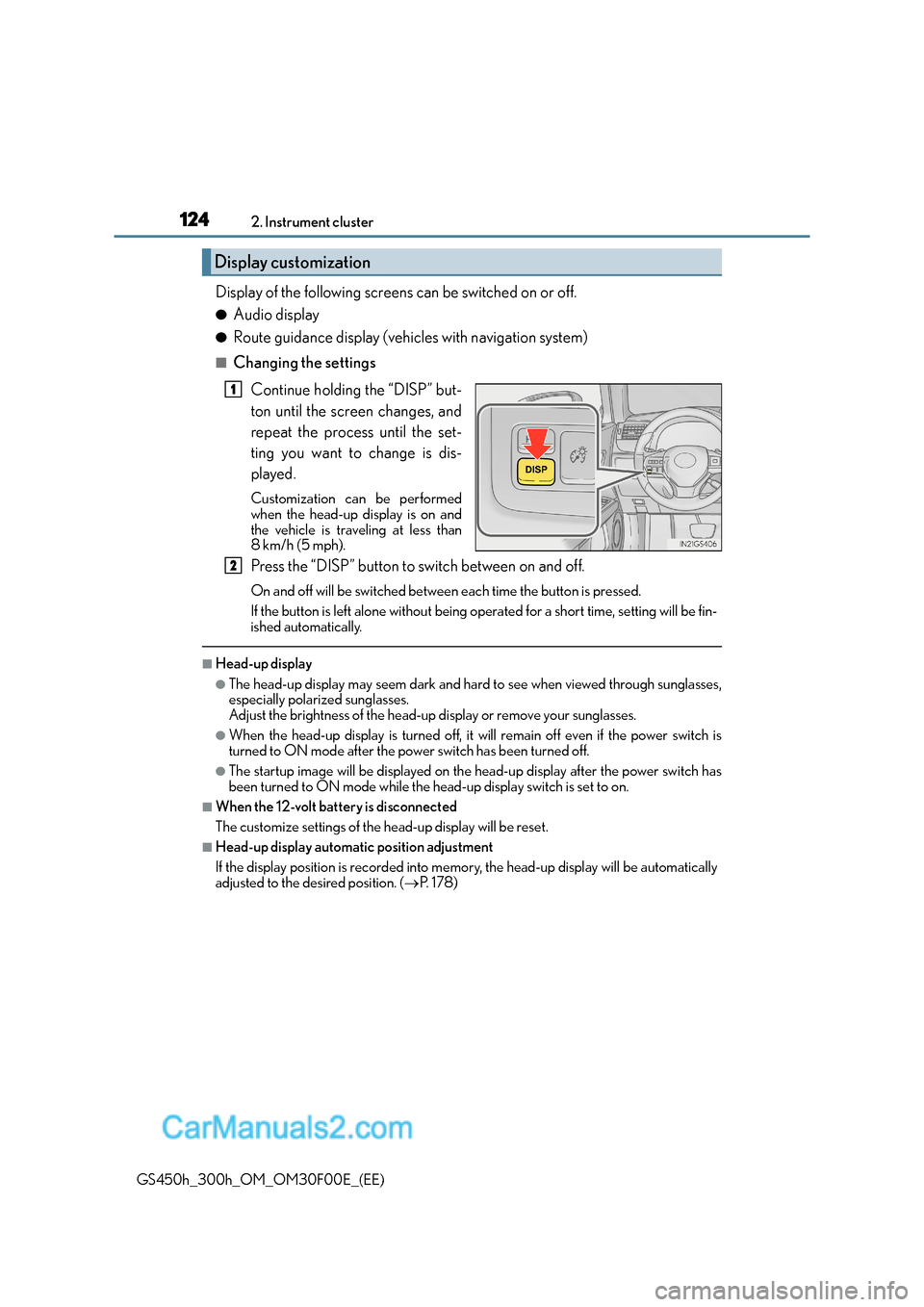
Display of the following screens can be switched on or off.
●Audio display
●Route guidance display (vehicles with navigation system)
■Changing the settingsContinue holding the “DISP” but-
ton until the screen changes, and
repeat the process until the set-
ting you want to change is dis-
played.
Customization can be performed
when the head-up display is on and
the vehicle is traveling at less than
8 km/h (5 mph).
Press the “DISP” button to switch between on and off.
On and off will be switched between each time the button is pressed.
If the button is left alone without being op erated for a short time, setting will be fin-
ished automatically.
■Head-up display
●The head-up display may seem dark and hard to see when viewed through sunglasses,
especially polarized sunglasses.
Adjust the brightness of the head-up display or remove your sunglasses.
●When the head-up display is turned off, it will remain off even if the power switch is
turned to ON mode after the power switch has been turned off.
●The startup image will be displayed on the head-up display after the power switch has
been turned to ON mode while the head-up display switch is set to on.
■When the 12-volt battery is disconnected
The customize settings of the head-up display will be reset.
■Head-up display automatic position adjustment
If the display position is recorded into me mory, the head-up display will be automatically
adjusted to the desired position. ( →P. 1 7 8 )
Display customization
1
2
Page 137 of 620
1373-1. Key information
3
Operation of each component
GS450h_300h_OM_OM30F00E_(EE)
NOTICE
■To prevent key damage
●Do not drop the keys, subject them to strong shocks or bend them.
●Do not expose the keys to high temperatures for long periods of time.
●Do not get the keys wet or wash them in an ultrasonic washer etc.
●Do not attach metallic or magnetic materials to the keys or place the keys close to
such materials.
●Do not disassemble the keys.
●Do not attach a sticker or anything else to the surface of the electronic key.
●Do not place the keys near objects that produce magnetic fields, such as TVs, audio
systems and induction cookers.
●Do not place the keys near medical electrical equipment such as low-frequency ther-
apy equipment or microwave therapy equipment, and do not receive medical atten-
tion with the keys on your person.
■Carrying the electronic key on your person
Carry the electronic key 10 cm (3.9 in.) or more away from electric appliances that are
turned on. Radio waves emitted from electric appliances within 10 cm (3.9 in.) of the
electronic key may interfere with the key, causing the key to not function properly.
■In case of a smart entry & start system malfunction or other key-related problems
Take your vehicle with all the electronic keys provided with your vehicle, including the
card key, to any authorized Lexus dealer or repairer, or another duly qualified and
equipped professional.
■When an electronic key is lost
If the electronic key remains lost, the risk of vehicle theft increases significantly. Visit
any authorized Lexus dealer or repairer, or another duly qualified and equipped pro-
fessional immediately with all remaining elec tronic keys and the card key that was pro-
vided with your vehicle.
Page 155 of 620
1553-2. Opening, closing and locking the doors and trunk
3
Operation of each component
GS450h_300h_OM_OM30F00E_(EE)
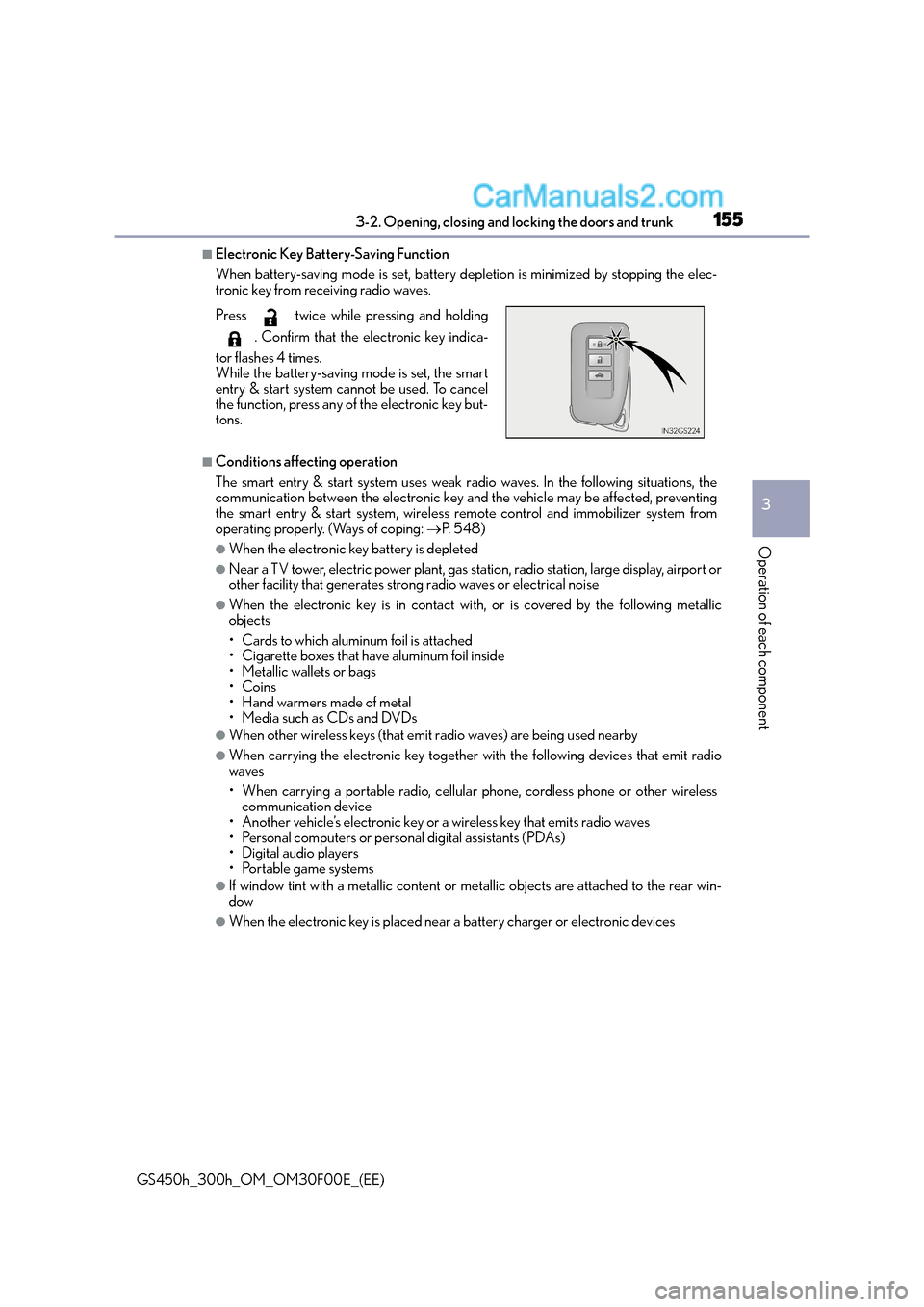
■Electronic Key Battery-Saving Function
When battery-saving mode is set, battery depletion is minimized by stopping the elec-
tronic key from receiving radio waves.
■Conditions affecting operation
The smart entry & start system uses weak radio waves. In the following situations, the
communication between the electronic key and the vehicle may be affected, preventing
the smart entry & start system, wireless remote control and immobilizer system from
operating properly. (Ways of coping: →P. 5 4 8 )
●When the electronic key battery is depleted
●Near a TV tower, electric power plant, gas station, radio station, large display, airport or
other facility that generates strong radio waves or electrical noise
●When the electronic key is in contact wi th, or is covered by the following metallic
objects
• Cards to which aluminum foil is attached
• Cigarette boxes that have aluminum foil inside
• Metallic wallets or bags
•Coins
• Hand warmers made of metal
• Media such as CDs and DVDs
●When other wireless keys (that emit radio waves) are being used nearby
●When carrying the electronic key together with the following devices that emit radio
waves
• When carrying a portable radio, cellular phone, cordless phone or other wireless communication device
• Another vehicle’s electronic key or a wireless key that emits radio waves
• Personal computers or personal digital assistants (PDAs)
• Digital audio players
• Portable game systems
●If window tint with a metallic content or me tallic objects are attached to the rear win-
dow
●When the electronic key is placed near a battery charger or electronic devices
Press twice while pressing and holding
. Confirm that the electronic key indica-
tor flashes 4 times.
While the battery-saving mode is set, the smart
entry & start system cannot be used. To cancel
the function, press any of the electronic key but-
tons.