setting home Lexus GS300h 2016 Navigation manual
[x] Cancel search | Manufacturer: LEXUS, Model Year: 2016, Model line: GS300h, Model: Lexus GS300h 2016Pages: 383, PDF Size: 46.51 MB
Page 8 of 383
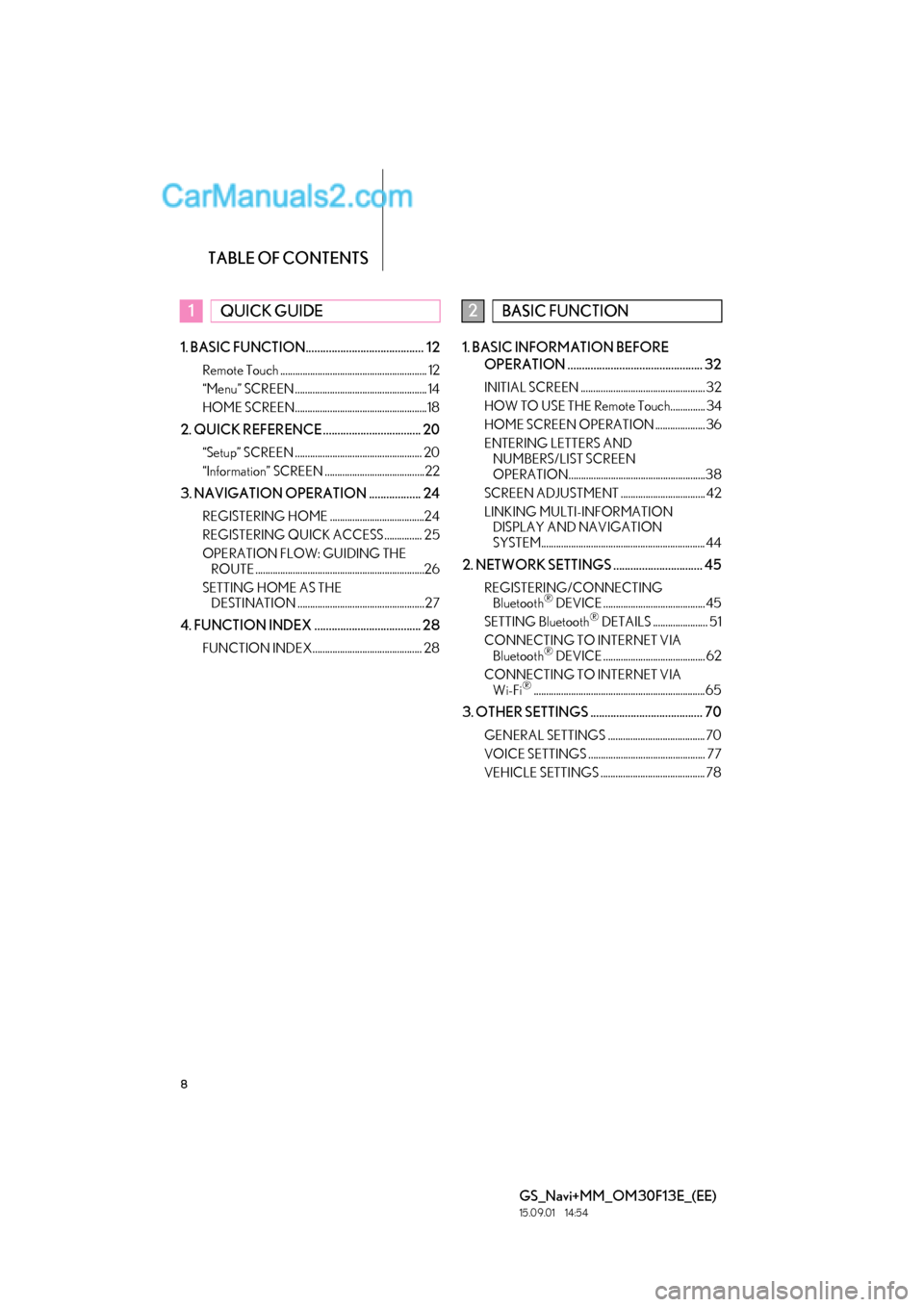
TABLE OF CONTENTS
8
GS_Navi+MM_OM30F13E_(EE)
15.09.01 14:54
1. BASIC FUNCTION......................................... 12
Remote Touch ........................................................... 12
“Menu” SCREEN ..................................................... 14
HOME SCREEN.....................................................18
2. QUICK REFERENCE .................................. 20
“Setup” SCREEN ................................................... 20
“Information” SCREEN ........................................22
3. NAVIGATION OPERATION .................. 24
REGISTERING HOME ......................................24
REGISTERING QUICK ACCESS ............... 25
OPERATION FLOW: GUIDING THE ROUTE ....................................................................26
SETTING HOME AS THE DESTINATION ................................................... 27
4. FUNCTION INDEX ..................................... 28
FUNCTION INDEX............................................ 28
1. BASIC INFORMATION BEFORE
OPERATION ............................................... 32
INITIAL SCREEN .................................................. 32
HOW TO USE THE Remote Touch.............. 34
HOME SCREEN OPERATION .................... 36
ENTERING LETTERS AND NUMBERS/LIST SCREEN
OPERATION.......................................................38
SCREEN ADJUSTMENT .................................. 42
LINKING MULTI-INFORMATION DISPLAY AND NAVIGATION
SYSTEM.................................................................. 44
2. NETWORK SETTINGS ............................... 45
REGISTERING/CONNECTING Bluetooth® DEVICE ......................................... 45
SETTING Bluetooth® DETAILS ...................... 51
CONNECTING TO INTERNET VIA Bluetooth
® DEVICE ......................................... 62
CONNECTING TO INTERNET VIA Wi-Fi
®..................................................................... 65
3. OTHER SETTINGS ....................................... 70
GENERAL SETTINGS ....................................... 70
VOICE SETTINGS ............................................... 77
VEHICLE SETTINGS .......................................... 78
1QUICK GUIDE2BASIC FUNCTION
Page 11 of 383

1
11
GS_Navi+MM_OM30F13E_(EE)
15.09.01 14:52
1
2
3
4
5 6
7
8 9
1. Remote Touch ................................................ 12
2. “Menu” SCREEN .......................................... 14
STATUS DISPLAY...................................................... 16
3. HOME SCREEN .......................................... 18
1. “Setup” SCREEN ......................................... 20
2. “Information” SCREEN.............................. 22
1. REGISTERING HOME............................. 24
2. REGISTERING QUICK ACCESS........ 25
3. OPERATION FLOW: GUIDING THE ROUTE ............................................... 26
4. SETTING HOME AS THE DESTINATION ......................................... 27
1. FUNCTION INDEX ...................................28
1BASIC FUNCTION
2QUICK REFERENCE
3NAVIGATION OPERATION
4FUNCTION INDEX
QUICK GUIDE
Page 18 of 383

18
1. BASIC FUNCTION
GS_Navi+MM_OM30F13E_(EE)
15.09.01 14:54
3. HOME SCREEN*
XThree-way split screen
To display this screen, press the “HOME” button on the Remote Touch.
The home screen can display multiple information screens, such as the audio system
screen and fuel consumption screen, simultaneously. When a screen is selected, the
selected screen is switched to a full screen display.
For details about setting the home screen: → P.36
*: With 8-inch display
Page 21 of 383
21
2. QUICK REFERENCE
QUICK GUIDE
GS_Navi+MM_OM30F13E_(EE)
15.09.01 14:54
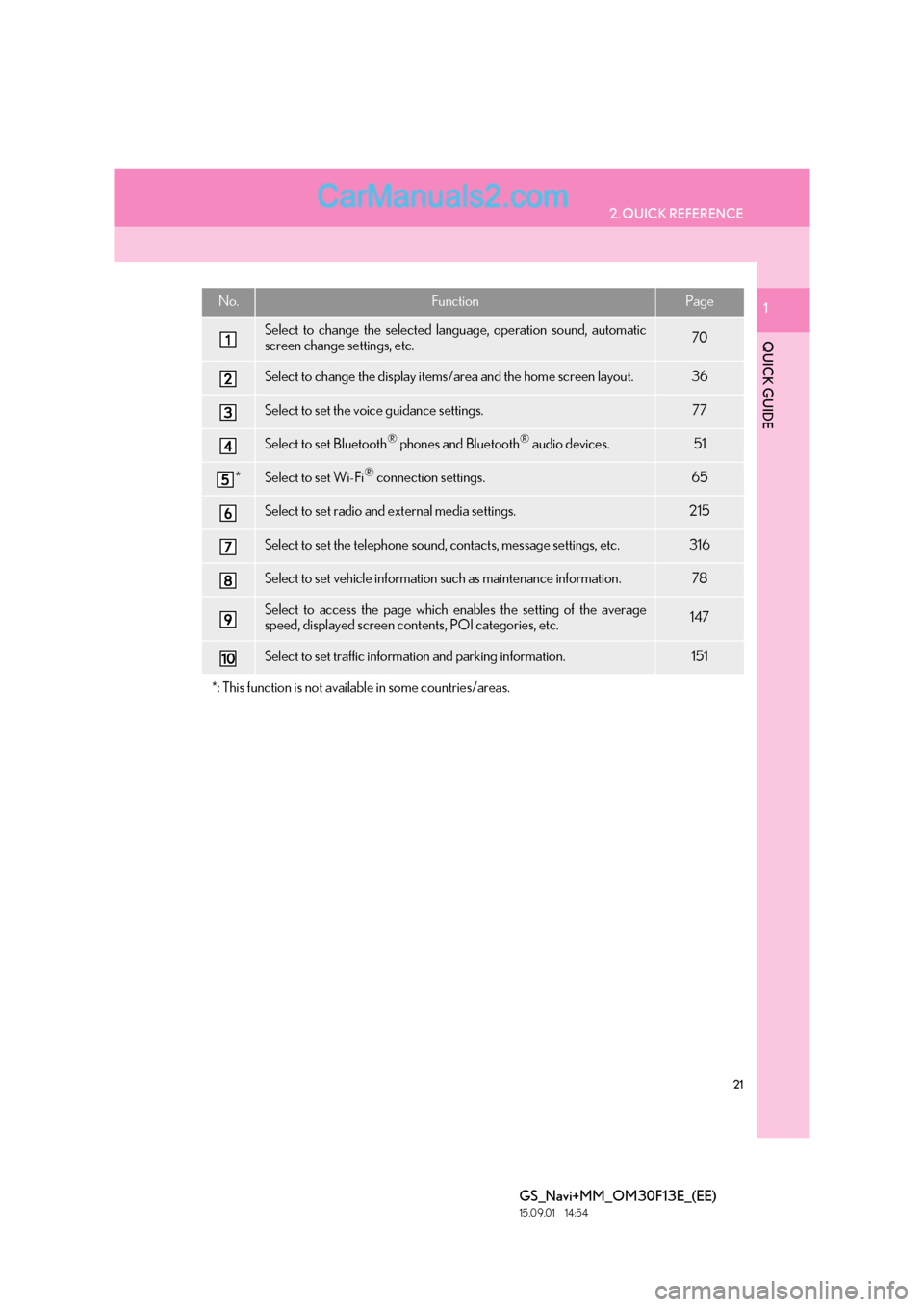
1No.FunctionPage
Select to change the selected language, operation sound, automatic
screen change settings, etc.70
Select to change the display items/area and the home screen layout.36
Select to set the voice guidance settings.77
Select to set Bluetooth® phones and Bluetooth® audio devices.51
*Select to set Wi-Fi® connection settings.65
Select to set radio and external media settings.215
Select to set the telephone sound, contacts, message settings, etc.316
Select to set vehicle information such as maintenance information.78
Select to access the page which enables the setting of the average
speed, displayed screen contents, POI categories, etc.147
Select to set traffic information and parking information.151
*: This function is not available in some countries/areas.
Page 24 of 383
24
GS_Navi+MM_OM30F13E_(EE)
15.09.01 14:54
3. NAVIGATION OPERATION
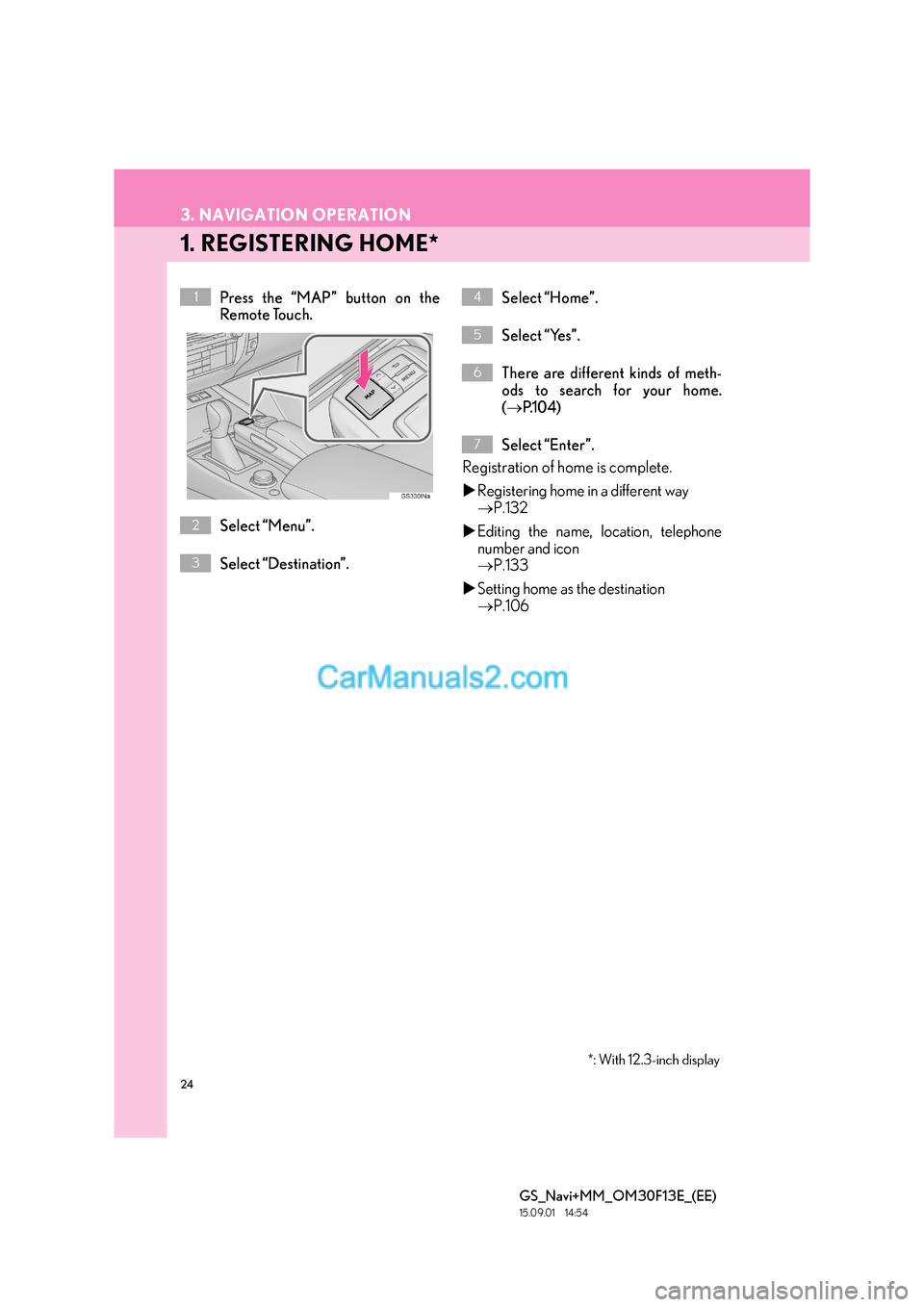
1. REGISTERING HOME*
Press the “MAP” button on the
Remote Touch.
Select “Menu”.
Select “Destination”.Select “Home”.
Select “Yes”.
There are different kinds of meth-
ods to search for your home.
(
→ P.1 0 4 )
Select “Enter”.
Registration of home is complete.
X Registering home in a different way
→ P.132
X Editing the name, location, telephone
number and icon
→ P.133
X Setting home as the destination
→ P.106
1
2
3
*: With 12.3-inch display
4
5
6
7
Page 27 of 383

27
3. NAVIGATION OPERATION
GS_Navi+MM_OM30F13E_(EE)
15.09.01 14:54
1
QUICK GUIDE
1
4. SETTING HOME AS THE DESTINATION*
Press the “MAP” button on the
Remote Touch.
Select “Menu”.
Select “Destination”.Select “Home”.
Select “Enter”.
Select “Start”.
Selecting routes other than the one recom-
mended ( →P.117)
Guidance to the destination is displayed
on the screen and can be heard via voice
guidance.
1
2
3
4
5
6
*: With 12.3-inch display
Page 84 of 383

84
GS_Navi+MM_OM30F13E_(EE)
15.09.01 14:52
1. DESTINATION SEARCH OPERATION .......................................... 104
SELECTING THE SEARCH AREA ................ 106
SETTING HOME AS DESTINATION........... 106
SETTING QUICK ACCESS AS
DESTINATION...................................................... 106
SEARCHING BY ADDRESS ............................. 107
SEARCHING BY POI*
2...................................... 109
SEARCHING BY MAP......................................... 109
SEARCHING BY MEMORY POINTS .......... 110
SEARCHING FROM PREVIOUS DESTINATIONS .................................................... 110
SEARCHING BY INTERSECTION .................. 111
SEARCHING BY MOTORWAY ENTRANCE/EXIT .................................................. 111
SEARCHING BY COORDINATES ............... 112
SEARCHING BY TELEPHONE NUMBER................................................................... 112
SEARCHING BY POI*
2 NEAR
CURSOR ................................................................... 113
SEARCHING BY UK/NL POSTAL CODE ......................................................................... 114
2. STARTING ROUTE GUIDANCE ........115
DESTINATION MAP SCREEN ......................... 116
ENTIRE ROUTE MAP SCREEN ........................ 117
1. ROUTE GUIDANCE SCREEN ............119
ROUTE GUIDANCE SCREEN......................... 119
DURING MOTORWAY DRIVING ............... 123
WHEN APPROACHING INTERSECTION ................................................... 124
TURN LIST SCREEN .............................................. 125
ARROW SCREEN .................................................. 125
2. TYPICAL VOICE GUIDANCE PROMPTS.................................................126
3. EDITING ROUTE ...................................... 127
ADDING DESTINATIONS ................................ 127
REORDERING DESTINATIONS.................... 127
DELETING DESTINATIONS............................. 128
SETTING SEARCH CONDITION ................. 128
DETOUR SETTING ................................................ 128
ROAD PREFERENCE ........................................... 129
ROUTE OVERVIEW............................................. 130
2DESTINATION SEARCH3ROUTE GUIDANCE
For vehicles sold outside Europe, some of the functions cannot be operated while driving.
*1: With 12.3-inch display
*2: Point of Interest
Page 85 of 383
85
GS_Navi+MM_OM30F13E_(EE)
15.09.01 14:52
1
2
3
4
5 6
7
8 9
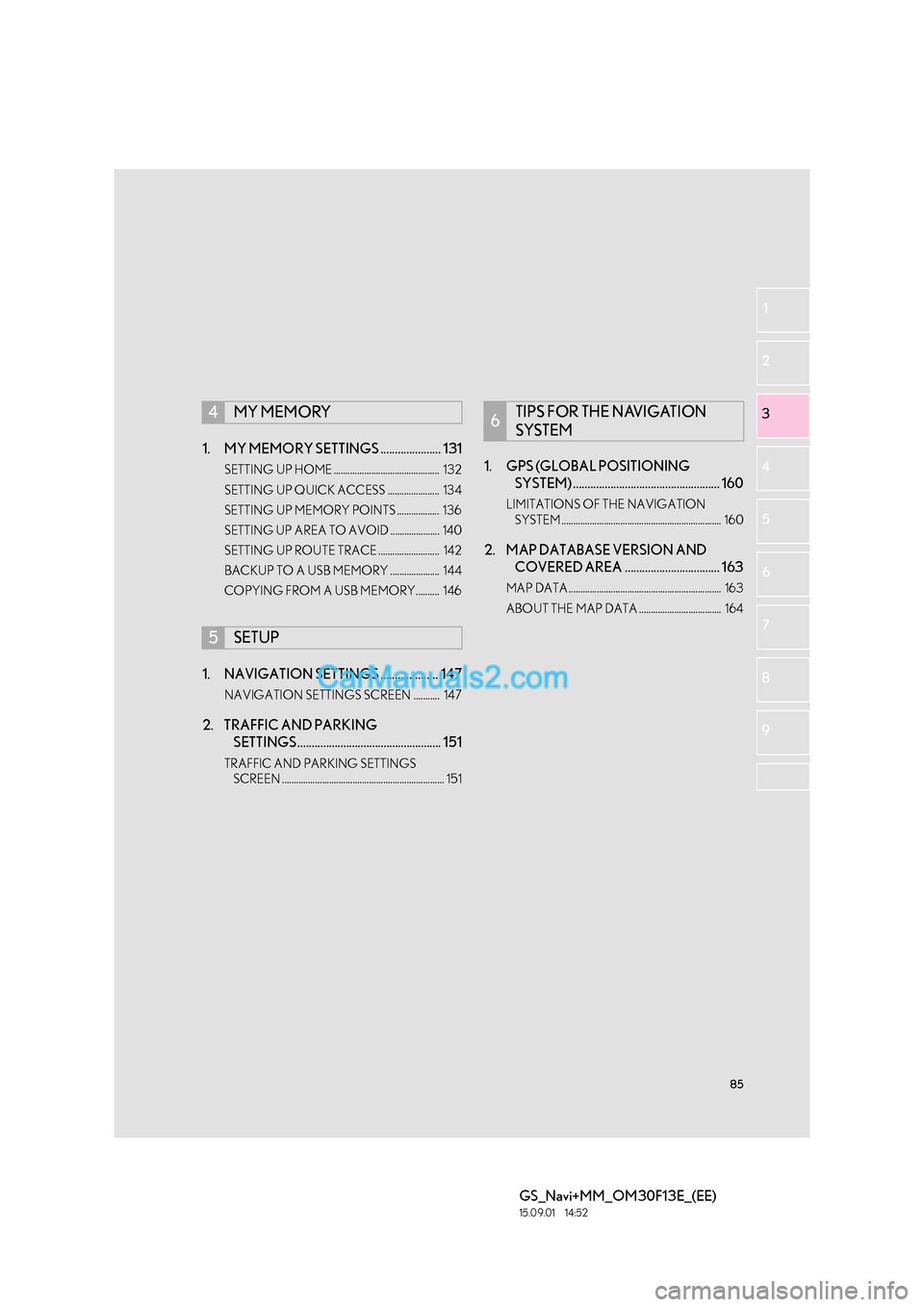
1. MY MEMORY SETTINGS ..................... 131
SETTING UP HOME ............................................. 132
SETTING UP QUICK ACCESS ...................... 134
SETTING UP MEMORY POINTS .................. 136
SETTING UP AREA TO AVOID ..................... 140
SETTING UP ROUTE TRACE .......................... 142
BACKUP TO A USB MEMORY ..................... 144
COPYING FROM A USB MEMORY.......... 146
1. NAVIGATION SETTINGS .................... 147
NAVIGATION SETTINGS SCREEN ........... 147
2. TRAFFIC AND PARKING SETTINGS.................................................. 151
TRAFFIC AND PARKING SETTINGS
SCREEN ..................................................................... 151
1. GPS (GLOBAL POSITIONING SYSTEM) ................................................... 160
LIMITATIONS OF THE NAVIGATION
SYSTEM .................................................................... 160
2. MAP DATABASE VERSION AND COVERED AREA ................................. 163
MAP DATA ................................................................. 163
ABOUT THE MAP DATA ................................... 164
4MY MEMORY
5SETUP
6TIPS FOR THE NAVIGATION
SYSTEM
Page 106 of 383

106
2. DESTINATION SEARCH
GS_Navi+MM_OM30F13E_(EE)
15.09.01 14:54
1Display the “Destination” screen.
(→ P.104)
2Select the search area button.
3Enter the search area name and select
“OK” .
4Select the desired search area.
1Display the “Destination” screen.
(→ P.104)
2Select “Home” .
1Display the “Destination” screen.
(→ P.104)
2Select any of the quick access screen
buttons ( 1-5 ).
SELECTING THE SEARCH
AREA
INFORMATION
●
Included countries may be different by
map version or sales countries.
●For map database information and
updates: →P.1 6 3
SETTING HOME AS
DESTINATION
To use this function, it is necessary to
register a home address. ( →P.132)
SETTING QUICK ACCESS AS
DESTINATION
To use this function, it is necessary to
register quick access to the quick ac-
cess screen buttons ( 1-5 ). ( → P.134)
Page 131 of 383
131
GS_Navi+MM_OM30F13E_(EE)
15.09.01 14:54
NAVIGATION SYSTEM
3
4. MY MEMORY
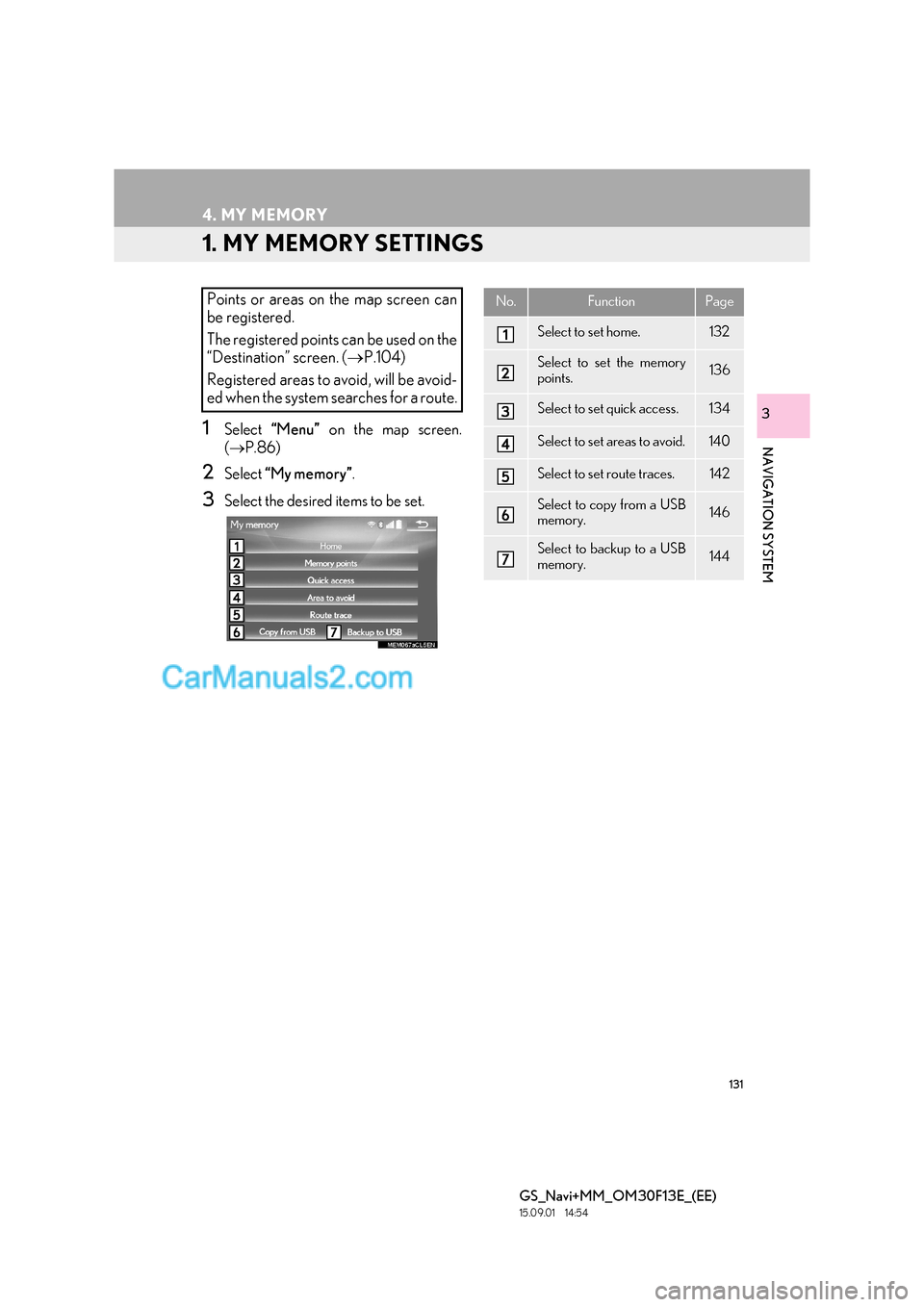
1. MY MEMORY SETTINGS
1Select “Menu” on the map screen.
( → P.86)
2Select “My memory” .
3Select the desired items to be set.
Points or areas on the map screen can
be registered.
The registered points can be used on the
“Destination” screen. ( →P.104)
Registered areas to avoid, will be avoid-
ed when the system searches for a route.No.FunctionPage
Select to set home.132
Select to set the memory
points.136
Select to set quick access.134
Select to set areas to avoid.140
Select to set route traces.142
Select to copy from a USB
memory.146
Select to backup to a USB
memory.144