customizable features Lexus GS300h 2016 User Guide
[x] Cancel search | Manufacturer: LEXUS, Model Year: 2016, Model line: GS300h, Model: Lexus GS300h 2016Pages: 620
Page 194 of 620
1943-5. Opening, closing the windows and moon roof
GS450h_300h_OM_OM30F00E_(EE)
■When the window cannot be opened or closed
When the jam protection function or catch protection function operates unusually and
the door window cannot be opened or closed , perform the following operations with the
power window switch of that door.
●Stop the vehicle. With the power switch in ON mode, within 4 seconds of the jam pro-
tection function or catch protection func tion activating, continuously operate the
power window switch in the one-touch clos ing direction or one-touch opening direc-
tion so that the door window can be opened and closed.
●If the door window cannot be opened and closed even when performing the above
operations, perform the following pr ocedure for function initialization.
Turn the power switch to ON mode.
Pull and hold the power window switch in the one-touch closing direction and com-
pletely close the door window.
Release the power window switch for a moment, resume pulling the switch in the
one-touch closing direction, and hold it there for approximately 6 seconds or more.
Press and hold the power window switch in the one-touch opening direction. After
the door window is completely opened, cont inue holding the switch for an additional
1 second or more.
Release the power window switch for a mo ment, resume pushing the switch in the
one-touch opening direction, and hold it there for approximately 4 seconds or
more.
Pull and hold the power window switch in the one-touch closing direction again.
After the door window is completely clos ed, continue holding the switch for a fur-
ther 1 second or more.
If you release the switch while the window is moving, start again from the beginning.
If the window reverse and cannot be fully closed or opened, have the vehicle inspected
by any authorized Lexus dealer or repairer, or another duly qualified and equipped pro-
fessional.
■Door lock linked window operation
●The power windows can be opened and closed using the mechanical key.* ( → P. 5 4 8 )
●The power windows can be opened and closed using the wireless remote control.*(→ P. 1 3 9 )
*: These settings must be customized at any authorized Lexus dealer or repairer, or
another duly qualified and equipped professional.
■When the 12-volt battery is disconnected
The window lock switch is disabled. If nece ssary, press the window lock switch after
reconnecting the 12-volt battery.
■Power windows open warning buzzer
The buzzer sounds and a message is shown on the multi-information display in the instru-
ment cluster when the power switch is turned off and the driver’s door is opened with the
power windows open.
■Customization
Settings (e.g. linked door lock operation) can be changed.
(Customizable features: →P. 5 8 1 )
1
2
3
4
5
6
Page 198 of 620
1983-5. Opening, closing the windows and moon roof
GS450h_300h_OM_OM30F00E_(EE)
■Moon roof open warning buzzer
The buzzer sounds and a message is shown on the multi-information display in the instru-
ment cluster when the power switch is turned off and the driver’s door is opened with the
moon roof open.
■Customization
Settings (e.g. linked door lock operation) can be changed.
(Customizable features: →P. 5 8 1 )
WA R N I N G
Observe the following precautions.
Failure to do so may cause death or serious injury.
■Opening the moon roof
●Do not allow any passengers to put their hands or heads outside the vehicle while it is
moving.
●Do not sit on top of the moon roof.
■Closing the moon roof
●The driver is responsible for moon roof opening and closing operations.
In order to prevent accidental operation, especially by a child, do not let a child oper-
ate the moon roof. It is possible for children and other passengers to have body parts
caught in the moon roof.
●Check to make sure that all passengers do not have any part of their body in a posi-
tion where it could be caught when the moon roof is being operated.
●When using the wireless remote control or mechanical key and operating the moon
roof, operate the moon roof after checking to make sure that there is no possibility of
any passenger having any of their body parts caught in the moon roof. Also, do not let
a child operate moon roof by the wireless remote control or mechanical key. It is pos-
sible for children and other passengers to get caught in the moon roof.
●When exiting the vehicle, turn the power switch off, carry the key and exit the vehicle
along with the child. There may be accidental operation, due to mischief, etc., that
may possibly lead to an accident.
■Jam protection function
●Never use any part of your body to intent ionally activate the jam protection function.
●The jam protection function may not work if something gets caught just before the
moon roof fully closes.
Page 239 of 620
2394-3. Operating the lights and wipers
4
Driving
GS450h_300h_OM_OM30F00E_(EE)
■Daytime running light system
To make your vehicle more visible to other drivers during daytime driving, the daytime
running lights turn on automatically whenever the hybrid system is started and the park-
ing brake is released with the headlight switch is in the “AUTO” position. (Illuminate
brighter than the front position lights.)
Daytime running lights are not designed for use at night.
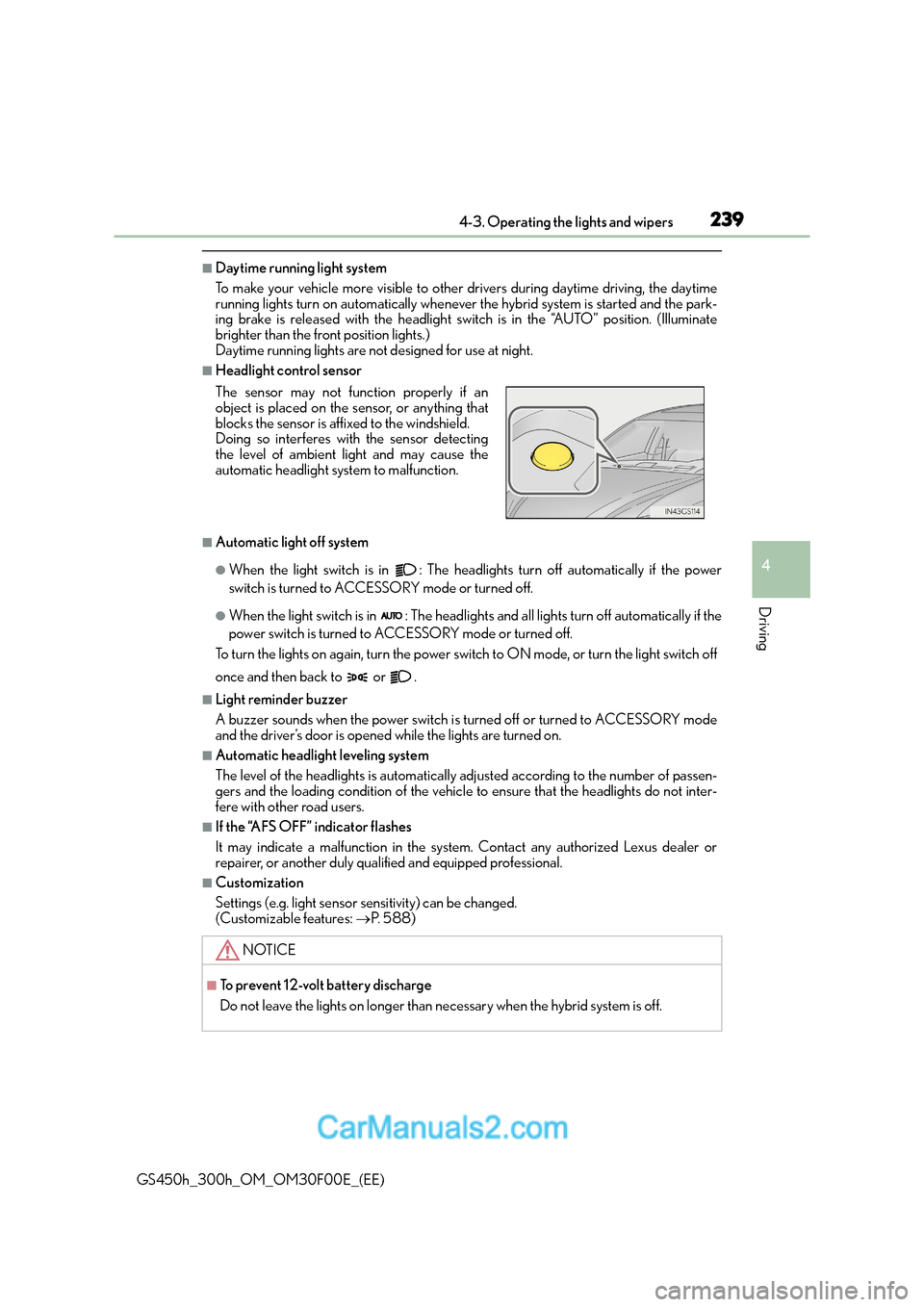
■Headlight control sensor
■Automatic light off system
●When the light switch is in : The headlights turn off automatically if the power
switch is turned to ACCESSORY mode or turned off.
●When the light switch is in : The headlights and all lights turn off automatically if the
power switch is turned to ACCESSORY mode or turned off.
To turn the lights on again, turn the power swit ch to ON mode, or turn the light switch off
once and then back to or .
■Light reminder buzzer
A buzzer sounds when the power switch is turned off or turned to ACCESSORY mode
and the driver’s door is opened while the lights are turned on.
■Automatic headlight leveling system
The level of the headlights is automatically adjusted according to the number of passen-
gers and the loading condition of the vehicle to ensure that the headlights do not inter-
fere with other road users.
■If the “AFS OFF” indicator flashes
It may indicate a malfunction in the system. Contact any authorized Lexus dealer or
repairer, or another duly qualified and equipped professional.
■Customization
Settings (e.g. light sensor se nsitivity) can be changed.
(Customizable features: →P. 5 8 8 )
The sensor may not function properly if an
object is placed on the sensor, or anything that
blocks the sensor is affixed to the windshield.
Doing so interferes with the sensor detecting
the level of ambient light and may cause the
automatic headlight system to malfunction.
NOTICE
■To prevent 12-volt battery discharge
Do not leave the lights on longer than necessary when the hybrid system is off.
Page 376 of 620
3765-2. Using the air conditioning system and defogger
GS450h_300h_OM_OM30F00E_(EE)
■nanoe *1 system (if equipped)
Your vehicle incorporates a nanoe device, which is considered a biocidal product. The
nanoe device generates charged water particles from the ambient air and these purify
the air in the cabin by suppressing bacteria.
The nanoe device is considered a biocidal produc t in the EU according to the interpre-
tation of Regulation (EU) No 528/2012.
Active substances: Charged water particles (nano) containing hydroxyl radicals, gener-
ated from ambient air
nanoe helps to provide purified air by emitting electrically charged water particles
through the front center vent on the driver’s side
*2.
●When the fan is turned on an d “nanoe” on the option control screen is selected, the
nanoe system is activated.
●When the fan is operated in the following conditions, system performance will be maxi-
mized. If the following conditions are not met, performance will be limited.
• The , or air outlets are being used.
• The front center vent on driver’s side is open.
●When nanoe is generated, a small amount of ozone is emitted and may be faintly
smelled in some situations. However, this is approximately the same as the amount that
already exists in nature, such as in forests, and it has no affect on the human body.
●A slight noise may be heard during op eration. This is not a malfunction.
*1:nanoe and the nanoe mark are trademarks of Panasonic Corporation.
*2: According to temperature and humidity conditions, fan speed and direction of the
air flow, the nanoe system may not operate at full capacity.
■Air conditioning filter
→ P. 4 4 9
■Customization
Settings (e.g. exhaust gas sensor sensitivity) can be changed.
(Customizable features: →P. 5 8 1 )
Page 385 of 620
3855-2. Using the air conditioning system and defogger
5
Interior features
GS450h_300h_OM_OM30F00E_(EE)
■Automatic operation during S-FLOW mode
The front seat heater and ventilator or the rear seat heater may automatically turn off
when S-FLOW mode is turned on during automatic mode. (→P. 3 6 7 )
■Button lock function (vehicles with rear control panel)
To prevent inadvertent operation, some buttons on the rear armrest can be locked.
(→ P. 3 8 0 )
■When the switch is disabled (v ehicles with rear control panel)
When the rear control panel switch cannot be operated even though the button lock
function is released, check whether the switch is disabled due to selecting on
Remote Touch screen. ( →P. 3 7 3 )
■Rear control panel illumination off function (vehicles with rear control panel)
Control panel illumination on the re ar armrest can be turned off. (→P. 3 8 0 )
■Customization
The automatic operation of the front seat heaters (without seat ventilators) and the auto-
matic mode settings for the front seat heaters and ventilators or the rear seat heaters can
be changed. (Customizable features: →P. 5 9 2 )
Page 388 of 620
3885-3. Using the interior lights
GS450h_300h_OM_OM30F00E_(EE)
●Illuminated entry system: The lights automatically turn on/off according to power switch
mode, the presence of the electronic key, whether the doors are locked/unlocked, and
whether the doors are opened/closed.
●If the interior lights remain on when the power switch is turned off, the lights will go off
automatically after 20 minutes.
●Setting (e.g. the time elapsed before lights turn off) can be changed.
(Customizable features: →P. 5 8 1 )
NOTICE
To prevent 12-volt battery discharge, do not leave the lights on longer than necessary
when the hybrid system is off.
Page 401 of 620
4015-5. Using the other interior features
5
Interior features
GS450h_300h_OM_OM30F00E_(EE)
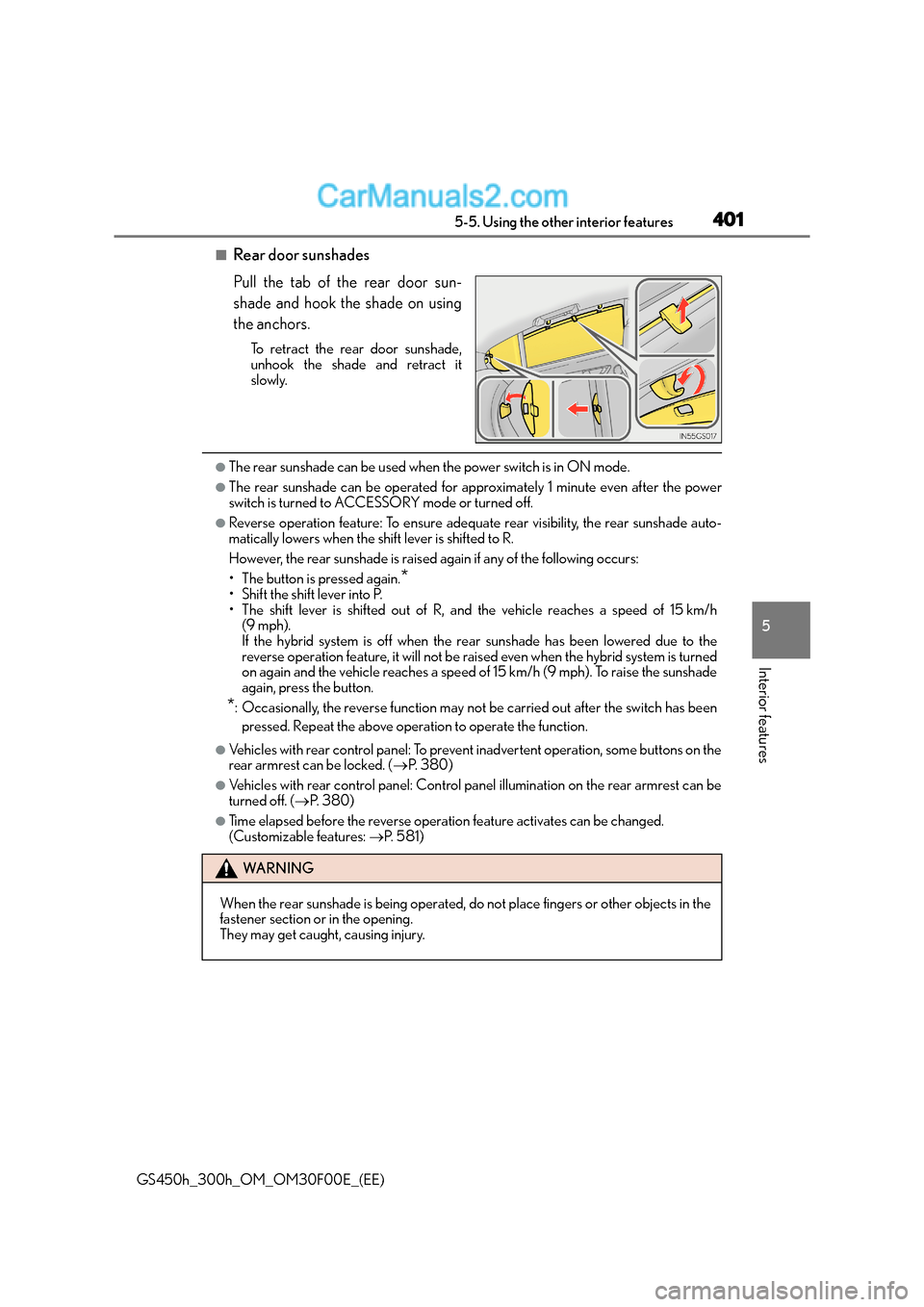
■Rear door sunshades
Pull the tab of the rear door sun-
shade and hook the shade on using
the anchors.
To retract the rear door sunshade,
unhook the shade and retract it
slowly.
●The rear sunshade can be used when the power switch is in ON mode.
●The rear sunshade can be operated for approximately 1 minute even after the power
switch is turned to ACCESSORY mode or turned off.
●Reverse operation feature: To ensure adequate rear visibility, the rear sunshade auto-
matically lowers when the shift lever is shifted to R.
However, the rear sunshade is raised again if any of the following occurs:
• The button is pressed again.
*• Shift the shift lever into P.
• The shift lever is shifted out of R, and the vehicle reaches a speed of 15 km/h
(9 mph).
If the hybrid system is off when the rear sunshade has been lowered due to the
reverse operation feature, it will not be rais ed even when the hybrid system is turned
on again and the vehicle reaches a speed of 15 km/h (9 mph). To raise the sunshade
again, press the button.
*: Occasionally, the reverse function may not be carried out after the switch has been
pressed. Repeat the above operation to operate the function.
●Vehicles with rear control panel: To prevent inadvertent operation, some buttons on the
rear armrest can be locked. ( →P. 3 8 0 )
●Vehicles with rear control panel: Control panel illumination on the rear armrest can be
turned off. ( →P. 3 8 0 )
●Time elapsed before the reverse operation feature activates can be changed.
(Customizable features: →P. 5 8 1 )
WA R N I N G
When the rear sunshade is being operated, do not place fingers or other objects in the
fastener section or in the opening.
They may get caught, causing injury.
Page 549 of 620
5497-2. Steps to take in an emergency
7
When trouble arises
GS450h_300h_OM_OM30F00E_(EE)
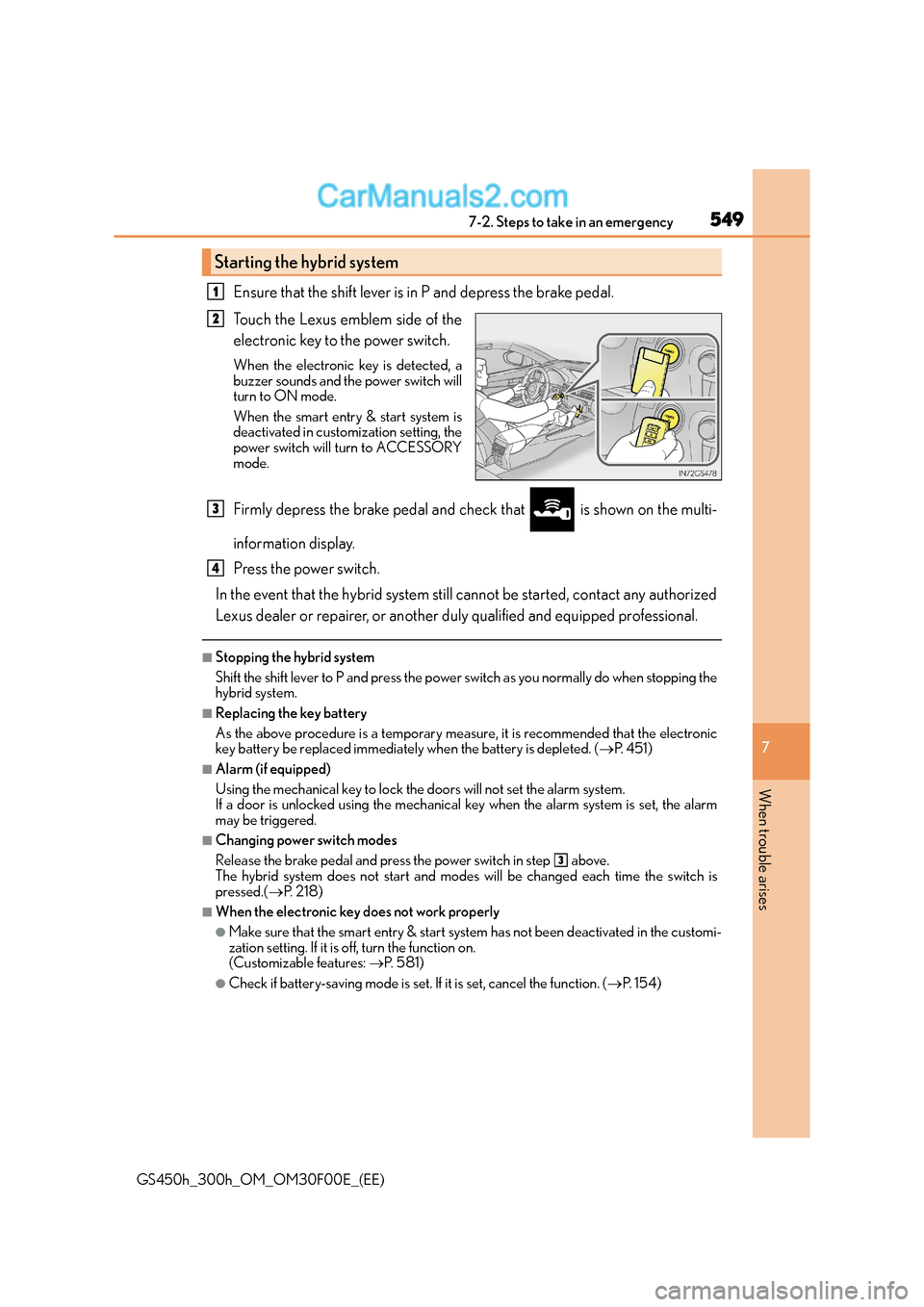
Ensure that the shift lever is in P and depress the brake pedal.
Touch the Lexus emblem side of the
electronic key to the power switch.
When the electronic key is detected, a
buzzer sounds and the power switch will
turn to ON mode.
When the smart entry & start system is
deactivated in customization setting, the
power switch will turn to ACCESSORY
mode.
Firmly depress the brake pedal and check that is shown on the multi-
information display.
Press the power switch.
In the event that the hybrid system still cannot be started, contact any authorized
Lexus dealer or repairer, or another duly qualified and equipped professional.
■Stopping the hybrid system
Shift the shift lever to P and press the power sw itch as you normally do when stopping the
hybrid system.
■Replacing the key battery
As the above procedure is a temporary measure, it is recommended that the electronic
key battery be replaced immediately when the battery is depleted. ( →P. 4 5 1 )
■Alarm (if equipped)
Using the mechanical key to lock the doors will not set the alarm system.
If a door is unlocked using the mechanical key when the alarm system is set, the alarm
may be triggered.
■Changing power switch modes
Release the brake pedal and press the power switch in step above.
The hybrid system does not start and modes will be changed each time the switch is
pressed.( →P. 2 1 8 )
■When the electronic key does not work properly
●Make sure that the smart entry & start syst em has not been deactivated in the customi-
zation setting. If it is off, turn the function on.
(Customizable features: →P. 5 8 1 )
●Check if battery-saving mode is set. If it is set, cancel the function. (→P. 1 5 4 )
Starting the hybrid system
1
2
3
4
3
Page 565 of 620
565
8Vehicle specifications
GS450h_300h_OM_OM30F00E_(EE)
8-1. SpecificationsMaintenance data (fuel, oil level, etc.) .................. 566
Fuel information.......................... 579
8-2. Customization Customizable features ............. 581
8-3. Initialization Item to initialize ........................... 596
Page 581 of 620
581
8
8-2. Customization
Vehicle specifications
GS450h_300h_OM_OM30F00E_(EE)
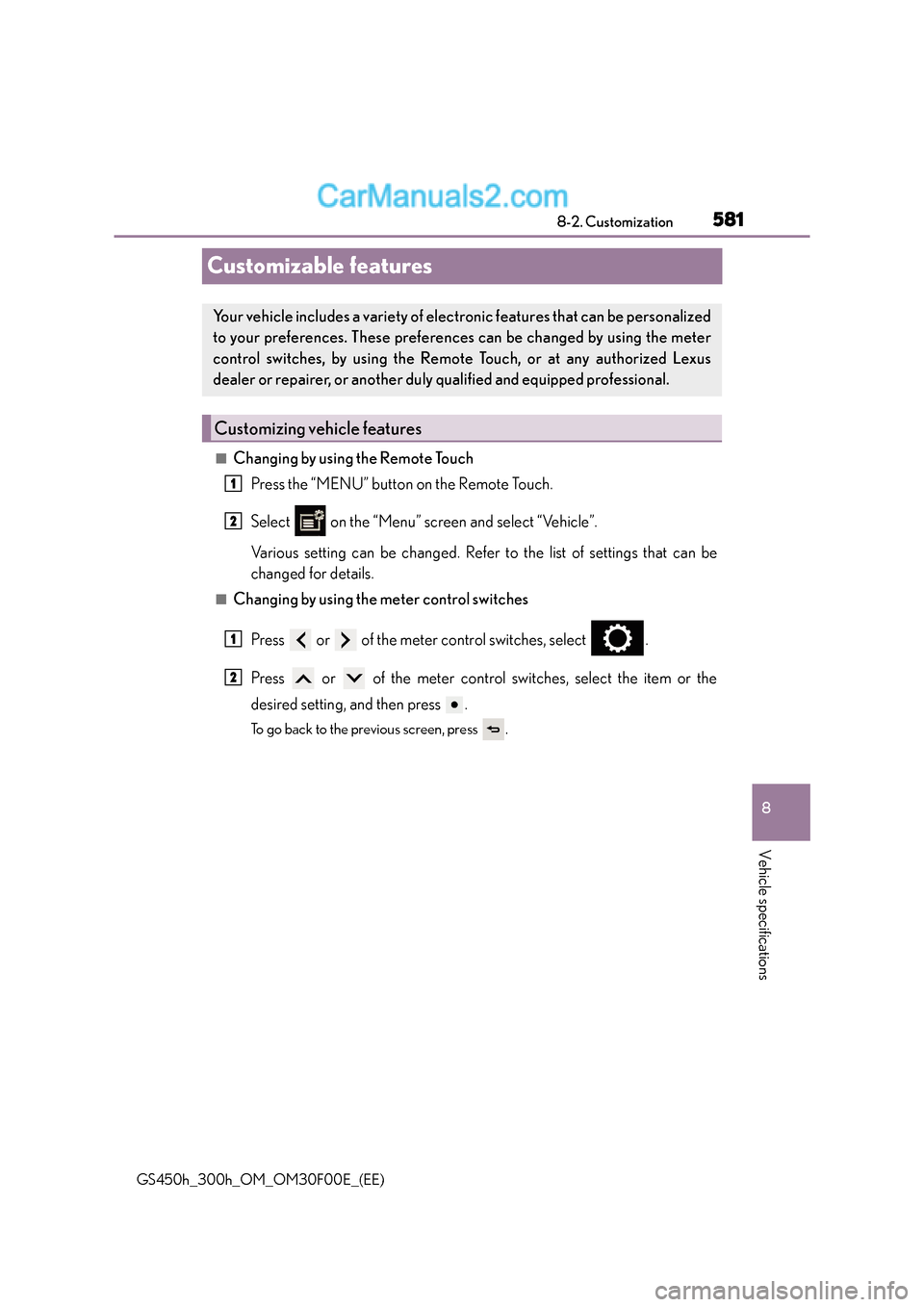
Customizable features
■Changing by using the Remote Touch
Press the “MENU” button on the Remote Touch.
Select on the “Menu” screen and select “Vehicle”.
Various setting can be changed. Refer to the list of settings that can be
changed for details.
■Changing by using the meter control switches
Press or of the meter control switches, select .
Press or of the meter control switches, select the item or the
desired setting, and then press .
To go back to the previous screen, press .
Your vehicle includes a variety of electr onic features that can be personalized
to your preferences. These preferences can be changed by using the meter
control switches, by using the Remote Touch, or at any authorized Lexus
dealer or repairer, or another duly qualified and equipped professional.
Customizing vehicle features
1
2
1
2