customizable features Lexus GS300h 2016 Owner's Manual
[x] Cancel search | Manufacturer: LEXUS, Model Year: 2016, Model line: GS300h, Model: Lexus GS300h 2016Pages: 620
Page 1 of 620
GS450h_300h_OM_OM30F00E_(EE)
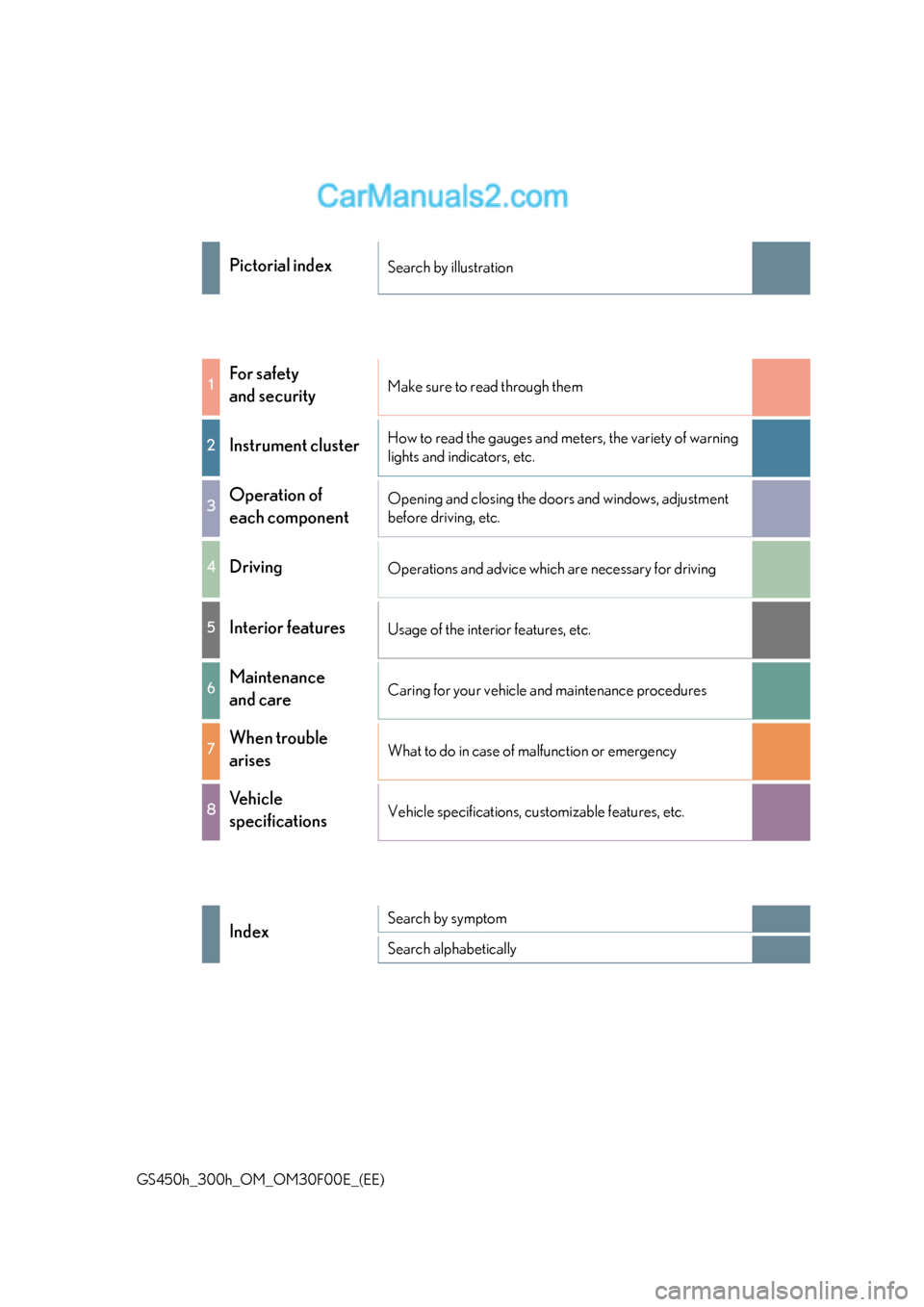
Pictorial indexSearch by illustration
1For safety
and securityMake sure to read through them
2Instrument clusterHow to read the gauges and meters, the variety of warning
lights and indicators, etc.
3Operation of
each componentOpening and closing the doors and windows, adjustment
before driving, etc.
4DrivingOperations and advice which are necessary for driving
5Interior featuresUsage of the interior features, etc.
6Maintenance
and careCaring for your vehicle and maintenance procedures
7When trouble
arisesWhat to do in case of malfunction or emergency
8Vehicle
specificationsVehicle specifications, customizable features, etc.
IndexSearch by symptom
Search alphabetically
Page 6 of 620
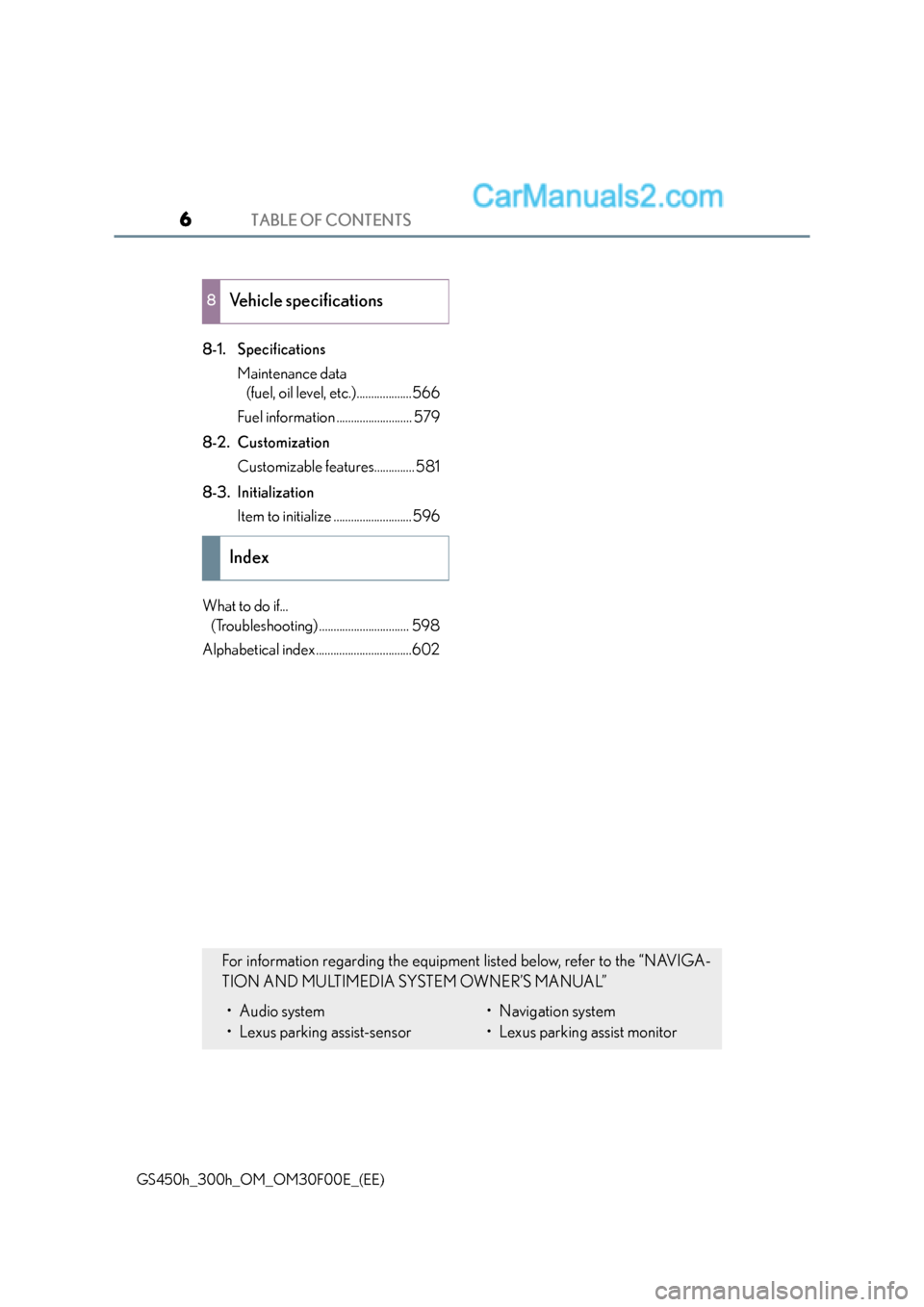
TABLE OF CONTENTS6
GS450h_300h_OM_OM30F00E_(EE)
8-1. SpecificationsMaintenance data (fuel, oil level, etc.)...................566
Fuel information .......................... 579
8-2. Customization Customizable features.............. 581
8-3. Initialization Item to initialize ...........................596
What to do if... (Troubleshooting) ............................... 598
Alphabetical index .................................602
8Vehicle specifications
Index
For information regarding the equipment listed below, refer to the “NAVIGA-
TION AND MULTIMEDIA SYSTEM OWNER’S MANUAL”
• Audio system
• Lexus parking assist-sensor• Navigation system
• Lexus parking assist monitor
Page 78 of 620
781-2. Hybrid system
GS450h_300h_OM_OM30F00E_(EE)
■Maintenance, repair, recycling, and disposal
Contact any authorized Lexus dealer or repairer, or another duly qualified and equipped
professional regarding maintenance, repair, re cycling and disposal. Do not dispose of the
vehicle yourself.
■Customization
Settings (e.g. on/off operation of the EV indicator) can be changed.
(Customizable features: →P. 5 8 1 )
Page 92 of 620
921-3. Theft deterrent system
GS450h_300h_OM_OM30F00E_(EE)
■Triggering of the alarm
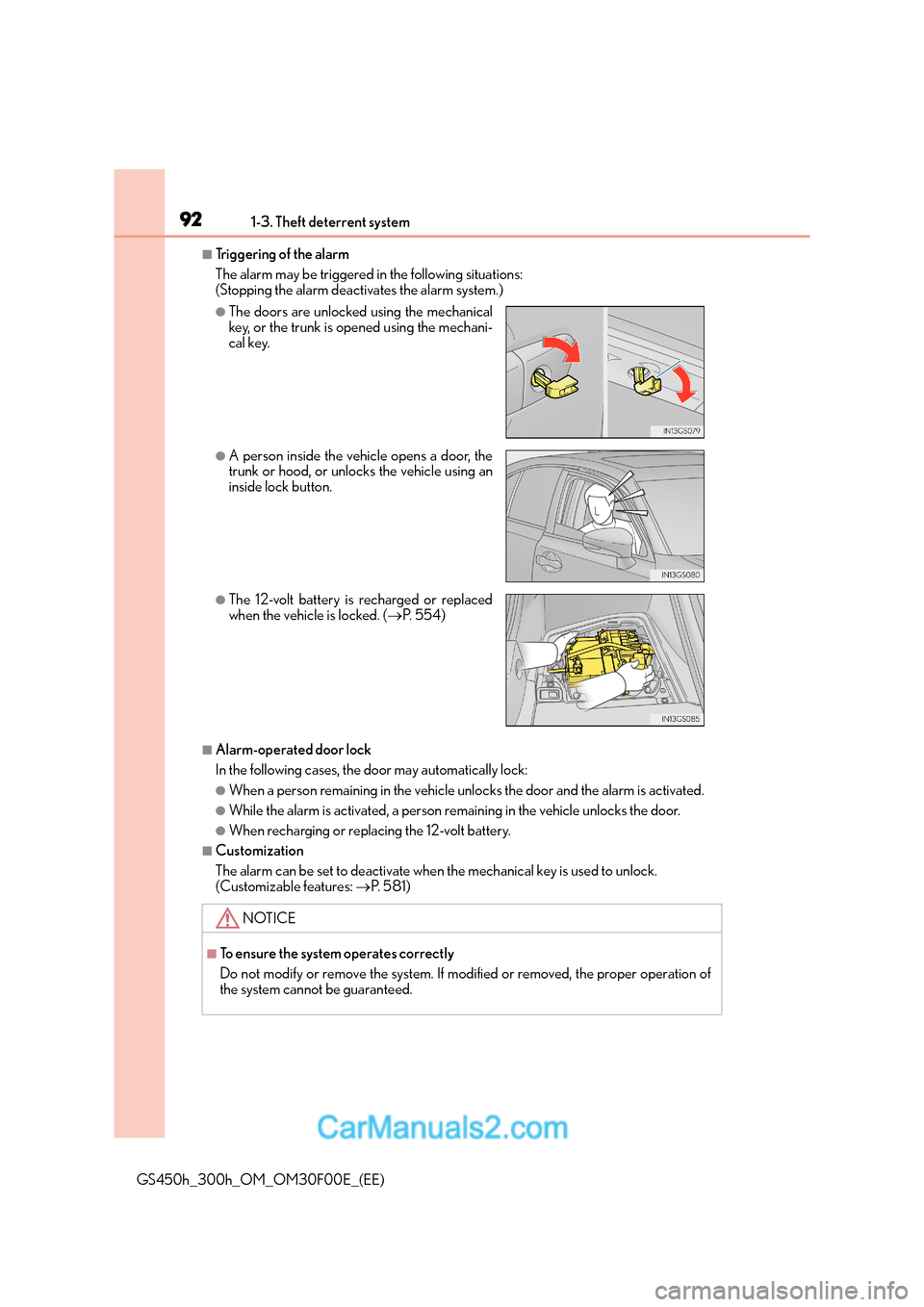
The alarm may be triggered in the following situations:
(Stopping the alarm deactivates the alarm system.)
■Alarm-operated door lock
In the following cases, the door may automatically lock:
●When a person remaining in the vehicle unlocks the door and the alarm is activated.
●While the alarm is activated, a person remaining in the vehicle unlocks the door.
●When recharging or replacing the 12-volt battery.
■Customization
The alarm can be set to deactivate when the mechanical key is used to unlock.
(Customizable features: →P. 5 8 1 )
●The doors are unlocked using the mechanical
key, or the trunk is opened using the mechani-
cal key.
●A person inside the vehicle opens a door, the
trunk or hood, or unlocks the vehicle using an
inside lock button.
●The 12-volt battery is recharged or replaced
when the vehicle is locked. ( →P. 5 5 4 )
NOTICE
■To ensure the system operates correctly
Do not modify or remove the system. If modified or removed, the proper operation of
the system cannot be guaranteed.
Page 109 of 620
1092. Instrument cluster
2
Instrument cluster
GS450h_300h_OM_OM30F00E_(EE)
■Tachometer
Hybrid System Indicator switches to the tachometer when driving mode is in sport mode.
The settings of the tachometer display can be changed on the multi-information display.
( → P. 111)
■Engine speed
On hybrid vehicles, engine speed is precis ely controlled in order to help improve fuel
efficiency and reduce exhaust emissions etc.
There are times when the engine speed that is displayed may differ even when vehicle
operation and driving co nditions are the same.
■Outside temperature display
●In the following situations, the correct outside temperature may not be displayed, or the
display may take longer than normal to change.
• When stopped, or driving at low speeds (less than 20 km/h [12 mph])
• When the outside temperature has changed suddenly (at the entrance/exit of a
garage, tunnel, etc.)
• When the vehicle is parked in direct sunlight
●When “--” or “E” is displayed, the system may be malfunctioning.
Take your vehicle to any authorized Lexus de aler or repairer, or another duly qualified
and equipped professional.
■Po p - u p d i s p l a y
In some situations, a pop-up display will be temporarily displayed on the multi-informa-
tion display or the odometer/trip meter/ maintenance required information screen.
The pop-up display function can be set on/off. ( →P. 5 8 3 )
■Liquid crystal display
Small spots or light spots may appear on the display. This phenomenon is characteristic
of liquid crystal displays, and there is no problem continuing to use the display.
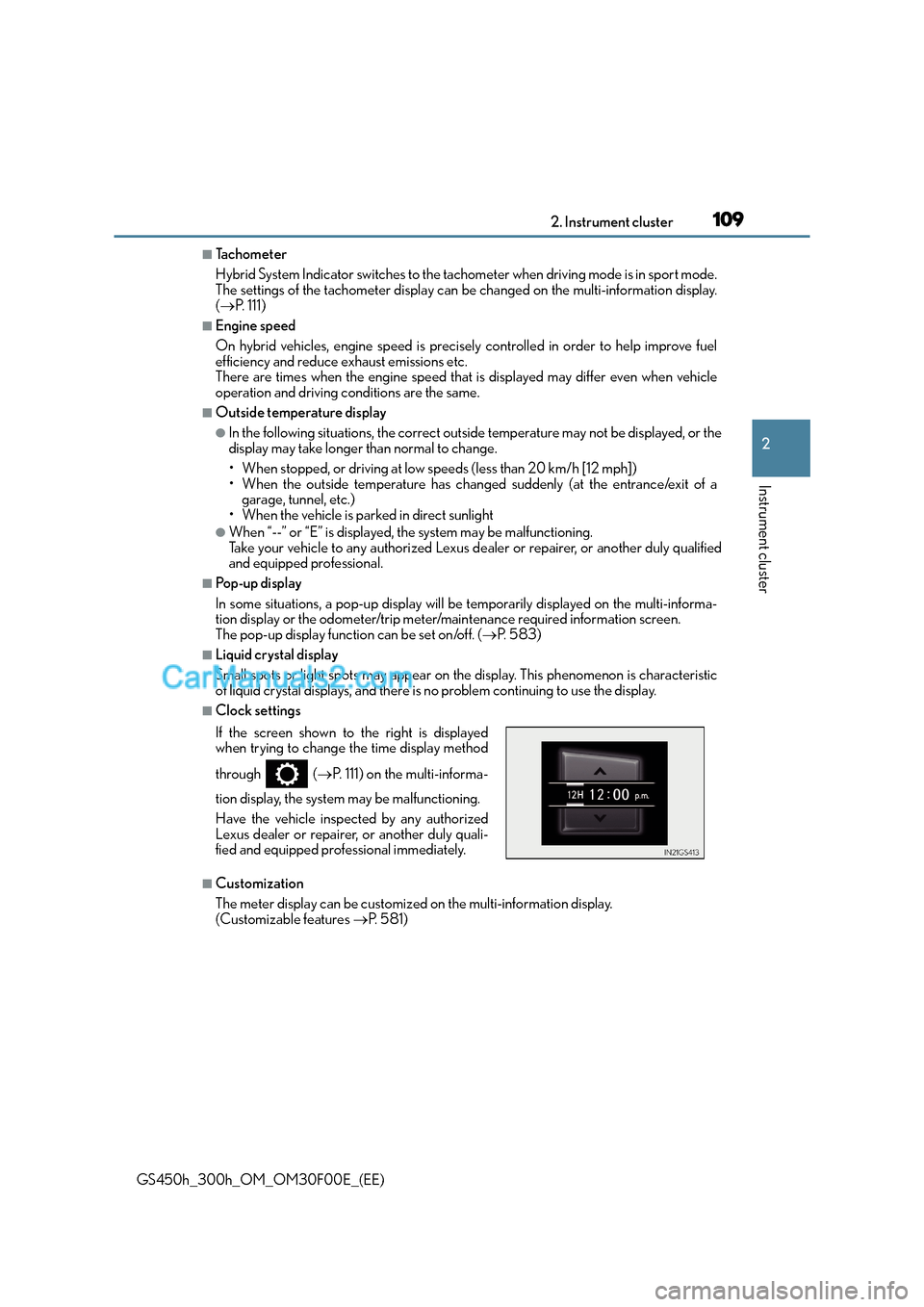
■Clock settings
■Customization
The meter display can be customized on the multi-information display.
(Customizable features →P. 5 8 1 )
If the screen shown to the right is displayed
when trying to change the time display method
through (
→P. 111) on the multi-informa-
tion display, the system may be malfunctioning.
Have the vehicle inspected by any authorized
Lexus dealer or repairer, or another duly quali-
fied and equipped professional immediately.
Page 144 of 620
1443-2. Opening, closing and locking the doors and trunk
GS450h_300h_OM_OM30F00E_(EE)
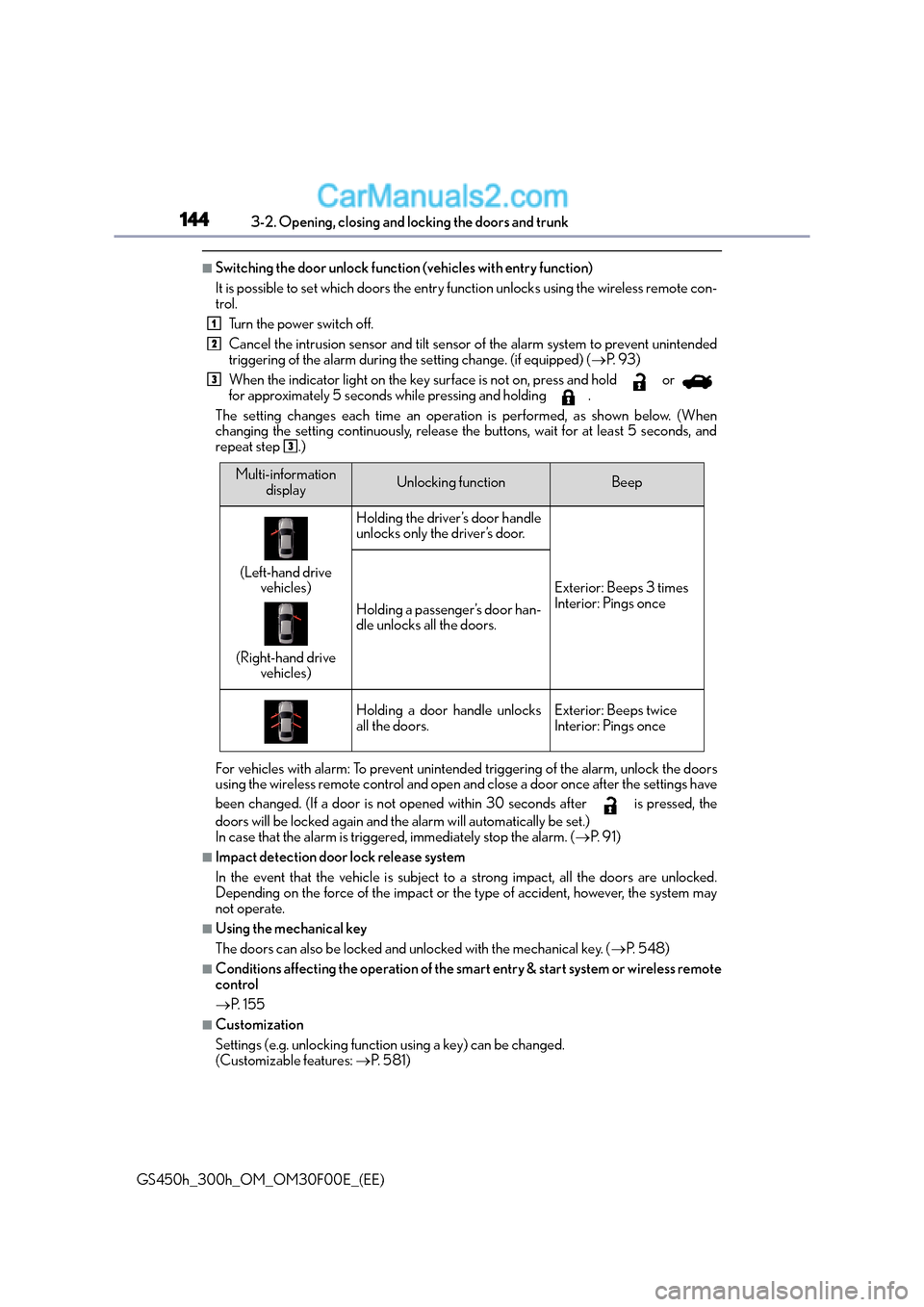
■Switching the door unlock function (vehicles with entry function)
It is possible to set which doors the entry function unlocks using the wireless remote con-
trol. Turn the power switch off.
Cancel the intrusion sensor and tilt sensor of the alarm system to prevent unintended
triggering of the alarm during the setting change. (if equipped) ( →P. 9 3 )
When the indicator light on the key surface is not on, press and hold or
for approximately 5 seconds while pressing and holding .
The setting changes each time an operation is performed, as shown below. (When
changing the setting continuously, release the buttons, wait for at least 5 seconds, and
repeat step .)
For vehicles with alarm: To prevent unintended triggering of the alarm, unlock the doors
using the wireless remote control and open an d close a door once after the settings have
been changed. (If a door is not opened within 30 seconds after is pressed, the
doors will be locked again and the alarm will automatically be set.)
In case that the alarm is triggered, immediately stop the alarm. ( →P. 9 1 )
■Impact detection door lock release system
In the event that the vehicle is subject to a strong impact, all the doors are unlocked.
Depending on the force of the impact or the type of accident, however, the system may
not operate.
■Using the mechanical key
The doors can also be locked and unlocked with the mechanical key. ( →P. 5 4 8 )
■Conditions affecting the operation of the smart entry & start system or wireless remote
control
→P. 1 5 5
■Customization
Settings (e.g. unlocking function using a key) can be changed.
(Customizable features: →P. 5 8 1 )
1
2
3
3
Multi-information
displayUnlocking functionBeep
(Left-hand drive vehicles)
(Right-hand drive vehicles)
Holding the driver’s door handle
unlocks only the driver’s door.
Exterior: Beeps 3 times
Interior: Pings once
Holding a passenger’s door han-
dle unlocks all the doors.
Holding a door handle unlocks
all the doors.Exterior: Beeps twice
Interior: Pings once
Page 149 of 620
1493-2. Opening, closing and locking the doors and trunk
3
Operation of each component
GS450h_300h_OM_OM30F00E_(EE)
■Jam protection function (vehicles with power trunk lid)
While the trunk lid is closing automatically, the trunk lid will stop closing and open if
something gets caught.
■If the smart entry & start system or wireless remote control does not operate properly
●Use the mechanical key to open the trunk. ( →P. 5 4 8 )
●Replace the key battery with a new one if it is depleted. ( →P. 4 5 1 )
■When leaving a key to the vehicle with a parking attendant
→P. 1 3 6
■Customization
The trunk unlocking operation can be changed.
(Customizable features: →P. 5 8 6 )
WA R N I N G
Observe the following precautions.
Failure to do so may result in death or serious injury.
■Before driving
●Make sure that the trunk lid is fully closed. If the trunk lid is not fully closed, it may
open unexpectedly while driving and hit ne ar-by objects or luggage in the trunk may
be thrown out, causing an accident.
●Do not allow children to play in the trunk.
If a child is accidentally locked in the trunk, they could suffer from heat exhaustion,
suffocation or other injuries.
●Do not allow a child to open or close the trunk lid.
Doing so may cause the trunk lid to open unexpectedly, or cause the child’s hands,
head, or neck to be caught by the closing trunk lid.
■Important points while driving
Never let anyone sit in the trunk. In the ev ent of sudden braking or a collision, they are
susceptible to death or serious injury.
Page 157 of 620
1573-2. Opening, closing and locking the doors and trunk
3
Operation of each component
GS450h_300h_OM_OM30F00E_(EE)
■Note for the push-start function
●Even when the electronic key is within the effective range (detection areas), the system
may not operate properly when the electronic key is on the instrument panel, rear
package tray or floor, or in the door pockets or glove box when the hybrid system is
started or power switch modes are changed.
●Even if the electronic key is not inside the vehicle, it may be possible to start the hybrid
system if the electronic key is near the window.
■When the vehicle is not driven for extended periods
●Vehicles with entry function: To prevent theft of the vehicle, do not leave the electronic
key within 2 m (6 ft.) of the vehicle.
●The smart entry & start system can be deactivated in advance. ( →P. 5 8 1 )
■To operate the system properly
●Make sure to carry the electronic key when operating the system. Do not get the elec-
tronic key too close to the vehicle when operating the system from the outside of the
vehicle.
Depending on the position and holding condition of the electronic key, the key may not
be detected correctly and the system may not operate properly. (The alarm may go off
accidentally, or the door lock prev ention function may not operate.)
●Do not leave the electronic key inside the trunk.
The key confinement prevention function may not operate, depending on the location
of the key (close to a spare tire [if equipped], the inside edge of the trunk), conditions
(inside a metal bag, close to metallic object s) and the radio waves in the surrounding
area. ( →P. 1 4 8 )
■If the smart entry & start system does not operate properly
●Locking and unlocking the doors and opening the trunk: Use the mechanical key.
(→ P. 5 4 8 )
●Starting the hybrid system: →P. 5 4 9
■Customization
Settings (e. g. smart entry & start system) can be changed.
(Customizable features: →P. 5 8 1 )
■If the smart entry & start system has been deactivated in a customized setting
●Locking and unlocking the doors and opening the trunk:
Use the wireless remote control or mechanical key. ( →P. 139, 147, 548)
●Starting the hybrid system and changing power switch modes: →P. 5 4 9
●Stopping the hybrid system: →P. 2 1 8
Page 179 of 620
1793-3. Adjusting the seats
3
Operation of each component
GS450h_300h_OM_OM30F00E_(EE)
■Operation of the power easy access system
When exiting the vehicle, the power easy access system may not operate if the seat is
already close to the rearmost position, etc.
■Customization
The seat movement amount settings of the power easy access system can be custom-
ized. (Customizable features: →P. 5 8 1 )
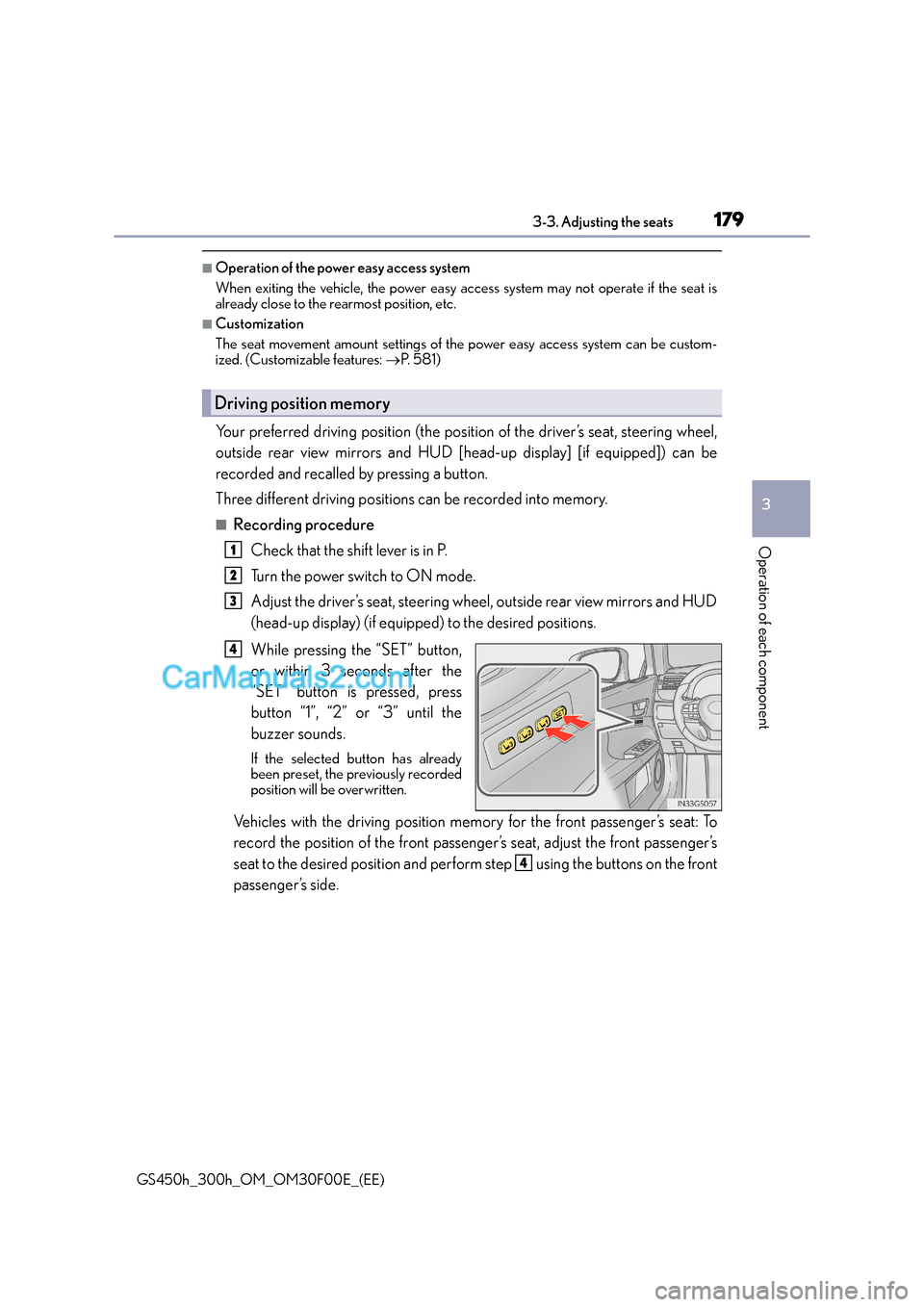
Your preferred driving position (the positi on of the driver’s seat, steering wheel,
outside rear view mirrors and HUD [head-up display] [if equipped]) can be
recorded and recalled by pressing a button.
Three different driving positions can be recorded into memory.
■Recording procedure
Check that the shift lever is in P.
Turn the power switch to ON mode.
Adjust the driver’s seat, steering wheel, outside rear view mirrors and HUD
(head-up display) (if equipped) to the desired positions.
While pressing the “SET” button,
or within 3 seconds after the
“SET” button is pressed, press
button “1”, “2” or “3” until the
buzzer sounds.
If the selected button has already
been preset, the previously recorded
position will be overwritten.
Vehicles with the driving position memory for the front passenger’s seat: To
record the position of the front passenger’s seat, adjust the front passenger’s
seat to the desired position and perform step using the buttons on the front
passenger’s side.
Driving position memory
1
2
3
4
4
Page 182 of 620
1823-3. Adjusting the seats
GS450h_300h_OM_OM30F00E_(EE)
■Recall procedureCarry the electronic key that has been registered to the driving position,
and then unlock and open the driver’s door using the smart entry & start
system or wireless remote control.
The driving position will move to the reco rded position (not including the steering
wheel and HUD [head-up display] [if equipped]). However, the seat will move to a
position slightly behind the recorded position in order to make entering the vehicle
easier.
If the driving position is in a position that has already been recorded, the seat and
outside rear view mirrors will not move.
Turn the power switch to ACCESSORY mode or ON mode, or fasten a
seat belt.
The seat, steering wheel and HUD (head-up display) (if equipped) will move to the
recorded position.
■Cancelation procedure
Carry only the key you want to cancel and then close the driver’s door.
If 2 or more keys are in the vehicle, the driving position cannot be canceled
properly.
Turn the power switch to ON mode.
While pressing the “SET” button, press and hold the door lock switch
(either lock or unlock) until the buzzer sounds twice.
If the button could not be canceled, the buzzer sounds continuously for approxi-
mately 3 seconds.
■Recalling the driving position us ing the memory recall function
●Different driving positions can be registered for each electronic key. Therefore, the
driving position that is recalled may be di fferent depending on the key being carried.
●If a door other than the driver’s door is unlocked with the smart entry & start system, the
driving position cannot be recalled. In this case, press the driving position button which
has been set.
■Customization
The unlock door settings of the memory recall function can be customized.
(Customizable features: →P. 5 8 1 )
WA R N I N G
■Seat adjustment caution
Take care during seat adjustment so that th e seat does not strike the rear passenger or
squeeze your body against the steering wheel.
1
2
1
2