phone Lexus GS350 2008 Navigation Manual
[x] Cancel search | Manufacturer: LEXUS, Model Year: 2008, Model line: GS350, Model: Lexus GS350 2008Pages: 156, PDF Size: 2.36 MB
Page 7 of 156
6
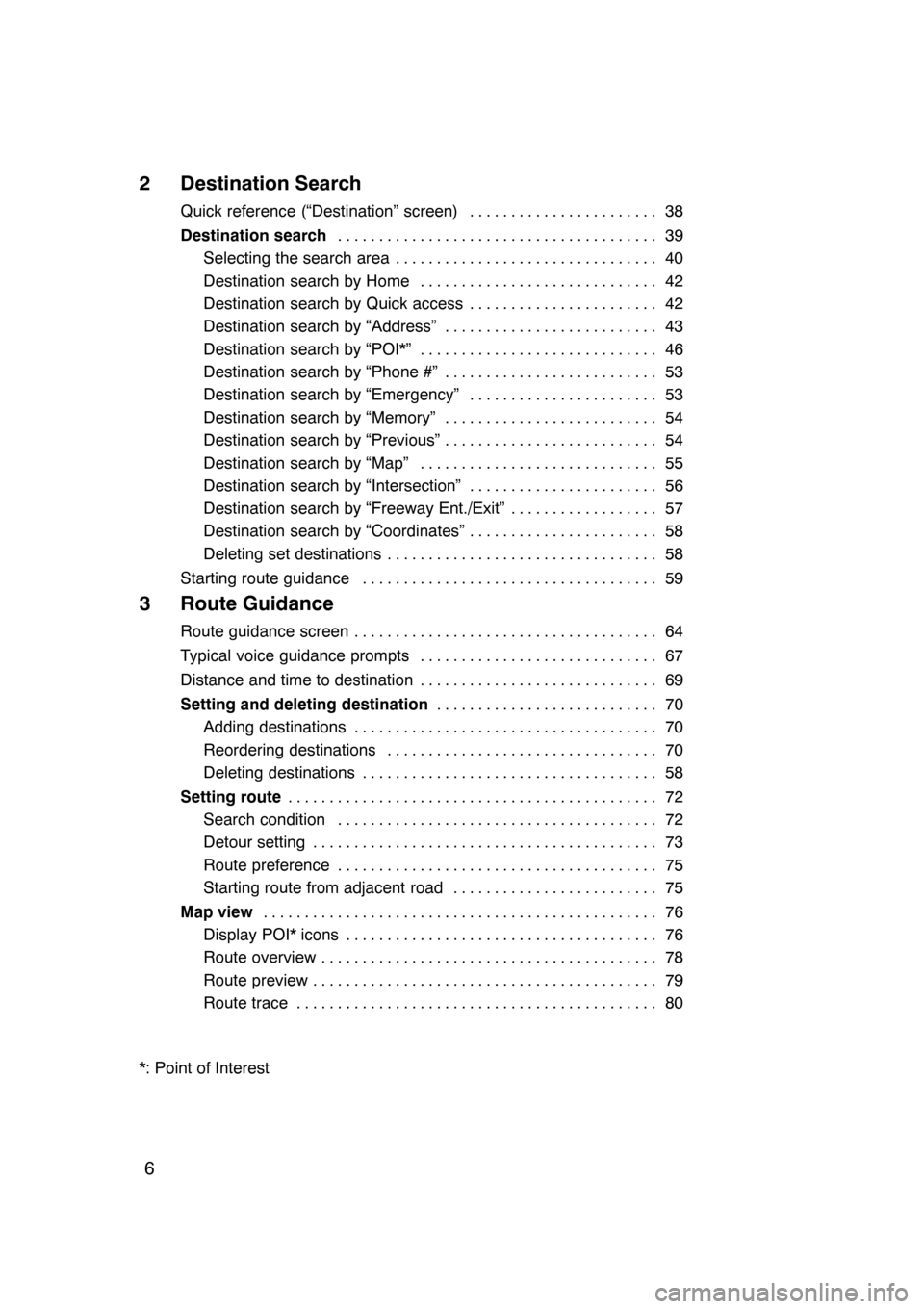
2 Destination Search
Quick reference (“Destination” screen)38
.......................
Destination search 39
.......................................
Selecting the search area 40 ................................
Destination search by Home 42 .............................
Destination search by Quick access 42 .......................
Destination search by “Address” 43 ..........................
Destination search by “POI*” 46 .............................
Destination search by “Phone #” 53 ..........................
Destination search by “Emergency” 53 .......................
Destination search by “Memory” 54 ..........................
Destination search by “Previous” 54 ..........................
Destination search by “Map” 55 .............................
Destination search by “Intersection” 56 .......................
Destination search by “Freeway Ent./Exit” 57 ..................
Destination search by “Coordinates” 58 .......................
Deleting set destinations 58 .................................
Starting route guidance 59 ....................................
3 Route Guidance
Route guidance screen 64
.....................................
Typical voice guidance prompts 67
.............................
Distance and time to destination 69
.............................
Setting and deleting destination 70
...........................
Adding destinations 70 .....................................
Reordering destinations 70 .................................
Deleting destinations 58 ....................................
Setting route 72
.............................................
Search condition 72 .......................................
Detour setting 73 ..........................................
Route preference 75 .......................................
Starting route from adjacent road 75 .........................
Map view 76
................................................
Display POI* icons 76 ......................................
Route overview 78 .........................................
Route preview 79 ..........................................
Route trace 80 ............................................
*: Point of Interest
07/07/28 GS460/350/450h_Navi_U
OM30875U
Page 10 of 156
9
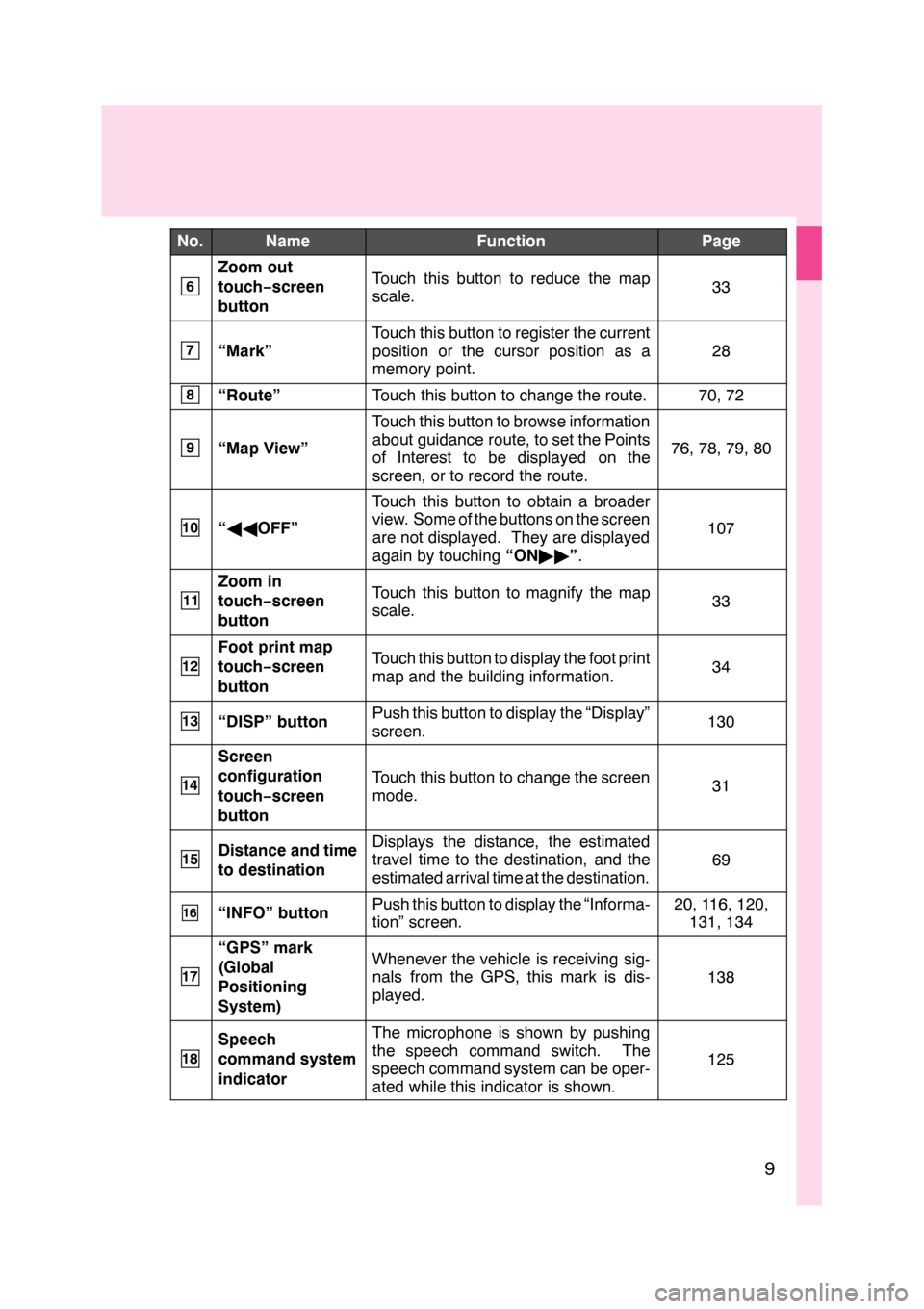
No.NameFunctionPage
6
Zoom out
touch−screen
buttonTouch this button to reduce the map
scale.33
7“Mark”
Touch this button to register the current
position or the cursor position as a
memory point.
28
8“Route”Touch this button to change the route.70, 72
9“Map View”
Touch this button to browse information
about guidance route, to set the Points
of Interest to be displayed on the
screen, or to record the route.
76, 78, 79, 80
10“ AA OFF”
Touch this button to obtain a broader
view. Some of the buttons on the screen
are not displayed. They are displayed
again by touching “ON""”.
107
11
Zoom in
touch− screen
buttonTouch this button to magnify the map
scale.33
12
Foot print map
touch− screen
buttonTouch this button to display the foot print
map and the building information.34
13“DISP” buttonPush this button to display the “Display”
screen.130
14
Screen
configuration
touch− screen
button
Touch this button to change the screen
mode.31
15Distance and time
to destinationDisplays the distance, the estimated
travel time to the destination, and the
estimated arrival time at the destination.
69
16“INFO” buttonPush this button to display the “Informa-
tion” screen.20, 116, 120, 131, 134
17
“GPS” mark
(Global
Positioning
System)Whenever the vehicle is receiving sig-
nals from the GPS, this mark is dis-
played.
138
18
Speech
command system
indicatorThe microphone is shown by pushing
the speech command switch. The
speech command system can be oper-
ated while this indicator is shown.
125
GS460/350/450h_Navi_U
OM30875U
Page 12 of 156
11
0U5036L
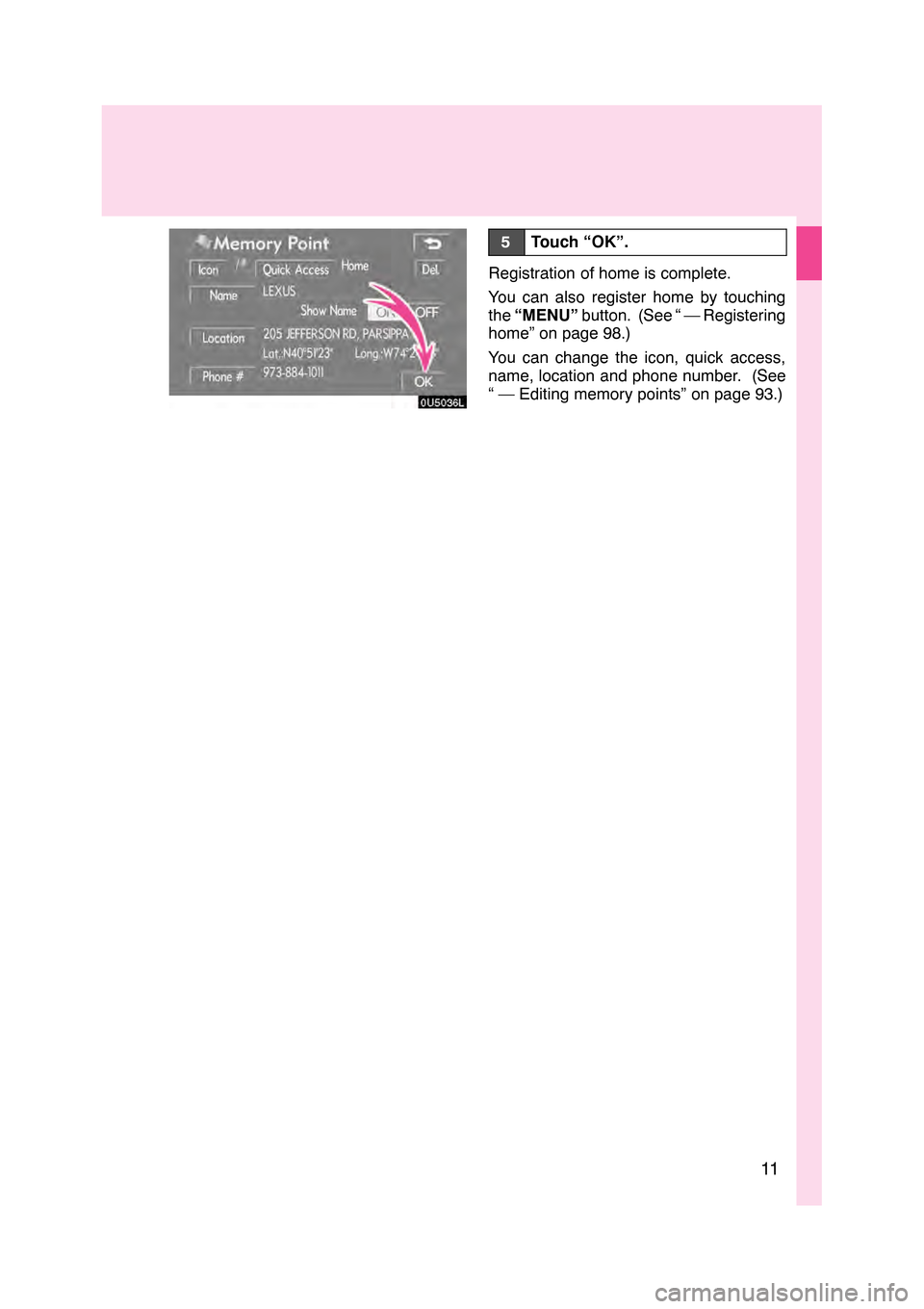
5Touch “OK”.
Registration of home is complete.
You can also register home by touching
the“MENU” button. (See “ — Registering
home” on page 98.)
You can change the icon, quick access,
name, location and phone number. (See
“ — Editing memory points” on page 93.)
GS460/350/450h_Navi_U
OM30875U
Page 14 of 156
13
0U5062L
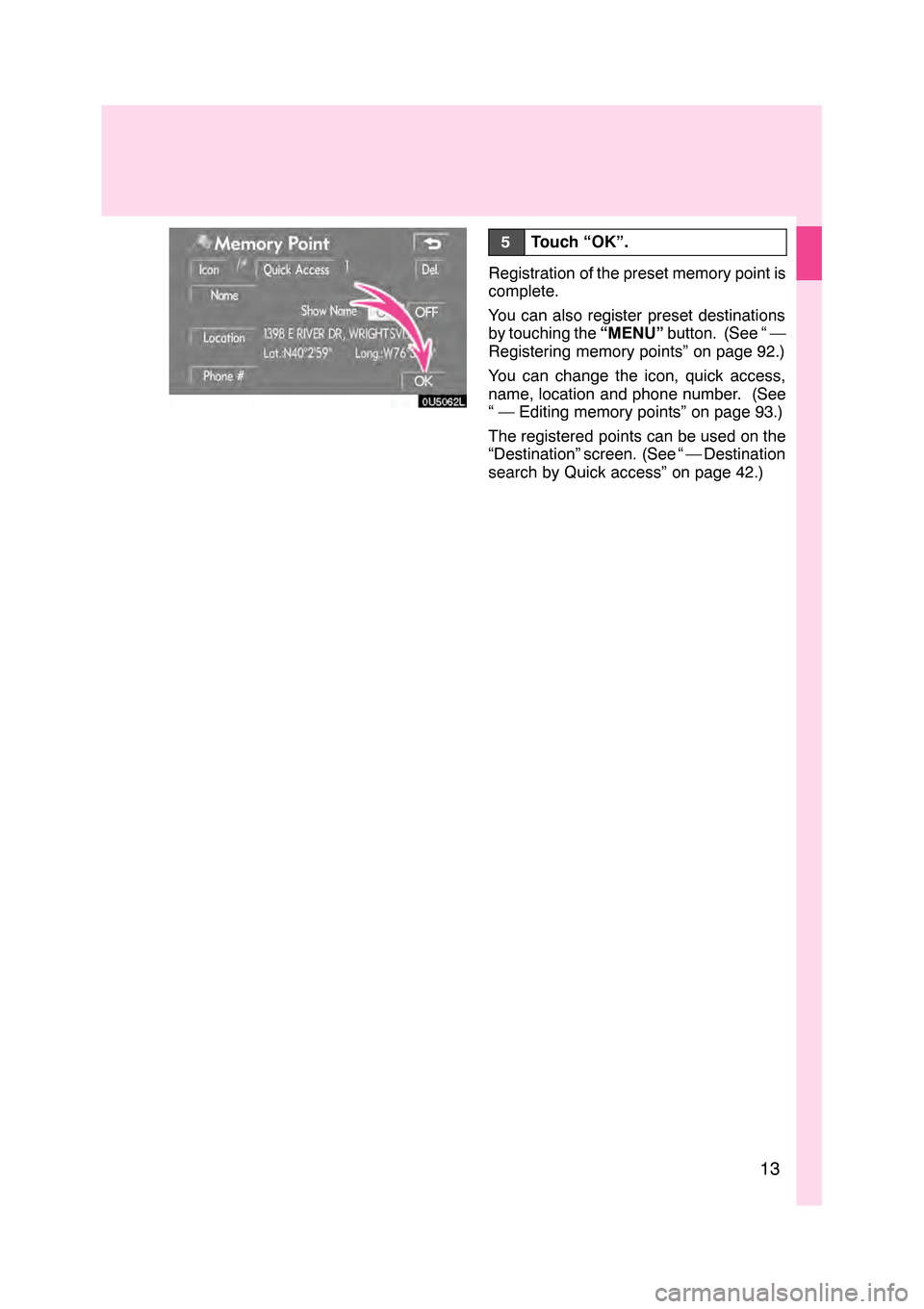
5Touch “OK”.
Registration of the preset memory point is
complete.
You can also register preset destinations
by touching the“MENU”button. (See “ —
Registering memory points” on page 92.)
You can change the icon, quick access,
name, location and phone number. (See
“ — Editing memory points” on page 93.)
The registered points can be used on the
“Destination” screen. (See “ — Destination
search by Quick access” on page 42.)
GS460/350/450h_Navi_U
OM30875U
Page 17 of 156
16
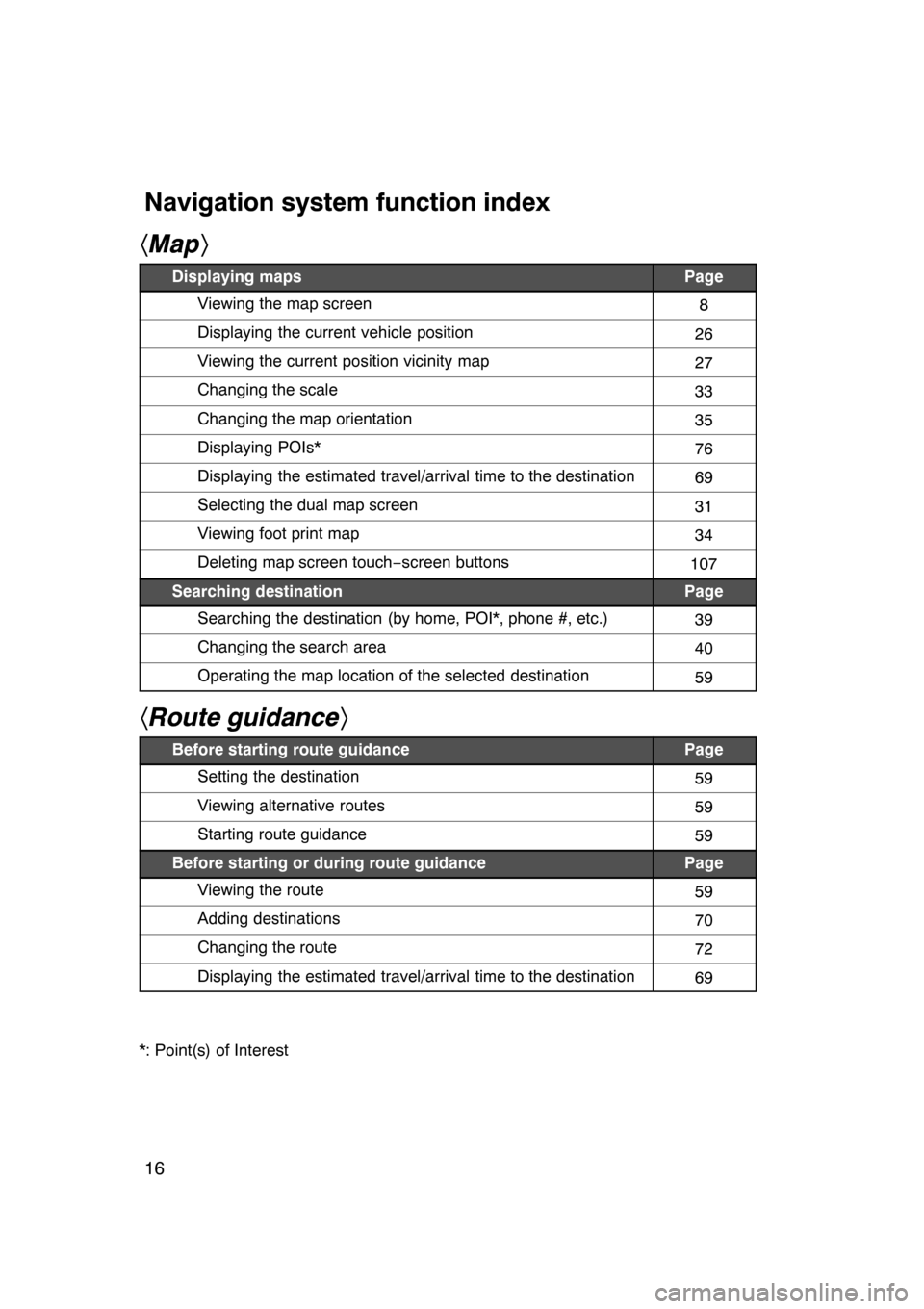
hMap i
Displaying mapsPage
Viewing the map screen8
Displaying the current vehicle position26
Viewing the current position vicinity map27
Changing the scale33
Changing the map orientation35
Displaying POIs*76
Displaying the estimated travel/arrival time to the destination69
Selecting the dual map screen31
Viewing foot print map34
Deleting map screen touch −screen buttons107
Searching destinationPage
Searching the destination (by home, POI*, phone #, etc.)39
Changing the search area40
Operating the map location of the selected destination59
hRoute guidance i
Before starting route guidancePage
Setting the destination59
Viewing alternative routes59
Starting route guidance59
Before starting or during route guidancePage
Viewing the route59
Adding destinations70
Changing the route72
Displaying the estimated travel/arrival time to the destination69
*: Point(s) of Interest
07/07/28 GS460/350/450h_Navi_U
OM30875U
Navigation system function index
Page 30 of 156
BASIC FUNCTIONS
29
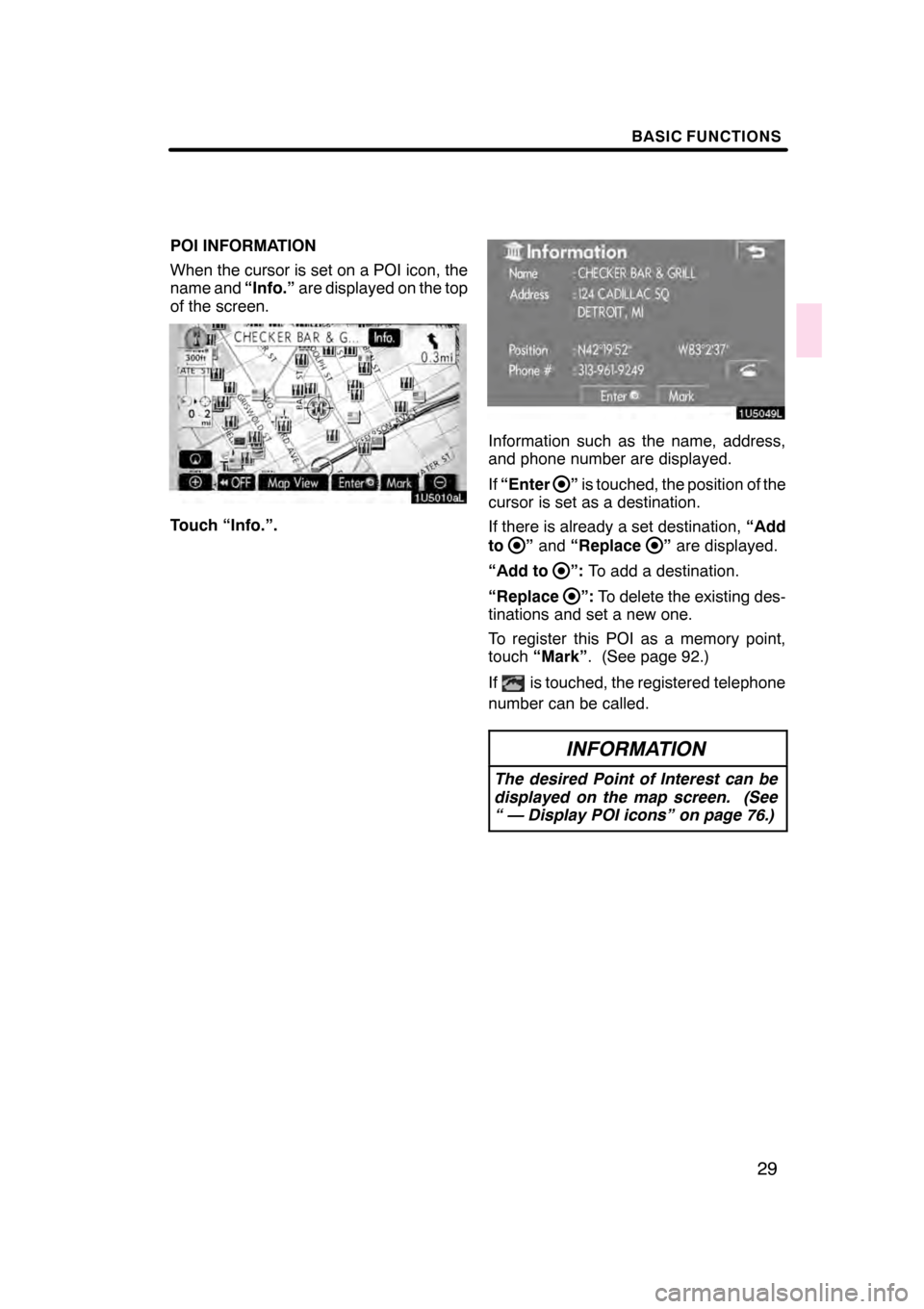
POI INFORMATION
When the cursor is set on a POI icon, the
name and“Info.”are displayed on the top
of the screen.
Touch “Info.”.
Information such as the name, address,
and phone number are displayed.
If “Enter
”is touched, the position of the
cursor is set as a destination.
If there is already a set destination, “Add
to
” and “Replace”are displayed.
“Add to
”: To add a destination.
“Replace
”: To delete the existing des-
tinations and set a new one.
To register this POI as a memory point,
touch “Mark” . (See page 92.)
If
is touched, the registered telephone
number can be called.
INFORMATION
The desired Point of Interest can be
displayed on the map screen. (See
“ — Display POI icons” on page 76.)
07/07/28 GS460/350/450h_Navi_U
OM30875U
Page 31 of 156
BASIC FUNCTIONS
30
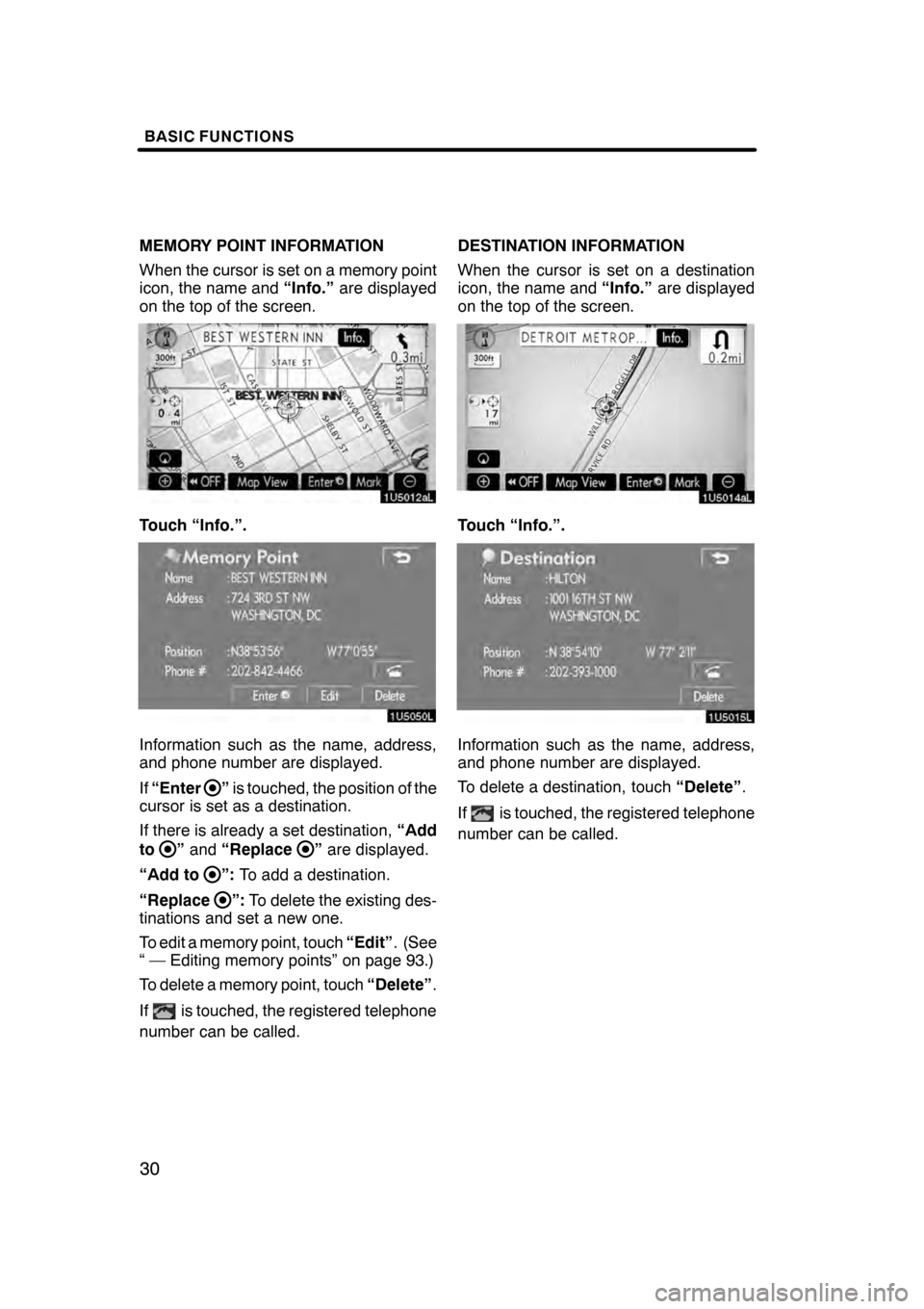
MEMORY POINT INFORMATION
When the cursor is set on a memory point
icon, the name and“Info.”are displayed
on the top of the screen.
Touch “Info.”.
Information such as the name, address,
and phone number are displayed.
If “Enter
”is touched, the position of the
cursor is set as a destination.
If there is already a set destination, “Add
to
” and “Replace”are displayed.
“Add to
”: To add a destination.
“Replace
”: To delete the existing des-
tinations and set a new one.
To edit a memory point, touch “Edit”. (See
“ — Editing memory points” on page 93.)
To delete a memory point, touch “Delete”.
If
is touched, the registered telephone
number can be called. DESTINATION INFORMATION
When the cursor is set on a destination
icon, the name and
“Info.”are displayed
on the top of the screen.
Touch “Info.”.
Information such as the name, address,
and phone number are displayed.
To delete a destination, touch “Delete”.
If
is touched, the registered telephone
number can be called.
07/07/28 GS460/350/450h_Navi_U
OM30875U
Page 38 of 156
SECTION2
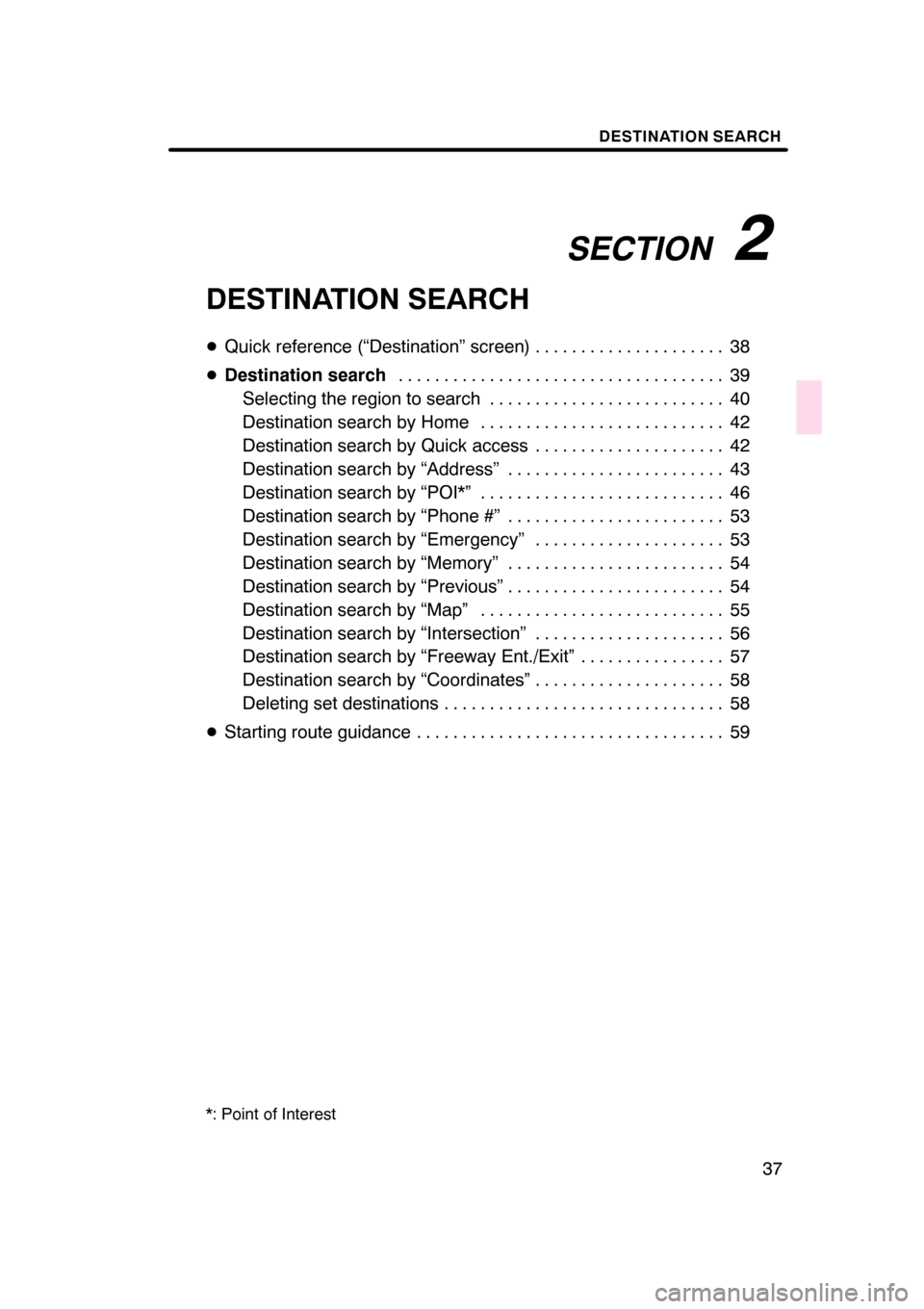
DESTINATION SEARCH
37
DESTINATION SEARCH
DQuick reference (“Destination” screen) 38 .....................
D Destination search 39
....................................
Selecting the region to search 40
..........................
Destination search by Home 42
...........................
Destination search by Quick access 42
.....................
Destination search by “Address” 43 ........................
Destination search by “POI*” 46 ...........................
Destination search by “Phone #” 53 ........................
Destination search by “Emergency” 53 .....................
Destination search by “Memory” 54 ........................
Destination search by “Previous” 54 ........................
Destination search by “Map” 55 ...........................
Destination search by “Intersection” 56 .....................
Destination search by “Freeway Ent./Exit” 57 ................
Destination search by “Coordinates” 58 .....................
Deleting set destinations 58 ...............................
D Starting route guidance 59 ..................................
*: Point of Interest
07/07/28 GS460/350/450h_Navi_U
OM30875U
Page 39 of 156
DESTINATION SEARCH
38
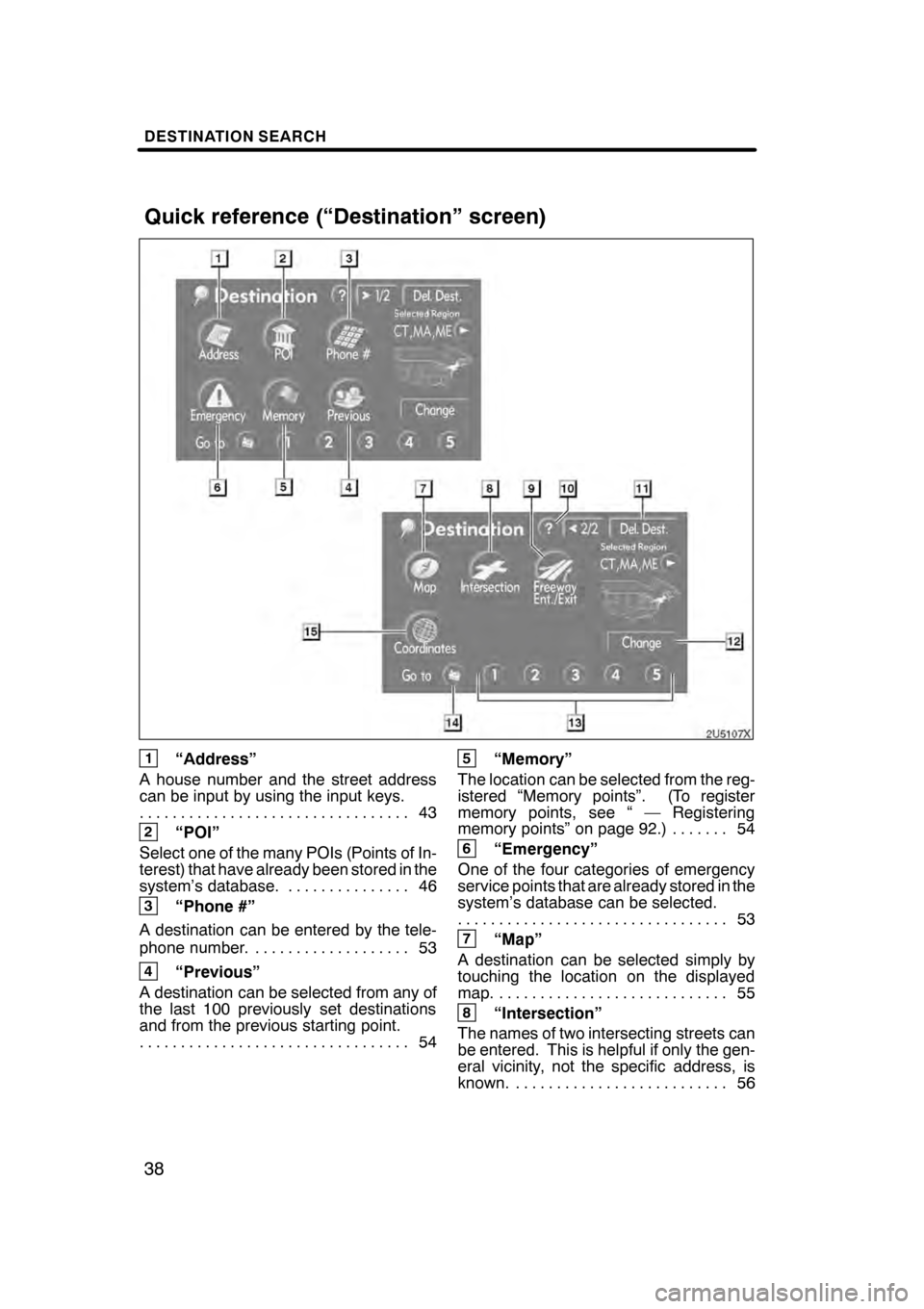
1“Address”
A house number and the street address
can be input by using the input keys. 43
.................................
2“POI”
Select one of the many POIs (Points of In-
terest) that have already been stored in the
system’s database. 46 ...............
3“Phone #”
A destination can be entered by the tele-
phone number. 53 ...................
4“Previous”
A destination can be selected from any of
the last 100 previously set destinations
and from the previous starting point. 54
.................................
5“Memory”
The location can be selected from the reg-
istered “Memory points”. (To register
memory points, see “ — Registering
memory points” on page 92.) 54 .......
6“Emergency”
One of the four categories of emergency
service points that are already stored in the
system’s database can be selected. 53
.................................
7“Map”
A destination can be selected simply by
touching the location on the displayed
map. 55 ............................
8“Intersection”
The names of two intersecting streets can
be entered. This is helpful if only the gen-
eral vicinity, not the specific address, is
known. 56 ..........................
07/07/28 GS460/350/450h_Navi_U
OM30875U
Quick reference (“Destination” screen)
Page 54 of 156
DESTINATION SEARCH
53
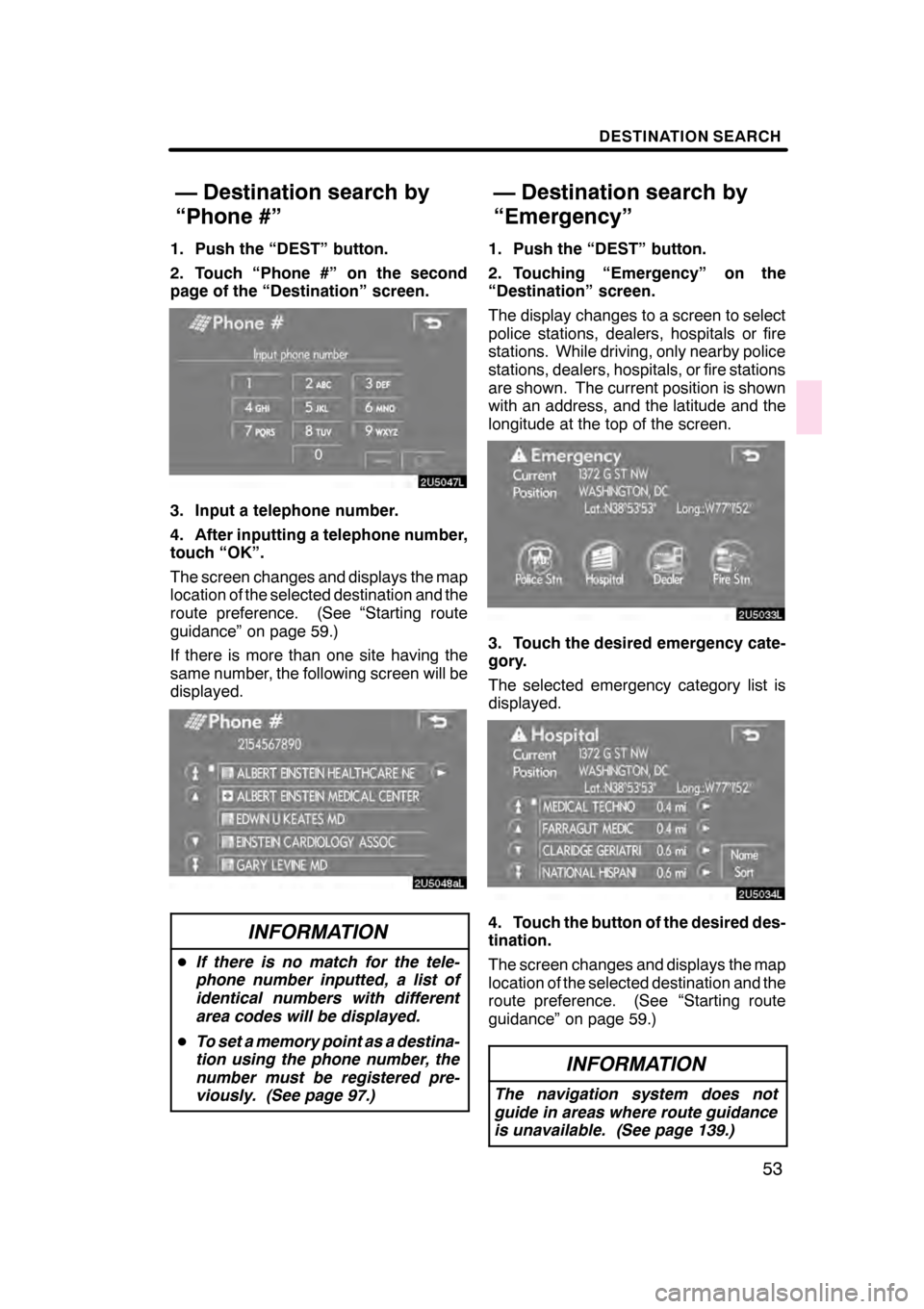
1. Push the “DEST” button.
2. Touch “Phone #” on the second
page of the “Destination” screen.
3. Input a telephone number.
4. After inputting a telephone number,
touch “OK”.
The screen changes and displays the map
location of the selected destination and the
route preference. (See “Starting route
guidance” on page 59.)
If there is more than one site having the
same number, the following screen will be
displayed.
INFORMATION
DIf there is no match for the tele-
phone number inputted, a list of
identical numbers with different
area codes will be displayed.
D To set a memory point as a destina-
tion using the phone number, the
number must be registered pre-
viously. (See page 97.)
1. Push the “DEST” button.
2. Touching “Emergency” on the
“Destination” screen.
The display changes to a screen to select
police stations, dealers, hospitals or fire
stations. While driving, only nearby police
stations, dealers, hospitals, or fire stations
are shown. The current position is shown
with an address, and the latitude and the
longitude at the top of the screen.
3. Touch the desired emergency cate-
gory.
The selected emergency category list is
displayed.
4. Touch the button of the desired des-
tination.
The screen changes and displays the map
location of the selected destination and the
route preference. (See “Starting route
guidance” on page 59.)
INFORMATION
The navigation system does not
guide in areas where route guidance
is unavailable. (See page 139.)
07/07/28 GS460/350/450h_Navi_U
OM30875U
— Destination search by
“Phone #”
— Destination search by
“Emergency”