display Lexus GS350 2008 Owner's Guide
[x] Cancel search | Manufacturer: LEXUS, Model Year: 2008, Model line: GS350, Model: Lexus GS350 2008Pages: 598, PDF Size: 14.03 MB
Page 179 of 598
178
2-4. Using other driving systems
GS_G_U
June 19, 2008 12:54 pm
NOTICE
■When using the intuitive parking assist
In the following situations, the system may not function correctly due to a sensor
malfunction etc. Have the vehicle checked by your Lexus dealer.
●A beep does not sound when you turn the main switch on.
●The intuitive parking assist operation display flashes, and a beep sound when no
obstacle has been detected.
●If the area around a sensor collides with something, or is subjected to strong
impact.
●If the bumper collides with something.
●If the display shows continuously without a beep.
■When changing tires
If you install tires of a size other than that recommended by the manufacturer, the
system will be unable to correctly detect steering wheel movement. Always use tire
sizes recommended by the manufacturer.
■When washing the vehicle
When washing the vehicle using high pressure cleaning equipment, do not spray
water directly on the sensors. Subjecting the sensors to high pressure impact may
cause a malfunction.
GS_U_G.book Page 178 Thursday, June 19, 2008 12:54 PM
Page 180 of 598
179
2-4. Using other driving systems
2
When driving
GS_G_U
June 19, 2008 12:54 pm
Rear view monitor system (if equipped)
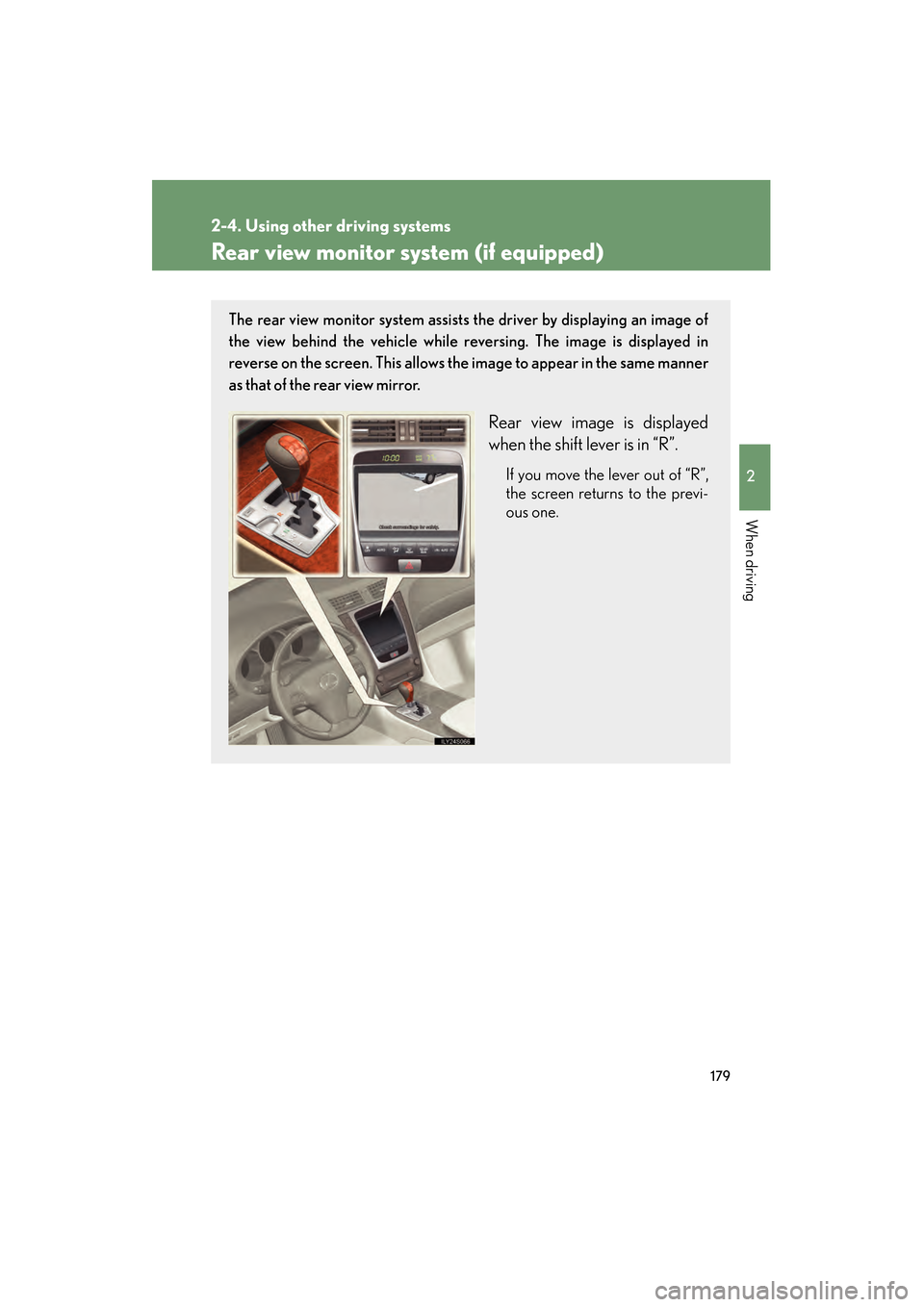
The rear view monitor system assists the driver by displaying an image of
the view behind the vehicle while reversing. The image is displayed in
reverse on the screen. This allows the image to appear in the same manner
as that of the rear view mirror.
Rear view image is displayed
when the shift lever is in “R”.
If you move the lever out of “R”,
the screen returns to the previ-
ous one.
GS_U_G.book Page 179 Thursday, June 19, 2008 12:54 PM
Page 182 of 598
181
2-4. Using other driving systems
2
When driving
GS_G_U
June 19, 2008 12:54 pm
CAUTION
■When using the rear view monitor system
Observe the following precautions to avoid an accident that could result in death or
serious injuries.
●Never depend solely on the monitor system when reversing.
●Always check visually and with the mirrors to confirm your intended path is clear.
●Depicted distances between objects and flat surfaces differ from actual dis-
tances.
●Do not use the system if the trunk is open.
■Conditions which may affect the rear view monitor system
●If the back of the vehicle is hit, the camera’s position and mounting angle may
change. Contact your Lexus dealer.
●Rapid temperature changes, such as when hot water is poured on the vehicle in
cold weather, may cause the system to function abnormally.
●If the camera lens is dirty, it cannot transmit a clear image. Rinse with water and
wipe with a soft cloth. If extremely dirty, wash with a mild cleanser and rinse.
●The displayed image may be darker and moving images may be slightly distorted
when the system is cold.
GS_U_G.book Page 181 Thursday, June 19, 2008 12:54 PM
Page 183 of 598
182
2-4. Using other driving systems
GS_G_U
June 19, 2008 12:54 pm
NOTICE
■Displayed area
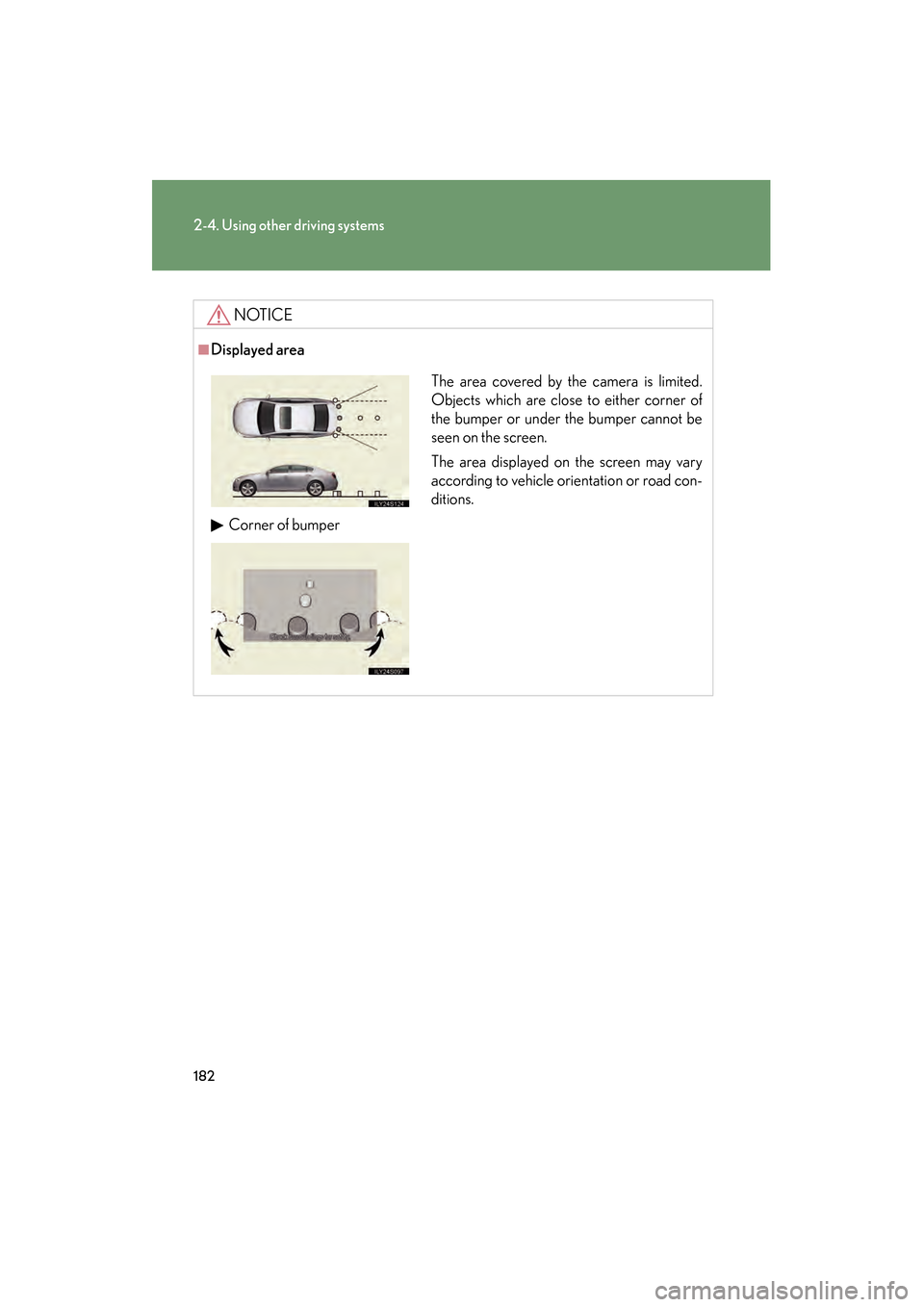
The area covered by the camera is limited.
Objects which are close to either corner of
the bumper or under the bumper cannot be
seen on the screen.
The area displayed on the screen may vary
according to vehicle orientation or road con-
ditions.
Corner of bumper
GS_U_G.book Page 182 Thursday, June 19, 2008 12:54 PM
Page 208 of 598
Interior features3
207
GS_G_U
June 19, 2008 12:54 pm
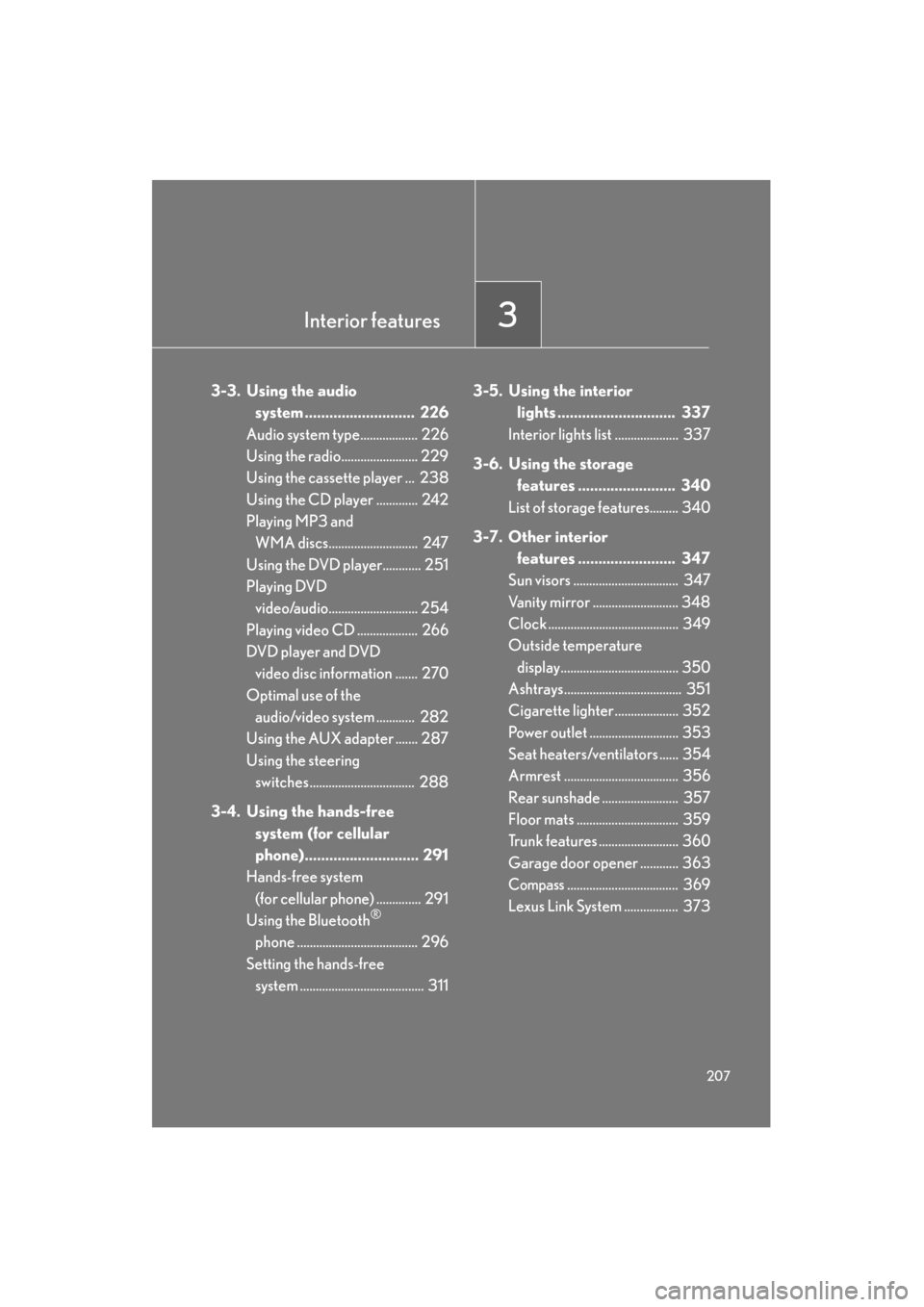
3-3. Using the audio system ........................... 226
Audio system type.................. 226
Using the radio........................ 229
Using the cassette player ... 238
Using the CD player ............. 242
Playing MP3 and WMA discs............................ 247
Using the DVD player............ 251
Playing DVD video/audio............................ 254
Playing video CD ................... 266
DVD player and DVD video disc information ....... 270
Optimal use of the audio/video system ............ 282
Using the AUX adapter ....... 287
Using the steering
switches................................. 288
3-4. Using the hands-free system (for cellular
phone)............................ 291
Hands-free system (for cellular phone) .............. 291
Using the Bluetooth
®
phone ...................................... 296
Setting the hands-free system ....................................... 311 3-5. Using the interior
lights ............................. 337
Interior lights list .................... 337
3-6. Using the storage features ........................ 340
List of storage features......... 340
3-7. Other interior features ........................ 347
Sun visors ................................. 347
Vanity mirror ........................... 348
Clock ......................................... 349
Outside temperature
display..................................... 350
Ashtrays..................................... 351
Cigarette lighter .................... 352
Power outlet ............................ 353
Seat heaters/ventilators ...... 354
Armrest .................................... 356
Rear sunshade ........................ 357
Floor mats ................................ 359
Trunk features ......................... 360
Garage door opener ............ 363
Compass................................... 369
Lexus Link System ................. 373
GS_U_G.book Page 207 Thursday, June 19, 2008 12:54 PM
Page 209 of 598
208
GS_G_U
June 19, 2008 12:54 pm
3-1. Using the touch screen
Touch screen
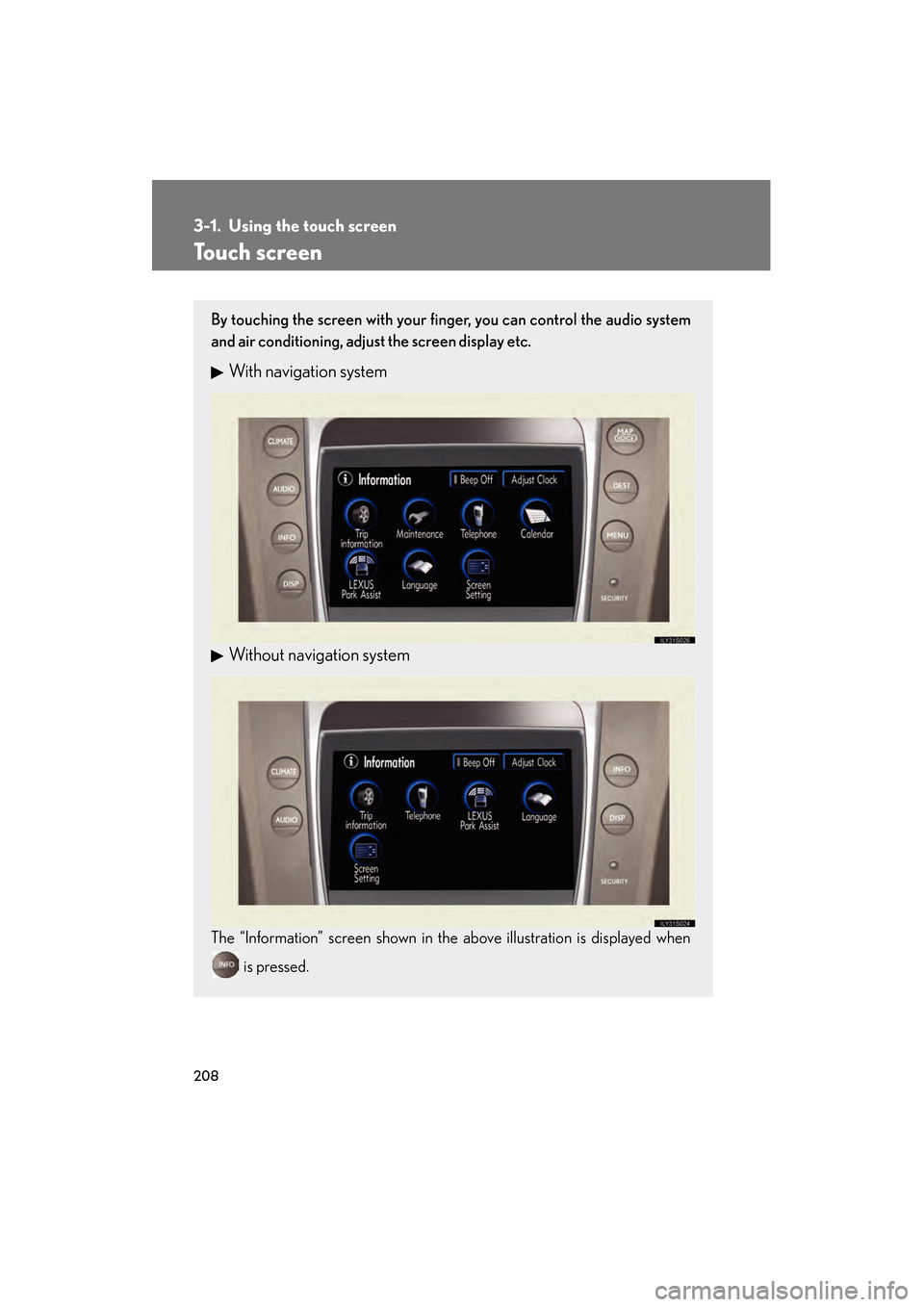
By touching the screen with your finger, you can control the audio system
and air conditioning, adjust the screen display etc.
With navigation system
Without navigation system
The “Information” screen shown in the above illustration is displayed when is pressed.
GS_U_G.book Page 208 Thursday, June 19, 2008 12:54 PM
Page 210 of 598
209
3-1. Using the touch screen
3
Interior features
GS_G_U
June 19, 2008 12:54 pm
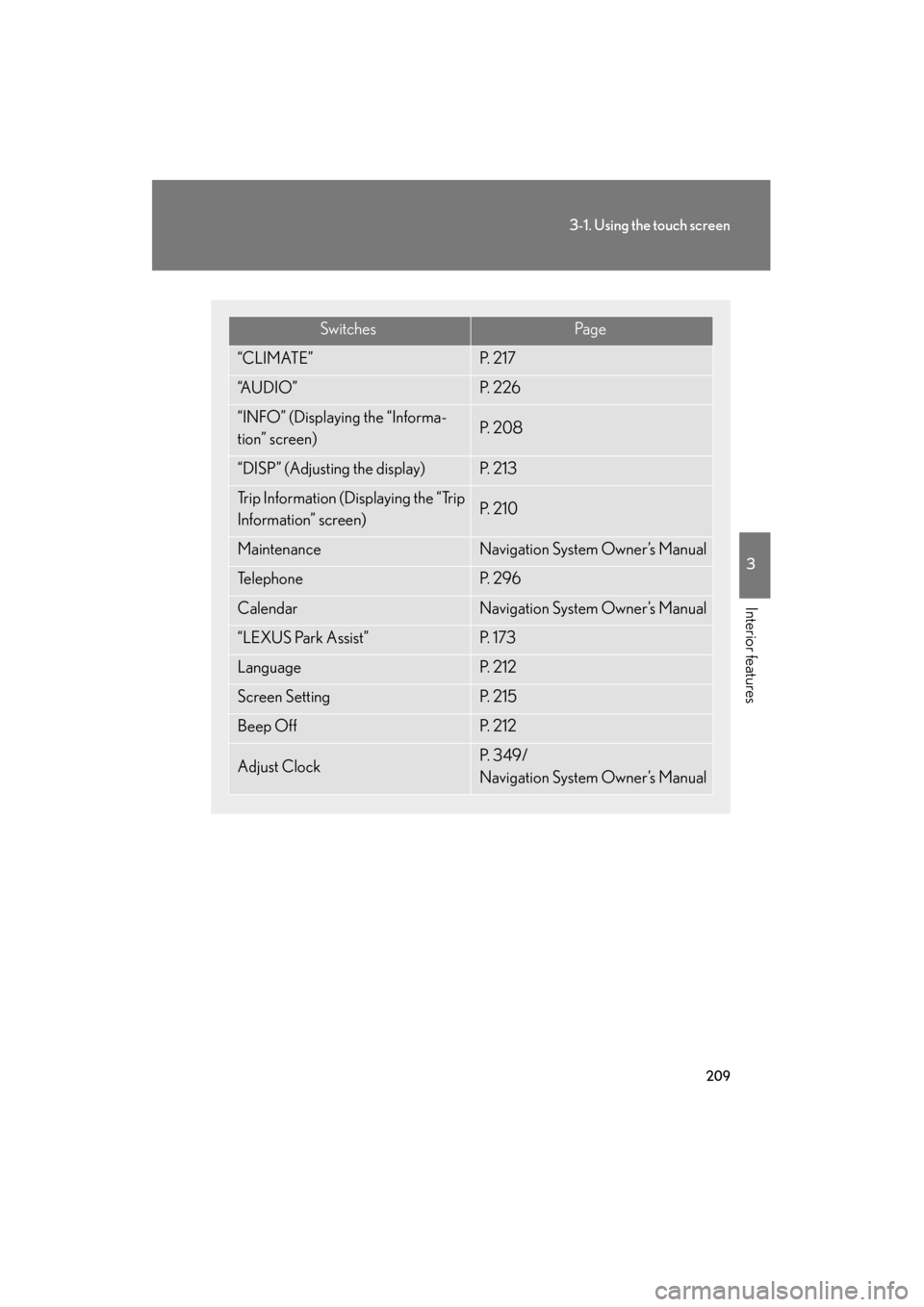
SwitchesPa g e
“CLIMATE”P. 2 1 7
“A U D I O ”P. 2 2 6
“INFO” (Displaying the “Informa-
tion” screen)P. 2 0 8
“DISP” (Adjusting the display)P. 2 1 3
Trip Information (Displaying the “Trip
Information” screen)P. 2 1 0
MaintenanceNavigation System Owner’s Manual
Te l e p h o n eP. 2 9 6
CalendarNavigation System Owner’s Manual
“LEXUS Park Assist”P. 1 7 3
LanguageP. 2 1 2
Screen SettingP. 2 1 5
Beep OffP. 2 1 2
Adjust ClockP. 3 4 9 /
Navigation System Owner’s Manual
GS_U_G.book Page 209 Thursday, June 19, 2008 12:54 PM
Page 211 of 598
210
3-1. Using the touch screen
GS_G_U
June 19, 2008 12:54 pm
The initial screenIf the “ENGINE START STOP”
switch is set to ACCESSORY or
IGNITION ON mode, the initial-
izing screen will be displayed for a
few seconds as the system starts
up.
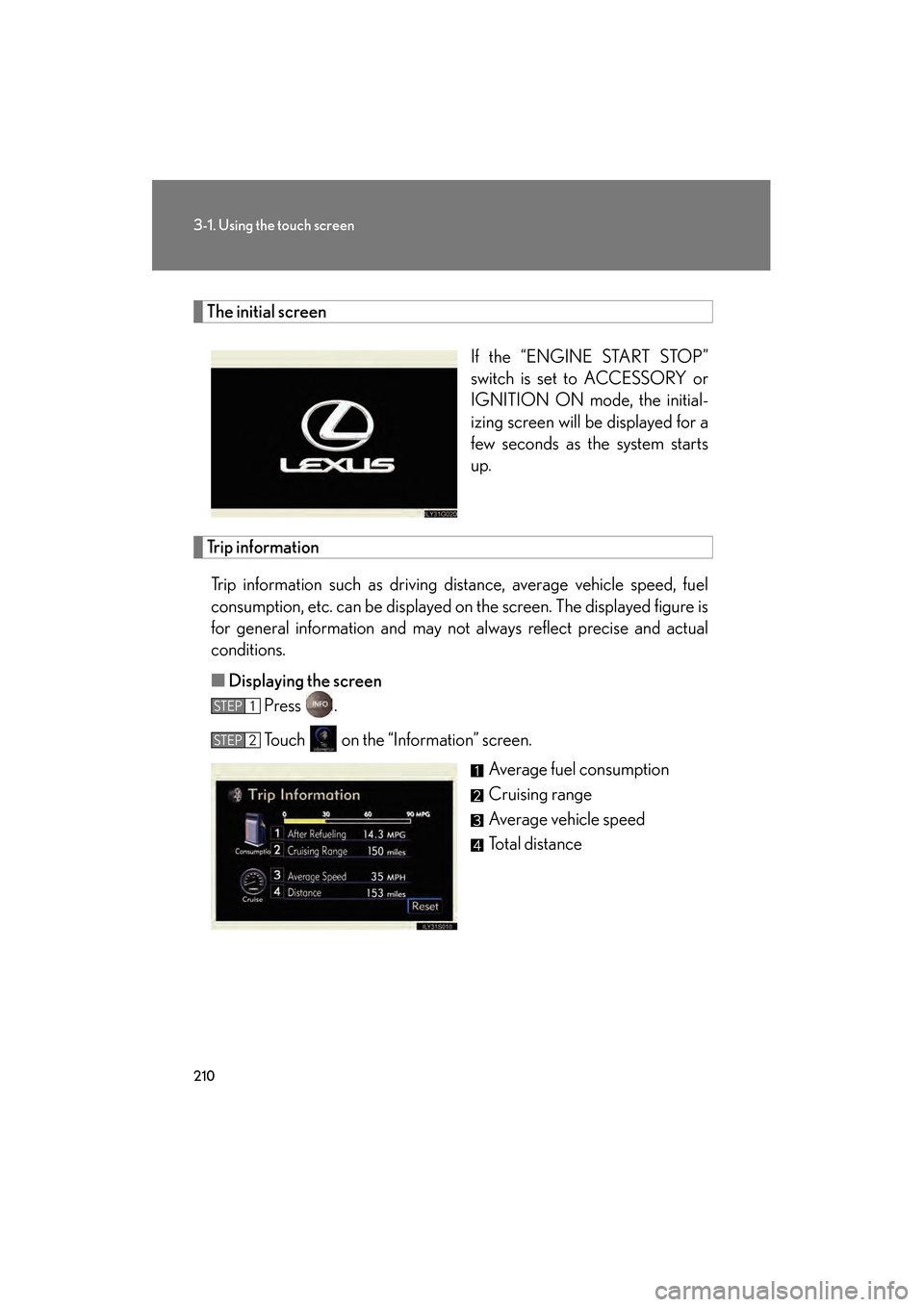
Trip informationTrip information such as driving distance, average vehicle speed, fuel
consumption, etc. can be displayed on the screen. The displayed figure is
for general information and may not always reflect precise and actual
conditions.
■ Displaying the screen
Press .
Touch on the “Information” screen.
Average fuel consumption
Cruising range
Average vehicle speed
Total distance
STEP1
STEP2
GS_U_G.book Page 210 Thursday, June 19, 2008 12:54 PM
Page 212 of 598
211
3-1. Using the touch screen
3
Interior features
GS_G_U
June 19, 2008 12:54 pm
■Resetting the data
Touching will reset the “Average Speed” and “Distance”.
■To avoid damaging the touch screen
●Touch the screen lightly with your finger. If there is no response, remove your fin-
ger from the screen and try again.
●Remove any dirt on the screen by wiping with a soft cloth. Do not use detergent.
■When using the touch screen
●If the screen is cold, the display may be dark, or the system may seem to be
operating slightly slower than normal.
●The screen may seem dark and hard to see when viewed through sunglasses.
Change your angle of viewing, adjust the display on the “Display” screen or
remove your sunglasses.
GS_U_G.book Page 211 Thursday, June 19, 2008 12:54 PM
Page 214 of 598
213
3-1. Using the touch screen
3
Interior features
GS_G_U
June 19, 2008 12:54 pm
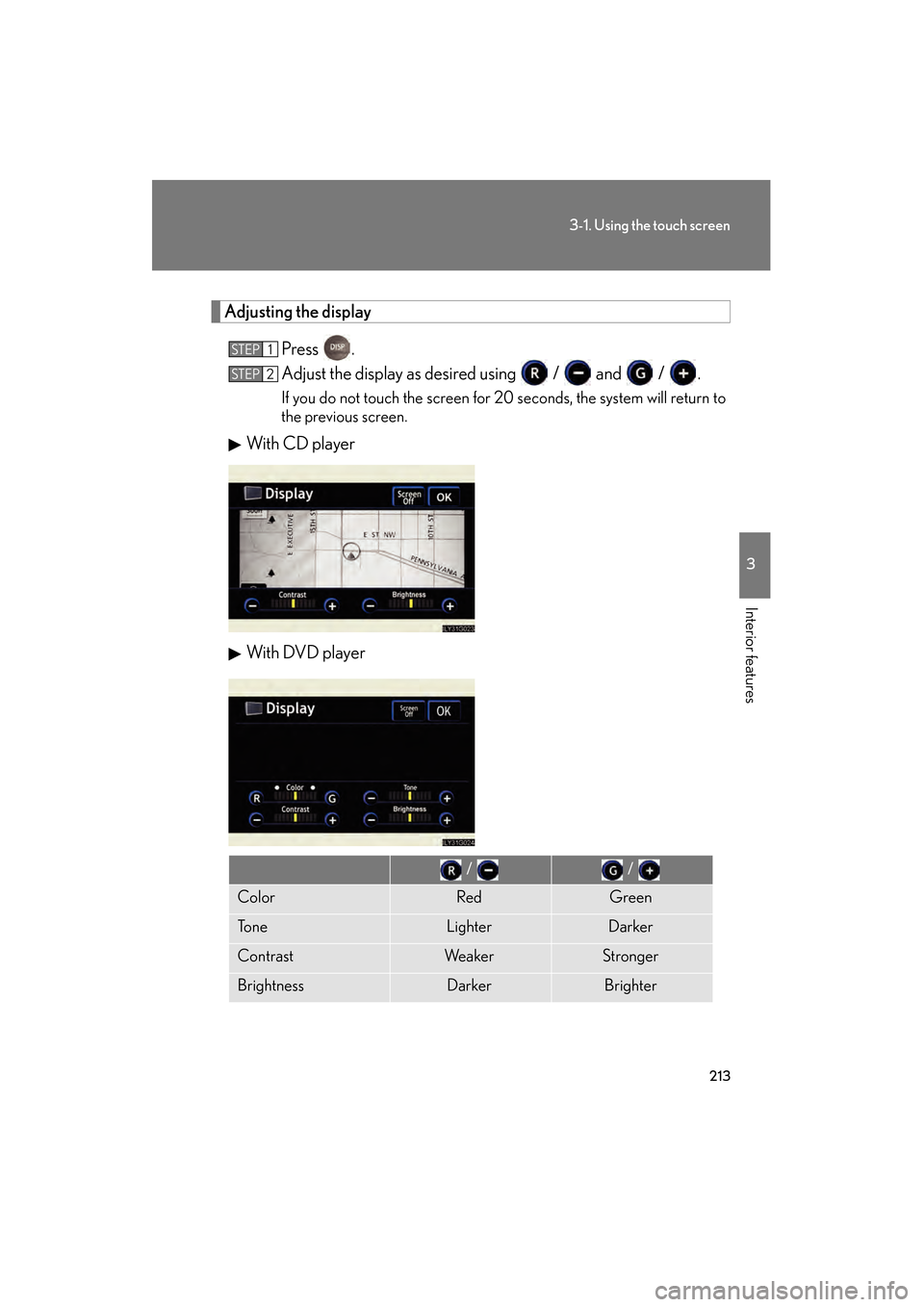
Adjusting the displayPress .
Adjust the display as desired using / and / .
If you do not touch the screen for 20 seconds, the system will return to
the previous screen.
With CD pla yer
With DVD player
STEP1
STEP2
/ /
ColorRedGreen
To n eLighterDarker
ContrastWe a k e rStronger
BrightnessDarkerBrighter
GS_U_G.book Page 213 Thursday, June 19, 2008 12:54 PM