wheel Lexus GS350 2009 Workshop Manual
[x] Cancel search | Manufacturer: LEXUS, Model Year: 2009, Model line: GS350, Model: Lexus GS350 2009Pages: 622, PDF Size: 17.98 MB
Page 223 of 622
222
2-5. Driving information
GS_G_U (OM30B43U)
April 27, 2009 10:48 am
Trailer towing
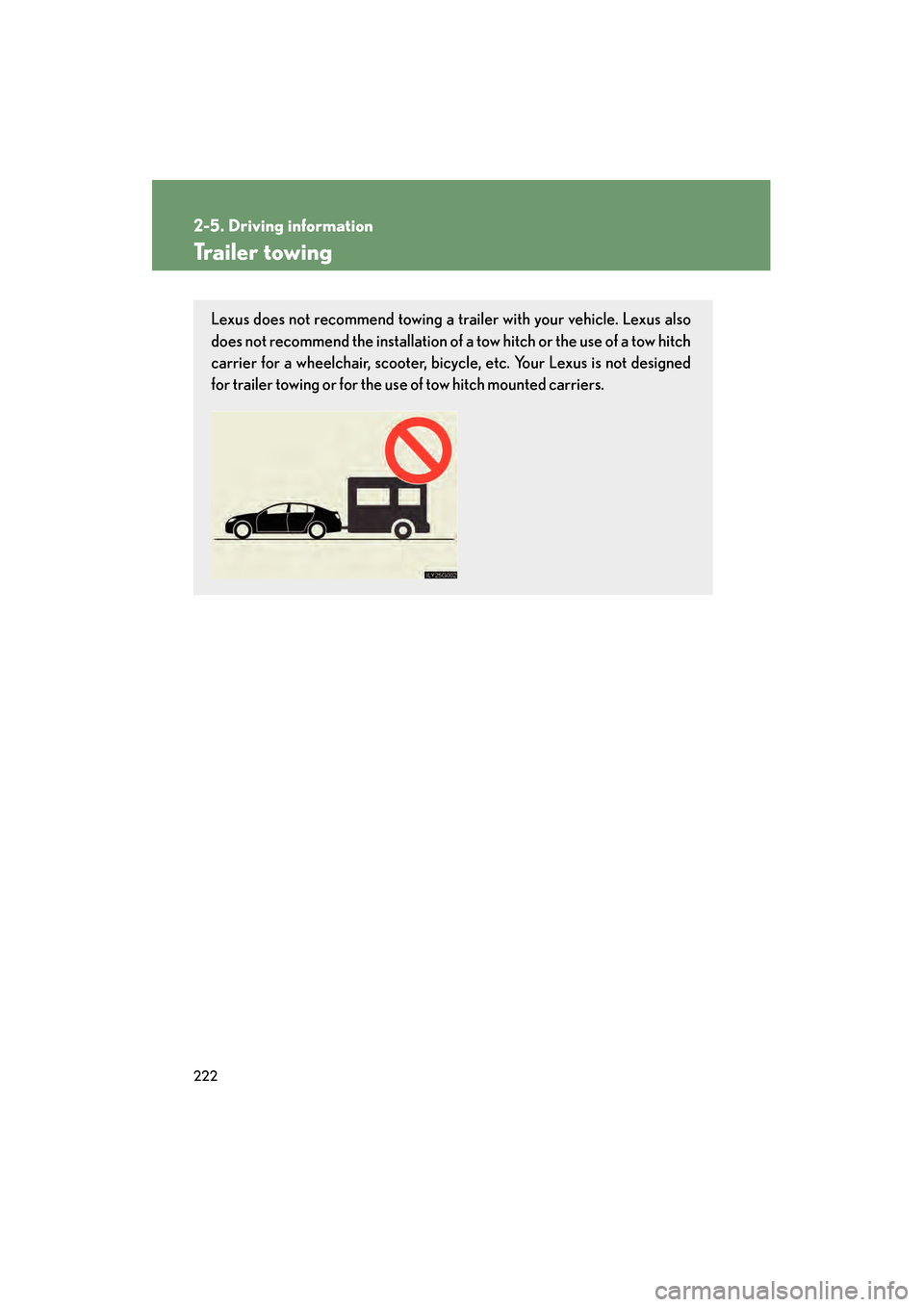
Lexus does not recommend towing a trailer with your vehicle. Lexus also
does not recommend the installation of a tow hitch or the use of a tow hitch
carrier for a wheelchair, scooter, bicycl e, etc. Your Lexus is not designed
for trailer towing or for the us e of tow hitch mounted carriers.
GS_U_G.book Page 222 Monday, April 27, 2009 10:50 AM
Page 224 of 622
223
2-5. Driving information
2
When driving
GS_G_U (OM30B43U)
April 27, 2009 10:48 am
Dinghy towing
NOTICE
■To avoid serious damage to your vehicle
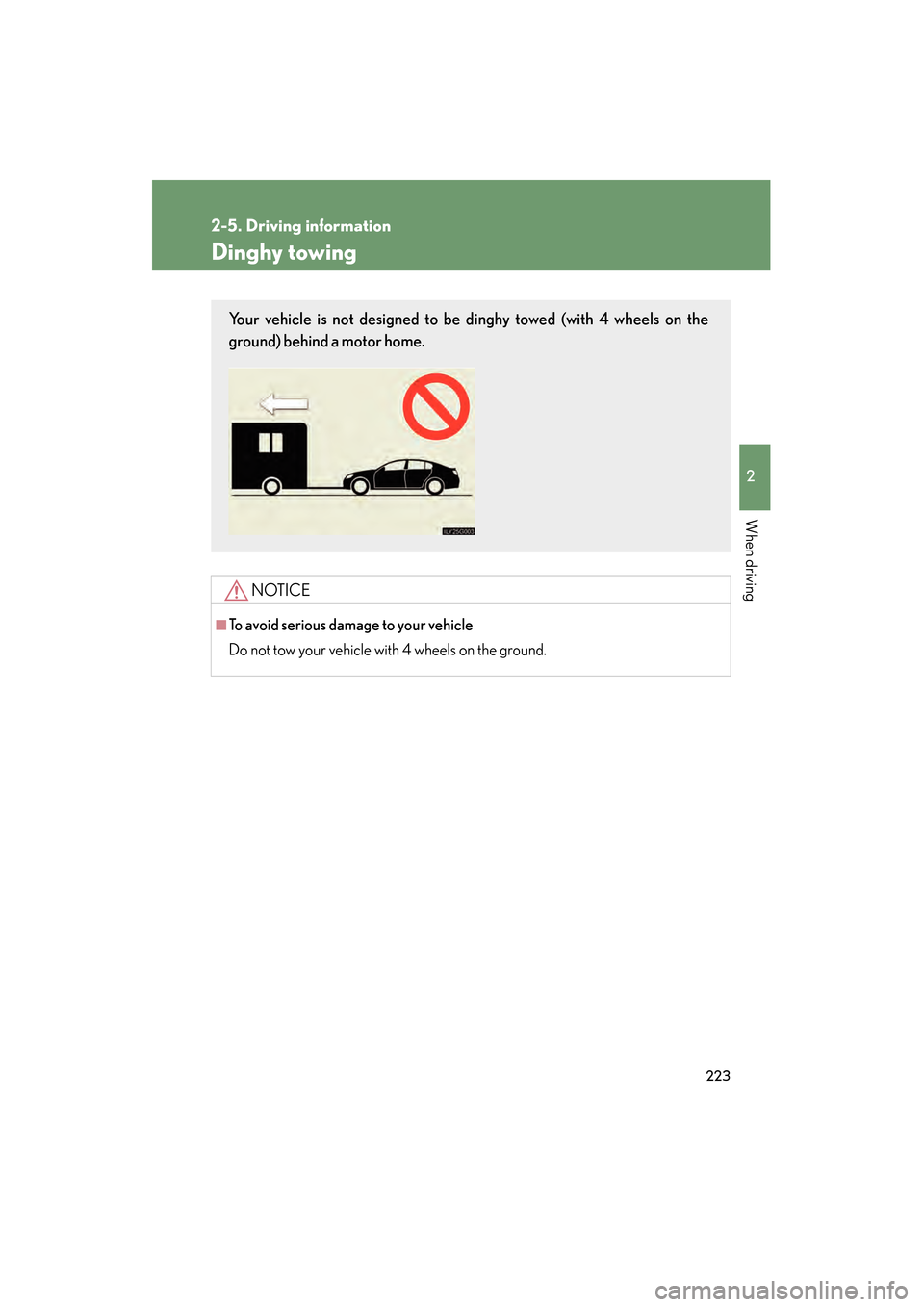
Do not tow your vehicle with 4 wheels on the ground.
Your vehicle is not designed to be dinghy towed (with 4 wheels on the
ground) behind a motor home.
GS_U_G.book Page 223 Monday, April 27, 2009 10:50 AM
Page 310 of 622
309
3-3. Using the audio system
3
Interior features
GS_G_U (OM30B43U)
April 27, 2009 10:48 am
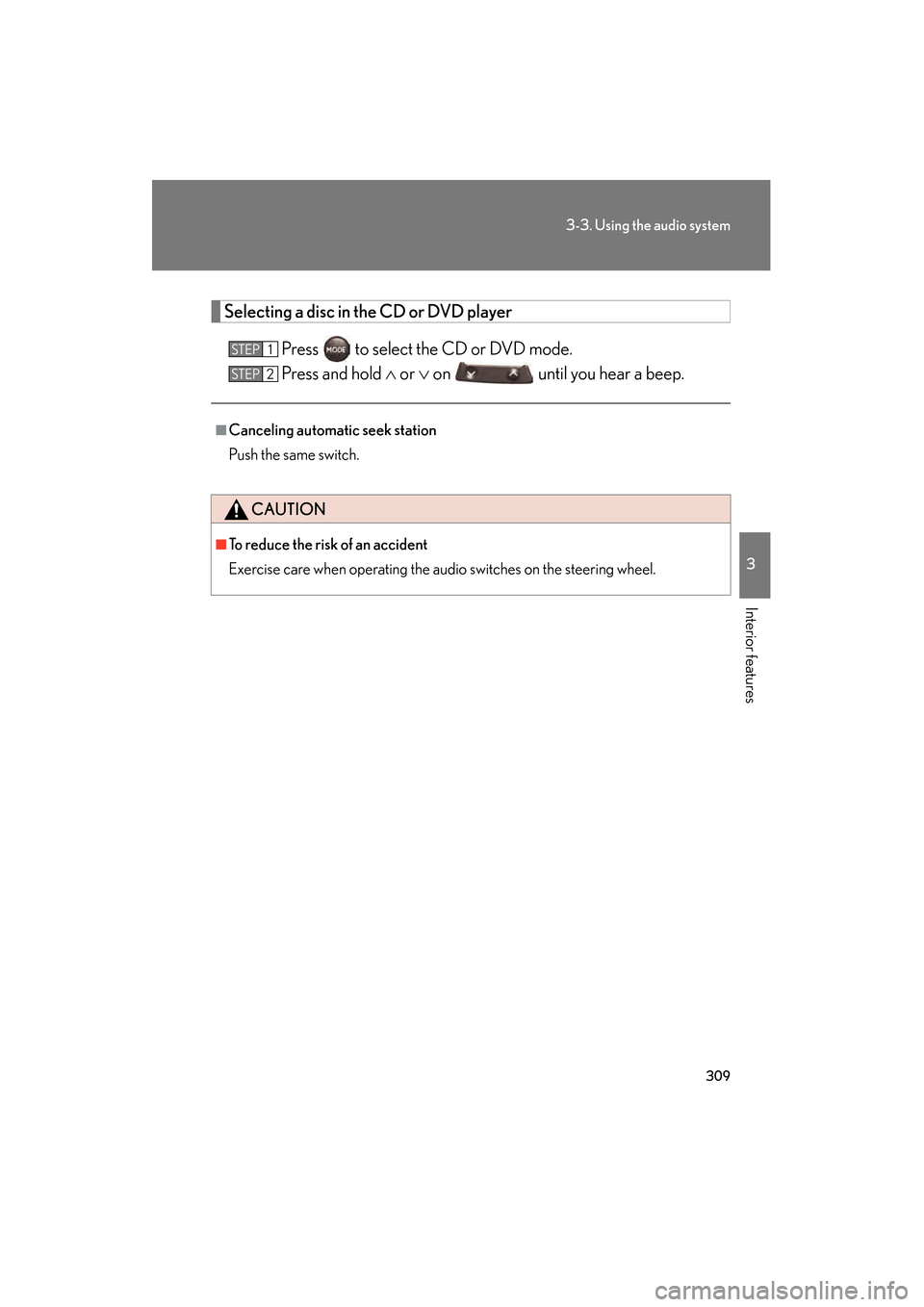
Selecting a disc in the CD or DVD playerPress to select the CD or DVD mode.
Press and hold ∧ or ∨ on until you hear a beep.
■Canceling automatic seek station
Push the same switch.
CAUTION
■To reduce the risk of an accident
Exercise care when operating the audio switches on the steering wheel.
STEP1
STEP2
GS_U_G.book Page 309 Monday, April 27, 2009 10:50 AM
Page 319 of 622
318
3-4. Using the hands-free system (for cellular phone)
GS_G_U (OM30B43U)
April 27, 2009 10:48 am
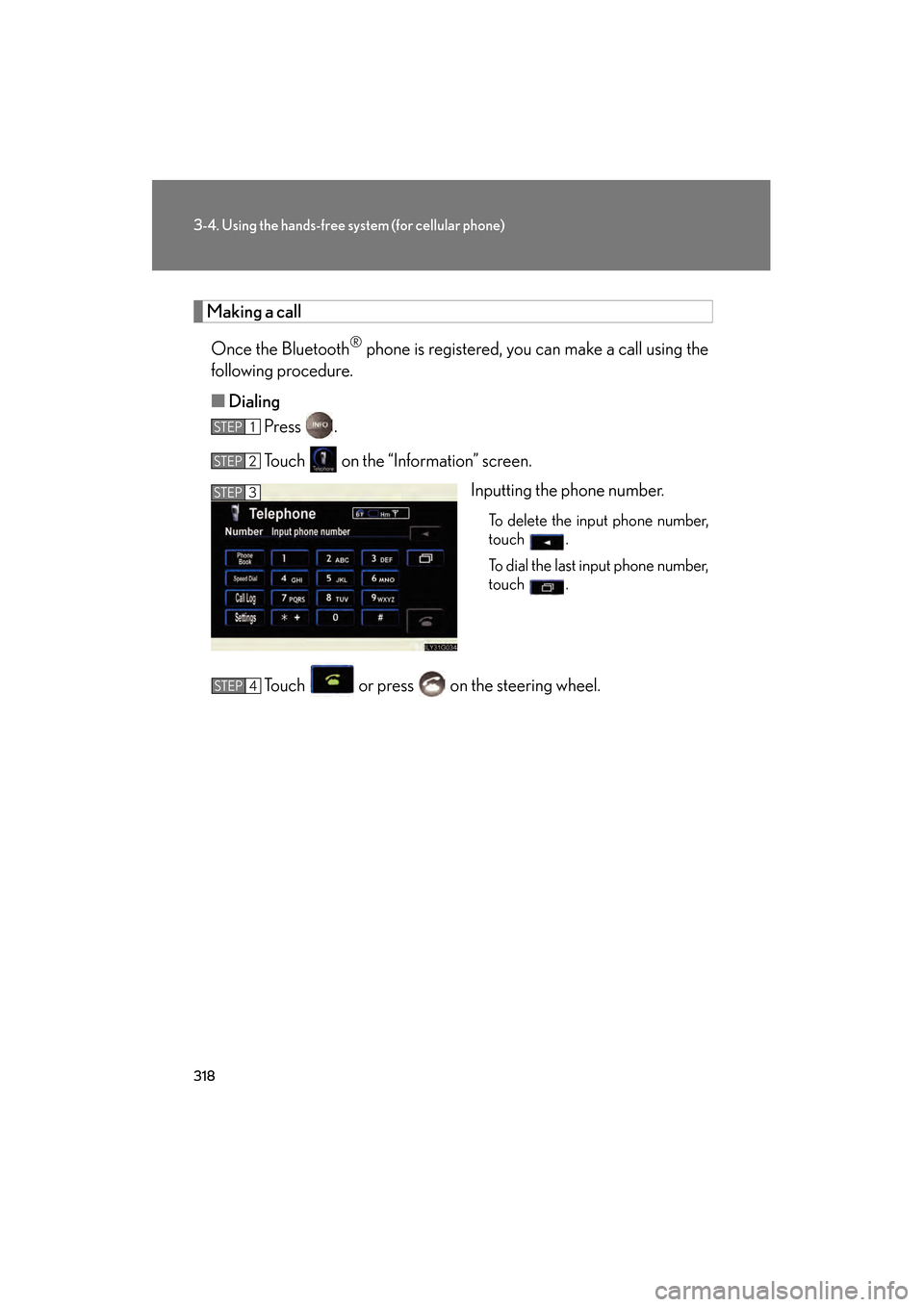
Making a callOnce the Bluetooth
® phone is registered, you can make a call using the
following procedure.
■ Dialing
Press .
Touch on the “Information” screen.
Inputting the phone number.
To delete the input phone number,
touch .
To dial the last input phone number,
touch .
Touch or press on the steering wheel.
STEP1
STEP2
STEP3
STEP4
GS_U_G.book Page 318 Monday, April 27, 2009 10:50 AM
Page 320 of 622
319
3-4. Using the hands-free system (for cellular phone)
3
Interior features
GS_G_U (OM30B43U)
April 27, 2009 10:48 am
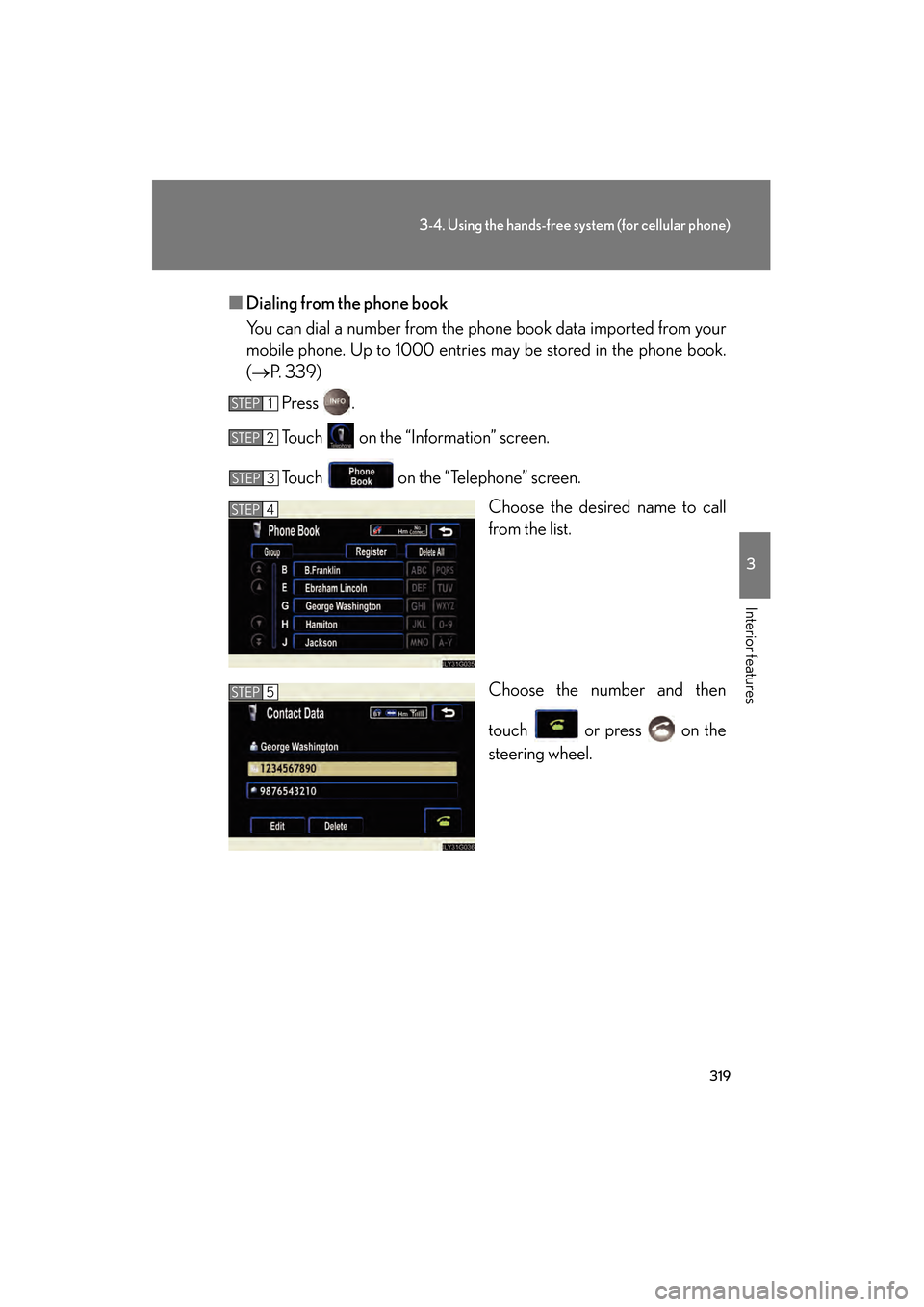
■Dialing from the phone book
You can dial a number from the phone book data imported from your
mobile phone. Up to 1 000 entries may be stor ed in the phone book.
(→ P. 3 3 9 )
Press .
Touch on the “Information” screen.
Touch on the “Telephone” screen. Choose the desired name to call
from the list.
Choose the number and then
touch or press on the
steering wheel.
STEP1
STEP2
STEP3
STEP4
STEP5
GS_U_G.book Page 319 Monday, April 27, 2009 10:50 AM
Page 321 of 622
320
3-4. Using the hands-free system (for cellular phone)
GS_G_U (OM30B43U)
April 27, 2009 10:48 am
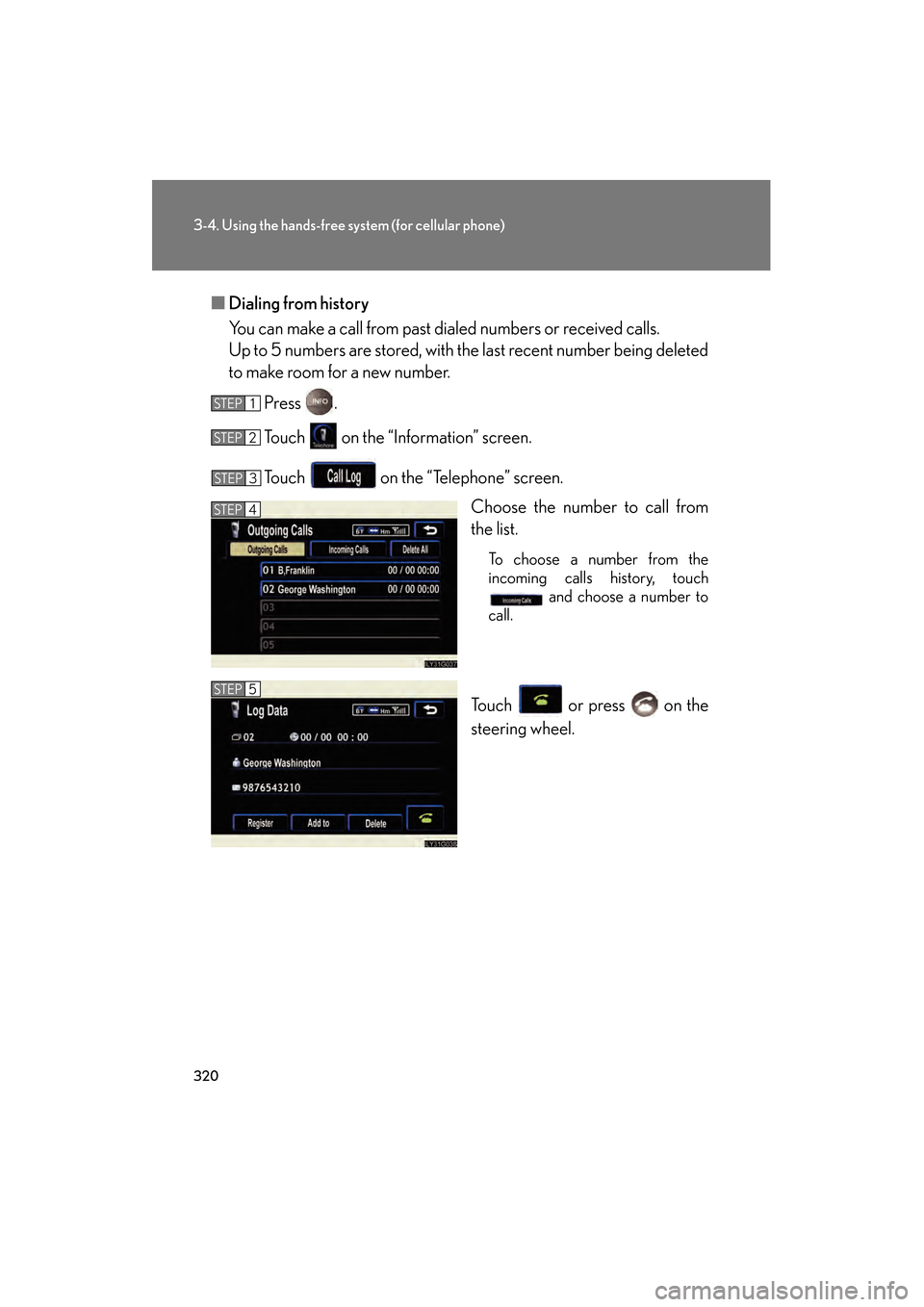
■Dialing from history
You can make a call from past di aled numbers or received calls.
Up to 5 numbers are stored, with the last recent number being deleted
to make room for a new number.
Press .
Touch on the “Information” screen.
Touch on the “Telephone” screen. Choose the number to call from
the list.
To choose a number from the
incoming calls history, touch and choose a number to
call.
Touch or press on the
steering wheel.
STEP1
STEP2
STEP3
STEP4
STEP5
GS_U_G.book Page 320 Monday, April 27, 2009 10:50 AM
Page 325 of 622
324
3-4. Using the hands-free system (for cellular phone)
GS_G_U (OM30B43U)
April 27, 2009 10:48 am
■Made/Received call history list
●If you make a call to or receive a call from a number registered in the phone
book, the name is displayed in the call history.
●If you make multiple calls to the same number, only the last call made is dis-
played in the made calls history.
● is displayed to the left of phone number for unanswered calls.
● is displayed to the left of the phone number for refused calls.
●Calls where the number is unavailable, such as public telephones, are not stored
in the call history.
■When driving
●The functions “Dialing”, “Dialing from the phone book”, and “Dialing from his-
tory” are unavailable.
●If you press on the steering wheel, the “Speed Dial” screen is displayed. At
this time phone numbers will not be displayed. Choose from the names dis-
played to make a call.
■International calls
You may not be able to make internationa l calls, depending on the mobile phone in
use.
GS_U_G.book Page 324 Monday, April 27, 2009 10:50 AM
Page 326 of 622
325
3-4. Using the hands-free system (for cellular phone)
3
Interior features
GS_G_U (OM30B43U)
April 27, 2009 10:48 am
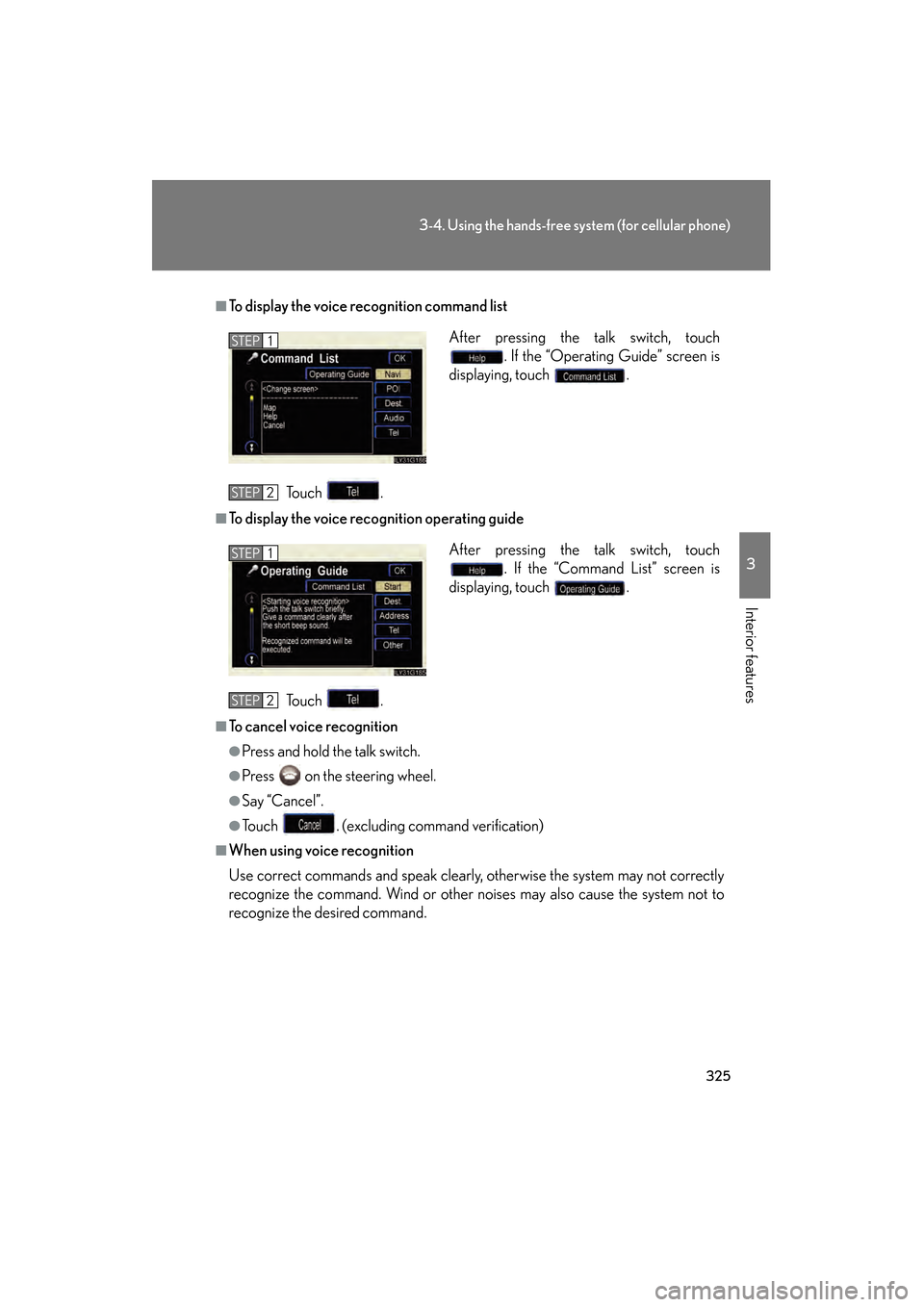
■To display the voice recognition command listTo u c h .
■To display the voice reco gnition operating guide
To u c h .
■To cancel voice recognition
●Press and hold the talk switch.
●Press on the steering wheel.
●Say “Cancel”.
●Touch . (excluding command verification)
■When using voice recognition
Use correct commands and speak clearly, otherwise the system may not correctly
recognize the command. Wind or other noises may also cause the system not to
recognize the desired command. After pressing the talk switch, touch
. If the “Operating Guide” screen is
displaying, touch .
STEP1
STEP2
After pressing the talk switch, touch . If the “Command List” screen is
displaying, touch .STEP1
STEP2
GS_U_G.book Page 325 Monday, April 27, 2009 10:50 AM
Page 327 of 622
326
3-4. Using the hands-free system (for cellular phone)
GS_G_U (OM30B43U)
April 27, 2009 10:48 am
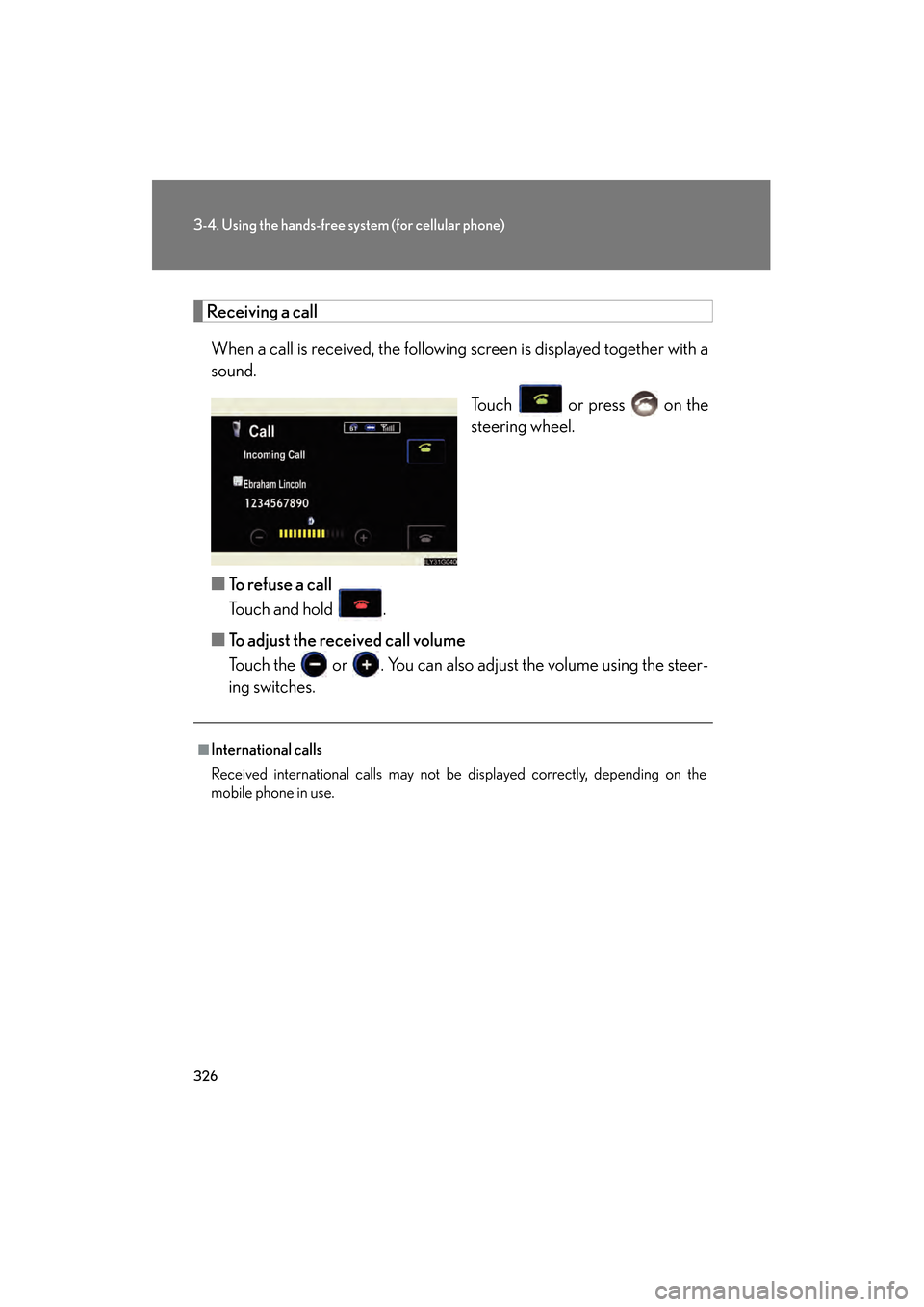
Receiving a callWhen a call is received, the following screen is displayed together with a
sound.
Touch or press on the
steering wheel.
■ To refuse a call
Touch and hold .
■ To adjust the received call volume
Touch the or . You can also adjust the volume using the steer-
ing switches.
■International calls
Received international calls may not be displayed correctly, depending on the
mobile phone in use.
GS_U_G.book Page 326 Monday, April 27, 2009 10:50 AM
Page 329 of 622
328
3-4. Using the hands-free system (for cellular phone)
GS_G_U (OM30B43U)
April 27, 2009 10:48 am
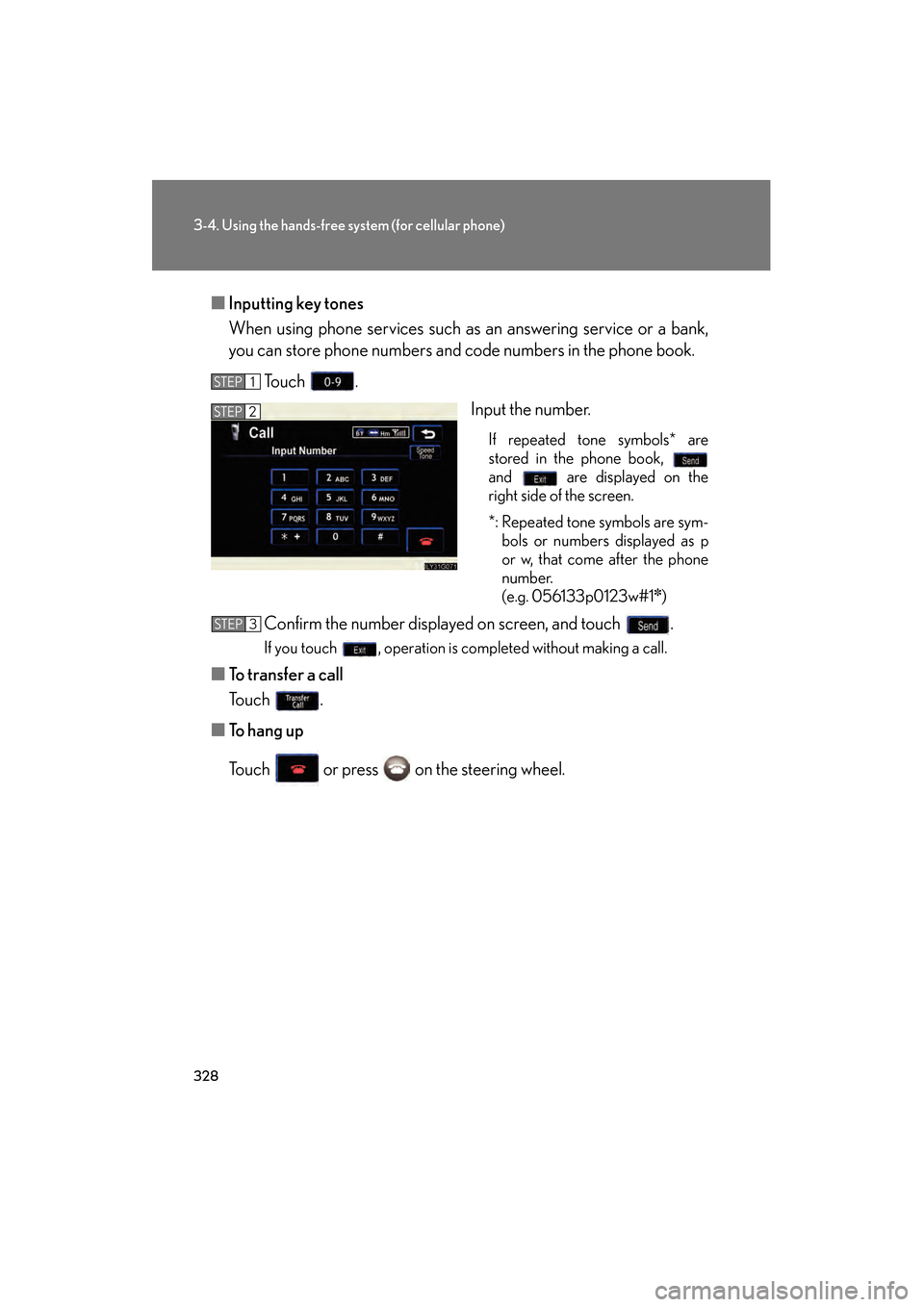
■Inputting key tones
When using phone services such as an answering service or a bank,
you can store phone numbers and code numbers in the phone book.
To u c h . Input the number.
If repeated tone symbols* are
stored in the phone book,
and are displayed on the
right side of the screen.
*: Repeated tone symbols are sym-bols or numbers displayed as p
or w, that come after the phone
number.
(e.g. 056133p0123w#1
✽)
Confirm the number displayed on screen, and touch .
If you touch , operation is completed without making a call.
■ To transfer a call
To u c h .
■ To hang up
Touch or press on the steering wheel.
STEP1
STEP2
STEP3
GS_U_G.book Page 328 Monday, April 27, 2009 10:50 AM