engine Lexus GS350 2009 Owner's Manual
[x] Cancel search | Manufacturer: LEXUS, Model Year: 2009, Model line: GS350, Model: Lexus GS350 2009Pages: 622, PDF Size: 17.98 MB
Page 4 of 622
1
2
3
4
5
6
7
3
GS_G_U (OM30B43U)
April 27, 2009 10:35 am
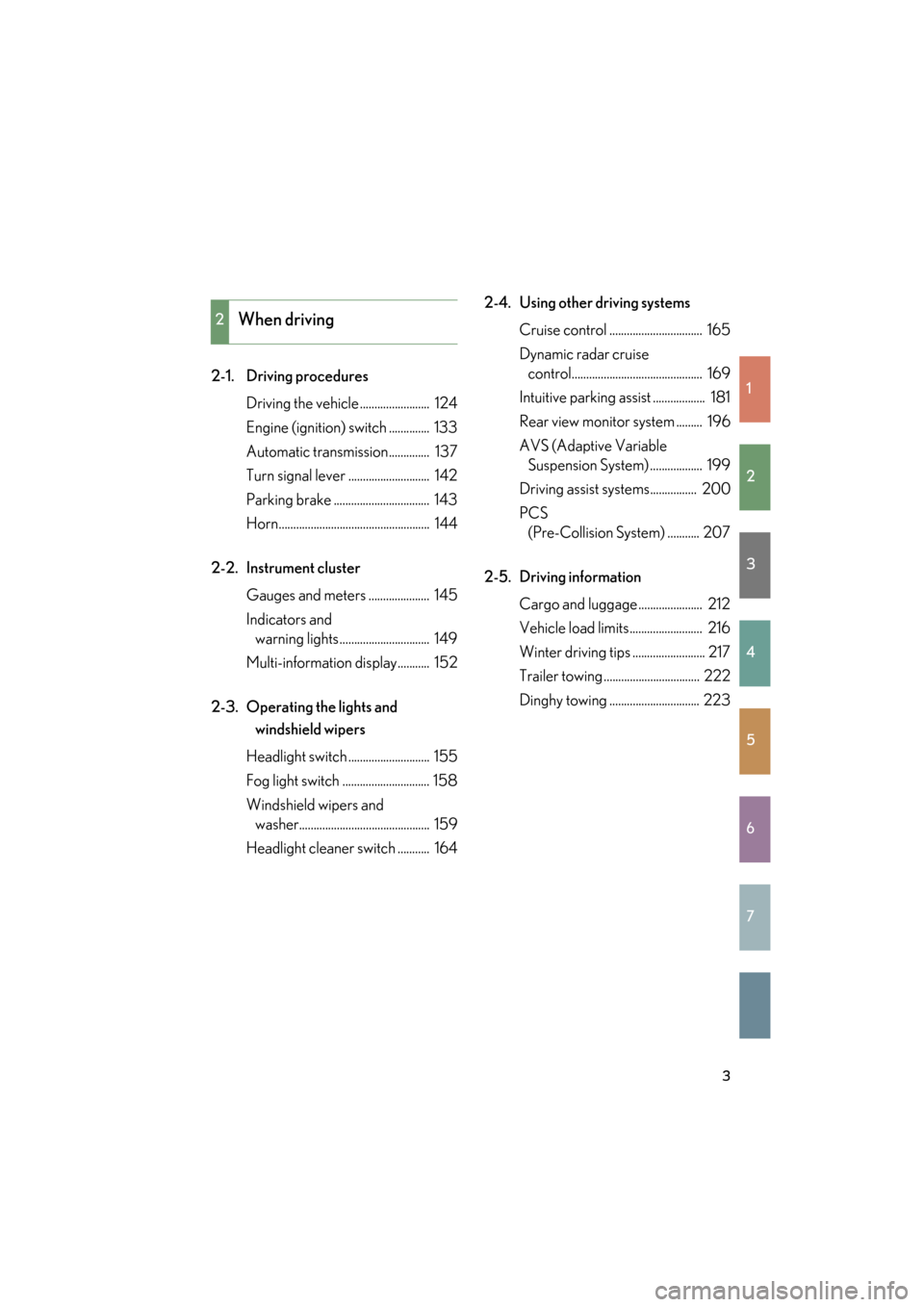
2-1. Driving proceduresDriving the vehicle ........................ 124
Engine (ignition) switch .............. 133
Automatic transmission.............. 137
Turn signal lever ............................ 142
Parking brake ................................. 143
Horn.................................................... 144
2-2. Instrument cluster Gauges and meters ..................... 145
Indicators and warning lights ............................... 149
Multi-information display........... 152
2-3. Operating the lights and windshield wipers
Headlight switch ............................ 155
Fog light switch .............................. 158
Windshield wipers and washer............................................. 159
Headlight cleaner switch ........... 164 2-4. Using other driving systems
Cruise control ................................ 165
Dynamic radar cruise control............................................. 169
Intuitive parking assist .................. 181
Rear view monitor system ......... 196
AVS (Adaptive Variable Suspension System) .................. 199
Driving assist systems................ 200
PCS (Pre-Collision System) ........... 207
2-5. Driving information Cargo and luggage ...................... 212
Vehicle load limits......................... 216
Winter driving tips ......................... 217
Trailer towing ................................. 222
Dinghy towing ............................... 223
2When driving
GS_U_G.book Page 3 Monday, April 27, 2009 10:50 AM
Page 6 of 622
1
2
3
4
5
6
7
5
GS_G_U (OM30B43U)
April 27, 2009 10:35 am
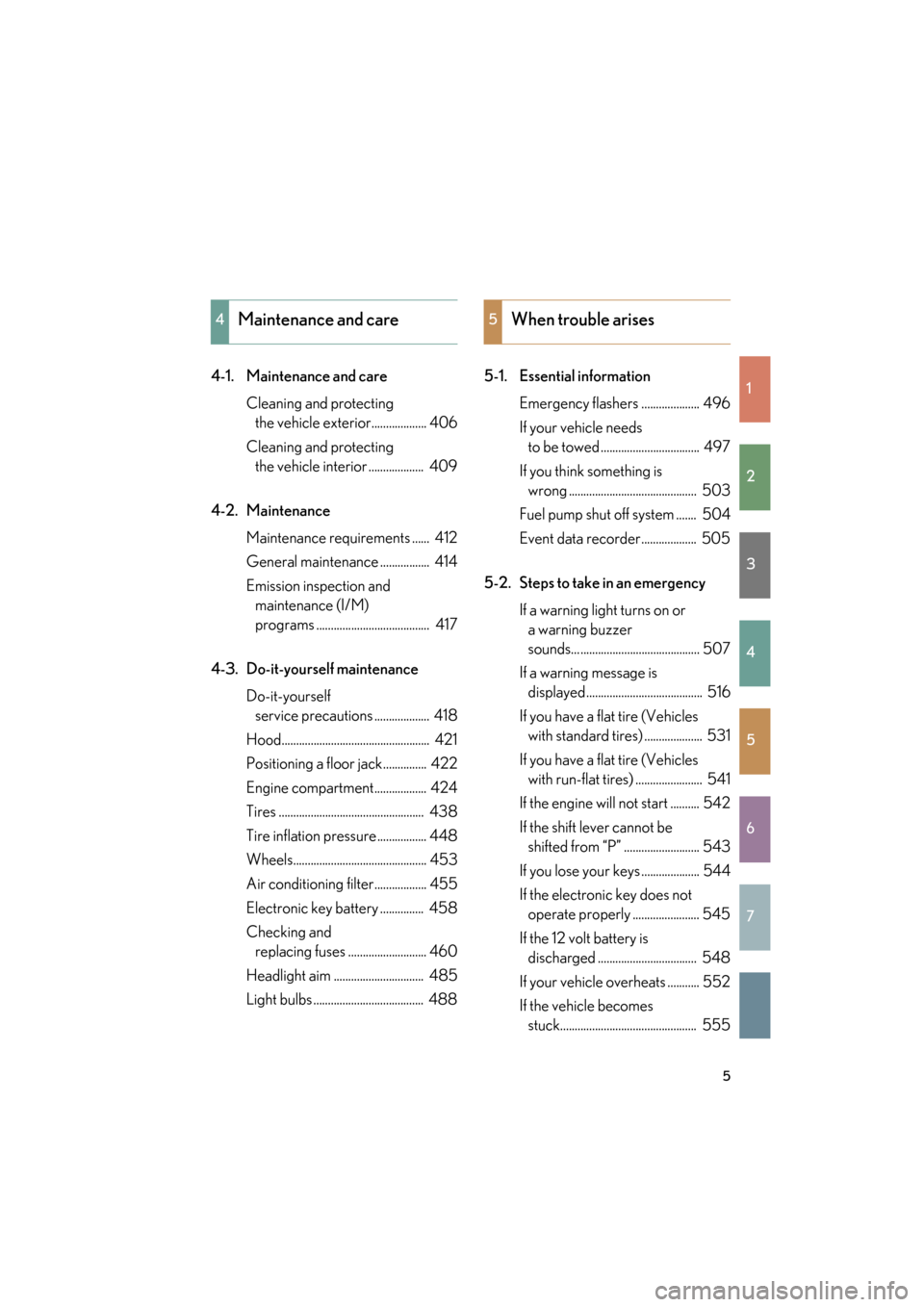
4-1. Maintenance and careCleaning and protecting the vehicle exterior................... 406
Cleaning and protecting the vehicle interior ................... 409
4-2. Maintenance Maintenance requirements ...... 412
General maintenance ................. 414
Emission inspection and maintenance (I/M)
programs ....................................... 417
4-3. Do-it-yourself maintenance Do-it-yourself service precautions ................... 418
Hood................................................... 421
Positioning a floor jack............... 422
Engine compartment.................. 424
Tires .................................................. 438
Tire inflation pressure................. 448
Wheels.............................................. 453
Air conditioning filter.................. 455
Electronic key battery ............... 458
Checking and replacing fuses ........................... 460
Headlight aim ............................... 485
Light bulbs ...................................... 488 5-1. Essential information
Emergency flashers .................... 496
If your vehicle needs to be towed .................................. 497
If you think something is wrong ............................................ 503
Fuel pump shut off system ....... 504
Event data recorder................... 505
5-2. Steps to take in an emergency If a warning light turns on or a warning buzzer
sounds... ......................................... 507
If a warning message is displayed........................................ 516
If you have a flat tire (Vehicles with standard tires) .................... 531
If you have a flat tire (Vehicles with run-flat tires) ....................... 541
If the engine will not start .......... 542
If the shift lever cannot be shifted from “P” .......................... 543
If you lose your keys .................... 544
If the electronic key does not operate properly ....................... 545
If the 12 volt battery is discharged .................................. 548
If your vehicle ov erheats ........... 552
If the vehicle becomes stuck............................................... 555
4Maintenance and care5When trouble arises
GS_U_G.book Page 5 Monday, April 27, 2009 10:50 AM
Page 15 of 622
14
GS_G_U (OM30B43U)
April 27, 2009 10:48 am
Pictorial indexInstrument panel
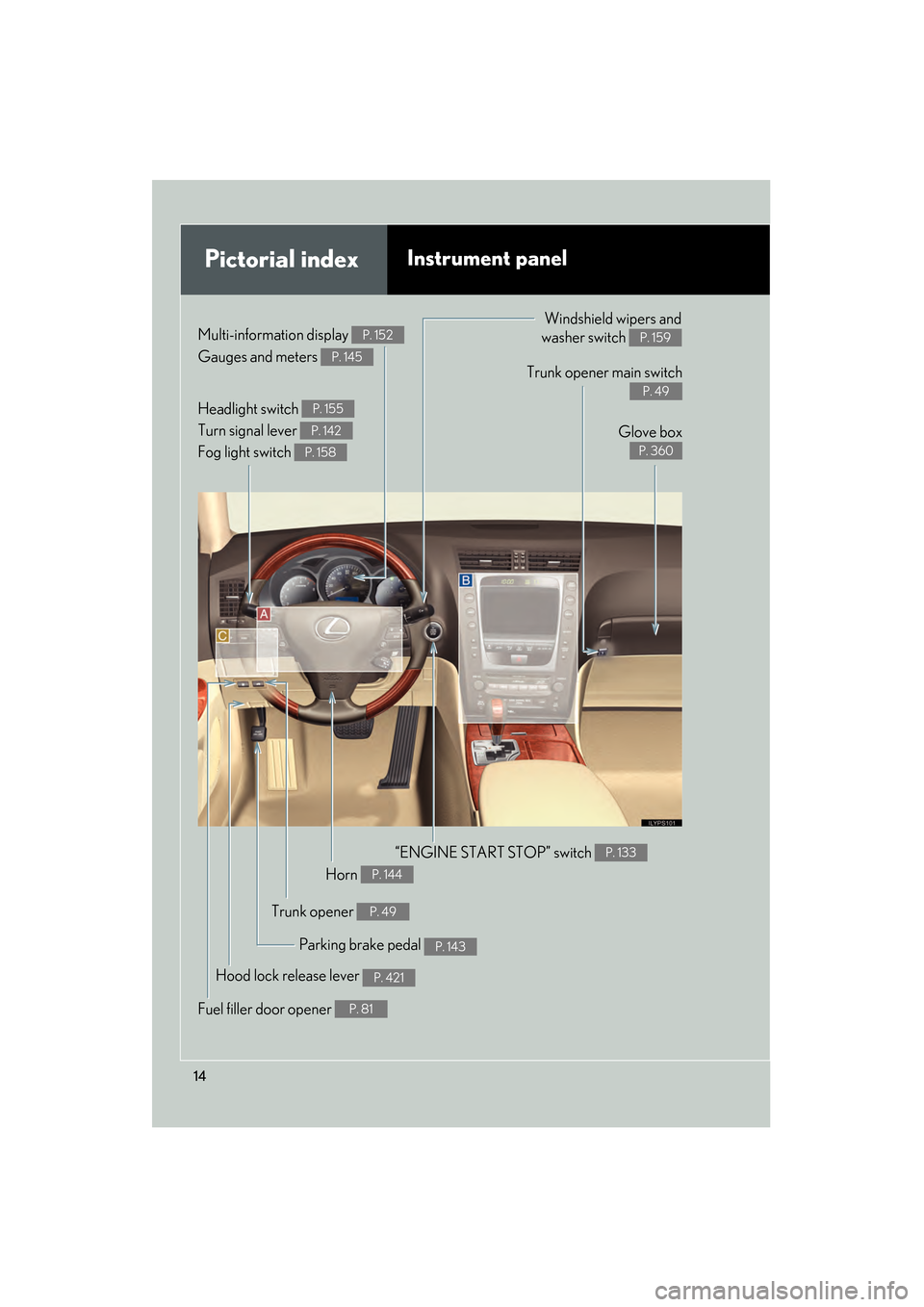
Headlight switch
Turn signal lever
Fog light switch P. 155
P. 142
P. 158
Gauges and meters P. 145
Multi-information display P. 152Windshield wipers and
washer switch
P. 159
Parking brake pedal P. 143
Trunk opener main switch
P. 49
Glove box
P. 360
Hood lock release lever P. 421
“ENGINE START STOP” switch P. 133
Trunk opener P. 49
Fuel filler door opener P. 81
Horn P. 144
GS_U_G.book Page 14 Monday, April 27, 2009 10:50 AM
Page 19 of 622
18
GS_G_U (OM30B43U)
April 20, 2009 4:34 pm
For your information
Main Owner’s Manual
Please note that this manual applies to all models and explains all equipment, includ-
ing options. Therefore, you may find some explanations for equipment not installed
on your vehicle.
All specifications provided in this manual are current at the time of printing. How-
ever, because of the Lexus policy of continual product improvement, we reserve the
right to make changes at any time without notice.
Depending on specifications, the vehicle sh own in the illustration may differ from
your vehicle in terms of color and equipment.
Noise from under vehicle after turning off the engine
Approximately five hours after the engine is turned off, you may hear sound coming
from under the vehicle for several minutes. This is the sound of a fuel evaporation
leakage check and, it does not indicate a malfunction.
Accessories, spare parts and modification of your Lexus
A wide variety of non-genuine spare parts and accessories for Lexus vehicles are
currently available in the market. You should know that Toyota does not warrant
these products and is not responsible for their performance, repair, or replacement,
or for any damage they may cause to, or adverse effect they may have on, your
Lexus vehicle.
This vehicle should not be modified with non-genuine Lexus products. Modification
with non-genuine Lexus products could affect its performance, safety or durability,
and may even violate governmental regula tions. In addition, damage or perfor-
mance problems resulting from the modi fication may not be covered under war-
ranty.
GS_U_G.book Page 18 Monday, April 27, 2009 10:50 AM
Page 30 of 622
29
1
Before driving
GS_G_U (OM30B43U)
April 27, 2009 10:48 am
1-2. Opening, closing and locking the doors and trunk
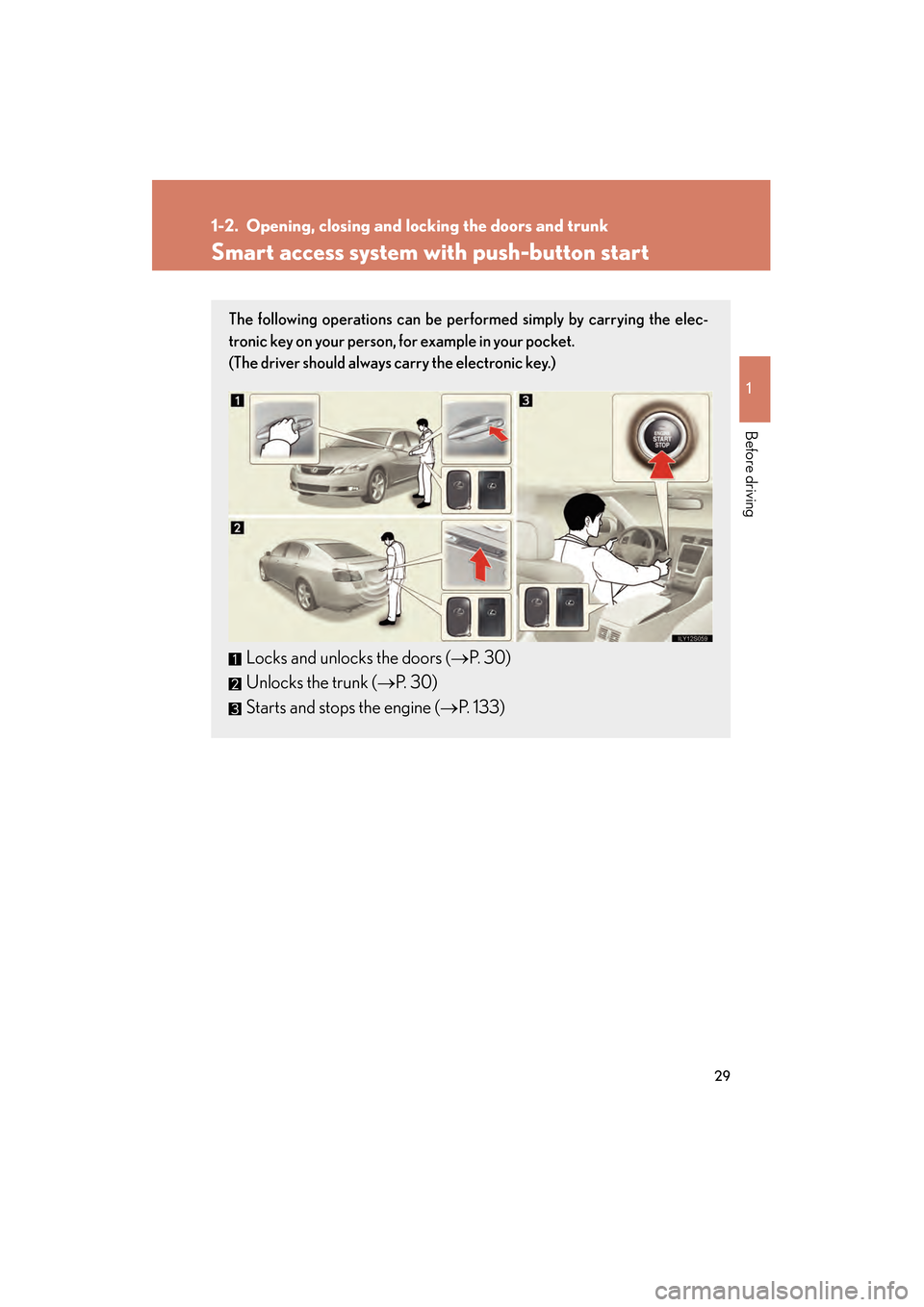
Smart access system with push-button start
The following operations can be performed simply by carrying the elec-
tronic key on your person, for example in your pocket.
(The driver should always carry the electronic key.)
Locks and unlocks the doors (→P. 30)
Unlocks the trunk ( →P. 30)
Starts and stops the engine ( →P. 133)
GS_U_G.book Page 29 Monday, April 27, 2009 10:50 AM
Page 33 of 622

32
1-2. Opening, closing and locking the doors and trunk
GS_G_U (OM30B43U)
April 27, 2009 10:48 am
■Effective range (areas within wh ich the electronic key is detected)
When locking or unlock-
ing the doors
The system can be oper-
ated when the electronic
key is within about 2.3 ft.
(70 cm) of an outside door
handle. (Only the doors
detecting the key can be
operated.)
When unlocking the trunk
The system can be oper-
ated when the electronic
key is within about 2.3 ft.
(70 cm) of the trunk
release button.
When starting the engine
or changing modes
The system can be oper-
ated when the electronic
key is inside the vehicle.
GS_U_G.book Page 32 Monday, April 27, 2009 10:50 AM
Page 35 of 622

34
1-2. Opening, closing and locking the doors and trunk
GS_G_U (OM30B43U)
April 27, 2009 10:48 am
■Switching the door unlock function
It is possible to set which doors the entry function unlocks using the wireless remote
control.
Turn the “ENGINE START STOP” switch OFF.
When the indicator light on the key surface is not on, press and
hold , , or for approximately 5 seconds while pressing and
holding .
The setting changes each time an operatio n is performed, as shown below. (When
changing the setting continuously, release the buttons, wait for at least 5 seconds,
and repeat step 2.)
STEP1
STEP2
Multi-information
displayUnlocking doorsBeep
Hold the driver’s door handle
to unlock only the driver’s
door
Exterior: Beeps 3 times
Interior: Rings once
Hold a passenger’s door han-
dle to unlock all the doors
Hold the door handle to
unlock the front and rear
doors on your sideExterior: Beeps 4 times
Interior: Rings once
Hold the door handle to
unlock the doorExterior: Beeps once
Interior: Rings once
Hold a door handle to unlock
all doorsExterior: Beeps twice
Interior: Rings once
GS_U_G.book Page 34 Monday, April 27, 2009 10:50 AM
Page 37 of 622

36
1-2. Opening, closing and locking the doors and trunk
GS_G_U (OM30B43U)
April 27, 2009 10:48 am
■To operate the system properly
Make sure to carry the electronic key when operating the system. Do not get the
electronic key too close to the vehicle when operating the system from the outside
of the vehicle.
Depending on the position and holding condition of the electronic key, the key may
not be detected corr ectly and the system may not operate properly. (The alarm may
go off accidentally, or the door lock prevention may not function.)
■Note for the smart access system with push-button start
●Even when the electronic key is within the effective range (detection areas), the
system may not operate properly in the following cases.
• The electronic key is too close to the window or outside door handle, near the
ground, or in a high place when the doors are locked or unlocked.
• The electronic key is near the ground or in a high place, or too close to the rear bumper center when the trunk is unlocked.
• The electronic key is on the instrument panel, rear package tray or floor, or in
the glove box when the engine is started or “ENGINE START STOP” switch
modes are changed.
●As long as the electronic key is within the effective range, the doors may be
locked or unlocked by anyone.
●Even if the electronic key is not inside th e vehicle, it may be possible to start the
engine if the electronic key is near the window.
●The doors may unlock if a large amount of water splashes on the door handle,
such as in the rain or in a car wash when the electronic key is within the effective
range. (The doors will automatically be locked after approximately 60 seconds
if the doors are not opened and closed.)
GS_U_G.book Page 36 Monday, April 27, 2009 10:50 AM
Page 39 of 622

38
1-2. Opening, closing and locking the doors and trunk
GS_G_U (OM30B43U)
April 27, 2009 10:48 am
AlarmSituationCorrection procedure
Exterior alarm
sounds once for 2
seconds
Tried to lock the doors using
the entry function while the
electronic key is still inside
the passenger compartmentRetrieve the electronic
key from the passenger
compartment and lock
the doors again.
Closed the trunk while the
electronic key is still inside
and all doors are lockedRetrieve the electronic
key from the trunk and
close the trunk lid.
Exterior alarm
sounds once for 60
seconds
Tried to exit the vehicle with
the electronic key and lock
the doors without first turning
the “ENGINE START STOP”
switch OFFTu r n t h e “ E N G I N E
START STOP” switch
OFF and lock the doors
again.
Exterior alarm
sounds once for 10
secondsTried to lock the vehicle using
the entry function while a
door is openClose all of the doors
and lock the doors
again.
Interior alarm
sounds continu-
ouslyTried to open the door and
exit the vehicle without shift-
ing the shift lever to “P”Shift the shift lever to
“P”.
Interior alarm rings
continuously
Switched to ACCESSORY
mode while the driver’s door
is open (Opened the driver’s
door when the “ENGINE
START STOP” switch is in
ACCESSORY mode.)
Tu r n t h e “ E N G I N E
START STOP” switch
OFF and close the
driver’s door.
Turned the “ENGINE START
STOP” switch OFF while the
driver’s door is open
Close the driver’s door.
GS_U_G.book Page 38 Monday, April 27, 2009 10:50 AM
Page 40 of 622

39
1-2. Opening, closing and locking the doors and trunk
1
Before driving
GS_G_U (OM30B43U)
April 27, 2009 10:48 am
■If the smart access system with push-button start does not operate properly
●Locking and unlocking the doors and trunk: Use the mechanical key.
(→ P. 545)
●Starting the engine: →P. 5 4 6
■When the electronic key battery is fully depleted
→P. 4 5 8
■Customization that can be configured at Lexus dealer
Settings (e.g. smart access system with push-button start) can be changed.
(Customizable features → P. 5 8 9 )
■Certification for the smart access system with push-button start
For vehicles sold in the U.S.A.
NOTE:
This device complies with Part 15 of the FCC Rules. Operation is subject to the fol-
lowing two conditions: (1) this device may not cause harmful interference, and (2)
this device must accept any interference received, including interference that may
cause undesired operation.
FCC WARNING:
Changes or modifications not expressly approved by the party responsible for
compliance could void the user’s authority to operate the equipment.
For vehicles sold in Canada
NOTE:
This device complies with RSS-210 of Industry Canada.
Operation is subject to the following two conditions: (1) this device may not cause
interference, and (2) this device must accept any interference, including interfer-
ence that may cause undesired operation of the device.
FCC ID: NI4TMLF-1
FCC ID: HYQ14AAB
FCC ID: HYQ14ABB
FCC ID: HYQ13BZLFCC ID: HYQ14ABK
FCC ID: HYQ14ABS
FCC ID: HYQ13BZT
GS_U_G.book Page 39 Monday, April 27, 2009 10:50 AM