light Lexus GS350 2010 Manual Online
[x] Cancel search | Manufacturer: LEXUS, Model Year: 2010, Model line: GS350, Model: Lexus GS350 2010Pages: 650, PDF Size: 15.04 MB
Page 211 of 650
210
2-4. Using other driving systems
GS_G_U (OM30C80U)
January 27, 2010 4:47 pm
■Conditions that may trigger the system even if there is no danger of collision
●When there is an object by the roadside at the entrance to a curve
●When passing an oncoming vehicle on a curve
●When driving over a narrow iron bridge
●When there is a metal object on the road surface
●When driving on an uneven road surface
●When passing an oncoming vehicle on a left-turn
●When your vehicle rapidly closes on the vehicle in front
●When a grade separation/interchange, sign, billboard, or other structure
appears to be directly in the vehicle’s line of travel
●When an extreme change in vehicle height occurs
●When there is an abnormality in the radar sensor
●When climbing a steep hill causes an overhead billboard or other metallic struc-
ture to appear directly in the vehicle’s line of travel
When the system is activated in the situations described above there is also a possi-
bility that the seat belts will retract quickly and the brakes will be applied with a force
greater than normal. When the seat belt is locked in the retracted position, stop the
vehicle in a safe place, release the seat belt and refasten.
■When there is a malfunction in the system
Warning lights and/or warning messages will turn on or flash. ( →P. 535, 545)
GS_U_G.book Page 210 Wednesday, January 27, 2010 4:48 PM
Page 213 of 650
212
2-4. Using other driving systems
GS_G_U (OM30C80U)
January 27, 2010 4:47 pm
CAUTION
■Handling the radar sensor
Observe the following to ensure the pre-collision system can function effectively.
●Keep the sensor and front grille clean at all times.
Clean the sensor and front grille with a soft cloth so you do not mark or damage
them.
●Do not subject the sensor or surrounding area to a strong impact.
If the sensor moves even slightly off position, the system may malfunction. If the
sensor or surrounding area are subject to a strong impact, always have the area
inspected and adjusted by a Lexus dealer.
●Do not disassemble the sensor.
●Do not attach accessories or stickers to the sensor, grille cover or surrounding
area.
●Do not modify or paint the sensor and grille.
■Limitations of the pre-collision system
Do not rely on the pre-collision system. Always drive safely, taking care to observe
your surroundings and checking for any obstacles or other road hazards.
GS_U_G.book Page 212 Wednesday, January 27, 2010 4:48 PM
Page 228 of 650

Interior features3
227
GS_G_U (OM30C80U)
January 27, 2010 7:28 pm
3-3. Using the audio systemAudio system type.................. 257
Using the radio........................ 260
Using the CD/DVD player ...................................... 269
Playing an audio CD ............. 272
Playing MP3 and WMA discs............................. 276
Playing DVD video/audio (with DVD player) .............. 280
Playing a video CD
(with DVD player) ............... 294
CD/DVD player and DVD video disc information ....... 297
Listening to Bluetooth
®
audio....................................... 308
Listening to a USB memory/
iPod
®....................................... 316
Optimal use of the audio/ video system ......................... 326
Using the AUX port ............. 328
Using the steering switches.................................. 329 3-4. Using the hands-free system
(for cellular phone)
Hands-free system (for cellular phone) ............. 332
Using a Bluetooth
®
phone ...................................... 338
Setting the hands-free system (for cellular phone) ............. 353
3-5. Using the interior lights Interior lights list .................... 382
3-6. Using the storage features List of storage features......... 385
3-7. Other interior features Sun visors ................................. 393
Vanity mirrors ......................... 394
Clock ......................................... 395
Outside temperature
display..................................... 396
Ashtrays.................................... 397
Cigarette lighter .................... 398
Power outlet ............................ 399
Seat heaters/ventilators ...... 400
Armrest .................................... 402
Rear sunshade ........................ 403
Floor mats ................................ 406
Trunk features ......................... 408
Garage door opener .............. 411
Compass .................................... 417
Safety Connect ....................... 421
Sec_03TOC.fm Page 227 Wednesday, January 27, 2010 7:28 PM
Page 233 of 650
232
3-1. Using the touch screen
GS_G_U (OM30C80U)
January 27, 2010 4:47 pm
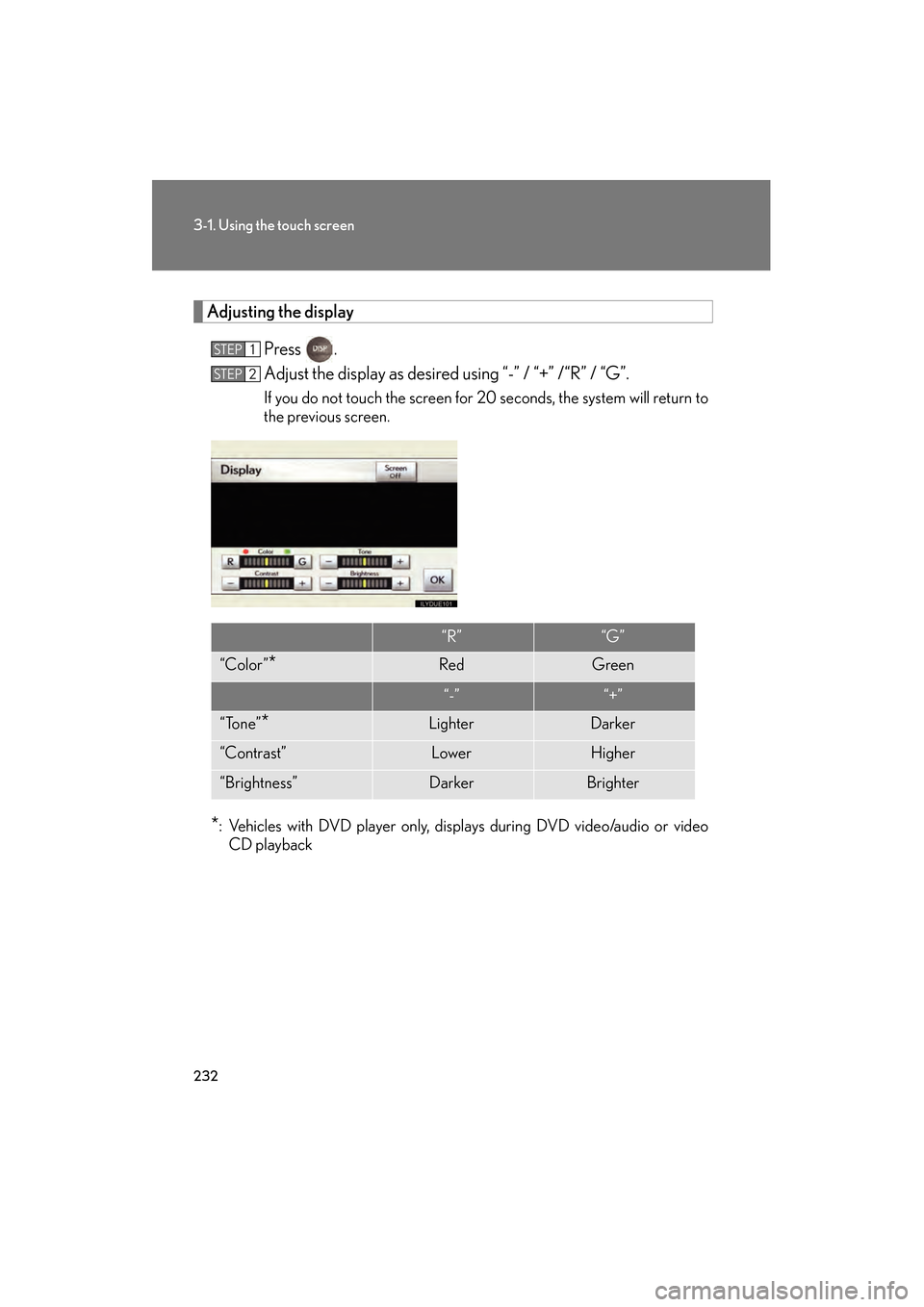
Adjusting the displayPress .
Adjust the display as desired using “-” / “+” /“R” / “G”.
If you do not touch the screen for 20 seconds, the system will return to
the previous screen.
*: Vehicles with DVD player only, displays during DVD video/audio or videoCD playback
STEP1
STEP2
“R”“G”
“Color”*RedGreen
“-”“+”
“Tone”*LighterDarker
“Contrast”LowerHigher
“Brightness”DarkerBrighter
GS_U_G.book Page 232 Wednesday, January 27, 2010 4:48 PM
Page 234 of 650
233
3-1. Using the touch screen
3
Interior features
GS_G_U (OM30C80U)
January 27, 2010 4:47 pm
■To avoid damaging the touch screen
●Touch the screen lightly with your finger. If there is no response, remove your fin-
ger from the screen and try again.
●Remove any dirt on the screen by wiping with a soft cloth. Do not use detergent.
■When using the touch screen
●If the screen is cold, the display may be dark, or the system may seem to be
operating slightly slower than normal.
●The screen may seem dark and hard to see when viewed through sunglasses.
Change your angle of viewing, adjust the display on the “Display” screen or
remove your sunglasses.
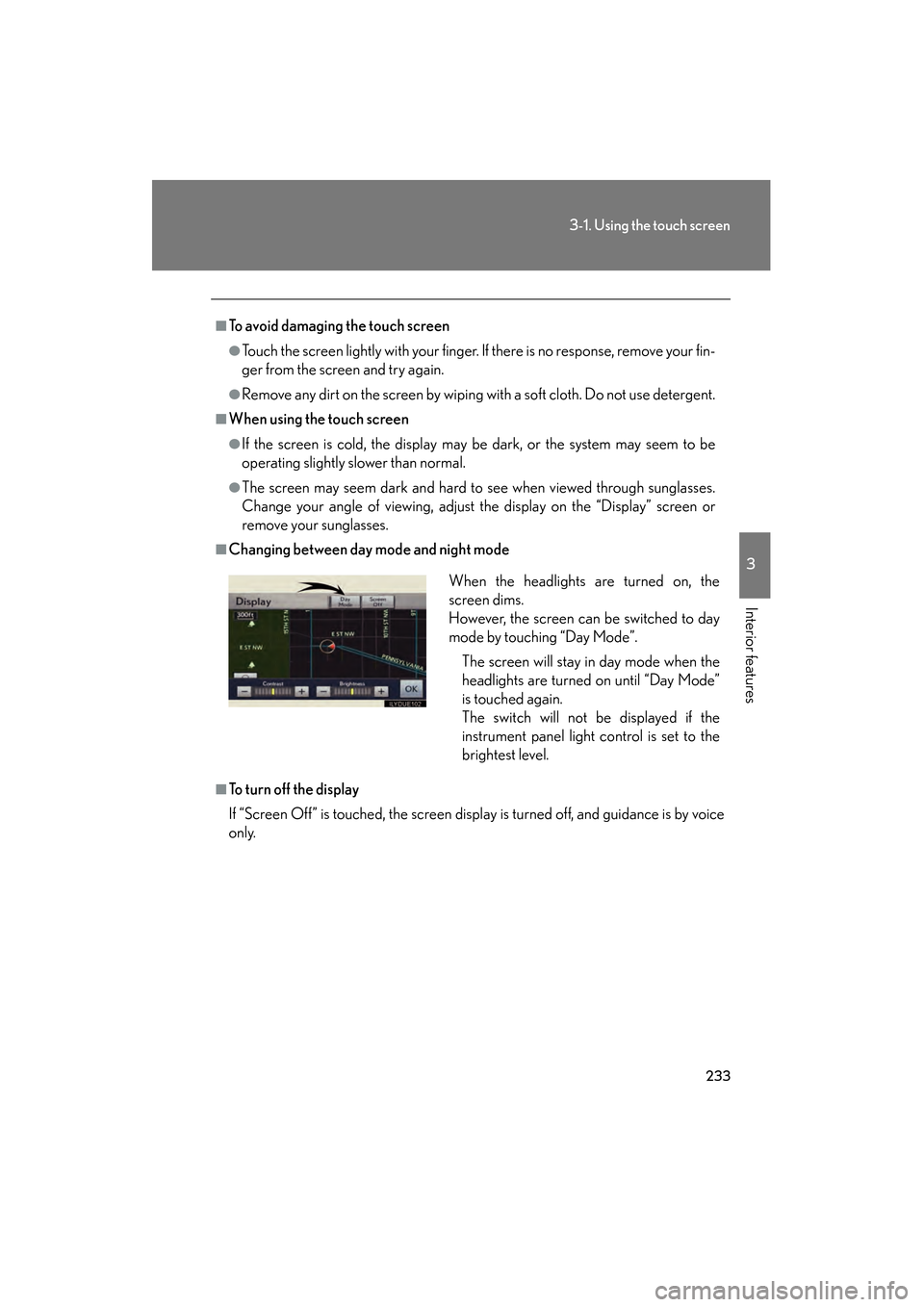
■Changing between day mode and night mode
■To turn off the display
If “Screen Off” is touched, the screen display is turned off, and guidance is by voice
only.When the headlights are turned on, the
screen dims.
However, the screen can be switched to day
mode by touching “Day Mode”.
The screen will stay in day mode when the
headlights are turned on until “Day Mode”
is touched again.
The switch will not be displayed if the
instrument panel light control is set to the
brightest level.
GS_U_G.book Page 233 Wednesday, January 27, 2010 4:48 PM
Page 240 of 650
239
3-1. Using the touch screen
3
Interior features
GS_G_U (OM30C80U)
January 27, 2010 4:47 pm
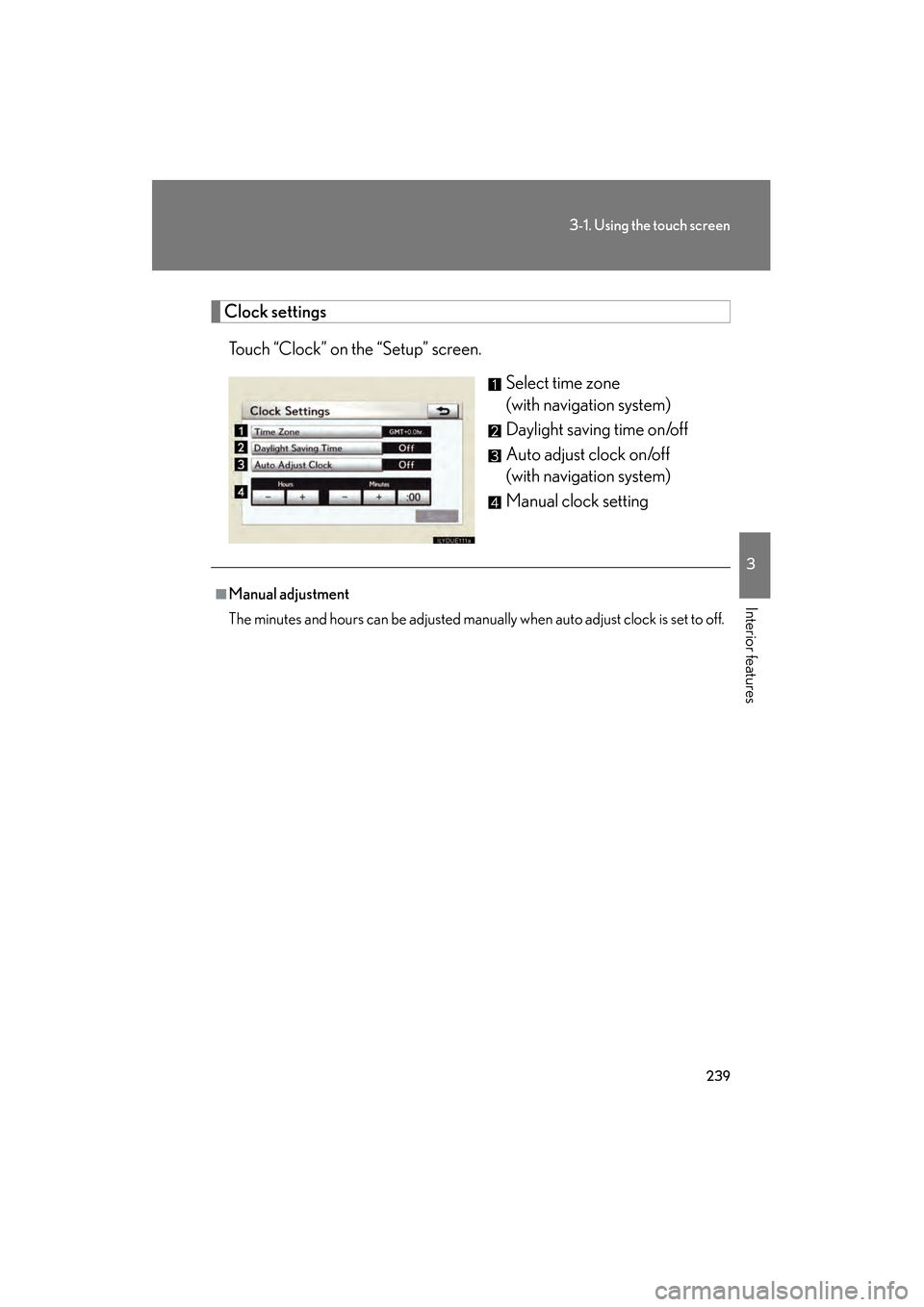
Clock settingsTouch “Clock” on the “Setup” screen. Select time zone
(with navigation system)
Daylight saving time on/off
Auto adjust clock on/off
(with navigation system)
Manual clock setting
■Manual adjustment
The minutes and hours can be adjusted manually when auto adjust clock is set to off.
GS_U_G.book Page 239 Wednesday, January 27, 2010 4:48 PM
Page 255 of 650
254
3-2. Using the air conditioning system and defogger
GS_G_U (OM30C80U)
January 27, 2010 4:48 pm
■Micro dust and pollen filter
●In order to prevent the windows from fogging up when the outside air is cold,
the following may occur.
• Outside air mode does not switch to .
• The air conditioning system operates automatically.
• The operation cancels after 1 minute.
●In rainy weather, the windows may fog up. Press .
■When the indicator light on “A/C” flashes
Touch “A/C” and turn off the air conditioning system before turning it on once more.
There may be a problem in the air conditioning system if the indicator light contin-
ues to flash. Turn the air conditioning system off and have it inspected by your Lexus
dealer.
CAUTION
■To prevent the windshield from fogging up
Do not use during cool air operation in extremely humid weather. The differ-
ence between the temperature of the outside air and that of the windshield can
cause the outer surface of the windshield to fog up, blocking your vision.
NOTICE
■To prevent 12 volt battery discharge
Do not leave the automatic air conditioning system on longer than necessary when
the engine is off.
GS_U_G.book Page 254 Wednesday, January 27, 2010 4:48 PM
Page 306 of 650
305
3-3. Using the audio system
3
Interior features
GS_G_U (OM30C80U)
January 27, 2010 4:47 pm
■CD-R and CD-RW discs
●CD-R/CD-RW discs that have not been subject to the “finalizing process” (a
process that allows discs to be played on a conventional CD player) cannot be
played.
●It may not be possible to play CD-R/CD-RW discs recorded on a music CD
recorder or a personal computer because of disc characteristics, scratches or
dirt on the disc, or dirt, condensation, etc. on the lens of the unit.
●It may not be possible to play discs recorded on a personal computer depend-
ing on the application settings and the environment. Record with the correct
format. (For details, contact the appropriate application manufacturers of the
applications.)
●CD-R/CD-RW discs may be damaged by direct exposure to sunlight, high
temperatures or other storage conditions. The unit may be unable to play dam-
aged discs.
●If you insert a CD-RW disc into the MP3/WMA player, playback will begin
more slowly than with a conventional CD or CD-R disc.
●Recordings on CD-R/CD-RW cannot be played using the DDCD (Double
Density CD) system.
CAUTION
■DVD video precaution
Conversational speech on some DVDs is recorded at a low volume to emphasize
the impact of sound effects. If you adjust the volume assuming that the conversa-
tions represent the maximum volume level that the DVD will play, you may be star-
tled by louder sound effects or when you change to a different audio source.
Loud sounds may have a significant impact on the human body or pose a driving
hazard. Keep this in mind when you adjust the volume.
GS_U_G.book Page 305 Wednesday, January 27, 2010 4:48 PM
Page 308 of 650
307
3-3. Using the audio system
3
Interior features
GS_G_U (OM30C80U)
January 27, 2010 4:47 pm
NOTICE
■Player precautions
Failure to follow the precautions below may result in damage to the discs or the
player itself.
●Do not insert anything other than discs into the disc slot.
●Do not apply oil to the player.
●Store discs away from direct sunlight.
●Never try to disassemble any part of the player.
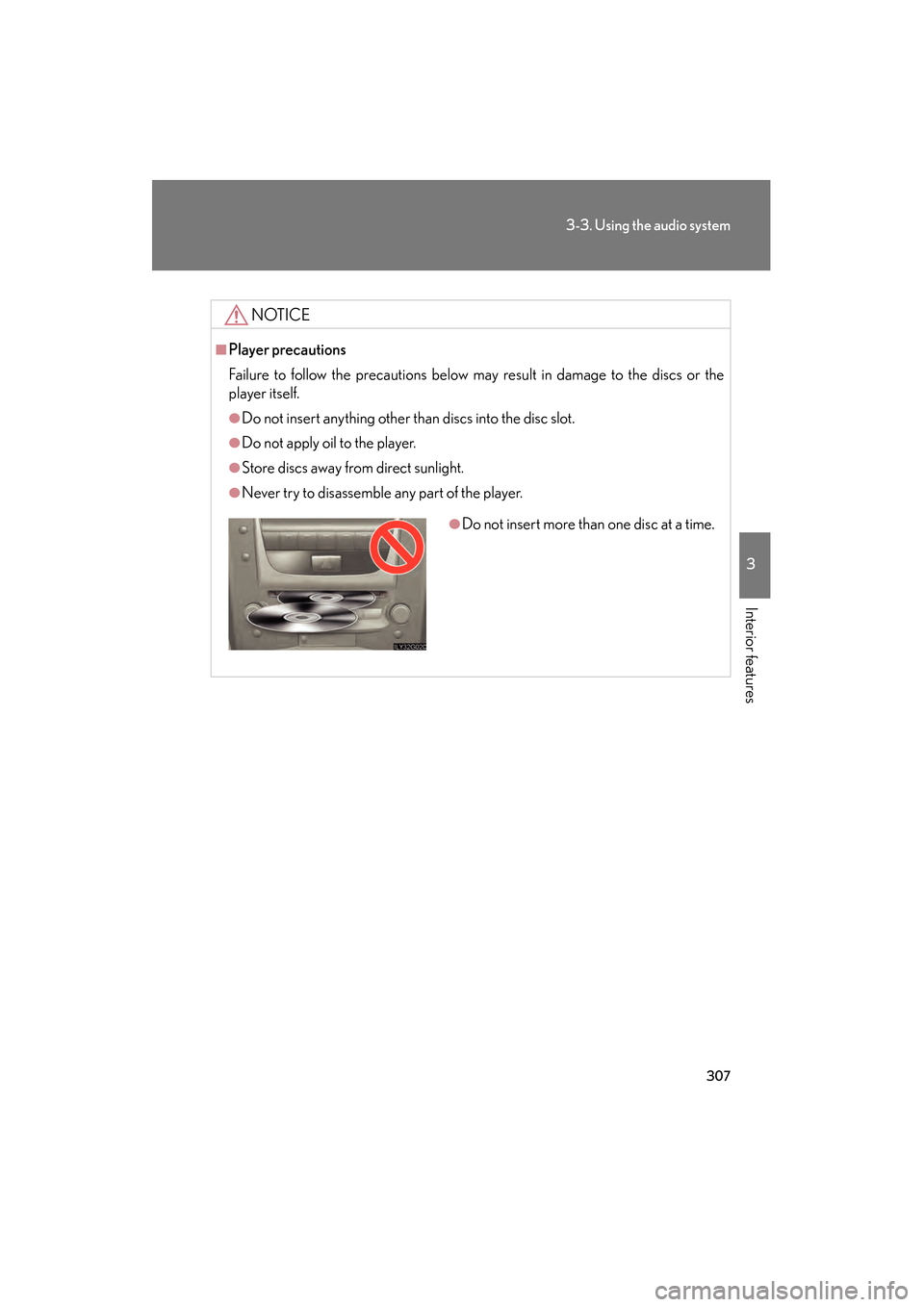
●Do not insert more than one disc at a time.
GS_U_G.book Page 307 Wednesday, January 27, 2010 4:48 PM
Page 314 of 650
313
3-3. Using the audio system
3
Interior features
GS_G_U (OM30C80U)
January 27, 2010 4:47 pm
■When using the Bluetooth® audio system
●In the following conditions, the system may not function.
• The portable player is turned off
• The portable player is not connected
• The portable player battery is low
●There may be a delay if phone connection is carried out during Bluetooth®
audio play.
●Depending on the type of portable player that is connected to the system, oper-
ation may differ slightly and certain functions may not be available.
■Bluetooth® antenna
The antenna is built into the instrument panel. If the portable player is behind the
seat or in the glove box or console box, or is touching or covered by metal objects,
connection status may deteriorate.
■Battery charge/signal status
This display may not correspond exactly with the portable player, and this system
does not have a charging function.
■About Bluetooth®
Bluetooth is a registered trademark of
Bluetooth SIG. Inc.
GS_U_G.book Page 313 Wednesday, January 27, 2010 4:48 PM