engine Lexus GS350 2011 Owner's Guide
[x] Cancel search | Manufacturer: LEXUS, Model Year: 2011, Model line: GS350, Model: Lexus GS350 2011Pages: 654, PDF Size: 11.03 MB
Page 71 of 654
70
1-3. Adjustable components (seats, mirrors, steering wheel)
GS_G_U (OM30C11U)
October 28, 2011 5:15 pm
Steering wheel
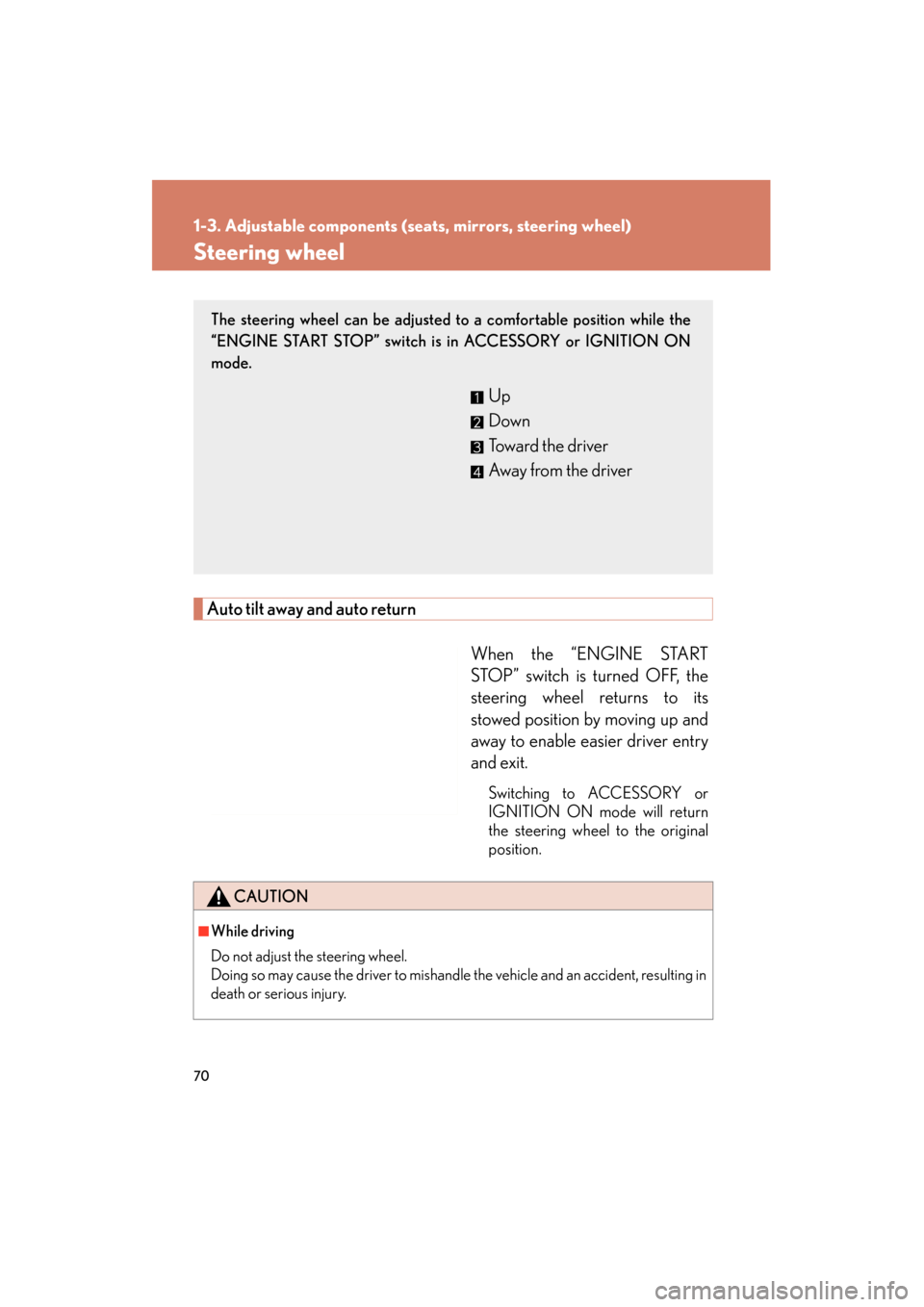
Auto tilt away and auto returnWhen the “ENGINE START
STOP” switch is turned OFF, the
steering wheel returns to its
stowed position by moving up and
away to enable easier driver entry
and exit.
Switching to ACCESSORY or
IGNITION ON mode will return
the steering wheel to the original
position.
The steering wheel can be adjusted to a comfortable position while the
“ENGINE START STOP” switch is in ACCESSORY or IGNITION ON
mode.
Up
Down
Toward the driver
Away from the driver
CAUTION
■While driving
Do not adjust the steering wheel.
Doing so may cause the driver to mishandle the vehicle and an accident, resulting in
death or serious injury.
Page 72 of 654
71
1
1-3. Adjustable components (seats, mirrors, steering wheel)
Before driving
GS_G_U (OM30C11U)
October 28, 2011 5:15 pm
Inside rear view mirror
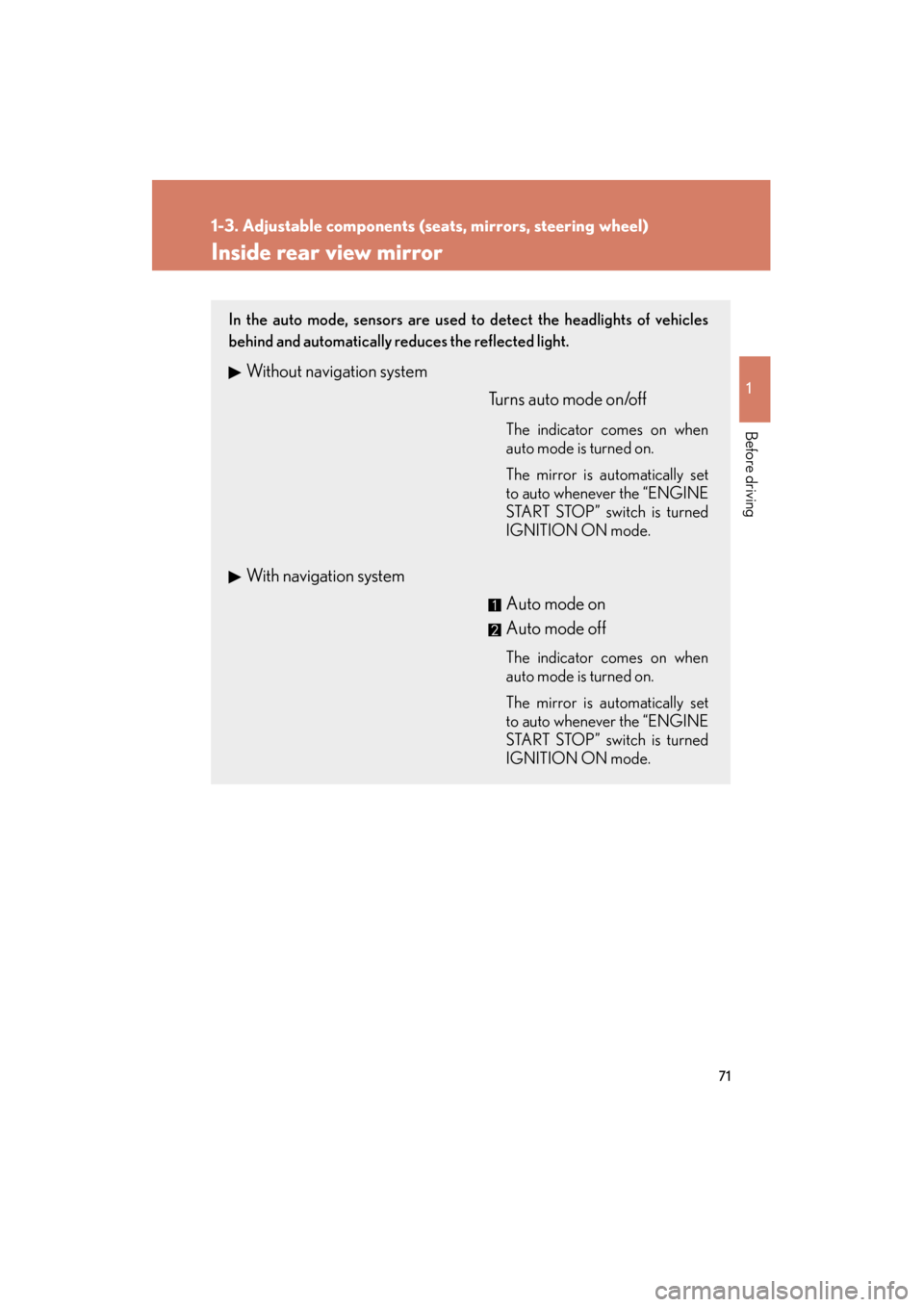
In the auto mode, sensors are used to detect the headlights of vehicles
behind and automatically reduces the reflected light.
Without navigation systemTurns auto mode on/off
The indicator comes on when
auto mode is turned on.
The mirror is automatically set
to auto whenever the “ENGINE
START STOP” switch is turned
IGNITION ON mode.
With navigation system Auto mode on
Auto mode off
The indicator comes on when
auto mode is turned on.
The mirror is automatically set
to auto whenever the “ENGINE
START STOP” switch is turned
IGNITION ON mode.
Page 74 of 654
73
1
1-3. Adjustable components (seats, mirrors, steering wheel)
Before driving
GS_G_U (OM30C11U)
October 28, 2011 5:15 pm
Outside rear view mirrors
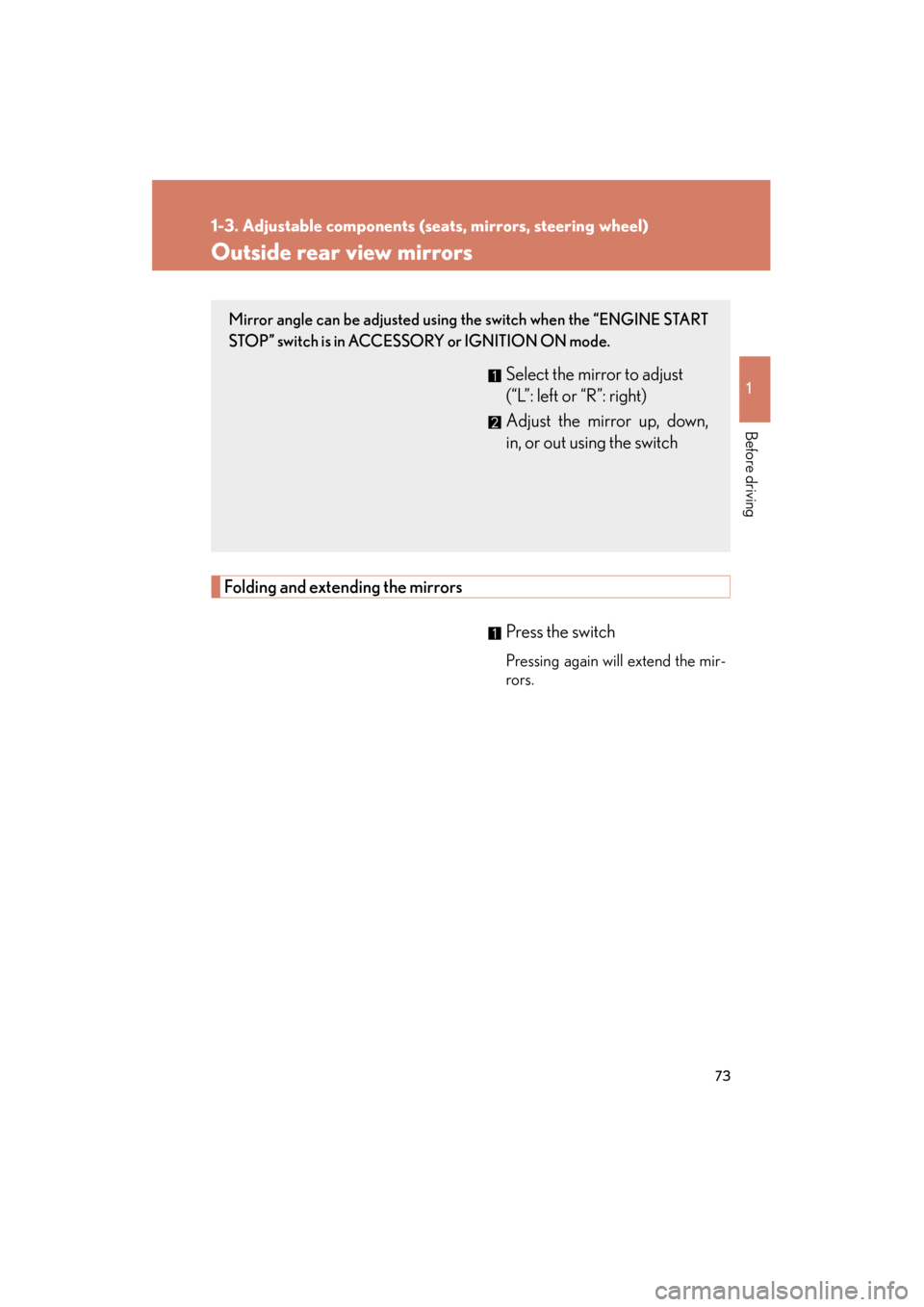
Folding and extending the mirrorsPress the switch
Pressing again will extend the mir-
rors.
Mirror angle can be adjusted using the switch when the “ENGINE START
STOP” switch is in ACCESSORY or IGNITION ON mode.
Select the mirror to adjust
(“L”: left or “R”: right)
Adjust the mirror up, down,
in, or out using the switch
Page 76 of 654
75
1
Before driving
GS_G_U (OM30C11U)
October 28, 2011 5:15 pm
1-4. Opening and closing the windows and moon roof
Power windows
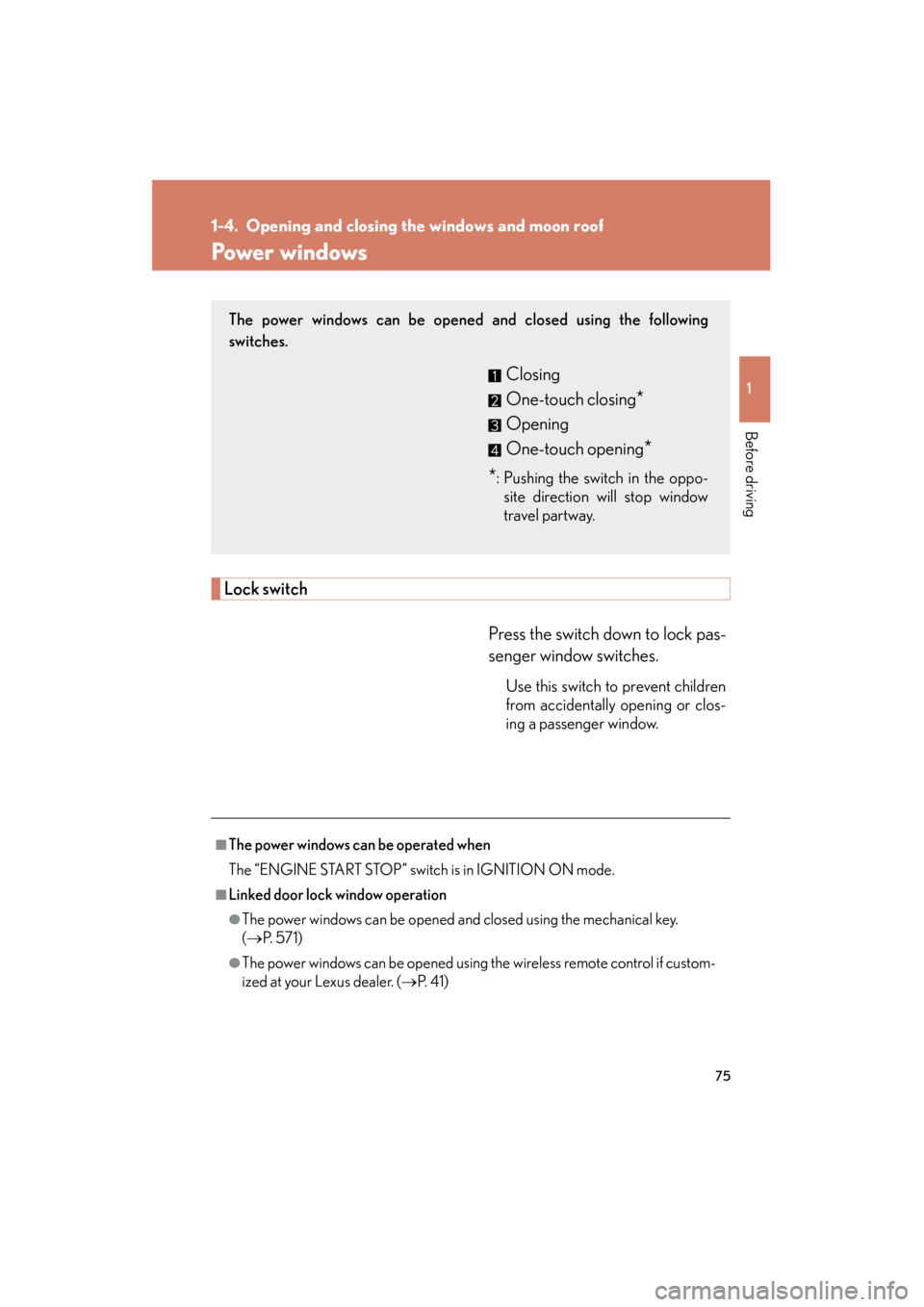
Lock switchPress the switch down to lock pas-
senger window switches.
Use this switch to prevent children
from accidentally opening or clos-
ing a passenger window.
The power windows can be opened and closed using the following
switches.
Closing
One-touch closing
*
Opening
One-touch opening
*
*
: Pushing the switch in the oppo- site direction will stop window
travel partway.
■The power windows can be operated when
The “ENGINE START STOP” switch is in IGNITION ON mode.
■Linked door lock window operation
●The power windows can be opened and closed using the mechanical key.
(→ P. 5 7 1 )
●The power windows can be opened using the wireless remote control if custom-
ized at your Lexus dealer. ( →P. 4 1 )
Page 77 of 654
76
1-4. Opening and closing the windows and moon roof
GS_G_U (OM30C11U)
October 28, 2011 5:15 pm
■Operating the power windows after turning the “ENGINE START STOP” switch
OFF
The power windows can be operated for approximately 45 seconds even after the
“ENGINE START STOP” switch is switched to ACCESSORY mode or turned
OFF. They cannot, however, be operated once the driver’s or front passenger’s door
is opened.
■Jam protection function
If an object becomes caught between the window and the window frame, window
travel is stopped and the window is opened slightly.
■When the power window does not close normally
If the jam protection function is operating abnormally and a window cannot be
closed, perform the following operations using the power window switch on the rel-
evant door.
●After stopping the vehicle, the window can be closed by holding the power win-
dow switch in the one-touch closing position while the “ENGINE START
STOP” switch is turned to IGNITION ON mode.
●If the window still cannot be closed even by carrying out the operation
explained above, initialize the function by performing the following procedure.Hold the power window switch in the one-touch closing position. Con-
tinue holding the switch for a further 6 seconds after the window has
closed.
Hold the power window switch in the one-touch opening position. Con-
tinue holding the switch for a further 2 seconds after the window has
opened completely.
Hold the power window switch in the one-touch closing position once
again. Continue holding the switch for a further 2 seconds after the win-
dow has closed.
If you release the switch while the window is moving, start again from the beginning.
If the window continues to close but then re-open slightly even after performing the
above procedure correctly, have the vehicle inspected by your Lexus dealer.
STEP1
STEP2
STEP3
Page 80 of 654
79
1-4. Opening and closing the windows and moon roof
1
Before driving
GS_G_U (OM30C11U)
October 28, 2011 5:15 pm
■The moon roof can be operated when
The “ENGINE START STOP” switch is in IGNITION ON mode.
■Linked door lock moon roof operation
●The moon roof can be opened and closed using the mechanical key. (→P. 5 7 1 )
●The moon roof can be opened using the wireless remote control if customized
at your Lexus dealer.
* (→ P. 4 1 )
*: This function cannot be customized unless power window operation using the
wireless remote control is enabled.
■Operating the moon roof after turnin g the “ENGINE START STOP” switch OFF
The moon roof can be operated for approximately 45 seconds even after the
“ENGINE START STOP” switch is switched to ACCESSORY mode or turned
OFF. It cannot, however, be operated once the driver’s door is opened.
■Jam protection function
If an object is detected between the moon roof and the frame while closing or tilting
down, travel is stopped and th e moon roof opens slightly.
■If the moon roof cannot be closed automatically
Keep the close switch depressed.
■To reduce moon roof wind noise
Drive with the moon roof opened automatically (just before fully opened position).
■Sunshade
The sunshade can be opened and closed manually. However, the sunshade will
open automatically when the moon roof is opened.
Page 83 of 654
82
GS_G_U (OM30C11U)
May 21, 2010 12:06 pm
1-5. Refueling
Opening the fuel tank cap
Perform the following steps to open the fuel tank cap.
■Before refueling the vehicle
Turn the “ENGINE START STOP” switch OFF and ensure that all
the doors and windows are closed.
■ Opening the fuel tank cap
Press the fuel filler door opener
switch.
Turn the fuel tank cap slowly to
open.
Hang the fuel tank cap on the
back of the fuel filler door.
STEP1
STEP2
STEP3
Page 86 of 654
85
1
Before driving
GS_G_U (OM30C11U)
May 21, 2010 12:06 pm
1-6. Theft deterrent system
Immobilizer system
■System maintenance
The vehicle has a maintenance-free type immobilizer system.
■Conditions that may cause the system to malfunction
●If the grip portion of the key is in contact with a metallic object.
●If the key is in close proximity to or touching a key to the security system (key
with a built-in transponder chip) of another vehicle.
The vehicle’s keys have built-in transponder chips that prevent the engine
from starting if the key has not been previously registered in the vehicle’s
on-board computer.
Never leave the keys inside the vehicle when you leave the vehicle.
The indicator light flashes after
the “ENGINE START STOP”
switch has been turned OFF to
indicate that the system is oper-
ating.
The indicator light stops flashing
after the “ENGINE START
STOP” switch has been turned
to ACCESSORY or IGNITION
ON mode to indicate that the
system has been canceled.
Page 88 of 654
87
1
1-6. Theft deterrent system
Before driving
GS_G_U (OM30C11U)
May 21, 2010 12:06 pm
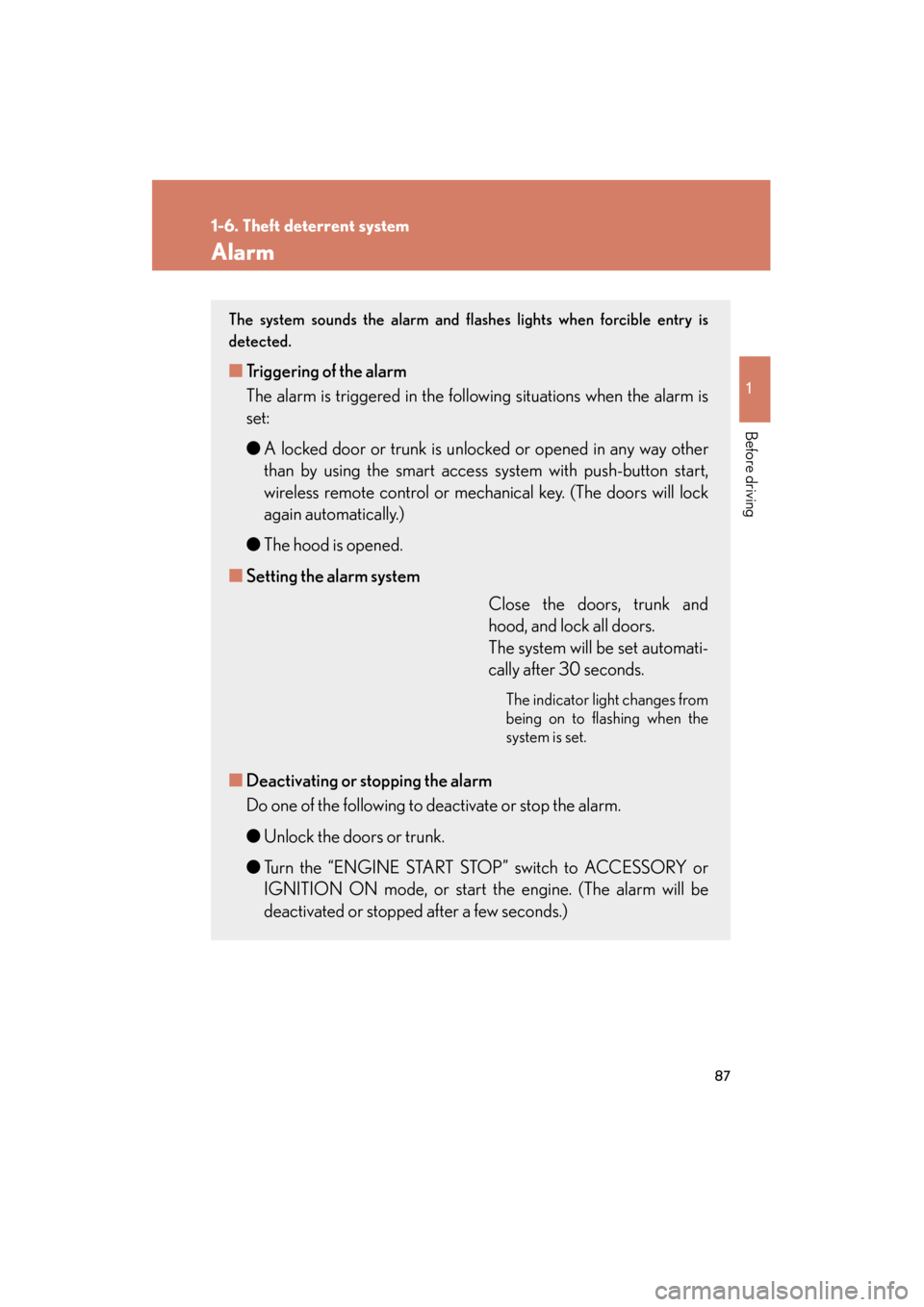
Alarm
The system sounds the alarm and flashes lights when forcible entry is
detected.
■Triggering of the alarm
The alarm is triggered in the following situations when the alarm is
set:
● A locked door or trunk is unlocked or opened in any way other
than by using the smart access system with push-button start,
wireless remote control or mechanical key. (The doors will lock
again automatically.)
● The hood is opened.
■ Setting the alarm system
Close the doors, trunk and
hood, and lock all doors.
The system will be set automati-
cally after 30 seconds.
The indicator light changes from
being on to flashing when the
system is set.
■Deactivating or stopping the alarm
Do one of the following to deactivate or stop the alarm.
● Unlock the doors or trunk.
● Turn the “ENGINE START STOP” switch to ACCESSORY or
IGNITION ON mode, or start the engine. (The alarm will be
deactivated or stopped after a few seconds.)
Page 124 of 654
When driving2
123
GS_G_U (OM30C11U)
May 21, 2010 12:06 pm
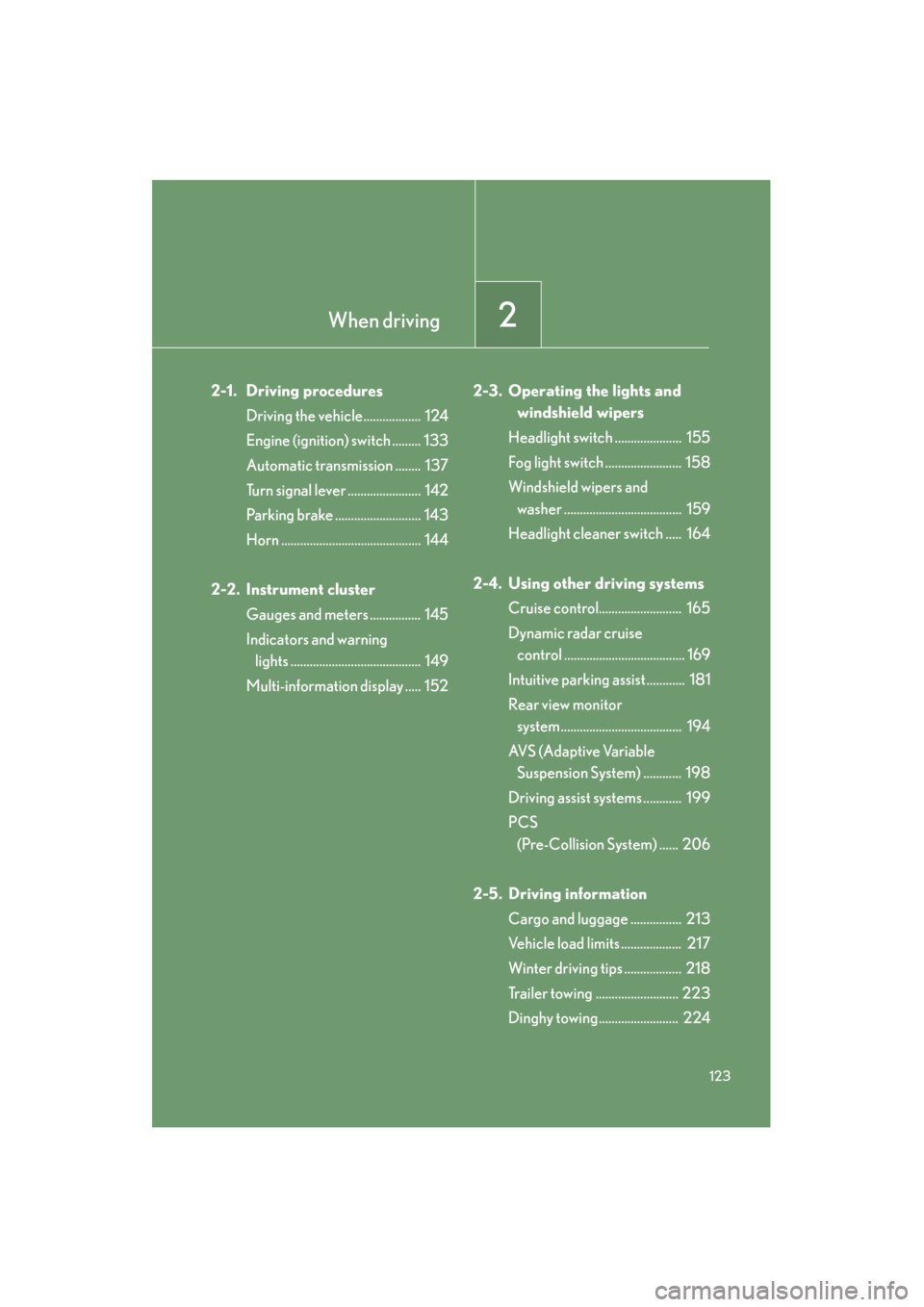
2-1. Driving proceduresDriving the vehicle.................. 124
Engine (ignition) switch ......... 133
Automatic transmission ........ 137
Turn signal lever ....................... 142
Parking brake ........................... 143
Horn ............................................ 144
2-2. Instrument cluster Gauges and meters ................ 145
Indicators and warning lights ......................................... 149
Multi-information display ..... 152 2-3. Operating the lights and
windshield wipers
Headlight switch ..................... 155
Fog light switch ........................ 158
Windshield wipers and washer ..................................... 159
Headlight cleaner switch ..... 164
2-4. Using other driving systems Cruise control.......................... 165
Dynamic radar cruise control ...................................... 169
Intuitive parking assist ............ 181
Rear view monitor system ...................................... 194
AVS (Adaptive Variable Suspension System) ............ 198
Driving assist systems ............ 199
PCS (Pre-Collision System) ...... 206
2-5. Driving information Cargo and luggage ................ 213
Vehicle load limits ................... 217
Winter driving tips .................. 218
Trailer towing .......................... 223
Dinghy towing......................... 224