light Lexus GS350 2012 Owners Manual
[x] Cancel search | Manufacturer: LEXUS, Model Year: 2012, Model line: GS350, Model: Lexus GS350 2012Pages: 914, PDF Size: 49.39 MB
Page 289 of 914
2824-5. Using the driving support
GS350/250_EE (OM30C36E)
CAUTION
Situations unsuitable for LKA
Do not use LKA in any of the following situations.
Otherwise, the system may not function correctly and could result in an
accident.
When driving with snow tires, tire chains, a spare tire, or similar equip-
ment
When the tires have been excessively worn, or when the tire inflation
pressure is low
When there are objects or structures along the roadside that might be mis-
interpreted as lane markers (such as guardrails, curb, reflector posts, etc.)
When driving on snowy roads
When pavement lane markers are difficult to see due to rain, snow, fog,
etc.
When there are visible lines on the pavement from road repairs, or if the
remains of old lane markers are still visible on the road
When driving on slippery roads, such as those covered with rain, ice or
snow
When driving in a lane other than the driving or passing lanes on a free-
way or highway
When driving on a road with lane closures due to maintenance, or when
driving in a temporary lane
When towing a trailer
NOTICE
To prevent damage to or incorrect operation of the LKA system
Do not modify the headlights or attach stickers to the surface of the lights.
Do not modify the suspension, or replace them with non-genuine parts.
Do not install or place anything on the hood or the grille. Also, do not
install a grille guard (bull bars, kangaroo bar etc.).
Do not modify the sun visor or replace it with anything other than a genu-
ine Lexus product.
If your windshield needs repairs, contact any authorized Lexus dealer or
repairer, or another duly qualified and equipped professional.
Page 292 of 914
2854-5. Using the driving support
4
Driving
GS350/250_EE (OM30C36E)
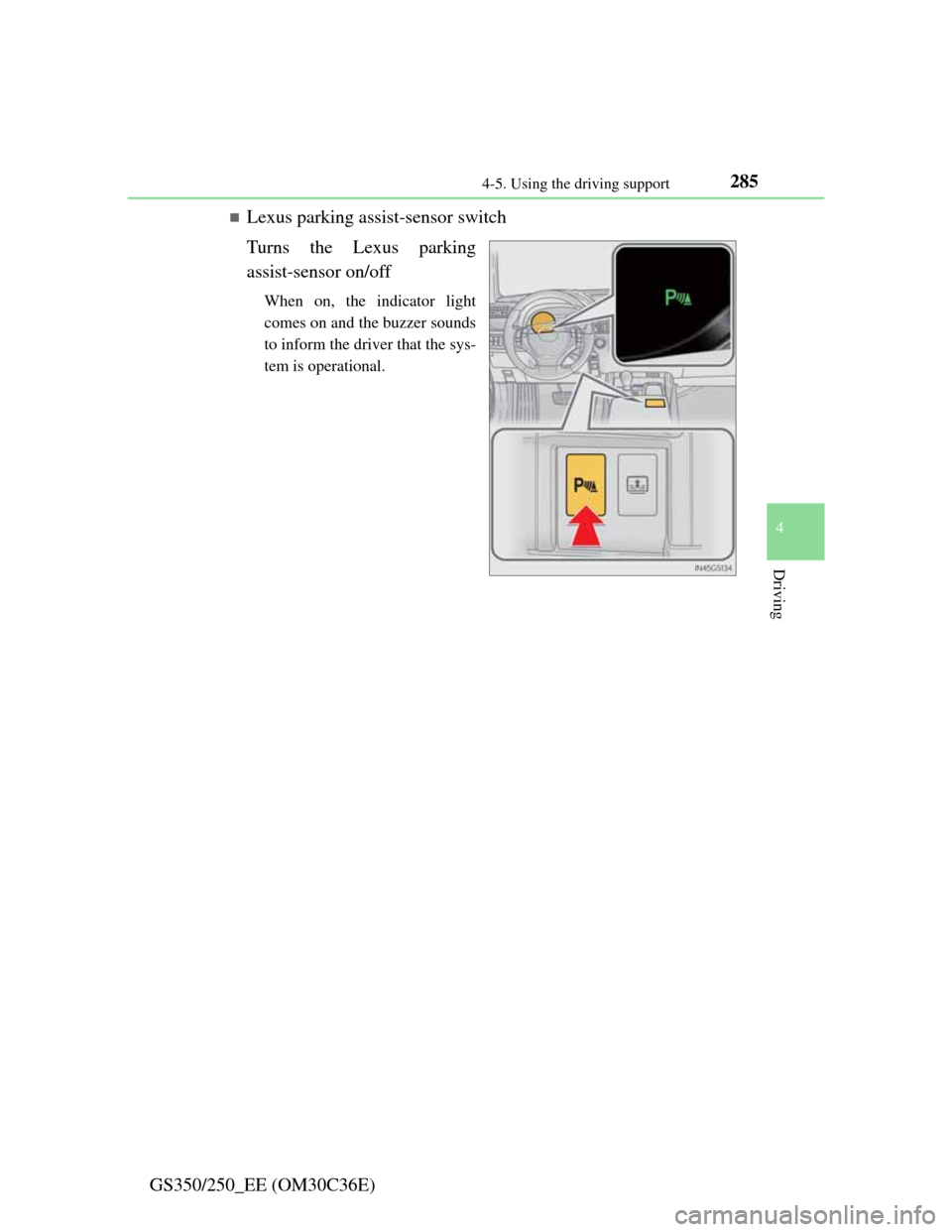
Lexus parking assist-sensor switch
Turns the Lexus parking
assist-sensor on/off
When on, the indicator light
comes on and the buzzer sounds
to inform the driver that the sys-
tem is operational.
Page 301 of 914

2944-5. Using the driving support
GS350/250_EE (OM30C36E)
Lexus parking assist-sensor display
When an obstacle is detected while the rear view monitor system, is in use,
the warning indicator will appear in the top right of the screen even if the dis-
play setting has been set to off.
Sensor detection information
The sensor’s detection areas are limited to the areas around the vehicle’s
front corner and rear bumpers.
Certain vehicle conditions and the surrounding environment may affect the
ability of the sensor to correctly detect obstacles. Particular instances where
this may occur are listed below.
• There is dirt, snow or ice on the sensor. (Wiping the sensors will resolve
this problem.)
• The sensor is frozen. (Thawing the area will resolve this problem.)
In especially cold weather, if a sensor is frozen the screen may show an
abnormal display, or obstacles may not be detected.
• The sensor is covered in any way.
• The vehicle is leaning considerably to one side.
• On an extremely bumpy road, on an incline, on gravel, or on grass.
• The vicinity of the vehicle is noisy due to vehicle horns, motorcycle
engines, air brakes of large vehicles, or other loud noises producing
ultrasonic waves.
• There is another vehicle equipped with parking assist sensors in the
vicinity.
• The sensor is coated with a sheet of spray or heavy rain.
• The vehicle is equipped with a fender pole or wireless antenna.
• Towing eyelets are installed.
• The bumper or sensor receives a strong impact.
• The vehicle is approaching a tall or curved curb.
• In harsh sunlight or intense cold weather.
• The area directly under the bumpers is not detected.
• If obstacles draw too close to the sensor.
• A non-genuine Lexus suspension (lowered suspension etc.) is installed.
• People may not be detected if they are wearing certain types of clothing.
In addition to the examples above, there are instances in which, because of
their shape, signs and other objects may be judged by the sensor to be closer
than they are.
Page 328 of 914
3214-5. Using the driving support
4
Driving
GS350/250_EE (OM30C36E)
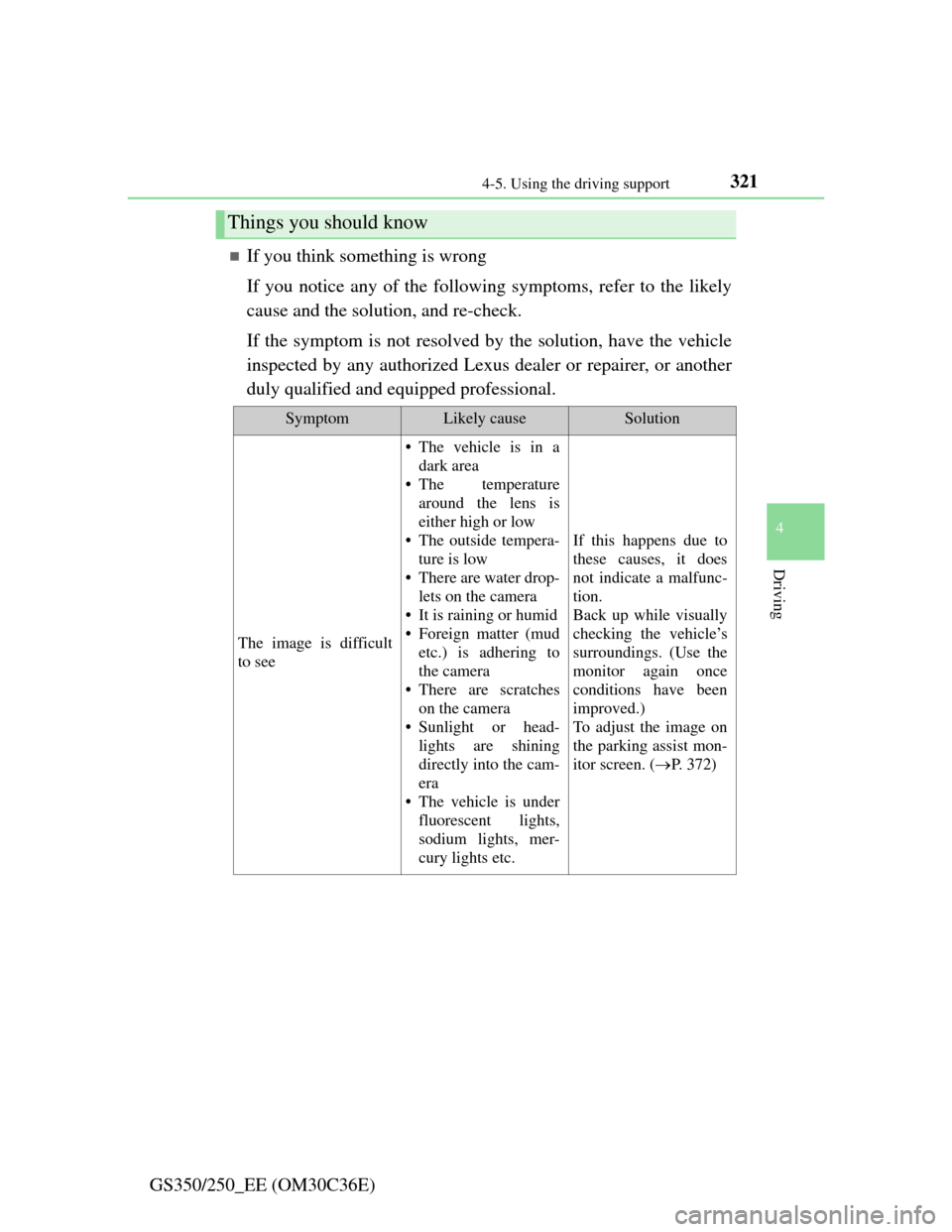
If you think something is wrong
If you notice any of the following symptoms, refer to the likely
cause and the solution, and re-check.
If the symptom is not resolved by the solution, have the vehicle
inspected by any authorized Lexus dealer or repairer, or another
duly qualified and equipped professional.
Things you should know
SymptomLikely causeSolution
The image is difficult
to see
• The vehicle is in a
dark area
• The temperature
around the lens is
either high or low
• The outside tempera-
ture is low
• There are water drop-
lets on the camera
• It is raining or humid
• Foreign matter (mud
etc.) is adhering to
the camera
• There are scratches
on the camera
• Sunlight or head-
lights are shining
directly into the cam-
era
• The vehicle is under
fluorescent lights,
sodium lights, mer-
cury lights etc.
If this happens due to
these causes, it does
not indicate a malfunc-
tion.
Back up while visually
checking the vehicle’s
surroundings. (Use the
monitor again once
conditions have been
improved.)
To adjust the image on
the parking assist mon-
itor screen. (P. 3 7 2 )
Page 334 of 914

3274-5. Using the driving support
4
Driving
GS350/250_EE (OM30C36E)
NOTICE
How to use the camera
The parking assist monitor may not operate properly in the following
cases, or if the precautions described below are not followed.
• If the back of the vehicle is hit, the position and mounting angle of the
camera may change.
• As the camera has a water proof construction, do not detach, disassem-
ble or modify it. This may cause incorrect operation.
• Do not strongly rub the camera lens. If the camera lens is scratched, it
cannot transmit a clear image.
• Do not allow organic solvent, car wax, window cleaner or glass coat to
adhere to the camera. If this happens, wipe it off as soon as possible.
• If the temperature changes rapidly, such as when hot water is poured on
the vehicle in cold weather, the system may not operate normally.
• When washing the vehicle, do not apply intensive bursts of water to the
camera or camera area. Doing so may result in the camera malfunction-
ing.
• When the camera is used under fluorescent lights, sodium light or mer-
cury light etc., the lights and the illuminated areas may appear to
flicker.
Do not expose the camera to strong impact as this could cause a malfunc-
tion. If this happens, have the vehicle inspected by any authorized Lexus
dealer or repairer, or another duly qualified and equipped professional as
soon as possible.
Page 341 of 914

3344-5. Using the driving support
GS350/250_EE (OM30C36E)
EPS (Electric Power Steering)
Employs an electric motor to reduce the amount of effort needed
to turn the steering wheel
AVS (Adaptive Variable Suspension system) (if equipped)
By independently controlling the damping force of the shock
absorbers for each of the 4 wheels according to the road and driv-
ing conditions, this system combines riding comfort with supe-
rior steering stability, and ensures good vehicle posture. (P.
328)
VDIM (Vehicle Dynamics Integrated Management)
Provides integrated control of the ABS, brake assist, TRC, VSC,
hill-start assist control and EPS systems
Helps to maintain vehicle stability when swerving on slippery
road surfaces by controlling the brakes, engine output, steering
assist, and steering ratio
PCS (Pre-Crash Safety system) (if equipped)
P. 343
Emergency brake signal
When the brakes are applied suddenly, the stop lights automati-
cally flash to alert the vehicle behind.
Page 342 of 914
3354-5. Using the driving support
4
Driving
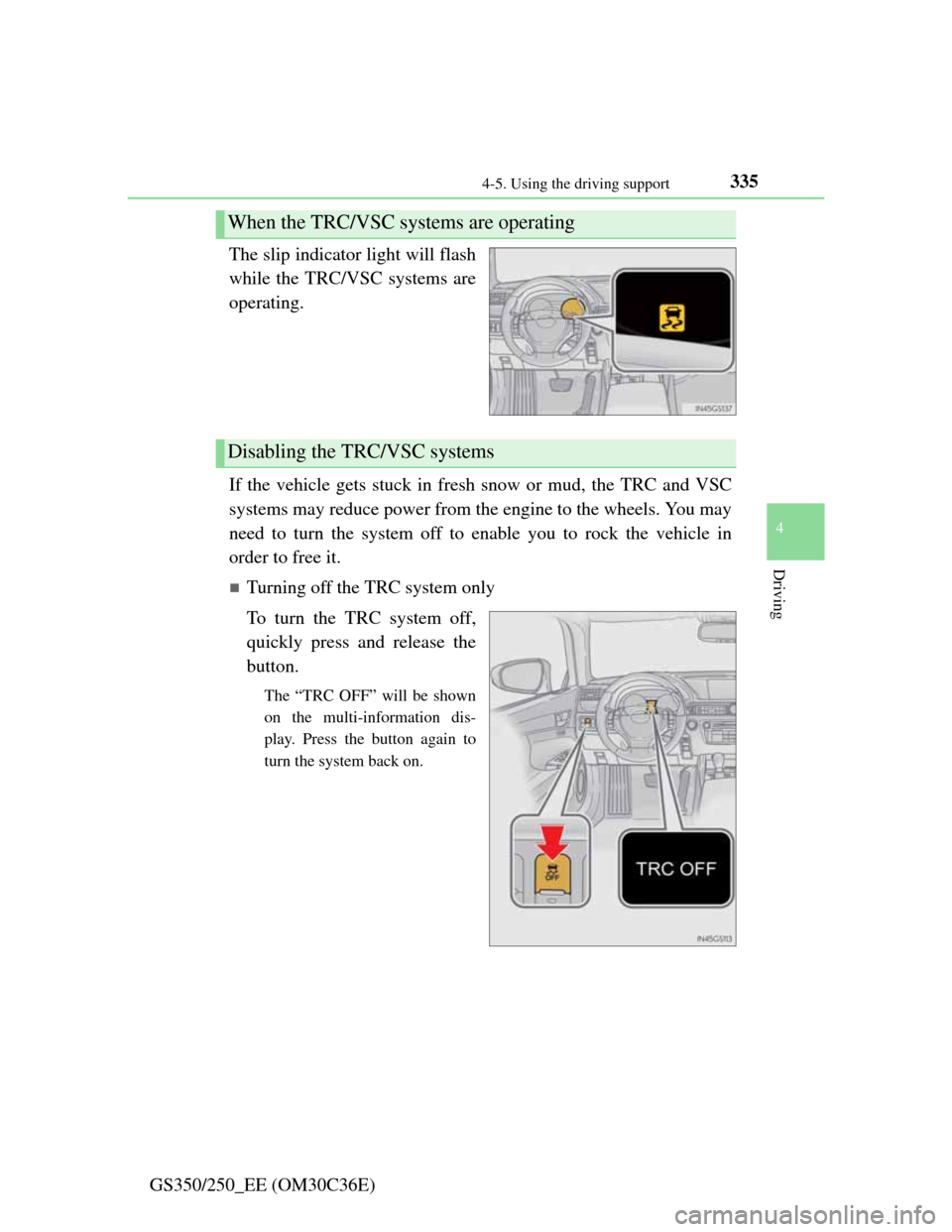
GS350/250_EE (OM30C36E)The slip indicator light will flash
while the TRC/VSC systems are
operating.
If the vehicle gets stuck in fresh snow or mud, the TRC and VSC
systems may reduce power from the engine to the wheels. You may
need to turn the system off to enable you to rock the vehicle in
order to free it.
Turning off the TRC system only
To turn the TRC system off,
quickly press and release the
button.
The “TRC OFF” will be shown
on the multi-information dis-
play. Press the button again to
turn the system back on.
When the TRC/VSC systems are operating
Disabling the TRC/VSC systems
Page 343 of 914
3364-5. Using the driving support
GS350/250_EE (OM30C36E)
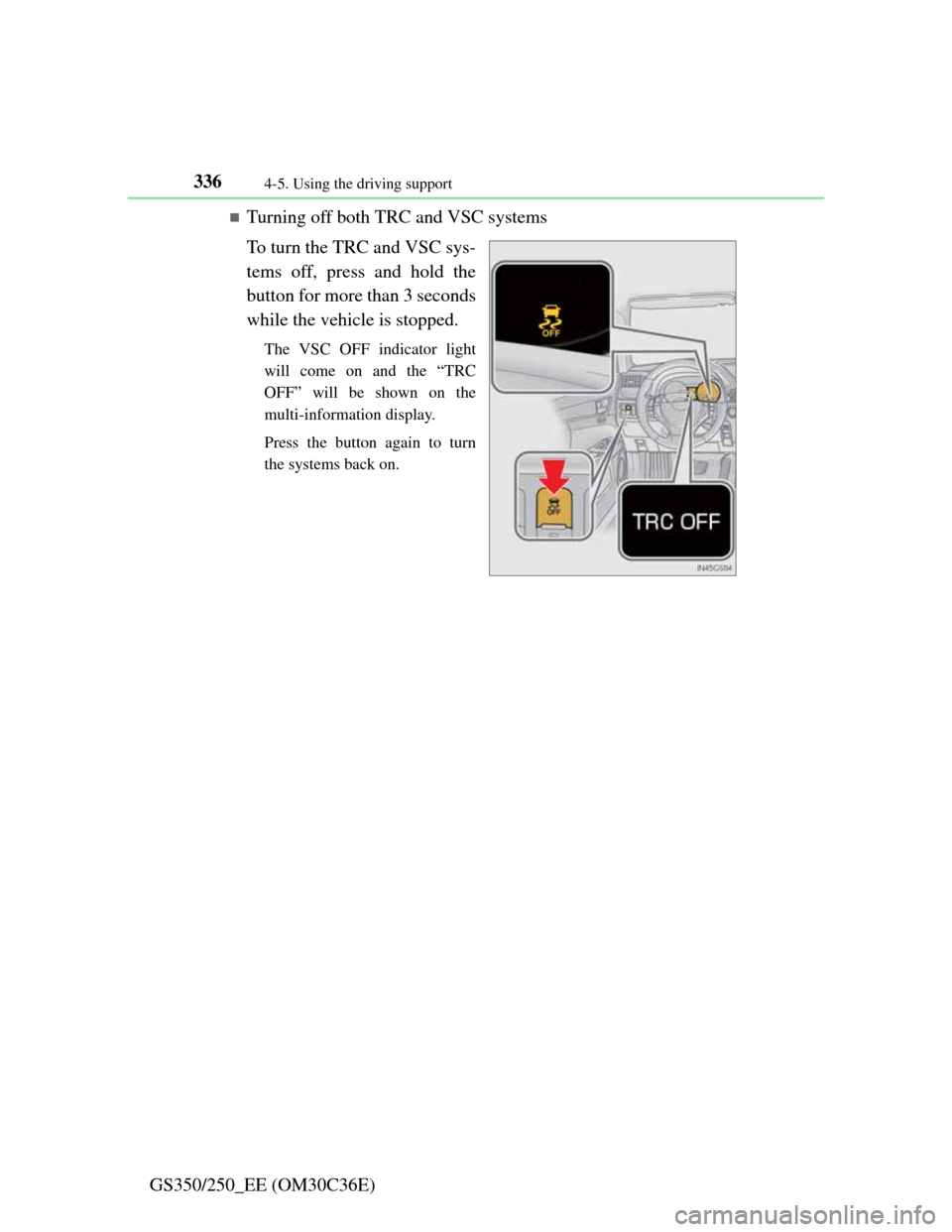
Turning off both TRC and VSC systems
To turn the TRC and VSC sys-
tems off, press and hold the
button for more than 3 seconds
while the vehicle is stopped.
The VSC OFF indicator light
will come on and the “TRC
OFF” will be shown on the
multi-information display.
Press the button again to turn
the systems back on.
Page 344 of 914

3374-5. Using the driving support
4
Driving
GS350/250_EE (OM30C36E)
When the message is displayed on the multi-information display showing that
TRC has been disabled even if the VSC OFF switch has not been pressed
TRC cannot be operated. Contact any authorized Lexus dealer or repairer, or
another duly qualified and equipped professional.
Sounds and vibrations caused by the ABS, brake assist, VSC and TRC sys-
tems
A sound may be heard from the engine compartment when the engine is
started or just after the vehicle begins to move. This sound does not indicate
that a malfunction has occurred in any of these systems.
Any of the following conditions may occur when the above systems are
operating. None of these indicates that a malfunction has occurred.
• Vibrations may be felt through the vehicle body and steering.
• A motor sound may be heard after the vehicle comes to a stop.
• The brake pedal may pulsate slightly after the ABS is activated.
• The brake pedal may move down slightly after the ABS is activated.
EPS operation sound
When the steering wheel is operated, a motor sound (whirring sound) may be
heard. This does not indicate a malfunction.
Reactivation of the TRC/VSC systems
Even after the TRC/VSC systems have been turned off, turning the engine
off and then on again will automatically reactivate the TRC/VSC systems.
Page 346 of 914

339
4 4-5. Using the driving support
Driving
GS350/250_EE (OM30C36E)
CAUTION
The ABS does not operate effectively when
Tires with inadequate gripping ability are used (such as excessively worn
tires on a snow covered road).
The vehicle hydroplanes while driving at high speed on wet or slick roads.
Stopping distance when the ABS is operating may exceed that of normal
conditions
The ABS is not designed to shorten the vehicle’s stopping distance. Always
maintain a safe distance from the vehicle in front of you in the following
situations:
When driving on dirt, gravel or snow-covered roads
When driving with tire chains
When driving over bumps in the road
When driving over roads with potholes or uneven surfaces
TRC may not operate effectively when
Directional control and power may not be achievable while driving on slip-
pery road surfaces, even if the TRC system is operating.
Do not drive the vehicle in conditions where stability and power may be
lost.
When the VSC is activated
The slip indicator light flashes. Always drive carefully. Reckless driving
may cause an accident. Exercise particular care when the indicator light
flashes.
When the TRC/VSC systems are turned off
Be especially careful and drive at a speed appropriate to the road condi-
tions. As these are the systems to ensure vehicle stability and driving force,
do not turn the TRC/VSC systems off unless necessary.