display Lexus GS350 2014 Manual Online
[x] Cancel search | Manufacturer: LEXUS, Model Year: 2014, Model line: GS350, Model: Lexus GS350 2014Pages: 846, PDF Size: 35.04 MB
Page 315 of 846
314
GS350_OM_OM30D41U_(U)
5-1. Remote Touch screen
Remote Touch screen
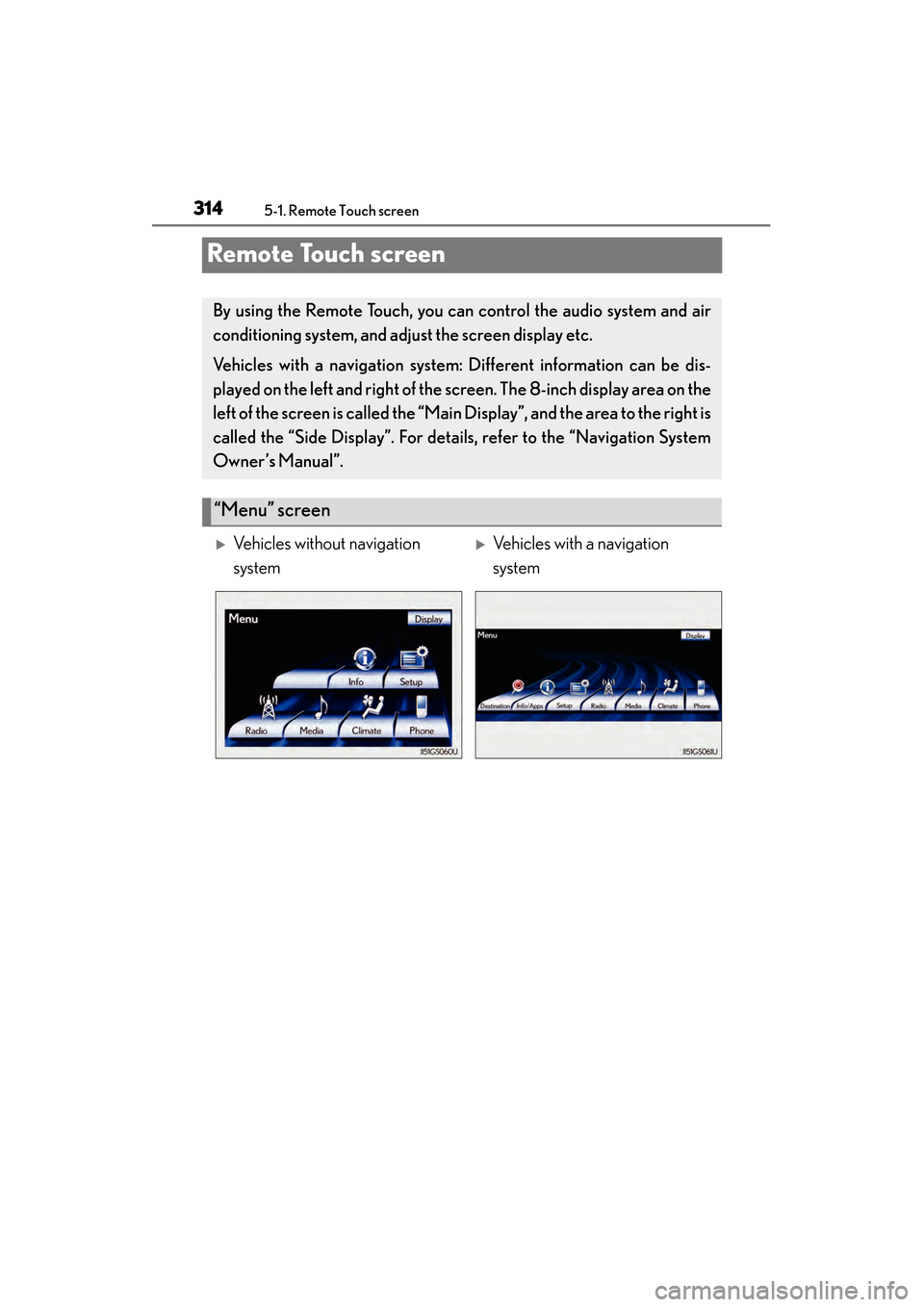
By using the Remote Touch, you can control the audio system and air
conditioning system, and adjust the screen display etc.
Vehicles with a navigation system: Different information can be dis-
played on the left and right of the screen. The 8-inch display area on the
left of the screen is called the “Mai n Display”, and the area to the right is
called the “Side Display”. For detail s, refer to the “Navigation System
Owner’s Manual”.
“Menu” screen
XVehicles without navigation
systemXVehicles with a navigation
system
GS350_OM_OM30D41U_(U).book Page 314 Monday, July 29, 2013 2:22 PM
Page 316 of 846
GS350_OM_OM30D41U_(U)
3155-1. Remote Touch screen
5
Interior features
When the engine switch is turned to
ACCESSORY or IGNITION ON
mode, the initial screen will be dis-
played for a few seconds as the sys-
tem starts up.
Images shown on the initial screen can
be changed to suit individual prefer-
ences. (→P. 3 2 8 )
SwitchPa g e
“Destination”Navigation System Owner’s Manual
“Info/Apps” or “Info”P. 320/Navigation System Owner’s
Manual
“Setup”P. 3 2 3
“Radio”P. 3 76 , 3 9 9
“Media”P. 3 76 , 4 2 3
“Climate”P. 3 5 3
“Phone”P. 4 9 5
“Display”P. 3 1 6
Initial screen
GS350_OM_OM30D41U_(U).book Page 315 Monday, July 29, 2013 2:22 PM
Page 317 of 846
316
GS350_OM_OM30D41U_(U)
5-1. Remote Touch screen
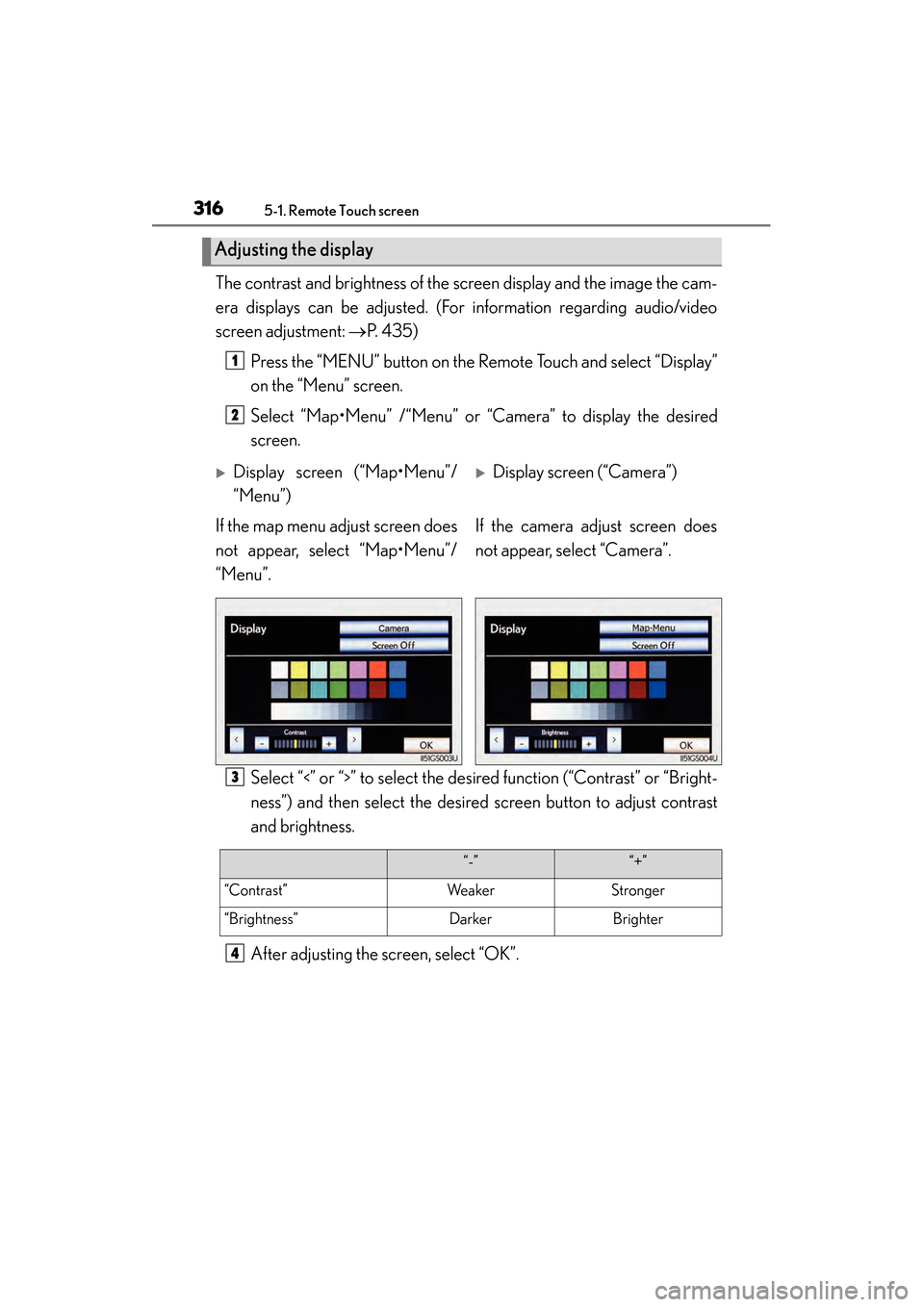
The contrast and brightness of the screen display and the image the cam-
era displays can be adjusted. (For information regarding audio/video
screen adjustment: →P. 435)
Press the “MENU” button on the Remote Touch and select “Display”
on the “Menu” screen.
Select “Map•Menu” /“Menu” or “Camera” to display the desired
screen.
Select “<” or “>” to select the desired function (“Contrast” or “Bright-
ness”) and then select the desired screen button to adjust contrast
and brightness.
After adjusting the screen, select “OK”.
Adjusting the display
1
2
XDisplay screen (“Map•Menu”/
“Menu”)XDisplay screen (“Camera”)
If the map menu adjust screen does
not appear, select “Map•Menu”/
“Menu”. If the camera adjust screen does
not appear, select “Camera”.
3
“-”“+”
“Contrast”WeakerStronger
“Brightness”DarkerBrighter
4
GS350_OM_OM30D41U_(U).book Page 316 Monday, July 29, 2013 2:22 PM
Page 318 of 846
GS350_OM_OM30D41U_(U)
3175-1. Remote Touch screen
5
Interior features
■When using the Remote Touch screen
●If the screen is cold, the display may be dark, or the system may seem to be operat-
ing slightly slower than normal.
●When the screen is viewed through polarized sunglasses, a rainbow pattern may
appear on the screen due to optical characteristics of the screen. If this is disturb-
ing, please operate the screen without polarized sunglasses.
●Dimmed screen buttons cannot be operated.
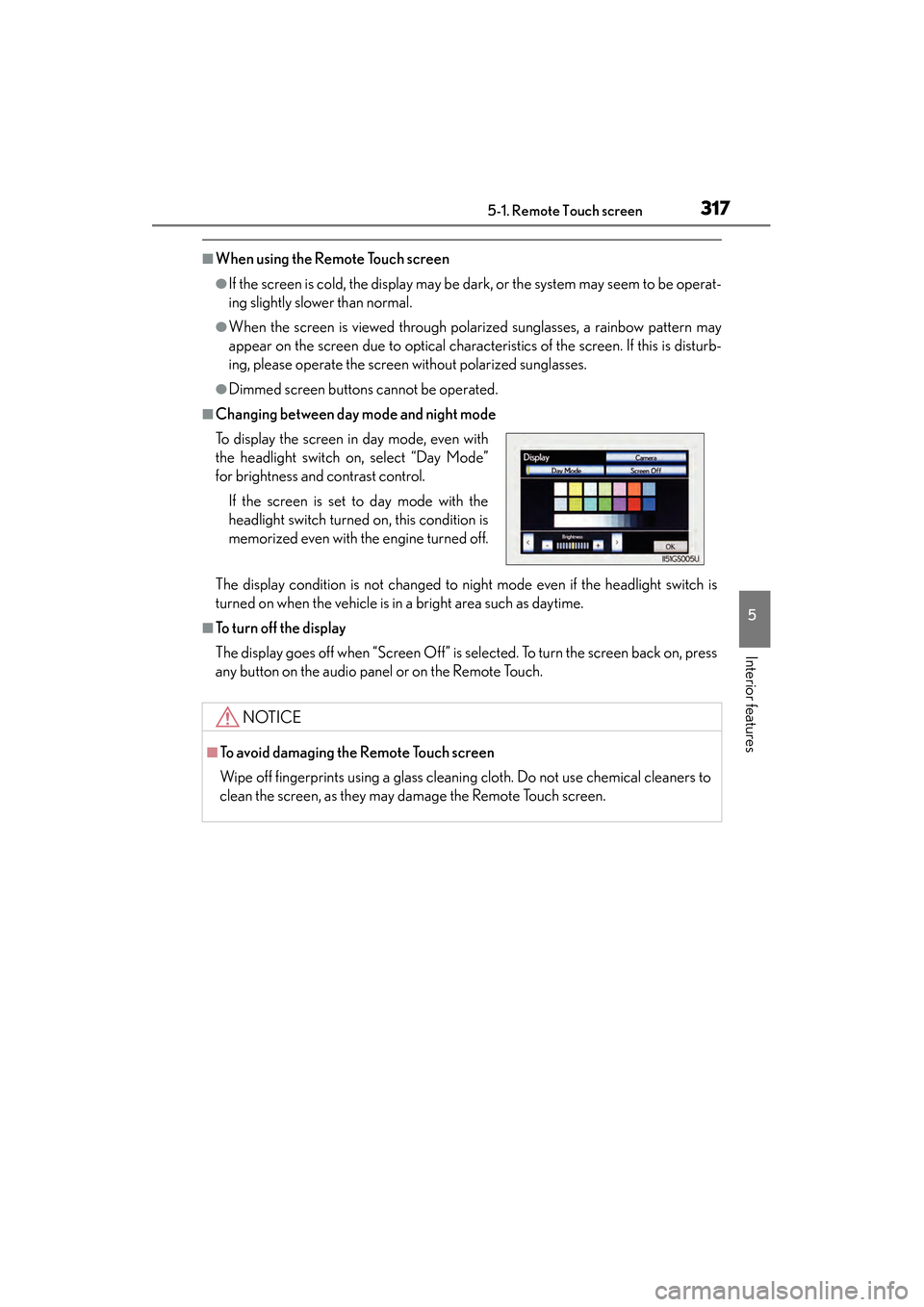
■Changing between day mode and night mode
The display condition is not changed to night mode even if the headlight switch is
turned on when the vehicle is in a bright area such as daytime.
■To t u r n o f f t h e d i s p l a y
The display goes off when “Screen Off” is selected. To turn the screen back on, press
any button on the audio panel or on the Remote Touch. To display the screen in day mode, even with
the headlight switch on, select “Day Mode”
for brightness and contrast control.
If the screen is set to day mode with the
headlight switch turned on, this condition is
memorized even with the engine turned off.
NOTICE
■To avoid damaging the Remote Touch screen
Wipe off fingerprints using a glass cleaning cloth. Do not use chemical cleaners to
clean the screen, as they may damage the Remote Touch screen.
GS350_OM_OM30D41U_(U).book Page 317 Monday, July 29, 2013 2:22 PM
Page 319 of 846
318
GS350_OM_OM30D41U_(U)
5-1. Remote Touch screen
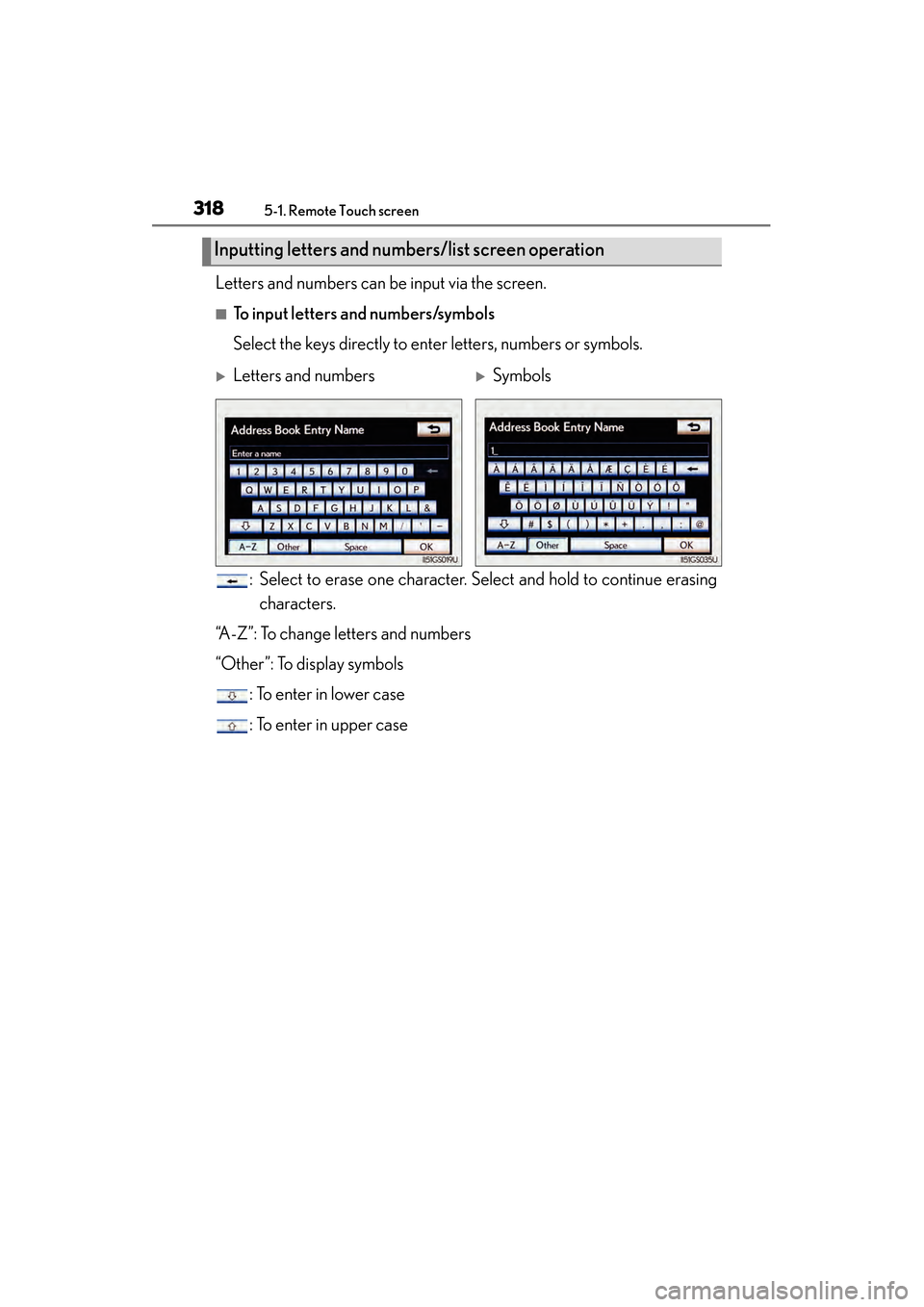
Letters and numbers can be input via the screen.
■To input letters and numbers/symbols
Select the keys directly to enter letters, numbers or symbols.: Select to erase one character. Select and hold to continue erasingcharacters.
“A-Z”: To change letters and numbers
“Other”: To display symbols : To enter in lower case
: To enter in upper case
Inputting letters and numb ers/list screen operation
XLetters and numbersXSymbols
GS350_OM_OM30D41U_(U).book Page 318 Monday, July 29, 2013 2:22 PM
Page 320 of 846
GS350_OM_OM30D41U_(U)
3195-1. Remote Touch screen
5
Interior features
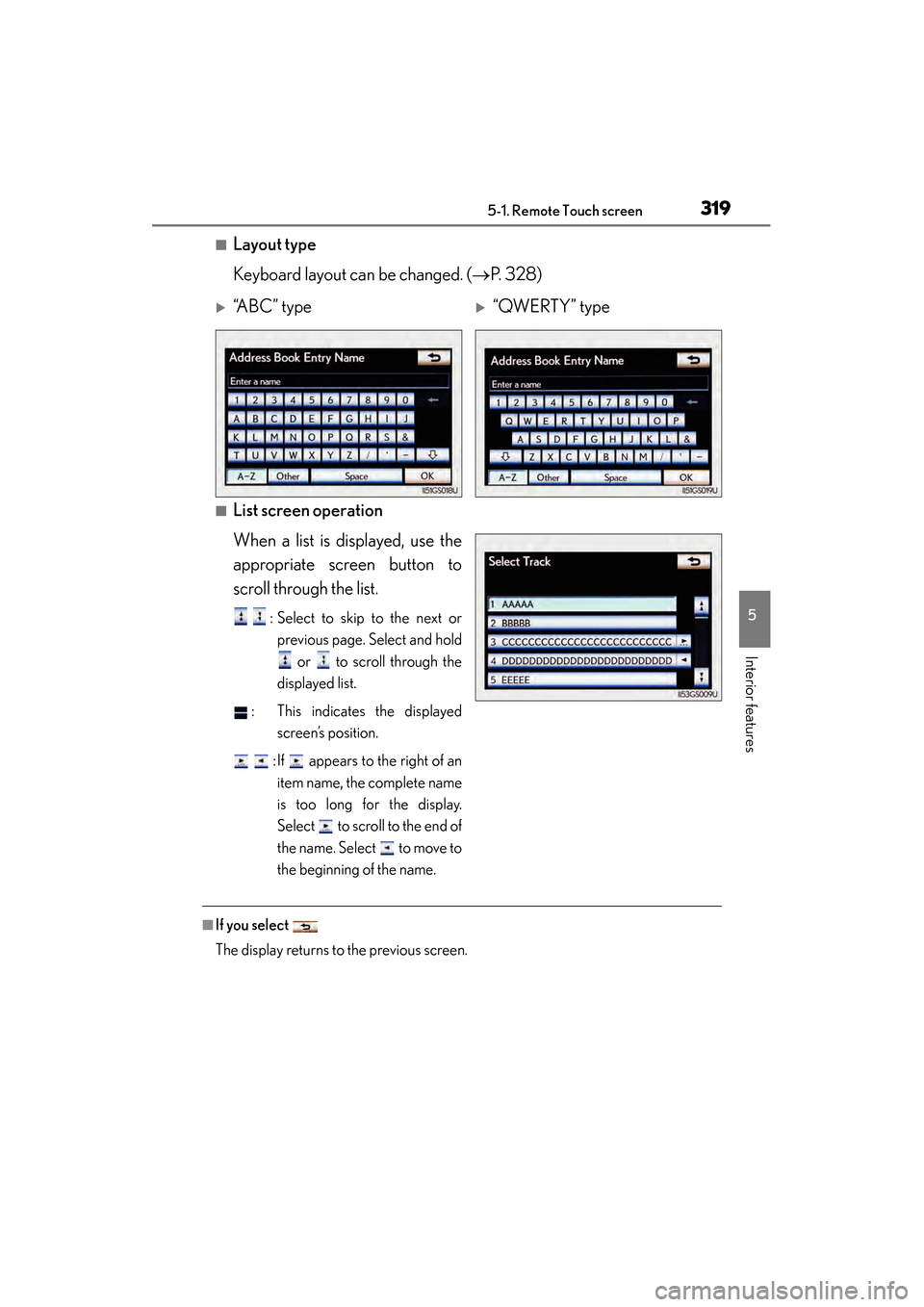
■Layout type
Keyboard layout can be changed. (→P. 328)
■List screen operation
When a list is displayed, use the
appropriate screen button to
scroll through the list.
: Select to skip to the next or
previous page. Select and hold
or to scroll through the
displayed list.
: This indicates the displayed screen’s position.
: If appears to the right of an item name, the complete name
is too long for the display.
Select to scroll to the end of
the name. Select to move to
the beginning of the name.
■If you select
The display returns to the previous screen.
X“A B C ” t y p eX“QWERTY” type
GS350_OM_OM30D41U_(U).book Page 319 Monday, July 29, 2013 2:22 PM
Page 321 of 846
320
GS350_OM_OM30D41U_(U)
5-1. Remote Touch screen
Fuel consumption information from recent resets will be displayed.
Vehicles with a navigation system: The fuel consumption information can
be displayed and operated on the “Side Display”. For details, refer to the
“Navigation System Owner’s Manual”.
XVehicles without navigation system
Press the “MENU” button on the Remote Touch, then select “Info” on the
“Menu” screen.
XVehicles with a navigation system Press the “MENU” button on the Remote Touch, then select “Info/
Apps” on the “Menu” screen.
Select “Fuel consumption” on the “Information” screen.
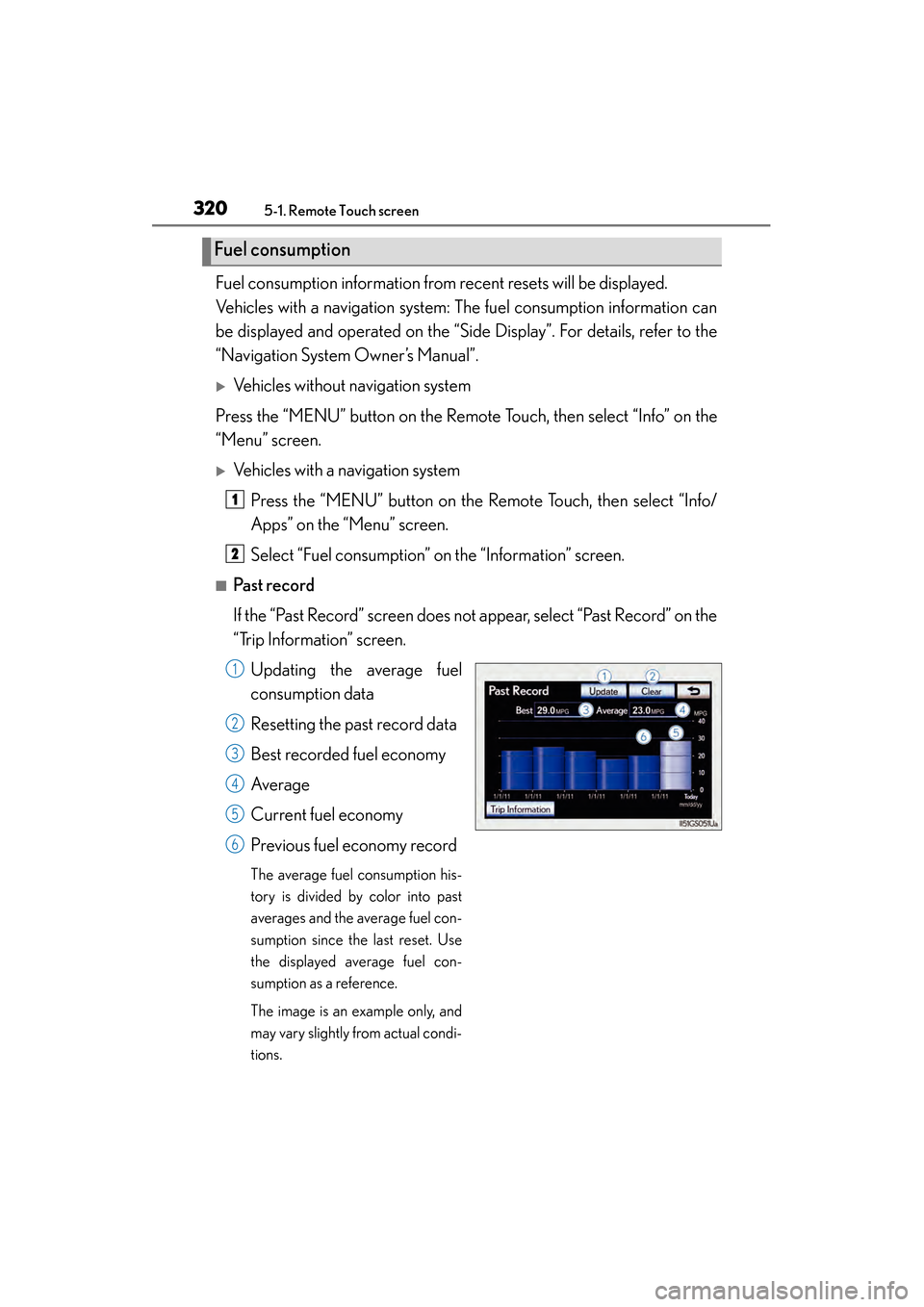
■Past record
If the “Past Record” screen does not appear, select “Past Record” on the
“Trip Information” screen.Updating the average fuel
consumption data
Resetting the past record data
Best recorded fuel economy
Average
Current fuel economy
Previous fuel economy record
The average fuel consumption his-
tory is divided by color into past
averages and the average fuel con-
sumption since the last reset. Use
the displayed average fuel con-
sumption as a reference.
The image is an example only, and
may vary slightly from actual condi-
tions.
Fuel consumption
1
2
1
2
3
4
5
6
GS350_OM_OM30D41U_(U).book Page 320 Monday, July 29, 2013 2:22 PM
Page 322 of 846
GS350_OM_OM30D41U_(U)
3215-1. Remote Touch screen
5
Interior features
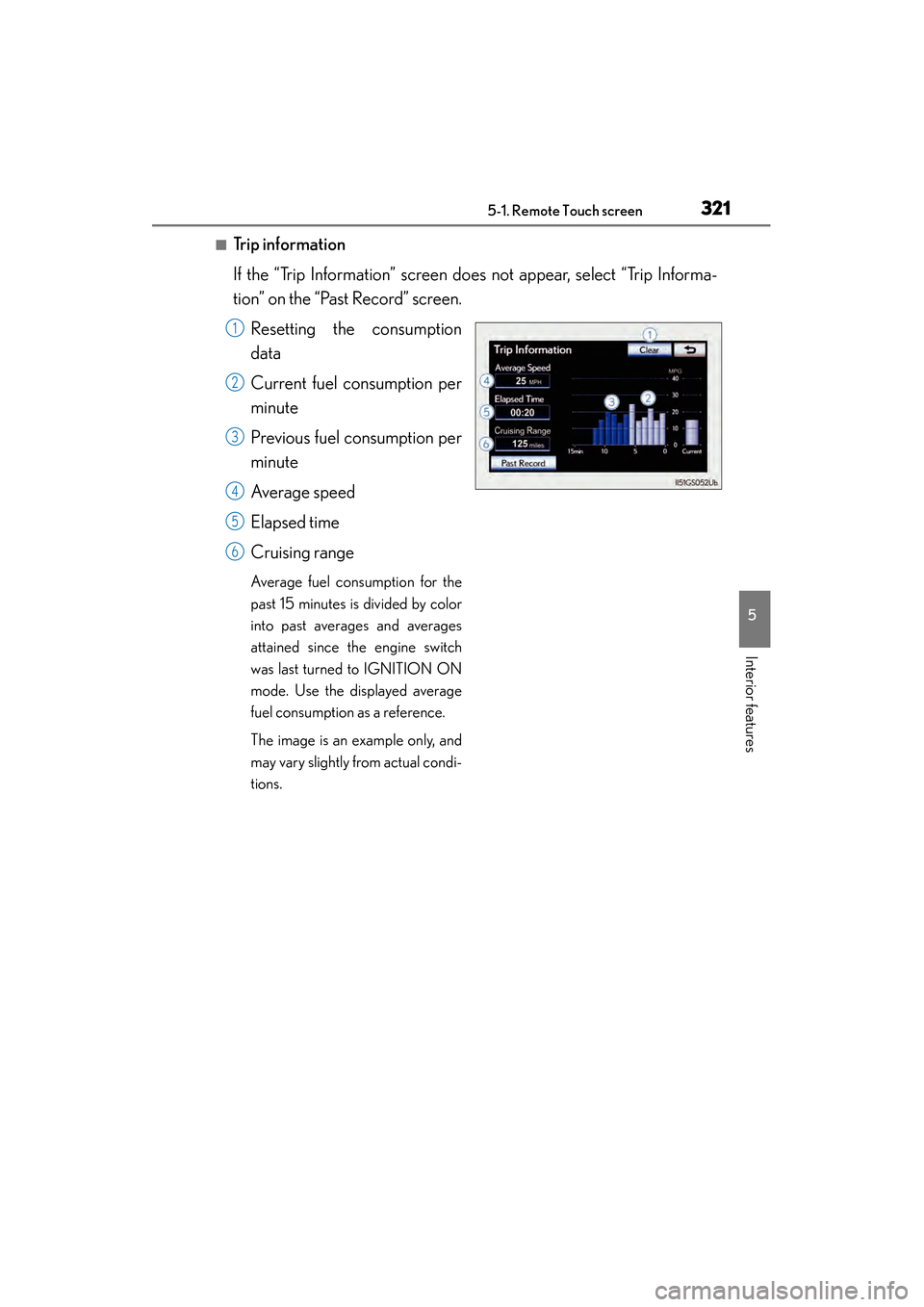
■Trip information
If the “Trip Information” screen does not appear, select “Trip Informa-
tion” on the “Past Record” screen.Resetting the consumption
data
Current fuel consumption per
minute
Previous fuel consumption per
minute
Average speed
Elapsed time
Cruising range
Average fuel consumption for the
past 15 minutes is divided by color
into past averages and averages
attained since the engine switch
was last turned to IGNITION ON
mode. Use the displayed average
fuel consumption as a reference.
The image is an example only, and
may vary slightly from actual condi-
tions.
1
2
3
4
5
6
GS350_OM_OM30D41U_(U).book Page 321 Monday, July 29, 2013 2:22 PM
Page 323 of 846
322
GS350_OM_OM30D41U_(U)
5-1. Remote Touch screen
■Updating the past record data
Update the average fuel consumption by selecting “Update” to measure the current
fuel consumption again.
■Resetting the data
The data can be deleted by selecting “Clear”.
■Cruising range
Displays the estimated maximum distance that can be driven with the quantity of fuel
remaining.
This distance is computed based on your average fuel consumption.
As a result, the actual distance that can be driven may differ from that displayed.
GS350_OM_OM30D41U_(U).book Page 322 Monday, July 29, 2013 2:22 PM
Page 327 of 846
326
GS350_OM_OM30D41U_(U)
5-1. Remote Touch screen
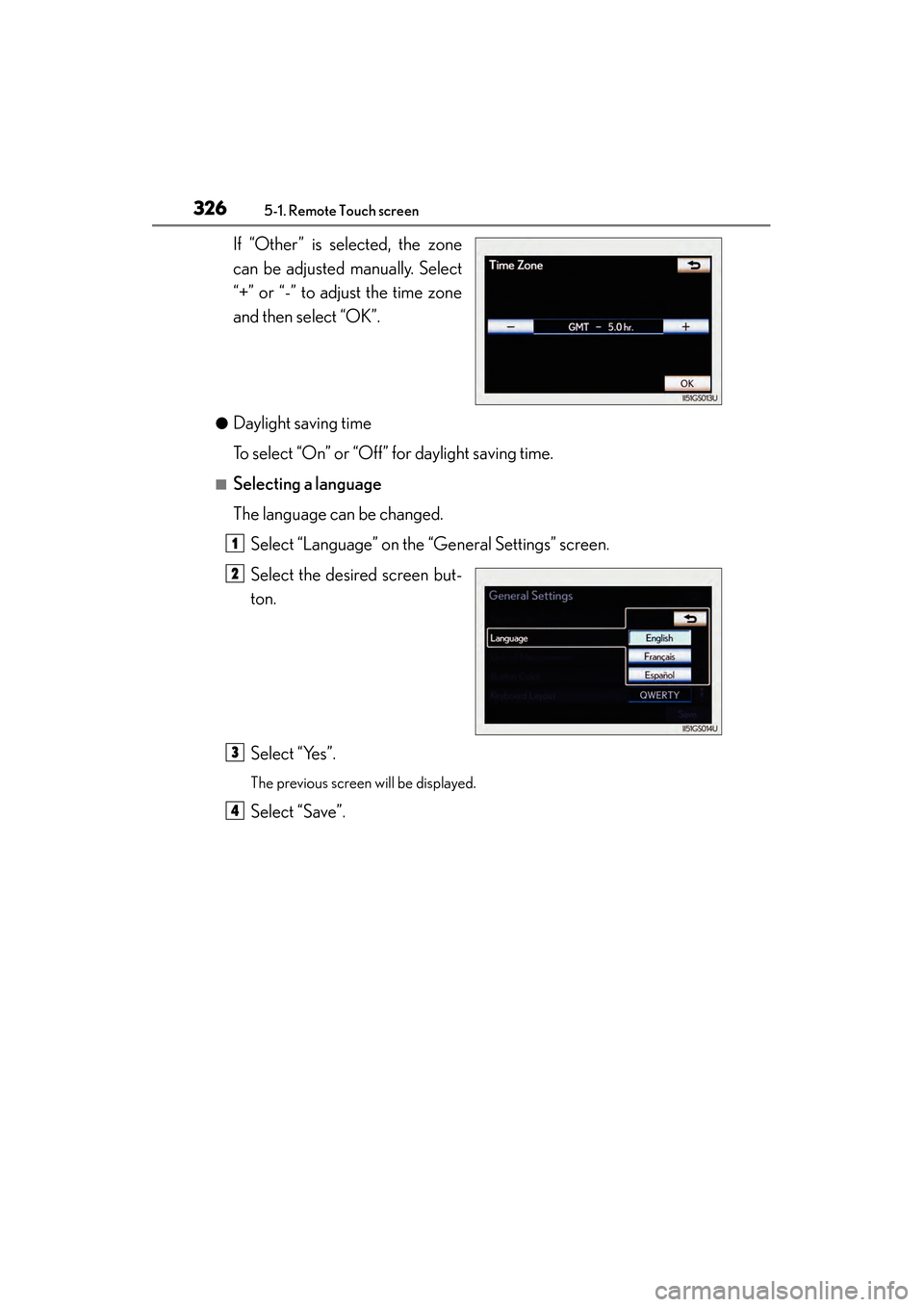
If “Other” is selected, the zone
can be adjusted manually. Select
“+” or “-” to adjust the time zone
and then select “OK”.
●Daylight saving time
To select “On” or “Off” for daylight saving time.
■Selecting a language
The language can be changed.Select “Language” on the “General Settings” screen.
Select the desired screen but-
ton.
Select “Yes”.
The previous screen will be displayed.
Select “Save”.
1
2
3
4
GS350_OM_OM30D41U_(U).book Page 326 Monday, July 29, 2013 2:22 PM