fuel Lexus GS350 2015 User Guide
[x] Cancel search | Manufacturer: LEXUS, Model Year: 2015, Model line: GS350, Model: Lexus GS350 2015Pages: 615, PDF Size: 12.93 MB
Page 86 of 615
84
GS350_OM_OM30F69U_(U)
2. Instrument cluster
Multi-information display
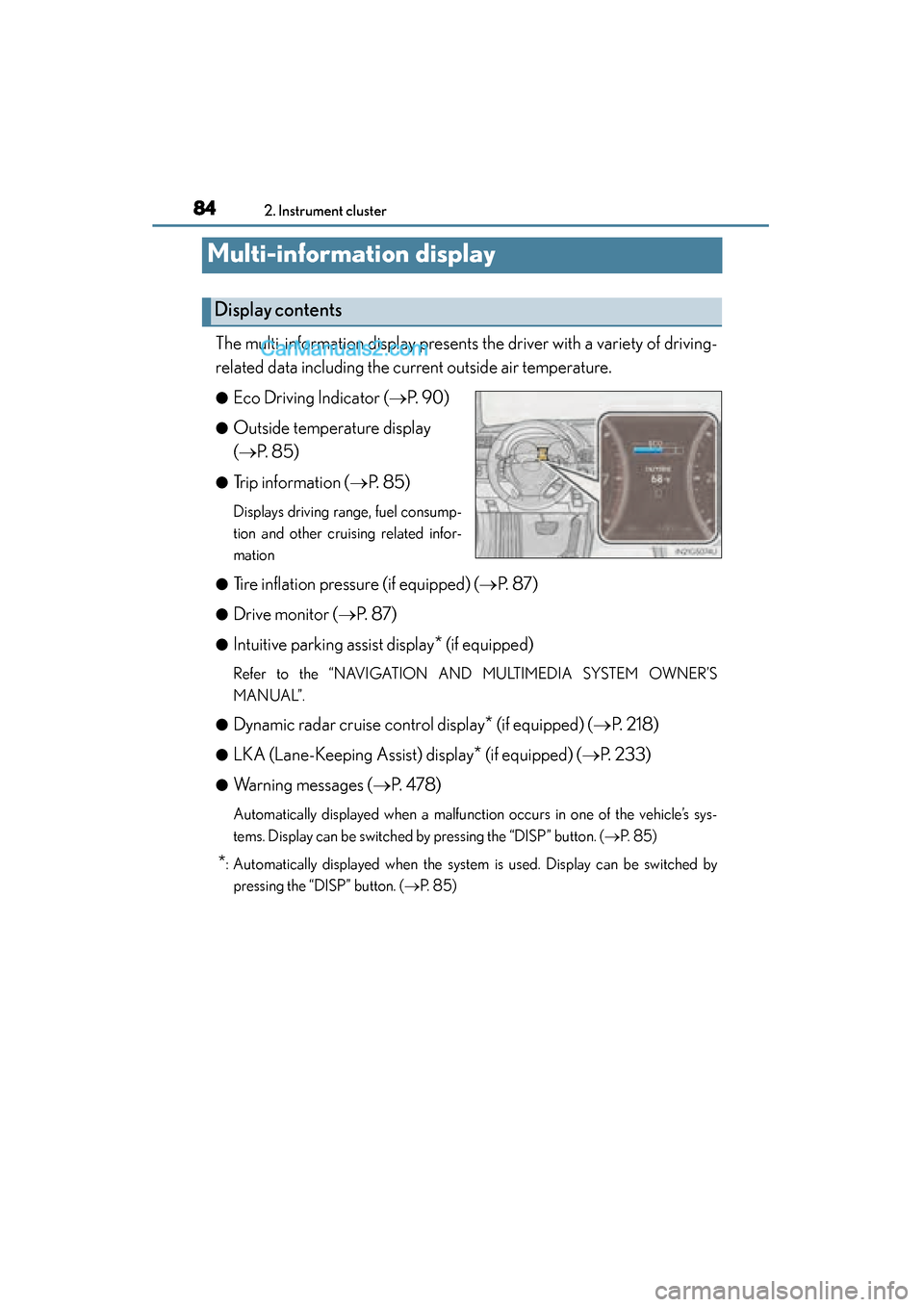
The multi-information display presents the driver with a variety of driving-
related data including the current outside air temperature.
●Eco Driving Indicator (→P. 9 0 )
●Outside temperature display
(→ P. 8 5 )
●Trip information ( →P. 8 5 )
Displays driving range, fuel consump-
tion and other cruising related infor-
mation
●
Tire inflation pressure (if equipped) ( →P. 8 7 )
●Drive monitor ( →P. 8 7 )
●Intuitive parking assist display* (if equipped)
Refer to the “NAVIGATION AND MULTIMEDIA SYSTEM OWNER’S
MANUAL”.
●
Dynamic radar cruise control display* (if equipped) (→ P. 2 1 8 )
●LKA (Lane-Keeping Assist) display* (if equipped) (→P. 233)
●Warning messages ( →P. 4 7 8 )
Automatically displayed when a malfunction occurs in one of the vehicle’s sys-
tems. Display can be switched by pressing the “DISP” button. (→ P. 8 5 )
*: Automatically displayed when the system is used. Display can be switched by
pressing the “DISP” button. ( →P. 8 5 )
Display contents
GS350_OM_OM30F69U_(U).book Page 84 Monday, January 19, 2015 2:53 PM
Page 87 of 615
GS350_OM_OM30F69U_(U)
852. Instrument cluster
2
Instrument cluster
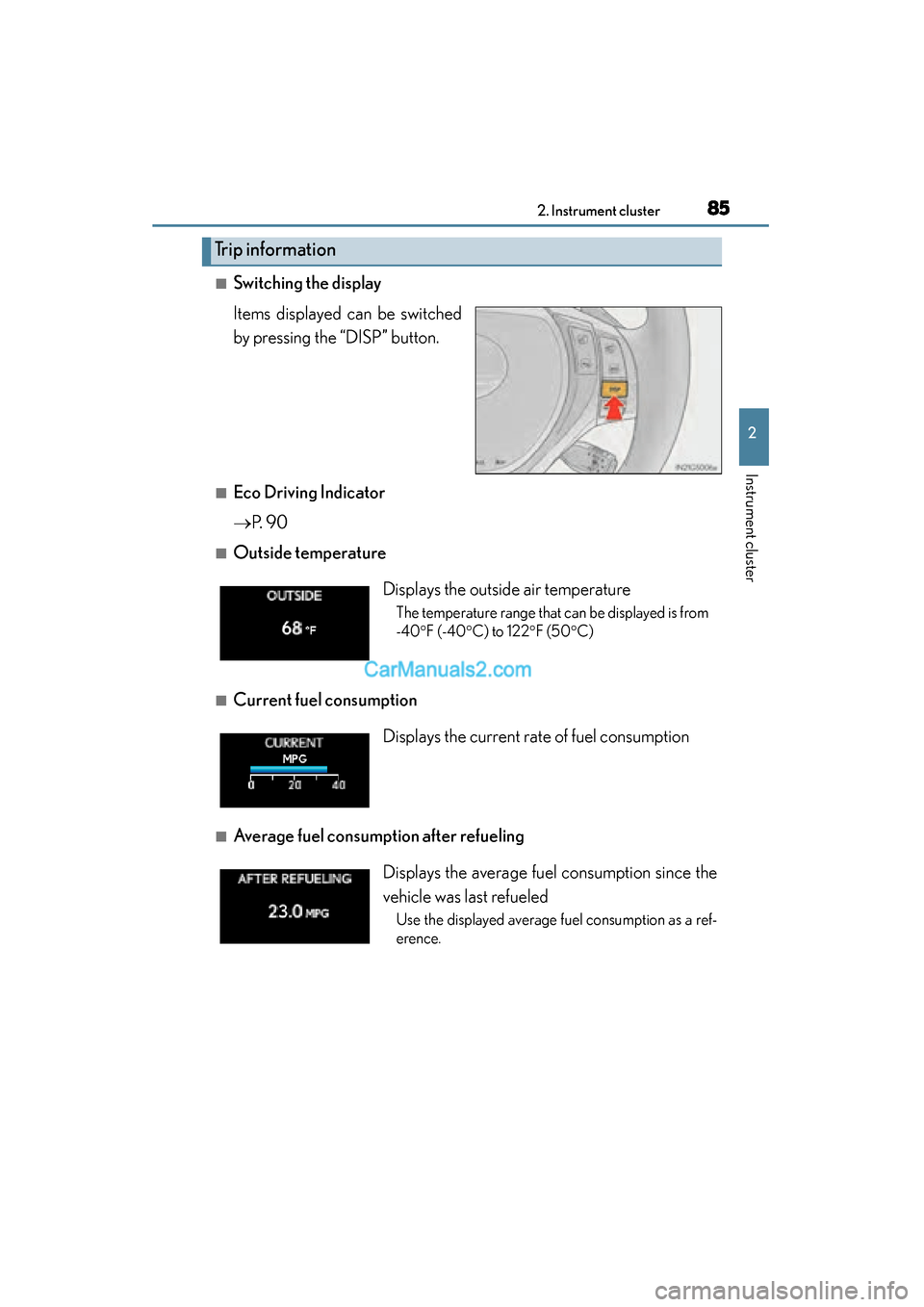
■Switching the display
Items displayed can be switched
by pressing the “DISP” button.
■Eco Driving Indicator
→P. 9 0
■Outside temperature
■Current fuel consumption
■Average fuel consumption after refueling
Trip information
Displays the outside air temperature
The temperature range that can be displayed is from
-40° F (-40 °C) to 122 °F (50 °C)
Displays the current rate of fuel consumption
Displays the average fuel consumption since the
vehicle was last refueled
Use the displayed average fuel consumption as a ref-
erence.
GS350_OM_OM30F69U_(U).book Page 85 Monday, January 19, 2015 2:53 PM
Page 88 of 615
86
GS350_OM_OM30F69U_(U)
2. Instrument cluster
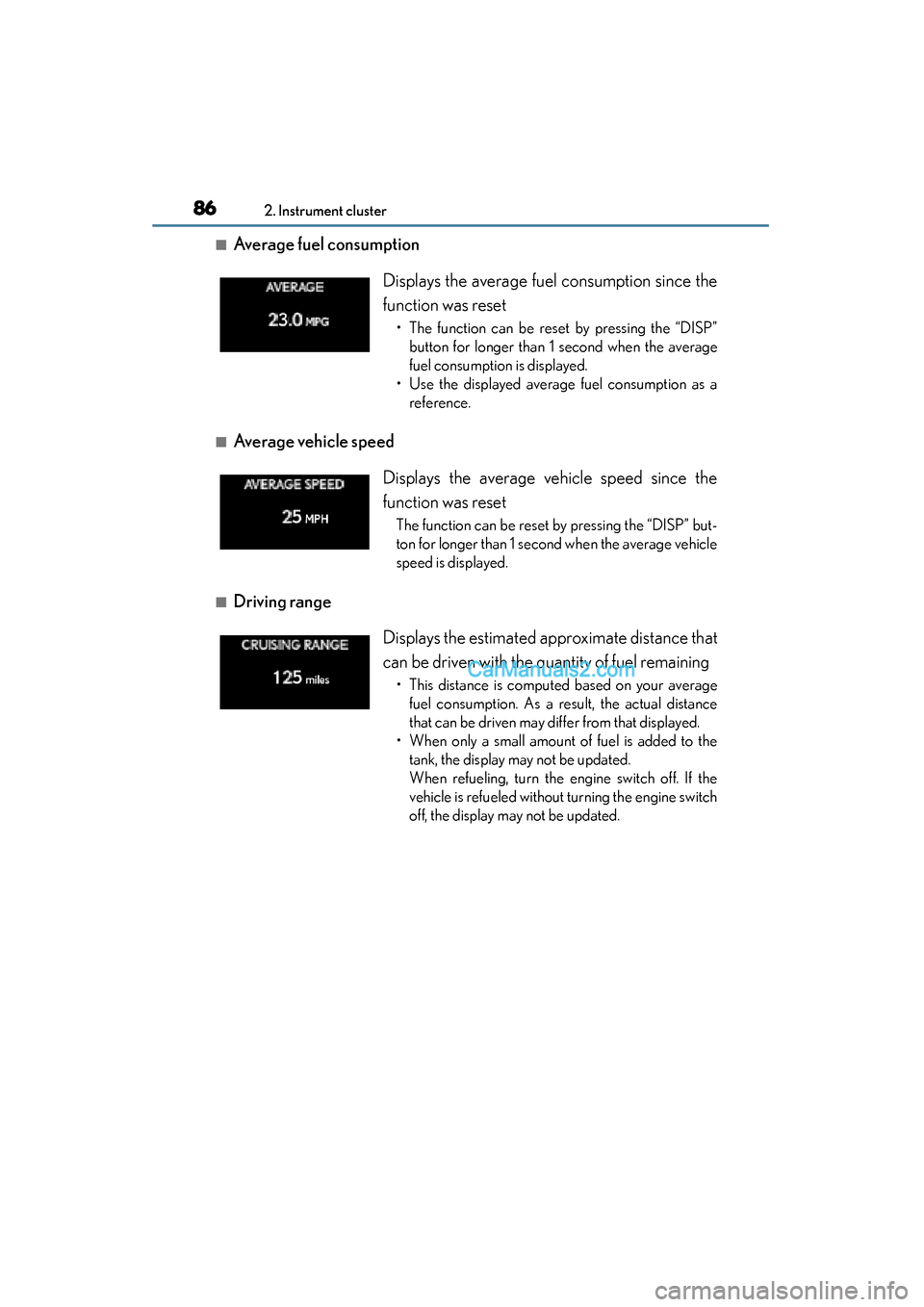
■Average fuel consumption
■Average vehicle speed
■Driving range Displays the average fuel consumption since the
function was reset
• The function can be reset by pressing the “DISP”
button for longer than 1 second when the average
fuel consumption is displayed.
• Use the displayed average fuel consumption as a reference.
Displays the average vehicle speed since the
function was reset
The function can be reset by pressing the “DISP” but-
ton for longer than 1 second when the average vehicle
speed is displayed.
Displays the estimated approximate distance that
can be driven with the quantity of fuel remaining
• This distance is computed based on your averagefuel consumption. As a result, the actual distance
that can be driven may differ from that displayed.
• When only a small amount of fuel is added to the tank, the display may not be updated.
When refueling, turn the engine switch off. If the
vehicle is refueled without turning the engine switch
off, the display may not be updated.
GS350_OM_OM30F69U_(U).book Page 86 Monday, January 19, 2015 2:53 PM
Page 89 of 615
GS350_OM_OM30F69U_(U)
872. Instrument cluster
2
Instrument cluster
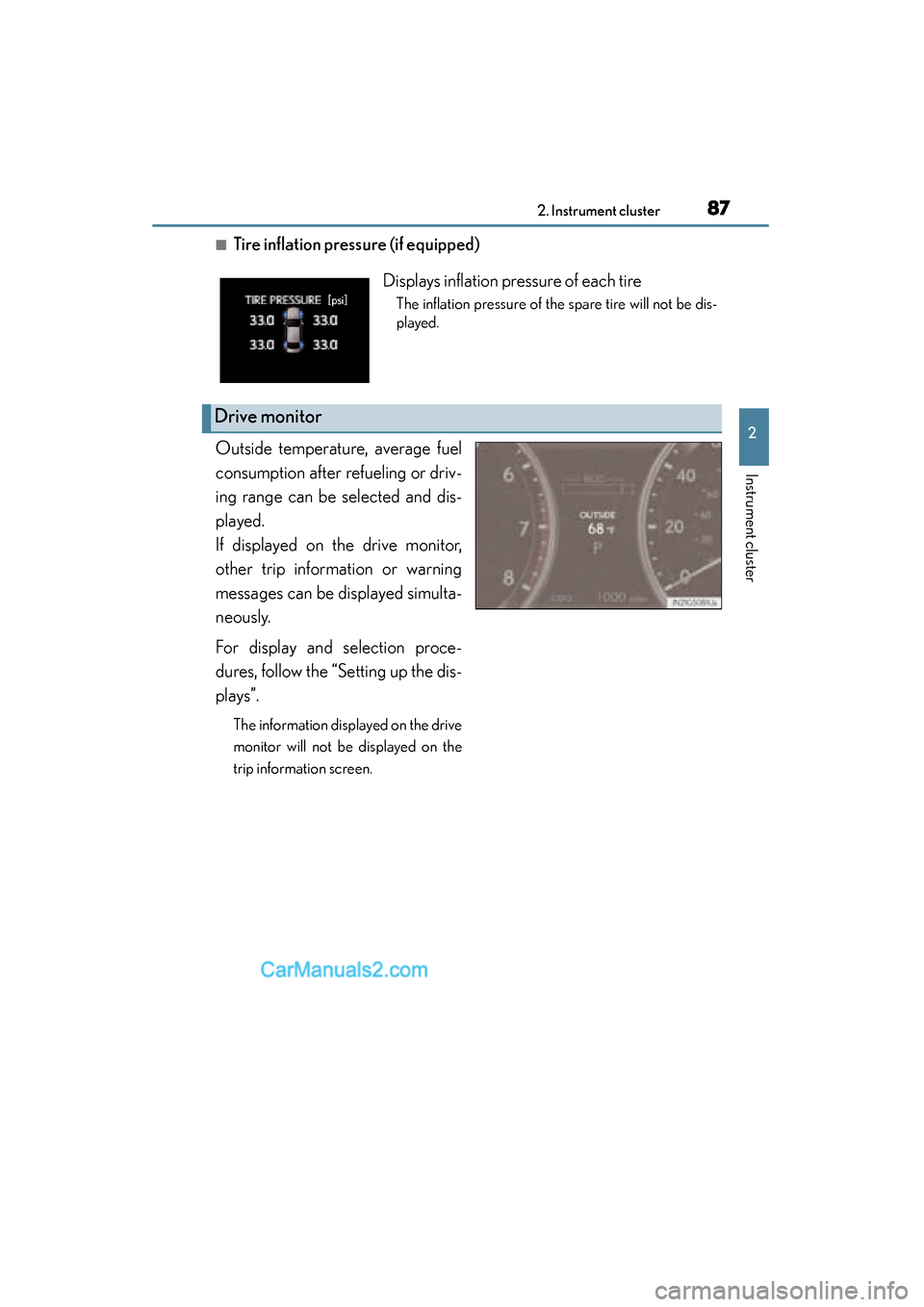
■Tire inflation pressure (if equipped)
Outside temperature, average fuel
consumption after refueling or driv-
ing range can be selected and dis-
played.
If displayed on the drive monitor,
other trip information or warning
messages can be displayed simulta-
neously.
For display and selection proce-
dures, follow the “Setting up the dis-
plays”.
The information displayed on the drive
monitor will not be displayed on the
trip information screen.
Displays inflation pressure of each tire
The inflation pressure of the spare tire will not be dis-
played.
Drive monitor
GS350_OM_OM30F69U_(U).book Page 87 Monday, January 19, 2015 2:53 PM
Page 101 of 615
99
GS350_OM_OM30F69U_(U)2. Instrument cluster
2
Instrument cluster
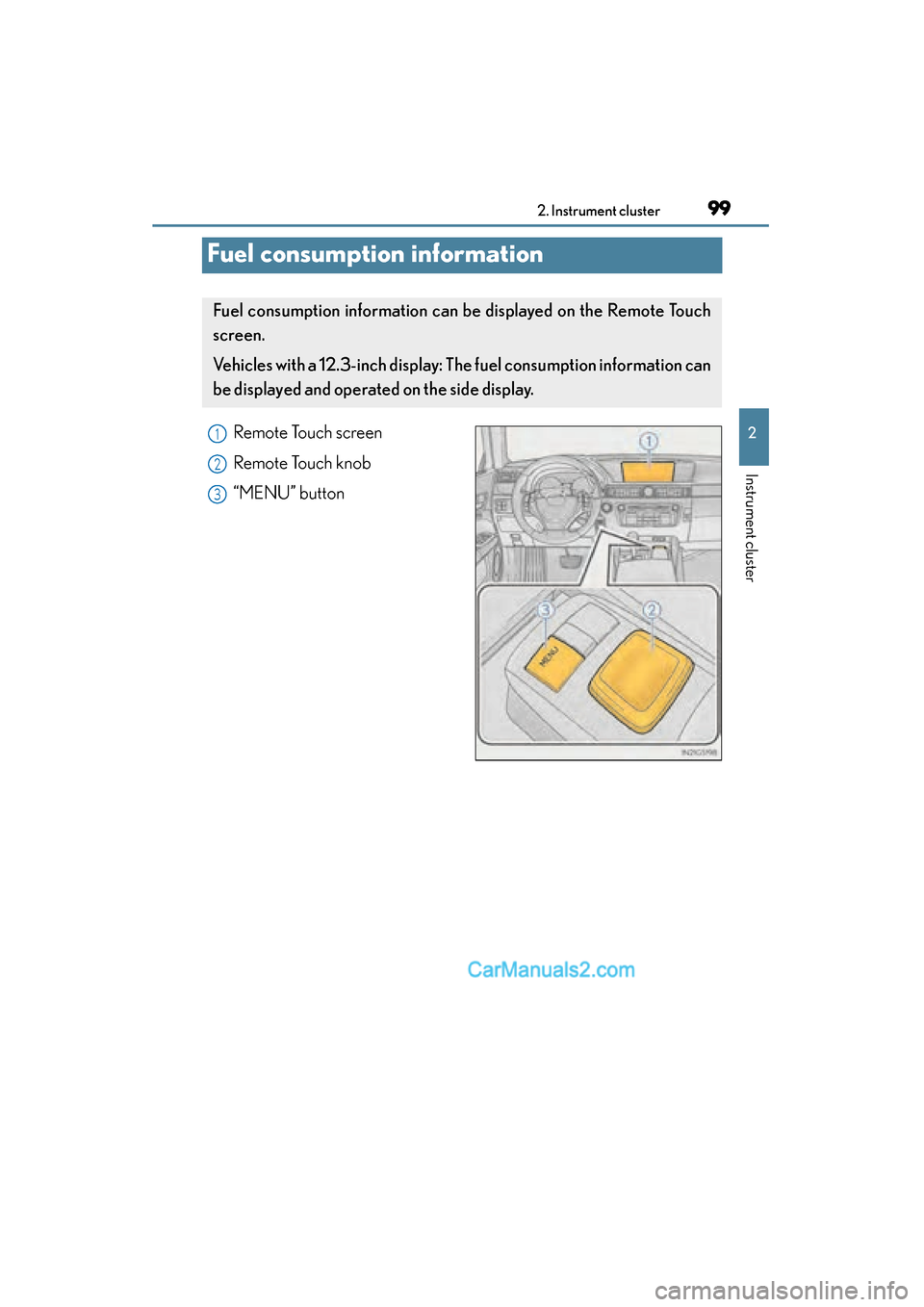
Fuel consumption information
Remote Touch screen
Remote Touch knob
“MENU” button
Fuel consumption information can be displayed on the Remote Touch
screen.
Vehicles with a 12.3-inch display: The fuel consumption information can
be displayed and operated on the side display.
1
2
3
GS350_OM_OM30F69U_(U).book Page 99 Monday, January 19, 2015 2:53 PM
Page 102 of 615
100
GS350_OM_OM30F69U_(U)
2. Instrument cluster
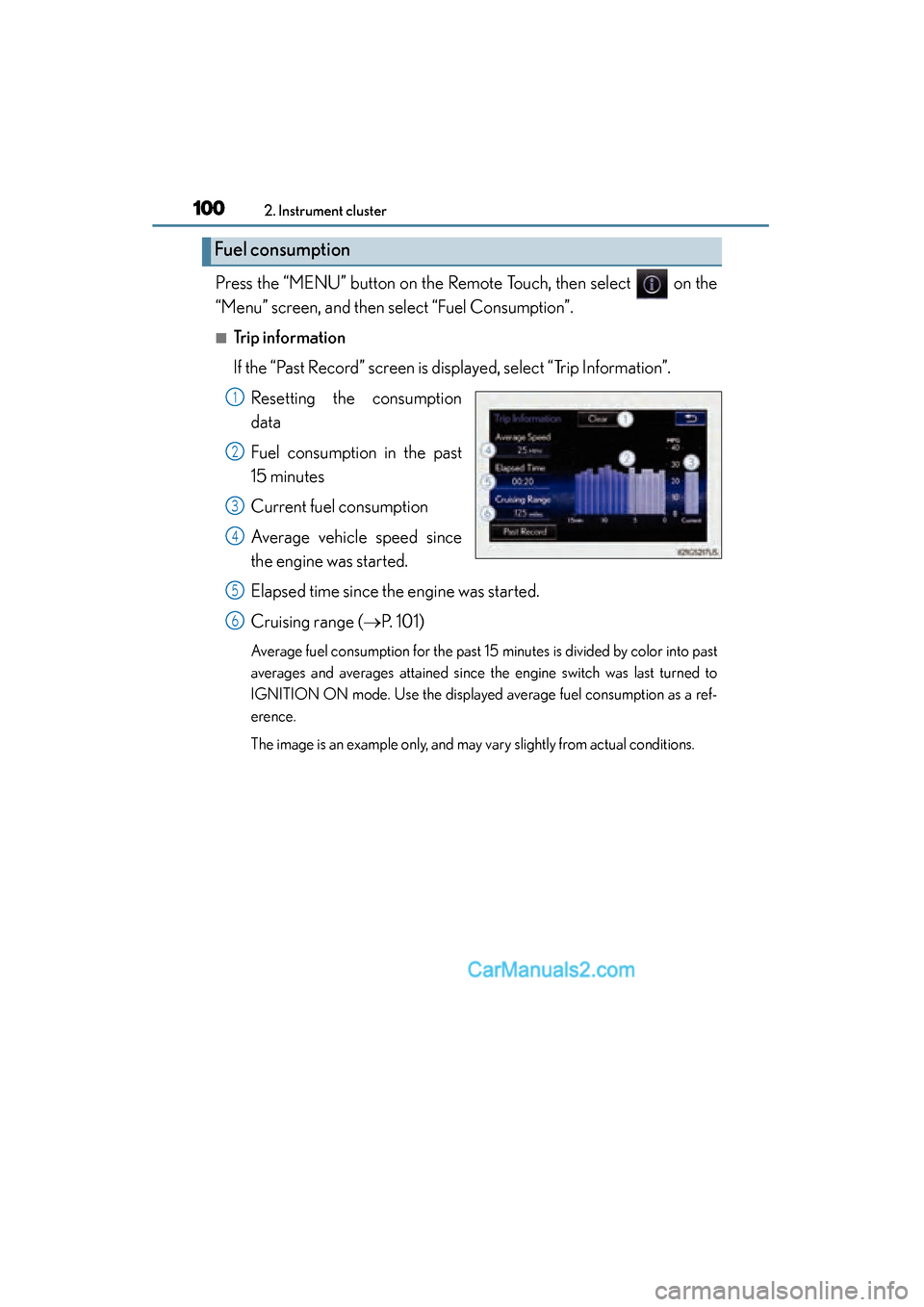
Press the “MENU” button on the Remote Touch, then select on the
“Menu” screen, and then select “Fuel Consumption”.
■Trip information
If the “Past Record” screen is displayed, select “Trip Information”.Resetting the consumption
data
Fuel consumption in the past
15 minutes
Current fuel consumption
Average vehicle speed since
the engine was started.
Elapsed time since the engine was started.
Cruising range ( →P. 1 0 1 )
Average fuel consumption for the past 15 minutes is divided by color into past
averages and averages attained since the engine switch was last turned to
IGNITION ON mode. Use the displayed average fuel consumption as a ref-
erence.
The image is an example only, and may vary slightly from actual conditions.
Fuel consumption
1
2
3
4
5
6
GS350_OM_OM30F69U_(U).book Page 100 Monday, January 19, 2015 2:53 PM
Page 103 of 615
GS350_OM_OM30F69U_(U)
1012. Instrument cluster
2
Instrument cluster
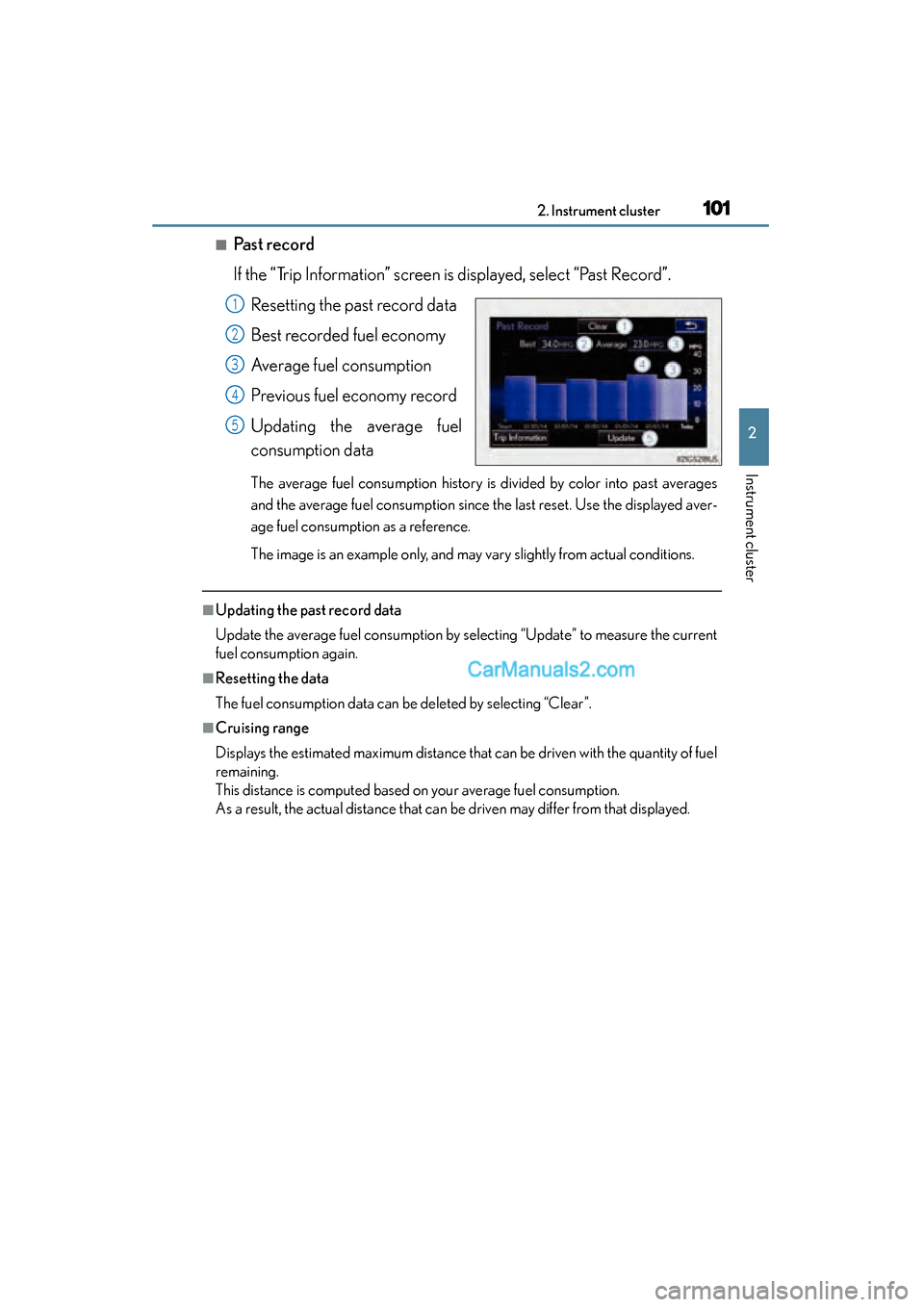
■Past record
If the “Trip Information” screen is displayed, select “Past Record”.Resetting the past record data
Best recorded fuel economy
Average fuel consumption
Previous fuel economy record
Updating the average fuel
consumption data
The average fuel consumption history is divided by color into past averages
and the average fuel consumption since the last reset. Use the displayed aver-
age fuel consumption as a reference.
The image is an example only, and may vary slightly from actual conditions.
■Updating the past record data
Update the average fuel consumption by selecting “Update” to measure the current
fuel consumption again.
■Resetting the data
The fuel consumption data can be deleted by selecting “Clear”.
■Cruising range
Displays the estimated maximum distance that can be driven with the quantity of fuel
remaining.
This distance is computed based on your average fuel consumption.
As a result, the actual distance that can be driven may differ from that displayed.
1
2
3
4
5
GS350_OM_OM30F69U_(U).book Page 101 Monday, January 19, 2015 2:53 PM
Page 104 of 615
102
GS350_OM_OM30F69U_(U)
2. Instrument cluster
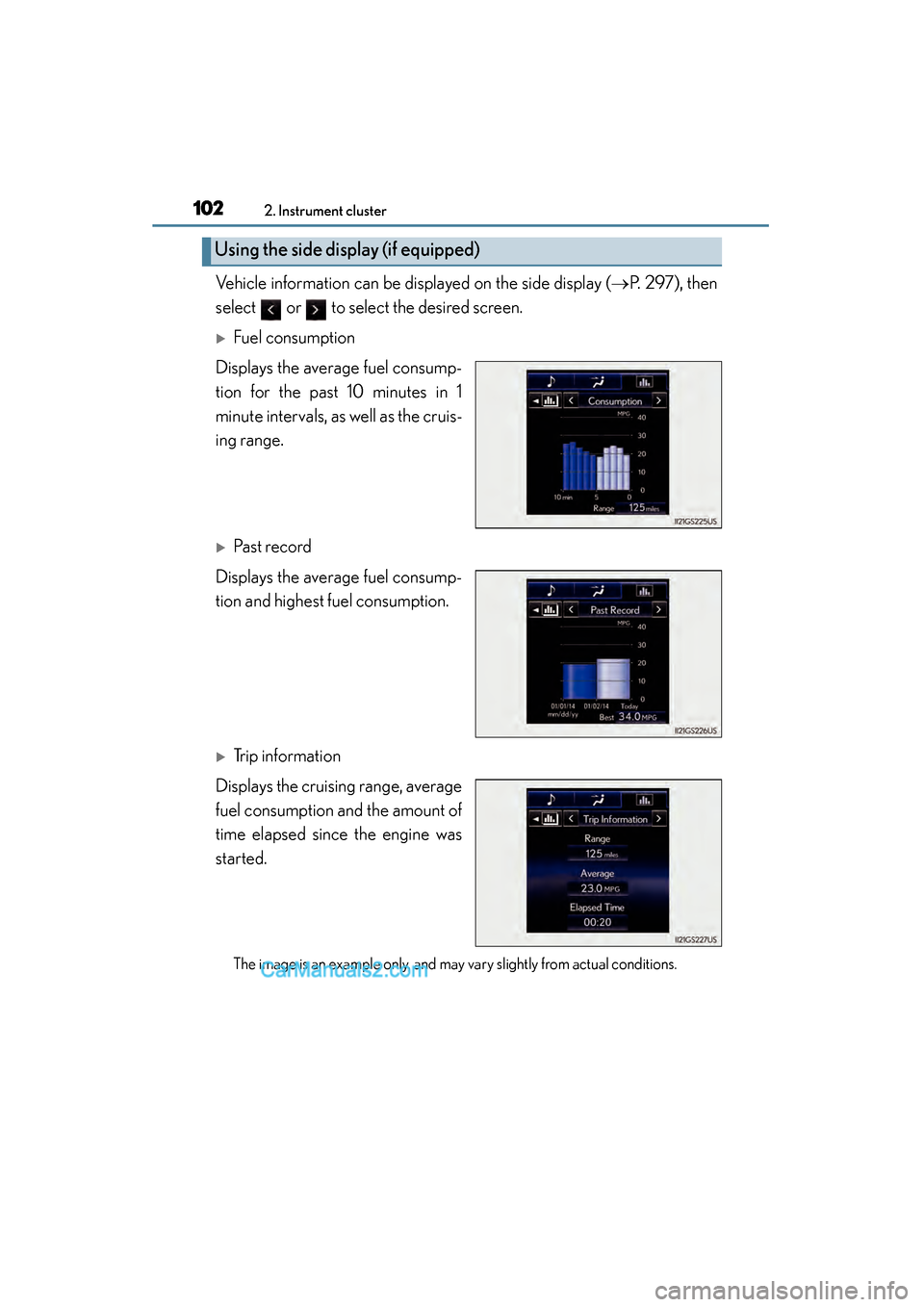
Vehicle information can be displayed on the side display (→P. 297), then
select or to select the desired screen.
XFuel consumption
Displays the average fuel consump-
tion for the past 10 minutes in 1
minute intervals, as well as the cruis-
ing range.
XPast record
Displays the average fuel consump-
tion and highest fuel consumption.
XTrip information
Displays the cruising range, average
fuel consumption and the amount of
time elapsed since the engine was
started.
The image is an example only, and may vary slightly from actual conditions.
Using the side display (if equipped)
GS350_OM_OM30F69U_(U).book Page 102 Monday, January 19, 2015 2:53 PM
Page 161 of 615
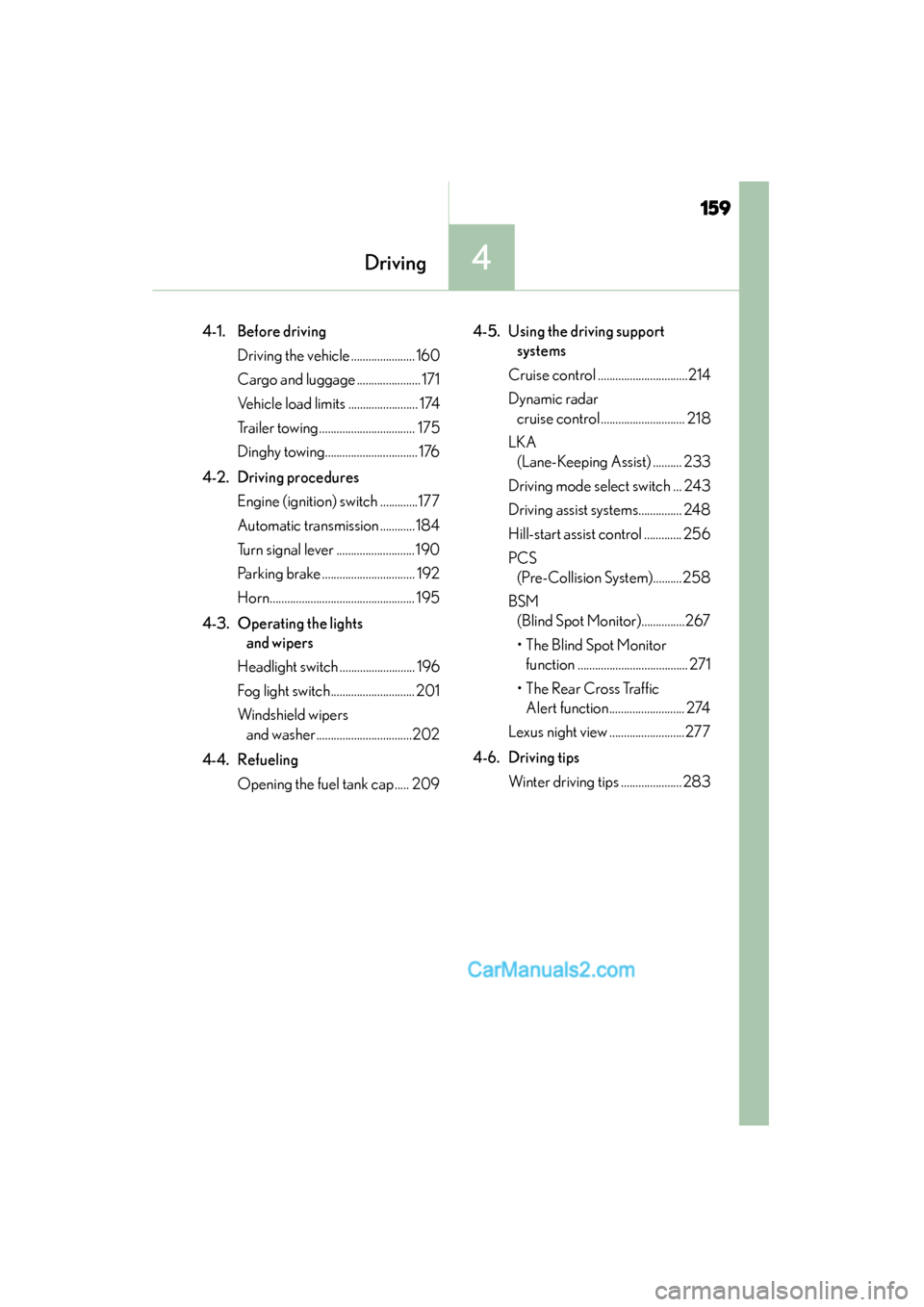
159
GS350_OM_OM30F69U_(U)
Driving4
4-1. Before driving Driving the vehicle ...................... 160
Cargo and luggage ...................... 171
Vehicle load limits ........................ 174
Trailer towing ................................. 175
Dinghy towing................................ 176
4-2. Driving procedures Engine (ignition) switch .............177
Automatic transmission ............ 184
Turn signal lever ...........................190
Parking brake ................................ 192
Horn.................................................. 195
4-3. Operating the lights and wipers
Headlight switch .......................... 196
Fog light switch............................. 201
Windshield wipers and washer.................................202
4-4. Refueling Opening the fuel tank cap ..... 209 4-5. Using the driving support
systems
Cruise control ...............................214
Dynamic radar cruise control ............................. 218
LKA (Lane-Keeping Assist) .......... 233
Driving mode select switch ... 243
Driving assist systems............... 248
Hill-start assist control ............. 256
PCS (Pre-Collision System)..........258
BSM (Blind Spot Monitor)...............267
• The Blind Spot Monitor function ...................................... 271
• The Rear Cross Traffic Alert function.......................... 274
Lexus night view ..........................277
4-6. Driving tips Winter driving tips ..................... 283
GS350_OM_OM30F69U_(U).book Page 159 Monday, January 19, 2015 2:53 PM
Page 164 of 615
162
GS350_OM_OM30F69U_(U)
4-1. Before driving
■Breaking in your new Lexus
To extend the life of the vehicle, observing the following precautions is recom-
mended:
●For the first 186 miles (300 km):
Avoid sudden stops.
●For the first 621 miles (1000 km):
• Do not drive at extremely high speeds.
• Avoid sudden acceleration.
• Do not drive continuously in low gears.
• Do not drive at a constant speed for extended periods.
■Drum-in-disc type parking brake system
Your vehicle has a drum-in-disc type parking brake system. This type of brake system
needs bedding-down of the brake shoes periodically or whenever the parking brake
shoes and/or drum are replaced. Have your Lexus dealer perform the bedding
down operation.
■Operating your vehicle in a foreign country
Comply with the relevant vehicle registration laws and confirm the availability of the
correct fuel. (→P. 5 3 6 )
GS350_OM_OM30F69U_(U).book Page 162 Monday, January 19, 2015 2:53 PM