ECU Lexus GS450h 2008 Owner's Guide
[x] Cancel search | Manufacturer: LEXUS, Model Year: 2008, Model line: GS450h, Model: Lexus GS450h 2008Pages: 599, PDF Size: 14.28 MB
Page 212 of 599
210
GS_HV_U
June 19, 2008 1:15 pm
2-5. Driving information
Cargo and luggage
Capacity and distributionCargo capacity depends on the total weight of the occupants.
(Cargo capacity) = (Total load cap acity) — (Total weight of occupants)
Steps for Determining Correct Load Limit—
(1) Locate the statement “The combined weight of occupants and cargo should never exceed XXX kg or XXX lbs.” on your vehicle’s
placard.
(2) Determine the combined weight of the driver and passengers that will be riding in your vehicle.
(3) Subtract the combined weight of the driver and passengers from XXX kg or XXX lbs.
Take notice of the following information about storage precautions, cargo
capacity and load.
●Stow cargo and luggage in the trunk whenever possible. Be sure all
items are secured in place.
● Be careful to keep the vehicle level. Placing the weight as far for-
ward as possible helps maintain vehicle balance.
● For better fuel economy, do not carry unnecessary weight.
GS450h_HV_U.book Page 210 Thursday, June 19, 2008 1:44 PM
Page 215 of 599
213
2-5. Driving information
2
When driving
GS_HV_U
June 19, 2008 1:15 pm
CAUTION
■Things that must not be carried in the trunk
The following things may cause a fire if loaded in the trunk.
●Receptacles containing gasoline
●Aerosol cans
■Storage precautions
●Do not place anything on the package tray behind the rear seatback.
Such items may be thrown about and possibly injure people in the vehicle during
sudden braking or in an accident.
●Do not drive with objects on top of the instrument panel.
They may interfere with the driver’s field of view or move during sharp accelera-
tion or turning, thus impairing the driver’s control of the vehicle. In an accident
they may injure the vehicle occupants.
●Secure all items in the occupant compartment, as they may shift and injure some-
one during an accident or sudden braking.
■We i g h t o f t h e l o a d
●Improper loading may cause deterioration of steering or braking control result-
ing in an accident which may cause death or serious injury.
●Do not exceed the maximum axle weight rating or the total vehicle weight rating.
●Even if the total load of occupant’s weight and the cargo load is less than the total
load capacity, do not apply the load unevenly. Improper loading may cause dete-
rioration of steering or braking control which may cause death or serious injury.
GS450h_HV_U.book Page 213 Thursday, June 19, 2008 1:44 PM
Page 232 of 599
230
3-1. Using the touch screen
GS_HV_U
June 19, 2008 1:15 pm
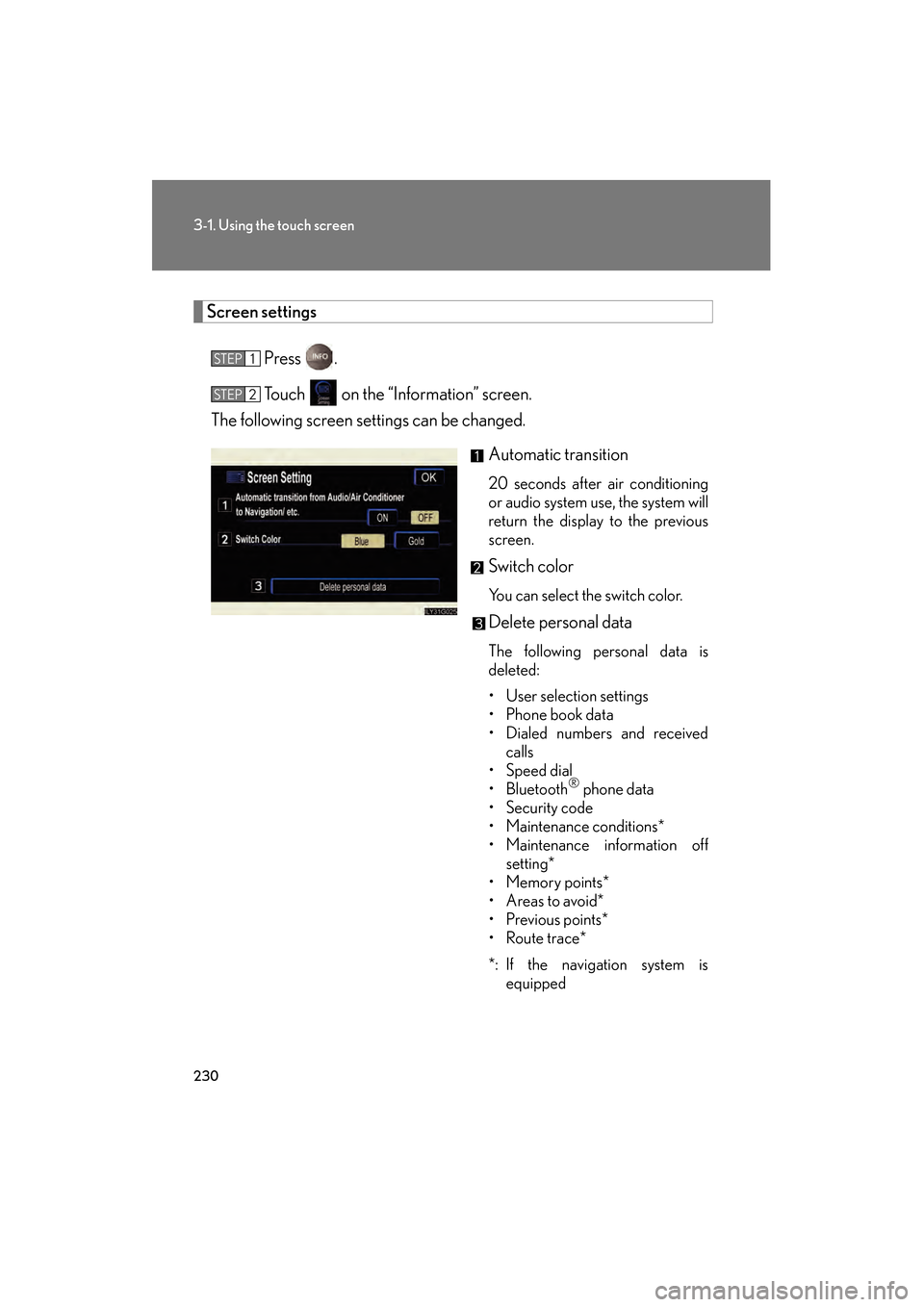
Screen settingsPress .
Touch on the “Information” screen.
The following screen settings can be changed.
Automatic transition
20 seconds after air conditioning
or audio system use, the system will
return the display to the previous
screen.
Switch color
You can select the switch color.
Delete personal data
The following personal data is
deleted:
• User selection settings
• Phone book data
• Dialed numbers and receivedcalls
• Speed dial
• Bluetooth
® phone data
•Security code
• Maintenance conditions*
• Maintenance information off setting*
•Memory points*
• Areas to avoid*
•Previous points*
• Route trace*
*: If the navigation system is equipped
STEP1
STEP2
GS450h_HV_U.book Page 230 Thursday, June 19, 2008 1:44 PM
Page 253 of 599
251
3-3. Using the audio system
3
Interior features
GS_HV_U
June 19, 2008 1:15 pm
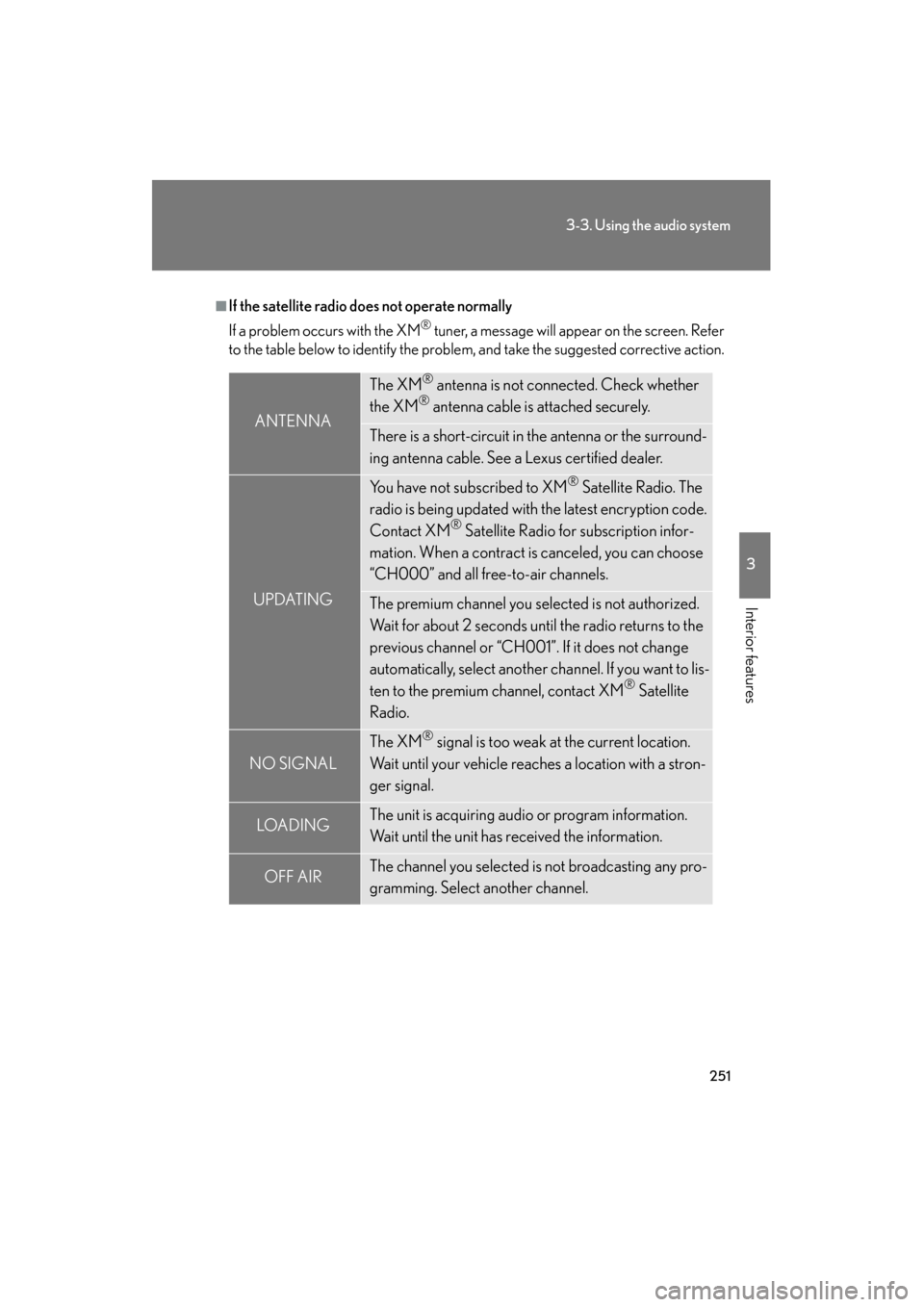
■If the satellite radio does not operate normally
If a problem occurs with the XM
® tuner, a message will appear on the screen. Refer
to the table below to identify the problem, and take the suggested corrective action.
ANTENNA
The XM® antenna is not connected. Check whether
the XM® antenna cable is attached securely.
There is a short-circuit in the antenna or the surround-
ing antenna cable. See a Lexus certified dealer.
UPDATING
You have not subscribed to XM® Satellite Radio. The
radio is being updated with the latest encryption code.
Contact XM
® Satellite Radio for subscription infor-
mation. When a contract is canceled, you can choose
“CH000” and all free-to-air channels.
The premium channel you selected is not authorized.
Wait for about 2 seconds until the radio returns to the
previous channel or “CH001”. If it does not change
automatically, select another channel. If you want to lis-
ten to the premium channel, contact XM
® Satellite
Radio.
NO SIGNAL
The XM® signal is too weak at the current location.
Wait until your vehicle reaches a location with a stron-
ger signal.
LOAD INGThe unit is acquiring audio or program information.
Wait until the unit has received the information.
OFF AIRThe channel you selected is not broadcasting any pro-
gramming. Select another channel.
GS450h_HV_U.book Page 251 Thursday, June 19, 2008 1:44 PM
Page 346 of 599
344
3-4. Using the hands-free system (for cellular phone)
GS_HV_U
June 19, 2008 1:15 pm
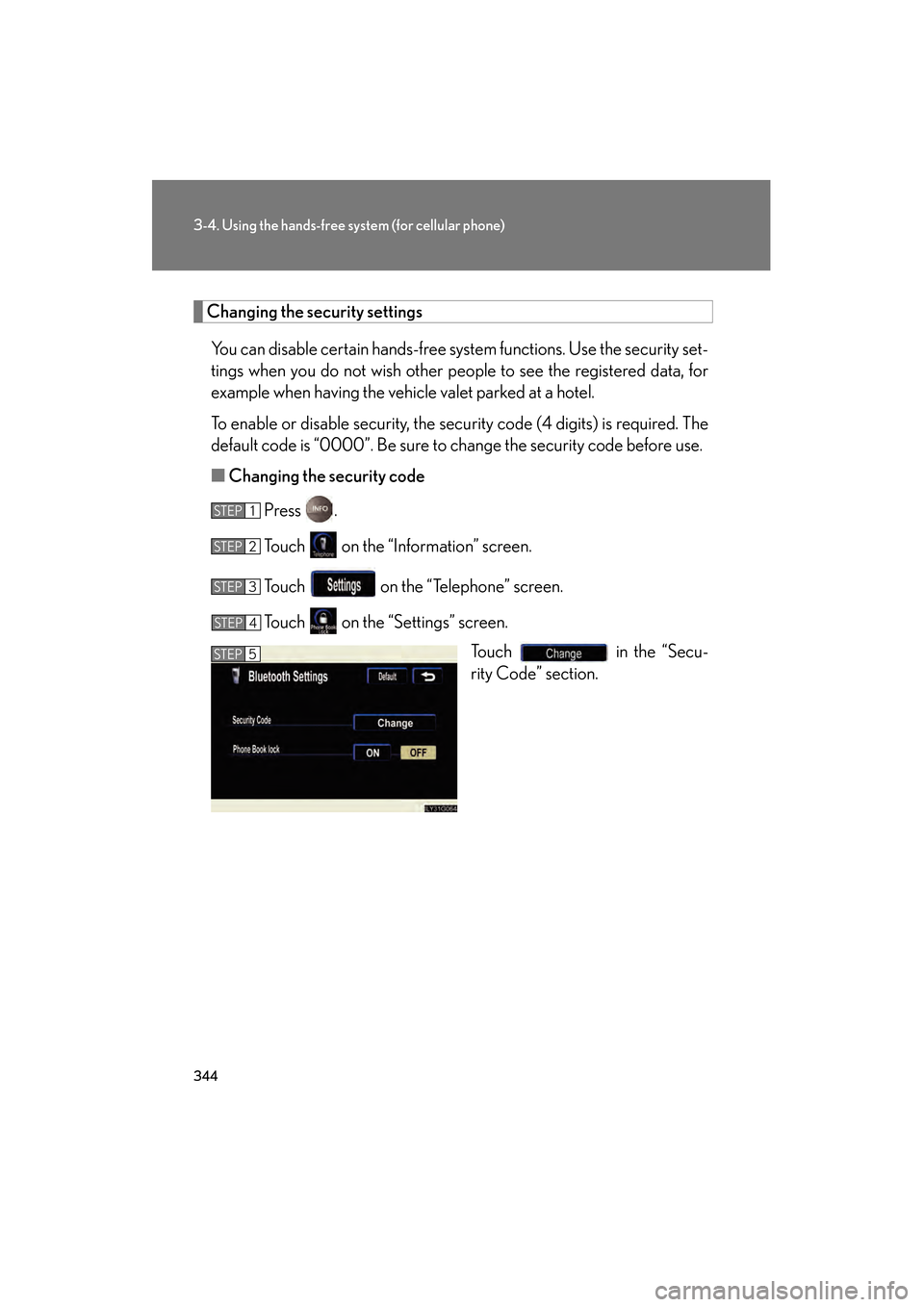
Changing the security settings
You can disable certain hands-free system functions. Use the security set-
tings when you do not wish other people to see the registered data, for
example when having the vehicle valet parked at a hotel.
To enable or disable security, the security code (4 digits) is required. The
default code is “0000”. Be sure to change the security code before use.
■ Changing the security code
Press .
Touch on the “Information” screen.
Touch on the “Telephone” screen.
Touch on the “Settings” screen. Touch in the “Secu-
rity Code” section.
STEP1
STEP2
STEP3
STEP4
STEP5
GS450h_HV_U.book Page 344 Thursday, June 19, 2008 1:44 PM
Page 347 of 599
345
3-4. Using the hands-free system (for cellular phone)
3
Interior features
GS_HV_U
June 19, 2008 1:15 pm
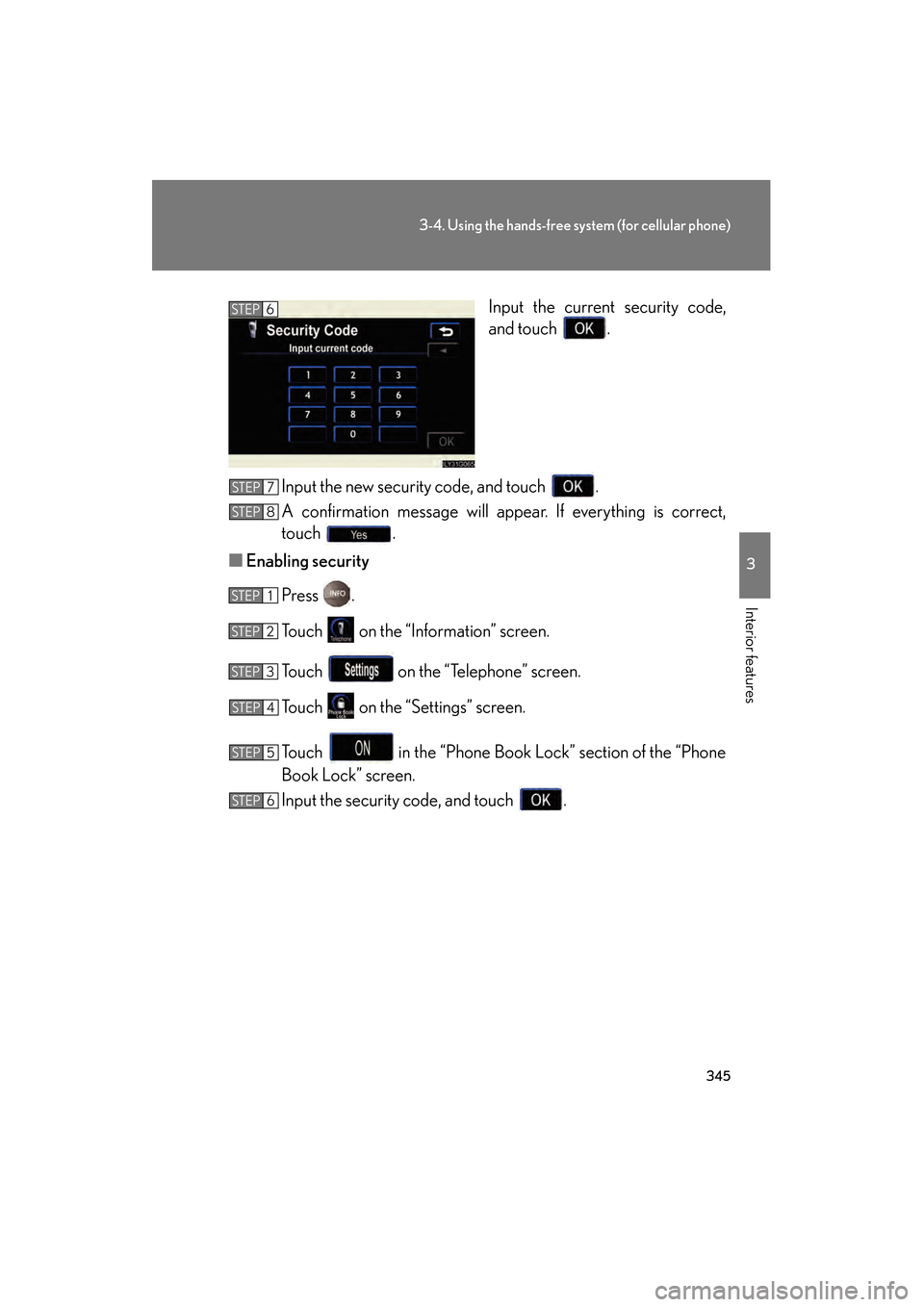
Input the current security code,
and touch .
Input the new security code, and touch .
A confirmation message will appear. If everything is correct,
touch .
■ Enabling security
Press .
Touch on the “Information” screen.
Touch on the “Telephone” screen.
Touch on the “Settings” screen.
Touch in the “Phone Book Lock” section of the “Phone
Book Lock” screen.
Input the security code, and touch .STEP6
STEP7
STEP8
STEP1
STEP2
STEP3
STEP4
STEP5
STEP6
GS450h_HV_U.book Page 345 Thursday, June 19, 2008 1:44 PM
Page 348 of 599
346
3-4. Using the hands-free system (for cellular phone)
GS_HV_U
June 19, 2008 1:15 pm
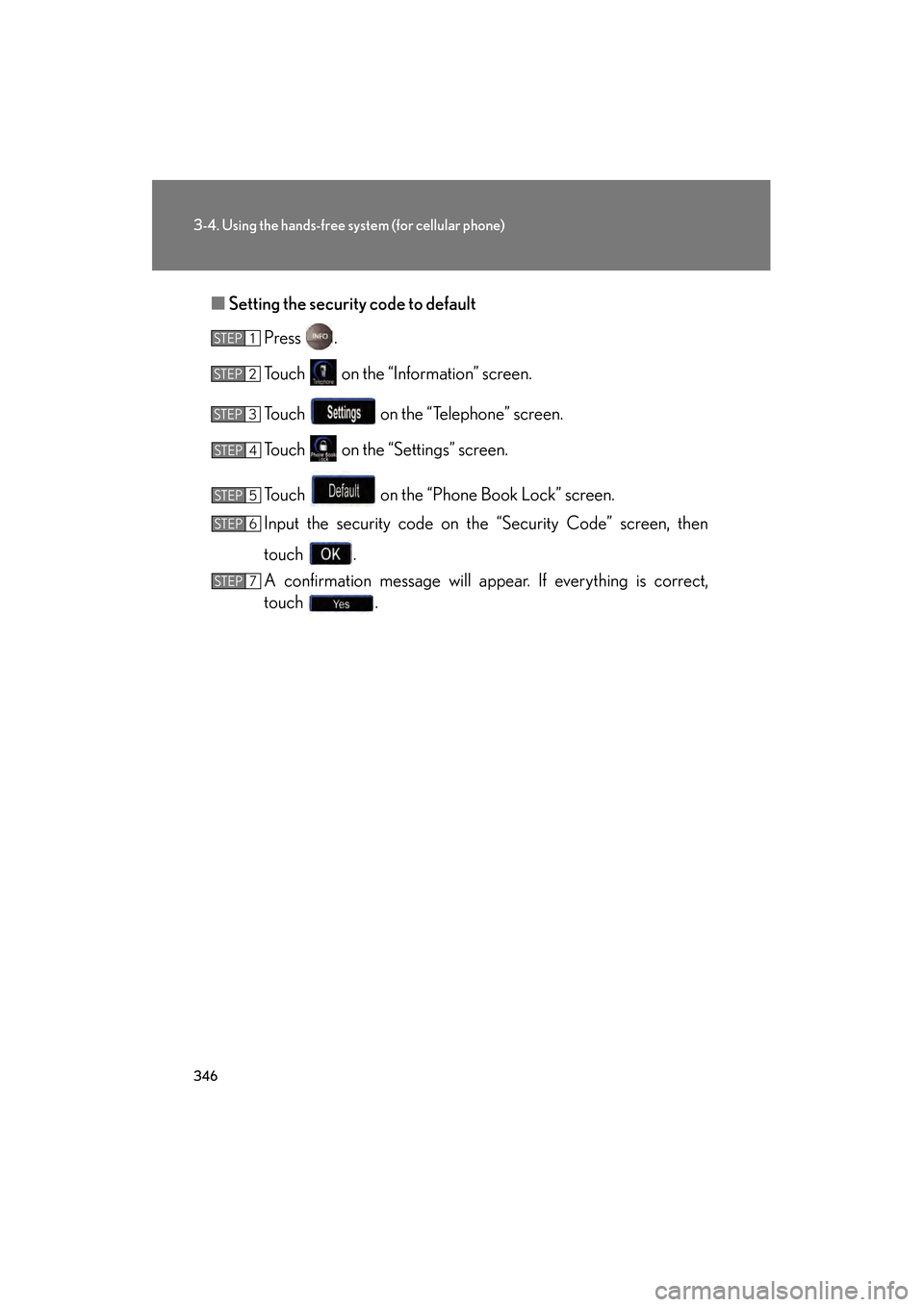
■Setting the security code to default
Press .
Touch on the “Information” screen.
Touch on the “Telephone” screen.
Touch on the “Settings” screen.
Touch on the “Phone Book Lock” screen.
Input the security code on the “Security Code” screen, then
touch .
A confirmation message will appear. If everything is correct,
touch .
STEP1
STEP2
STEP3
STEP4
STEP5
STEP6
STEP7
GS450h_HV_U.book Page 346 Thursday, June 19, 2008 1:44 PM
Page 349 of 599
347
3-4. Using the hands-free system (for cellular phone)
3
Interior features
GS_HV_U
June 19, 2008 1:15 pm
■If the “Phone Book Lock” is set
If the security code is input and the “Phone Book Lock” set, the following functions
are locked.
●Display of the phone book screen and transferring, registering, editing, deleting
the phone book data.
●Display of speed dial screen, registering, deleting the speed dial and speed dial-
ing.
●Display of the other party’s name for calls being received or made.
●Displayed of dialed numbers screen and received calls screen, deleting dialed
numbers and received numbers.
●Display of phone information screen.
●Changing the security code.
The speed dial screen is not displayed while driving.
■When changing the security code
●Be sure to choose a number difficult for strangers to guess.
●Do not forget the security code. Even your Lexus dealer will be unable to dis-
able the security. If you do forget the code, initialize all personal data.
( → P. 2 3 0 )
GS450h_HV_U.book Page 347 Thursday, June 19, 2008 1:44 PM
Page 376 of 599
374
3-7. Other interior features
GS_HV_U
June 19, 2008 1:15 pm
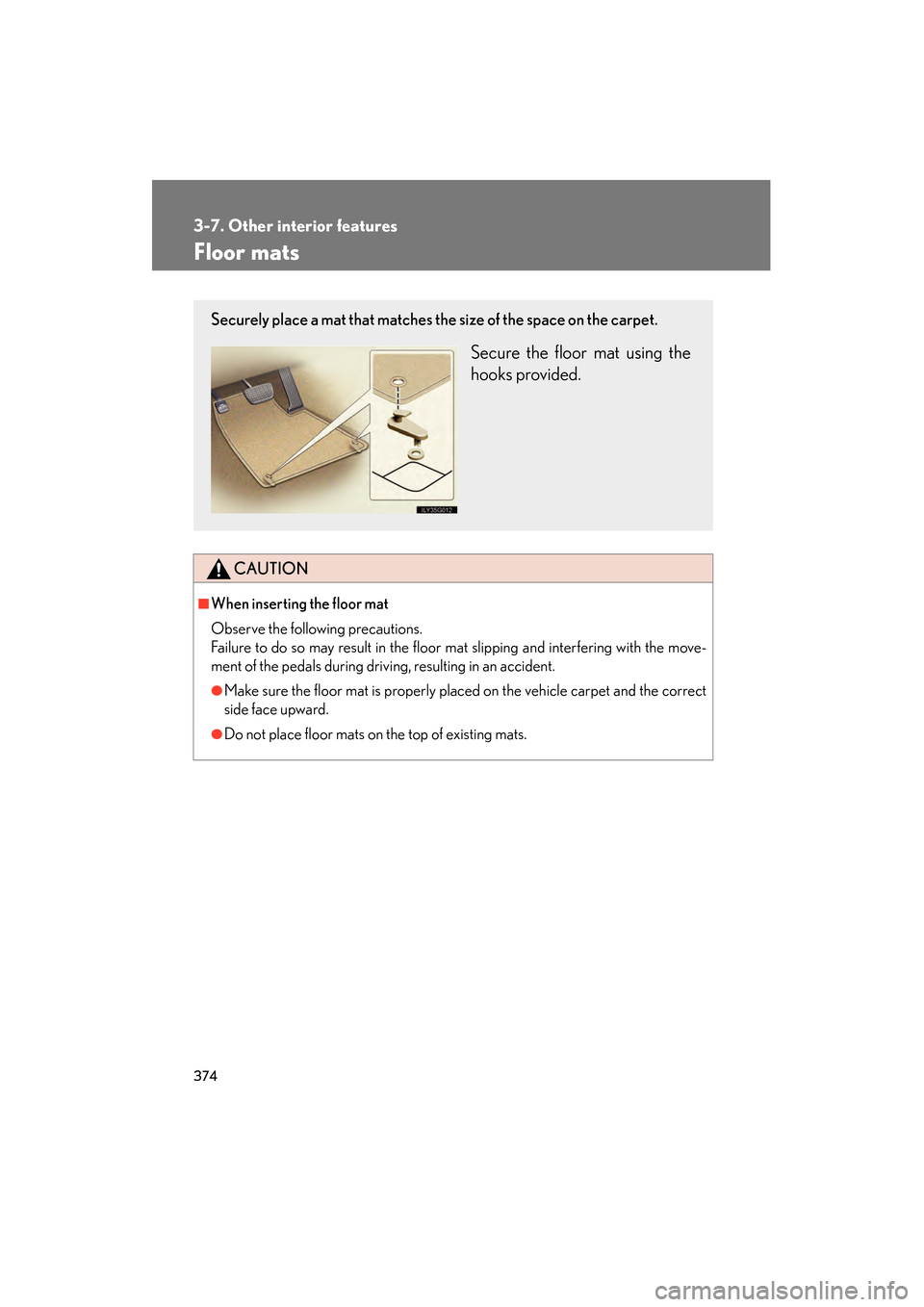
Floor mats
CAUTION
■When inserting the floor mat
Observe the following precautions.
Failure to do so may result in the floor mat slipping and interfering with the move-
ment of the pedals during driving, resulting in an accident.
●Make sure the floor mat is properly placed on the vehicle carpet and the correct
side face upward.
●Do not place floor mats on the top of existing mats.
Securely place a mat that matches the size of the space on the carpet.
Secure the floor mat using the
hooks provided.
GS450h_HV_U.book Page 374 Thursday, June 19, 2008 1:44 PM
Page 377 of 599
375
3-7. Other interior features
3
Interior features
GS_HV_U
June 19, 2008 1:15 pm
Trunk features
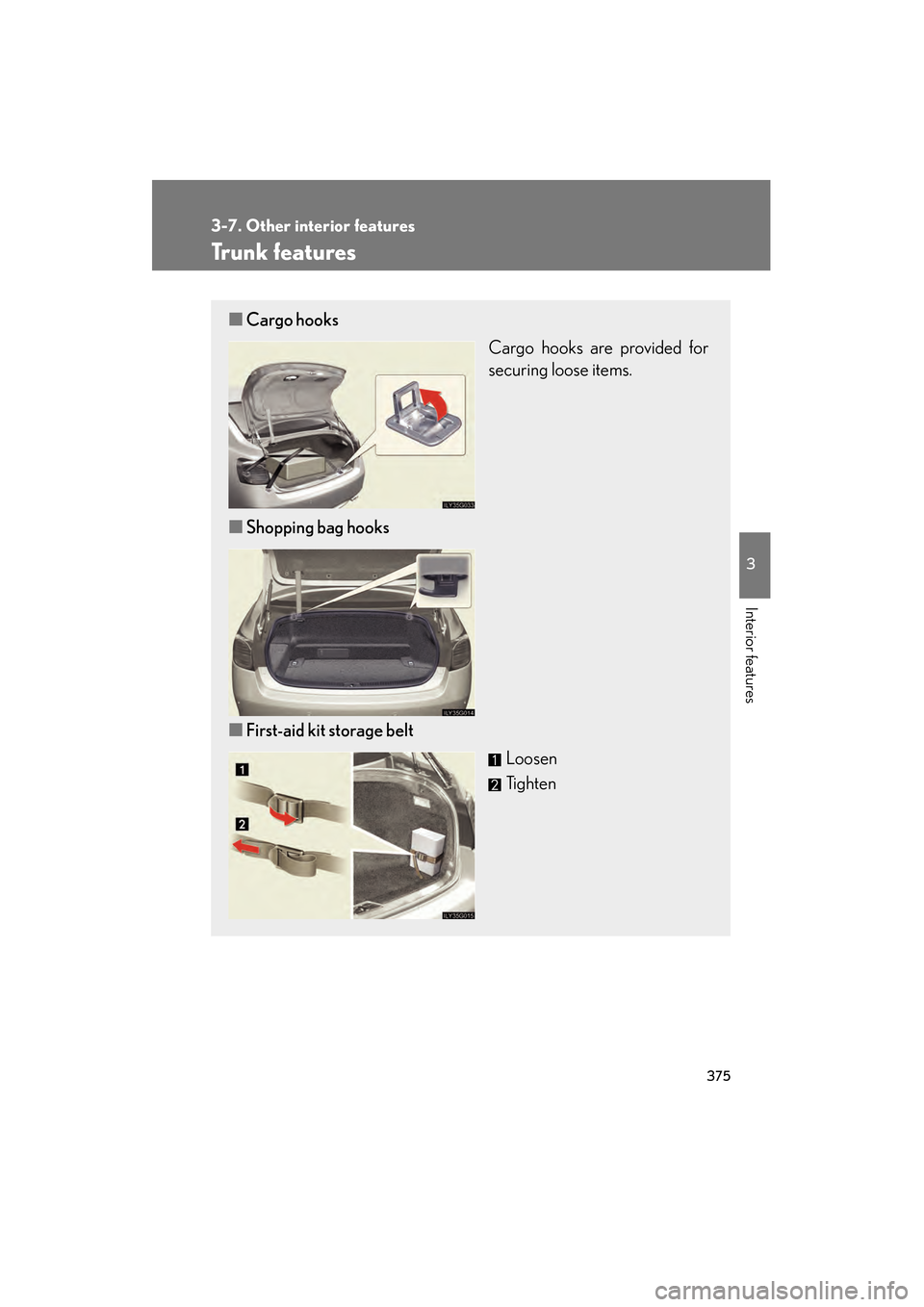
■Cargo hooks
Cargo hooks are provided for
securing loose items.
■ Shopping bag hooks
■ First-aid kit storage belt
Loosen
Tighten
GS450h_HV_U.book Page 375 Thursday, June 19, 2008 1:44 PM