audio Lexus GS450h 2008 Owner's Guide
[x] Cancel search | Manufacturer: LEXUS, Model Year: 2008, Model line: GS450h, Model: Lexus GS450h 2008Pages: 599, PDF Size: 14.28 MB
Page 254 of 599
252
3-3. Using the audio system
GS_HV_U
June 19, 2008 1:15 pm
Contact the XM® Listener Care Center at (800) 967-2346 during the following
hours
*.
Monday - Saturday: 6 a.m. - 2 a.m. Eastern Time
Sunday: 8 a.m. - 8 p.m. Eastern Time
*: Subject to change without notice.
■Certifications for the radio tuner
This equipment has been tested and found to comply with the limits for a class B
digital device, pursuant to Part 15 of the FCC Rules. These limits are designed to
provide reasonable protection against harmful interference in a residential installa-
tion. This equipment generates, uses and can radiate radio frequency energy and, if
not installed and used in accordance with the instructions, may cause harmful inter-
ference to radio communications. However, there is no guarantee that interference
will not occur in a particular installation.
If this equipment does cause harmful interference to radio or television reception,
which can be determined by turning the equipment off and on, the user is encour-
aged to try to correct the interference by trying one or more of the following:
●Reorienting or relocating the receiving antenna.
●Increasing the separation between the equipment and receiver.
●Connecting the equipment into an outlet on a circuit different from that to which
the receiver is connected.
●Consulting the dealer or an experienced radio/TV technician for help.
-----
There is no song/program title or artist name/feature
associated with the channel at that time. No action
needed.
---
The channel you selected is no longer available. Wait
for about 2 seconds until the radio returns to the previ-
ous channel or “CH001”. If it does not change auto-
matically, select another channel.
GS450h_HV_U.book Page 252 Thursday, June 19, 2008 1:44 PM
Page 255 of 599
253
3-3. Using the audio system
3
Interior features
GS_HV_U
June 19, 2008 1:15 pm
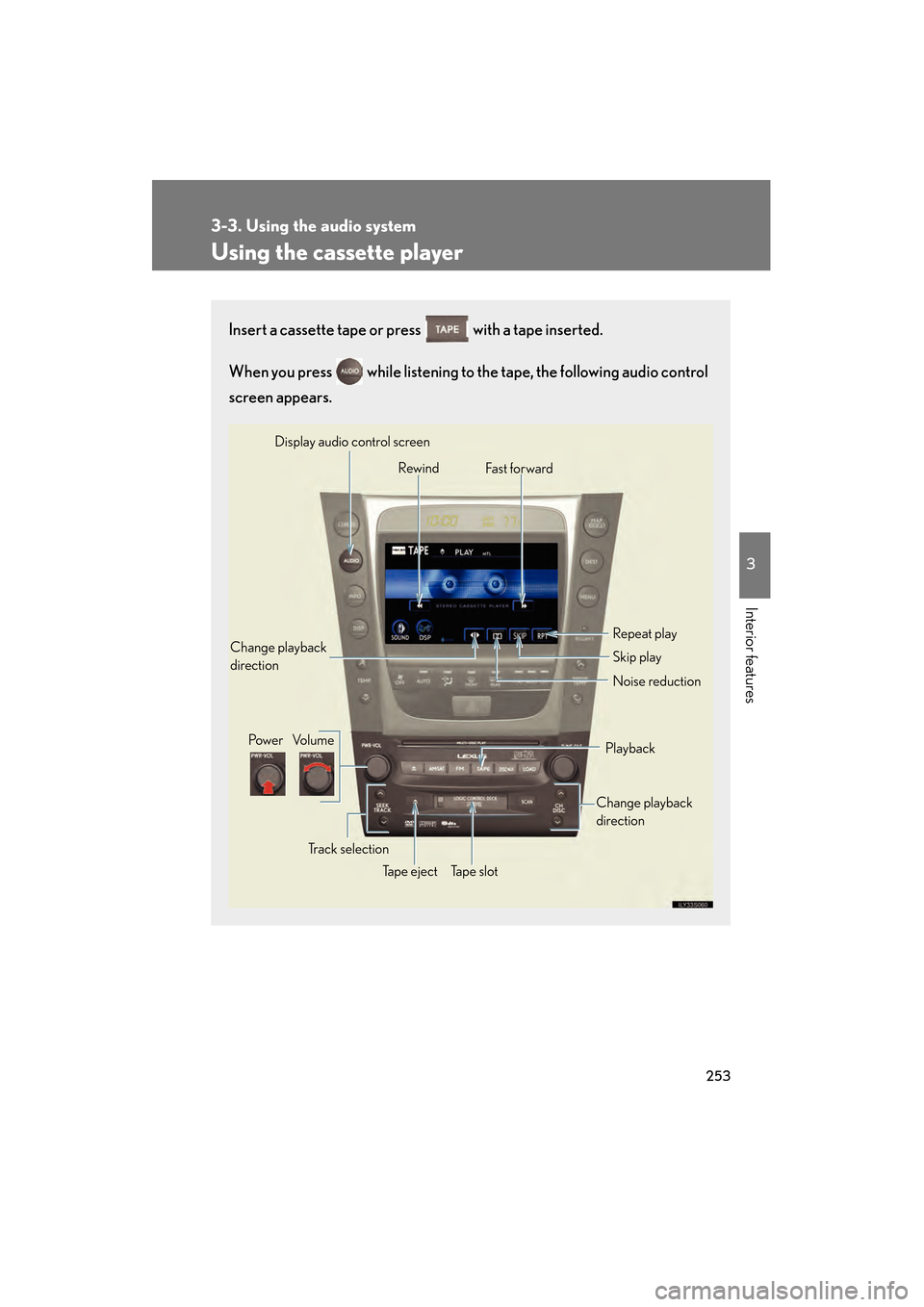
Using the cassette player
Insert a cassette tape or press with a tape inserted.
When you press while listening to the tape, the following audio control
screen appears.
Display audio control screen
Powe r Vo l u m e Change playback
direction
Tape eject Playback
Skip play
Ta p e s l o t Repeat play
Track selection
Change playback
direction
Noise reduction
Rewind
Fas t for ward
GS450h_HV_U.book Page 253 Thursday, June 19, 2008 1:44 PM
Page 256 of 599
254
3-3. Using the audio system
GS_HV_U
June 19, 2008 1:15 pm
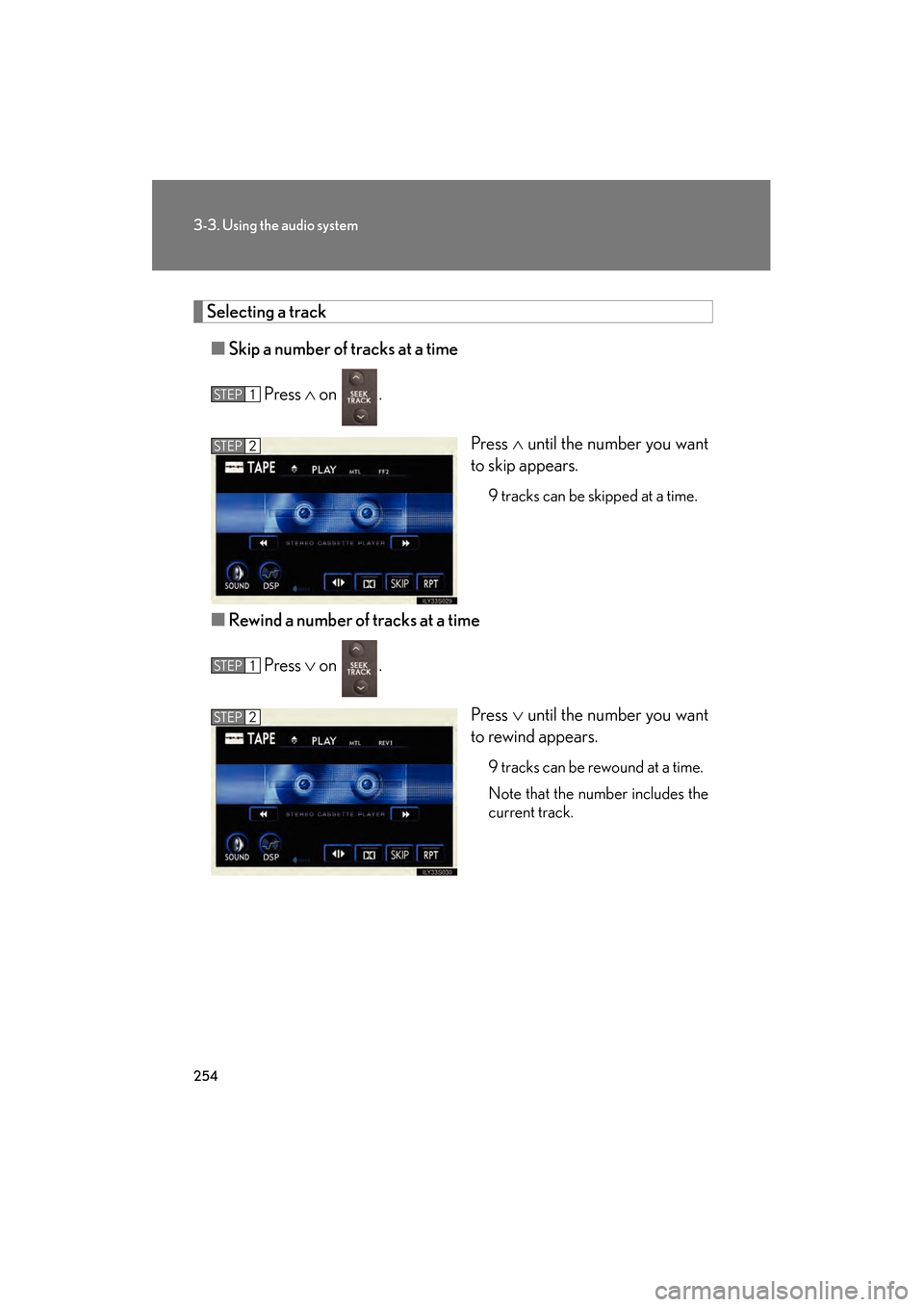
Selecting a track■ Skip a number of tracks at a time
Press ∧ on .
Press ∧ until the number you want
to skip appears.
9 tracks can be skipped at a time.
■ Rewind a number of tracks at a time
Press ∨ on .
Press ∨ until the number you want
to rewind appears.
9 tracks can be rewound at a time.
Note that the number includes the
current track.
STEP1
STEP2
STEP1
STEP2
GS450h_HV_U.book Page 254 Thursday, June 19, 2008 1:44 PM
Page 257 of 599
255
3-3. Using the audio system
3
Interior features
GS_HV_U
June 19, 2008 1:15 pm
Using Dolby® Noise Reduction
Touch on the screen.
Reduces the level of noise for tapes recorded with Dolby NR only.
Dolby noise reduction is manufactured under license from Dolby Laborato-
ries Licensing Corporation. DOLB Y and the double-D symbol are
registered trademarks of Dolby Laboratories.
■Canceling noise reduction, skip play, repeat play, rewind and fast forward
To cancel , and : Touch the corresponding button on the screen.
To cancel and : Touch the corresponding button on the screen or press
.
■Auto-reverse feature
After the cassette player reaches the end of a tape, it automatically reverses and
begins to play the other side, regardless of whether the cassette was playing or fast
forwarding.
■When the cassette player does not operate correctly due to the cassette record-
ing conditions
Forwarding to the beginning of a track, repeat, blank tape skip and fast-forward
may not be possible in the following situations:
●The interval between tracks is less than 3 seconds (beginning of track and
repeat playback) or less than 15 seconds (blank tape skip).
●When there is noise between 2 tracks.
●The beginning and end of subsequent tracks are not clearly defined.
GS450h_HV_U.book Page 255 Thursday, June 19, 2008 1:44 PM
Page 258 of 599
256
3-3. Using the audio system
GS_HV_U
June 19, 2008 1:15 pm
■Cleaning the cassette player
Cassette player components (heads, capstan, pinch rollers) should be cleaned at
least once a month using a cleaning tape to remove dirt and dust that can easily
build up.
■Using long playing cassette tapes
Avoid using tapes with a length of more than 90 minutes, as the tape used is very
thin and may become tangled in the cassette player.
NOTICE
■Cassette tapes that cannot be used
Do not use a cassette tape if it has been damaged or tangled or if its label is peeling
off. Such tapes may affect playing speed and may also get stuck in the player.
■Cassette player precautions
●Store cassette tapes away from direct sunlight.
●Do not insert anything other than cassette tapes into the cassette player.
●Do not apply oil to the cassette player.
GS450h_HV_U.book Page 256 Thursday, June 19, 2008 1:44 PM
Page 259 of 599
257
3-3. Using the audio system
3
Interior features
GS_HV_U
June 19, 2008 1:15 pm
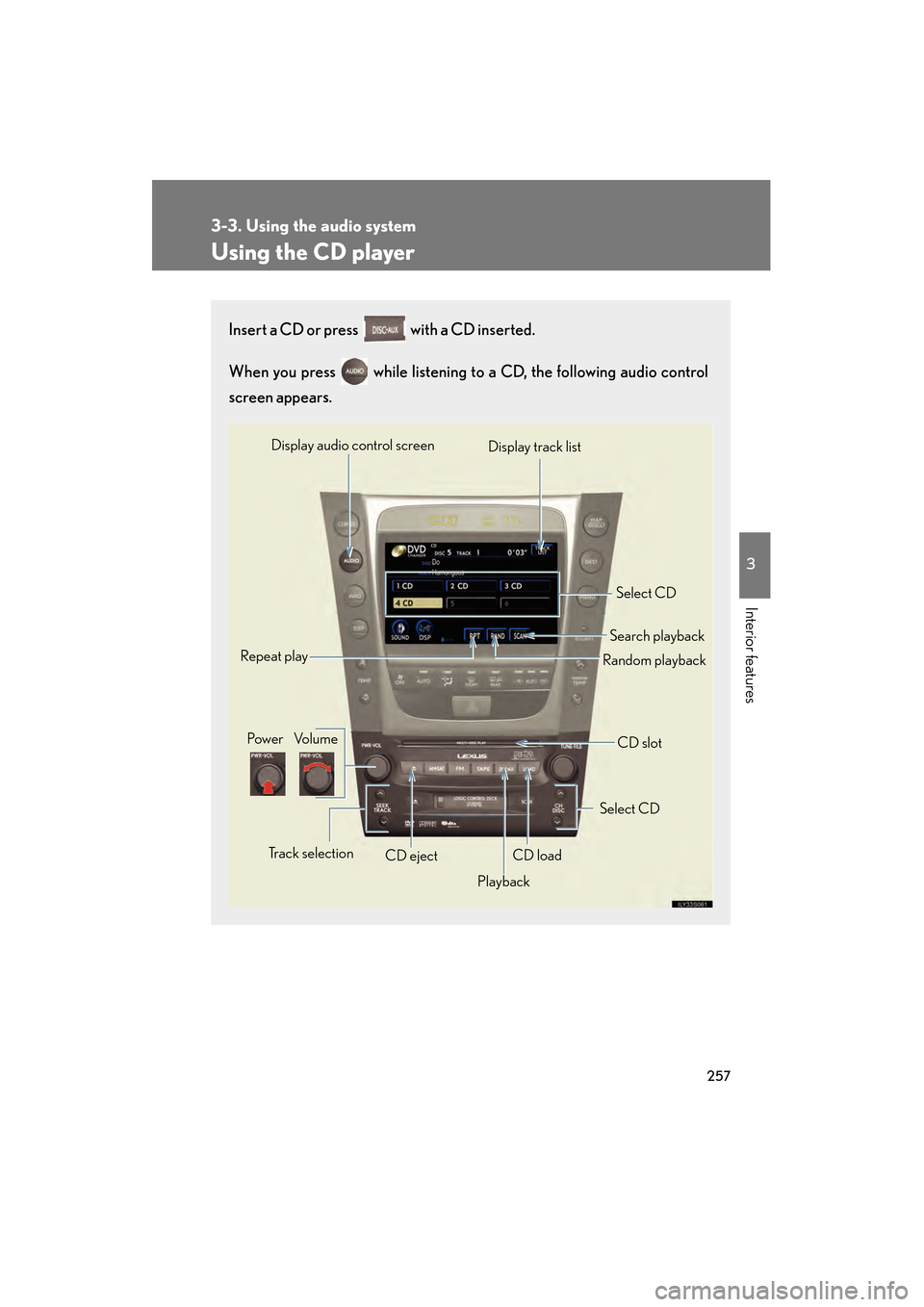
Using the CD player
Insert a CD or press with a CD inserted.
When you press while listening to a CD, the following audio control
screen appears.
Select CD
Display track list
Select CD
Search playback
CD slot
Random playback
Repeat play
Pow e r Vo l u m e
CD ejectPlayback
Track selection CD load
Display audio control screen
GS450h_HV_U.book Page 257 Thursday, June 19, 2008 1:44 PM
Page 260 of 599
258
3-3. Using the audio system
GS_HV_U
June 19, 2008 1:15 pm
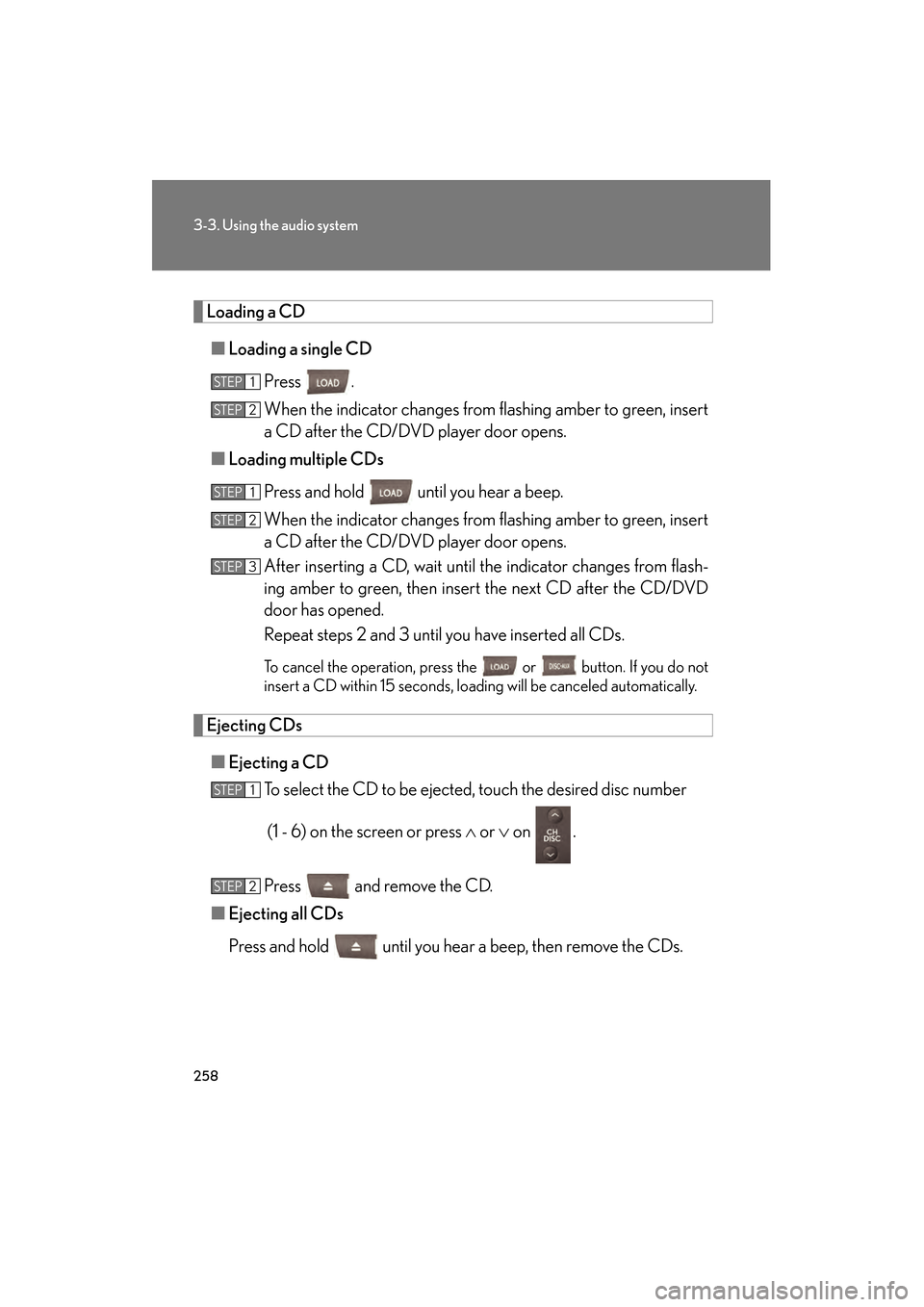
Loading a CD■ Loading a single CD
Press .
When the indicator changes from flashing amber to green, insert
a CD after the CD/DVD player door opens.
■ Loading multiple CDs
Press and hold until you hear a beep.
When the indicator changes from flashing amber to green, insert
a CD after the CD/DVD player door opens.
After inserting a CD, wait until the indicator changes from flash-
ing amber to green, then insert the next CD after the CD/DVD
door has opened.
Repeat steps 2 and 3 until you have inserted all CDs.
To cancel the operation, press the or button. If you do not
insert a CD within 15 seconds, loading will be canceled automatically.
Ejecting CDs
■ Ejecting a CD
To select the CD to be ejected, touch the desired disc number
(1 - 6) on the screen or press ∧ or ∨ on .
Press and remove the CD.
■ Ejecting all CDs
Press and hold until you hear a beep, then remove the CDs.
STEP1
STEP2
STEP1
STEP2
STEP3
STEP1
STEP2
GS450h_HV_U.book Page 258 Thursday, June 19, 2008 1:44 PM
Page 261 of 599
259
3-3. Using the audio system
3
Interior features
GS_HV_U
June 19, 2008 1:15 pm
Selecting, fast forwarding and scanning tracks■ Selecting a track
Press ∧ to move up and ∨ to move down using until the desired
track number appears on the screen.
To fast forward or rewind, press and hold ∧ or ∨ on .
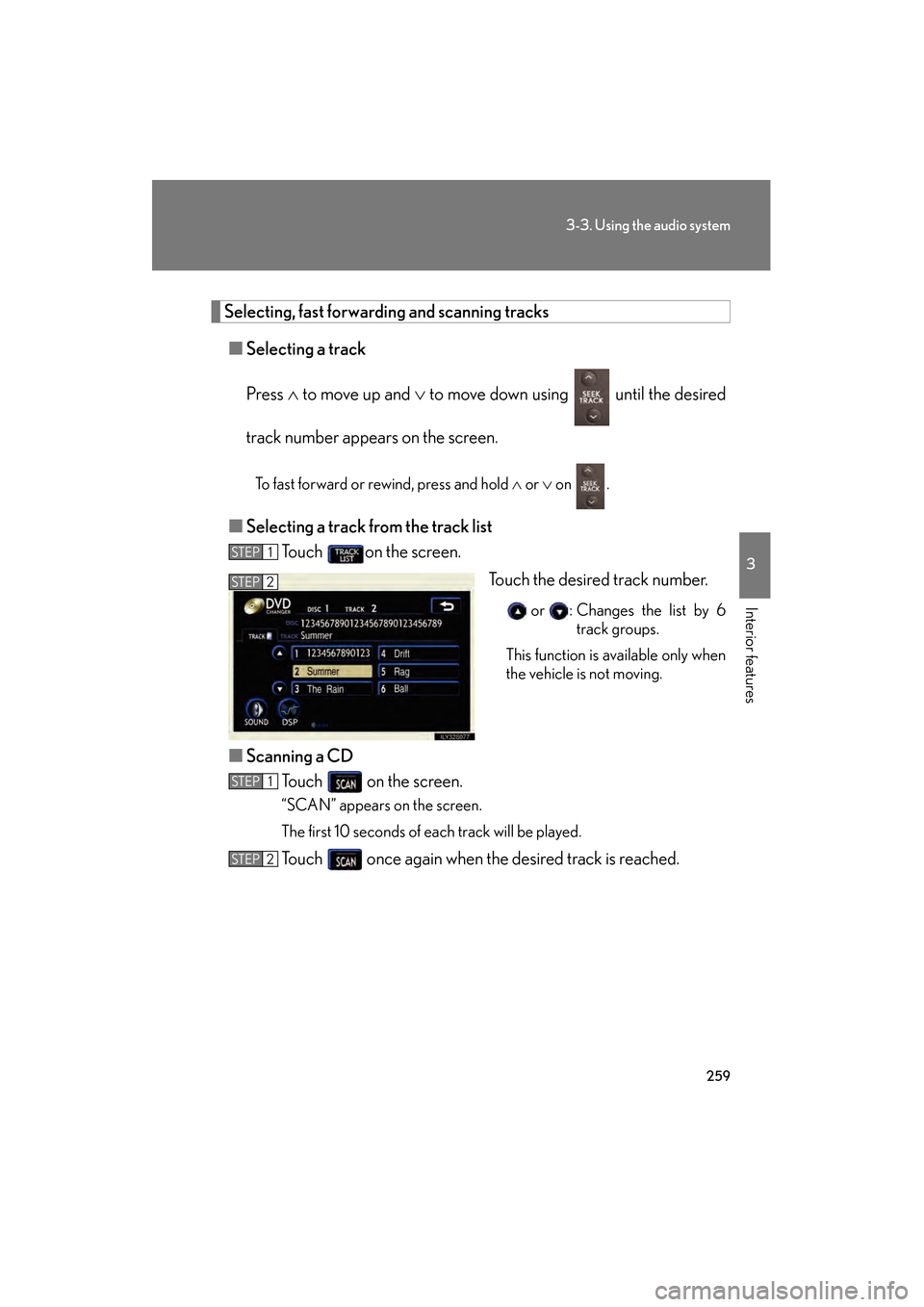
■ Selecting a track from the track list
Touch on the screen.
Touch the desired track number.
or : Changes the list by 6track groups.
This function is available only when
the vehicle is not moving.
■ Scanning a CD
Touch on the screen.
“SCAN” appears on the screen.
The first 10 seconds of each track will be played.
Touch once again when the desired track is reached.
STEP1
STEP2
STEP1
STEP2
GS450h_HV_U.book Page 259 Thursday, June 19, 2008 1:44 PM
Page 262 of 599
260
3-3. Using the audio system
GS_HV_U
June 19, 2008 1:15 pm
Selecting a CD■ To select a CD to play
Touch the desired disc number (1 - 6) on the screen or press ∧ or ∨ on
.
■ To scan loaded CDs
Touch and hold on the screen until “D ⋅SCAN” appears.
The first 10 seconds of the first track on each CD will be played.
Touch once again when the desired CD is reached.
Random playback
■ Current CD
Touch on the screen.
Songs are played in random order until random playback is canceled.
■All CDs
Touch and hold on the screen until “D ⋅RAND” appears.
Tracks on all loaded CDs are played in random order until the button is
touched once again.
Repeating a track or a disc
■ Repeating a track
Touch on the screen.
■ Repeating a disc
Touch and hold on the screen until “D ⋅RPT” appears.
STEP1
STEP2
GS450h_HV_U.book Page 260 Thursday, June 19, 2008 1:44 PM
Page 263 of 599
261
3-3. Using the audio system
3
Interior features
GS_HV_U
June 19, 2008 1:15 pm
■Canceling random, repeat and scan playback
Touch , , or on the screen once again.
■Displaying the title and artist name
If a CD-TEXT disc is inserted, the title of the disc and track will be displayed. Up to
16 letters can be displayed.
■Error messages
→P. 2 8 5
GS450h_HV_U.book Page 261 Thursday, June 19, 2008 1:44 PM