phone Lexus GS450h 2008 Owner's Guide
[x] Cancel search | Manufacturer: LEXUS, Model Year: 2008, Model line: GS450h, Model: Lexus GS450h 2008Pages: 599, PDF Size: 14.28 MB
Page 320 of 599
318
3-4. Using the hands-free system (for cellular phone)
GS_HV_U
June 19, 2008 1:15 pm
■Calling using voice recognition
Using voice recognition, you can call by name from the “Phone Book”
screen, call by number from the “Telephone” screen, and send tones
from the “Call” screen. ( →P. 323)
Talk switch
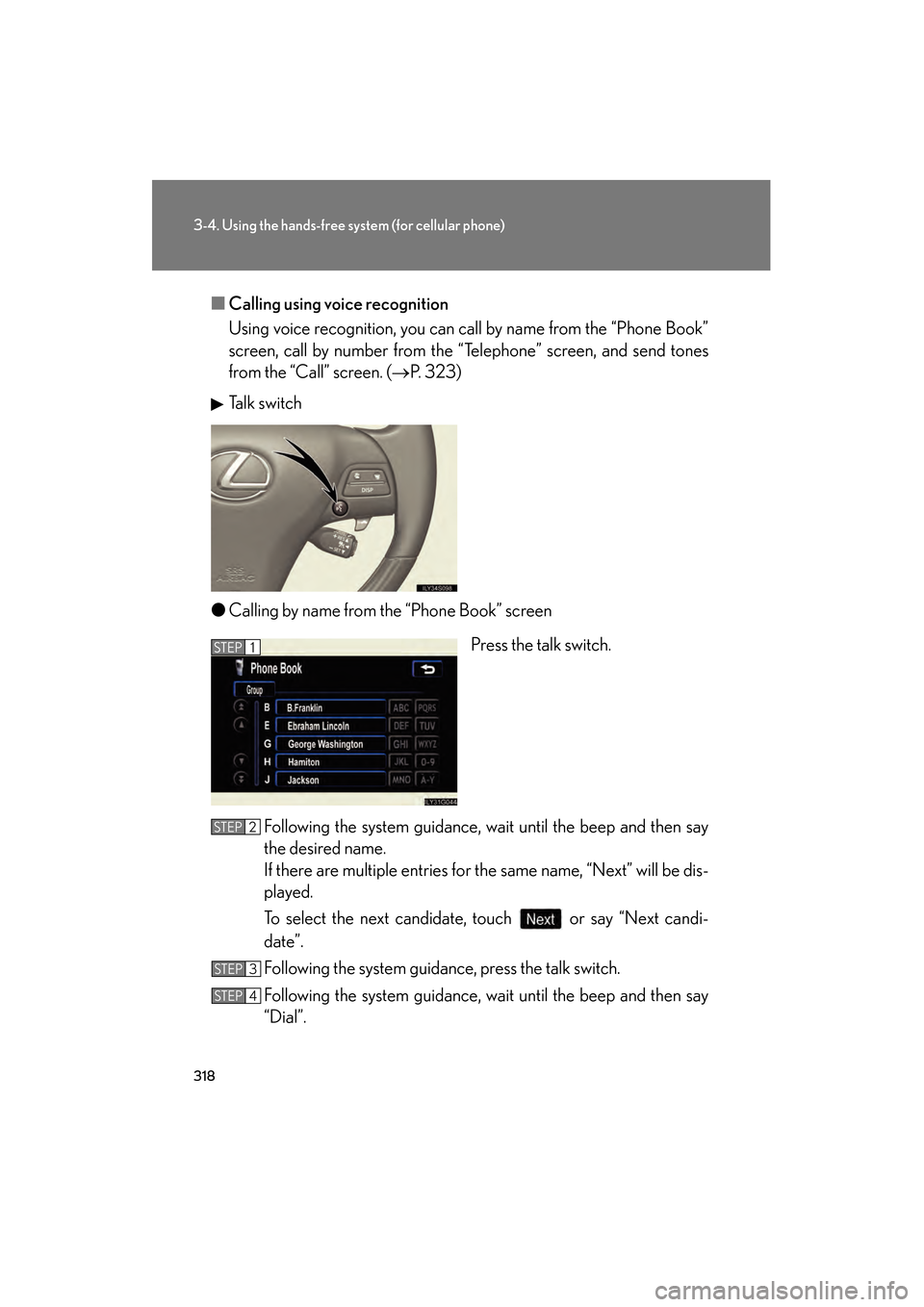
● Calling by name from the “Phone Book” screen
Press the talk switch.
Following the system guidance, wait until the beep and then say
the desired name.
If there are multiple entries for the same name, “Next” will be dis-
played.
To select the next candidate, touch or say “Next candi-
date”.
Following the system guidance, press the talk switch.
Following the system guidance, wait until the beep and then say
“Dial”.
STEP1
STEP2
STEP3
STEP4
GS450h_HV_U.book Page 318 Thursday, June 19, 2008 1:44 PM
Page 321 of 599
319
3-4. Using the hands-free system (for cellular phone)
3
Interior features
GS_HV_U
June 19, 2008 1:15 pm
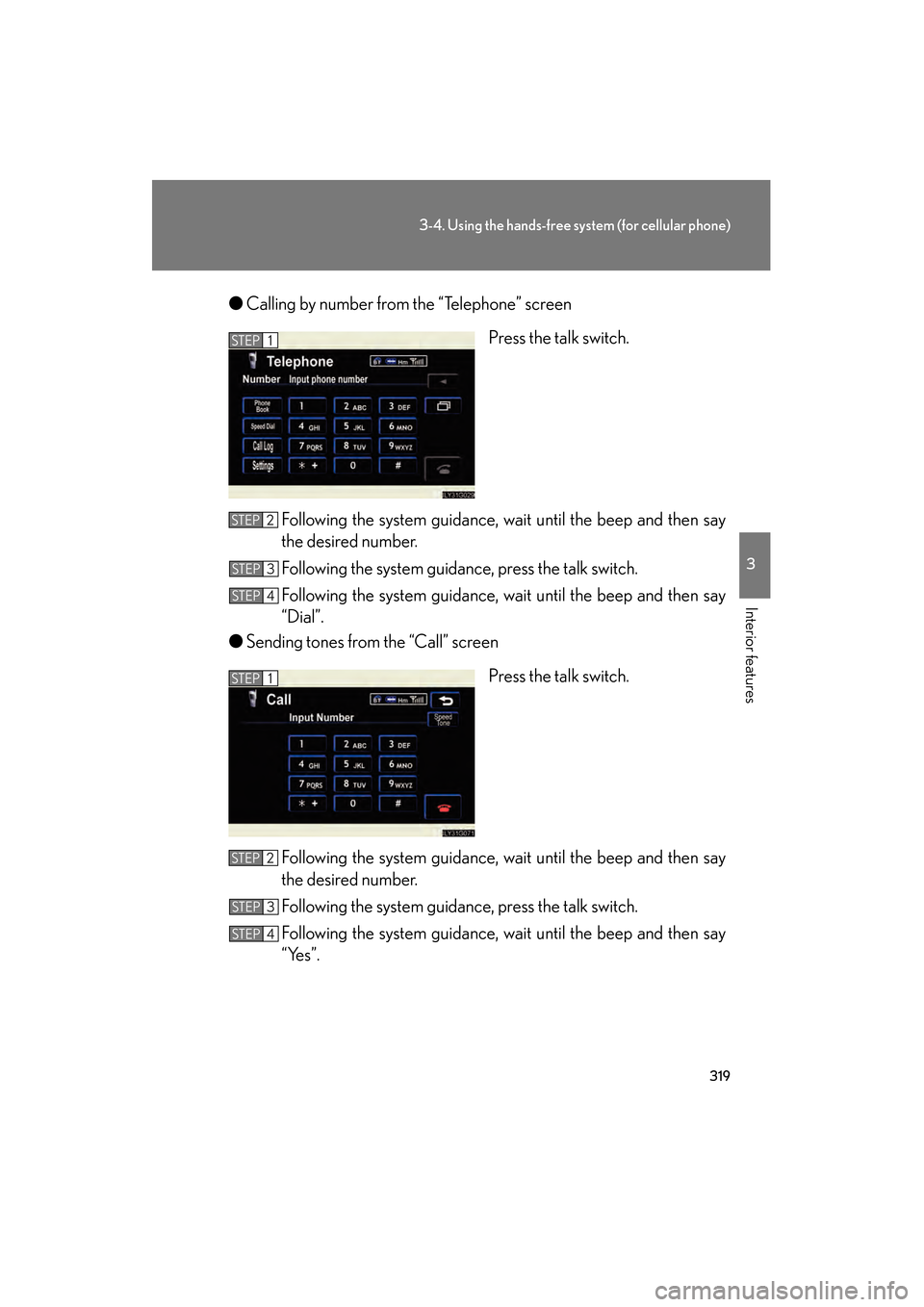
●Calling by number from the “Telephone” screen
Press the talk switch.
Following the system guidance, wait until the beep and then say
the desired number.
Following the system guidance, press the talk switch.
Following the system guidance, wait until the beep and then say
“Dial”.
● Sending tones from the “Call” screen
Press the talk switch.
Following the system guidance, wait until the beep and then say
the desired number.
Following the system guidance, press the talk switch.
Following the system guidance, wait until the beep and then say
“Yes”.
STEP1
STEP2
STEP3
STEP4
STEP1
STEP2
STEP3
STEP4
GS450h_HV_U.book Page 319 Thursday, June 19, 2008 1:44 PM
Page 322 of 599
320
3-4. Using the hands-free system (for cellular phone)
GS_HV_U
June 19, 2008 1:15 pm
■Calling using POI
You can make a call using a Point Of Interest. ( →“Navigation System
Owner’s Manual”)
■Made/Received call history list
●If you make a call to or receive a call from a number registered in the phone
book, the name is displayed in the call history.
●If you make multiple calls to the same number, only the last call made is dis-
played in the made calls history.
● is displayed to the left of phone number for unanswered calls.
● is displayed to the left of the phone number for refused calls.
●Calls where the number is unavailable, such as public telephones, are not stored
in the call history.
■When driving
●The functions “Dialing”, “Dialing from the phone book”, and “Dialing from his-
tory” are unavailable.
●If you press on the steering wheel, the “Speed Dial” screen is displayed. At
this time phone numbers will not be displayed. Choose from the names dis-
played to make a call.
■International calls
You may not be able to make international calls, depending on the mobile phone in
use.
GS450h_HV_U.book Page 320 Thursday, June 19, 2008 1:44 PM
Page 323 of 599
321
3-4. Using the hands-free system (for cellular phone)
3
Interior features
GS_HV_U
June 19, 2008 1:15 pm
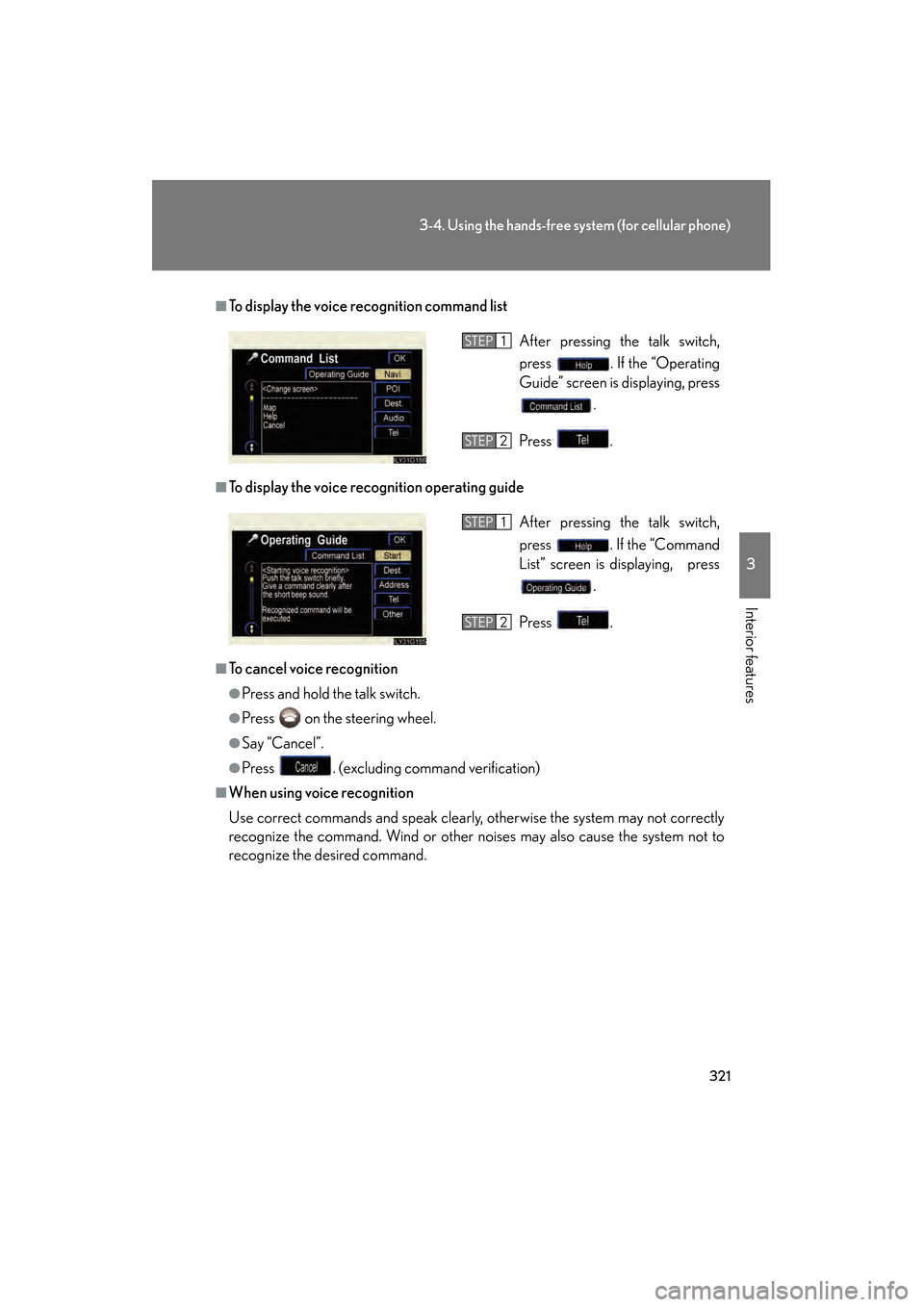
■To display the voice recognition command list
■To display the voice recognition operating guide
■To cancel voice recognition
●Press and hold the talk switch.
●Press on the steering wheel.
●Say “Cancel”.
●Press . (excluding command verification)
■When using voice recognition
Use correct commands and speak clearly, otherwise the system may not correctly
recognize the command. Wind or other noises may also cause the system not to
recognize the desired command. After pressing the talk switch,
press . If the “Operating
Guide” screen is displaying, press
.
Press .
STEP1
STEP2
After pressing the talk switch,
press . If the “Command
List” screen is displaying, press .
Press .STEP1
STEP2
GS450h_HV_U.book Page 321 Thursday, June 19, 2008 1:44 PM
Page 324 of 599
322
3-4. Using the hands-free system (for cellular phone)
GS_HV_U
June 19, 2008 1:15 pm
Receiving a call
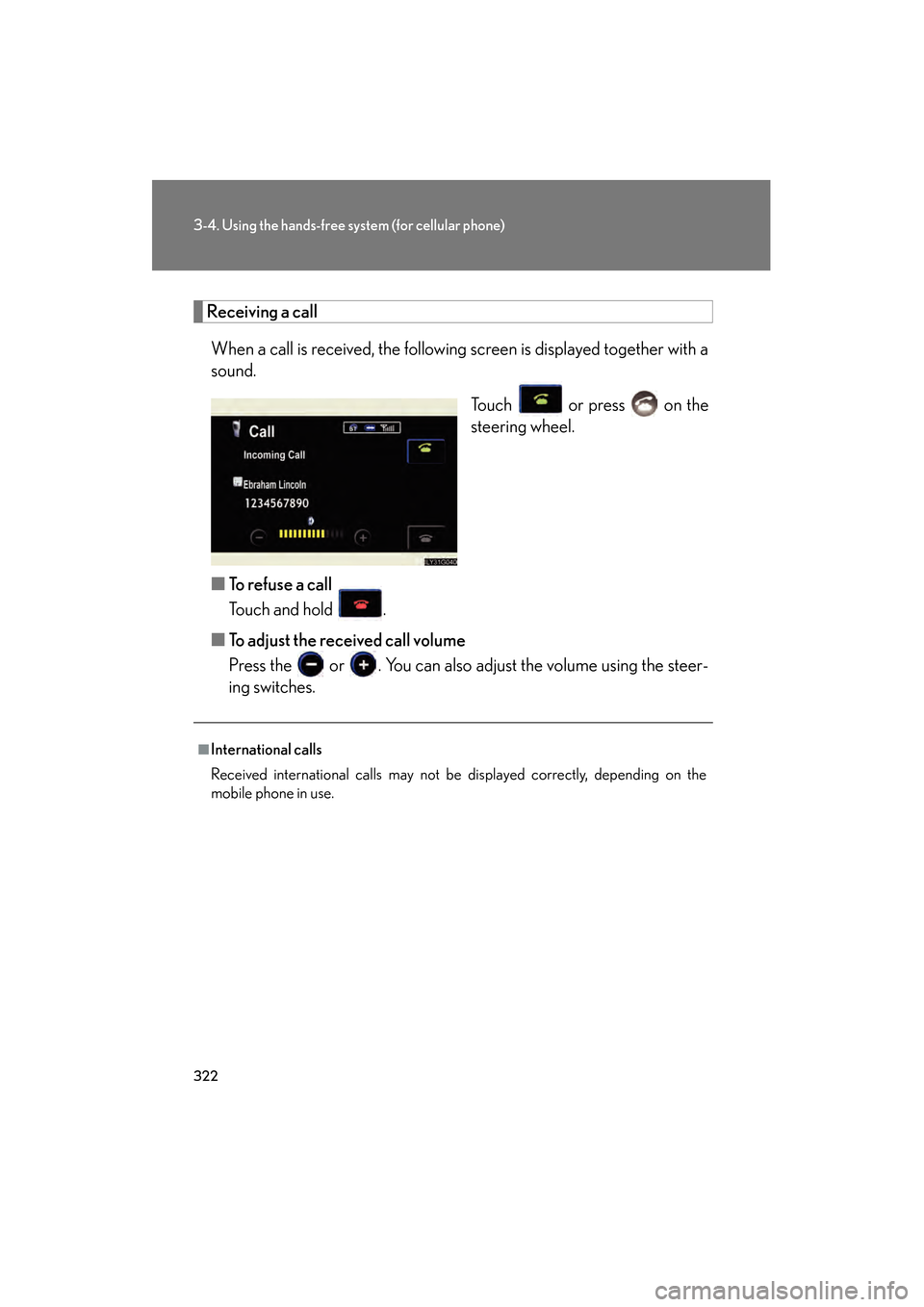
When a call is received, the following screen is displayed together with a
sound. Touch or press on the
steering wheel.
■ To refuse a call
Touch and hold .
■ To adjust the received call volume
Press the or . You can also adjust the volume using the steer-
ing switches.
■International calls
Received international calls may not be displayed correctly, depending on the
mobile phone in use.
GS450h_HV_U.book Page 322 Thursday, June 19, 2008 1:44 PM
Page 325 of 599
323
3-4. Using the hands-free system (for cellular phone)
3
Interior features
GS_HV_U
June 19, 2008 1:15 pm
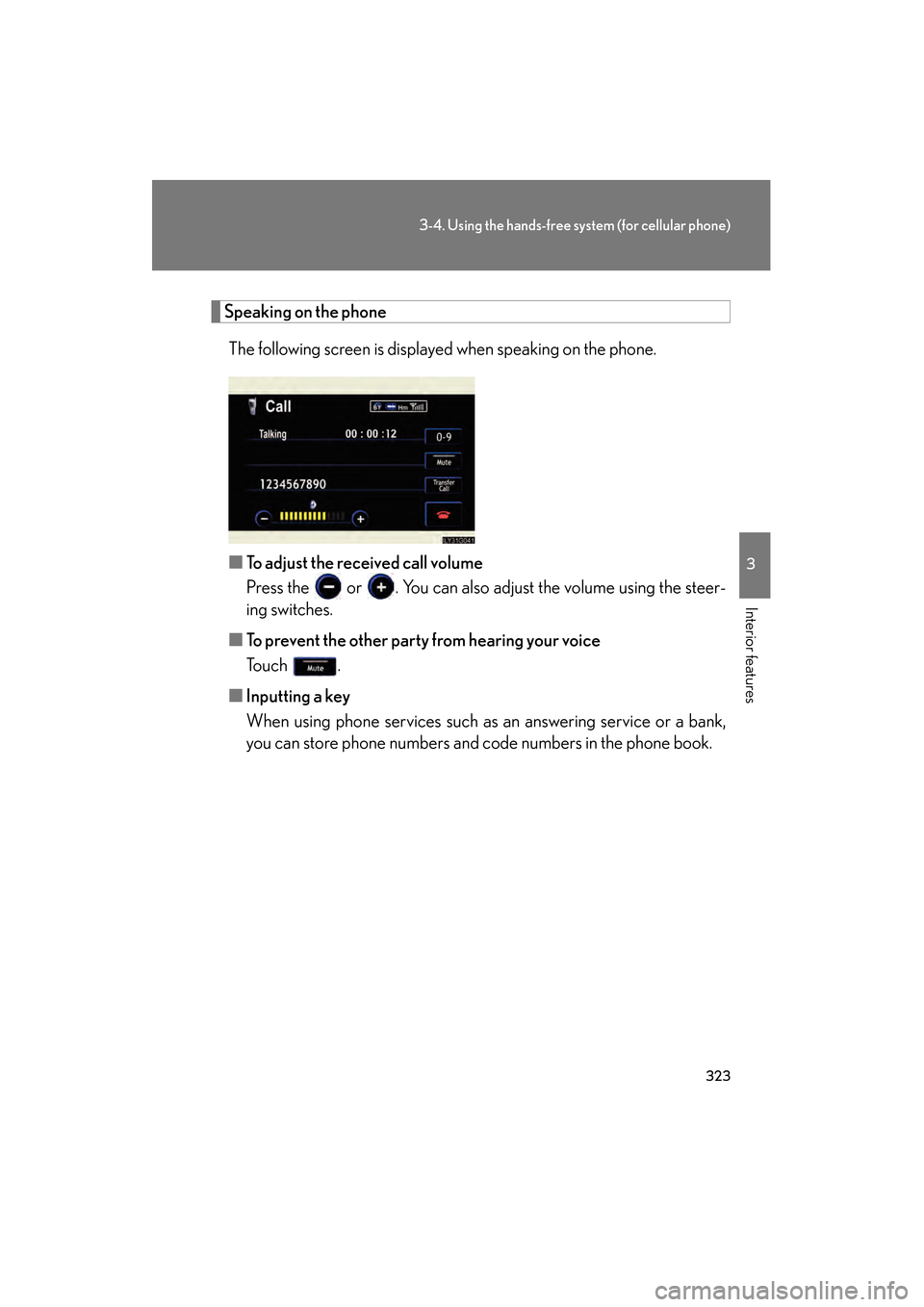
Speaking on the phoneThe following screen is displayed when speaking on the phone.
■ To adjust the received call volume
Press the or . You can also adjust the volume using the steer-
ing switches.
■ To prevent the other party from hearing your voice
To u c h .
■ Inputting a key
When using phone services such as an answering service or a bank,
you can store phone numbers and code numbers in the phone book.
GS450h_HV_U.book Page 323 Thursday, June 19, 2008 1:44 PM
Page 326 of 599
324
3-4. Using the hands-free system (for cellular phone)
GS_HV_U
June 19, 2008 1:15 pm
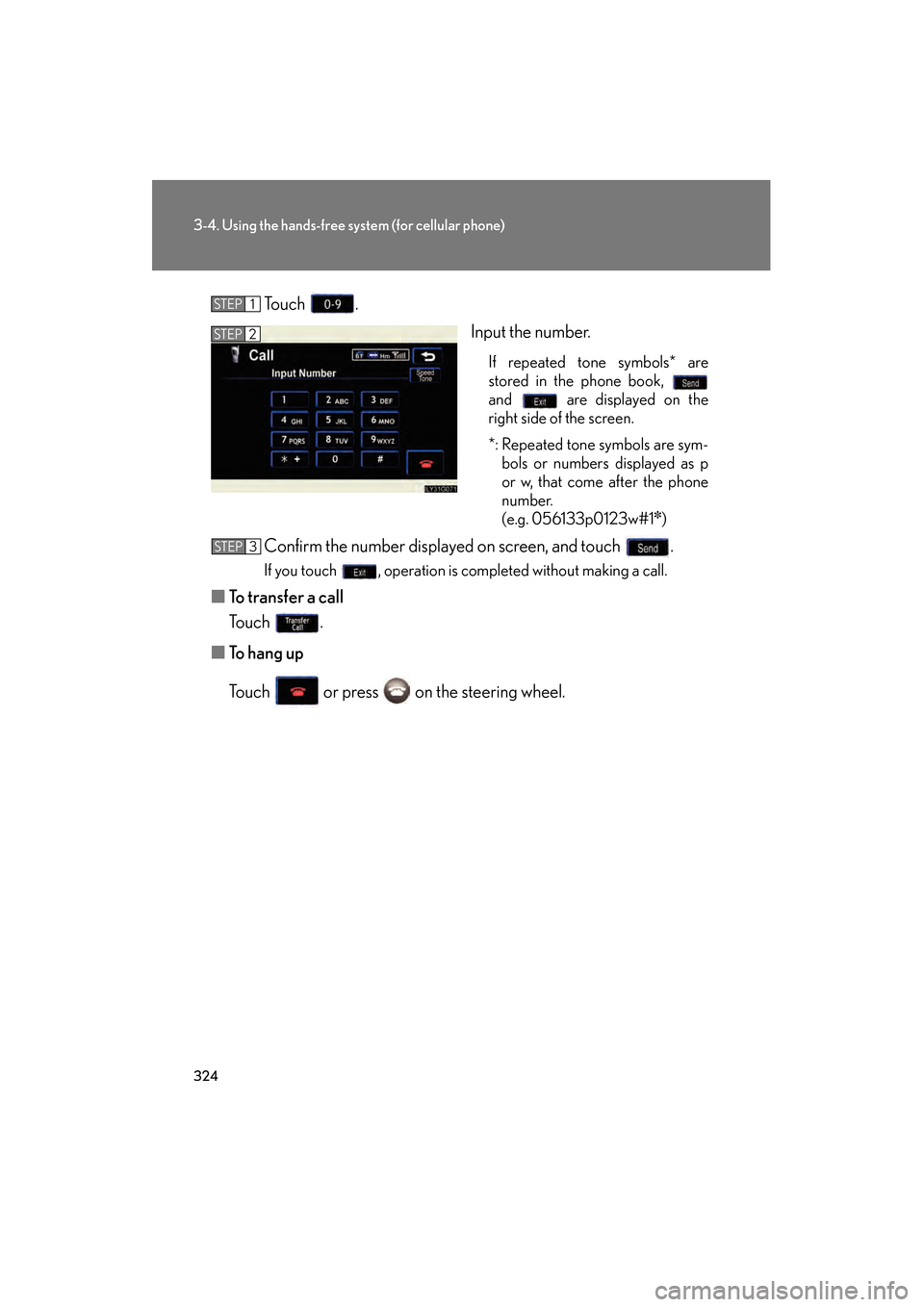
Touch .
Input the number.
If repeated tone symbols* are
stored in the phone book,
and are displayed on the
right side of the screen.
*: Repeated tone symbols are sym-bols or numbers displayed as p
or w, that come after the phone
number.
(e.g. 056133p0123w#1
✽)
Confirm the number displayed on screen, and touch .
If you touch , operation is completed without making a call.
■ To transfer a call
Touch .
■ To h a n g u p
Touch or press on the steering wheel.
STEP1
STEP2
STEP3
GS450h_HV_U.book Page 324 Thursday, June 19, 2008 1:44 PM
Page 327 of 599
325
3-4. Using the hands-free system (for cellular phone)
3
Interior features
GS_HV_U
June 19, 2008 1:15 pm
■Transferring calls
●It is not possible to transfer from hands-free to the mobile phone while driving.
●If you transfer from the mobile phone to hands-free, the hands-free screen will
be displayed, and you can operate the system using the screen.
●Transfer method and operation may vary according to the mobile phone used.
●For operation of the mobile phone in use, see the phone’s manual.
■To send a tone by speed tone
Touch then touch . Choose the desired number from the speed tone
list displayed.
■While driving
Key input is unavailable.
GS450h_HV_U.book Page 325 Thursday, June 19, 2008 1:44 PM
Page 328 of 599
326
3-4. Using the hands-free system (for cellular phone)
GS_HV_U
June 19, 2008 1:15 pm
Setting the hands-free system
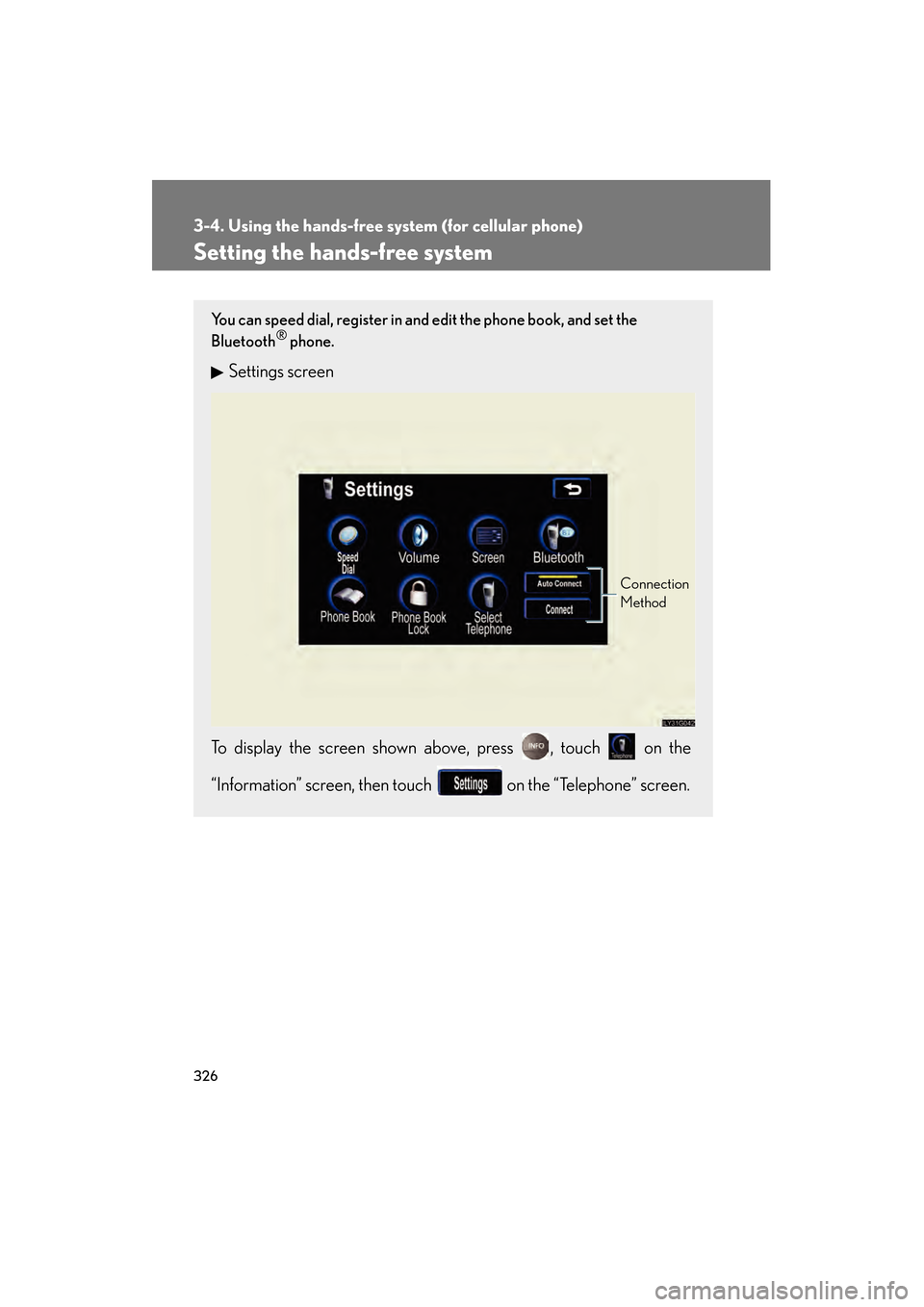
You can speed dial, register in and edit the phone book, and set the
Bluetooth® phone.
Settings screen
To display the screen shown above, press , touch on the
“Information” screen, then touch on the “Telephone” screen.
Connection
Method
GS450h_HV_U.book Page 326 Thursday, June 19, 2008 1:44 PM
Page 329 of 599
327
3-4. Using the hands-free system (for cellular phone)
3
Interior features
GS_HV_U
June 19, 2008 1:15 pm
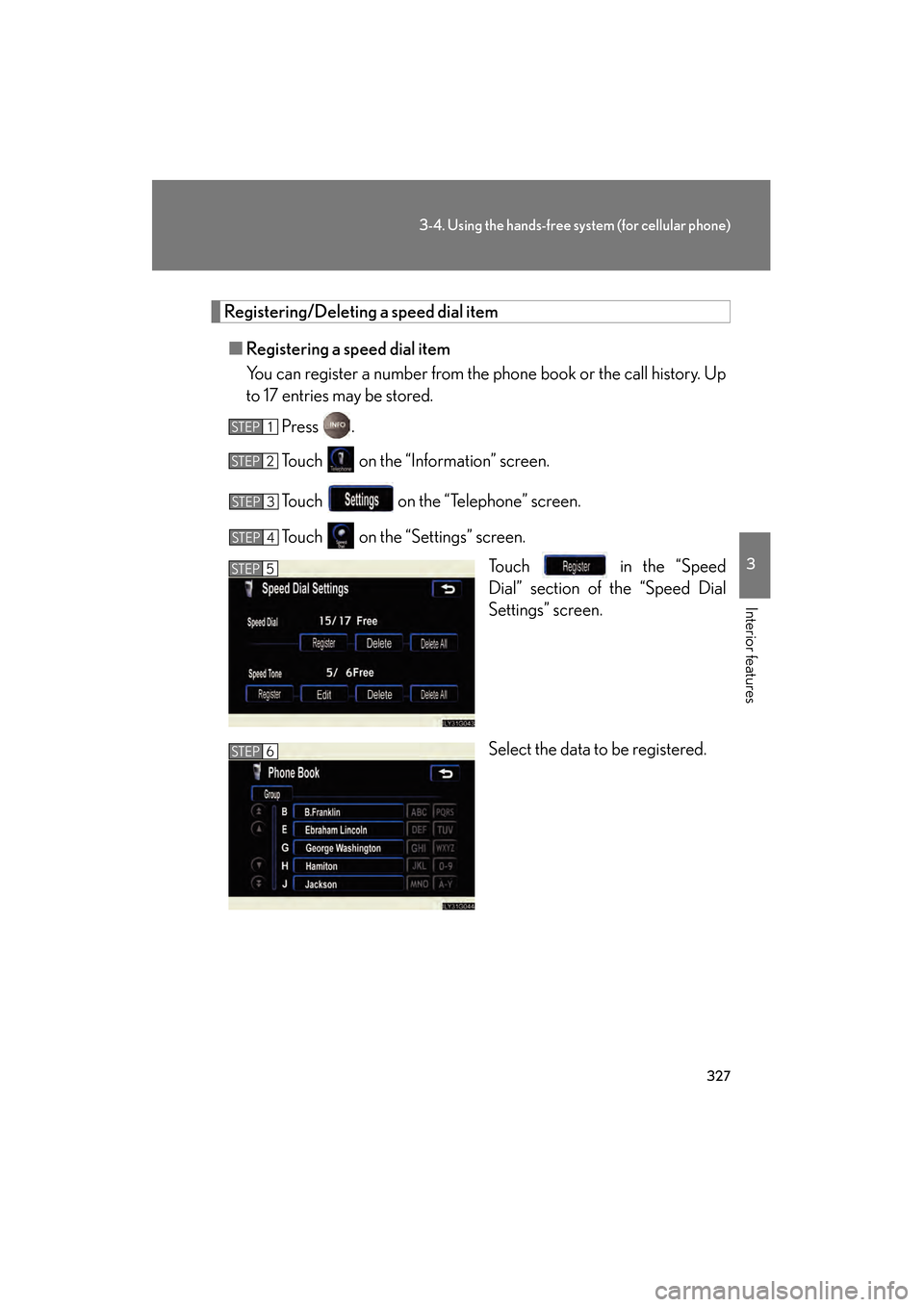
Registering/Deleting a speed dial item
■ Registering a speed dial item
You can register a number from the phone book or the call history. Up
to 17 entries may be stored.
Press .
Touch on the “Information” screen.
Touch on the “Telephone” screen.
Touch on the “Settings” screen. Touch in the “Speed
Dial” section of the “Speed Dial
Settings” screen.
Select the data to be registered.
STEP1
STEP2
STEP3
STEP4
STEP5
STEP6
GS450h_HV_U.book Page 327 Thursday, June 19, 2008 1:44 PM