light Lexus GS450h 2008 Manual PDF
[x] Cancel search | Manufacturer: LEXUS, Model Year: 2008, Model line: GS450h, Model: Lexus GS450h 2008Pages: 599, PDF Size: 14.28 MB
Page 203 of 599
201
2-4. Using other driving systems
2
When driving
GS_HV_U
June 19, 2008 1:15 pm
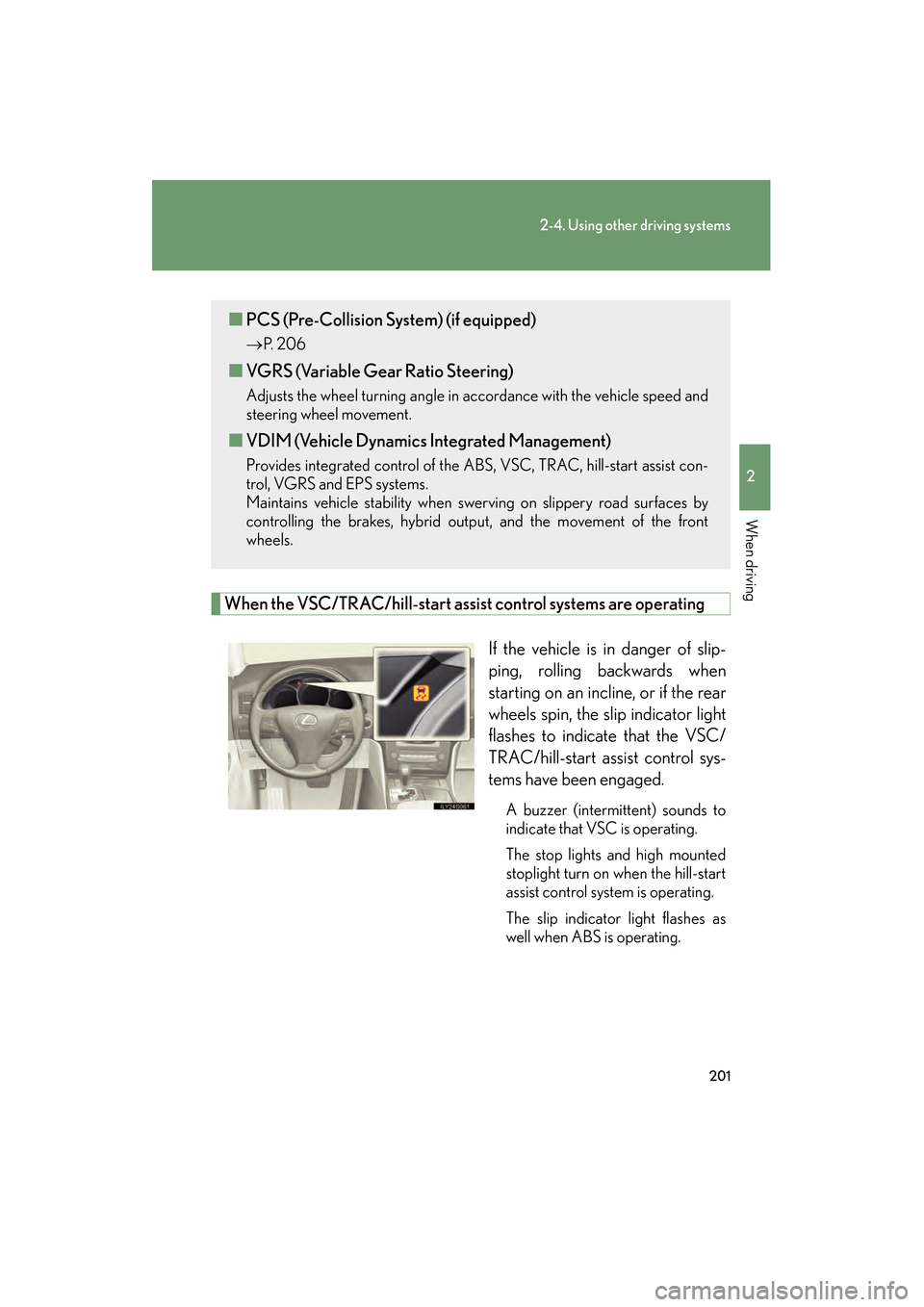
When the VSC/TRAC/hill-start assist control systems are operatingIf the vehicle is in danger of slip-
ping, rolling backwards when
starting on an incline, or if the rear
wheels spin, the slip indicator light
flashes to indicate that the VSC/
TRAC/hill-start assist control sys-
tems have been engaged.
A buzzer (intermittent) sounds to
indicate that VSC is operating.
The stop lights and high mounted
stoplight turn on when the hill-start
assist control system is operating.
The slip indicator light flashes as
well when ABS is operating.
■PCS (Pre-Collision System) (if equipped)
→ P. 2 0 6
■VGRS (Variable Gear Ratio Steering)
Adjusts the wheel turning angle in accordance with the vehicle speed and
steering wheel movement.
■VDIM (Vehicle Dynamics Integrated Management)
Provides integrated control of the ABS, VSC, TRAC, hill-start assist con-
trol, VGRS and EPS systems.
Maintains vehicle stability when swerving on slippery road surfaces by
controlling the brakes, hybrid output, and the movement of the front
wheels.
GS450h_HV_U.book Page 201 Thursday, June 19, 2008 1:44 PM
Page 204 of 599
202
2-4. Using other driving systems
GS_HV_U
June 19, 2008 1:15 pm
To disable TRAC and/or VSCIf the vehicle gets stuck in fresh snow or mud, TRAC and VSC may
reduce power from the engine to the wheels. You may need to turn the
system off to enable you to rock the vehicle in order to free it.
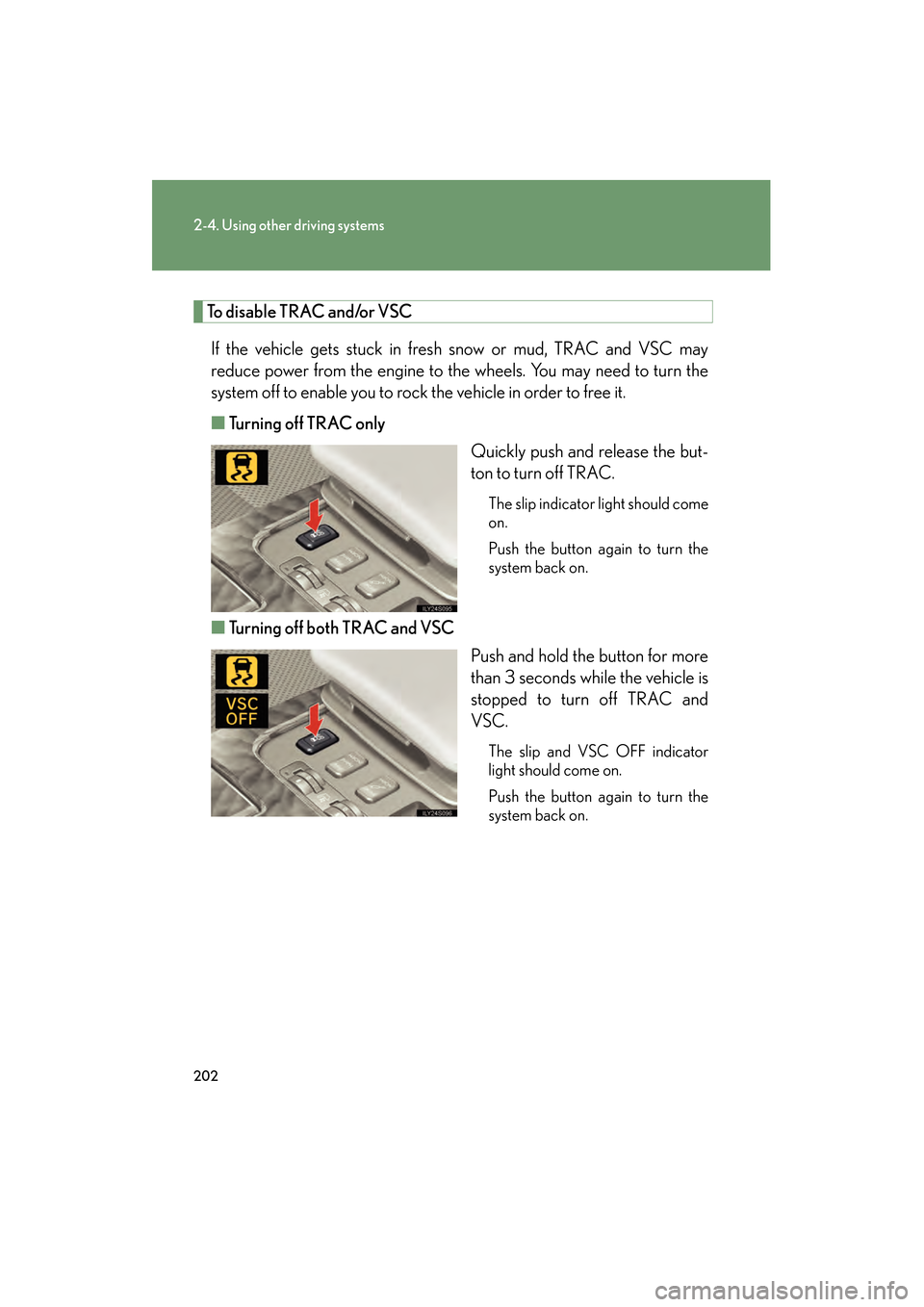
■ Turning off TRAC only
Quickly push and release the but-
ton to turn off TRAC.
The slip indicator light should come
on.
Push the button again to turn the
system back on.
■Turning off both TRAC and VSC
Push and hold the button for more
than 3 seconds while the vehicle is
stopped to turn off TRAC and
VSC.
The slip and VSC OFF indicator
light should come on.
Push the button again to turn the
system back on.
GS450h_HV_U.book Page 202 Thursday, June 19, 2008 1:44 PM
Page 205 of 599
203
2-4. Using other driving systems
2
When driving
GS_HV_U
June 19, 2008 1:15 pm
■Automatic reactivation of TRAC and VSC
Turning the “POWER” switch OFF after turning off the TRAC and VSC systems will
automatically re-enable them.
■Automatic TRAC reactivation
If only the TRAC system is turned off, the TRAC system will turn on when the vehi-
cle speed increases.
■Automatic TRAC and VSC reactivation
If the TRAC and VSC systems are turned off, the systems will not turn on even when
the vehicle speed increases.
■Sounds and vibrations caused by the ABS, brake assist, VSC, TRAC, hill-start
assist control and VGRS systems
●A sound may be heard from the engine compartment when the hybrid system is
started or just after the vehicle begins to move. This sound does not indicate that
a malfunction has occurred in any of these systems.
●Any of the following conditions may occur when the above systems are operat-
ing. None of these indicates that a malfunction has occurred.
• Vibrations may be felt through the vehicle body and steering.
• A motor sound may be heard after the vehicle comes to a stop.
• The brake pedal may pulsate slightly after the ABS is activated.
• The brake pedal may move down slightly after the ABS is activated.
■Hill-start assist control operating conditions
This system comes into operation under the following conditions after the brake
pedal has been depressed and the vehicle has come to a stop:
●The shift lever is in the “D” or “S”.
●The system has detected that the vehicle is moving backwards.
GS450h_HV_U.book Page 203 Thursday, June 19, 2008 1:44 PM
Page 207 of 599
205
2-4. Using other driving systems
2
When driving
GS_HV_U
June 19, 2008 1:15 pm
CAUTION
■The hill-start assist control may not operate effectively when
●On steep inclines.
●On icy surfaces.
■When the VSC is activated
The slip indicator light flashes and a warning buzzer sounds. Always drive carefully.
Reckless driving may cause an accident. Exercise particular care when the indica-
tor light flashes and a buzzer sounds.
■When TRAC and VSC are off
Be especially careful and drive at a speed appropriate to the road conditions. As
these are systems to ensure vehicle stability and driving force, do not turn off TRAC
and VSC unless necessary.
■Replacing tires
Make sure that all tires are of the same size, brand, tread pattern and total load
capacity. In addition, make sure that the tires are inflated to the specified tire pres-
sure level.
The ABS and VSC will not function correctly if different tires are fitted on the vehi-
cle.
Contact your Lexus dealer for further information when replacing tires or wheels.
■Handling of tires and suspension
Using tires with any kind of problem or modifying the suspension will affect the driv-
ing assist systems, and may cause the system to malfunction.
GS450h_HV_U.book Page 205 Thursday, June 19, 2008 1:44 PM
Page 210 of 599
208
2-4. Using other driving systems
GS_HV_U
June 19, 2008 1:15 pm
■Conditions that may trigger the system even if there is no danger of collision
●When there is an object by the roadside at the entrance to a curve
●When passing an oncoming vehicle on a curve
●When driving over a narrow iron bridge
●When there is a metal object on the road surface
●When driving on an uneven road surface
●When passing an oncoming vehicle on a left-turn
●When your vehicle rapidly closes on the vehicle in front
When the system is activated in the situations described above there is also a possi-
bility that the seat belts will retract quickly and the brakes will be applied with a force
greater than normal. When the seat belt is locked in the retracted position, stop the
vehicle in a safe place, release the seat belt and refasten.
■When there is a malfunction in the system
Warning lights and/or warning messages will turn on or flash. ( →P. 4 9 2 , 5 0 2 )
GS450h_HV_U.book Page 208 Thursday, June 19, 2008 1:44 PM
Page 211 of 599
209
2-4. Using other driving systems
2
When driving
GS_HV_U
June 19, 2008 1:15 pm
CAUTION
■Handling the radar sensor
Observe the following to ensure the pre-collision system can function effectively.
●Keep the sensor and front grille clean at all times.
Clean the sensor and front grille with a soft cloth so you do not mark or damage
them.
●Do not subject the sensor or surrounding area to a strong impact.
If the sensor moves even slightly off position, the system may malfunction. If the
sensor or surrounding area are subject to a strong impact, always have the area
inspected and adjusted by a Lexus dealer.
●Do not disassemble the sensor.
●Do not attach accessories or stickers to the sensor, grille cover or surrounding
area.
●Do not modify or paint the sensor and grille.
■Limitations of the pre-collision system
Do not rely on the pre-collision system. Always drive safely, taking care to observe
your surroundings and checking for any obstacles or other road hazards.
GS450h_HV_U.book Page 209 Thursday, June 19, 2008 1:44 PM
Page 225 of 599
Interior features3
223
GS_HV_U
December 12, 2007 3:30 pm
3-3. Using the audio system ............................ 241
Audio system type................... 241
Using the radio........................ 244
Using the cassette player .... 253
Using the CD player ............. 257
Playing MP3 and WMA discs............................ 262
Using the DVD player........... 266
Playing DVD video/audio............................ 269
Playing video CD .................... 281
DVD player and DVD video disc information ...... 285
Optimal use of the audio/video system ............. 297
Using the AUX adapter ...... 302
Using the steering
switches................................. 303
3-4. Using the hands-free system (for cellular
phone)........................... 306
Hands-free system (for cellular phone) ............. 306
Using the Bluetooth
®
phone ........................................ 311
Setting the hands-free system ..................................... 326 3-5. Using the interior
lights ............................. 352
Interior lights list .................... 352
3-6. Using the storage features ........................ 355
List of storage features......... 355
3-7. Other interior features ........................ 362
Sun visors ................................. 362
Vanity mirror ........................... 363
Clock ......................................... 364
Outside temperature
display..................................... 365
Ashtrays.................................... 366
Cigarette lighter ..................... 367
Power outlet ............................ 368
Seat heaters/ventilators ...... 369
Armrest ..................................... 371
Rear sunshade ........................ 372
Floor mats ................................. 374
Trunk features ......................... 375
Garage door opener ............. 377
Compass .................................. 383
Lexus Link System ................. 387
GS450h_HV_U.book Page 223 Thursday, June 19, 2008 1:44 PM
Page 228 of 599
226
3-1. Using the touch screen
GS_HV_U
June 19, 2008 1:15 pm
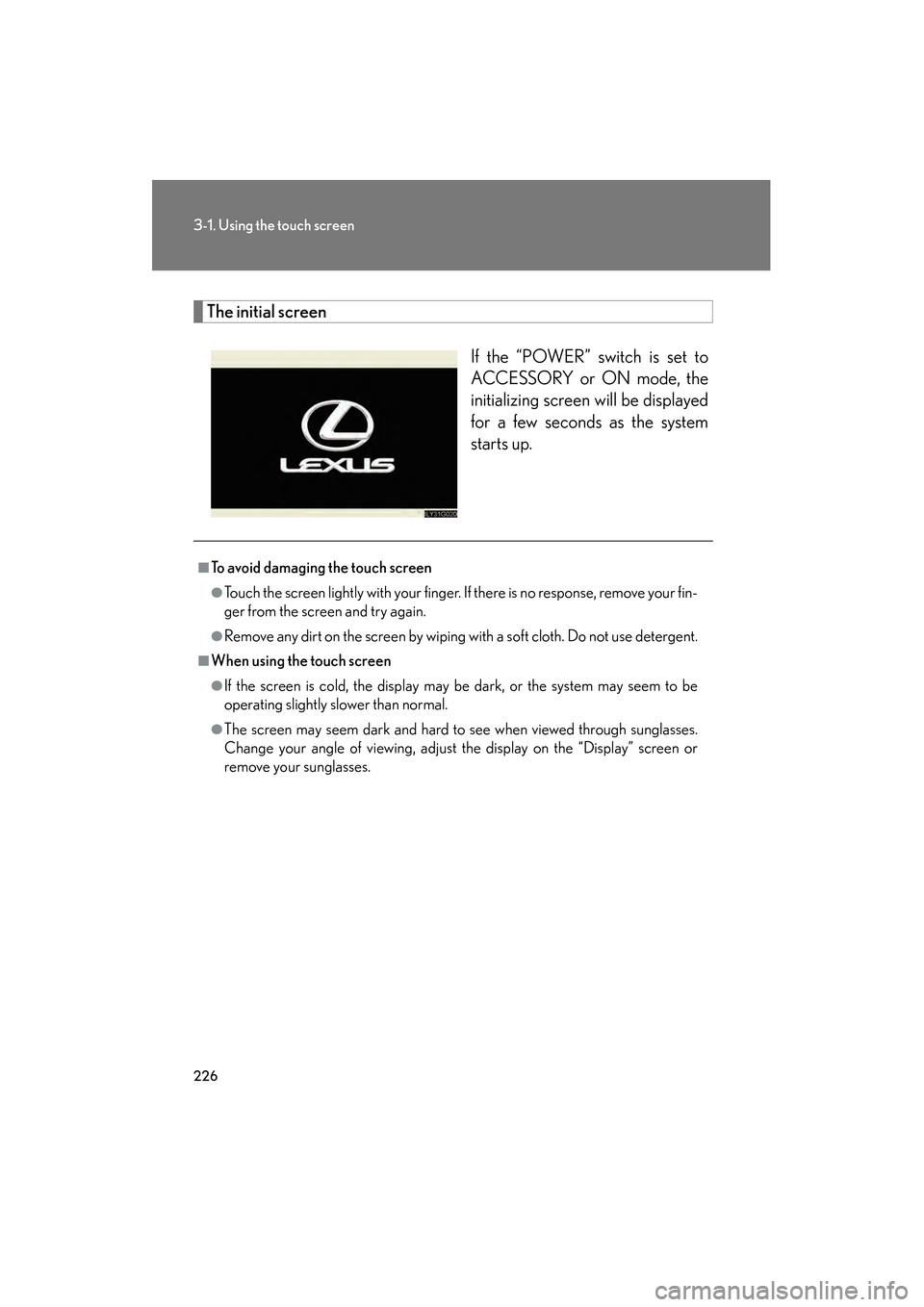
The initial screenIf the “POWER” switch is set to
ACCESSORY or ON mode, the
initializing screen will be displayed
for a few seconds as the system
starts up.
■To avoid damaging the touch screen
●Touch the screen lightly with your finger. If there is no response, remove your fin-
ger from the screen and try again.
●Remove any dirt on the screen by wiping with a soft cloth. Do not use detergent.
■When using the touch screen
●If the screen is cold, the display may be dark, or the system may seem to be
operating slightly slower than normal.
●The screen may seem dark and hard to see when viewed through sunglasses.
Change your angle of viewing, adjust the display on the “Display” screen or
remove your sunglasses.
GS450h_HV_U.book Page 226 Thursday, June 19, 2008 1:44 PM
Page 230 of 599
228
3-1. Using the touch screen
GS_HV_U
June 19, 2008 1:15 pm
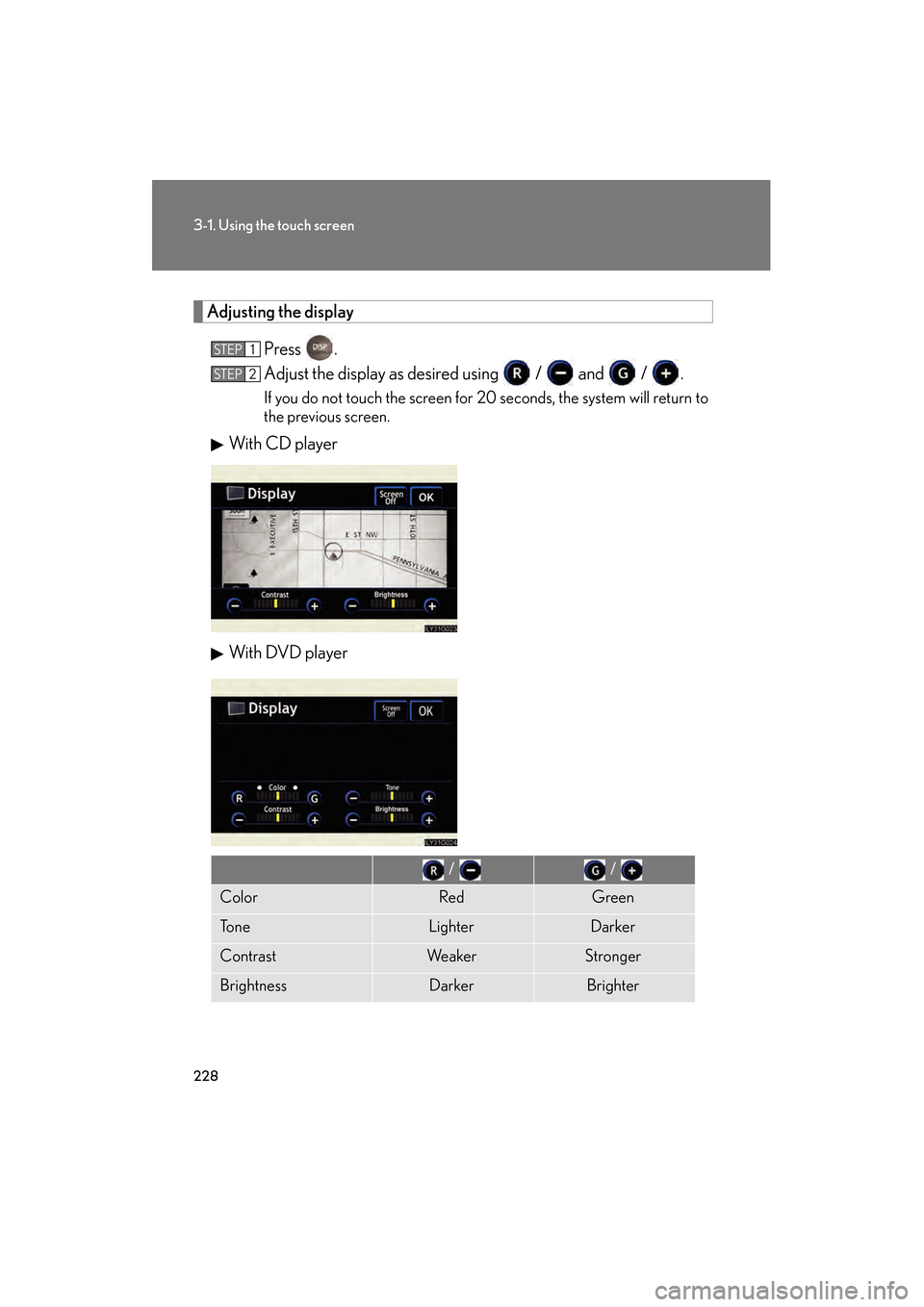
Adjusting the displayPress .
Adjust the display as desired using / and / .
If you do not touch the screen for 20 seconds, the system will return to
the previous screen.
With CD player
With DVD player
STEP1
STEP2
/ /
ColorRedGreen
To n eLighterDarker
ContrastWe a k e rStronger
BrightnessDarkerBrighter
GS450h_HV_U.book Page 228 Thursday, June 19, 2008 1:44 PM
Page 231 of 599
229
3-1. Using the touch screen
3
Interior features
GS_HV_U
June 19, 2008 1:15 pm
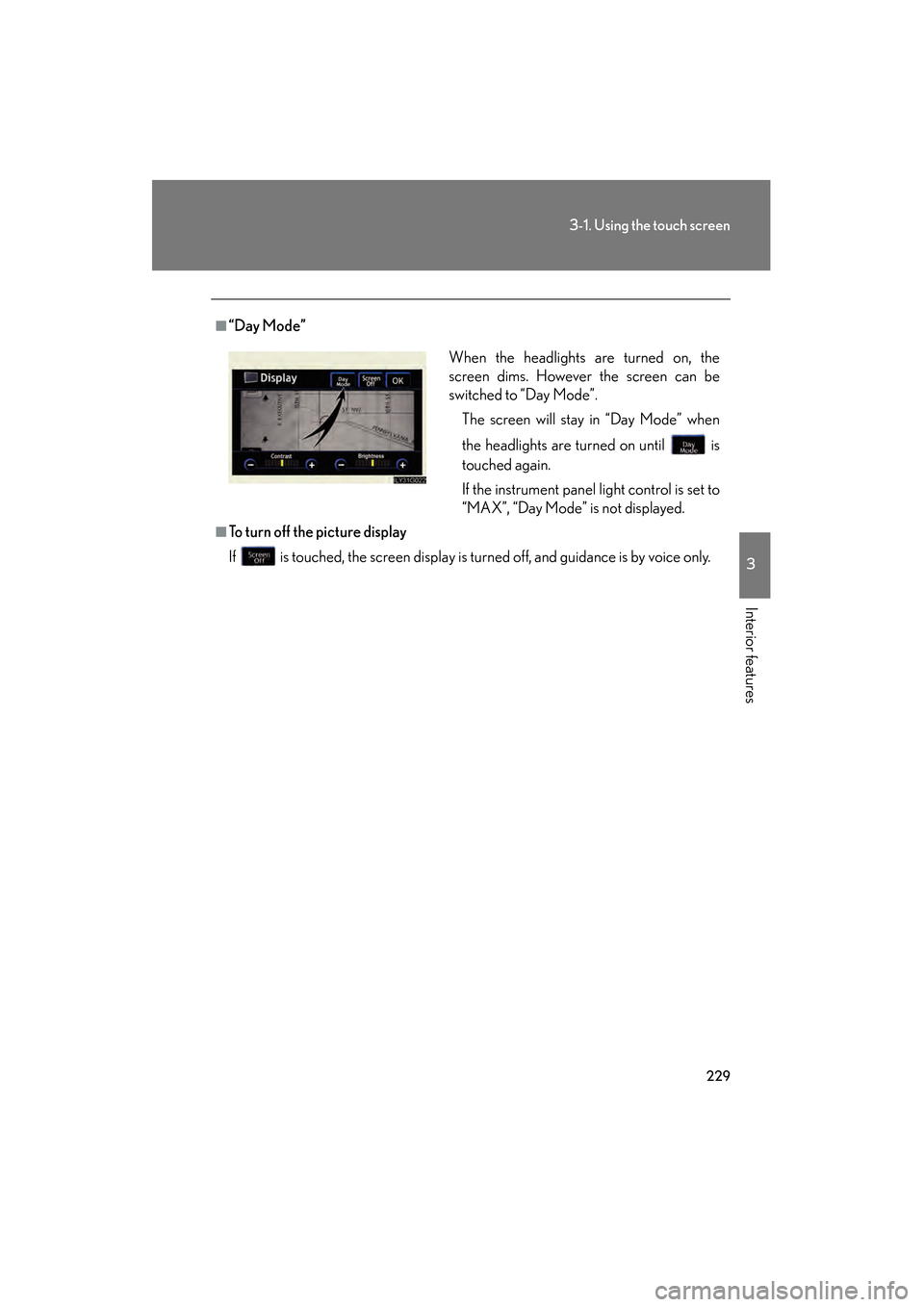
■“Day Mode”
■To turn off the picture display
If is touched, the screen display is turned off, and guidance is by voice only.When the headlights are turned on, the
screen dims. However the screen can be
switched to “Day Mode”.
The screen will stay in “Day Mode” when
the headlights are turned on until is
touched again.
If the instrument panel light control is set to
“MAX”, “Day Mode” is not displayed.
GS450h_HV_U.book Page 229 Thursday, June 19, 2008 1:44 PM