light Lexus GS450h 2008 Manual Online
[x] Cancel search | Manufacturer: LEXUS, Model Year: 2008, Model line: GS450h, Model: Lexus GS450h 2008Pages: 599, PDF Size: 14.28 MB
Page 234 of 599
232
GS_HV_U
December 12, 2007 3:30 pm
3-2. Using the air conditioning system and defogger
Automatic air conditioning system
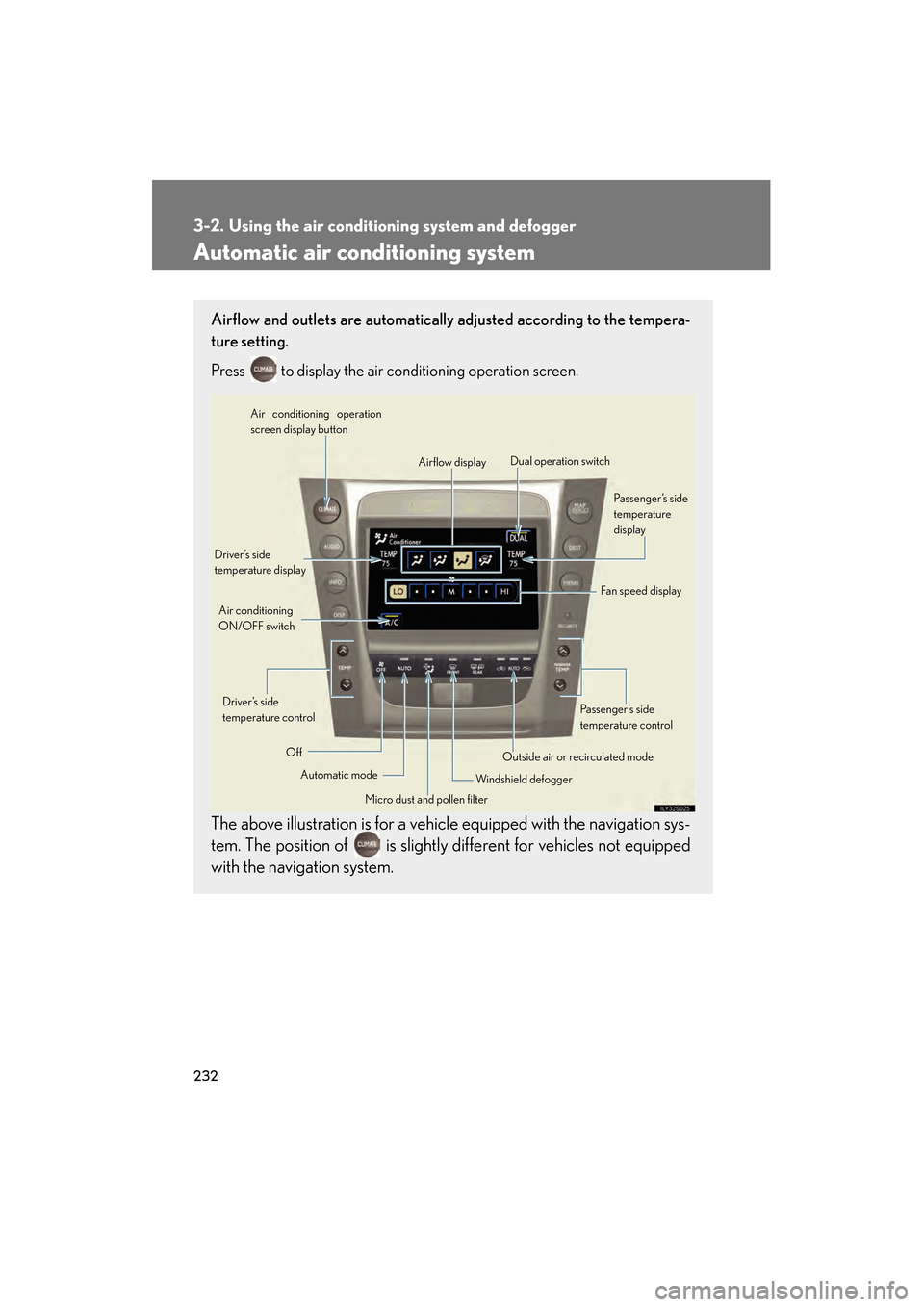
Airflow and outlets are automatically adjusted according to the tempera-
ture setting.
Press
to display the air conditioning operation screen.
The above illustration is for a vehicle equipped with the navigation sys-
tem. The position of is slightly different for vehicles not equipped
with the navigation system.
Automatic mode
Driver’s side
temperature display
Fan speed display
Off Airflow display
Air conditioning operation
screen display button
Passenger’s side
temperature
display
Micro dust and pollen filter
Driver’s side
temperature control
Air conditioning
ON/OFF switch
Outside air or recirculated mode
Windshield defogger Passenger’s side
temperature control
Dual operation switch
GS450h_HV_U.book Page 232 Thursday, June 19, 2008 1:44 PM
Page 243 of 599
241
3
Interior features
GS_HV_U
June 19, 2008 1:15 pm
3-3. Using the audio system
Audio system type
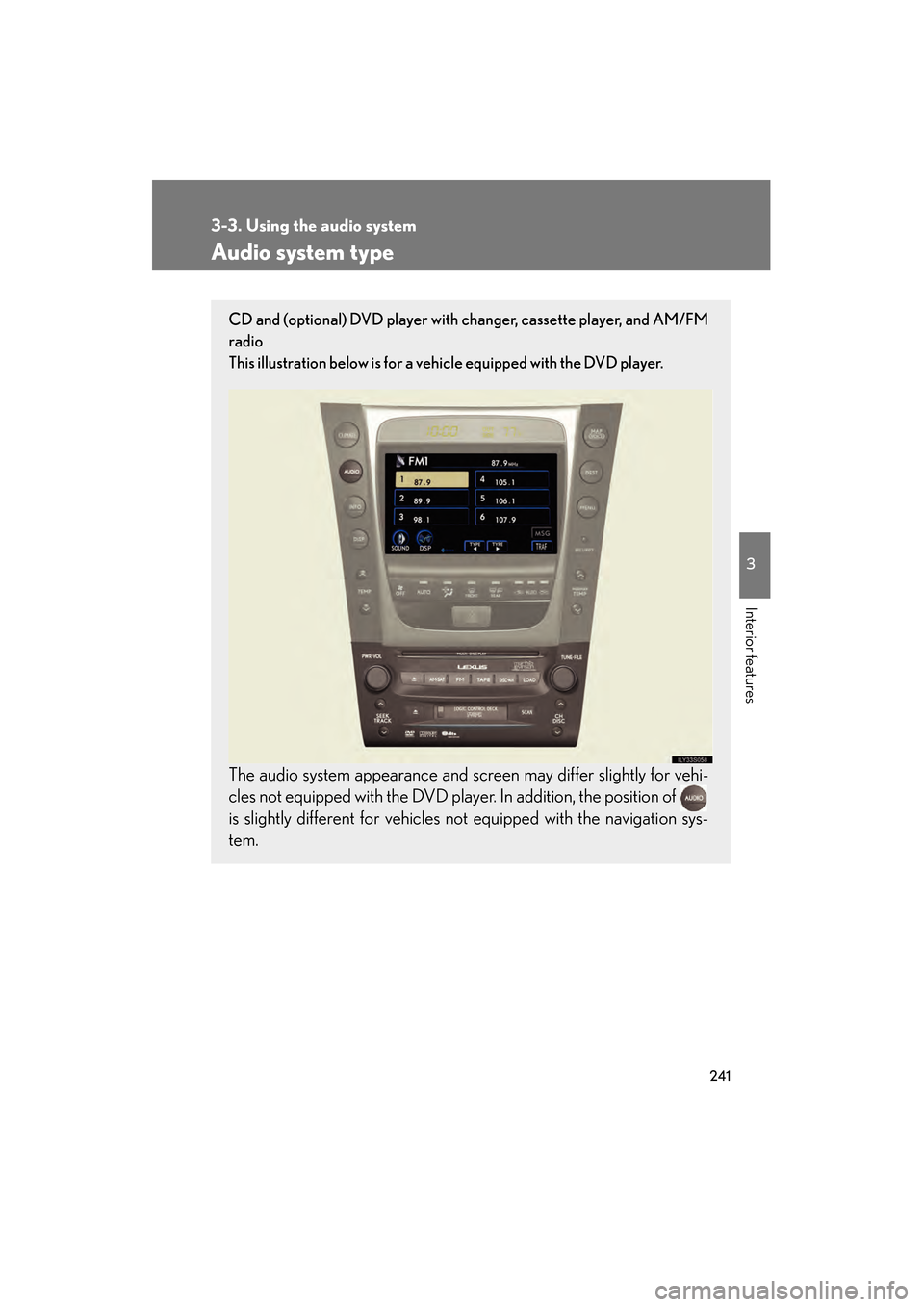
CD and (optional) DVD player with changer, cassette player, and AM/FM
radio
This illustration below is for a vehicle equipped with the DVD player.
The audio system appearance and screen may differ slightly for vehi-
cles not equipped with the DVD player. In addition, the position of
is slightly different for vehicles not equipped with the navigation sys-
tem.
GS450h_HV_U.book Page 241 Thursday, June 19, 2008 1:44 PM
Page 258 of 599
256
3-3. Using the audio system
GS_HV_U
June 19, 2008 1:15 pm
■Cleaning the cassette player
Cassette player components (heads, capstan, pinch rollers) should be cleaned at
least once a month using a cleaning tape to remove dirt and dust that can easily
build up.
■Using long playing cassette tapes
Avoid using tapes with a length of more than 90 minutes, as the tape used is very
thin and may become tangled in the cassette player.
NOTICE
■Cassette tapes that cannot be used
Do not use a cassette tape if it has been damaged or tangled or if its label is peeling
off. Such tapes may affect playing speed and may also get stuck in the player.
■Cassette player precautions
●Store cassette tapes away from direct sunlight.
●Do not insert anything other than cassette tapes into the cassette player.
●Do not apply oil to the cassette player.
GS450h_HV_U.book Page 256 Thursday, June 19, 2008 1:44 PM
Page 296 of 599
294
3-3. Using the audio system
GS_HV_U
June 19, 2008 1:15 pm
●It may not be possible to play discs recorded on a personal computer depend-
ing on the application settings and the environment. Record with the correct
format. (For details, contact the appropriate application manufacturers of the
applications.)
●CD-R/CD-RW discs may be damaged by direct exposure to sunlight, high
temperatures or other storage conditions. The unit may be unable to play dam-
aged discs.
●If you insert a CD-RW disc into the MP3/WMA player, playback will begin
more slowly than with a conventional CD or CD-R disc.
●Recordings on CD-R/CD-RW cannot be played using the DDCD (Double
Density CD) system.
CAUTION
■DVD video precaution
Conversational speech on some DVDs is recorded at a low volume to emphasize
the impact of sound effects. If you adjust the volume assuming that the conversa-
tions represent the maximum volume level that the DVD will play, you may be star-
tled by louder sound effects or when you change to a different audio source.
Loud sounds may have a significant impact on the human body or pose a driving
hazard. Keep this in mind when you adjust the volume.
GS450h_HV_U.book Page 294 Thursday, June 19, 2008 1:44 PM
Page 298 of 599
296
3-3. Using the audio system
GS_HV_U
June 19, 2008 1:15 pm
NOTICE
■Player precautions
Failure to follow the precautions below may result in damage to the discs or the
player itself.
●Do not insert anything other than discs into the disc slot.
●Do not apply oil to the player.
●Store discs away from direct sunlight.
●Never try to disassemble any part of the player.
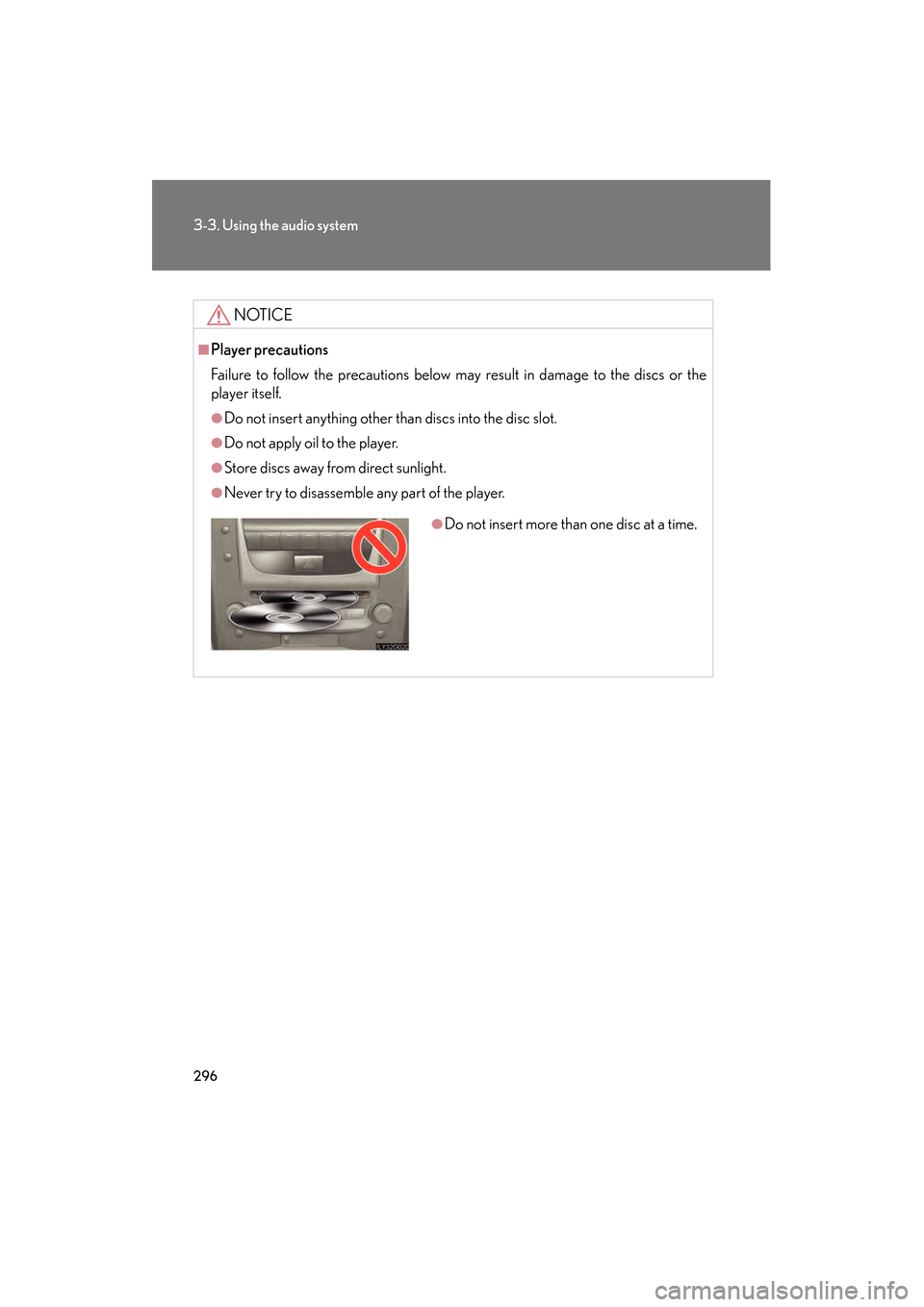
●Do not insert more than one disc at a time.
GS450h_HV_U.book Page 296 Thursday, June 19, 2008 1:44 PM
Page 354 of 599
352
GS_HV_U
June 19, 2008 1:15 pm
3-5. Using the interior lights
Interior lights list
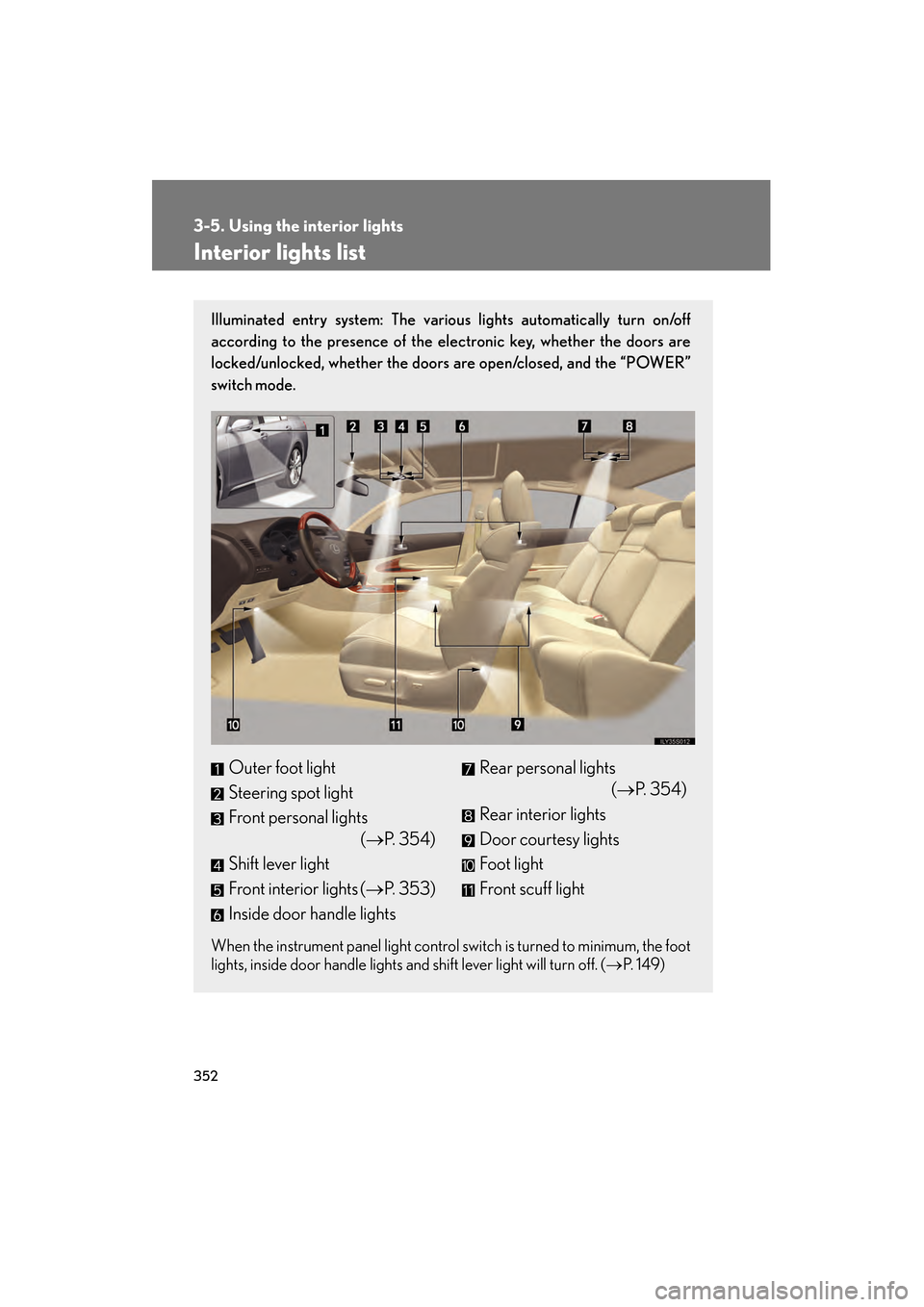
Illuminated entry system: The various lights automatically turn on/off
according to the presence of the electronic key, whether the doors are
locked/unlocked, whether the doors are open/closed, and the “POWER”
switch mode.
When the instrument panel light control switch is turned to minimum, the foot
lights, inside door handle lights and shift lever light will turn off. (→P. 1 4 9 )
Outer foot light
Steering spot light
Front personal lights
(→P. 3 5 4 )
Shift lever light
Front interior lights ( →P. 353)
Inside door handle lightsRear personal lights (→P. 3 5 4 )
Rear interior lights
Door courtesy lights
Foot light
Front scuff light
GS450h_HV_U.book Page 352 Thursday, June 19, 2008 1:44 PM
Page 355 of 599
353
3-5. Using the interior lights
3
Interior features
GS_HV_U
June 19, 2008 1:15 pm
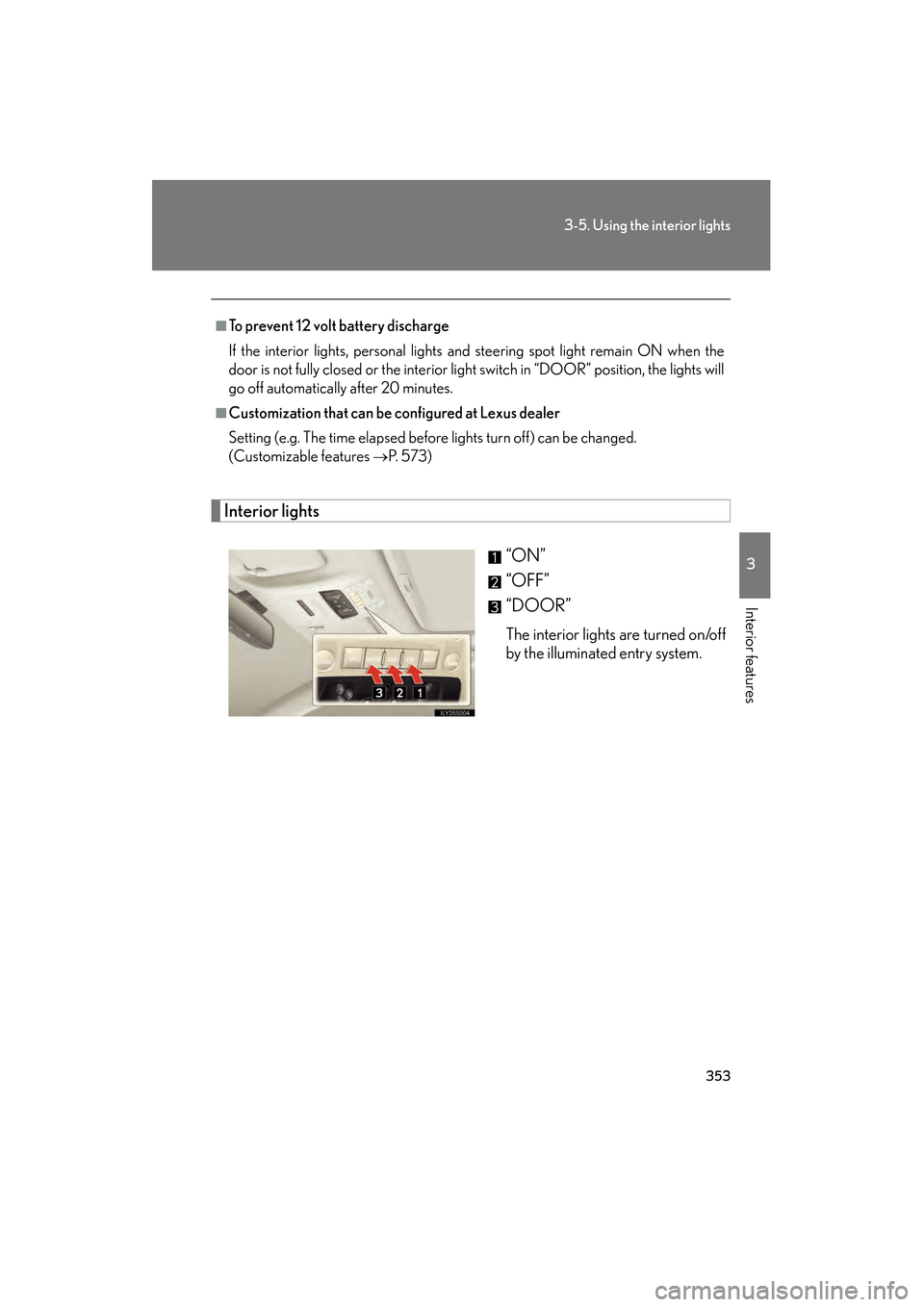
Interior lights“ON”
“OFF”
“DOOR”
The interior lights are turned on/off
by the illuminated entry system.
■To prevent 12 volt battery discharge
If the interior lights, personal lights and steering spot light remain ON when the
door is not fully closed or the interior light switch in “DOOR” position, the lights will
go off automatically after 20 minutes.
■Customization that can be configured at Lexus dealer
Setting (e.g. The time elapsed before lights turn off) can be changed.
(Customizable features
→P. 5 7 3 )
GS450h_HV_U.book Page 353 Thursday, June 19, 2008 1:44 PM
Page 356 of 599
354
3-5. Using the interior lights
GS_HV_U
June 19, 2008 1:15 pm
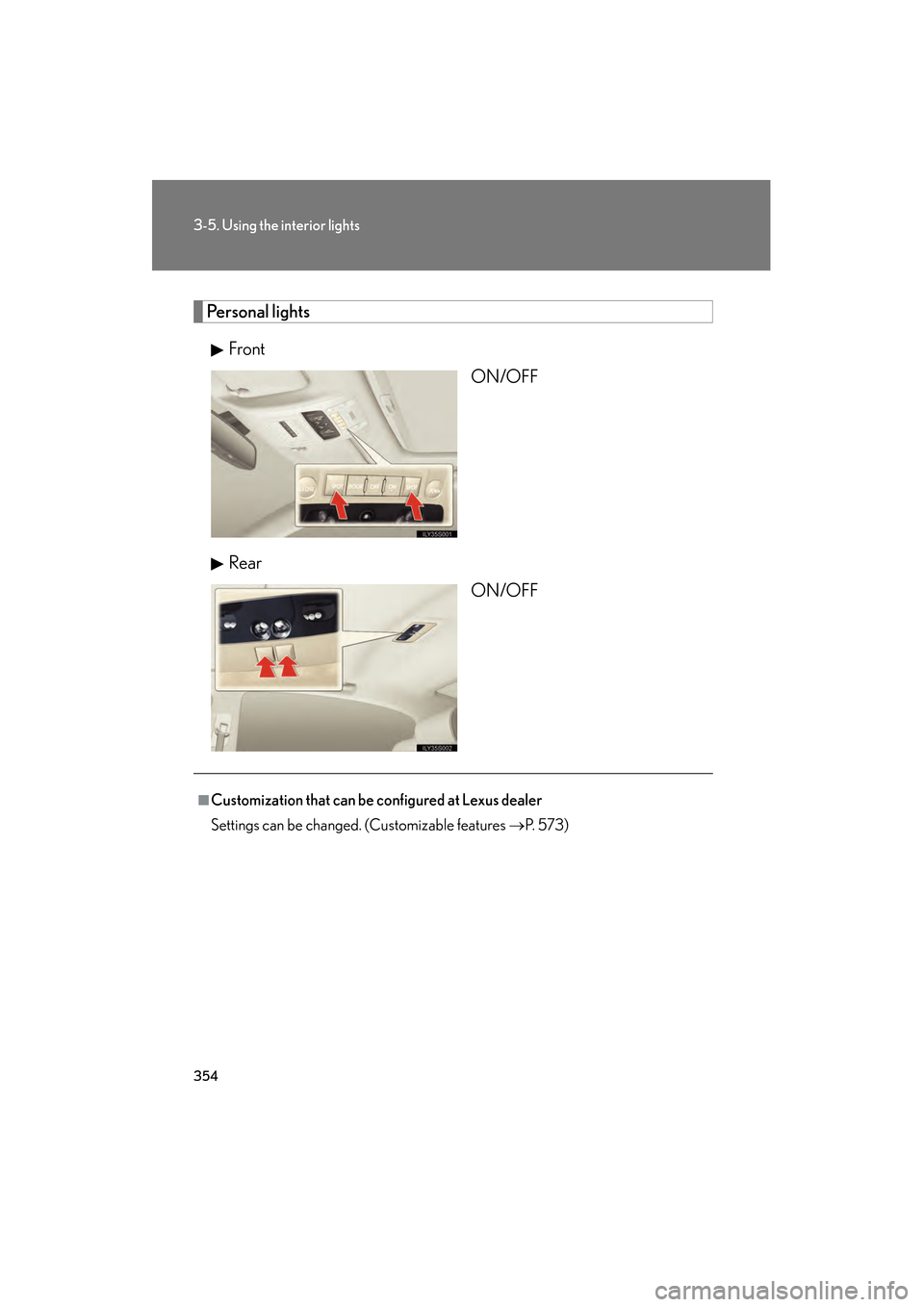
Personal lightsFront ON/OFF
Rear ON/OFF
■Customization that can be configured at Lexus dealer
Settings can be changed. (Customizable features →P. 5 7 3 )
GS450h_HV_U.book Page 354 Thursday, June 19, 2008 1:44 PM
Page 358 of 599
356
3-6. Using the storage features
GS_HV_U
June 19, 2008 1:15 pm
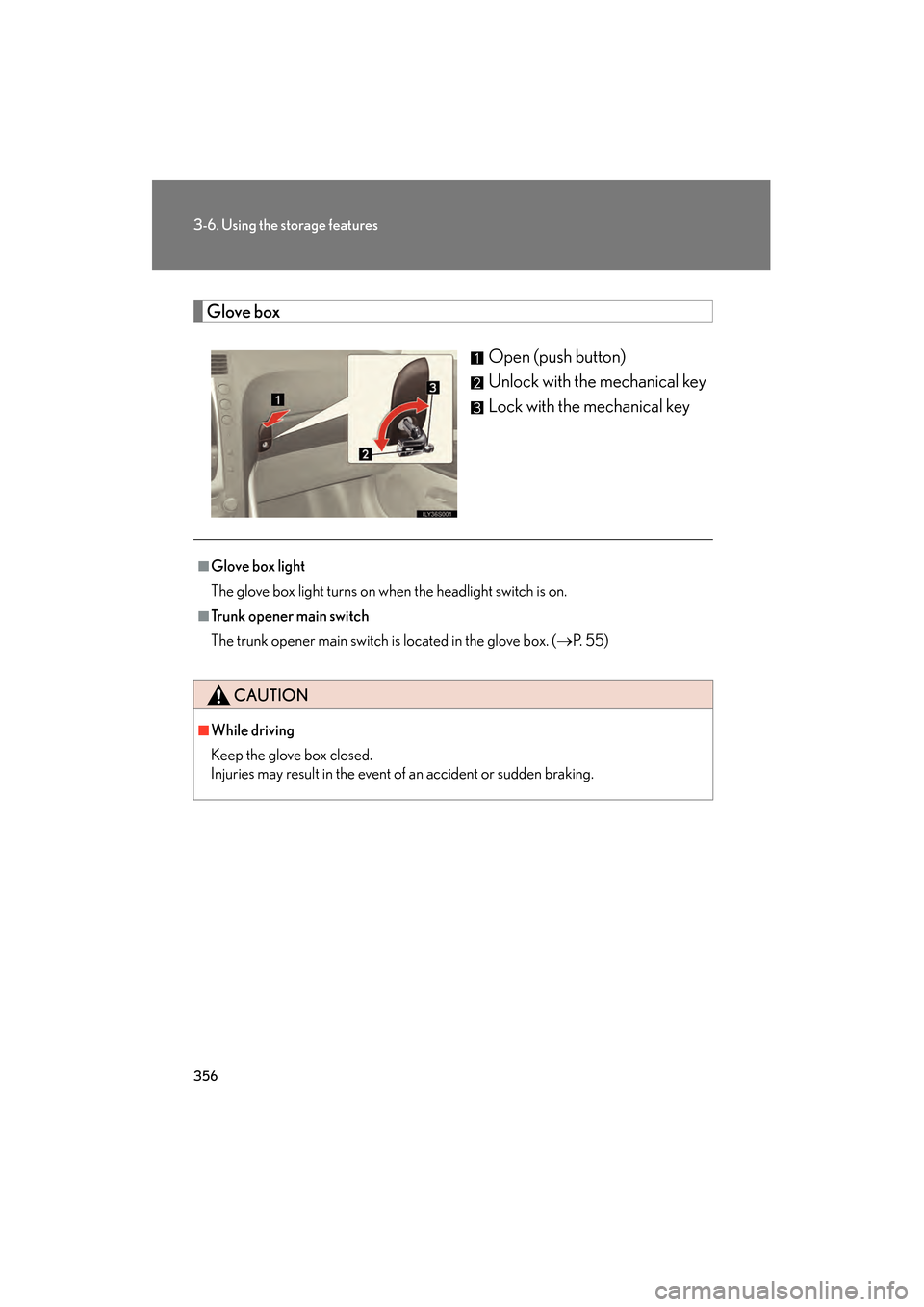
Glove boxOpen (push button)
Unlock with the mechanical key
Lock with the mechanical key
■Glove box light
The glove box light turns on when the headlight switch is on.
■Trunk opener main switch
The trunk opener main switch is located in the glove box. ( →P. 5 5 )
CAUTION
■While driving
Keep the glove box closed.
Injuries may result in the event of an accident or sudden braking.
GS450h_HV_U.book Page 356 Thursday, June 19, 2008 1:44 PM
Page 359 of 599
357
3-6. Using the storage features
3
Interior features
GS_HV_U
June 19, 2008 1:15 pm
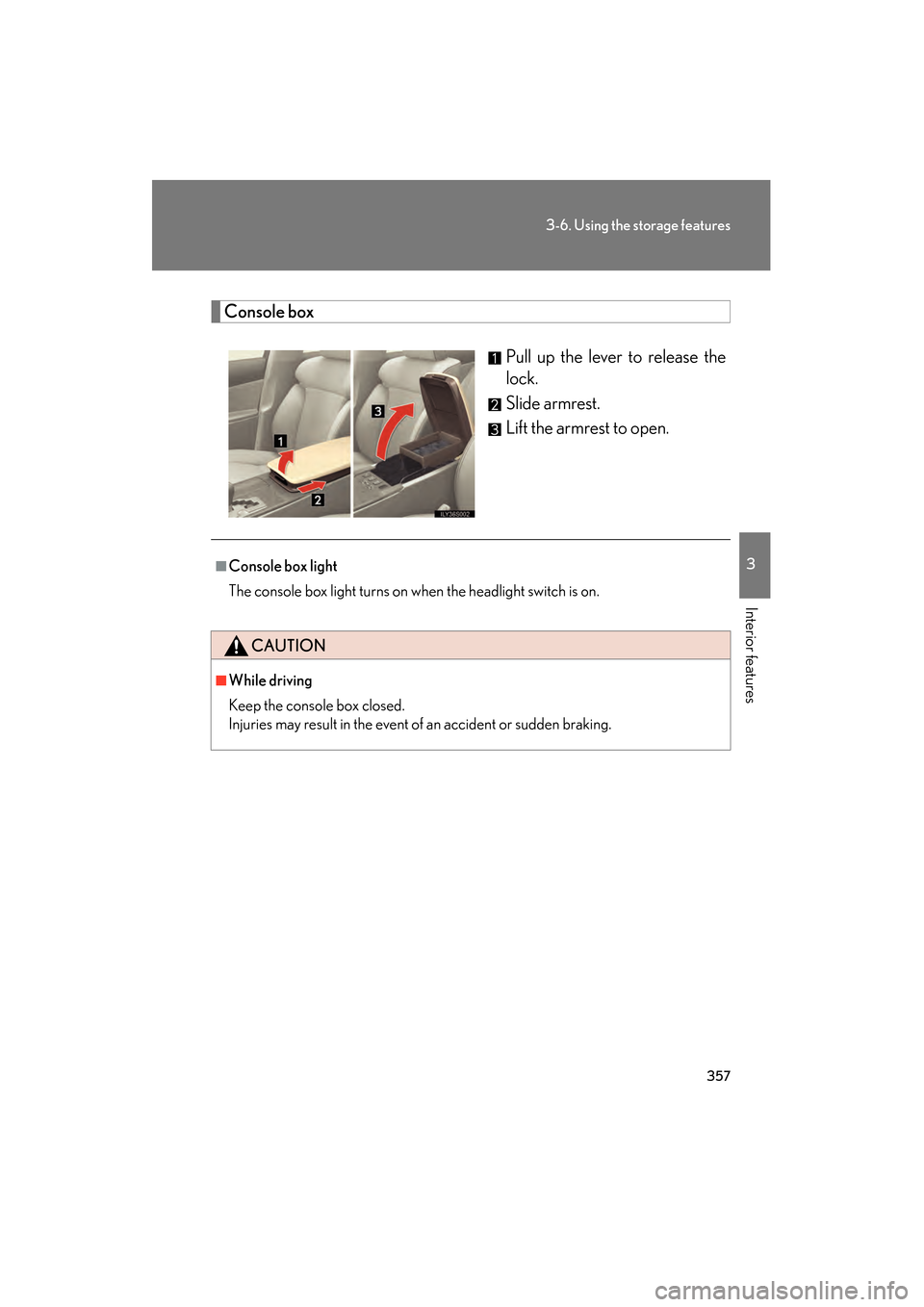
Console boxPull up the lever to release the
lock.
Slide armrest.
Lift the armrest to open.
■Console box light
The console box light turns on when the headlight switch is on.
CAUTION
■While driving
Keep the console box closed.
Injuries may result in the event of an accident or sudden braking.
GS450h_HV_U.book Page 357 Thursday, June 19, 2008 1:44 PM