ECO mode Lexus GS450h 2013 Owner's Guide
[x] Cancel search | Manufacturer: LEXUS, Model Year: 2013, Model line: GS450h, Model: Lexus GS450h 2013Pages: 862, PDF Size: 19.06 MB
Page 194 of 862
GS450h_U (OM30D01U)
1934-2. Driving procedures
4
Driving
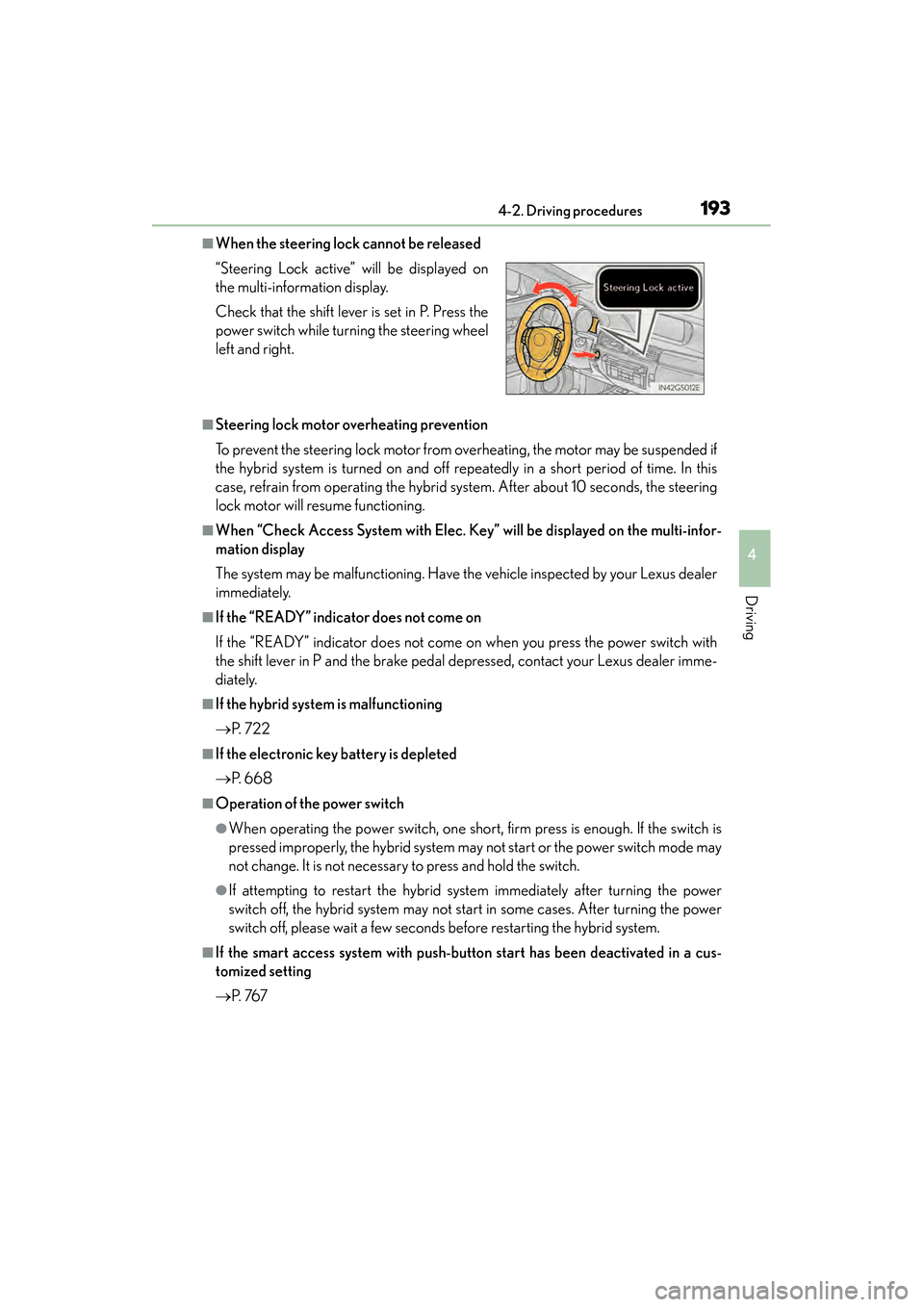
■When the steering lock cannot be released
■Steering lock motor overheating prevention
To prevent the steering lock motor from overheating, the motor may be suspended if
the hybrid system is turned on and off repeatedly in a short period of time. In this
case, refrain from operating the hybrid system. After about 10 seconds, the steering
lock motor will resume functioning.
■When “Check Access System with Elec. Key” will be displayed on the multi-infor-
mation display
The system may be malfunctioning. Have the vehicle inspected by your Lexus dealer
immediately.
■If the “READY” indicator does not come on
If the “READY” indicator does not come on when you press the power switch with
the shift lever in P and the brake pedal depressed, contact your Lexus dealer imme-
diately.
■If the hybrid system is malfunctioning
→P. 7 2 2
■If the electronic key battery is depleted
→P. 668
■Operation of the power switch
●When operating the power switch, one short, firm press is enough. If the switch is
pressed improperly, the hybrid system may not start or the power switch mode may
not change. It is not necessary to press and hold the switch.
●If attempting to restart the hybrid system immediately after turning the power
switch off, the hybrid system may not start in some cases. After turning the power
switch off, please wait a few seconds before restarting the hybrid system.
■If the smart access system with push-button start has been deactivated in a cus-
tomized setting
→P. 76 7
“Steering Lock active” will be displayed on
the multi-information display.
Check that the shift lever is set in P. Press the
power switch while turning the steering wheel
left and right.
GS450h_U.book Page 193 Monday, January 23, 2012 10:20 AM
Page 198 of 862
GS450h_U (OM30D01U)
1974-2. Driving procedures
4
Driving
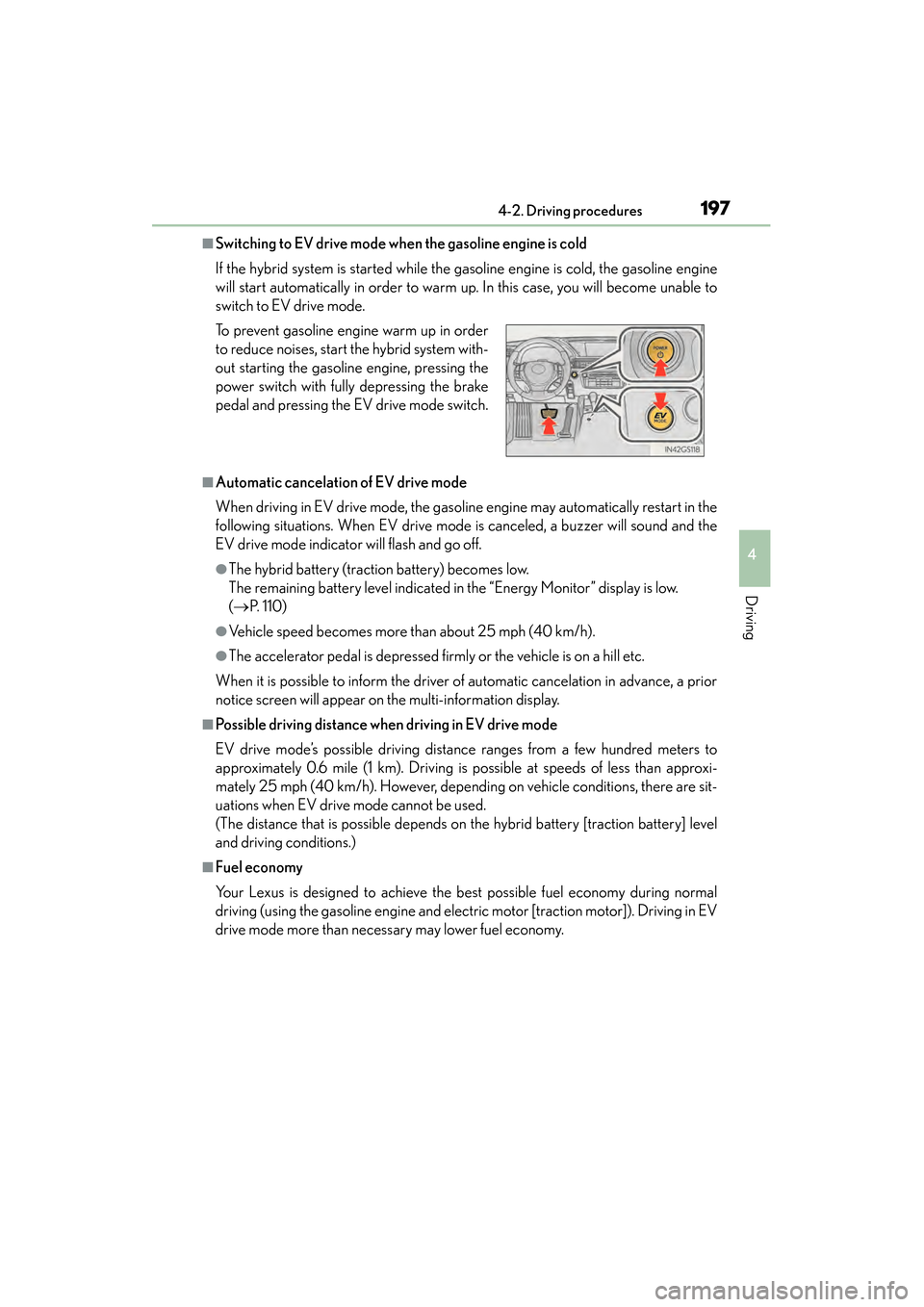
■Switching to EV drive mode when the gasoline engine is cold
If the hybrid system is started while the gasoline engine is cold, the gasoline engine
will start automatically in order to warm up. In this case, you will become unable to
switch to EV drive mode.
■Automatic cancelation of EV drive mode
When driving in EV drive mode, the gasoline engine may automatically restart in the
following situations. When EV drive mode is canceled, a buzzer will sound and the
EV drive mode indicator will flash and go off.
●The hybrid battery (traction battery) becomes low.
The remaining battery level indicated in the “Energy Monitor” display is low.
( → P. 1 1 0 )
●Vehicle speed becomes more than about 25 mph (40 km/h).
●The accelerator pedal is depressed firmly or the vehicle is on a hill etc.
When it is possible to inform the driver of automatic cancelation in advance, a prior
notice screen will appear on the multi-information display.
■Possible driving distance when driving in EV drive mode
EV drive mode’s possible driving distance ranges from a few hundred meters to
approximately 0.6 mile (1 km). Driving is possible at speeds of less than approxi-
mately 25 mph (40 km/h). However, depending on vehicle conditions, there are sit-
uations when EV drive mode cannot be used.
(The distance that is possible depends on the hybrid battery [traction battery] level
and driving conditions.)
■Fuel economy
Your Lexus is designed to achieve the best possible fuel economy during normal
driving (using the gasoline engine and electric motor [traction motor]). Driving in EV
drive mode more than necessary may lower fuel economy. To prevent gasoline engine warm up in order
to reduce noises, start the hybrid system with-
out starting the gasoline engine, pressing the
power switch with fully depressing the brake
pedal and pressing the EV drive mode switch.
GS450h_U.book Page 197 Monday, January 23, 2012 10:20 AM
Page 201 of 862
200
GS450h_U (OM30D01U)
4-2. Driving procedures
■Sport mode/Eco drive mode
→P. 2 8 6
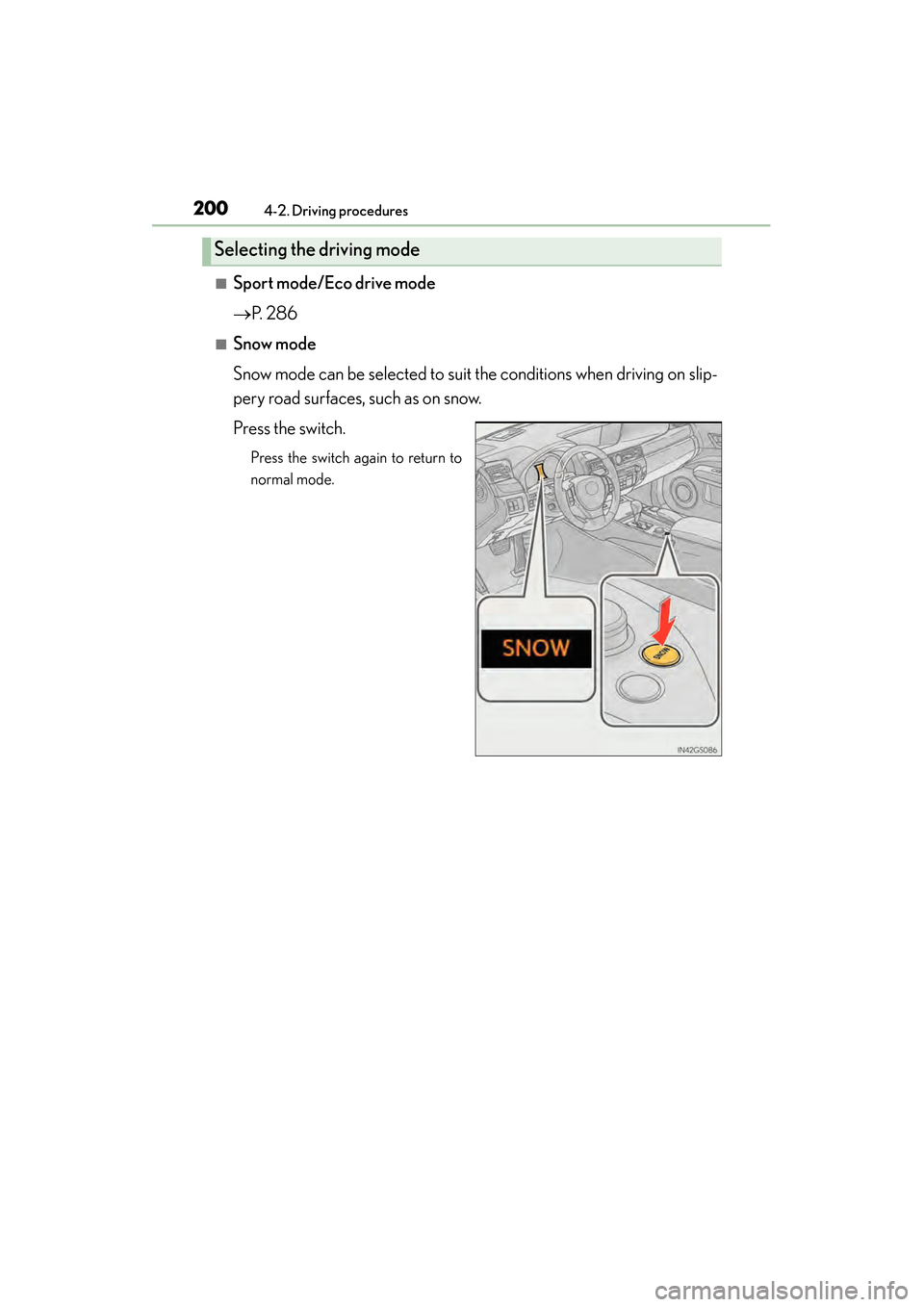
■Snow mode
Snow mode can be selected to suit the conditions when driving on slip-
pery road surfaces, such as on snow.
Press the switch.
Press the switch again to return to
normal mode.
Selecting the driving mode
GS450h_U.book Page 200 Monday, January 23, 2012 10:20 AM
Page 209 of 862
208
GS450h_U (OM30D01U)
4-2. Driving procedures
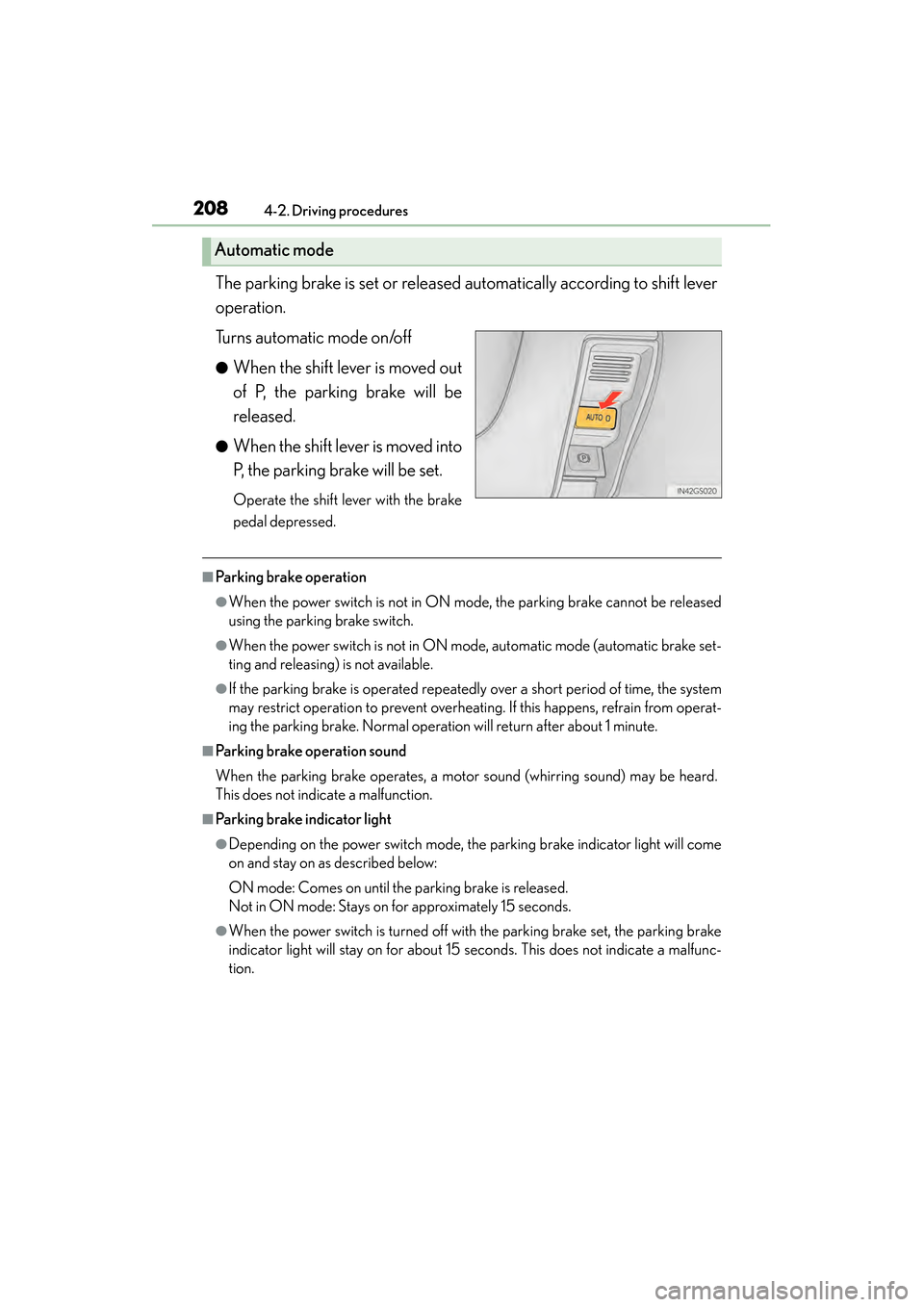
The parking brake is set or released automatically according to shift lever
operation.
Turns automatic mode on/off
●When the shift lever is moved out
of P, the parking brake will be
released.
●When the shift lever is moved into
P, the parking brake will be set.
Operate the shift lever with the brake
pedal depressed.
■Parking brake operation
●When the power switch is not in ON mode, the parking brake cannot be released
using the parking brake switch.
●When the power switch is not in ON mode, automatic mode (automatic brake set-
ting and releasing) is not available.
●If the parking brake is operated repeatedly over a short period of time, the system
may restrict operation to prevent overheating. If this happens, refrain from operat-
ing the parking brake. Normal operation will return after about 1 minute.
■Parking brake operation sound
When the parking brake operates, a motor sound (whirring sound) may be heard.
This does not indicate a malfunction.
■Parking brake indicator light
●Depending on the power switch mode, the parking brake indicator light will come
on and stay on as described below:
ON mode: Comes on until the parking brake is released.
Not in ON mode: Stays on for approximately 15 seconds.
●When the power switch is turned off with the parking brake set, the parking brake
indicator light will stay on for about 15 seconds. This does not indicate a malfunc-
tion.
Automatic mode
GS450h_U.book Page 208 Monday, January 23, 2012 10:20 AM
Page 217 of 862
216
GS450h_U (OM30D01U)
4-3. Operating the lights and wipers
■Daytime running light system
●To make your vehicle more visible to other drivers, the parking lights turn on auto-
matically (at an increased intensity) whenever the hybrid system is started and the
parking brake is released. Daytime running lights are not designed for use at night.
●Compared to turning on the headlights, the daytime running light system offers
greater durability and consumes less electricity, so it can help improve fuel econ-
omy.
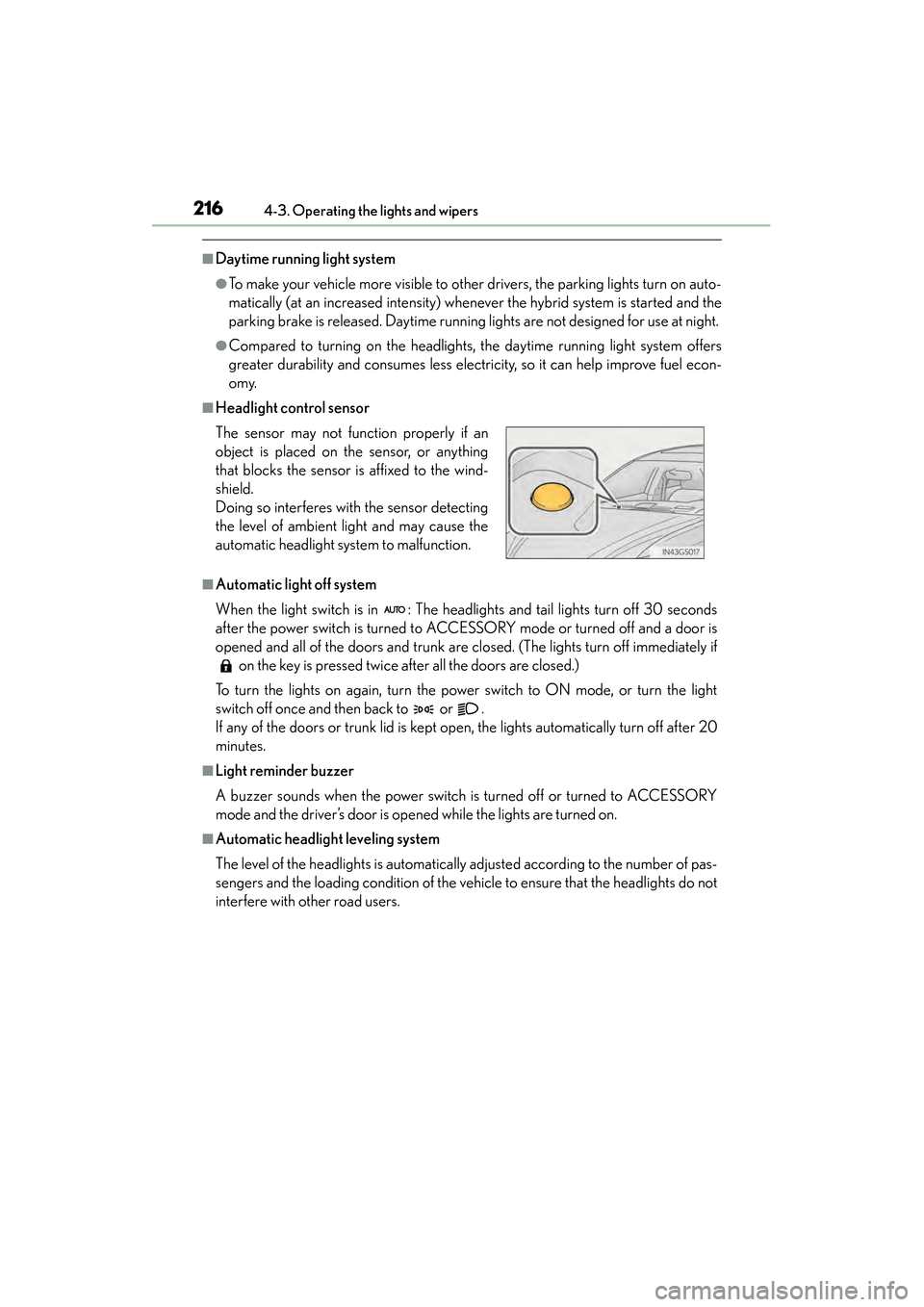
■Headlight control sensor
■Automatic light off system
When the light switch is in : The headlights and tail lights turn off 30 seconds
after the power switch is turned to ACCESSORY mode or turned off and a door is
opened and all of the doors and trunk are closed. (The lights turn off immediately if on the key is pressed twice after all the doors are closed.)
To turn the lights on again, turn the power switch to ON mode, or turn the light
switch off once and then back to or .
If any of the doors or trunk lid is kept open, the lights automatically turn off after 20
minutes.
■Light reminder buzzer
A buzzer sounds when the power switch is turned off or turned to ACCESSORY
mode and the driver’s door is opened while the lights are turned on.
■Automatic headlight leveling system
The level of the headlights is automatically adjusted according to the number of pas-
sengers and the loading condition of the vehi cle to ensure that the headlights do not
interfere with other road users. The sensor may not function properly if an
object is placed on the sensor, or anything
that blocks the sensor is affixed to the wind-
shield.
Doing so interferes with the sensor detecting
the level of ambient light and may cause the
automatic headlight system to malfunction.
GS450h_U.book Page 216 Monday, January 23, 2012 10:20 AM
Page 225 of 862
224
GS450h_U (OM30D01U)
4-3. Operating the lights and wipers
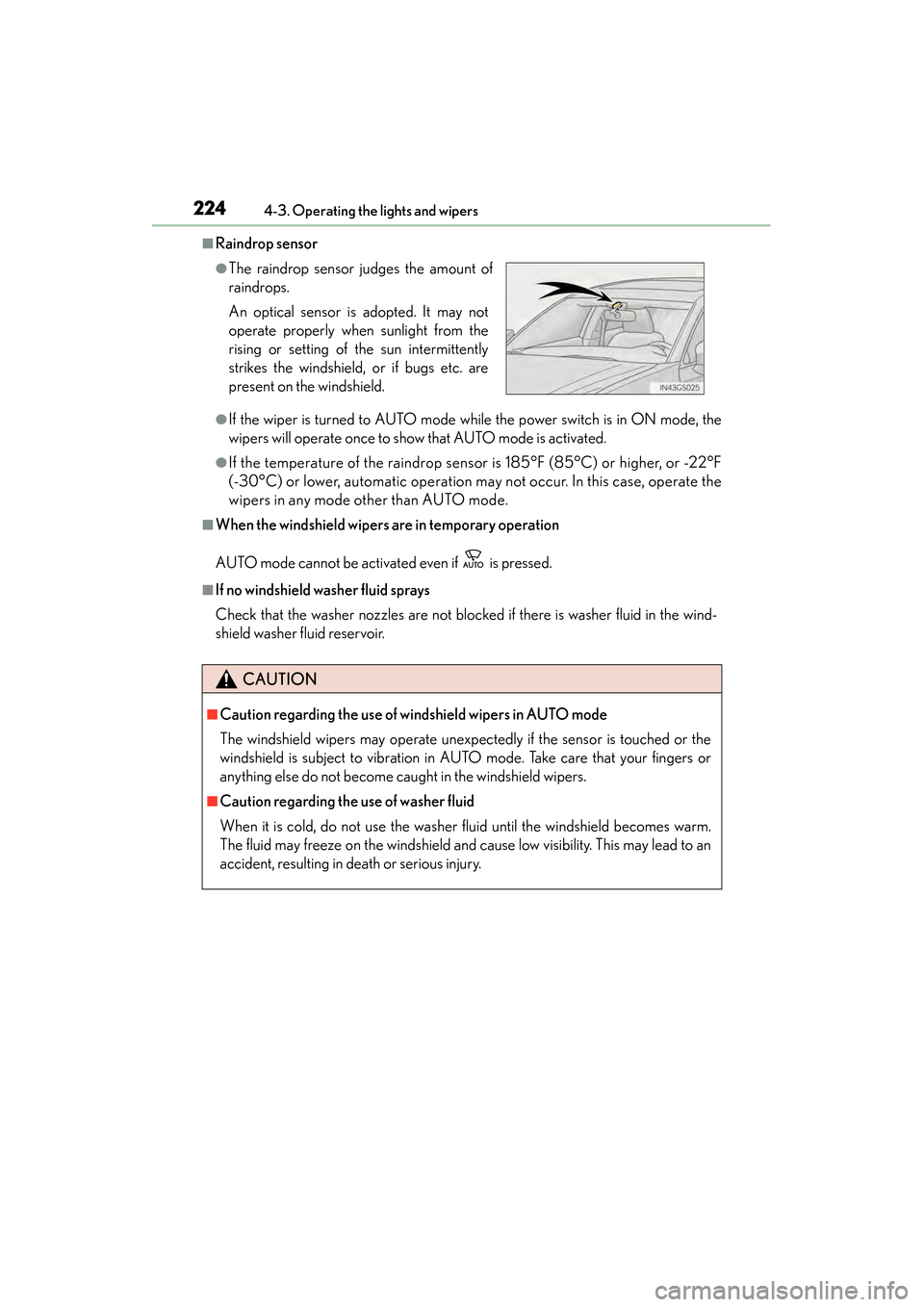
■Raindrop sensor
●If the wiper is turned to AUTO mode while the power switch is in ON mode, the
wipers will operate once to show that AUTO mode is activated.
●If the temperature of the raindrop sensor is 185°F (85°C) or higher, or -22°F
(-30°C) or lower, automatic operation may not occur. In this case, operate the
wipers in any mode other than AUTO mode.
■When the windshield wipers are in temporary operation
AUTO mode cannot be activated even if is pressed.
■If no windshield washer fluid sprays
Check that the washer nozzles are not blocked if there is washer fluid in the wind-
shield washer fluid reservoir.
●The raindrop sensor judges the amount of
raindrops.
An optical sensor is adopted. It may not
operate properly when sunlight from the
rising or setting of the sun intermittently
strikes the windshield, or if bugs etc. are
present on the windshield.
CAUTION
■Caution regarding the use of windshield wipers in AUTO mode
The windshield wipers may operate unexpectedly if the sensor is touched or the
windshield is subject to vibration in AUTO mode. Take care that your fingers or
anything else do not become caught in the windshield wipers.
■Caution regarding the use of washer fluid
When it is cold, do not use the washer fluid until the windshield becomes warm.
The fluid may freeze on the windshield and cause low visibility. This may lead to an
accident, resulting in death or serious injury.
GS450h_U.book Page 224 Monday, January 23, 2012 10:20 AM
Page 238 of 862

GS450h_U (OM30D01U)
2374-5. Using the driving support systems
4
Driving
Press the “ON/OFF” button to
activate the cruise control.
Radar cruise control indicator will
come on.
Press the button again to deactivate
the cruise control.
Accelerate or decelerate the
vehicle to the desired speed, and
push the lever down to set the
speed.
“SET” indicator will be displayed.
The vehicle speed at the moment the
lever is released becomes the set
speed.
Setting the vehicle speed (vehicle-to-vehicle distance control
mode)
1
2
GS450h_U.book Page 237 Monday, January 23, 2012 10:20 AM
Page 239 of 862
238
GS450h_U (OM30D01U)
4-5. Using the driving support systems
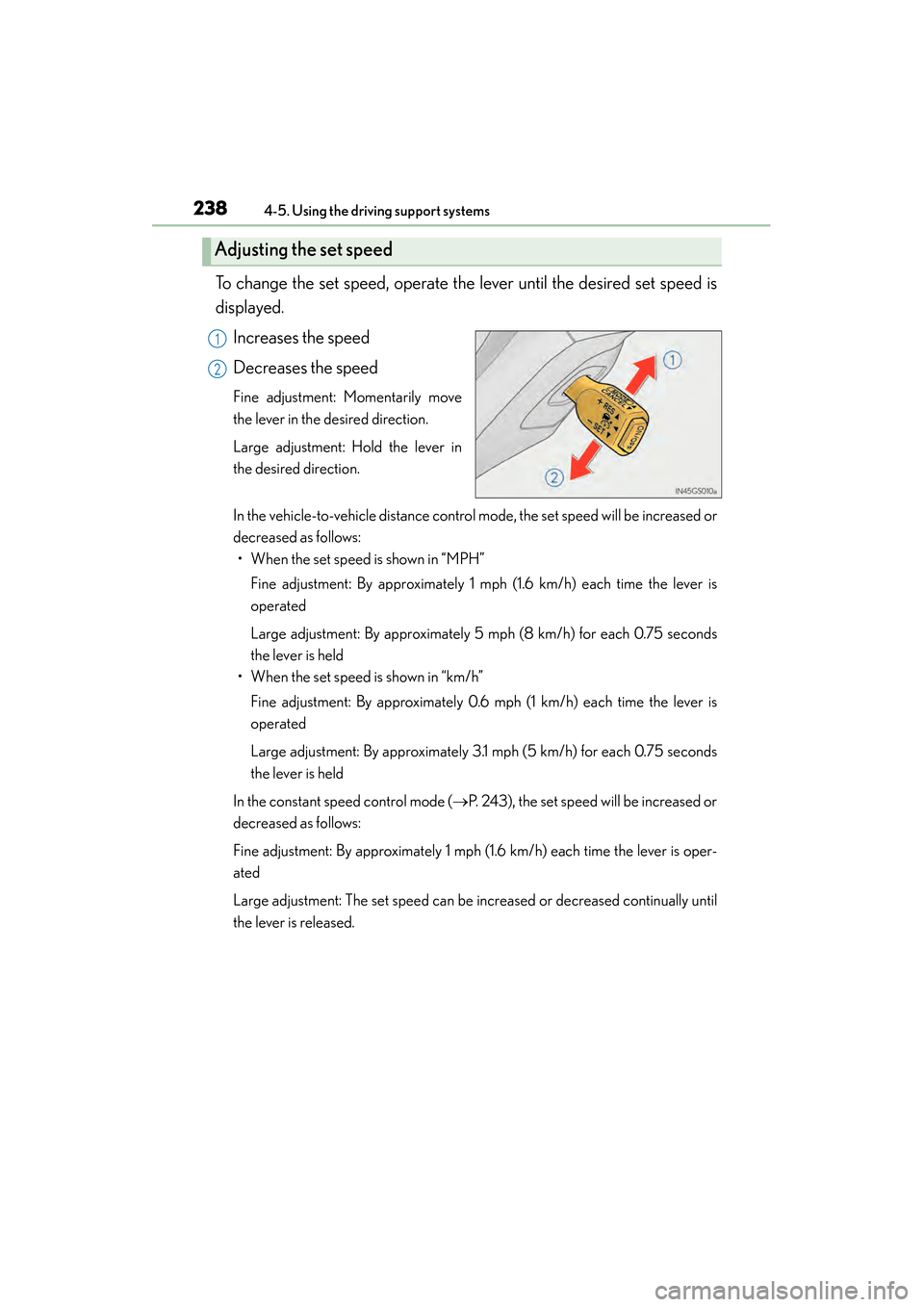
To change the set speed, operate the lever until the desired set speed is
displayed.Increases the speed
Decreases the speed
Fine adjustment: Momentarily move
the lever in the desired direction.
Large adjustment: Hold the lever in
the desired direction.
In the vehicle-to-vehicle distance control mode, the set speed will be increased or
decreased as follows:• When the set speed is shown in “MPH”
Fine adjustment: By approximately 1 mph (1.6 km/h) each time the lever is
operated
Large adjustment: By approximately 5 mph (8 km/h) for each 0.75 seconds
the lever is held
• When the set speed is shown in “km/h”
Fine adjustment: By approximately 0.6 mph (1 km/h) each time the lever is
operated
Large adjustment: By approximately 3.1 mph (5 km/h) for each 0.75 seconds
the lever is held
In the constant speed control mode ( →P. 243), the set speed will be increased or
decreased as follows:
Fine adjustment: By approximately 1 mph (1.6 km/h) each time the lever is oper-
ated
Large adjustment: The set speed can be increased or decreased continually until
the lever is released.
Adjusting the set speed
1
2
GS450h_U.book Page 238 Monday, January 23, 2012 10:20 AM
Page 244 of 862

GS450h_U (OM30D01U)
2434-5. Using the driving support systems
4
Driving
When constant speed control mode is selected, your vehicle will maintain
a set speed without controlling the vehicle-to-vehicle distance. Select this
mode only when vehicle-to-vehicle distance control mode does not func-
tion correctly due to dirt etc.
Press the “ON/OFF” button to
activate the cruise control.
Radar cruise control indicator will
come on.
Press the button again to deactivate
the cruise control.
Switch to constant speed control
mode.
(Push the lever forward and hold
for approximately one second.)
Cruise control indicator will come on.
When in constant speed control
mode, to return to vehicle-to-vehicle
distance control mode, push the lever
forward again and hold for approxi-
mately 1 second.
After the desired speed has been set,
it is not possible to return to vehicle-
to-vehicle distance control mode.
If the power switch is turned off and
then turned to ON mode again, the
vehicle will automatically return to
vehicle-to-vehicle distance control
mode.
Adjusting the speed setting: →P. 2 3 3
Canceling and resuming the speed
setting: →P. 2 3 3
Selecting conventional constant speed control mode
1
2
GS450h_U.book Page 243 Monday, January 23, 2012 10:20 AM
Page 257 of 862
256
GS450h_U (OM30D01U)
4-5. Using the driving support systems
■Temporary cancelation of the LKA system functions
If any of the following occurs, the LKA system functions will be temporarily canceled.
The functions will resume after the necessary operating conditions have returned.
●The steering wheel is turned as far as necessary to cause the vehicle to change
lanes.
●When the system detects no-handed driving. (The lane keeping assist function will
be temporarily canceled, but the lane departure warning function will continue.)
●The turn signal lever is operated.
●The vehicle speed deviates from the operating range of the LKA system functions.
(The buzzer will beep twice when the lane keeping assist function is being can-
celed.)
●When the lane lines cannot be recognized while driving. (The buzzer will beep
twice when the lane keeping assist function is being canceled.)
●The wiper switch is set on high speed mode or is set on AUTO mode with wipers
operating at high speed. (The lane keeping assist function will be temporarily can-
celed, but the lane departure warning function will continue.)
●If the vehicle crosses a line for approximately half a minute or more. (The lane keep-
ing assist function will be temporarily canceled, but the lane departure warning
function will continue.)
●When the lane departure warning function is activated.
The lane departure warning function will not operate again for a several seconds
after it has been activated, even if the vehicle leaves the lane again.
■The lane departure warning
It may be difficult to feel the sensory warning depending on the road conditions.
■No-handed driving warning
If the steering wheel is not operated for approximately 15 seconds on a straight road
or approximately 5 seconds on a curve, the buzzer will beep twice, indicators on the
multi-information display will flash, and the lane keeping assist function will be tem-
porarily canceled. If you drive the vehicle with your hands lightly touching the steer-
ing wheel, this may also be detected as no-handed driving.
■After the vehicle has been parked in the sun
The LKA system functions may not be available and a warning message (→P. 7 3 5 )
will be displayed for a while after driving has started. In such cases, turn the LKA sys-
tem off and turn it on again after normal temperature returns. When the temperature
in the cabin decreases and the temperature around the camera sensor ( →P. 2 5 1 )
becomes suitable for its operation, the functions will begin to operate.
GS450h_U.book Page 256 Monday, January 23, 2012 10:20 AM