ECU Lexus GS450h 2013 Workshop Manual
[x] Cancel search | Manufacturer: LEXUS, Model Year: 2013, Model line: GS450h, Model: Lexus GS450h 2013Pages: 862, PDF Size: 19.06 MB
Page 362 of 862
GS450h_U (OM30D01U)
3615-1. Remote Touch screen
5
Interior features
■Voice command system
●Commands that are not displayed in the “Shortcut Menu” screen can be operated
from the “Main Menu” screen.
●If the system does not respond or the confirmation screen does not disappear,
press and try again.
●Voice guidance can be canceled by setting voice prompts to off. Use this setting
when it is desirable to say a command immediately after pressing and hearing
a beep.
■If a voice command cannot be recognized
●If a voice command cannot be recognized within 6 seconds, voice guidance will
say “Pardon?” (“Command not recognized.” will be displayed on the screen) and
voice command reception will restart.
●If a voice command cannot be recognized 2 consecutive times, the voice com-
mand guidance system will say “Paused. To restart voice recognition, push the talk
switch. To cancel voice recognition, push and hold the talk switch.” Voice recogni-
tion will then be suspended. Select “Cancel” or “Go Back”, or press .
■When selecting “Voice Prompts”
●The voice recognition prompt can be set to on or off. This setting can also be
changed on the “Voice Settings” screen. (→P. 3 4 9 )
●Voice recognition will be temporarily suspended. Press again.
GS450h_U.book Page 361 Monday, January 23, 2012 10:20 AM
Page 431 of 862
430
GS450h_U (OM30D01U)
5-3. Using the audio system
■If the satellite radio does not operate normally
If a problem occurs with the XM
® tuner, a message will appear on the screen. Refer
to the table below to identify the problem, and take the suggested corrective action.
Contact the XM
® Listener Care Center at 1-877-515-3987.
Ck Antenna
The XM® antenna is not connected. Check whether the
XM® antenna cable is attached securely.
There is a short-circuit in the antenna or the surrounding
antenna cable. See a Lexus certified dealer.
Ch Unauth
You have not subscribed to XM® Satellite Radio. The
radio is being updated with the latest encryption code.
Contact XM
® Satellite Radio for subscription informa-
tion. When a contract is canceled, you can choose “CH
000” and all free-to-air channels.
The premium channel you selected is not authorized.
Wait for about 2 seconds until the radio returns to the
previous channel or “CH 001”. If it does not change
automatically, select another channel. To listen to the
premium channel, contact XM
® Satellite Radio.
No Signal
The XM® signal is too weak at the current location. Wait
until your vehicle reaches a location with a stronger sig-
nal.
LoadingThe unit is acquiring audio or program information. Wait
until the unit has received the information.
Ch Off AirThe channel you selected is not broadcasting any pro-
gramming. Select another channel.
-----
There is no song/program title or artist name/feature
associated with the channel at that time. No action is
required.
Ch Unavail
The channel you selected is no longer available. Wait for
about 2 seconds until the radio returns to the previous
channel or “CH 001”. If it does not change automatically,
select another channel.
GS450h_U.book Page 430 Monday, January 23, 2012 10:20 AM
Page 517 of 862
516
GS450h_U (OM30D01U)
5-4. Using the hands-free phone system (for cellular phone)
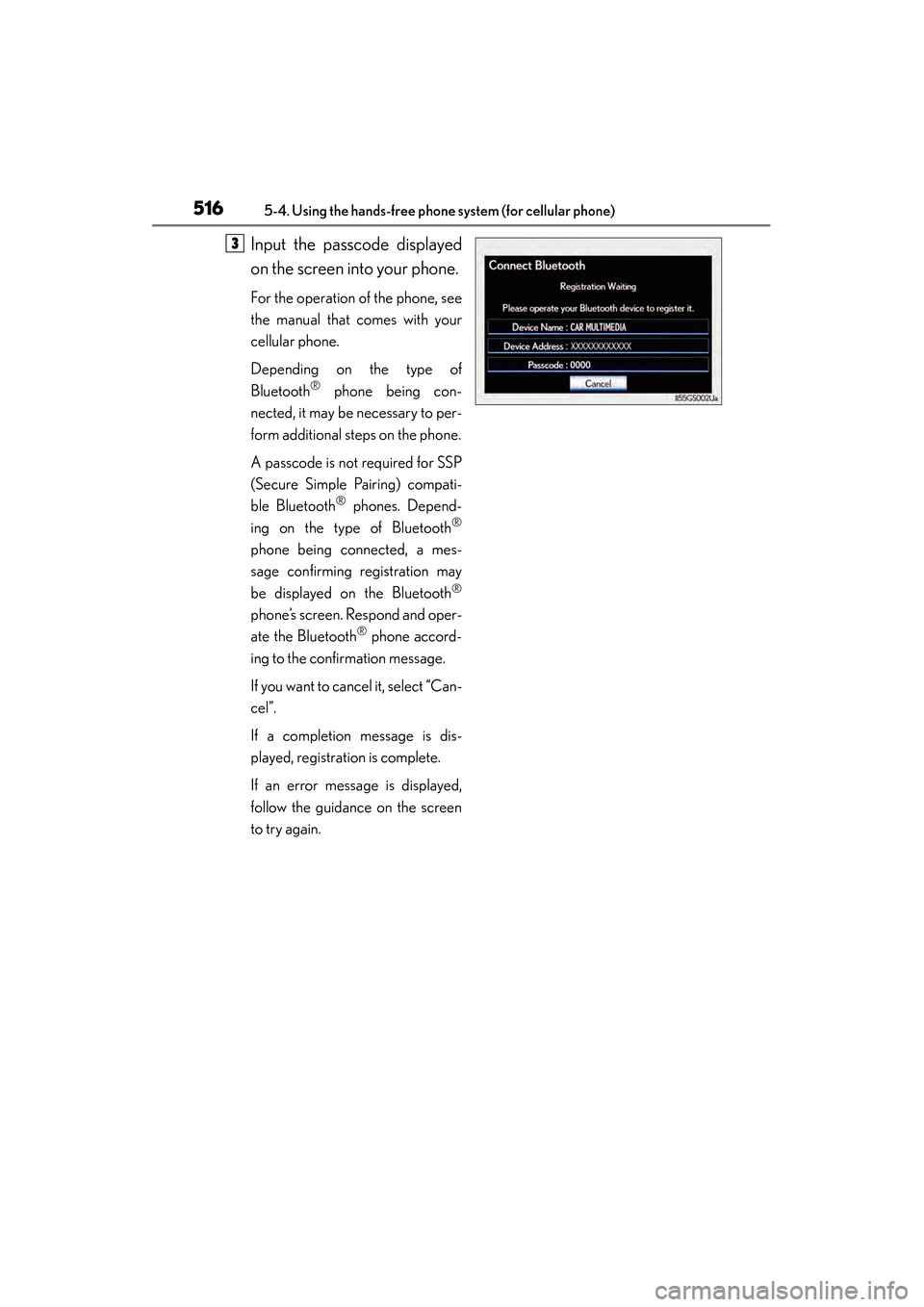
Input the passcode displayed
on the screen into your phone.
For the operation of the phone, see
the manual that comes with your
cellular phone.
Depending on the type of
Bluetooth
® phone being con-
nected, it may be necessary to per-
form additional steps on the phone.
A passcode is not required for SSP
(Secure Simple Pairing) compati-
ble Bluetooth
® phones. Depend-
ing on the type of Bluetooth®
phone being connected, a mes-
sage confirming registration may
be displayed on the Bluetooth
®
phone’s screen. Respond and oper-
ate the Bluetooth
® phone accord-
ing to the confirmation message.
If you want to cancel it, select “Can-
cel”.
If a completion message is dis-
played, registration is complete.
If an error message is displayed,
follow the guidance on the screen
to try again.
3
GS450h_U.book Page 516 Monday, January 23, 2012 10:20 AM
Page 561 of 862
560
GS450h_U (OM30D01U)
5-4. Using the hands-free phone system (for cellular phone)
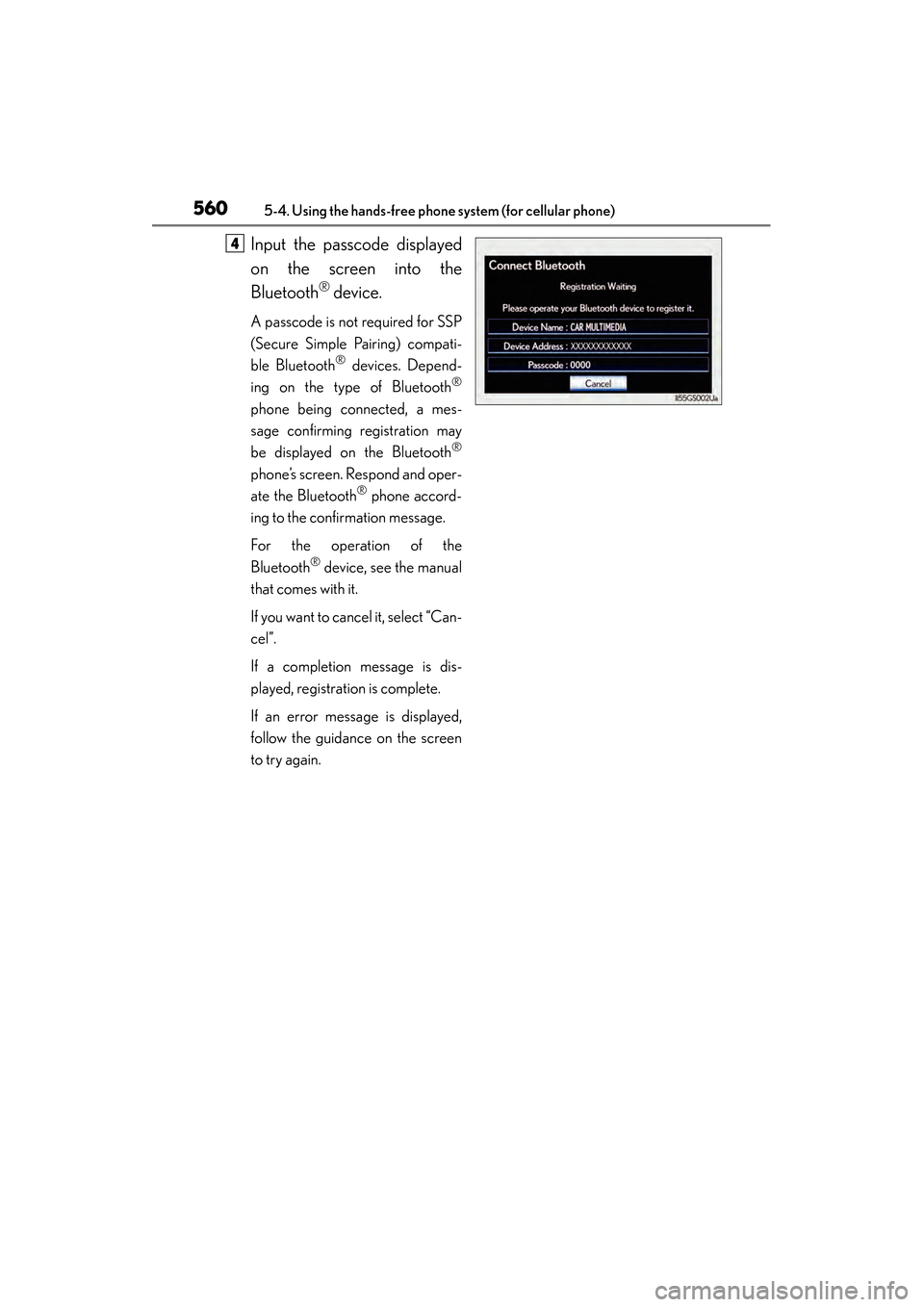
Input the passcode displayed
on the screen into the
Bluetooth
® device.
A passcode is not required for SSP
(Secure Simple Pairing) compati-
ble Bluetooth
® devices. Depend-
ing on the type of Bluetooth®
phone being connected, a mes-
sage confirming registration may
be displayed on the Bluetooth
®
phone’s screen. Respond and oper-
ate the Bluetooth® phone accord-
ing to the confirmation message.
For the operation of the
Bluetooth
® device, see the manual
that comes with it.
If you want to cancel it, select “Can-
cel”.
If a completion message is dis-
played, registration is complete.
If an error message is displayed,
follow the guidance on the screen
to try again.
4
GS450h_U.book Page 560 Monday, January 23, 2012 10:20 AM
Page 565 of 862
564
GS450h_U (OM30D01U)
5-4. Using the hands-free phone system (for cellular phone)
■Editing the “Device Name”
If you change a device name, the name registered in your cellular phone is not
changed.
■About “Device Address”
The address peculiar to the system. It cannot be changed. If you have registered two
Bluetooth
® phones with the same device name and you cannot distinguish one from
the other, refer to this address.
■“My Phone Number”:
The phone number of the Bluetooth
® phone is displayed on the screen. Depending
on the type of phone, the phone number may not be displayed.
■“Profiles”:
The compatibility profile of the Bluetooth
® device is displayed on the screen.
■“Connect Portable Player from”:
There are 2 portable player connection settings available; “Vehicle” and “Portable
Player”.
■When you delete a Bluetooth® phone
The phonebook data will be deleted at the same time.
GS450h_U.book Page 564 Monday, January 23, 2012 10:20 AM
Page 568 of 862
GS450h_U (OM30D01U)
5675-4. Using the hands-free phone system (for cellular phone)
5
Interior features
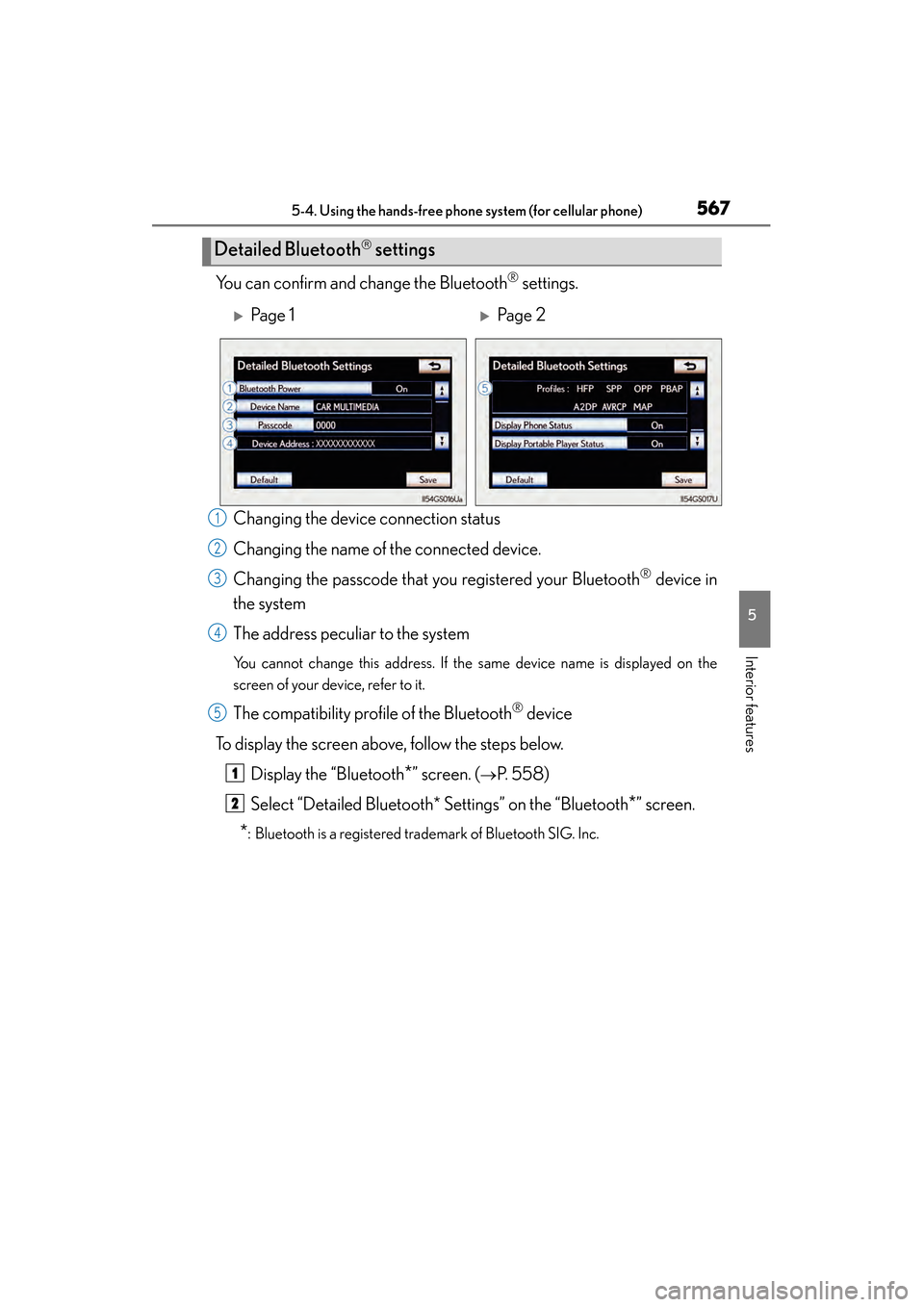
You can confirm and change the Bluetooth® settings.
Changing the device connection status
Changing the name of the connected device.
Changing the passcode that you registered your Bluetooth
® device in
the system
The address peculiar to the system
You cannot change this address. If the same device name is displayed on the
screen of your device, refer to it.
The compatibility profile of the Bluetooth® device
To display the screen above, follow the steps below. Display the “Bluetooth
*” screen. (→P. 5 5 8 )
Select “Detailed Bluetooth* Settings” on the “Bluetooth
*” screen.
*: Bluetooth is a registered trademark of Bluetooth SIG. Inc.
Detailed Bluetooth settings
XPa g e 1XPa g e 2
1
2
3
4
5
1
2
GS450h_U.book Page 567 Monday, January 23, 2012 10:20 AM
Page 582 of 862
581
GS450h_U (OM30D01U)5-6. Using the storage features
5
Interior features
Trunk features
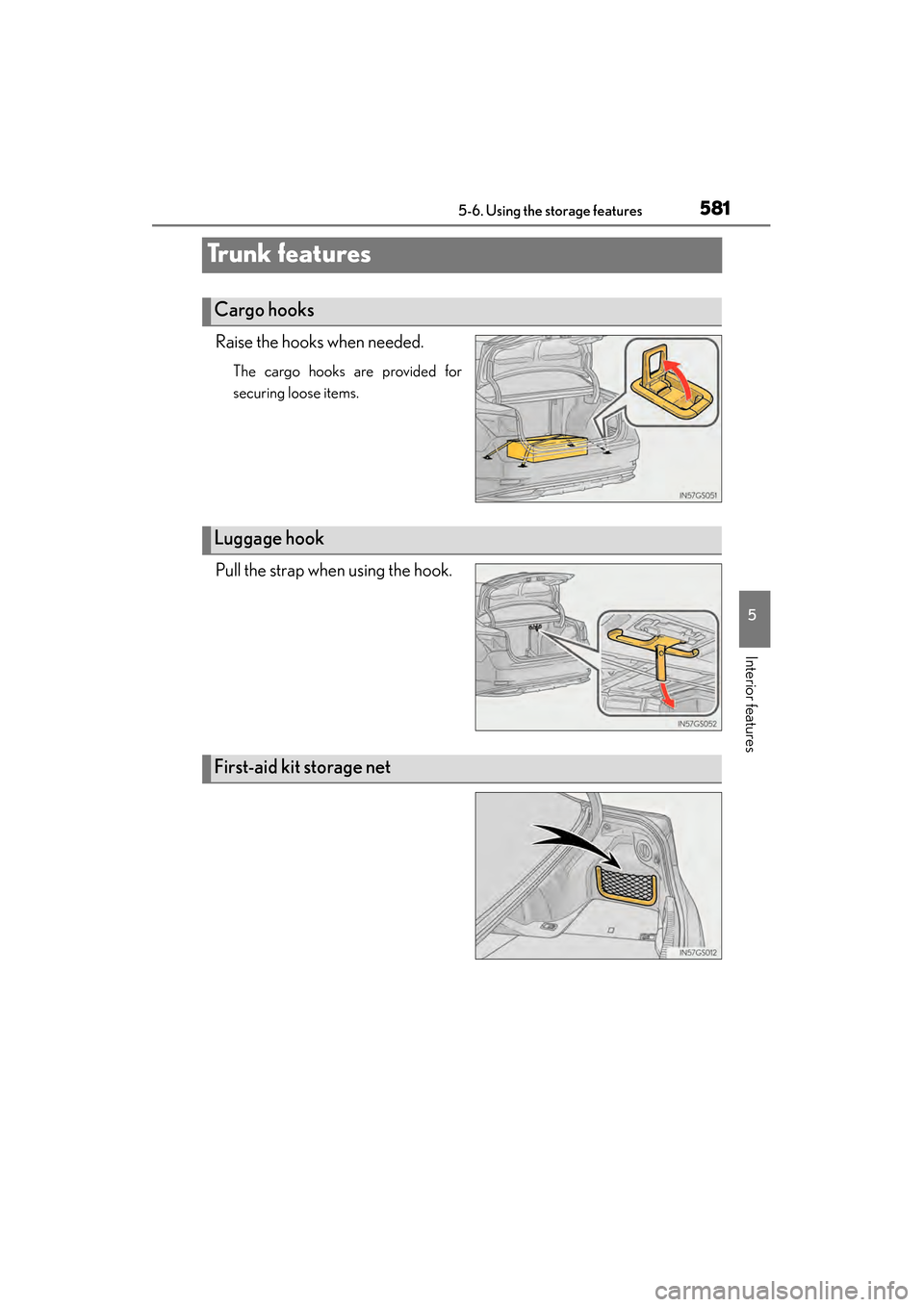
Raise the hooks when needed.
The cargo hooks are provided for
securing loose items.
Pull the strap when using the hook.
Cargo hooks
Luggage hook
First-aid kit storage net
GS450h_U.book Page 581 Monday, January 23, 2012 10:20 AM
Page 601 of 862
600
GS450h_U (OM30D01U)
5-7. Other interior features
Garage door opener
The garage door opener (HomeLink® Universal Transceiver) is manufac-
tured under license from HomeLink
®.
The HomeLink
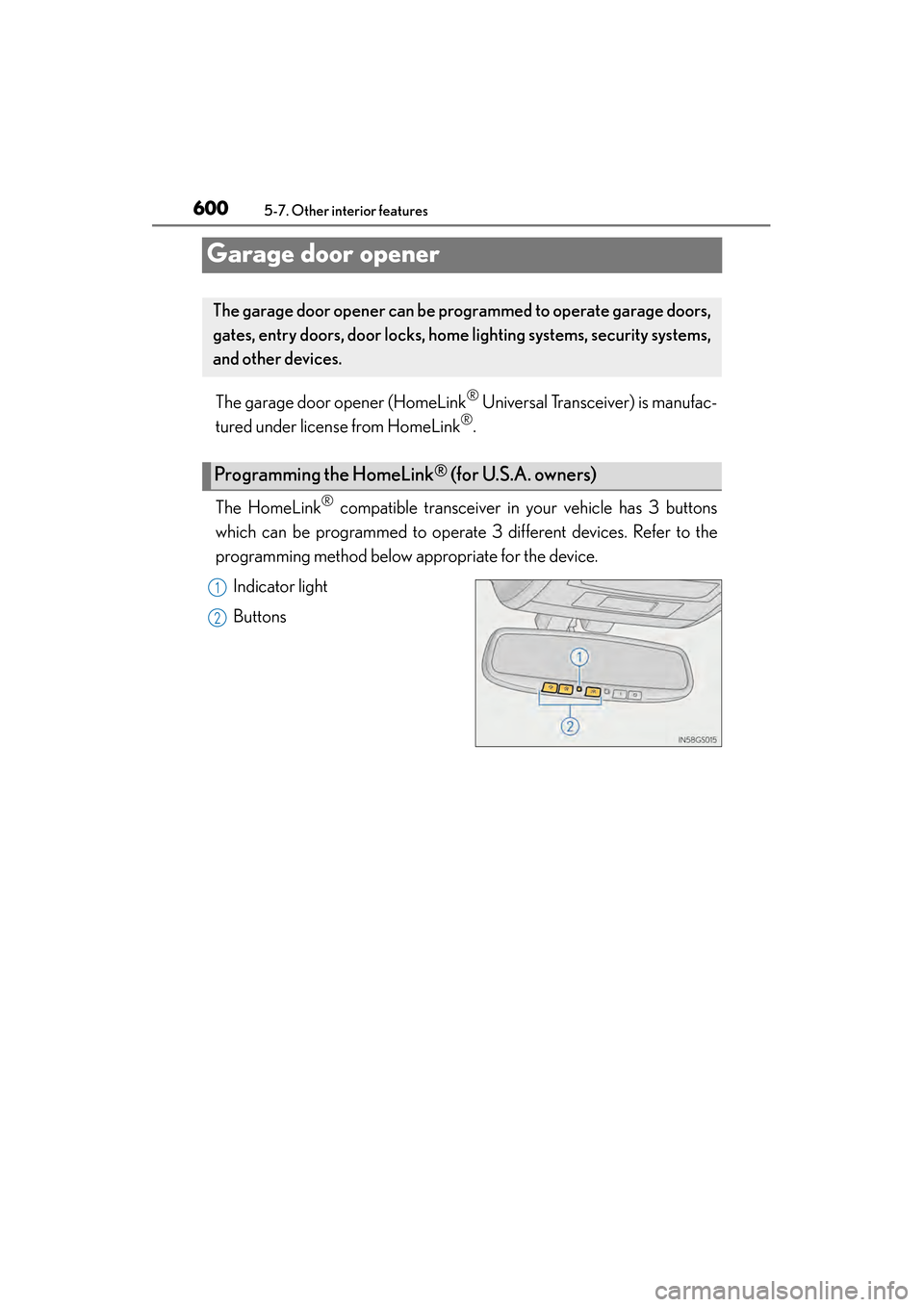
® compatible transceiver in your vehicle has 3 buttons
which can be programmed to operate 3 different devices. Refer to the
programming method below appropriate for the device.
Indicator light
Buttons
The garage door opener can be pr ogrammed to operate garage doors,
gates, entry doors, door locks, home lighting systems, security systems,
and other devices.
Programming the HomeLink® (for U.S.A. owners)
1
2
GS450h_U.book Page 600 Monday, January 23, 2012 10:20 AM
Page 604 of 862
GS450h_U (OM30D01U)
6035-7. Other interior features
5
Interior features
Press and hold the vehicle’s programmed HomeLink® button for
2 seconds and release it. Repeat this step once again. The garage
door may open.
If the garage door opens, the programming process is complete. If the door
does not open, press and release the button a third time. This third press and
release will complete the programming process by opening the garage door.
The ceiling mounted garage door opener motor should now recognize the
HomeLink
® signal and operate the garage door.
Repeat the steps above to program another rolling code system for
any of the remaining HomeLink
® buttons.
■Programming an entry gate (for U.S.A. owners)/Programming a
devices in the Canadian market
Place the remote control transmit ter 1 to 3 in. (25 to 75 mm) away
from the HomeLink
® buttons.
Keep the HomeLink® indicator light in view while programming.
Press and hold the selected HomeLink® button.
Repeatedly press and release (cycle) the remote control transmitter
for 2 seconds each until step is completed.
When the HomeLink
® indicator light starts to flash rapidly, release
the buttons.
Test the HomeLink
® operation by pressing the newly programmed
button. Check to see if the gate/device operates correctly.
Repeat the steps above to program another device for any of the
remaining HomeLink
® buttons.
■Programming other devices
To program other devices such as home security systems, home door
locks and lighting, contact your Lexus dealer for assistance.
■Reprogramming a button
The individual HomeLink
® buttons cannot be erased but can be repro-
grammed. To reprogram a button, follow the “Reprogramming a
HomeLink
® button” instructions.
3
4
1
2
3
4
4
5
6
GS450h_U.book Page 603 Monday, January 23, 2012 10:20 AM
Page 608 of 862
607
GS450h_U (OM30D01U)5-7. Other interior features
5
Interior features
Safety Connect∗
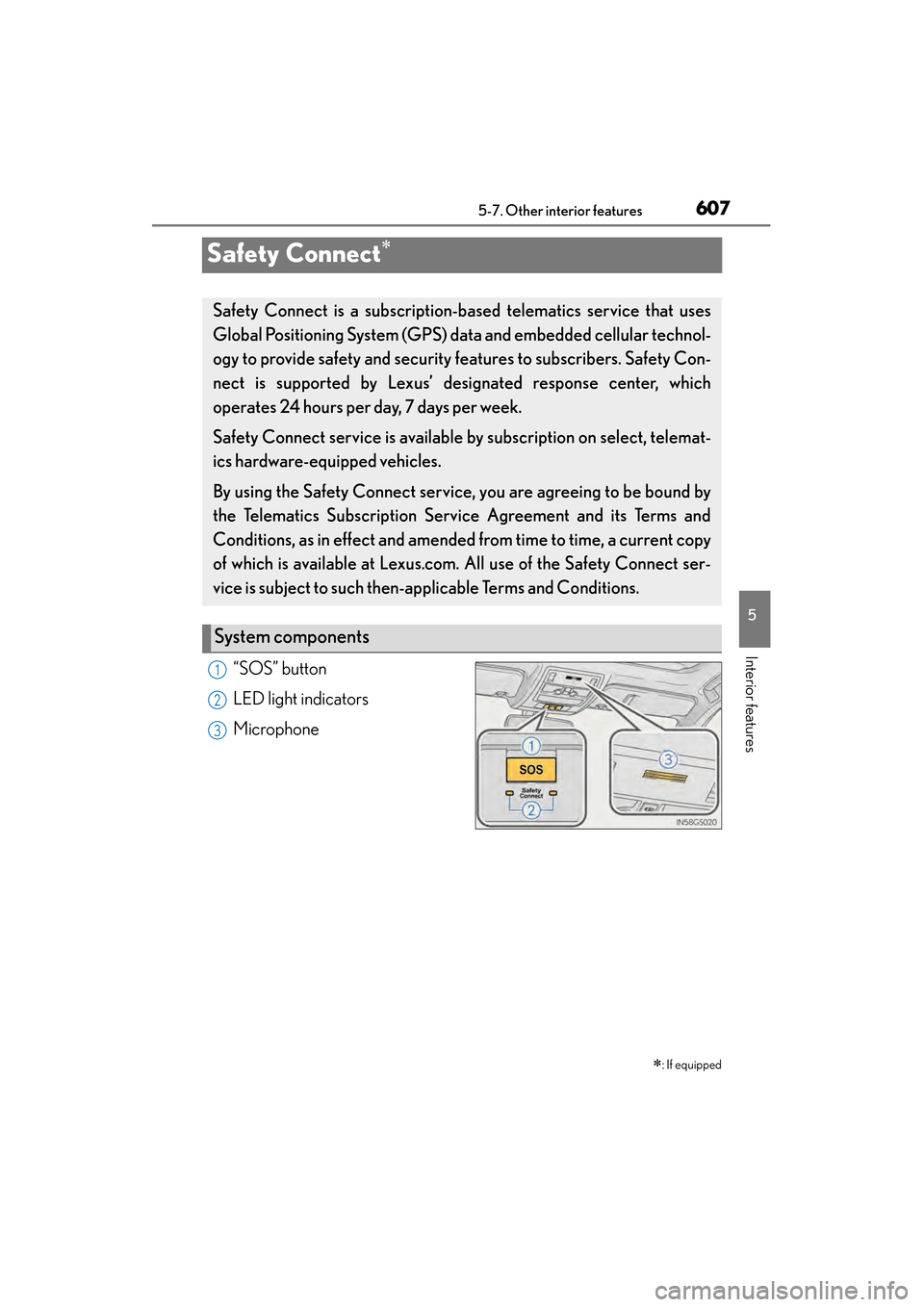
“SOS” button
LED light indicators
Microphone ∗
: If equipped
Safety Connect is a subscription-based telematics service that uses
Global Positioning System (GPS) data and embedded cellular technol-
ogy to provide safety and security features to subscribers. Safety Con-
nect is supported by Lexus’ de signated response center, which
operates 24 hours per day, 7 days per week.
Safety Connect service is available by subscription on select, telemat-
ics hardware-equipped vehicles.
By using the Safety Connect service, you are agreeing to be bound by
the Telematics Subscription Ser vice Agreement and its Terms and
Conditions, as in effect and amended from time to time, a current copy
of which is available at Lexus.com. All use of the Safety Connect ser-
vice is subject to such then-app licable Terms and Conditions.
System components
1
2
3
sec_05-07.fm Page 607 Monday, January 23, 2012 11:41 AM