radio Lexus GS450h 2014 Owner's Guide
[x] Cancel search | Manufacturer: LEXUS, Model Year: 2014, Model line: GS450h, Model: Lexus GS450h 2014Pages: 890, PDF Size: 40.62 MB
Page 383 of 890
3825-1. Remote Touch screen
GS450h_OM_OM30D52U_(U)
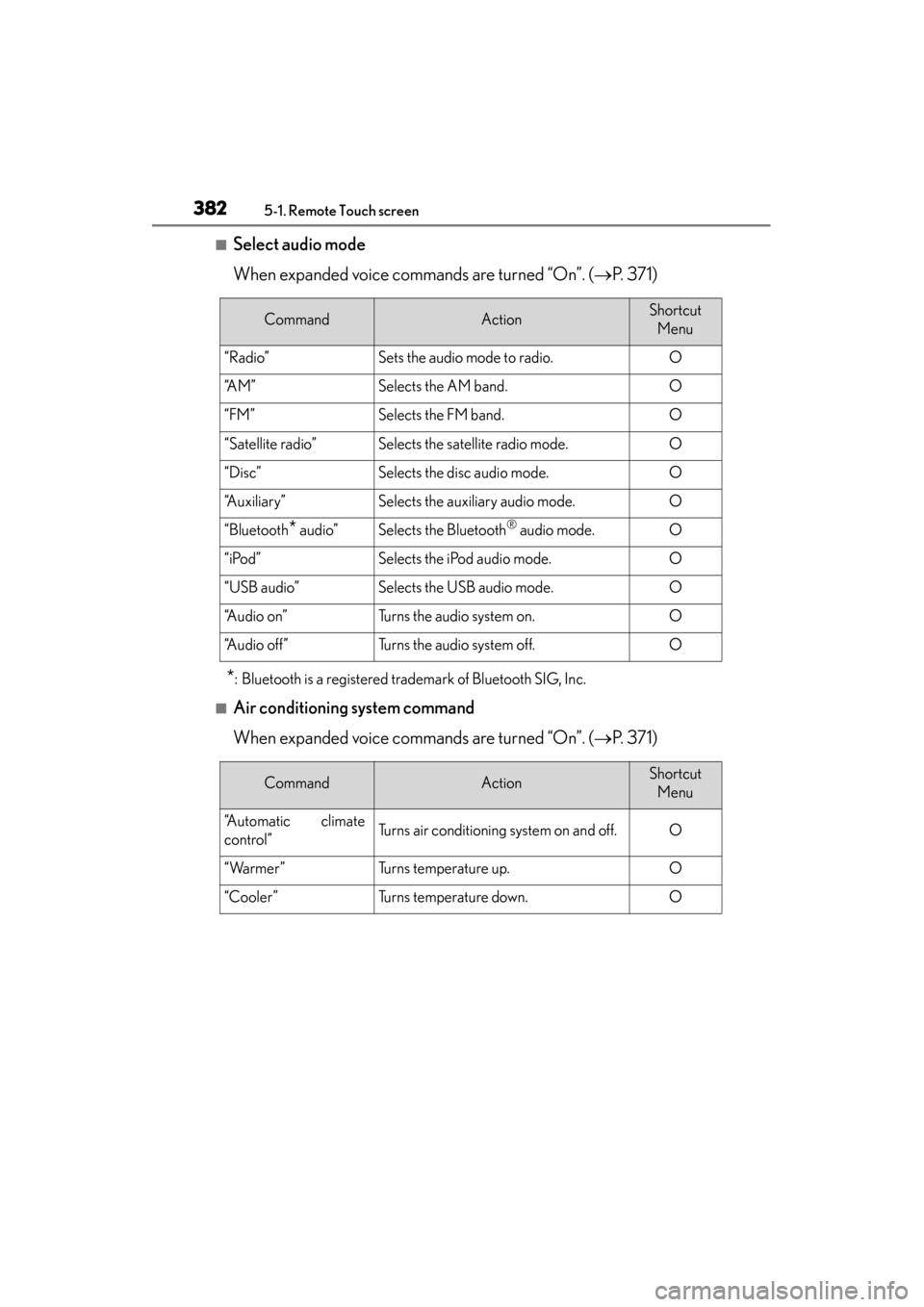
■Select audio mode
When expanded voice commands are turned “On”. (→P. 3 7 1 )
*: Bluetooth is a registered trademark of Bluetooth SIG, Inc.
■Air conditioning system command
When expanded voice commands are turned “On”. ( →P. 3 7 1 )
CommandActionShortcut
Menu
“Radio”Sets the audio mode to radio.O
“A M ”Selects the AM band.O
“FM”Selects the FM band.O
“Satellite radio”Selects the satellite radio mode.O
“Disc”Selects the disc audio mode.O
“Auxiliary”Selects the auxiliary audio mode.O
“Bluetooth* audio”Selects the Bluetooth® audio mode.O
“iPod”Selects the iPod audio mode.O
“USB audio”Selects the USB audio mode.O
“A u d i o o n ”Turns the audio system on.O
“Audio off”Turns the audio system off.O
CommandActionShortcut Menu
“Automatic climate
control”Turns air conditioning system on and off.O
“Warmer”Turns temperature up.O
“Cooler”Turns temperature down.O
GS450h_OM_OM30D52U_(U).book Page 382 Monday, July 29, 2013 12:07 PM
Page 412 of 890
411
GS450h_OM_OM30D52U_(U)5-3. Using the audio system
5
Interior features
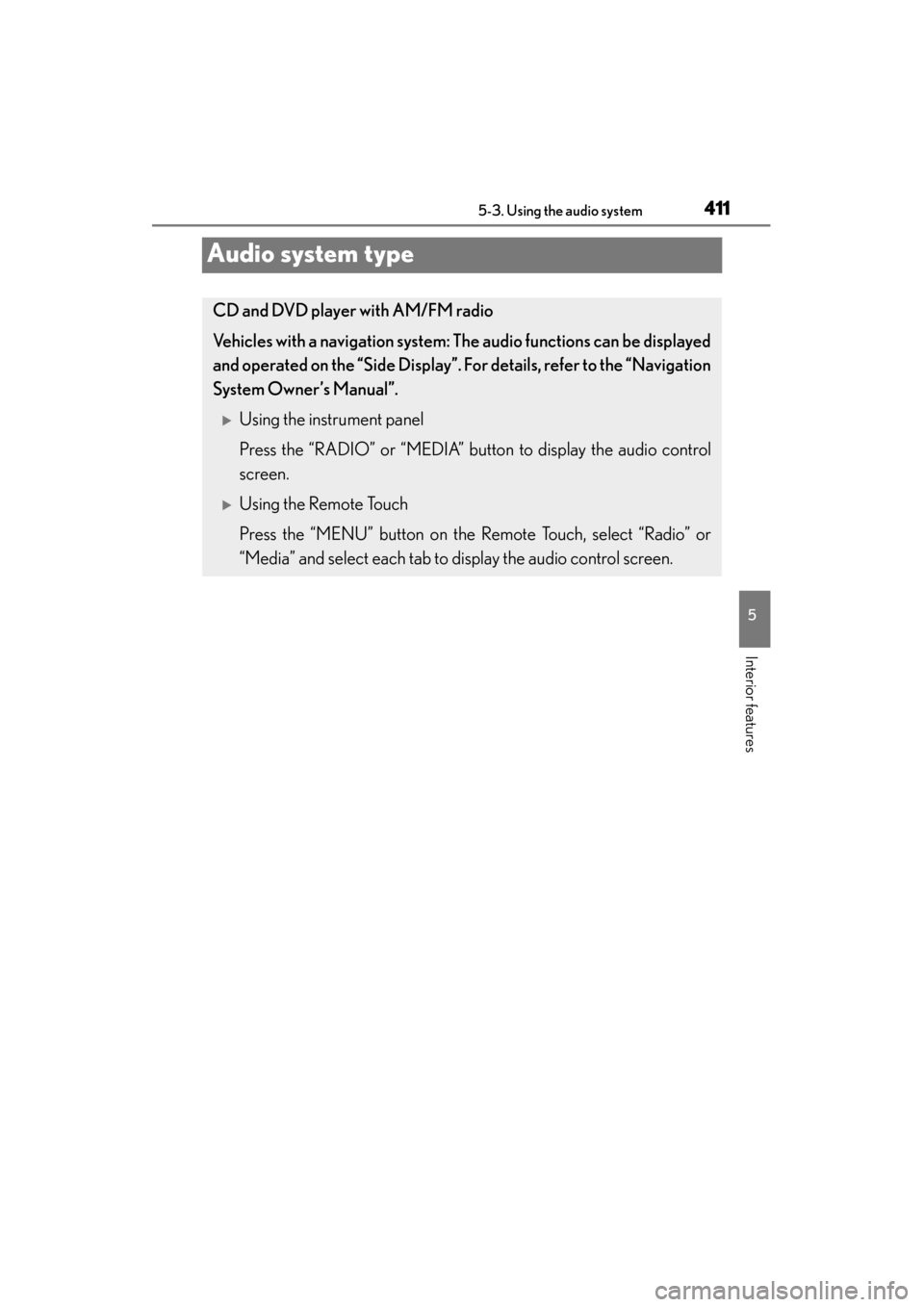
Audio system type
CD and DVD player with AM/FM radio
Vehicles with a navigati on system: The audio fun ctions can be displayed
and operated on the “Side Display”. For details, refer to the “Navigation
System Owner’s Manual”.
XUsing the instrument panel
Press the “RADIO” or “MEDIA” button to display the audio control
screen.
XUsing the Remote Touch
Press the “MENU” button on the Remote Touch, select “Radio” or
“Media” and select each tab to display the audio control screen.
GS450h_OM_OM30D52U_(U).book Page 411 Monday, July 29, 2013 12:07 PM
Page 414 of 890
GS450h_OM_OM30D52U_(U)
4135-3. Using the audio system
5
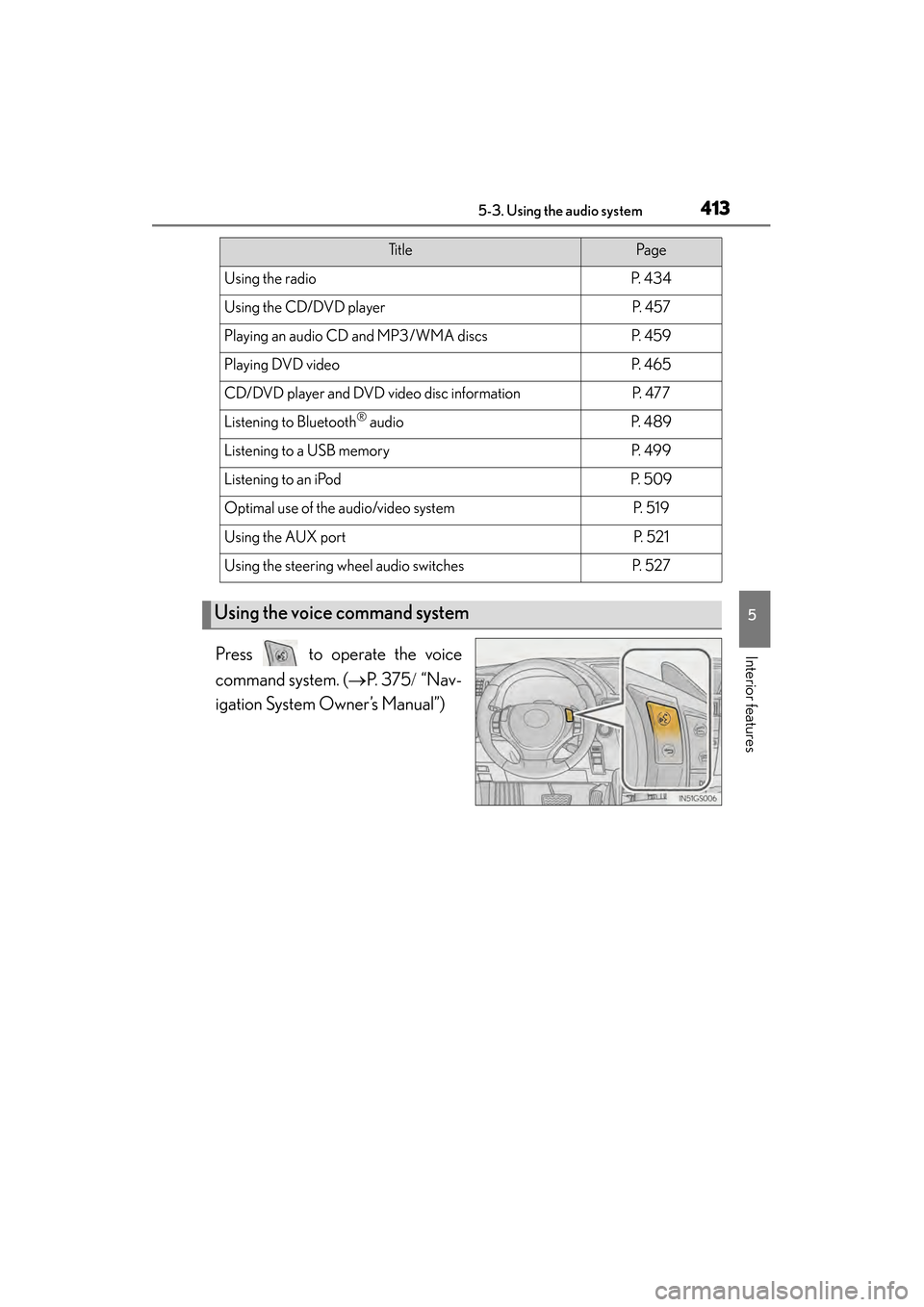
Interior featuresPress to operate the voice
command system. (→P. 3 7 5 / “Nav-
igation System Owner’s Manual”)
Ti t l ePa g e
Using the radioP. 4 3 4
Using the CD/DVD playerP. 4 5 7
Playing an audio CD and MP3/WMA discsP. 4 5 9
Playing DVD videoP. 4 6 5
CD/DVD player and DVD video disc informationP. 4 7 7
Listening to Bluetooth® audioP. 4 8 9
Listening to a USB memoryP. 4 9 9
Listening to an iPodP. 5 0 9
Optimal use of the audio/video systemP. 5 1 9
Using the AUX portP. 5 2 1
Using the steering wheel audio switchesP. 5 2 7
Using the voice command system
GS450h_OM_OM30D52U_(U).book Page 413 Monday, July 29, 2013 12:07 PM
Page 435 of 890

434
GS450h_OM_OM30D52U_(U)
5-3. Using the audio system
Using the radio
Press the “RADIO” button to display the radio control screen.
Select the “AM”, “FM”, “SAT” or “Apps” tab or press the “RADIO” but-
ton repeatedly to select the desired tab.
GS450h_OM_OM30D52U_(U).book Page 434 Monday, July 29, 2013 12:07 PM
Page 437 of 890
436
GS450h_OM_OM30D52U_(U)
5-3. Using the audio system
■Seek tuning
Press and hold “<” or “>” on the “PRST•TRACK” button.
■Manual tuning
Turn the “TUNE/SCROLL” knob.
■Preset stations
Select the desired preset stations (1 - 6).
Change the page by using “∧” or “∨ ” on the screen.
Press “<” or “>” on the “PRST•TRACK” button.
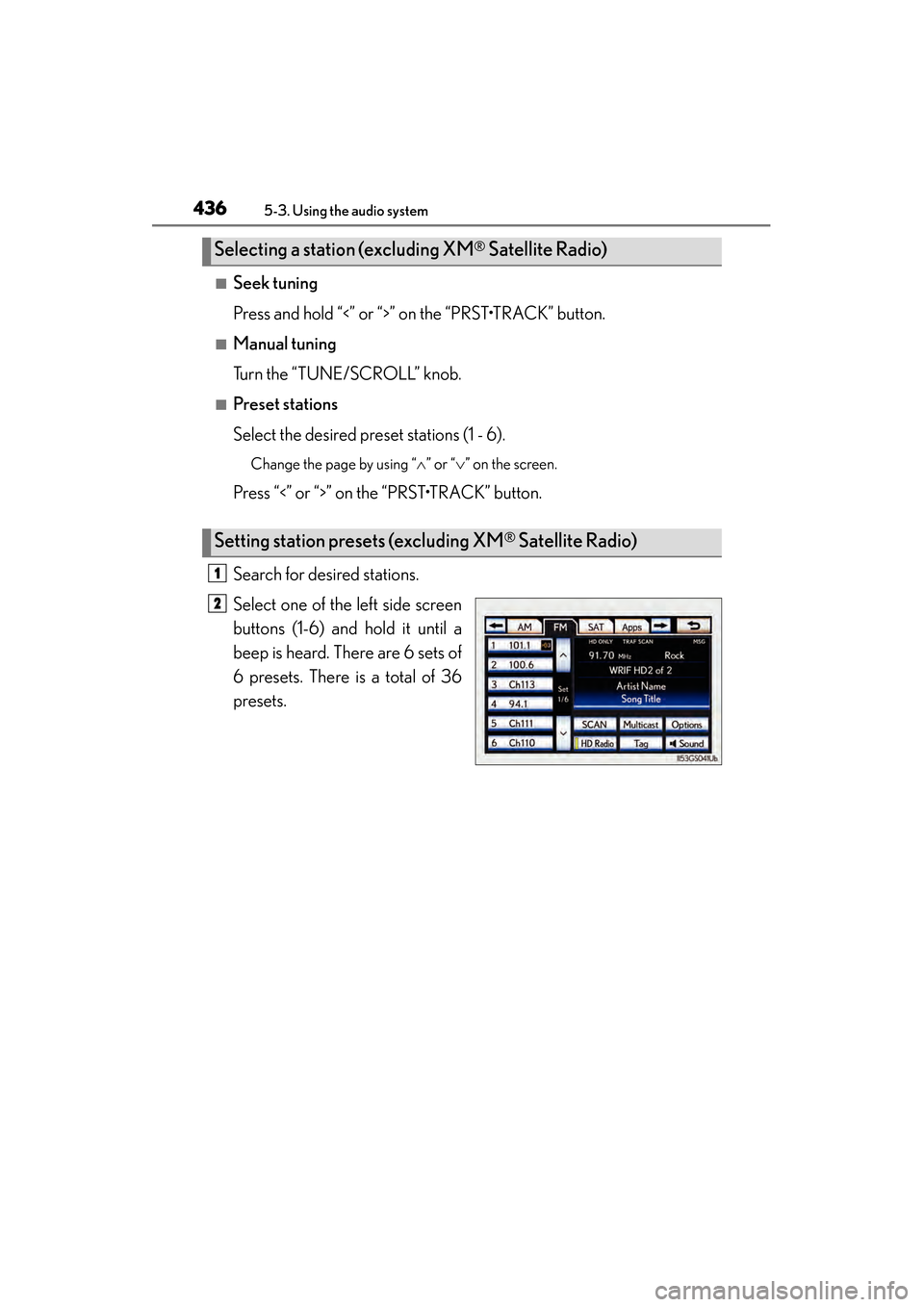
Search for desired stations.
Select one of the left side screen
buttons (1-6) and hold it until a
beep is heard. There are 6 sets of
6 presets. There is a total of 36
presets.
Selecting a station (excluding XM® Satellite Radio)
Setting station presets (excluding XM® Satellite Radio)
1
2
GS450h_OM_OM30D52U_(U).book Page 436 Monday, July 29, 2013 12:07 PM
Page 438 of 890
GS450h_OM_OM30D52U_(U)
4375-3. Using the audio system
5
Interior features
Scanning all radio stations within rangeSelect “SCAN” on the screen.
“SCAN” appears on the screen.
The radio will find the next station and stay there for 10 seconds if “All” or “HD
Only” is selected, or 5 seconds if “Analog” is selected, and then scan again.
(→ P. 4 3 9 )
Select “SCAN” once again when the desired station is reached.
This feature allows your radio to receive station identification information
and program information (classical, jazz, etc.) from radio stations which
broadcast this information.
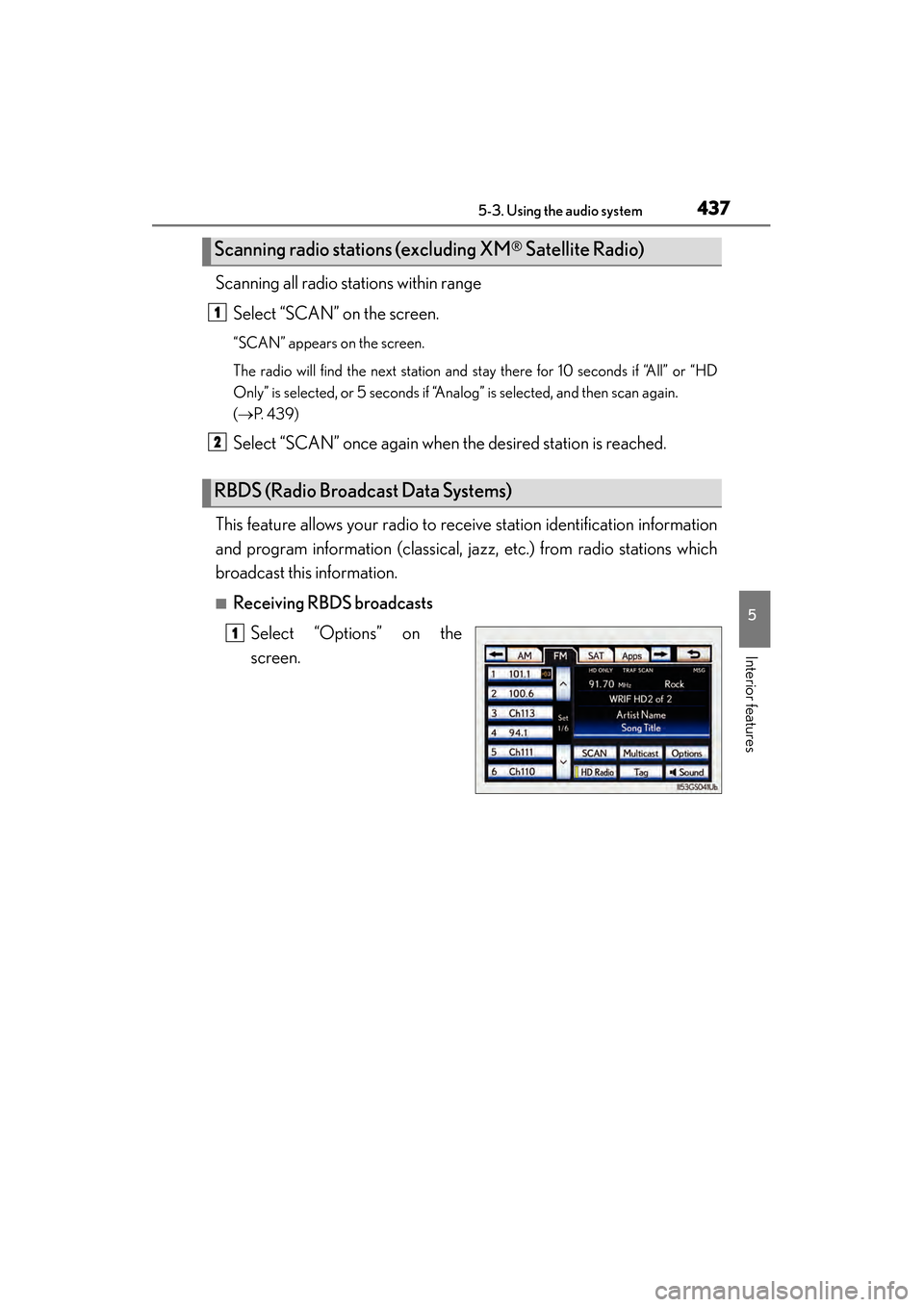
■Receiving RBDS broadcasts Select “Options” on the
screen.
Scanning radio stations (excluding XM® Satellite Radio)
RBDS (Radio Broadcast Data Systems)
1
2
1
GS450h_OM_OM30D52U_(U).book Page 437 Monday, July 29, 2013 12:07 PM
Page 439 of 890
438
GS450h_OM_OM30D52U_(U)
5-3. Using the audio system
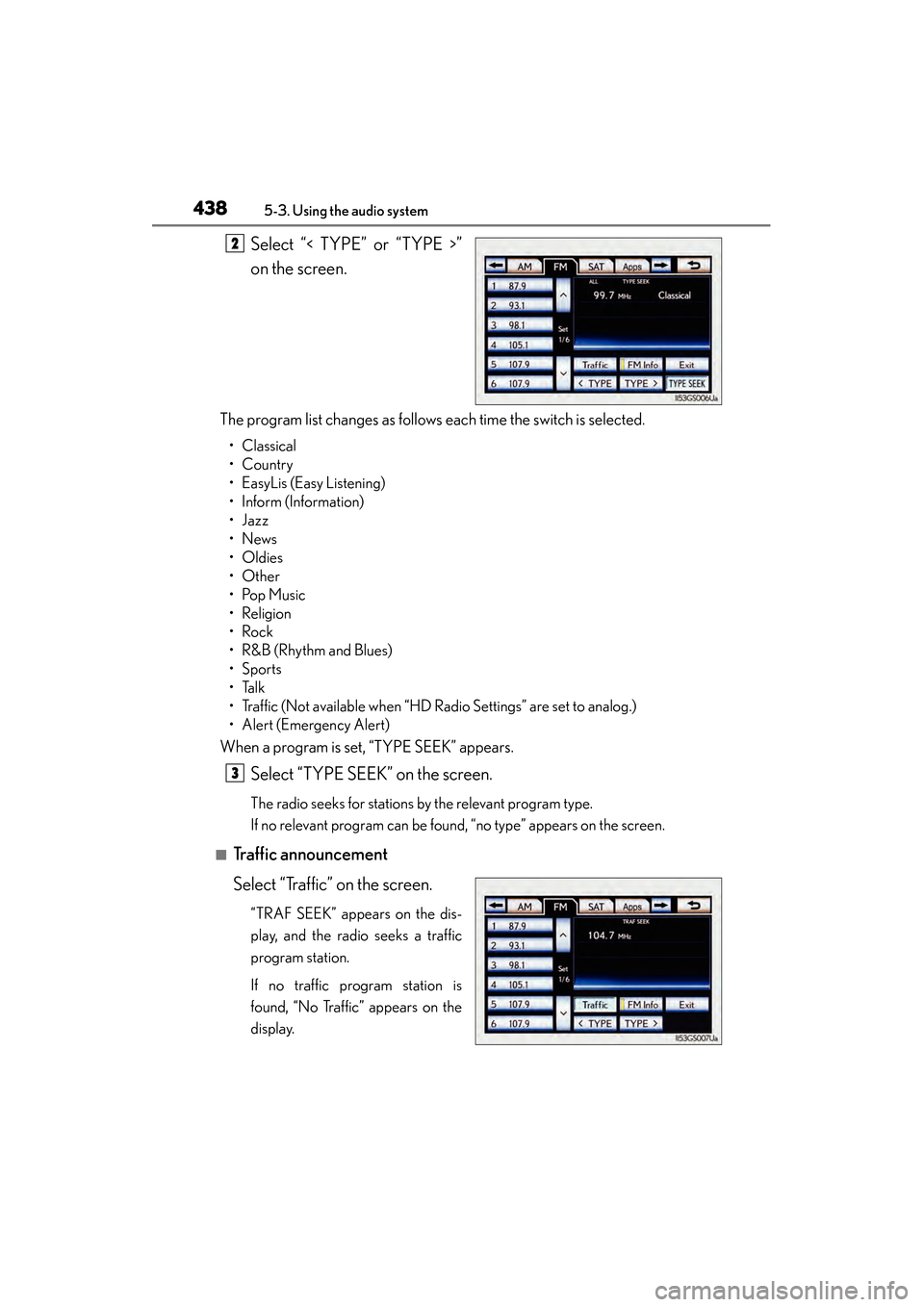
Select “< TYPE” or “TYPE >”
on the screen.
The program list changes as follows each time the switch is selected.
• Classical
•Country
• EasyLis (Easy Listening)
• Inform (Information)
•Jazz
•News
•Oldies
•Other
•Pop Music
•Religion
•Rock
•R&B (Rhythm and Blues)
•Sports
•Talk
• Traffic (Not available when “HD Radio Settings” are set to analog.)
• Alert (Emergency Alert)
When a program is set, “TYPE SEEK” appears.
Select “TYPE SEEK” on the screen.
The radio seeks for stations by the relevant program type.
If no relevant program can be found, “no type” appears on the screen.
■Traffic announcement
Select “Traffic” on the screen.
“TRAF SEEK” appears on the dis-
play, and the radio seeks a traffic
program station.
If no traffic program station is
found, “No Traffic” appears on the
display.
2
3
GS450h_OM_OM30D52U_(U).book Page 438 Monday, July 29, 2013 12:07 PM
Page 440 of 890
GS450h_OM_OM30D52U_(U)
4395-3. Using the audio system
5
Interior features
HD Radio™ Technology is the digital evolution of analog AM/FM radio.
Your radio product has a special receiver which allows it to receive digital
broadcasts (where available) in addition to the analog broadcasts it
already receives.
Digital broadcasts have better sound quality than analog broadcasts as
digital broadcasts provide free, crystal clear audio with no static or distor-
tion. For more information, and a guide to available radio stations and pro-
gramming, refer to www.hdradio.com
.
■Settings HD Radio™ system
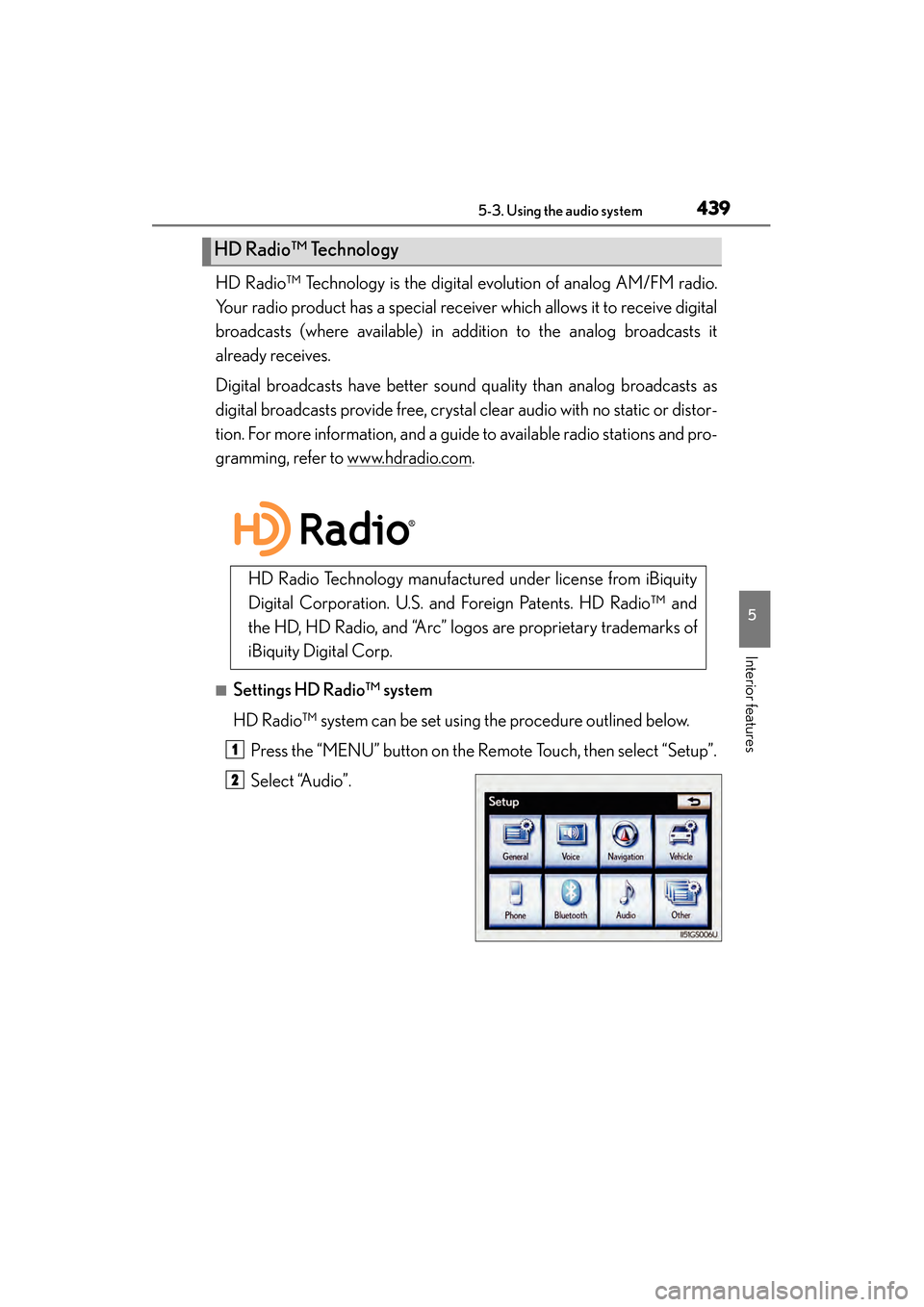
HD Radio™ system can be set using the procedure outlined below.Press the “MENU” button on the Remote Touch, then select “Setup”.
Select “Audio”.
HD Radio™ Technology
HD Radio Technology manufactured under license from iBiquity
Digital Corporation. U.S. and Foreign Patents. HD Radio™ and
the HD, HD Radio, and “Arc” logos are proprietary trademarks of
iBiquity Digital Corp.
1
2
GS450h_OM_OM30D52U_(U).book Page 439 Monday, July 29, 2013 12:07 PM
Page 441 of 890
440
GS450h_OM_OM30D52U_(U)
5-3. Using the audio system
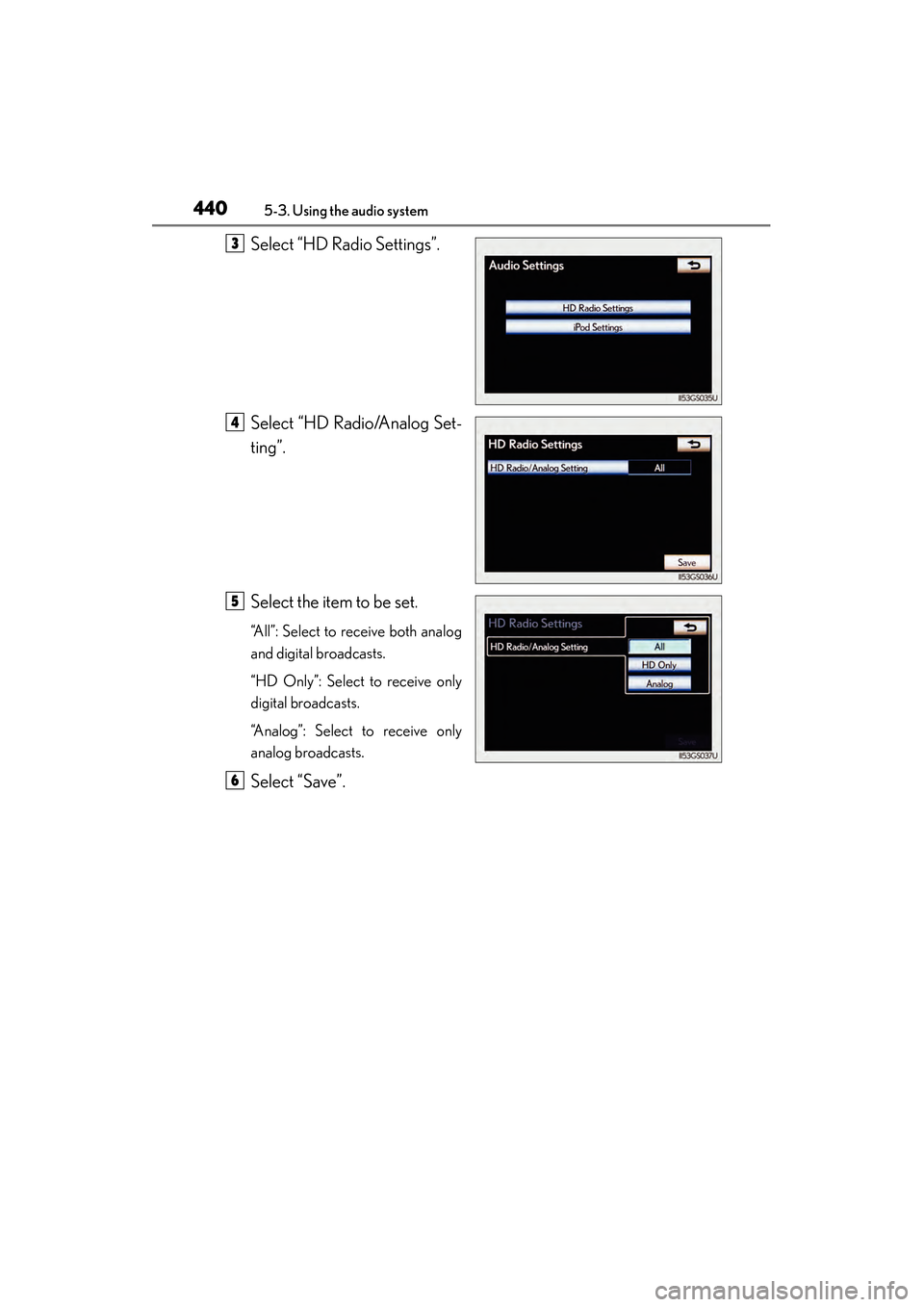
Select “HD Radio Settings”.
Select “HD Radio/Analog Set-
ting”.
Select the item to be set.
“All”: Select to receive both analog
and digital broadcasts.
“HD Only”: Select to receive only
digital broadcasts.
“Analog”: Select to receive only
analog broadcasts.
Select “Save”.
3
4
5
6
GS450h_OM_OM30D52U_(U).book Page 440 Monday, July 29, 2013 12:07 PM
Page 442 of 890
GS450h_OM_OM30D52U_(U)
4415-3. Using the audio system
5
Interior features
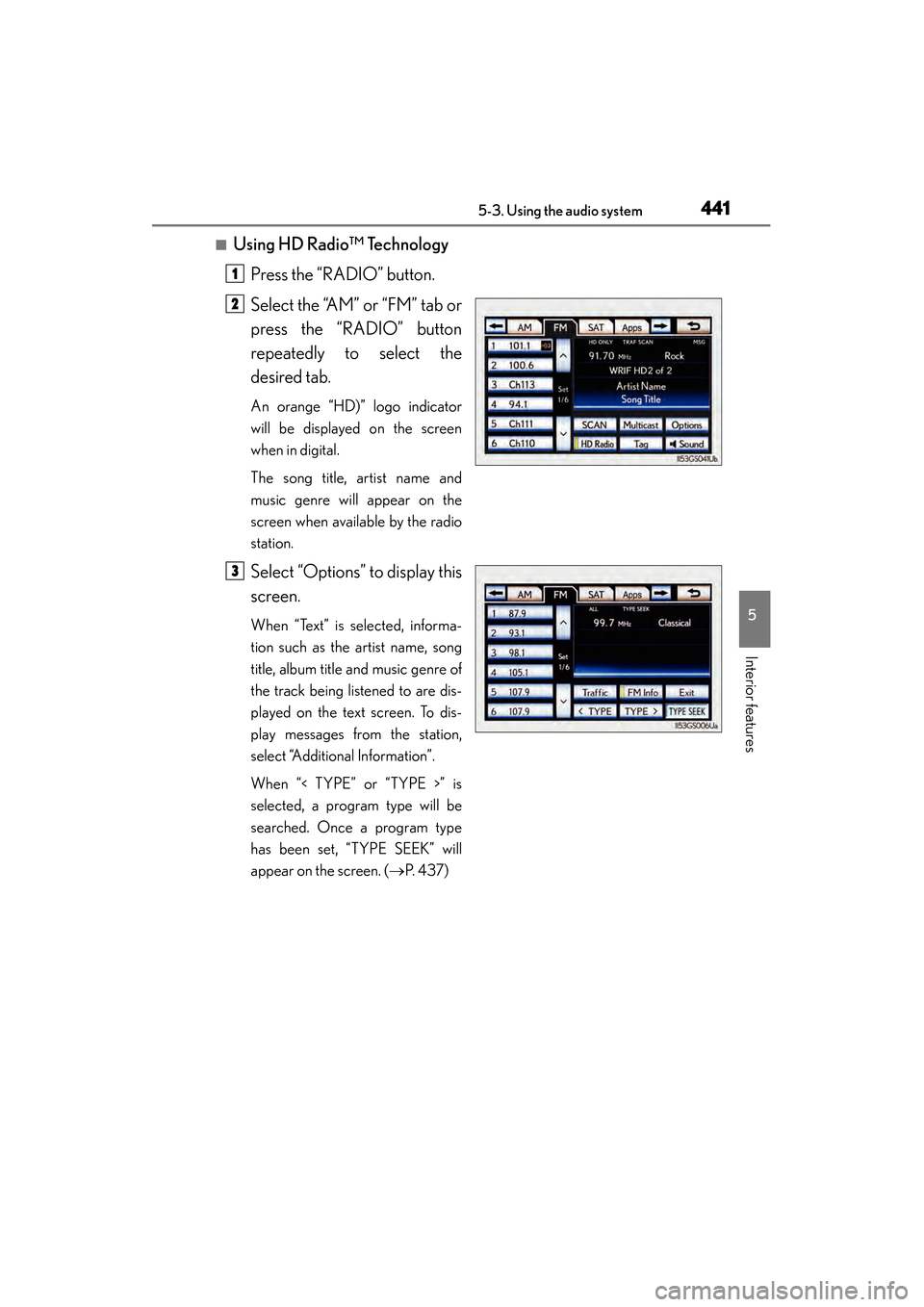
■Using HD Radio™ TechnologyPress the “RADIO” button.
Select the “AM” or “FM” tab or
press the “RADIO” button
repeatedly to select the
desired tab.
An orange “HD)” logo indicator
will be displayed on the screen
when in digital.
The song title, artist name and
music genre will appear on the
screen when available by the radio
station.
Select “Options” to display this
screen.
When “Text” is selected, informa-
tion such as the artist name, song
title, album title and music genre of
the track being listened to are dis-
played on the text screen. To dis-
play messages from the station,
select “Additional Information”.
When “< TYPE” or “TYPE >” is
selected, a program type will be
searched. Once a program type
has been set, “TYPE SEEK” will
appear on the screen. ( →P. 4 3 7 )
1
2
3
GS450h_OM_OM30D52U_(U).book Page 441 Monday, July 29, 2013 12:07 PM